API Automation in Rest Assured
by Using BDD Approach
Introduction
• Automated API Testing: With more companies moving towards API-driven
architectures, it's becoming increasingly important to have automated API
testing to ensure that new and existing APIs are functioning as expected. Rest
Assured provides a simple and intuitive way to write automated tests for REST
APIs, which can be integrated with continuous integration and delivery
pipelines
• Rest Assured is a popular choice for companies looking to automate their REST
API testing, thanks to its ease of use, community support, and ability to integrate
with other testing frameworks.
Framework
• Behavior Driven Development(BDD) approach is used
• TestNG testing framework is used
• Tool Used: Eclipse IDE for development
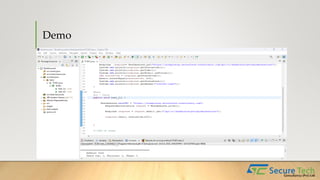
Demo
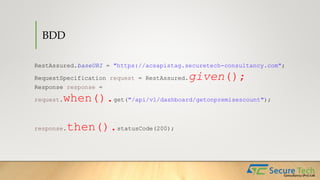
BDD
RestAssured.baseURI = "https://acsapistag.securetech-consultancy.com";
RequestSpecification request = RestAssured.given();
Response response =
request.when().get("/api/v1/dashboard/getonpremisescount");
response.then().statusCode(200);
Thanks

RestAssured.pptx

  • 1.
    API Automation inRest Assured by Using BDD Approach
  • 2.
    Introduction • Automated APITesting: With more companies moving towards API-driven architectures, it's becoming increasingly important to have automated API testing to ensure that new and existing APIs are functioning as expected. Rest Assured provides a simple and intuitive way to write automated tests for REST APIs, which can be integrated with continuous integration and delivery pipelines • Rest Assured is a popular choice for companies looking to automate their REST API testing, thanks to its ease of use, community support, and ability to integrate with other testing frameworks.
  • 3.
    Framework • Behavior DrivenDevelopment(BDD) approach is used • TestNG testing framework is used • Tool Used: Eclipse IDE for development
  • 4.
  • 5.
    BDD RestAssured.baseURI = "https://acsapistag.securetech-consultancy.com"; RequestSpecificationrequest = RestAssured.given(); Response response = request.when().get("/api/v1/dashboard/getonpremisescount"); response.then().statusCode(200);
  • 6.