Slide 5- 1
The Relational Data Model and Relational
Database Constraints
• Relational Model Concepts
• Relational Model Constraints and Relational
Database Schemas
• Update Operations and Dealing with Constraint
Violations
Slide 5- 2
Relational Model Concepts
• The relational Model of Data is based on the concept of
a Relation
– The strength of the relational approach to data
management comes from the formal foundation provided
by the theory of relations
• We review the essentials of the formal relational model
in this chapter
• In practice, there is a standard model based on SQL –
this is described in Chapters 8 and 9
• Note: There are several important differences between
the formal model and the practical model, as we shall
see
Slide 5- 3
Relational Model Concepts
• A Relation is a mathematical concept based on
the ideas of sets
• The model was first proposed by Dr. E.F. Codd of
IBM Research in 1970 in the following paper:
– "A Relational Model for Large Shared Data
Banks," Communications of the ACM, June
1970
• The above paper caused a major revolution in
the field of database management and earned
Dr. Codd the coveted ACM Turing Award
Slide 5- 4
Informal Definitions
• Informally, a relation looks like a table of values.
• A relation typically contains a set of rows.
• The data elements in each row represent certain facts that
correspond to a real-world entity or relationship
– In the formal model, rows are called tuples
• Each column has a column header that gives an indication
of the meaning of the data items in that column
– In the formal model, the column header is called an
attribute name (or just attribute)
Slide 5- 5
Example of a Relation
Slide 5- 6
Informal Definitions
• Key of a Relation:
– Each row has a value of a data item (or set of
items) that uniquely identifies that row in the table
• Called the key
– In the STUDENT table, SSN is the key
– Sometimes row-ids or sequential numbers are
assigned as keys to identify the rows in a table
• Called artificial key or surrogate key
Slide 5- 7
Formal Definitions - Schema
• The Schema (or description) of a Relation:
– Denoted by R(A1, A2, .....An)
– R is the name of the relation
– The attributes of the relation are A1, A2, ..., An
• Example:
CUSTOMER (Cust-id, Cust-name, Address, Phone#)
– CUSTOMER is the relation name
– Defined over the four attributes: Cust-id, Cust-name,
Address, Phone#
• Each attribute has a domain or a set of valid values.
– For example, the domain of Cust-id is 6 digit numbers.
Slide 5- 8
Formal Definitions - Tuple
• A tuple is an ordered set of values (enclosed in angled
brackets ‘< … >’)
• Each value is derived from an appropriate domain.
• A row in the CUSTOMER relation is a 4-tuple and would
consist of four values, for example:
– <632895, "John Smith", "101 Main St. Atlanta, GA
30332", "(404) 894-2000">
– This is called a 4-tuple as it has 4 values
– A tuple (row) in the CUSTOMER relation.
• A relation is a set of such tuples (rows)
Slide 5- 9
Formal Definitions - Domain
• A domain has a logical definition:
– Example: “USA_phone_numbers” are the set of 10 digit phone
numbers valid in the U.S.
• A domain also has a data-type or a format defined for it.
– The USA_phone_numbers may have a format: (ddd)ddd-dddd
where each d is a decimal digit.
– Dates have various formats such as year, month, date formatted
as yyyy-mm-dd, or as dd mm,yyyy etc.
• The attribute name designates the role played by a domain in a
relation:
– Used to interpret the meaning of the data elements
corresponding to that attribute
– Example: The domain Date may be used to define two attributes
named “Invoice-date” and “Payment-date” with different meanings
Slide 5- 10
Formal Definitions - State
• The relation state is a subset of the Cartesian
product of the domains of its attributes
– each domain contains the set of all possible
values the attribute can take.
• Example: attribute Cust-name is defined over
the domain of character strings of maximum
length 25
– dom(Cust-name) is varchar(25)
• The role these strings play in the CUSTOMER
relation is that of the name of a customer.
Slide 5- 11
Formal Definitions - Summary
• Formally,
– Given R(A1, A2, .........., An)
– r(R)  dom (A1) X dom (A2) X ....X dom(An)
• R(A1, A2, …, An) is the schema of the relation
• R is the name of the relation
• A1, A2, …, An are the attributes of the relation
• r(R): a specific state (or "value" or “population”) of
relation R – this is a set of tuples (rows)
– r(R) = {t1, t2, …, tn} where each ti is an n-tuple
– ti = <v1, v2, …, vn> where each vj element-of dom(Aj)
Slide 5- 12
Formal Definitions - Example
• Let R(A1, A2) be a relation schema:
– Let dom(A1) = {0,1}
– Let dom(A2) = {a,b,c}
• Then: dom(A1) X dom(A2) is all possible combinations:
{<0,a> , <0,b> , <0,c>, <1,a>, <1,b>, <1,c> }
• The relation state r(R)  dom(A1) X dom(A2)
• For example: r(R) could be {<0,a> , <0,b> , <1,c> }
– this is one possible state (or “population” or “extension”) r
of the relation R, defined over A1 and A2.
– It has three 2-tuples: <0,a> , <0,b> , <1,c>
Slide 5- 13
Definition Summary
Informal Terms Formal Terms
Table Relation
Column Header Attribute
All possible Column
Values
Domain
Row Tuple
Table Definition Schema of a Relation
Populated Table State of the Relation
Slide 5- 14
Example – A relation STUDENT
Slide 5- 15
Characteristics Of Relations
• Ordering of tuples in a relation r(R):
– The tuples are not considered to be ordered,
even though they appear to be in the tabular
form.
• Ordering of attributes in a relation schema R (and of
values within each tuple):
– We will consider the attributes in R(A1, A2, ...,
An) and the values in t=<v1, v2, ..., vn> to be
ordered .
• (However, a more general alternative definition
of relation does not require this ordering).
Slide 5- 16
Same state as previous Figure (but with
different order of tuples)
Slide 5- 17
Characteristics Of Relations
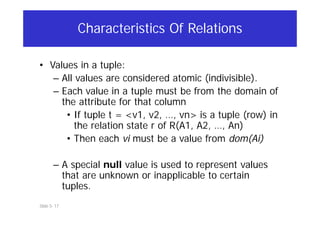
• Values in a tuple:
– All values are considered atomic (indivisible).
– Each value in a tuple must be from the domain of
the attribute for that column
• If tuple t = <v1, v2, …, vn> is a tuple (row) in
the relation state r of R(A1, A2, …, An)
• Then each vi must be a value from dom(Ai)
– A special null value is used to represent values
that are unknown or inapplicable to certain
tuples.
Slide 5- 18
Characteristics Of Relations
• Notation:
– We refer to component values of a tuple t
by:
• t[Ai] or t.Ai
• This is the value vi of attribute Ai for tuple t
– Similarly, t[Au, Av, ..., Aw] refers to the
subtuple of t containing the values of
attributes Au, Av, ..., Aw, respectively in t
Slide 5- 19
Relational Integrity Constraints
• Constraints are conditions that must hold on all valid
relation states.
• There are three main types of constraints in the
relational model:
– Key constraints
– Entity integrity constraints
– Referential integrity constraints
• Another implicit constraint is the domain constraint
– Every value in a tuple must be from the domain of its
attribute (or it could be null, if allowed for that attribute)
Slide 5- 20
Key Constraints
• Superkey of R:
– Is a set of attributes SK of R with the following condition:
• No two tuples in any valid relation state r(R) will have the
same value for SK
• That is, for any distinct tuples t1 and t2 in r(R), t1[SK] 
t2[SK]
• This condition must hold in any valid state r(R)
• Key of R:
– A "minimal" superkey
– That is, a key is a superkey K such that removal of any
attribute from K results in a set of attributes that is not a
superkey (does not possess the superkey uniqueness
property)
Slide 5- 21
Key Constraints (continued)
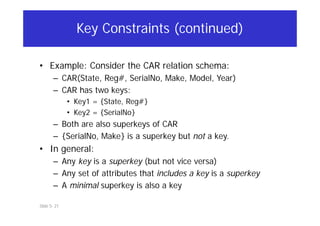
• Example: Consider the CAR relation schema:
– CAR(State, Reg#, SerialNo, Make, Model, Year)
– CAR has two keys:
• Key1 = {State, Reg#}
• Key2 = {SerialNo}
– Both are also superkeys of CAR
– {SerialNo, Make} is a superkey but not a key.
• In general:
– Any key is a superkey (but not vice versa)
– Any set of attributes that includes a key is a superkey
– A minimal superkey is also a key
Slide 5- 22
Key Constraints (continued)
• If a relation has several candidate keys, one is chosen
arbitrarily to be the primary key.
– The primary key attributes are underlined.
• Example: Consider the CAR relation schema:
– CAR(State, Reg#, SerialNo, Make, Model, Year)
– We chose SerialNo as the primary key
• The primary key value is used to uniquely identify each
tuple in a relation
– Provides the tuple identity
• Also used to reference the tuple from another tuple
– General rule: Choose as primary key the smallest of the
candidate keys (in terms of size)
– Not always applicable – choice is sometimes subjective
Slide 5- 23
CAR table with two candidate keys –
LicenseNumber chosen as Primary Key
Slide 5- 24
Relational Database Schema
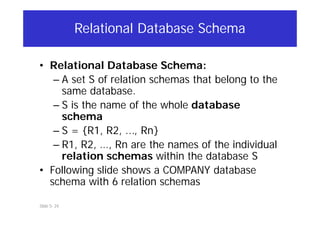
• Relational Database Schema:
– A set S of relation schemas that belong to the
same database.
– S is the name of the whole database
schema
– S = {R1, R2, ..., Rn}
– R1, R2, …, Rn are the names of the individual
relation schemas within the database S
• Following slide shows a COMPANY database
schema with 6 relation schemas
Slide 5- 25
COMPANY Database Schema
Slide 5- 26
Entity Integrity
• Entity Integrity:
– The primary key attributes PK of each relation
schema R in S cannot have null values in any tuple of
r(R).
• This is because primary key values are used to identify the
individual tuples.
• t[PK]  null for any tuple t in r(R)
• If PK has several attributes, null is not allowed in any of
these attributes
– Note: Other attributes of R may be constrained to
disallow null values, even though they are not
members of the primary key.
Slide 5- 27
Referential Integrity
• A constraint involving two relations
– The previous constraints involve a single
relation.
• Used to specify a relationship among tuples in
two relations:
– The referencing relation and the
referenced relation.
Slide 5- 28
Referential Integrity
• Tuples in the referencing relation R1 have
attributes FK (called foreign key attributes)
that reference the primary key attributes PK of
the referenced relation R2.
– A tuple t1 in R1 is said to reference a tuple
t2 in R2 if t1[FK] = t2[PK].
• A referential integrity constraint can be displayed
in a relational database schema as a directed arc
from R1.FK to R2.
Slide 5- 29
Referential Integrity (or foreign key)
Constraint
• Statement of the constraint
– The value in the foreign key column (or
columns) FK of the the referencing relation
R1 can be either:
• (1) a value of an existing primary key value
of a corresponding primary key PK in the
referenced relation R2, or
• (2) a null.
• In case (2), the FK in R1 should not be a part of
its own primary key.
Slide 5- 30
Displaying a relational database schema and
its constraints
• Each relation schema can be displayed as a row of
attribute names
• The name of the relation is written above the attribute
names
• The primary key attribute (or attributes) will be
underlined
• A foreign key (referential integrity) constraints is
displayed as a directed arc (arrow) from the foreign key
attributes to the referenced table
– Can also point the the primary key of the referenced
relation for clarity
• Next slide shows the COMPANY relational schema
diagram
Slide 5- 31
Referential Integrity Constraints for COMPANY database
Slide 5- 32
Other Types of Constraints
• Semantic Integrity Constraints:
– based on application semantics and cannot be
expressed by the model per se
– Example: “the max. no. of hours per
employee for all projects he or she works on
is 56 hrs per week”
• A constraint specification language may have
to be used to express these
• SQL-99 allows triggers and ASSERTIONS to
express for some of these
Slide 5- 33
Populated database state
• Each relation will have many tuples in its current relation
state
• The relational database state is a union of all the
individual relation states
• Whenever the database is changed, a new state arises
• Basic operations for changing the database:
– INSERT a new tuple in a relation
– DELETE an existing tuple from a relation
– MODIFY an attribute of an existing tuple
• Next slide shows an example state for the COMPANY
database
Slide 5- 34
Populated database state for COMPANY
Slide 5- 35
Update Operations on Relations
• INSERT a tuple.
• DELETE a tuple.
• MODIFY a tuple.
• Integrity constraints should not be violated by
the update operations.
• Several update operations may have to be
grouped together.
• Updates may propagate to cause other
updates automatically. This may be necessary to
maintain integrity constraints.
Slide 5- 36
Update Operations on Relations
• In case of integrity violation, several actions can
be taken:
– Cancel the operation that causes the violation
(RESTRICT or REJECT option)
– Perform the operation but inform the user of
the violation
– Trigger additional updates so the violation is
corrected (CASCADE option, SET NULL option)
– Execute a user-specified error-correction
routine
Slide 5- 37
Possible violations for each operation
• INSERT may violate any of the constraints:
– Domain constraint:
• if one of the attribute values provided for the new tuple is
not of the specified attribute domain
– Key constraint:
• if the value of a key attribute in the new tuple already exists
in another tuple in the relation
– Referential integrity:
• if a foreign key value in the new tuple references a primary
key value that does not exist in the referenced relation
– Entity integrity:
• if the primary key value is null in the new tuple
Slide 5- 38
Possible violations for each operation
• DELETE may violate only referential integrity:
– If the primary key value of the tuple being deleted is
referenced from other tuples in the database
• Can be remedied by several actions: RESTRICT, CASCADE,
SET NULL (see Chapter 8 for more details)
– RESTRICT option: reject the deletion
– CASCADE option: propagate the new primary key value into the
foreign keys of the referencing tuples
– SET NULL option: set the foreign keys of the referencing tuples
to NULL
– One of the above options must be specified during
database design for each foreign key constraint
Alter
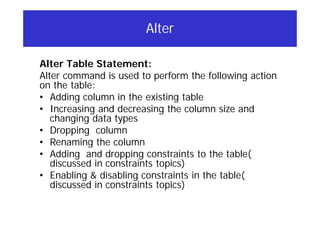
Alter Table Statement:
Alter command is used to perform the following action
on the table:
• Adding column in the existing table
• Increasing and decreasing the column size and
changing data types
• Dropping column
• Renaming the column
• Adding and dropping constraints to the table(
discussed in constraints topics)
• Enabling & disabling constraints in the table(
discussed in constraints topics)
• alter table employee add address varchar2 (20);
• alter table employee modify address varchar2
(10);
• alter table employee drop column address;
• alter table employee rename column mgr to
manager;
Slide 5- 41
Possible violations for each operation
• UPDATE may violate domain constraint and NOT NULL
constraint on an attribute being modified
• Any of the other constraints may also be violated,
depending on the attribute being updated:
– Updating the primary key (PK):
• Similar to a DELETE followed by an INSERT
• Need to specify similar options to DELETE
– Updating a foreign key (FK):
• May violate referential integrity
– Updating an ordinary attribute (neither PK nor FK):
• Can only violate domain constraints
Constraints
• CREATE TABLE emp_demo2 ( employee_id
NUMBER(6) PRIMARY KEY, first_name
VARCHAR2(20) NOT NULL, last_name
VARCHAR2(25) NOT NULL, email
VARCHAR2(25) UNIQUE, phone_number
VARCHAR2(20) UNIQUE, job_id
VARCHAR2(10), salary NUMBER(8,2)
CHECK(SALARY>0), deptid NUMBER(4)
) ;
Constraints with Name
CREATE TABLE emp_demo3
( employee_id NUMBER(6) CONSTRAINT emp_eid PRIMARY
KEY,
first_name VARCHAR2(20),
last_name VARCHAR2(25) CONSTRAINT emp_last_name_nn
NOT NULL,
email VARCHAR2(25) CONSTRAINT emp_email_nn NOT
NULL,
phone_number VARCHAR2(20), job_id VARCHAR2(10)
CONSTRAINT emp_job_nn NOT NULL, salary
NUMBER(8,2) CONSTRAINT emp_salary_nn NOT NULL,
deptid NUMBER(4), CONSTRAINT emp_dept FOREIGN
KEY(deptid) REFERENCES department(deptid) ,
CONSTRAINT emp_salary_min CHECK (salary > 0) ,
CONSTRAINT emp_email_uk UNIQUE (email) ) ;
CREATE TABLE emp_demo4 ( emp_id
NUMBER(6), emp_name VARCHAR2(15),
salary NUMBER(10) CHECK (salary between
1000 and 10000)
);
Adding Constriants
ALTER TABLE <tablename> ADD CONSTRAINT <constraint_name> constriant_type (<column
name>);
Examples:
ALTER TABLE emp_demo4 ADD CONSTRAINT con_pk1 PRIMARY KEY(emp_id);
ALTER TABLE emp_demo4 ADD CONSTRAINT con_emp_uk UNIQUE(phoneno);
ALTER TABLE emp_demo4 ADD CONSTRAINT con_empfk FOREIGN KEY(DNO) REFERENCES
department(dno);
ALTER TABLE emp_demo4 ADD CONSTRAINT con_emp_ck CHECK ( salary >0 );
ALTER TABLE emp_demo4 MODIFY (<Column name> <datatype> CONSTRAINT constraint_name NOT
NULL);
Drop Constraints
• ALTER TABLE <tablename> DROP
CONSTRAINT < constraint name
• ALTER TABLE employees DROP UNIQUE (email);
ON DELETE CASCADE
CREATE TABLE supplier
(supplier_id number(10)not null,
supplier_namevarchar2(50)not null,
contact_namevarchar2(50),
CONSTRAINT supplier_pk PRIMARY KEY (supplier_id));
CREATE TABLE products
(product_id number(10)not null,
suppl_id number(10) not null,
CONSTRAINT fk_supplier FOREIGN KEY (suppl_id) REFERENCES
supplier(supplier_id) ON DELETE CASCADE);
Because of the cascade delete, when a record with a particular
supplier_ id is deleted from supplier table , then all the records of the
same supplier_id will be deleted from products table also.
A foreign key with a cascade delete means that if a record in the parent table is deleted,
then the corresponding records in the child table will automatically be deleted. This is
called a cascade delete.
On Delete set null/On Delete Set
Default
• A foreign key with "set null on delete" means
that if a record in the parent table is deleted,
then the corresponding records in the child table
will have the foreign key fields set to null.
The records in the child table will not be
deleted.
• create table Users ( UserID int primary key,
UserName varchar(100), ThemeID int default 1
constraint Users_ThemeID_FK references
Themes(ThemeID) on delete set default )
Slide 5- 49
Summary
• Presented Relational Model Concepts
– Definitions
– Characteristics of relations
• Discussed Relational Model Constraints and Relational
Database Schemas
– Domain constraints’
– Key constraints
– Entity integrity
– Referential integrity
• Described the Relational Update Operations and Dealing
with Constraint Violations
Slide 5- 50
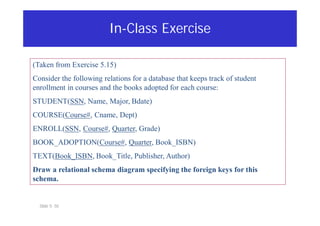
In-Class Exercise
(Taken from Exercise 5.15)
Consider the following relations for a database that keeps track of student
enrollment in courses and the books adopted for each course:
STUDENT(SSN, Name, Major, Bdate)
COURSE(Course#, Cname, Dept)
ENROLL(SSN, Course#, Quarter, Grade)
BOOK_ADOPTION(Course#, Quarter, Book_ISBN)
TEXT(Book_ISBN, Book_Title, Publisher, Author)
Draw a relational schema diagram specifying the foreign keys for this
schema.

Relational Model on Database management PPT

  • 1.
    Slide 5- 1 TheRelational Data Model and Relational Database Constraints • Relational Model Concepts • Relational Model Constraints and Relational Database Schemas • Update Operations and Dealing with Constraint Violations
  • 2.
    Slide 5- 2 RelationalModel Concepts • The relational Model of Data is based on the concept of a Relation – The strength of the relational approach to data management comes from the formal foundation provided by the theory of relations • We review the essentials of the formal relational model in this chapter • In practice, there is a standard model based on SQL – this is described in Chapters 8 and 9 • Note: There are several important differences between the formal model and the practical model, as we shall see
  • 3.
    Slide 5- 3 RelationalModel Concepts • A Relation is a mathematical concept based on the ideas of sets • The model was first proposed by Dr. E.F. Codd of IBM Research in 1970 in the following paper: – "A Relational Model for Large Shared Data Banks," Communications of the ACM, June 1970 • The above paper caused a major revolution in the field of database management and earned Dr. Codd the coveted ACM Turing Award
  • 4.
    Slide 5- 4 InformalDefinitions • Informally, a relation looks like a table of values. • A relation typically contains a set of rows. • The data elements in each row represent certain facts that correspond to a real-world entity or relationship – In the formal model, rows are called tuples • Each column has a column header that gives an indication of the meaning of the data items in that column – In the formal model, the column header is called an attribute name (or just attribute)
  • 5.
    Slide 5- 5 Exampleof a Relation
  • 6.
    Slide 5- 6 InformalDefinitions • Key of a Relation: – Each row has a value of a data item (or set of items) that uniquely identifies that row in the table • Called the key – In the STUDENT table, SSN is the key – Sometimes row-ids or sequential numbers are assigned as keys to identify the rows in a table • Called artificial key or surrogate key
  • 7.
    Slide 5- 7 FormalDefinitions - Schema • The Schema (or description) of a Relation: – Denoted by R(A1, A2, .....An) – R is the name of the relation – The attributes of the relation are A1, A2, ..., An • Example: CUSTOMER (Cust-id, Cust-name, Address, Phone#) – CUSTOMER is the relation name – Defined over the four attributes: Cust-id, Cust-name, Address, Phone# • Each attribute has a domain or a set of valid values. – For example, the domain of Cust-id is 6 digit numbers.
  • 8.
    Slide 5- 8 FormalDefinitions - Tuple • A tuple is an ordered set of values (enclosed in angled brackets ‘< … >’) • Each value is derived from an appropriate domain. • A row in the CUSTOMER relation is a 4-tuple and would consist of four values, for example: – <632895, "John Smith", "101 Main St. Atlanta, GA 30332", "(404) 894-2000"> – This is called a 4-tuple as it has 4 values – A tuple (row) in the CUSTOMER relation. • A relation is a set of such tuples (rows)
  • 9.
    Slide 5- 9 FormalDefinitions - Domain • A domain has a logical definition: – Example: “USA_phone_numbers” are the set of 10 digit phone numbers valid in the U.S. • A domain also has a data-type or a format defined for it. – The USA_phone_numbers may have a format: (ddd)ddd-dddd where each d is a decimal digit. – Dates have various formats such as year, month, date formatted as yyyy-mm-dd, or as dd mm,yyyy etc. • The attribute name designates the role played by a domain in a relation: – Used to interpret the meaning of the data elements corresponding to that attribute – Example: The domain Date may be used to define two attributes named “Invoice-date” and “Payment-date” with different meanings
  • 10.
    Slide 5- 10 FormalDefinitions - State • The relation state is a subset of the Cartesian product of the domains of its attributes – each domain contains the set of all possible values the attribute can take. • Example: attribute Cust-name is defined over the domain of character strings of maximum length 25 – dom(Cust-name) is varchar(25) • The role these strings play in the CUSTOMER relation is that of the name of a customer.
  • 11.
    Slide 5- 11 FormalDefinitions - Summary • Formally, – Given R(A1, A2, .........., An) – r(R)  dom (A1) X dom (A2) X ....X dom(An) • R(A1, A2, …, An) is the schema of the relation • R is the name of the relation • A1, A2, …, An are the attributes of the relation • r(R): a specific state (or "value" or “population”) of relation R – this is a set of tuples (rows) – r(R) = {t1, t2, …, tn} where each ti is an n-tuple – ti = <v1, v2, …, vn> where each vj element-of dom(Aj)
  • 12.
    Slide 5- 12 FormalDefinitions - Example • Let R(A1, A2) be a relation schema: – Let dom(A1) = {0,1} – Let dom(A2) = {a,b,c} • Then: dom(A1) X dom(A2) is all possible combinations: {<0,a> , <0,b> , <0,c>, <1,a>, <1,b>, <1,c> } • The relation state r(R)  dom(A1) X dom(A2) • For example: r(R) could be {<0,a> , <0,b> , <1,c> } – this is one possible state (or “population” or “extension”) r of the relation R, defined over A1 and A2. – It has three 2-tuples: <0,a> , <0,b> , <1,c>
  • 13.
    Slide 5- 13 DefinitionSummary Informal Terms Formal Terms Table Relation Column Header Attribute All possible Column Values Domain Row Tuple Table Definition Schema of a Relation Populated Table State of the Relation
  • 14.
    Slide 5- 14 Example– A relation STUDENT
  • 15.
    Slide 5- 15 CharacteristicsOf Relations • Ordering of tuples in a relation r(R): – The tuples are not considered to be ordered, even though they appear to be in the tabular form. • Ordering of attributes in a relation schema R (and of values within each tuple): – We will consider the attributes in R(A1, A2, ..., An) and the values in t=<v1, v2, ..., vn> to be ordered . • (However, a more general alternative definition of relation does not require this ordering).
  • 16.
    Slide 5- 16 Samestate as previous Figure (but with different order of tuples)
  • 17.
    Slide 5- 17 CharacteristicsOf Relations • Values in a tuple: – All values are considered atomic (indivisible). – Each value in a tuple must be from the domain of the attribute for that column • If tuple t = <v1, v2, …, vn> is a tuple (row) in the relation state r of R(A1, A2, …, An) • Then each vi must be a value from dom(Ai) – A special null value is used to represent values that are unknown or inapplicable to certain tuples.
  • 18.
    Slide 5- 18 CharacteristicsOf Relations • Notation: – We refer to component values of a tuple t by: • t[Ai] or t.Ai • This is the value vi of attribute Ai for tuple t – Similarly, t[Au, Av, ..., Aw] refers to the subtuple of t containing the values of attributes Au, Av, ..., Aw, respectively in t
  • 19.
    Slide 5- 19 RelationalIntegrity Constraints • Constraints are conditions that must hold on all valid relation states. • There are three main types of constraints in the relational model: – Key constraints – Entity integrity constraints – Referential integrity constraints • Another implicit constraint is the domain constraint – Every value in a tuple must be from the domain of its attribute (or it could be null, if allowed for that attribute)
  • 20.
    Slide 5- 20 KeyConstraints • Superkey of R: – Is a set of attributes SK of R with the following condition: • No two tuples in any valid relation state r(R) will have the same value for SK • That is, for any distinct tuples t1 and t2 in r(R), t1[SK]  t2[SK] • This condition must hold in any valid state r(R) • Key of R: – A "minimal" superkey – That is, a key is a superkey K such that removal of any attribute from K results in a set of attributes that is not a superkey (does not possess the superkey uniqueness property)
  • 21.
    Slide 5- 21 KeyConstraints (continued) • Example: Consider the CAR relation schema: – CAR(State, Reg#, SerialNo, Make, Model, Year) – CAR has two keys: • Key1 = {State, Reg#} • Key2 = {SerialNo} – Both are also superkeys of CAR – {SerialNo, Make} is a superkey but not a key. • In general: – Any key is a superkey (but not vice versa) – Any set of attributes that includes a key is a superkey – A minimal superkey is also a key
  • 22.
    Slide 5- 22 KeyConstraints (continued) • If a relation has several candidate keys, one is chosen arbitrarily to be the primary key. – The primary key attributes are underlined. • Example: Consider the CAR relation schema: – CAR(State, Reg#, SerialNo, Make, Model, Year) – We chose SerialNo as the primary key • The primary key value is used to uniquely identify each tuple in a relation – Provides the tuple identity • Also used to reference the tuple from another tuple – General rule: Choose as primary key the smallest of the candidate keys (in terms of size) – Not always applicable – choice is sometimes subjective
  • 23.
    Slide 5- 23 CARtable with two candidate keys – LicenseNumber chosen as Primary Key
  • 24.
    Slide 5- 24 RelationalDatabase Schema • Relational Database Schema: – A set S of relation schemas that belong to the same database. – S is the name of the whole database schema – S = {R1, R2, ..., Rn} – R1, R2, …, Rn are the names of the individual relation schemas within the database S • Following slide shows a COMPANY database schema with 6 relation schemas
  • 25.
    Slide 5- 25 COMPANYDatabase Schema
  • 26.
    Slide 5- 26 EntityIntegrity • Entity Integrity: – The primary key attributes PK of each relation schema R in S cannot have null values in any tuple of r(R). • This is because primary key values are used to identify the individual tuples. • t[PK]  null for any tuple t in r(R) • If PK has several attributes, null is not allowed in any of these attributes – Note: Other attributes of R may be constrained to disallow null values, even though they are not members of the primary key.
  • 27.
    Slide 5- 27 ReferentialIntegrity • A constraint involving two relations – The previous constraints involve a single relation. • Used to specify a relationship among tuples in two relations: – The referencing relation and the referenced relation.
  • 28.
    Slide 5- 28 ReferentialIntegrity • Tuples in the referencing relation R1 have attributes FK (called foreign key attributes) that reference the primary key attributes PK of the referenced relation R2. – A tuple t1 in R1 is said to reference a tuple t2 in R2 if t1[FK] = t2[PK]. • A referential integrity constraint can be displayed in a relational database schema as a directed arc from R1.FK to R2.
  • 29.
    Slide 5- 29 ReferentialIntegrity (or foreign key) Constraint • Statement of the constraint – The value in the foreign key column (or columns) FK of the the referencing relation R1 can be either: • (1) a value of an existing primary key value of a corresponding primary key PK in the referenced relation R2, or • (2) a null. • In case (2), the FK in R1 should not be a part of its own primary key.
  • 30.
    Slide 5- 30 Displayinga relational database schema and its constraints • Each relation schema can be displayed as a row of attribute names • The name of the relation is written above the attribute names • The primary key attribute (or attributes) will be underlined • A foreign key (referential integrity) constraints is displayed as a directed arc (arrow) from the foreign key attributes to the referenced table – Can also point the the primary key of the referenced relation for clarity • Next slide shows the COMPANY relational schema diagram
  • 31.
    Slide 5- 31 ReferentialIntegrity Constraints for COMPANY database
  • 32.
    Slide 5- 32 OtherTypes of Constraints • Semantic Integrity Constraints: – based on application semantics and cannot be expressed by the model per se – Example: “the max. no. of hours per employee for all projects he or she works on is 56 hrs per week” • A constraint specification language may have to be used to express these • SQL-99 allows triggers and ASSERTIONS to express for some of these
  • 33.
    Slide 5- 33 Populateddatabase state • Each relation will have many tuples in its current relation state • The relational database state is a union of all the individual relation states • Whenever the database is changed, a new state arises • Basic operations for changing the database: – INSERT a new tuple in a relation – DELETE an existing tuple from a relation – MODIFY an attribute of an existing tuple • Next slide shows an example state for the COMPANY database
  • 34.
    Slide 5- 34 Populateddatabase state for COMPANY
  • 35.
    Slide 5- 35 UpdateOperations on Relations • INSERT a tuple. • DELETE a tuple. • MODIFY a tuple. • Integrity constraints should not be violated by the update operations. • Several update operations may have to be grouped together. • Updates may propagate to cause other updates automatically. This may be necessary to maintain integrity constraints.
  • 36.
    Slide 5- 36 UpdateOperations on Relations • In case of integrity violation, several actions can be taken: – Cancel the operation that causes the violation (RESTRICT or REJECT option) – Perform the operation but inform the user of the violation – Trigger additional updates so the violation is corrected (CASCADE option, SET NULL option) – Execute a user-specified error-correction routine
  • 37.
    Slide 5- 37 Possibleviolations for each operation • INSERT may violate any of the constraints: – Domain constraint: • if one of the attribute values provided for the new tuple is not of the specified attribute domain – Key constraint: • if the value of a key attribute in the new tuple already exists in another tuple in the relation – Referential integrity: • if a foreign key value in the new tuple references a primary key value that does not exist in the referenced relation – Entity integrity: • if the primary key value is null in the new tuple
  • 38.
    Slide 5- 38 Possibleviolations for each operation • DELETE may violate only referential integrity: – If the primary key value of the tuple being deleted is referenced from other tuples in the database • Can be remedied by several actions: RESTRICT, CASCADE, SET NULL (see Chapter 8 for more details) – RESTRICT option: reject the deletion – CASCADE option: propagate the new primary key value into the foreign keys of the referencing tuples – SET NULL option: set the foreign keys of the referencing tuples to NULL – One of the above options must be specified during database design for each foreign key constraint
  • 39.
    Alter Alter Table Statement: Altercommand is used to perform the following action on the table: • Adding column in the existing table • Increasing and decreasing the column size and changing data types • Dropping column • Renaming the column • Adding and dropping constraints to the table( discussed in constraints topics) • Enabling & disabling constraints in the table( discussed in constraints topics)
  • 40.
    • alter tableemployee add address varchar2 (20); • alter table employee modify address varchar2 (10); • alter table employee drop column address; • alter table employee rename column mgr to manager;
  • 41.
    Slide 5- 41 Possibleviolations for each operation • UPDATE may violate domain constraint and NOT NULL constraint on an attribute being modified • Any of the other constraints may also be violated, depending on the attribute being updated: – Updating the primary key (PK): • Similar to a DELETE followed by an INSERT • Need to specify similar options to DELETE – Updating a foreign key (FK): • May violate referential integrity – Updating an ordinary attribute (neither PK nor FK): • Can only violate domain constraints
  • 42.
    Constraints • CREATE TABLEemp_demo2 ( employee_id NUMBER(6) PRIMARY KEY, first_name VARCHAR2(20) NOT NULL, last_name VARCHAR2(25) NOT NULL, email VARCHAR2(25) UNIQUE, phone_number VARCHAR2(20) UNIQUE, job_id VARCHAR2(10), salary NUMBER(8,2) CHECK(SALARY>0), deptid NUMBER(4) ) ;
  • 43.
    Constraints with Name CREATETABLE emp_demo3 ( employee_id NUMBER(6) CONSTRAINT emp_eid PRIMARY KEY, first_name VARCHAR2(20), last_name VARCHAR2(25) CONSTRAINT emp_last_name_nn NOT NULL, email VARCHAR2(25) CONSTRAINT emp_email_nn NOT NULL, phone_number VARCHAR2(20), job_id VARCHAR2(10) CONSTRAINT emp_job_nn NOT NULL, salary NUMBER(8,2) CONSTRAINT emp_salary_nn NOT NULL, deptid NUMBER(4), CONSTRAINT emp_dept FOREIGN KEY(deptid) REFERENCES department(deptid) , CONSTRAINT emp_salary_min CHECK (salary > 0) , CONSTRAINT emp_email_uk UNIQUE (email) ) ;
  • 44.
    CREATE TABLE emp_demo4( emp_id NUMBER(6), emp_name VARCHAR2(15), salary NUMBER(10) CHECK (salary between 1000 and 10000) );
  • 45.
    Adding Constriants ALTER TABLE<tablename> ADD CONSTRAINT <constraint_name> constriant_type (<column name>); Examples: ALTER TABLE emp_demo4 ADD CONSTRAINT con_pk1 PRIMARY KEY(emp_id); ALTER TABLE emp_demo4 ADD CONSTRAINT con_emp_uk UNIQUE(phoneno); ALTER TABLE emp_demo4 ADD CONSTRAINT con_empfk FOREIGN KEY(DNO) REFERENCES department(dno); ALTER TABLE emp_demo4 ADD CONSTRAINT con_emp_ck CHECK ( salary >0 ); ALTER TABLE emp_demo4 MODIFY (<Column name> <datatype> CONSTRAINT constraint_name NOT NULL);
  • 46.
    Drop Constraints • ALTERTABLE <tablename> DROP CONSTRAINT < constraint name • ALTER TABLE employees DROP UNIQUE (email);
  • 47.
    ON DELETE CASCADE CREATETABLE supplier (supplier_id number(10)not null, supplier_namevarchar2(50)not null, contact_namevarchar2(50), CONSTRAINT supplier_pk PRIMARY KEY (supplier_id)); CREATE TABLE products (product_id number(10)not null, suppl_id number(10) not null, CONSTRAINT fk_supplier FOREIGN KEY (suppl_id) REFERENCES supplier(supplier_id) ON DELETE CASCADE); Because of the cascade delete, when a record with a particular supplier_ id is deleted from supplier table , then all the records of the same supplier_id will be deleted from products table also. A foreign key with a cascade delete means that if a record in the parent table is deleted, then the corresponding records in the child table will automatically be deleted. This is called a cascade delete.
  • 48.
    On Delete setnull/On Delete Set Default • A foreign key with "set null on delete" means that if a record in the parent table is deleted, then the corresponding records in the child table will have the foreign key fields set to null. The records in the child table will not be deleted. • create table Users ( UserID int primary key, UserName varchar(100), ThemeID int default 1 constraint Users_ThemeID_FK references Themes(ThemeID) on delete set default )
  • 49.
    Slide 5- 49 Summary •Presented Relational Model Concepts – Definitions – Characteristics of relations • Discussed Relational Model Constraints and Relational Database Schemas – Domain constraints’ – Key constraints – Entity integrity – Referential integrity • Described the Relational Update Operations and Dealing with Constraint Violations
  • 50.
    Slide 5- 50 In-ClassExercise (Taken from Exercise 5.15) Consider the following relations for a database that keeps track of student enrollment in courses and the books adopted for each course: STUDENT(SSN, Name, Major, Bdate) COURSE(Course#, Cname, Dept) ENROLL(SSN, Course#, Quarter, Grade) BOOK_ADOPTION(Course#, Quarter, Book_ISBN) TEXT(Book_ISBN, Book_Title, Publisher, Author) Draw a relational schema diagram specifying the foreign keys for this schema.