Red Teaming macOS
Environments with
Hermes the Swift
Messenger
Justin Bui (@slyd0g)
slyd0g@mac~$ whoami
▫ @slyd0g
▫ Red teamer at Zoom, previously
consultant at SpecterOps
⬝ Views and research are my own
▫ Interested in all things security and
skateboarding
2
SUMMARY
1. Swift Programming Language
2. Mythic Framework
3. Hermes Payload
a. Development
b. Functionality
4. Detecting Hermes
3
1.
Swift
What is Swift? Pros and cons as a
post-exploitation language? Current
Swift tooling?
WHAT IS SWIFT?
▫ High-level programming language developed
by Apple
⬝ Swift 1.0 released in 2014
⬝ Swift 5.3 enabled cross-platform support
(macOS, Windows, Linux)
⬝ Designed to be successor to ObjC
▫ Uses Objective-C runtime library
⬝ Allows for C/C++/ObjC/Swift code to run
in a single program (!)
5
COMPILING AND EXECUTING SWIFT
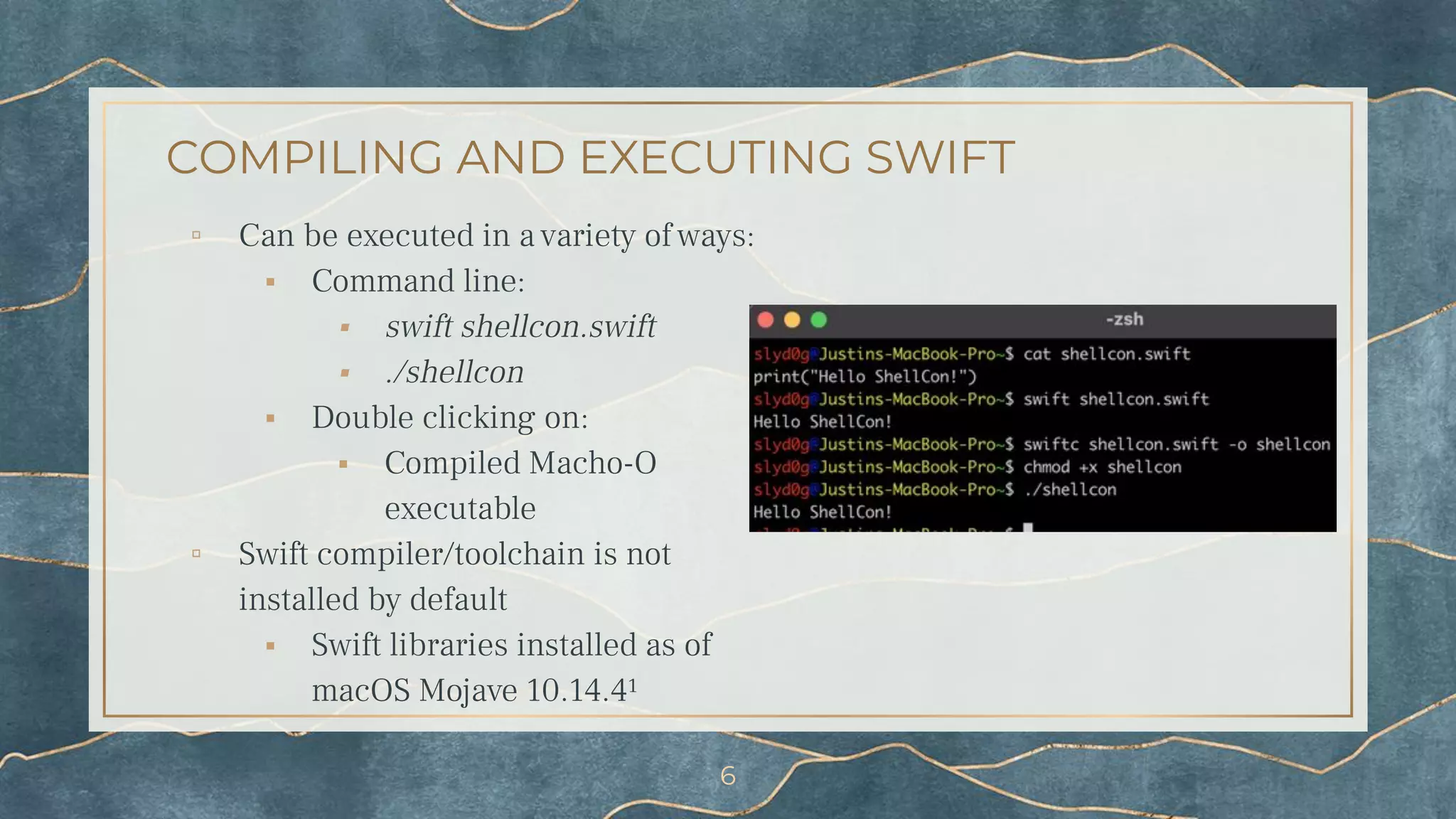
▫ Can be executed in a variety of ways:
⬝ Command line:
⬝ swift shellcon.swift
⬝ ./shellcon
⬝ Double clicking on:
⬝ Compiled Macho-O
executable
▫ Swift compiler/toolchain is not
installed by default
⬝ Swift libraries installed as of
macOS Mojave 10.14.4¹
6
(SOME) COMMON LANGUAGES FOR MACOS
POST-EXPLOITATION
JXA
▫ Pros
▫ LOLBin for execution
(osascript)
▫ ObjC bridge allows access
to ObjC API
▫ Cons
▫ Single-threaded
▫ Development abandoned
by Apple team
▫ Examples
⬝ Apfell²
⬝ SwiftBelt-JXA³
⬝ PersistentJXA⁴
Python
▫ Pros
▫ LOLBin for execution
(python/python3)
▫ Cons
▫ Apple stated scripting
languages are deprecated
and removed in future
versions
▫ More heavily signatured
▫ Examples
⬝ Medusa⁵
⬝ Empire⁶
⬝ chainbreaker⁷
Golang
▫ Pros
▫ Cross-compilation for
many OS
▫ Easily integrates
ObjC/C/C++ code
▫ Cons
▫ Large sized binary
▫ Examples
⬝ Poseidon⁸
⬝ xpcutil⁹
⬝ Sliver¹⁰
7
Pros
▫ Multithreading
▫ Access to macOS APIs
▫ Easier to develop than
ObjC/JXA
▫ Can call C/C++/ObjC with
bridging headers
▫ App whitelisting bypass with
swift
WHY SWIFT FOR POST-EXPLOITATION?
Cons
▫ Swift compiler/toolchain is not
installed by default
▫ Unsigned binaries may be
subject to more scrutiny
versus scripts
8
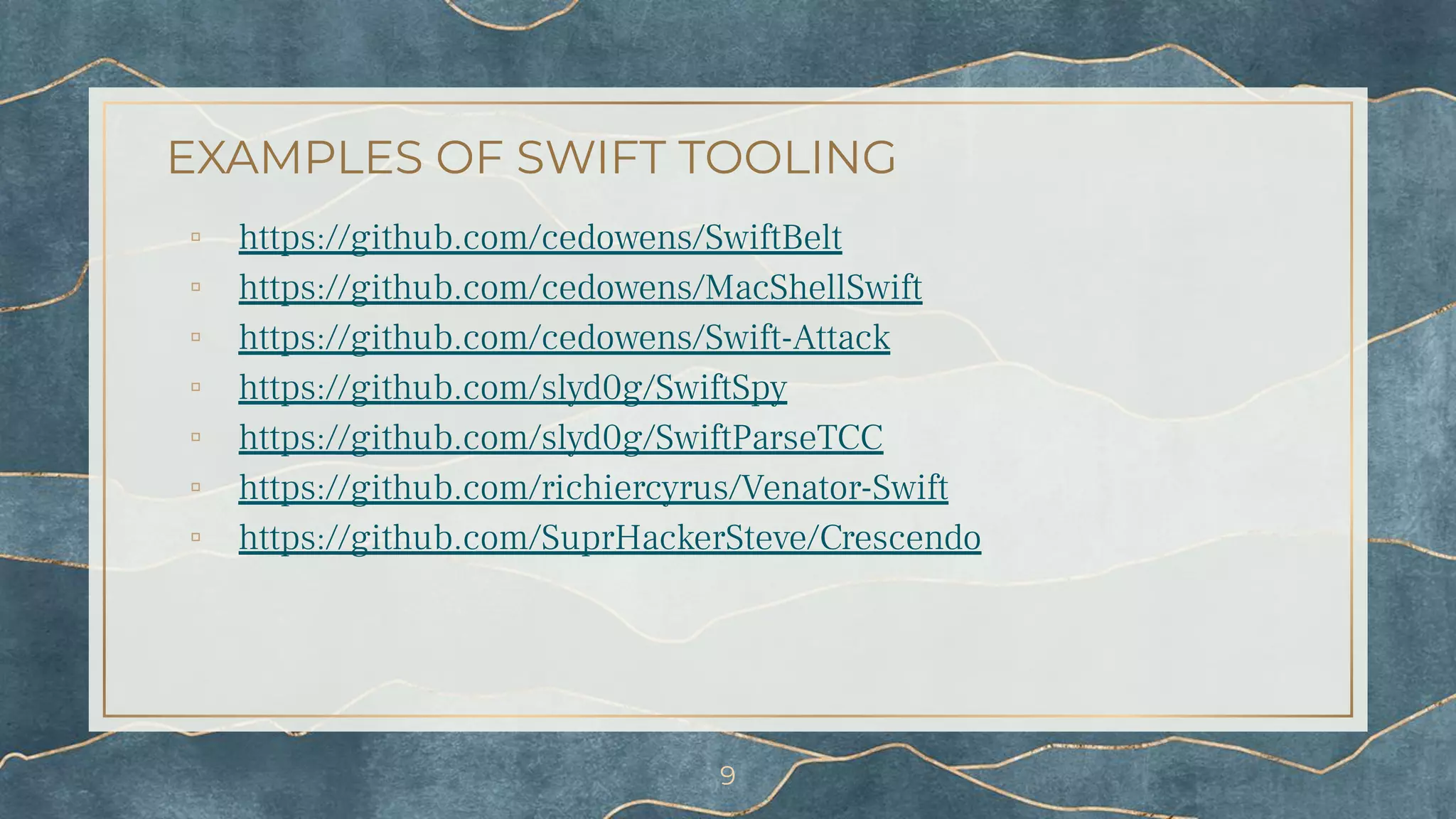
EXAMPLES OF SWIFT TOOLING
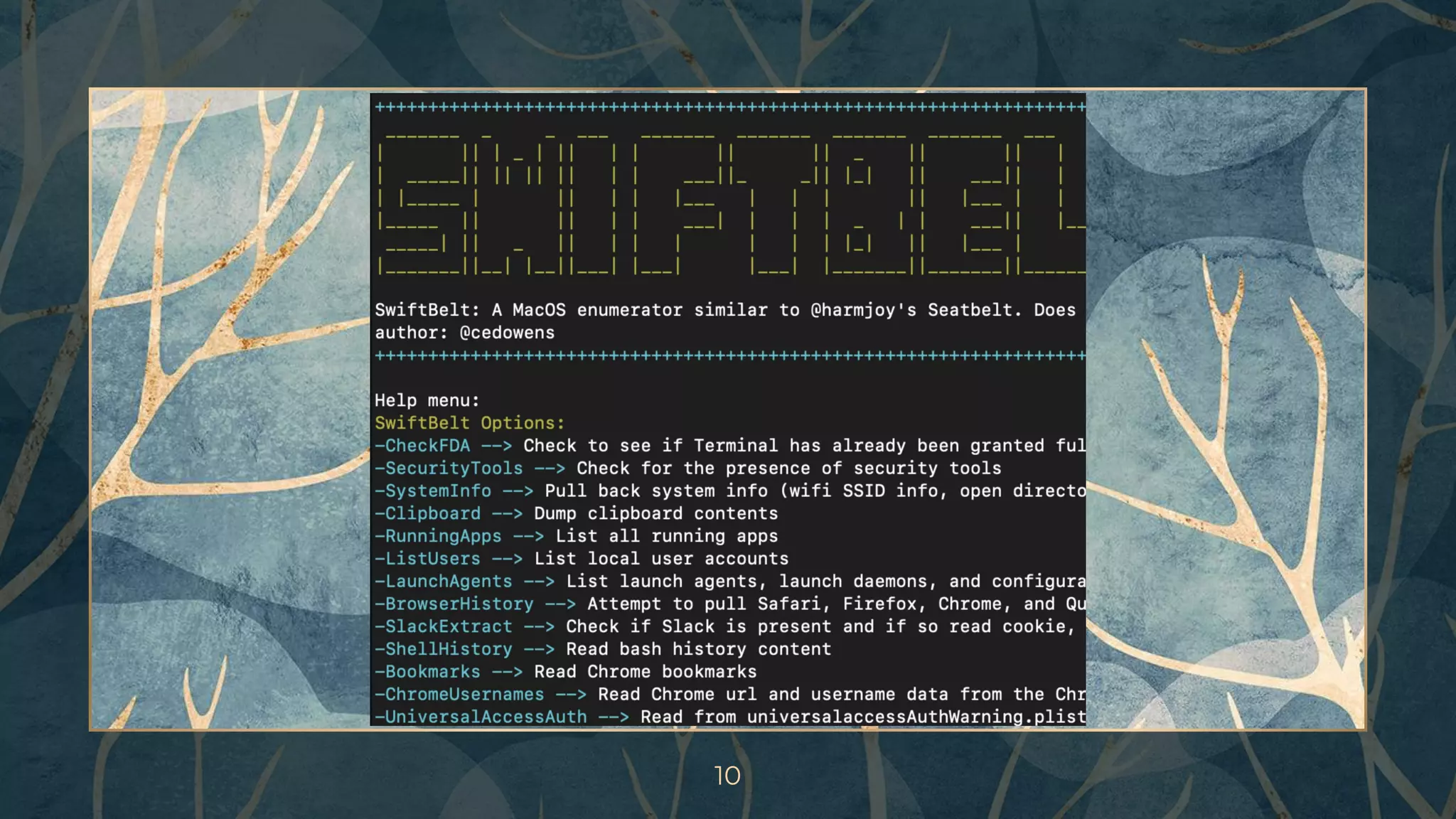
▫ https://github.com/cedowens/SwiftBelt
▫ https://github.com/cedowens/MacShellSwift
▫ https://github.com/cedowens/Swift-Attack
▫ https://github.com/slyd0g/SwiftSpy
▫ https://github.com/slyd0g/SwiftParseTCC
▫ https://github.com/richiercyrus/Venator-Swift
▫ https://github.com/SuprHackerSteve/Crescendo
9
10
2.
Introducing Mythic
What is Mythic?
A cross-platform, post-exploit, red
teaming framework built with
python3, docker, docker-compose,
and a web browser UI. It's
designed to provide a collaborative
and user friendly interface for
operators, managers, and
reporting throughout red teaming.
12
https://github.com/its-a-feature/Mythic
WHAT IS MYTHIC?
▫ Open Source at
https://github.com/its-a-feature/Mythic
⬝ Documentation at
https://docs.mythic-c2.net/
▫ Modular and customizable framework
▫ Docker is used to separate all Mythic
components
▫ Operators simply connect via a browser
13
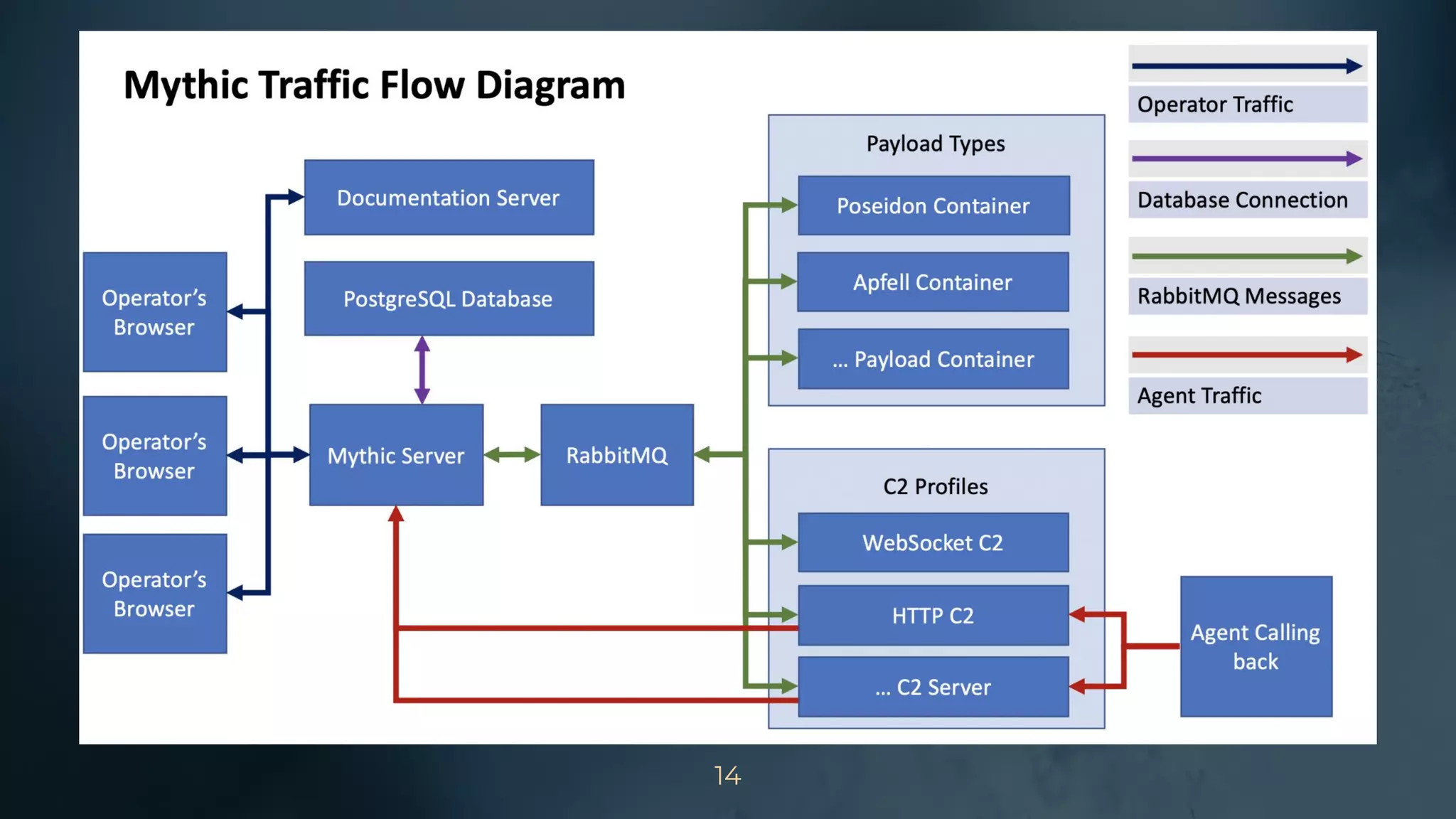
WANT BIG IMPACT?
USE BIG IMAGE.
14
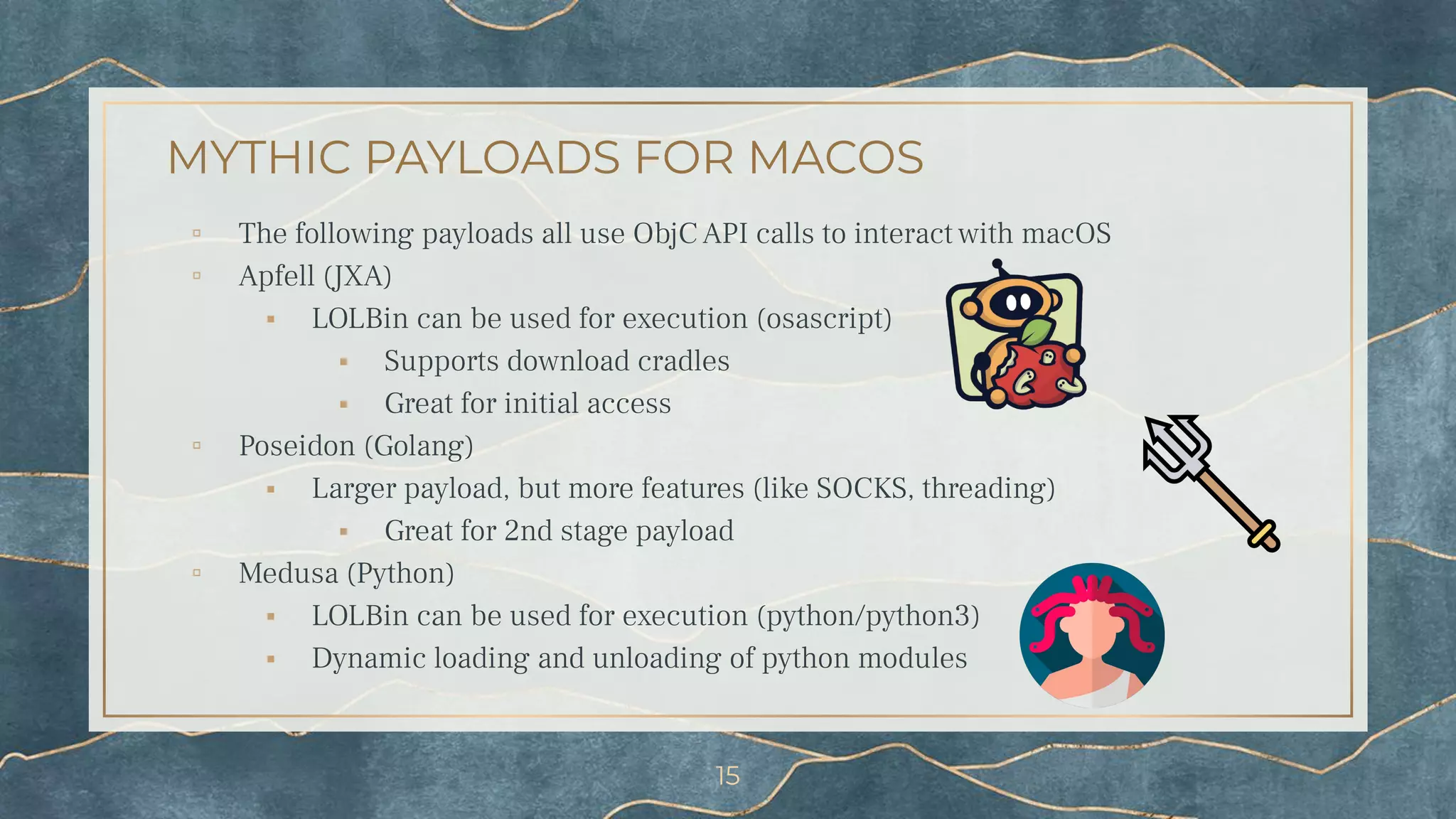
MYTHIC PAYLOADS FOR MACOS
▫ The following payloads all use ObjC API calls to interact with macOS
▫ Apfell (JXA)
⬝ LOLBin can be used for execution (osascript)
⬝ Supports download cradles
⬝ Great for initial access
▫ Poseidon (Golang)
⬝ Larger payload, but more features (like SOCKS, threading)
⬝ Great for 2nd stage payload
▫ Medusa (Python)
⬝ LOLBin can be used for execution (python/python3)
⬝ Dynamic loading and unloading of python modules
15
3A.
Introducing Hermes
(Development)
The Swift Messenger
WHAT IS HERMES?
▫ Hermes¹¹ is a Mythic payload targeting macOS
written in Swift 5
⬝ Tested on Catalina and Big Sur
▫ Encrypted key exchange for secure
communications
▫ Post-exploitation modules
⬝ Enumeration
⬝ Upload/download
⬝ Execution
⬝ Job control
17
MOTIVATION FOR WRITING HERMES
▫ Straightforward and fun way to learn macOS internals
⬝ File system
⬝ Processes
⬝ Transparency, Consent, and Control (TCC)
▫ Opportunity to learn Swift
⬝ HTTP requests
⬝ Encrypted key exchange
▫ Previously wrote C2 for Windows called SK8RAT/SK8PARK
⬝ Hated writing the server component
18
CROSS-COMPILING FOR MACOS
▫ Goal: Compile Swift to Mach-O from Linux container
⬝ Make it easier for end user to compile payloads
directly through Mythic without setting up external
build systems
▫ https://github.com/tpoechtrager/osxcross
⬝ Doesn’t support Swift
▫ https://github.com/sickcodes/Docker-OSX
⬝ Needs to be run on a macOS host, whereas C2
servers traditionally run on Linux
▫ AWS Pipeline / GitHub Actions
⬝ Wanted a free solution that also kept payload config
under end user’s control
19
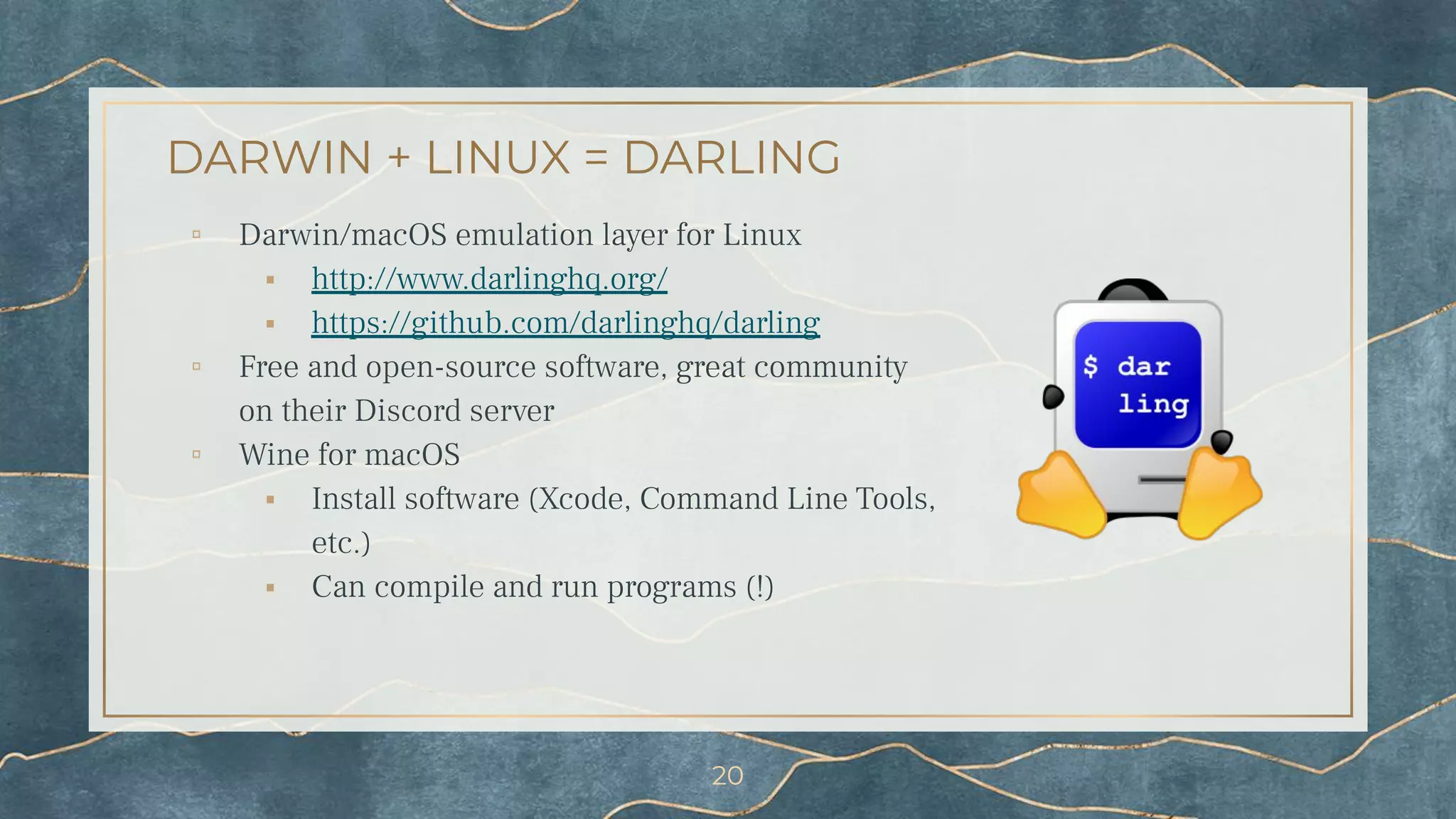
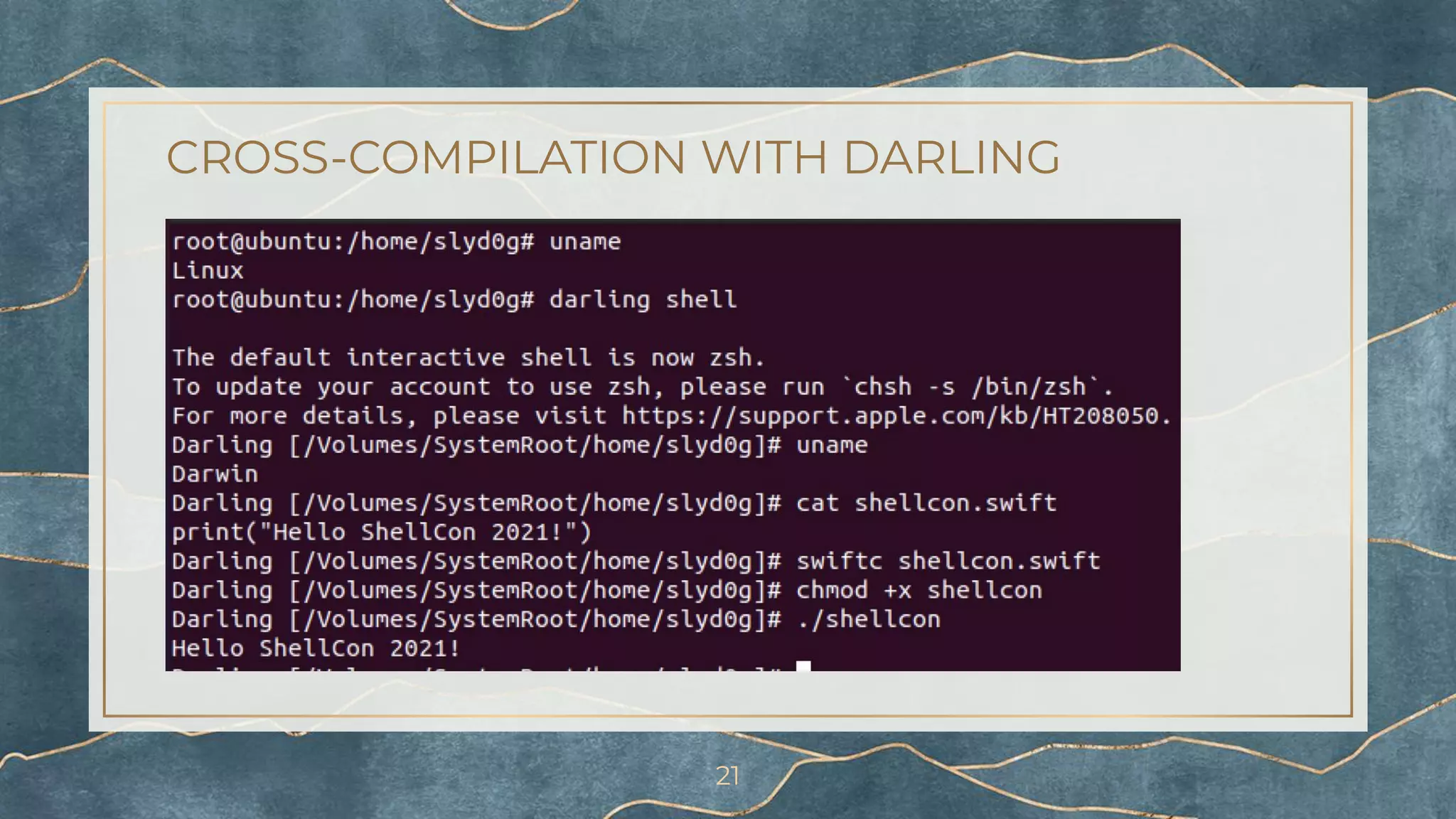
DARWIN + LINUX = DARLING
▫ Darwin/macOS emulation layer for Linux
⬝ http://www.darlinghq.org/
⬝ https://github.com/darlinghq/darling
▫ Free and open-source software, great community
on their Discord server
▫ Wine for macOS
⬝ Install software (Xcode, Command Line Tools,
etc.)
⬝ Can compile and run programs (!)
20
CROSS-COMPILATION WITH DARLING
21
CROSS-COMPILATION WITH DARLING
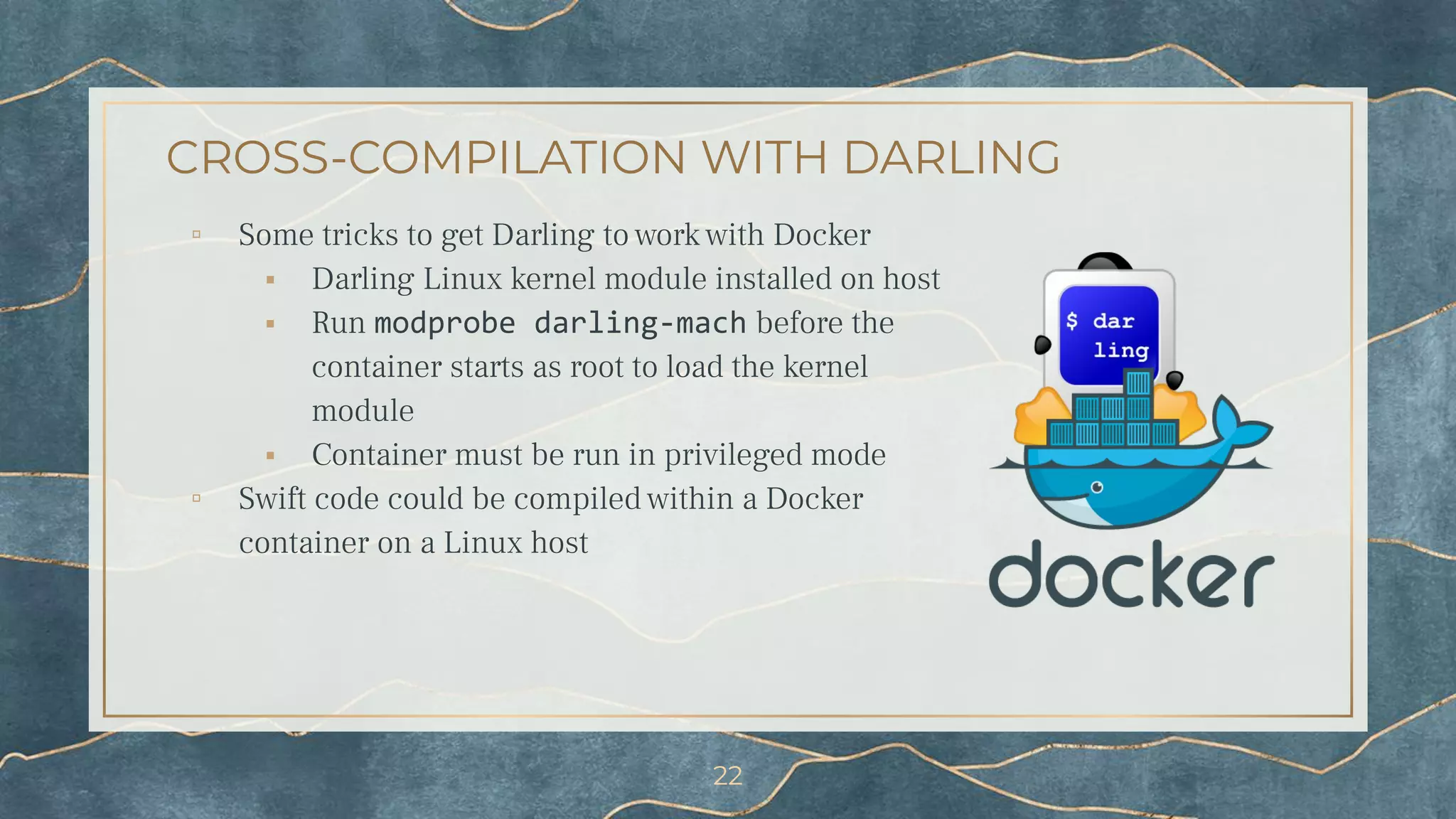
▫ Some tricks to get Darling to work with Docker
⬝ Darling Linux kernel module installed on host
⬝ Run modprobe darling-mach before the
container starts as root to load the kernel
module
⬝ Container must be run in privileged mode
▫ Swift code could be compiled within a Docker
container on a Linux host
22
3B.
Introducing Hermes
(Functionality)
The Swift Messenger
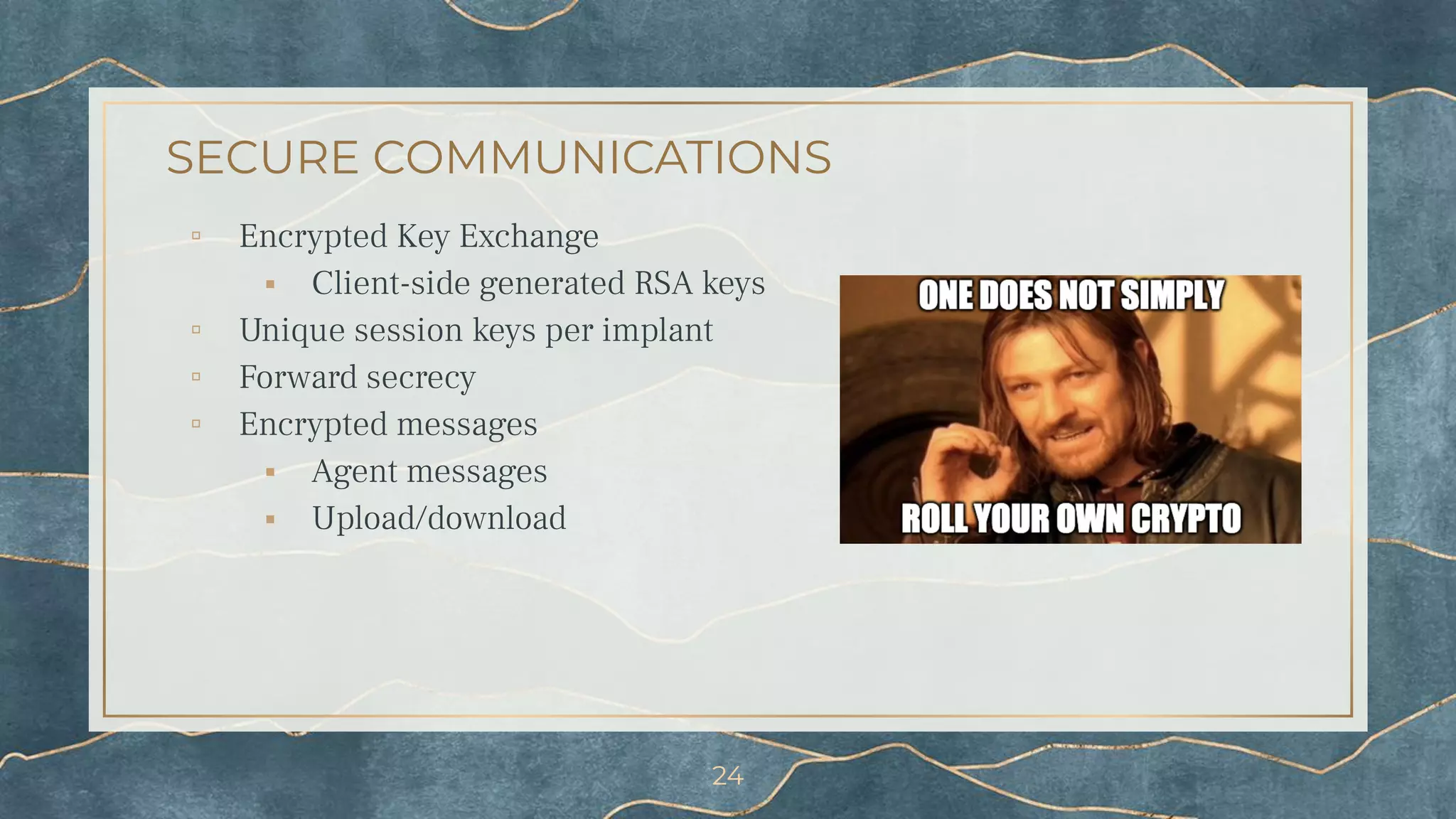
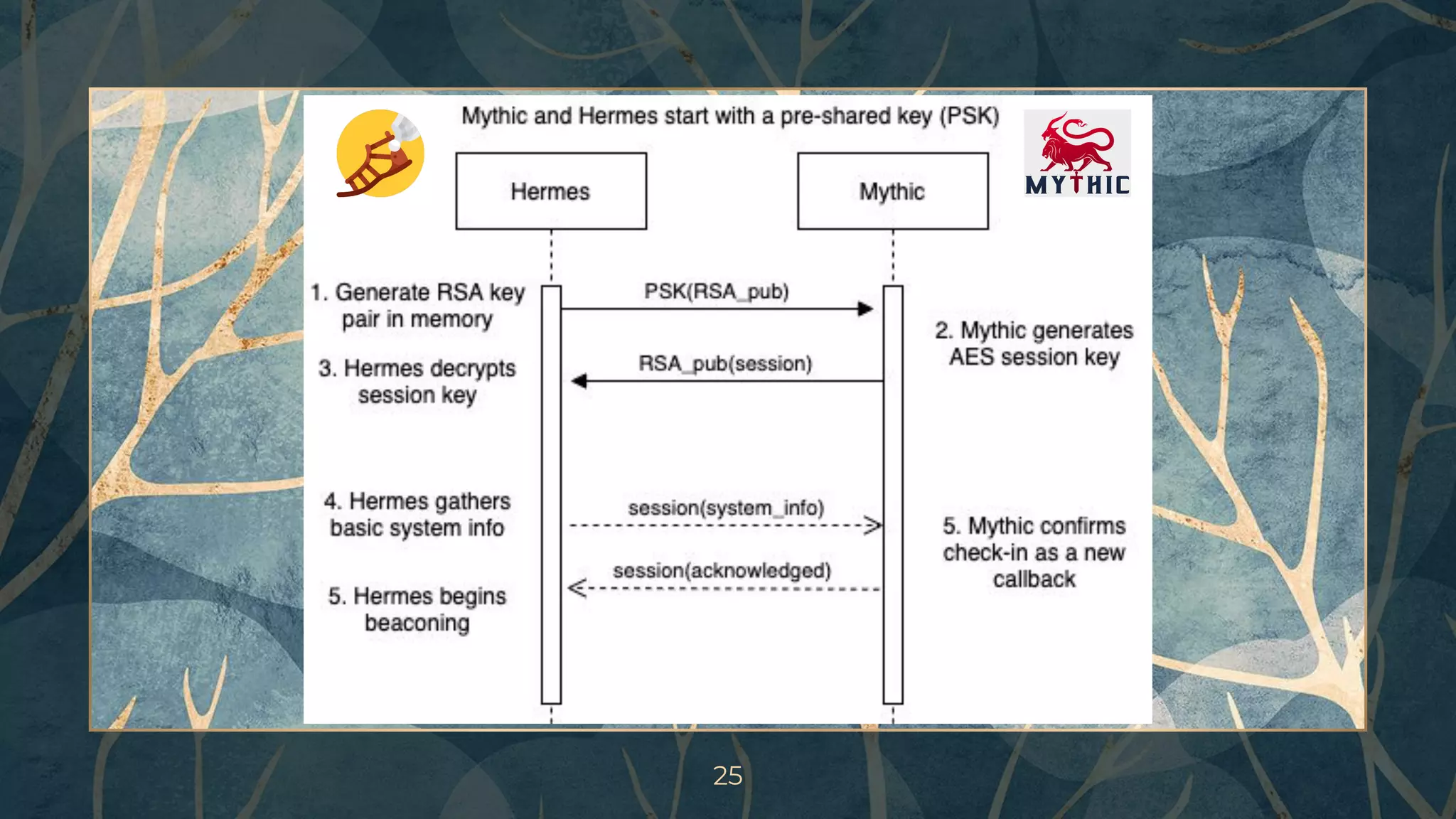
SECURE COMMUNICATIONS
▫ Encrypted Key Exchange
⬝ Client-side generated RSA keys
▫ Unique session keys per implant
▫ Forward secrecy
▫ Encrypted messages
⬝ Agent messages
⬝ Upload/download
24
25
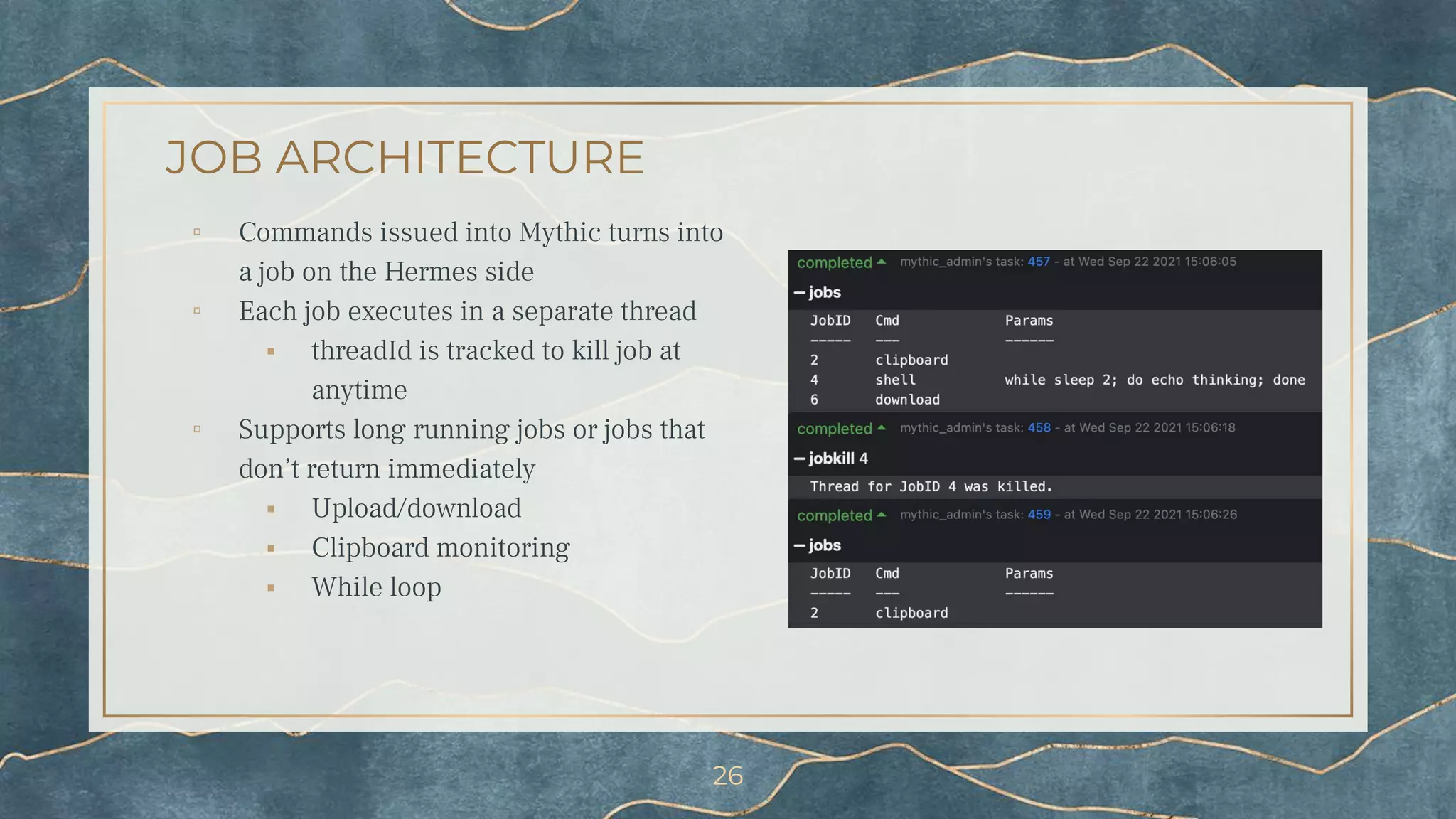
JOB ARCHITECTURE
▫ Commands issued into Mythic turns into
a job on the Hermes side
▫ Each job executes in a separate thread
⬝ threadId is tracked to kill job at
anytime
▫ Supports long running jobs or jobs that
don’t return immediately
⬝ Upload/download
⬝ Clipboard monitoring
⬝ While loop
26
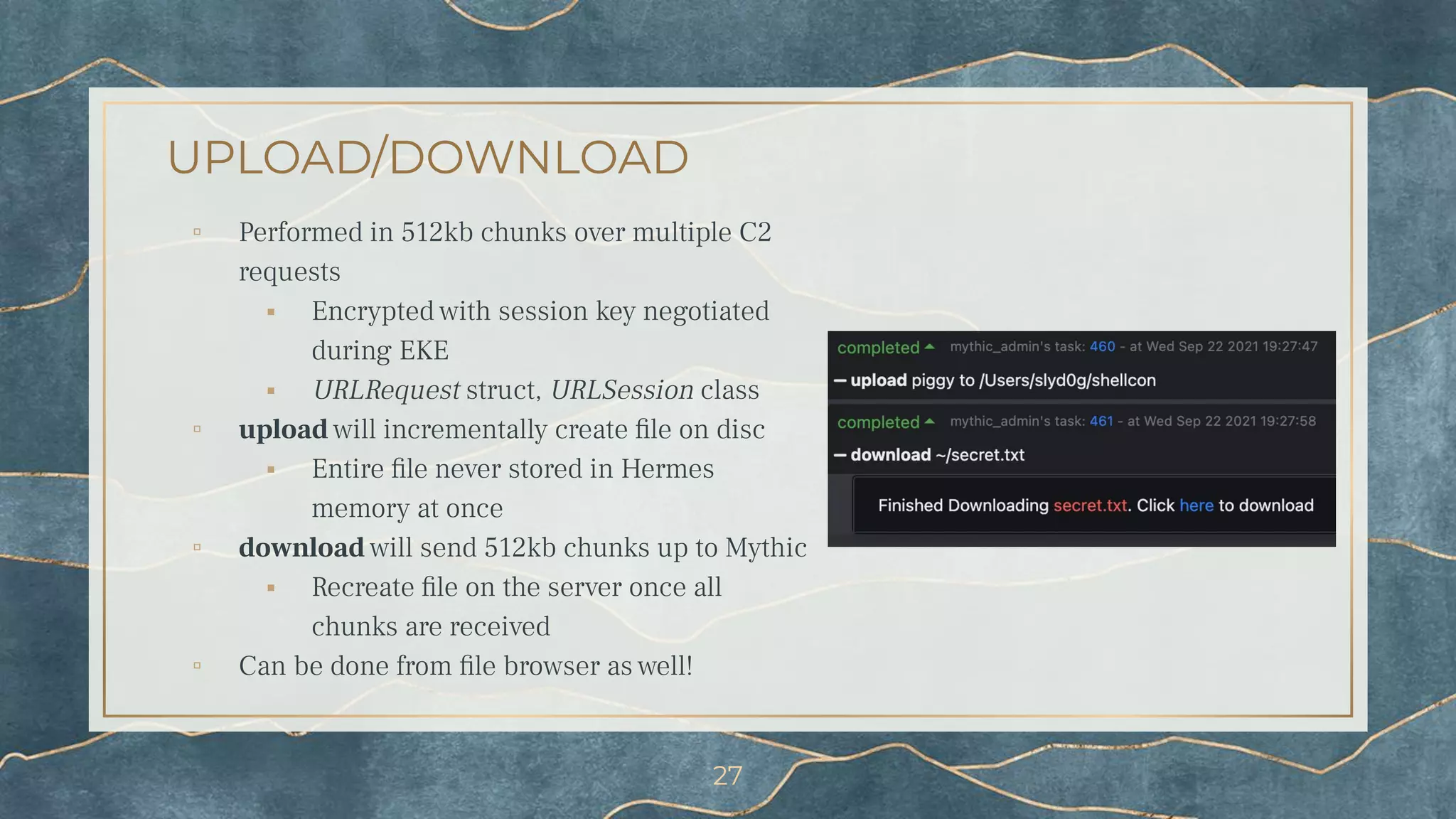
UPLOAD/DOWNLOAD
▫ Performed in 512kb chunks over multiple C2
requests
⬝ Encrypted with session key negotiated
during EKE
⬝ URLRequest struct, URLSession class
▫ upload will incrementally create file on disc
⬝ Entire file never stored in Hermes
memory at once
▫ download will send 512kb chunks up to Mythic
⬝ Recreate file on the server once all
chunks are received
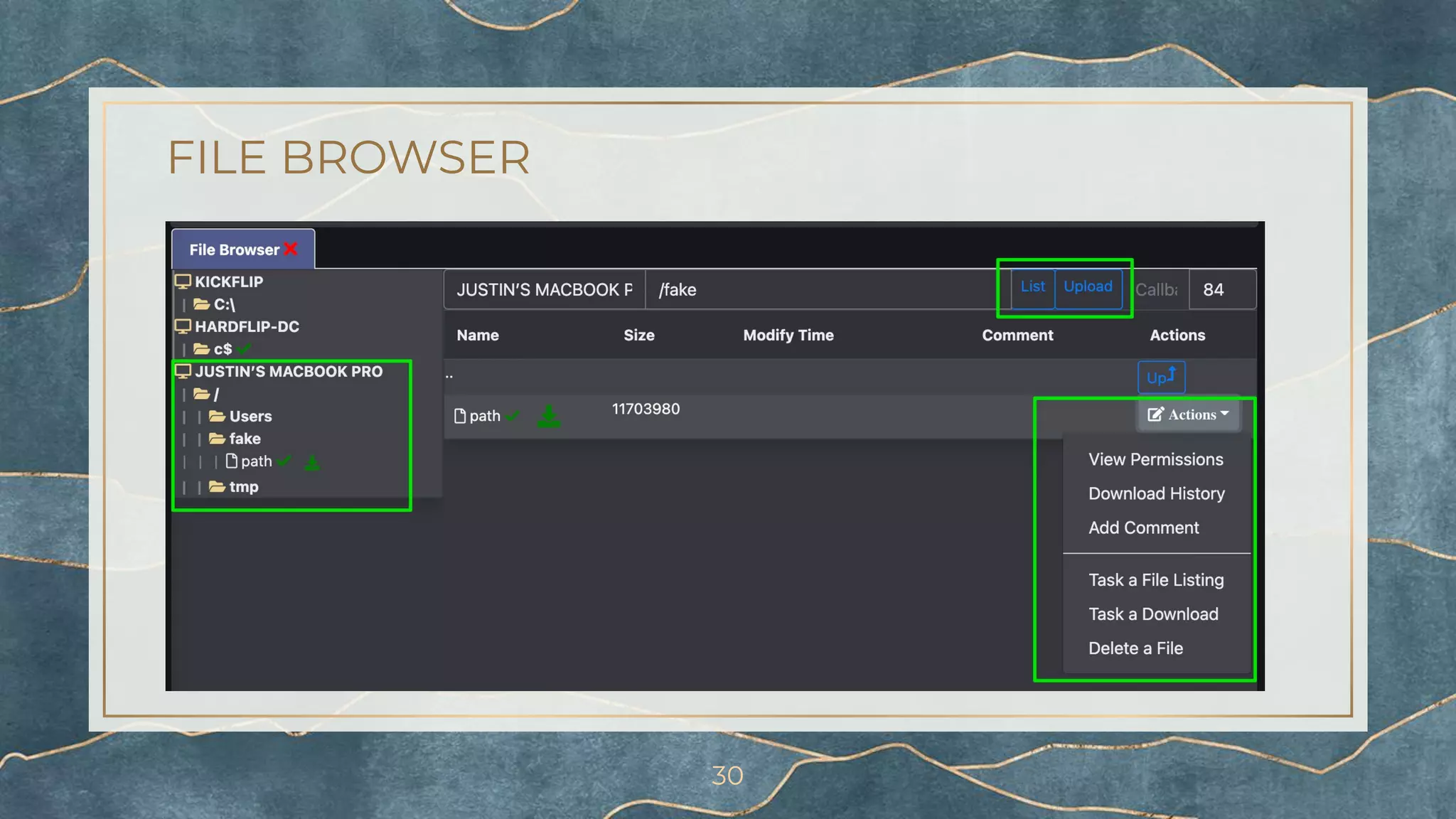
▫ Can be done from file browser as well!
27
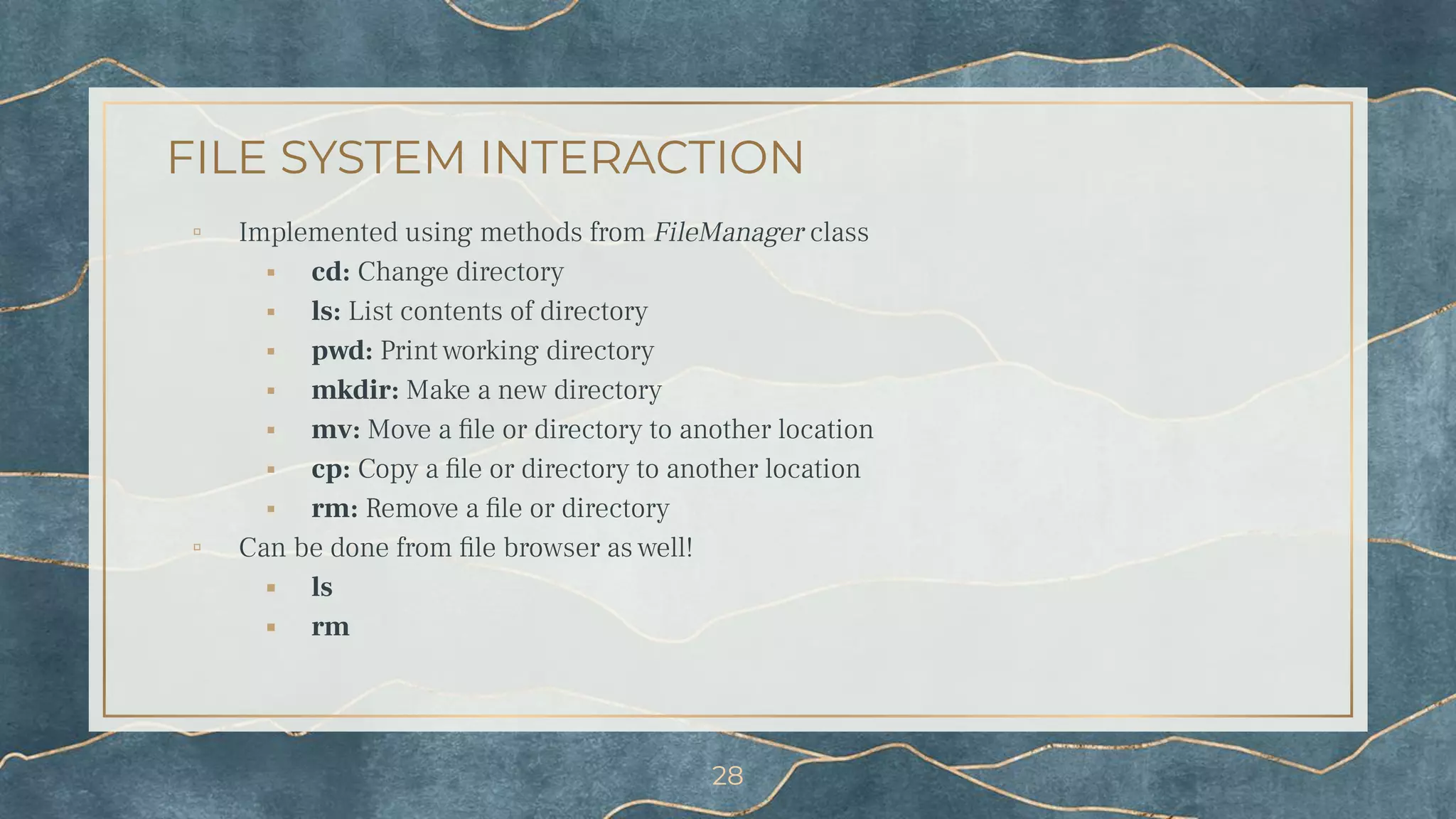
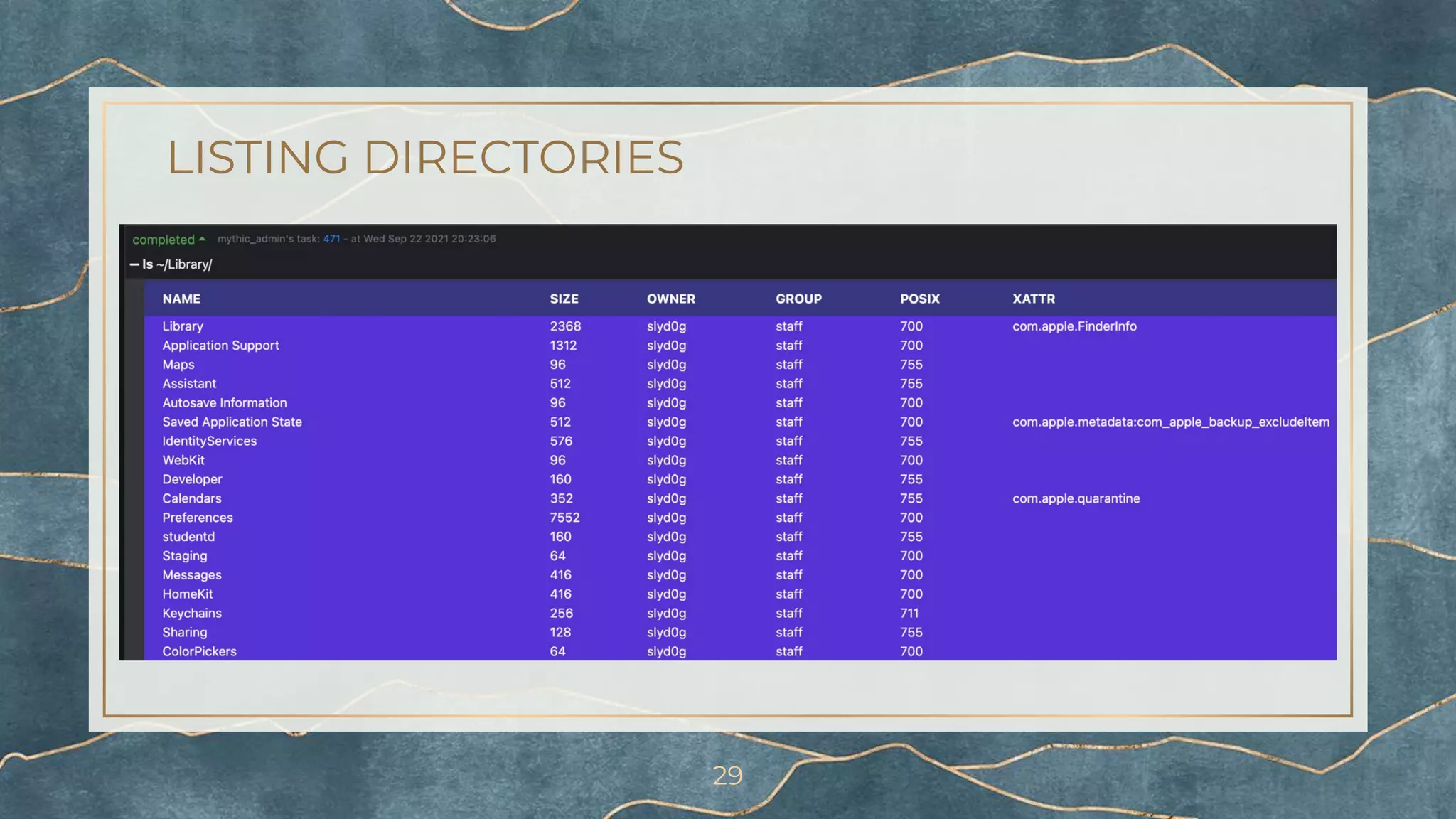
FILE SYSTEM INTERACTION
▫ Implemented using methods from FileManager class
⬝ cd: Change directory
⬝ ls: List contents of directory
⬝ pwd: Print working directory
⬝ mkdir: Make a new directory
⬝ mv: Move a file or directory to another location
⬝ cp: Copy a file or directory to another location
⬝ rm: Remove a file or directory
▫ Can be done from file browser as well!
⬝ ls
⬝ rm
28
LISTING DIRECTORIES
29
FILE BROWSER
30
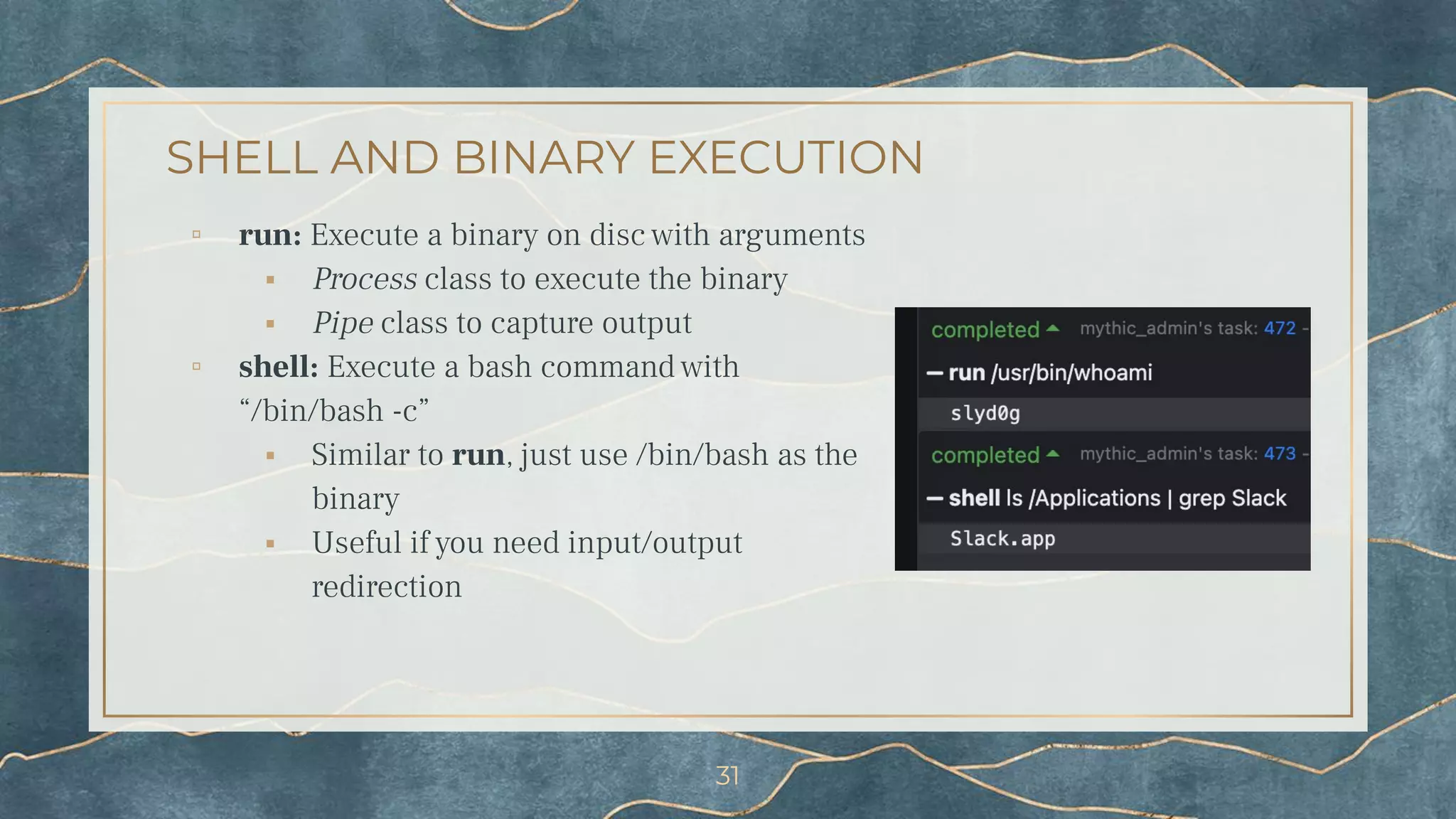
SHELL AND BINARY EXECUTION
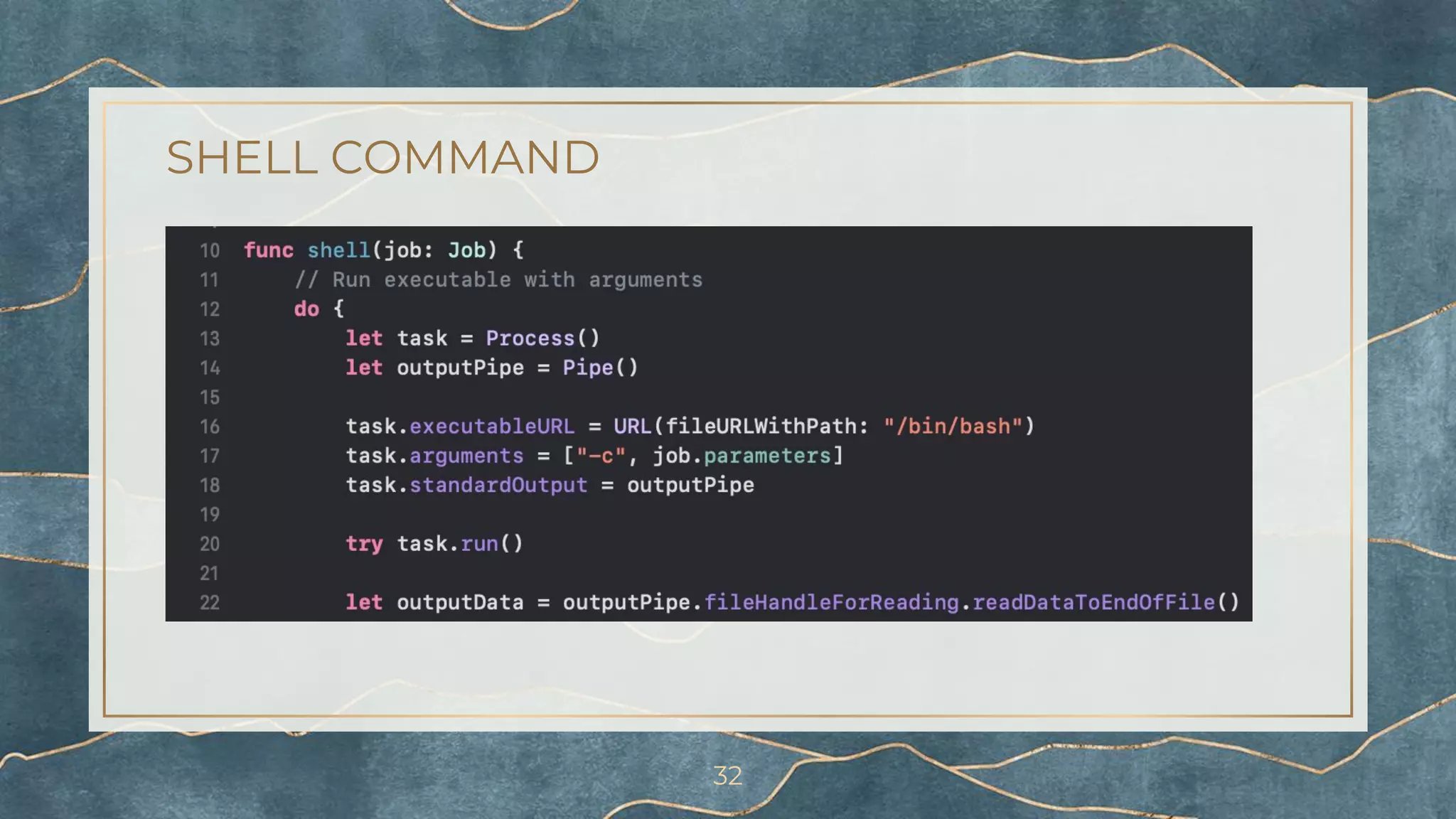
▫ run: Execute a binary on disc with arguments
⬝ Process class to execute the binary
⬝ Pipe class to capture output
▫ shell: Execute a bash command with
“/bin/bash -c”
⬝ Similar to run, just use /bin/bash as the
binary
⬝ Useful if you need input/output
redirection
31
SHELL COMMAND
32
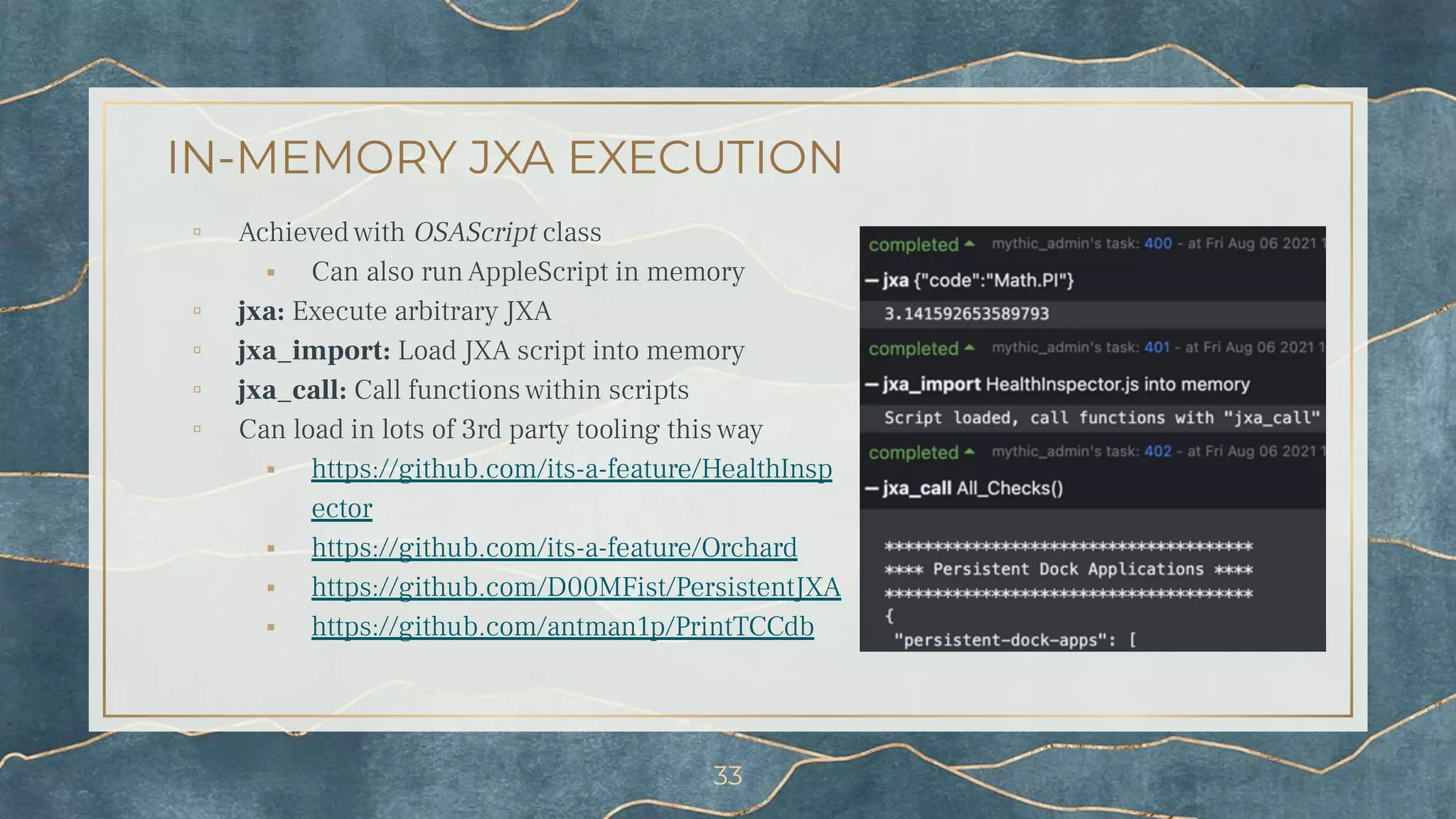
IN-MEMORY JXA EXECUTION
▫ Achieved with OSAScript class
⬝ Can also run AppleScript in memory
▫ jxa: Execute arbitrary JXA
▫ jxa_import: Load JXA script into memory
▫ jxa_call: Call functions within scripts
▫ Can load in lots of 3rd party tooling this way
⬝ https://github.com/its-a-feature/HealthInsp
ector
⬝ https://github.com/its-a-feature/Orchard
⬝ https://github.com/D00MFist/PersistentJXA
⬝ https://github.com/antman1p/PrintTCCdb
33
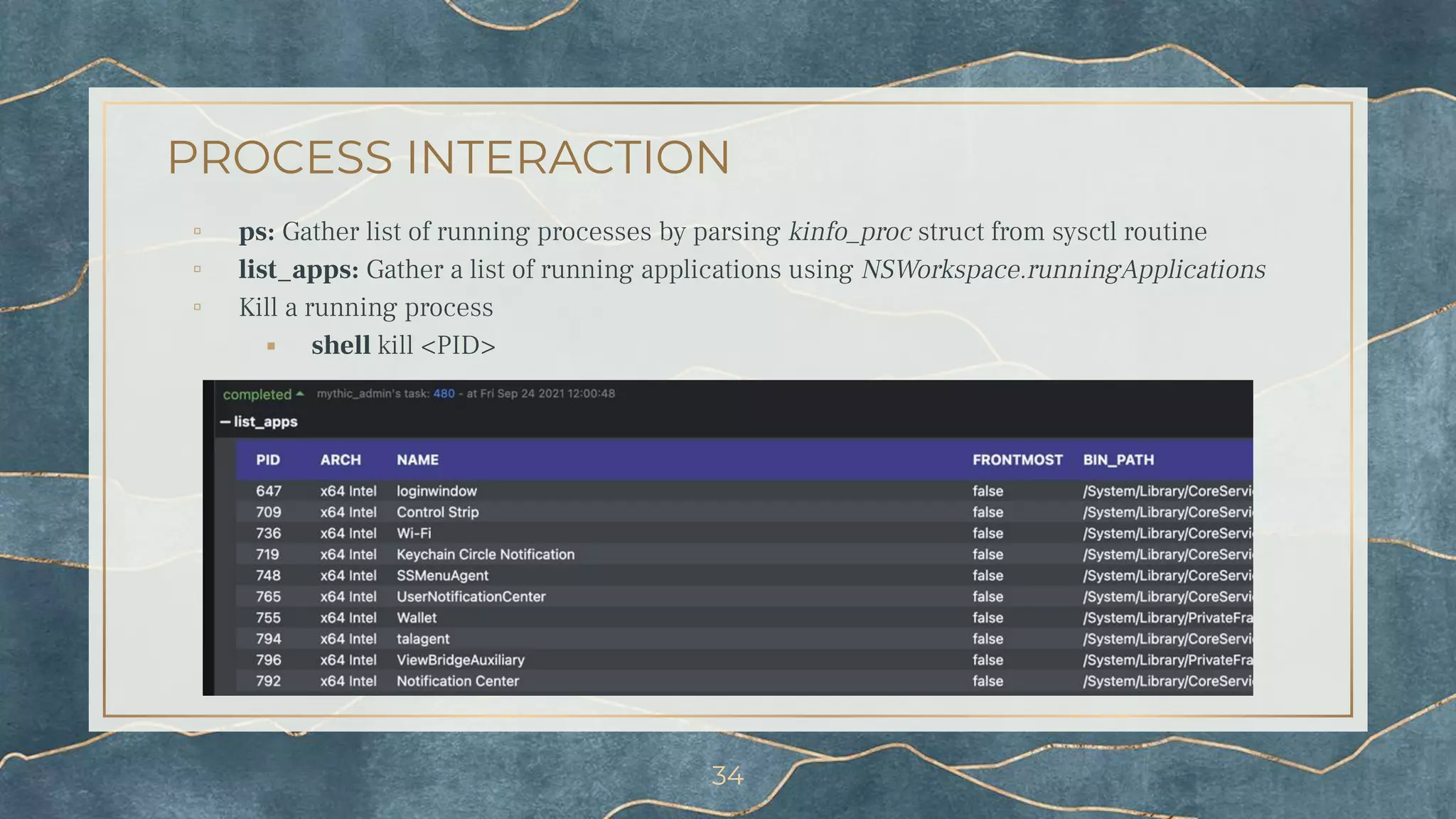
PROCESS INTERACTION
▫ ps: Gather list of running processes by parsing kinfo_proc struct from sysctl routine
▫ list_apps: Gather a list of running applications using NSWorkspace.runningApplications
▫ Kill a running process
⬝ shell kill <PID>
34
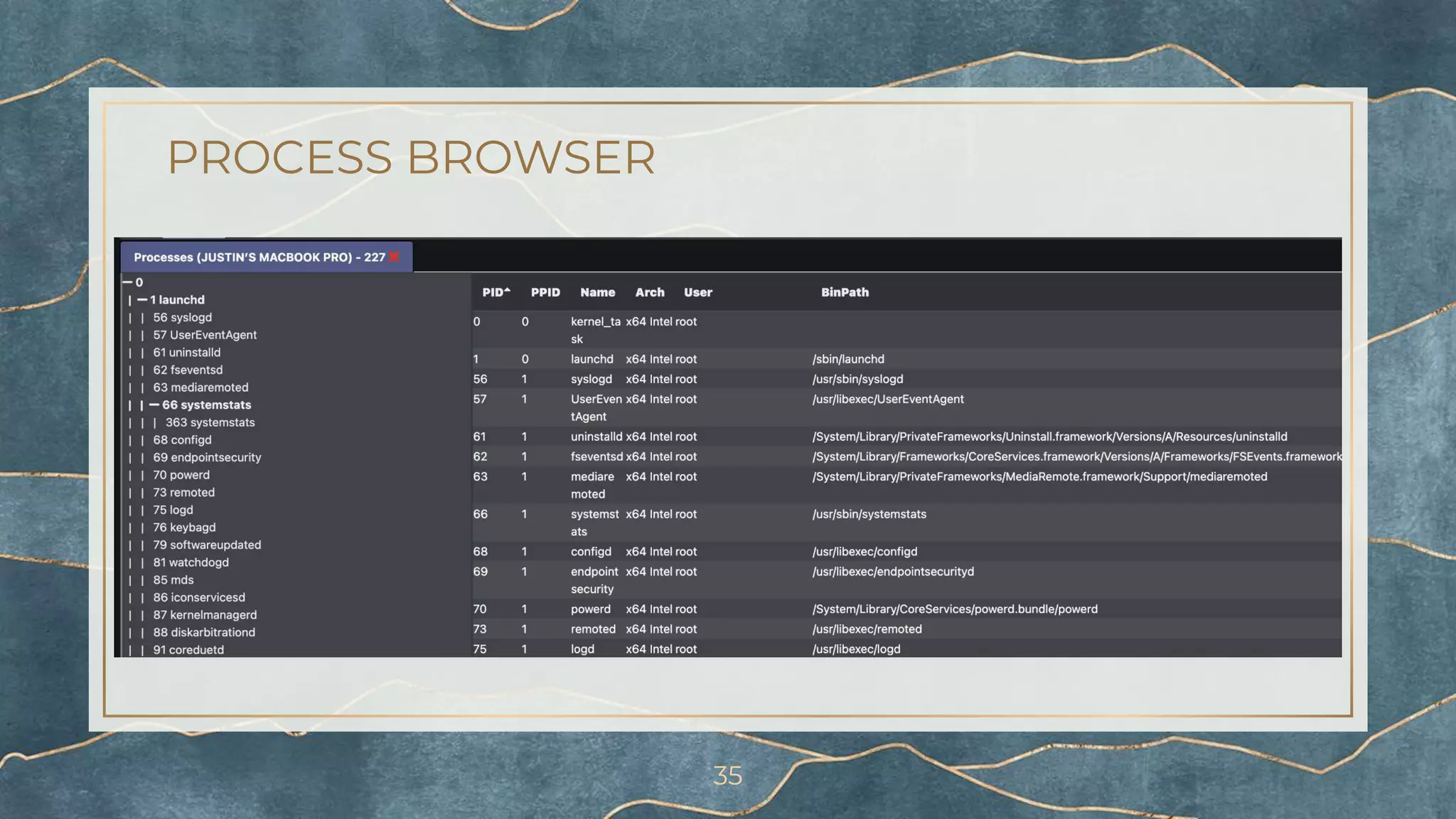
PROCESS BROWSER
35
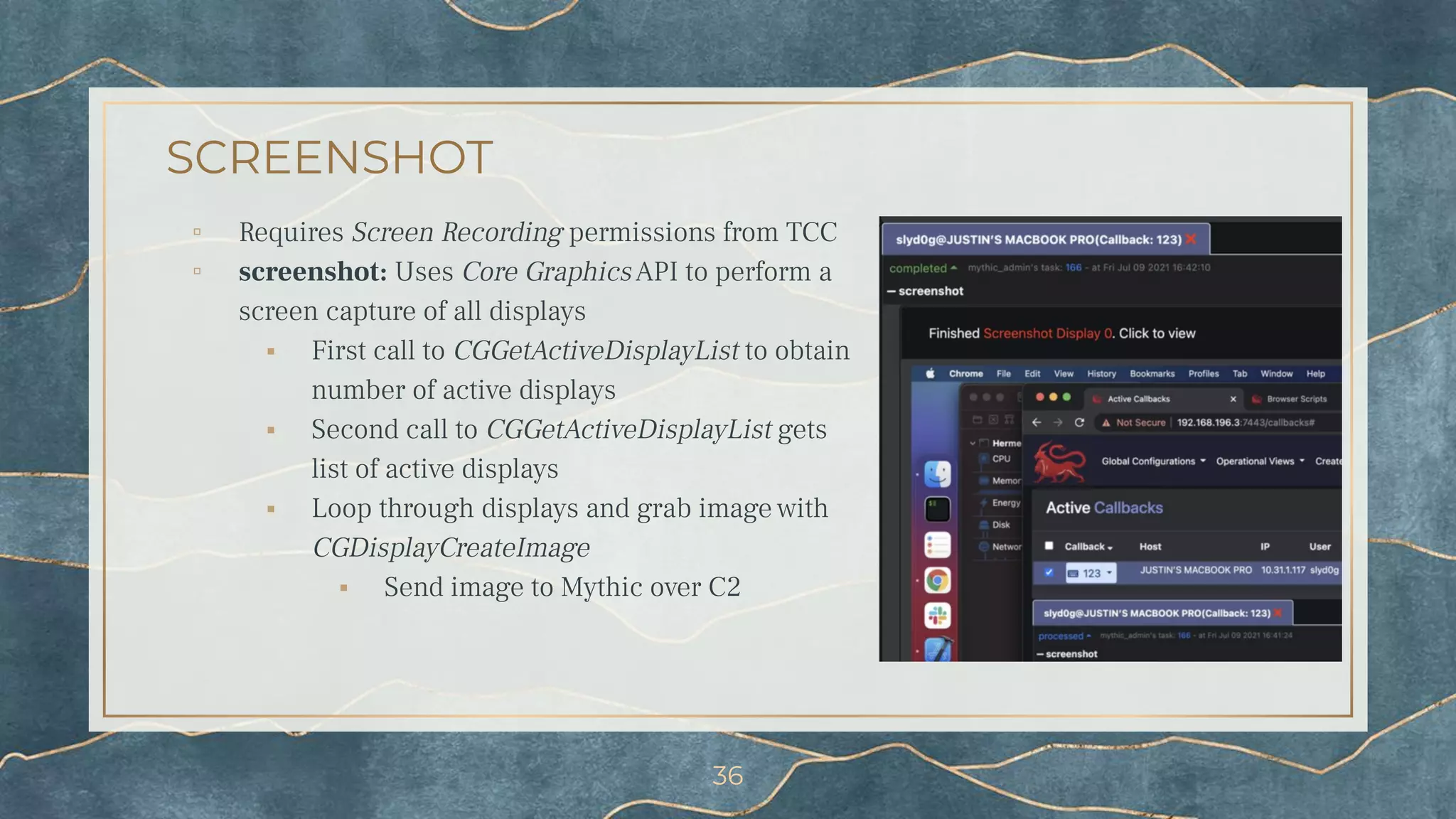
SCREENSHOT
▫ Requires Screen Recording permissions from TCC
▫ screenshot: Uses Core GraphicsAPI to perform a
screen capture of all displays
⬝ First call to CGGetActiveDisplayList to obtain
number of active displays
⬝ Second call to CGGetActiveDisplayList gets
list of active displays
⬝ Loop through displays and grab image with
CGDisplayCreateImage
⬝ Send image to Mythic over C2
36
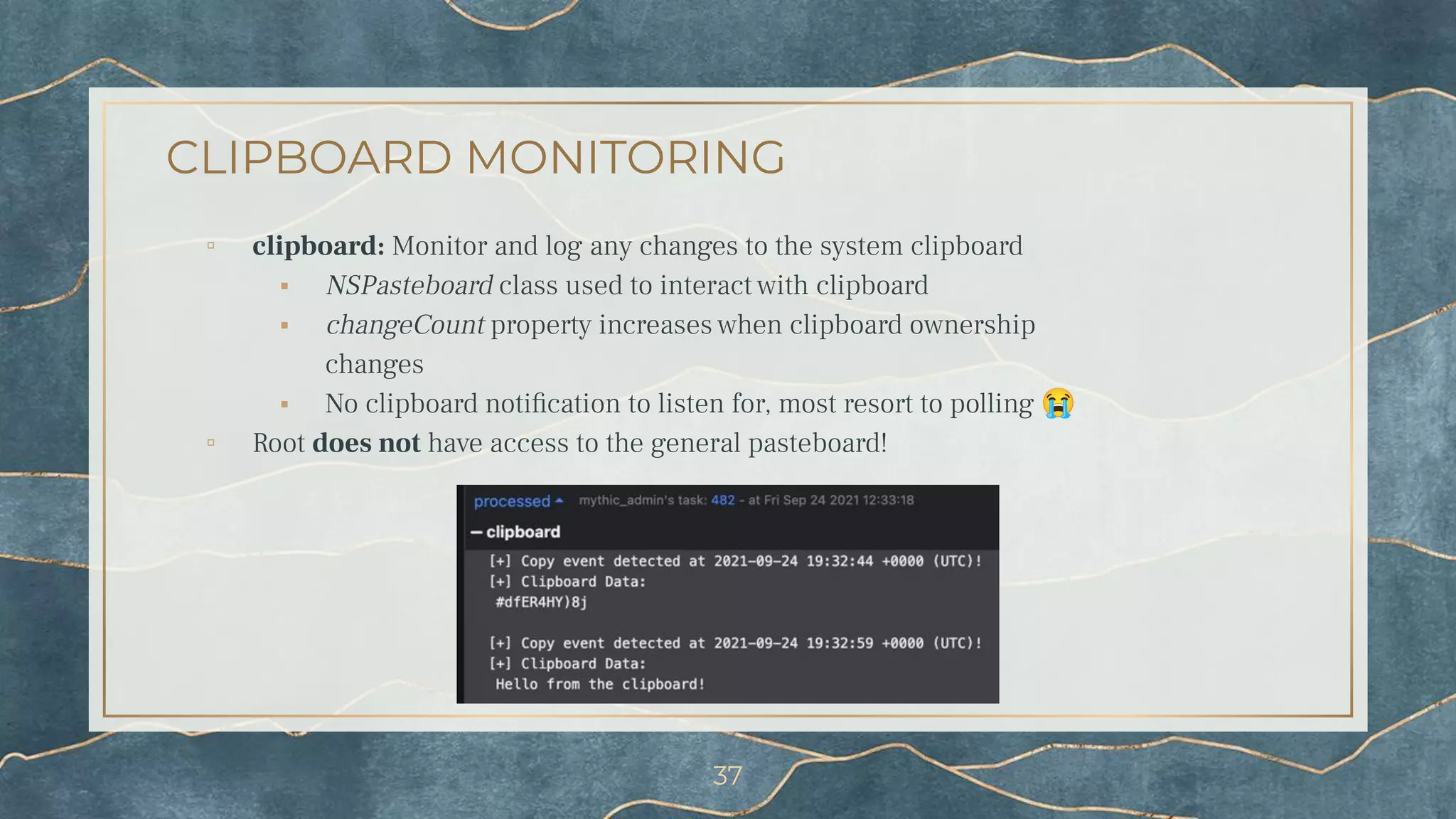
CLIPBOARD MONITORING
▫ clipboard: Monitor and log any changes to the system clipboard
⬝ NSPasteboard class used to interact with clipboard
⬝ changeCount property increases when clipboard ownership
changes
⬝ No clipboard notification to listen for, most resort to polling 😭
▫ Root does not have access to the general pasteboard!
37
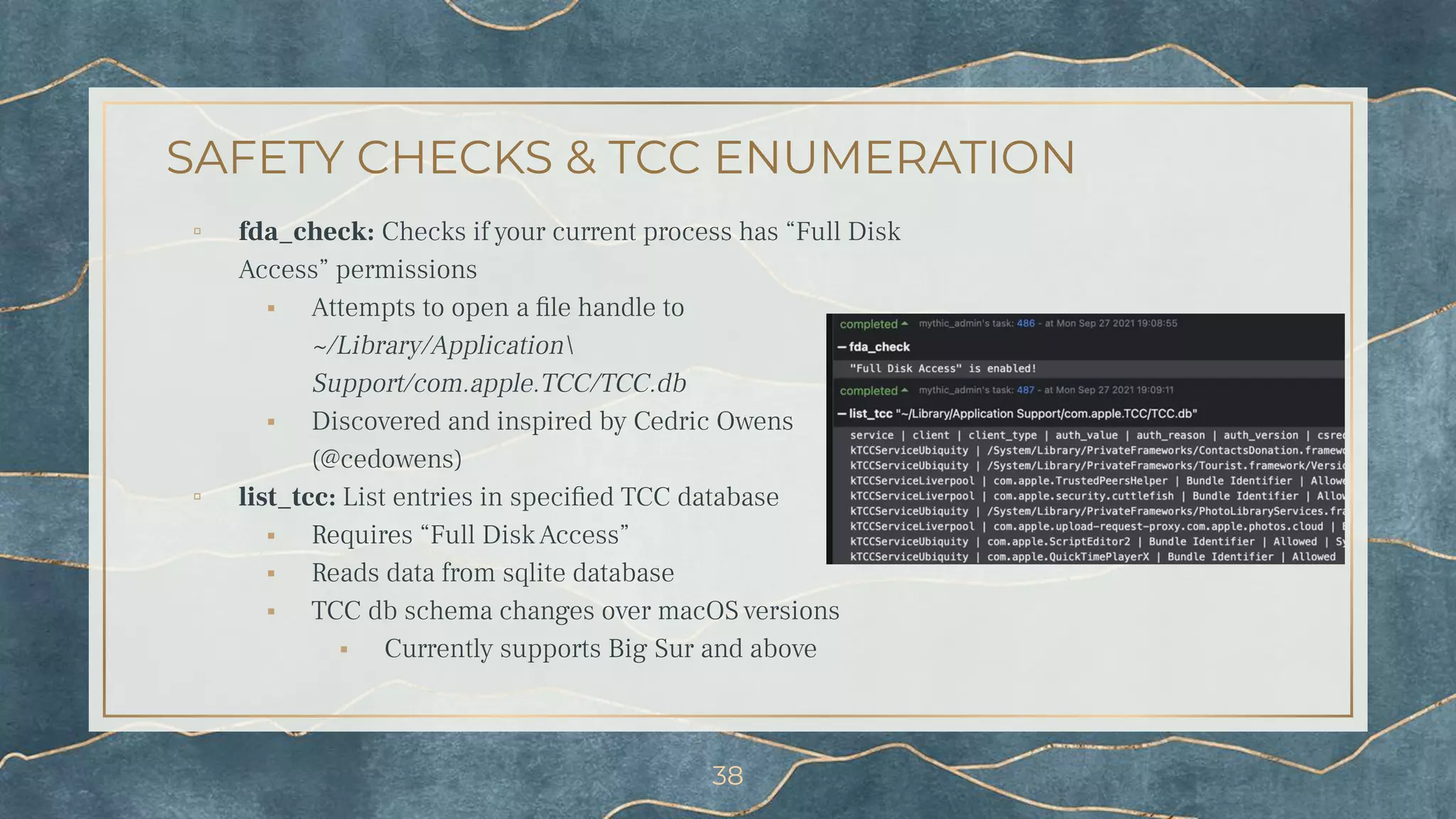
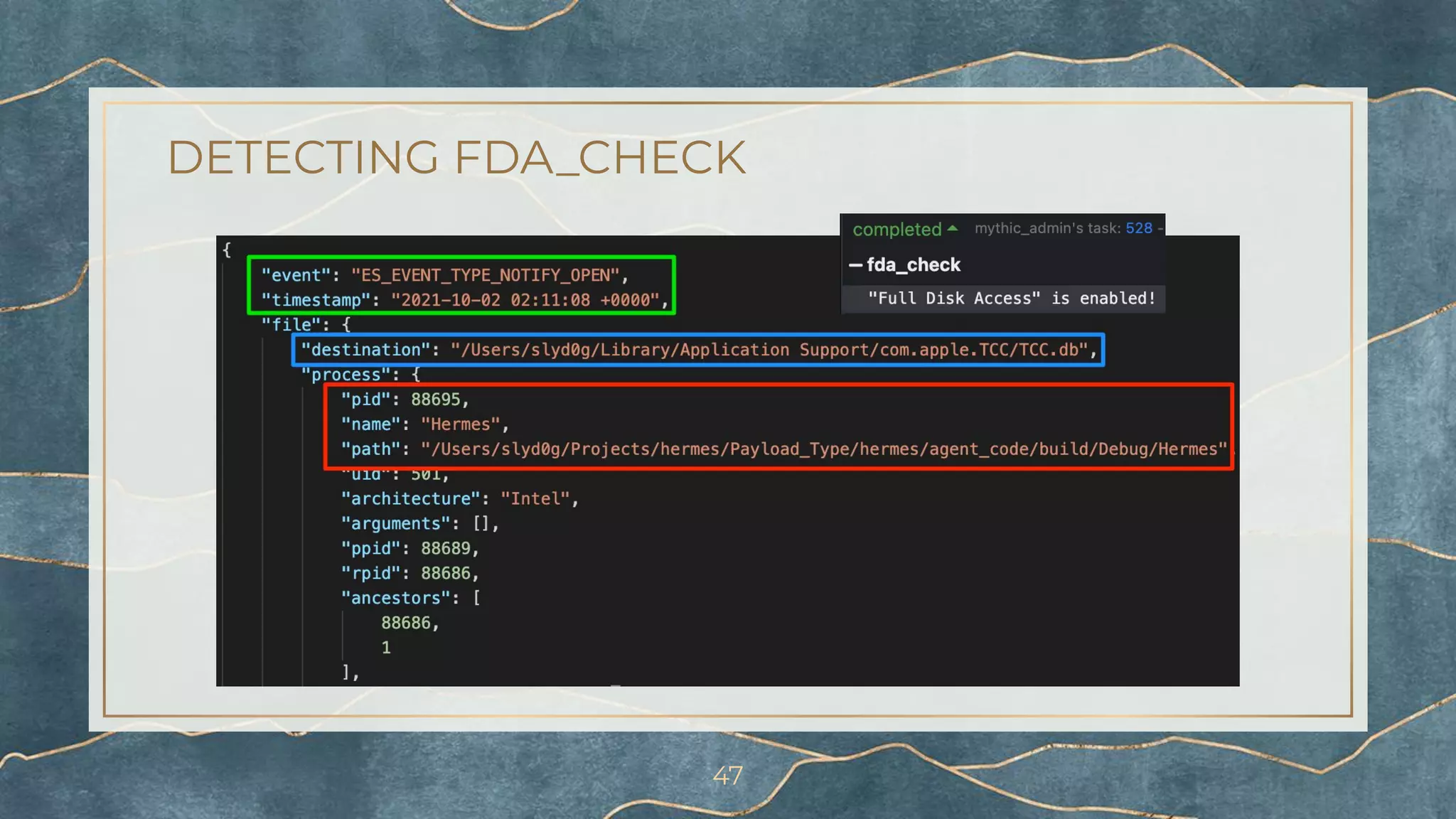
SAFETY CHECKS & TCC ENUMERATION
▫ fda_check: Checks if your current process has “Full Disk
Access” permissions
⬝ Attempts to open a file handle to
~/Library/Application
Support/com.apple.TCC/TCC.db
⬝ Discovered and inspired by Cedric Owens
(@cedowens)
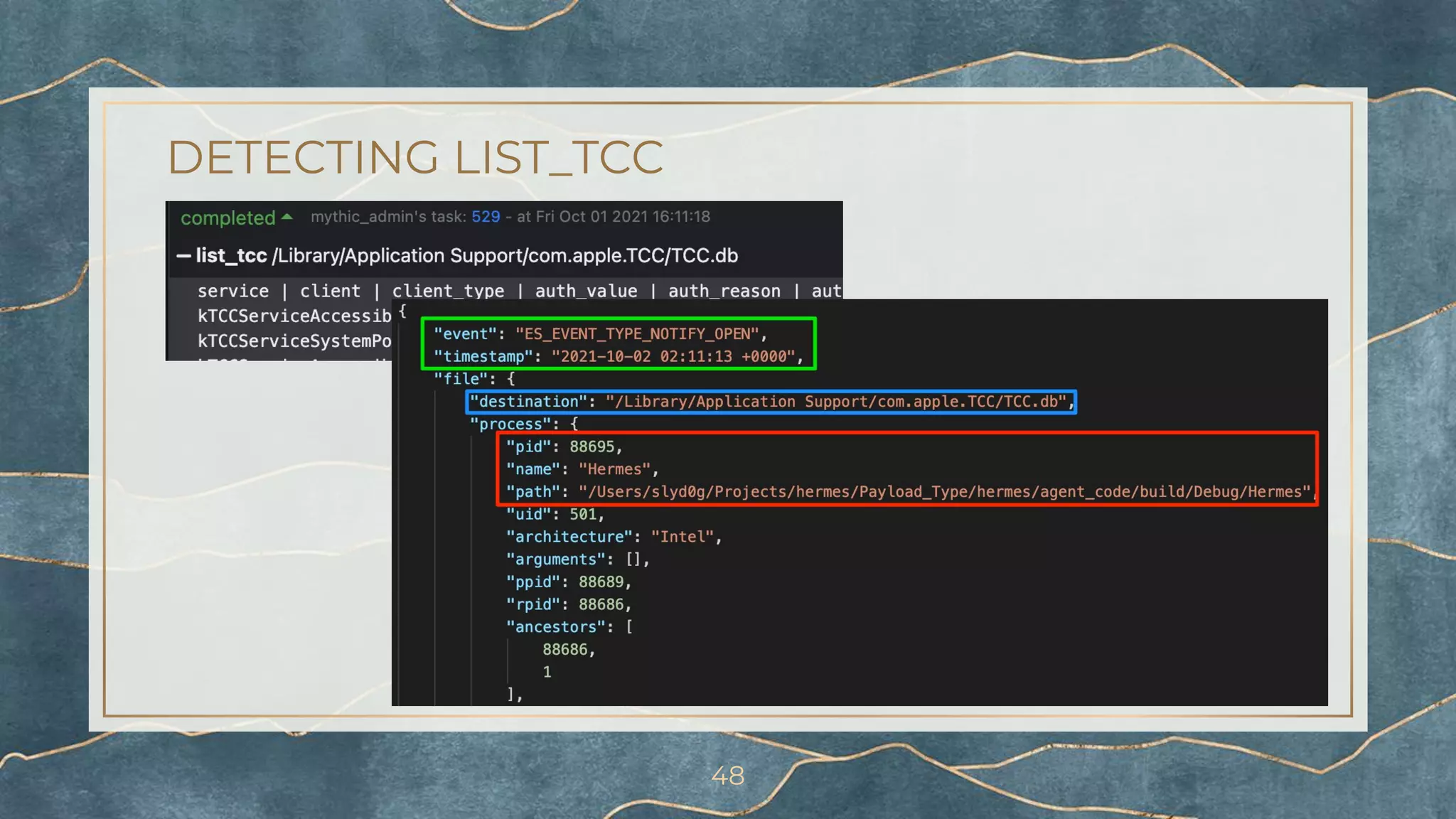
▫ list_tcc: List entries in specified TCC database
⬝ Requires “Full Disk Access”
⬝ Reads data from sqlite database
⬝ TCC db schema changes over macOS versions
⬝ Currently supports Big Sur and above
38
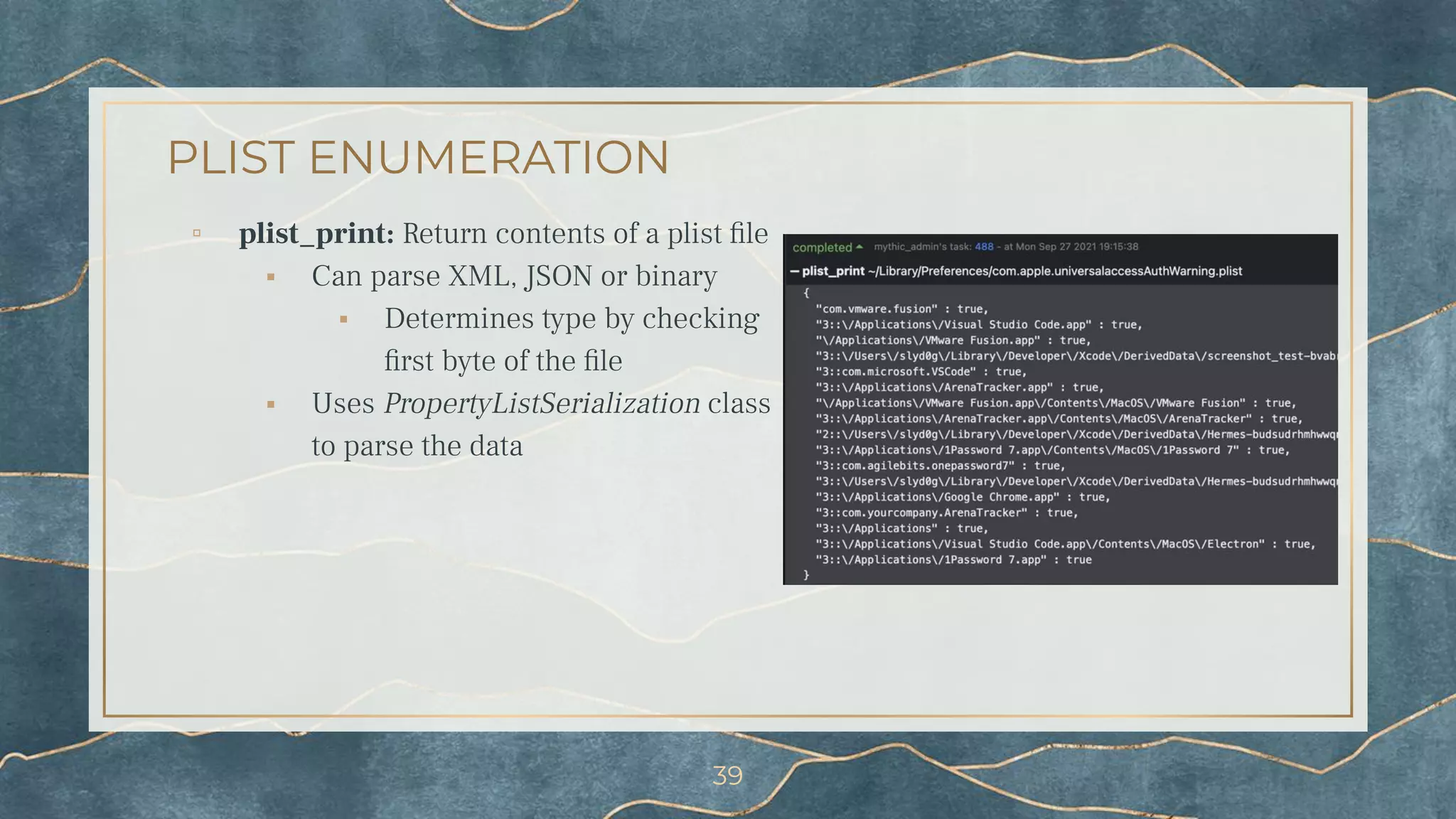
PLIST ENUMERATION
▫ plist_print: Return contents of a plist file
⬝ Can parse XML, JSON or binary
⬝ Determines type by checking
first byte of the file
⬝ Uses PropertyListSerialization class
to parse the data
39
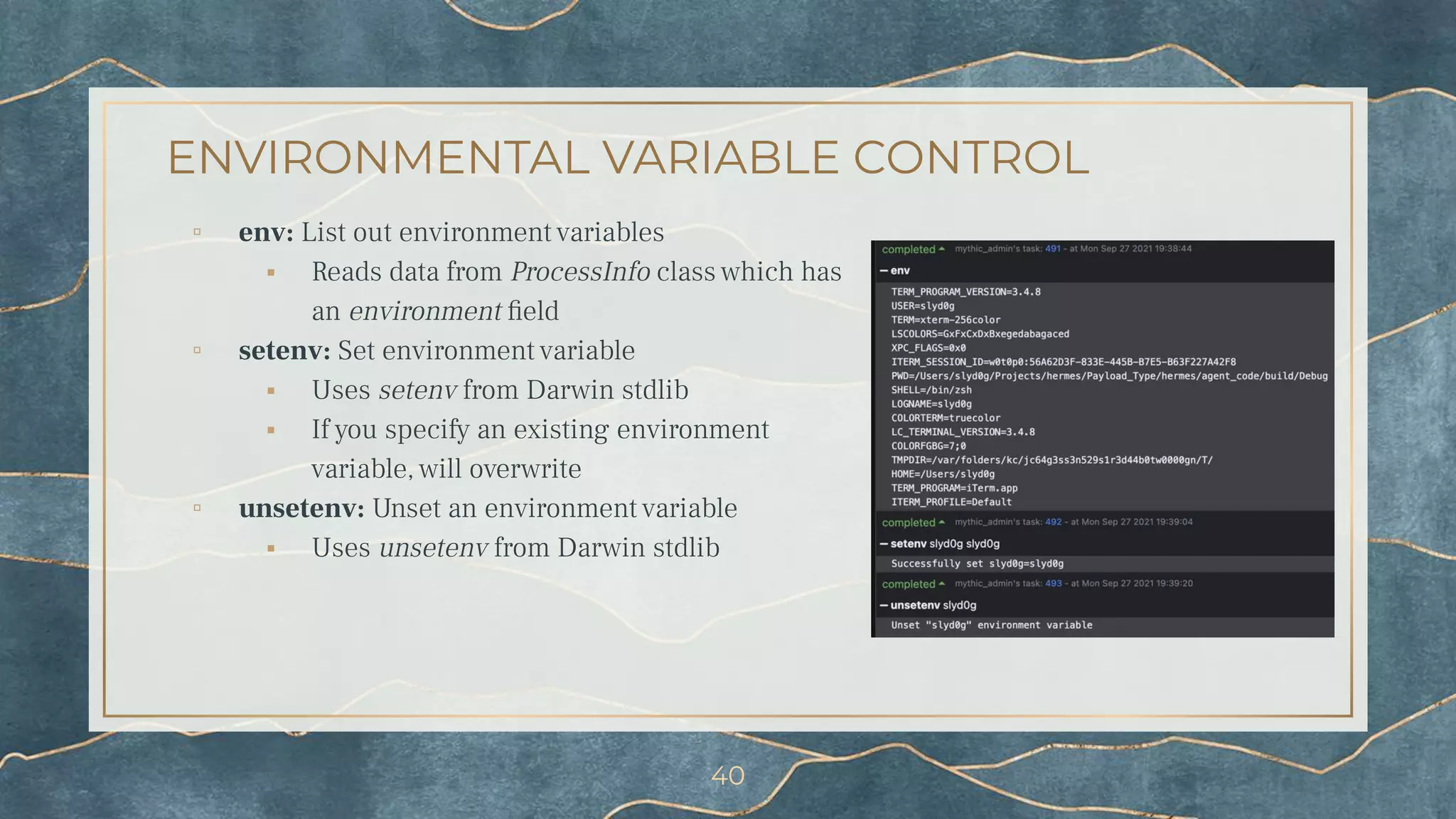
ENVIRONMENTAL VARIABLE CONTROL
▫ env: List out environment variables
⬝ Reads data from ProcessInfo class which has
an environment field
▫ setenv: Set environment variable
⬝ Uses setenv from Darwin stdlib
⬝ If you specify an existing environment
variable, will overwrite
▫ unsetenv: Unset an environment variable
⬝ Uses unsetenv from Darwin stdlib
40
4.
Detecting Hermes
Apple’s Endpoint Security Framework
(ESF)
ENDPOINT SECURITY FRAMEWORK (ESF)
▫ Apple pushed 3rd-party developers out of the kernel in Big
Sur
⬝ Included security products
▫ ESF allows vendors to subscribe to several system events
⬝ Process
⬝ File
⬝ Module/library loads
▫ Several free and open-source tools
⬝ Appmon¹² (@xorrior)
⬝ Crescendo¹³ (@SuprHackerSteve)
⬝ FileMonitor/ProcessMonitor¹⁴ (@patrickwardle)
42
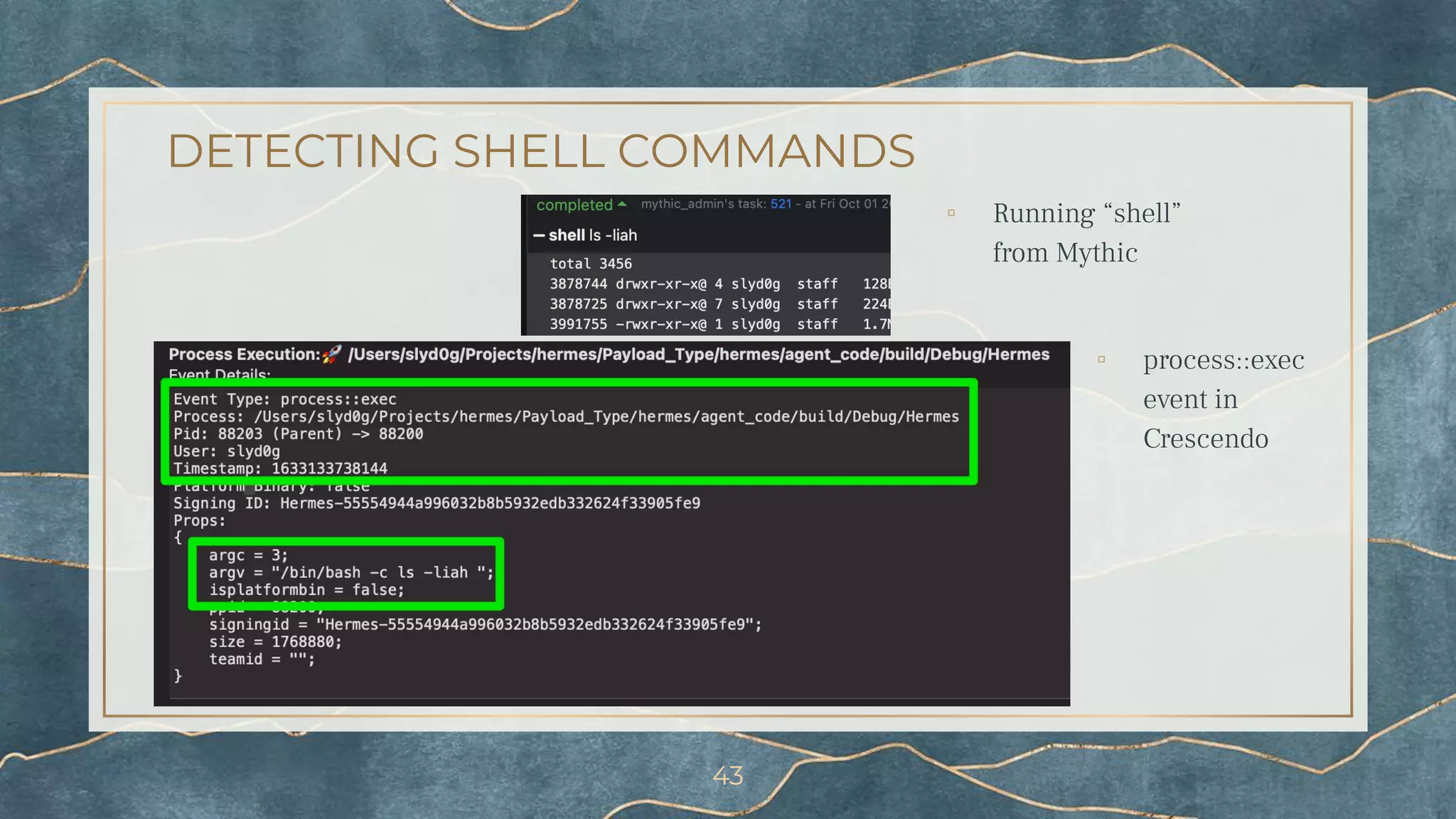
DETECTING SHELL COMMANDS
43
▫ Running “shell”
from Mythic
▫ process::exec
event in
Crescendo
WHAT ARE LAUNCH AGENTS?
▫ Background process that launches when a user
logs in
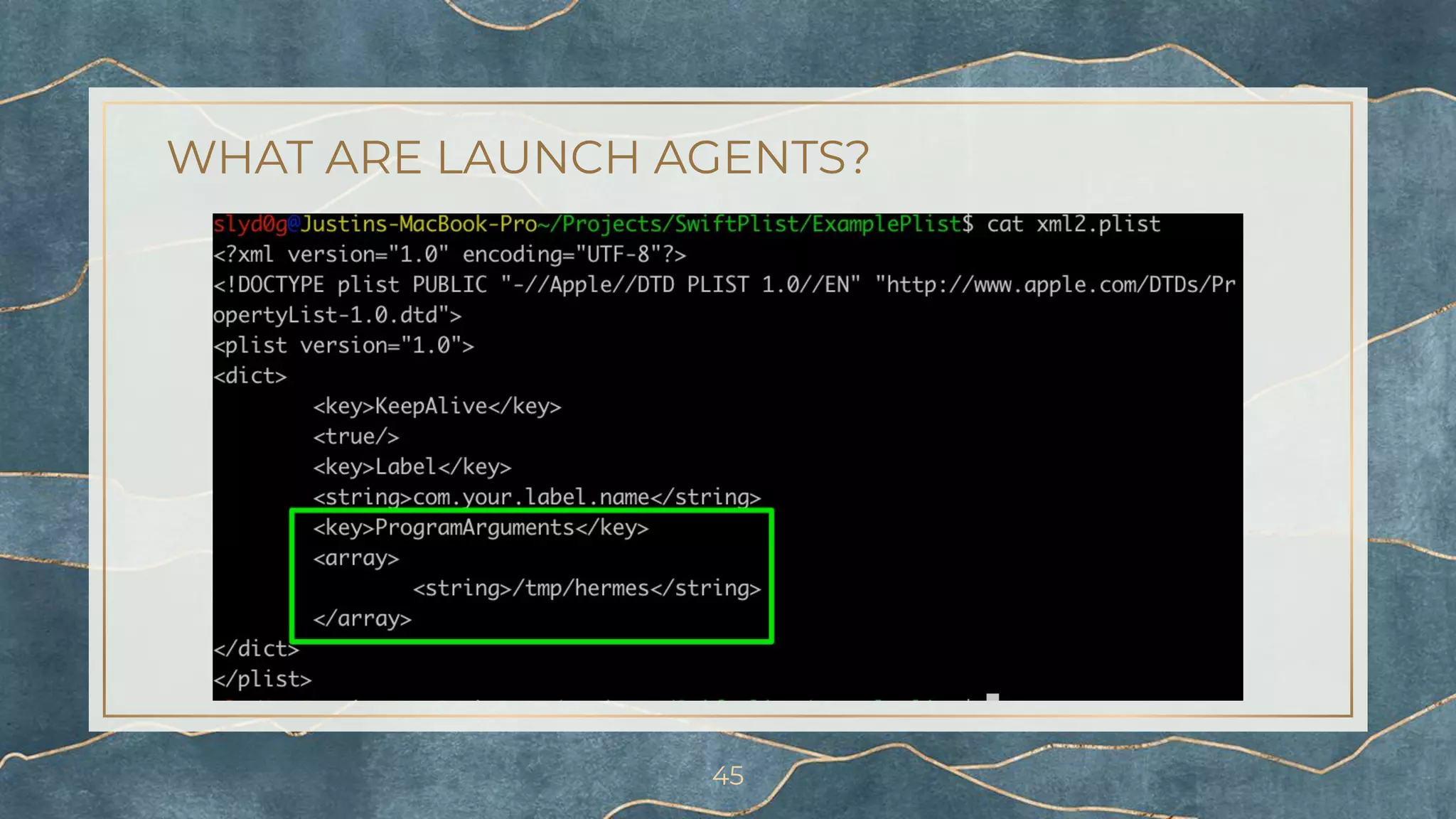
▫ Launch agents are defined in property list files in
the following locations:
⬝ /Library/LaunchAgents
⬝ /Users/<username>/Library/LaunchAgents
⬝ /System/Library/LaunchAgents
▫ Attackers can utilize this for persistence!
44
WHAT ARE LAUNCH AGENTS?
45
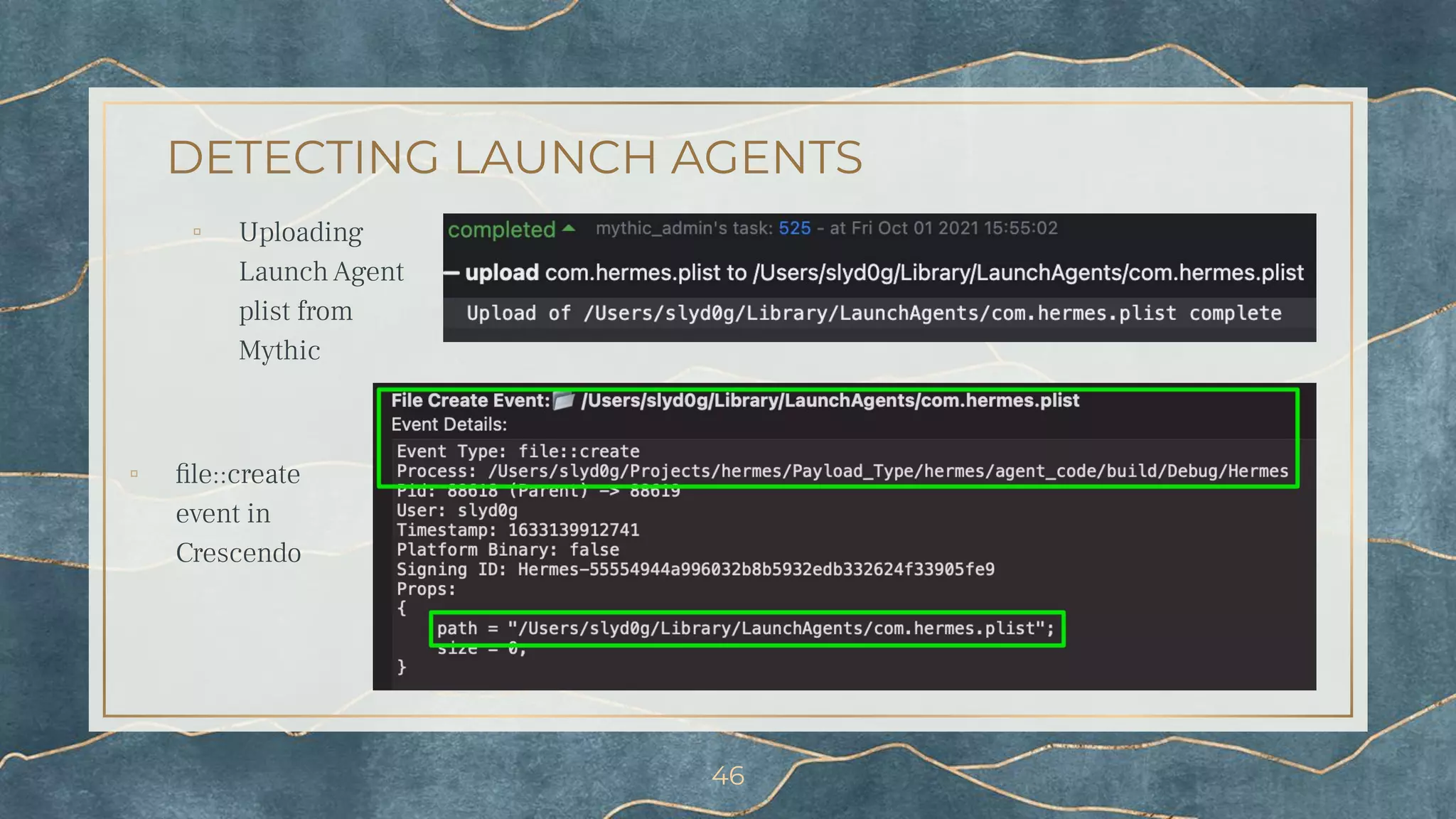
DETECTING LAUNCH AGENTS
▫ Uploading
Launch Agent
plist from
Mythic
46
▫ file::create
event in
Crescendo
DETECTING FDA_CHECK
47
DETECTING LIST_TCC
48
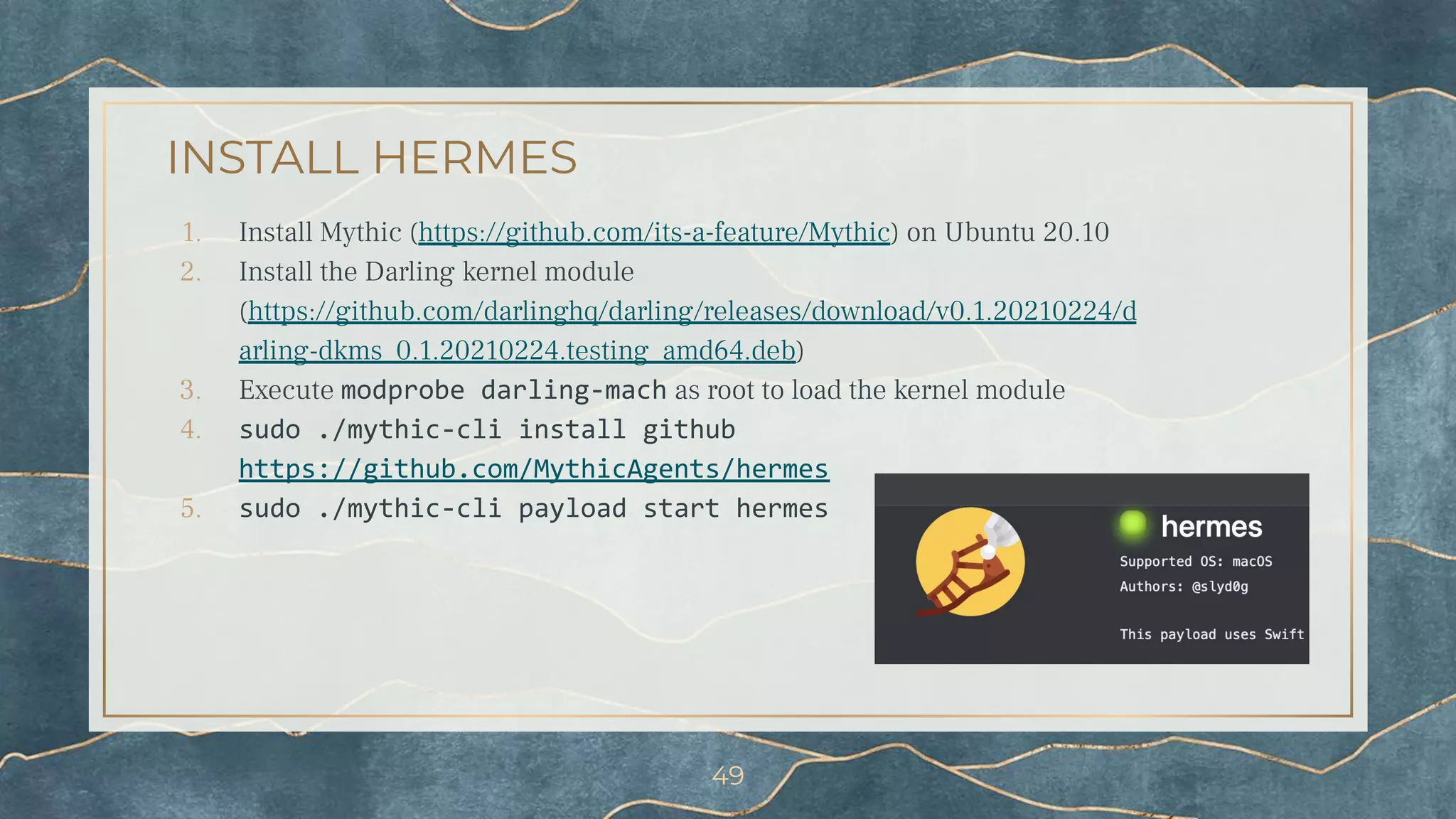
INSTALL HERMES
1. Install Mythic (https://github.com/its-a-feature/Mythic) on Ubuntu 20.10
2. Install the Darling kernel module
(https://github.com/darlinghq/darling/releases/download/v0.1.20210224/d
arling-dkms_0.1.20210224.testing_amd64.deb)
3. Execute modprobe darling-mach as root to load the kernel module
4. sudo ./mythic-cli install github
https://github.com/MythicAgents/hermes
5. sudo ./mythic-cli payload start hermes
49
REFERENCES
1. https://developer.apple.com/documentatio
n/xcode-release-notes/swift-5-release-notes
-for-xcode-10_2
2. https://github.com/MythicAgents/apfell
3. https://github.com/cedowens/SwiftBelt-JXA
4. https://github.com/D00MFist/PersistentJX
A
5. https://github.com/MythicAgents/Medusa
6. https://github.com/EmpireProject/Empire
7. https://github.com/n0fate/chainbreaker
8. https://github.com/MythicAgents/poseidon
9. https://github.com/xorrior/xpcutil
10. https://github.com/BishopFox/sliver
11. https://github.com/MythicAgents/hermes
12. https://bitbucket.org/xorrior/appmon/src/
master/
13. https://github.com/SuprHackerSteve/Cresc
endo
14. https://objective-see.com/products/utilities
.html
50
THANK YOU
▫ Big thanks to Cody Thomas (@its_a_feature_) who helped me endlessly when
I ran into bugs during development
▫ Thank you to all my coworkers for reviewing my content
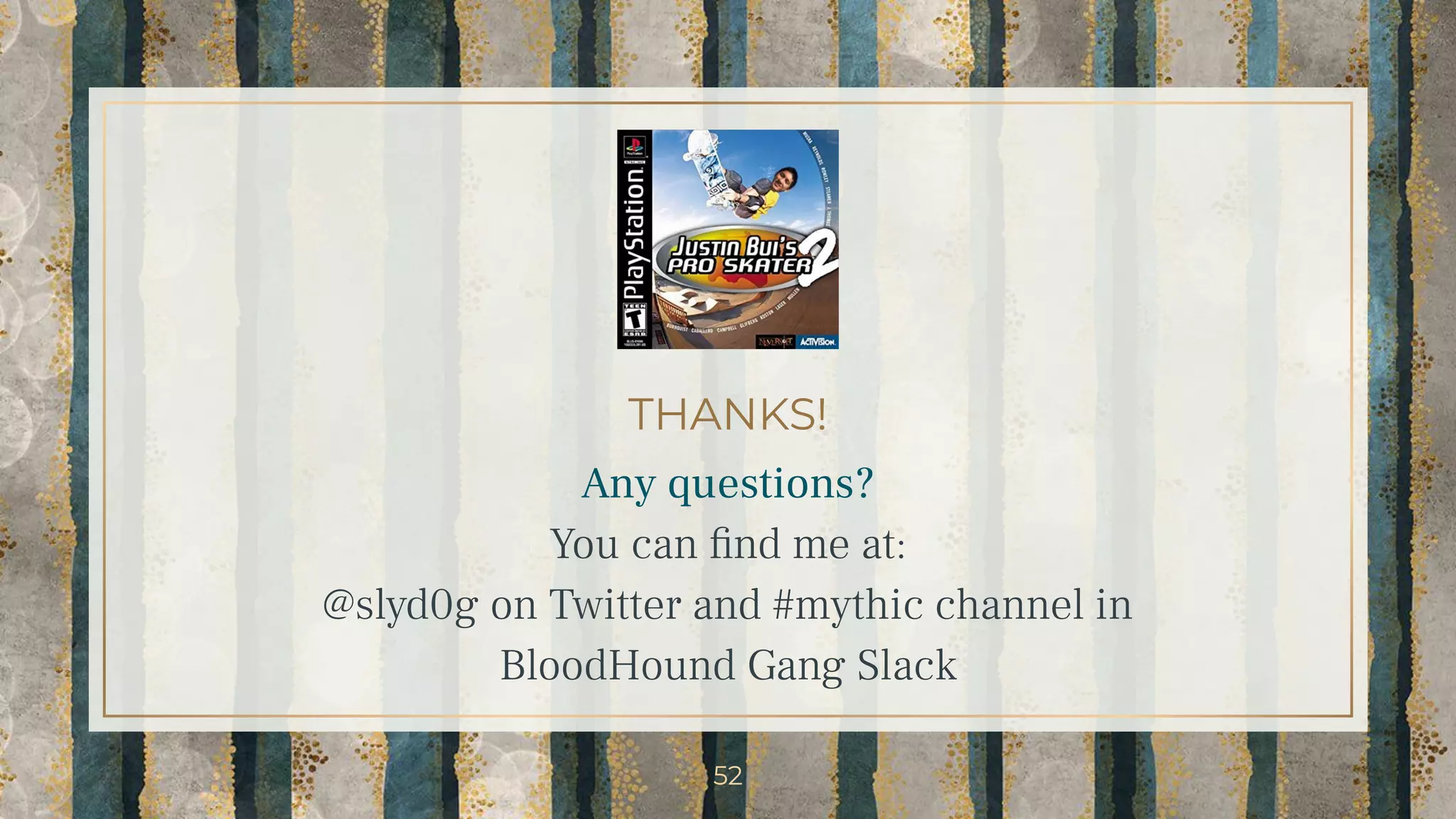
▫ Thank you Brian Reitz for the awesome THPS2 photoshop :D
▫ Thank you ShellCon for allowing me to share my work
▫ Thank you for coming and listening!
▫ Presentation template by SlidesCarnival
▫ Photographs by Unsplash
51
THANKS!
Any questions?
You can find me at:
@slyd0g on Twitter and #mythic channel in
BloodHound Gang Slack
52

Red Teaming macOS Environments with Hermes the Swift Messenger

  • 1.
    Red Teaming macOS Environmentswith Hermes the Swift Messenger Justin Bui (@slyd0g)
  • 2.
    slyd0g@mac~$ whoami ▫ @slyd0g ▫Red teamer at Zoom, previously consultant at SpecterOps ⬝ Views and research are my own ▫ Interested in all things security and skateboarding 2
  • 3.
    SUMMARY 1. Swift ProgrammingLanguage 2. Mythic Framework 3. Hermes Payload a. Development b. Functionality 4. Detecting Hermes 3
  • 4.
    1. Swift What is Swift?Pros and cons as a post-exploitation language? Current Swift tooling?
  • 5.
    WHAT IS SWIFT? ▫High-level programming language developed by Apple ⬝ Swift 1.0 released in 2014 ⬝ Swift 5.3 enabled cross-platform support (macOS, Windows, Linux) ⬝ Designed to be successor to ObjC ▫ Uses Objective-C runtime library ⬝ Allows for C/C++/ObjC/Swift code to run in a single program (!) 5
  • 6.
    COMPILING AND EXECUTINGSWIFT ▫ Can be executed in a variety of ways: ⬝ Command line: ⬝ swift shellcon.swift ⬝ ./shellcon ⬝ Double clicking on: ⬝ Compiled Macho-O executable ▫ Swift compiler/toolchain is not installed by default ⬝ Swift libraries installed as of macOS Mojave 10.14.4¹ 6
  • 7.
    (SOME) COMMON LANGUAGESFOR MACOS POST-EXPLOITATION JXA ▫ Pros ▫ LOLBin for execution (osascript) ▫ ObjC bridge allows access to ObjC API ▫ Cons ▫ Single-threaded ▫ Development abandoned by Apple team ▫ Examples ⬝ Apfell² ⬝ SwiftBelt-JXA³ ⬝ PersistentJXA⁴ Python ▫ Pros ▫ LOLBin for execution (python/python3) ▫ Cons ▫ Apple stated scripting languages are deprecated and removed in future versions ▫ More heavily signatured ▫ Examples ⬝ Medusa⁵ ⬝ Empire⁶ ⬝ chainbreaker⁷ Golang ▫ Pros ▫ Cross-compilation for many OS ▫ Easily integrates ObjC/C/C++ code ▫ Cons ▫ Large sized binary ▫ Examples ⬝ Poseidon⁸ ⬝ xpcutil⁹ ⬝ Sliver¹⁰ 7
  • 8.
    Pros ▫ Multithreading ▫ Accessto macOS APIs ▫ Easier to develop than ObjC/JXA ▫ Can call C/C++/ObjC with bridging headers ▫ App whitelisting bypass with swift WHY SWIFT FOR POST-EXPLOITATION? Cons ▫ Swift compiler/toolchain is not installed by default ▫ Unsigned binaries may be subject to more scrutiny versus scripts 8
  • 9.
    EXAMPLES OF SWIFTTOOLING ▫ https://github.com/cedowens/SwiftBelt ▫ https://github.com/cedowens/MacShellSwift ▫ https://github.com/cedowens/Swift-Attack ▫ https://github.com/slyd0g/SwiftSpy ▫ https://github.com/slyd0g/SwiftParseTCC ▫ https://github.com/richiercyrus/Venator-Swift ▫ https://github.com/SuprHackerSteve/Crescendo 9
  • 10.
  • 11.
  • 12.
    A cross-platform, post-exploit,red teaming framework built with python3, docker, docker-compose, and a web browser UI. It's designed to provide a collaborative and user friendly interface for operators, managers, and reporting throughout red teaming. 12 https://github.com/its-a-feature/Mythic
  • 13.
    WHAT IS MYTHIC? ▫Open Source at https://github.com/its-a-feature/Mythic ⬝ Documentation at https://docs.mythic-c2.net/ ▫ Modular and customizable framework ▫ Docker is used to separate all Mythic components ▫ Operators simply connect via a browser 13
  • 14.
    WANT BIG IMPACT? USEBIG IMAGE. 14
  • 15.
    MYTHIC PAYLOADS FORMACOS ▫ The following payloads all use ObjC API calls to interact with macOS ▫ Apfell (JXA) ⬝ LOLBin can be used for execution (osascript) ⬝ Supports download cradles ⬝ Great for initial access ▫ Poseidon (Golang) ⬝ Larger payload, but more features (like SOCKS, threading) ⬝ Great for 2nd stage payload ▫ Medusa (Python) ⬝ LOLBin can be used for execution (python/python3) ⬝ Dynamic loading and unloading of python modules 15
  • 16.
  • 17.
    WHAT IS HERMES? ▫Hermes¹¹ is a Mythic payload targeting macOS written in Swift 5 ⬝ Tested on Catalina and Big Sur ▫ Encrypted key exchange for secure communications ▫ Post-exploitation modules ⬝ Enumeration ⬝ Upload/download ⬝ Execution ⬝ Job control 17
  • 18.
    MOTIVATION FOR WRITINGHERMES ▫ Straightforward and fun way to learn macOS internals ⬝ File system ⬝ Processes ⬝ Transparency, Consent, and Control (TCC) ▫ Opportunity to learn Swift ⬝ HTTP requests ⬝ Encrypted key exchange ▫ Previously wrote C2 for Windows called SK8RAT/SK8PARK ⬝ Hated writing the server component 18
  • 19.
    CROSS-COMPILING FOR MACOS ▫Goal: Compile Swift to Mach-O from Linux container ⬝ Make it easier for end user to compile payloads directly through Mythic without setting up external build systems ▫ https://github.com/tpoechtrager/osxcross ⬝ Doesn’t support Swift ▫ https://github.com/sickcodes/Docker-OSX ⬝ Needs to be run on a macOS host, whereas C2 servers traditionally run on Linux ▫ AWS Pipeline / GitHub Actions ⬝ Wanted a free solution that also kept payload config under end user’s control 19
  • 20.
    DARWIN + LINUX= DARLING ▫ Darwin/macOS emulation layer for Linux ⬝ http://www.darlinghq.org/ ⬝ https://github.com/darlinghq/darling ▫ Free and open-source software, great community on their Discord server ▫ Wine for macOS ⬝ Install software (Xcode, Command Line Tools, etc.) ⬝ Can compile and run programs (!) 20
  • 21.
  • 22.
    CROSS-COMPILATION WITH DARLING ▫Some tricks to get Darling to work with Docker ⬝ Darling Linux kernel module installed on host ⬝ Run modprobe darling-mach before the container starts as root to load the kernel module ⬝ Container must be run in privileged mode ▫ Swift code could be compiled within a Docker container on a Linux host 22
  • 23.
  • 24.
    SECURE COMMUNICATIONS ▫ EncryptedKey Exchange ⬝ Client-side generated RSA keys ▫ Unique session keys per implant ▫ Forward secrecy ▫ Encrypted messages ⬝ Agent messages ⬝ Upload/download 24
  • 25.
  • 26.
    JOB ARCHITECTURE ▫ Commandsissued into Mythic turns into a job on the Hermes side ▫ Each job executes in a separate thread ⬝ threadId is tracked to kill job at anytime ▫ Supports long running jobs or jobs that don’t return immediately ⬝ Upload/download ⬝ Clipboard monitoring ⬝ While loop 26
  • 27.
    UPLOAD/DOWNLOAD ▫ Performed in512kb chunks over multiple C2 requests ⬝ Encrypted with session key negotiated during EKE ⬝ URLRequest struct, URLSession class ▫ upload will incrementally create file on disc ⬝ Entire file never stored in Hermes memory at once ▫ download will send 512kb chunks up to Mythic ⬝ Recreate file on the server once all chunks are received ▫ Can be done from file browser as well! 27
  • 28.
    FILE SYSTEM INTERACTION ▫Implemented using methods from FileManager class ⬝ cd: Change directory ⬝ ls: List contents of directory ⬝ pwd: Print working directory ⬝ mkdir: Make a new directory ⬝ mv: Move a file or directory to another location ⬝ cp: Copy a file or directory to another location ⬝ rm: Remove a file or directory ▫ Can be done from file browser as well! ⬝ ls ⬝ rm 28
  • 29.
  • 30.
  • 31.
    SHELL AND BINARYEXECUTION ▫ run: Execute a binary on disc with arguments ⬝ Process class to execute the binary ⬝ Pipe class to capture output ▫ shell: Execute a bash command with “/bin/bash -c” ⬝ Similar to run, just use /bin/bash as the binary ⬝ Useful if you need input/output redirection 31
  • 32.
  • 33.
    IN-MEMORY JXA EXECUTION ▫Achieved with OSAScript class ⬝ Can also run AppleScript in memory ▫ jxa: Execute arbitrary JXA ▫ jxa_import: Load JXA script into memory ▫ jxa_call: Call functions within scripts ▫ Can load in lots of 3rd party tooling this way ⬝ https://github.com/its-a-feature/HealthInsp ector ⬝ https://github.com/its-a-feature/Orchard ⬝ https://github.com/D00MFist/PersistentJXA ⬝ https://github.com/antman1p/PrintTCCdb 33
  • 34.
    PROCESS INTERACTION ▫ ps:Gather list of running processes by parsing kinfo_proc struct from sysctl routine ▫ list_apps: Gather a list of running applications using NSWorkspace.runningApplications ▫ Kill a running process ⬝ shell kill <PID> 34
  • 35.
  • 36.
    SCREENSHOT ▫ Requires ScreenRecording permissions from TCC ▫ screenshot: Uses Core GraphicsAPI to perform a screen capture of all displays ⬝ First call to CGGetActiveDisplayList to obtain number of active displays ⬝ Second call to CGGetActiveDisplayList gets list of active displays ⬝ Loop through displays and grab image with CGDisplayCreateImage ⬝ Send image to Mythic over C2 36
  • 37.
    CLIPBOARD MONITORING ▫ clipboard:Monitor and log any changes to the system clipboard ⬝ NSPasteboard class used to interact with clipboard ⬝ changeCount property increases when clipboard ownership changes ⬝ No clipboard notification to listen for, most resort to polling 😭 ▫ Root does not have access to the general pasteboard! 37
  • 38.
    SAFETY CHECKS &TCC ENUMERATION ▫ fda_check: Checks if your current process has “Full Disk Access” permissions ⬝ Attempts to open a file handle to ~/Library/Application Support/com.apple.TCC/TCC.db ⬝ Discovered and inspired by Cedric Owens (@cedowens) ▫ list_tcc: List entries in specified TCC database ⬝ Requires “Full Disk Access” ⬝ Reads data from sqlite database ⬝ TCC db schema changes over macOS versions ⬝ Currently supports Big Sur and above 38
  • 39.
    PLIST ENUMERATION ▫ plist_print:Return contents of a plist file ⬝ Can parse XML, JSON or binary ⬝ Determines type by checking first byte of the file ⬝ Uses PropertyListSerialization class to parse the data 39
  • 40.
    ENVIRONMENTAL VARIABLE CONTROL ▫env: List out environment variables ⬝ Reads data from ProcessInfo class which has an environment field ▫ setenv: Set environment variable ⬝ Uses setenv from Darwin stdlib ⬝ If you specify an existing environment variable, will overwrite ▫ unsetenv: Unset an environment variable ⬝ Uses unsetenv from Darwin stdlib 40
  • 41.
  • 42.
    ENDPOINT SECURITY FRAMEWORK(ESF) ▫ Apple pushed 3rd-party developers out of the kernel in Big Sur ⬝ Included security products ▫ ESF allows vendors to subscribe to several system events ⬝ Process ⬝ File ⬝ Module/library loads ▫ Several free and open-source tools ⬝ Appmon¹² (@xorrior) ⬝ Crescendo¹³ (@SuprHackerSteve) ⬝ FileMonitor/ProcessMonitor¹⁴ (@patrickwardle) 42
  • 43.
    DETECTING SHELL COMMANDS 43 ▫Running “shell” from Mythic ▫ process::exec event in Crescendo
  • 44.
    WHAT ARE LAUNCHAGENTS? ▫ Background process that launches when a user logs in ▫ Launch agents are defined in property list files in the following locations: ⬝ /Library/LaunchAgents ⬝ /Users/<username>/Library/LaunchAgents ⬝ /System/Library/LaunchAgents ▫ Attackers can utilize this for persistence! 44
  • 45.
    WHAT ARE LAUNCHAGENTS? 45
  • 46.
    DETECTING LAUNCH AGENTS ▫Uploading Launch Agent plist from Mythic 46 ▫ file::create event in Crescendo
  • 47.
  • 48.
  • 49.
    INSTALL HERMES 1. InstallMythic (https://github.com/its-a-feature/Mythic) on Ubuntu 20.10 2. Install the Darling kernel module (https://github.com/darlinghq/darling/releases/download/v0.1.20210224/d arling-dkms_0.1.20210224.testing_amd64.deb) 3. Execute modprobe darling-mach as root to load the kernel module 4. sudo ./mythic-cli install github https://github.com/MythicAgents/hermes 5. sudo ./mythic-cli payload start hermes 49
  • 50.
    REFERENCES 1. https://developer.apple.com/documentatio n/xcode-release-notes/swift-5-release-notes -for-xcode-10_2 2. https://github.com/MythicAgents/apfell 3.https://github.com/cedowens/SwiftBelt-JXA 4. https://github.com/D00MFist/PersistentJX A 5. https://github.com/MythicAgents/Medusa 6. https://github.com/EmpireProject/Empire 7. https://github.com/n0fate/chainbreaker 8. https://github.com/MythicAgents/poseidon 9. https://github.com/xorrior/xpcutil 10. https://github.com/BishopFox/sliver 11. https://github.com/MythicAgents/hermes 12. https://bitbucket.org/xorrior/appmon/src/ master/ 13. https://github.com/SuprHackerSteve/Cresc endo 14. https://objective-see.com/products/utilities .html 50
  • 51.
    THANK YOU ▫ Bigthanks to Cody Thomas (@its_a_feature_) who helped me endlessly when I ran into bugs during development ▫ Thank you to all my coworkers for reviewing my content ▫ Thank you Brian Reitz for the awesome THPS2 photoshop :D ▫ Thank you ShellCon for allowing me to share my work ▫ Thank you for coming and listening! ▫ Presentation template by SlidesCarnival ▫ Photographs by Unsplash 51
  • 52.
    THANKS! Any questions? You canfind me at: @slyd0g on Twitter and #mythic channel in BloodHound Gang Slack 52