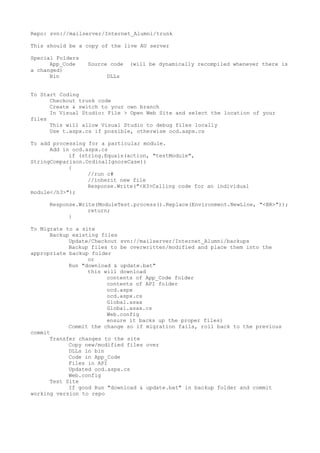
Repo: svn://mailserver/Internet_Alumni/trunk

This should be a copy of the live AU server

Special Folders
      App_Code    Source code   (will be dynamically recompiled whenever there is
a changed)
      Bin              DLLs


To Start Coding
      Checkout trunk code
      Create & switch to your own branch
      In Visual Studio: File > Open Web Site and select the location of your
files
      This will allow Visual Studio to debug files locally
      Use t.aspx.cs if possible, otherwise ocd.aspx.cs

To add processing for a particular module.
      Add in ocd.aspx.cs
            if (string.Equals(action, "testModule",
StringComparison.OrdinalIgnoreCase))
            {
                  //run c#
                  //inherit new file
                  Response.Write("<H3>Calling code for an individual
module</h3>");

     Response.Write(ModuleTest.process().Replace(Environment.NewLine, "<BR>"));
                 return;
           }

To Migrate to a site
      Backup existing files
            Update/Checkout svn://mailserver/Internet_Alumni/backups
            Backup files to be overwritten/modified and place them into the
appropriate backup folder
                  or
            Run "download & update.bat"
                  this will download
                        contents of App_Code folder
                        contents of API folder
                        ocd.aspx
                        ocd.aspx.cs
                        Global.asax
                        Global.asax.cs
                        Web.config
                        ensure it backs up the proper files)
            Commit the change so if migration fails, roll back to the previous
commit
      Transfer changes to the site
            Copy new/modified files over
            DLLs in bin
            Code in App_Code
            Files in API
            Updated ocd.aspx.cs
            Web.config
      Test Site
            If good Run "download & update.bat" in backup folder and commit
working version to repo

Readme

  • 1.
    Repo: svn://mailserver/Internet_Alumni/trunk This shouldbe a copy of the live AU server Special Folders App_Code Source code (will be dynamically recompiled whenever there is a changed) Bin DLLs To Start Coding Checkout trunk code Create & switch to your own branch In Visual Studio: File > Open Web Site and select the location of your files This will allow Visual Studio to debug files locally Use t.aspx.cs if possible, otherwise ocd.aspx.cs To add processing for a particular module. Add in ocd.aspx.cs if (string.Equals(action, "testModule", StringComparison.OrdinalIgnoreCase)) { //run c# //inherit new file Response.Write("<H3>Calling code for an individual module</h3>"); Response.Write(ModuleTest.process().Replace(Environment.NewLine, "<BR>")); return; } To Migrate to a site Backup existing files Update/Checkout svn://mailserver/Internet_Alumni/backups Backup files to be overwritten/modified and place them into the appropriate backup folder or Run "download & update.bat" this will download contents of App_Code folder contents of API folder ocd.aspx ocd.aspx.cs Global.asax Global.asax.cs Web.config ensure it backs up the proper files) Commit the change so if migration fails, roll back to the previous commit Transfer changes to the site Copy new/modified files over DLLs in bin Code in App_Code Files in API Updated ocd.aspx.cs Web.config Test Site If good Run "download & update.bat" in backup folder and commit working version to repo