QuerySurge
ETL TESTING AUTOMATION TOOL
How QuerySerge is useful
QuerySurge Automates your Data Warehouse & ETL Testing
Improves Data quality
Reduces Cost and Risk
Accelerate your testing cycles
Reduces manual work
Integration with ETL tools
It has command line API which make it flexible to use
Through its command line API we can use it with DataStage
Execute Command stage in sequence job can be used for this purpose
Reporting in QuerySurge
It has highly customizable built-in Reports support
Multiple filters can be applied on reports
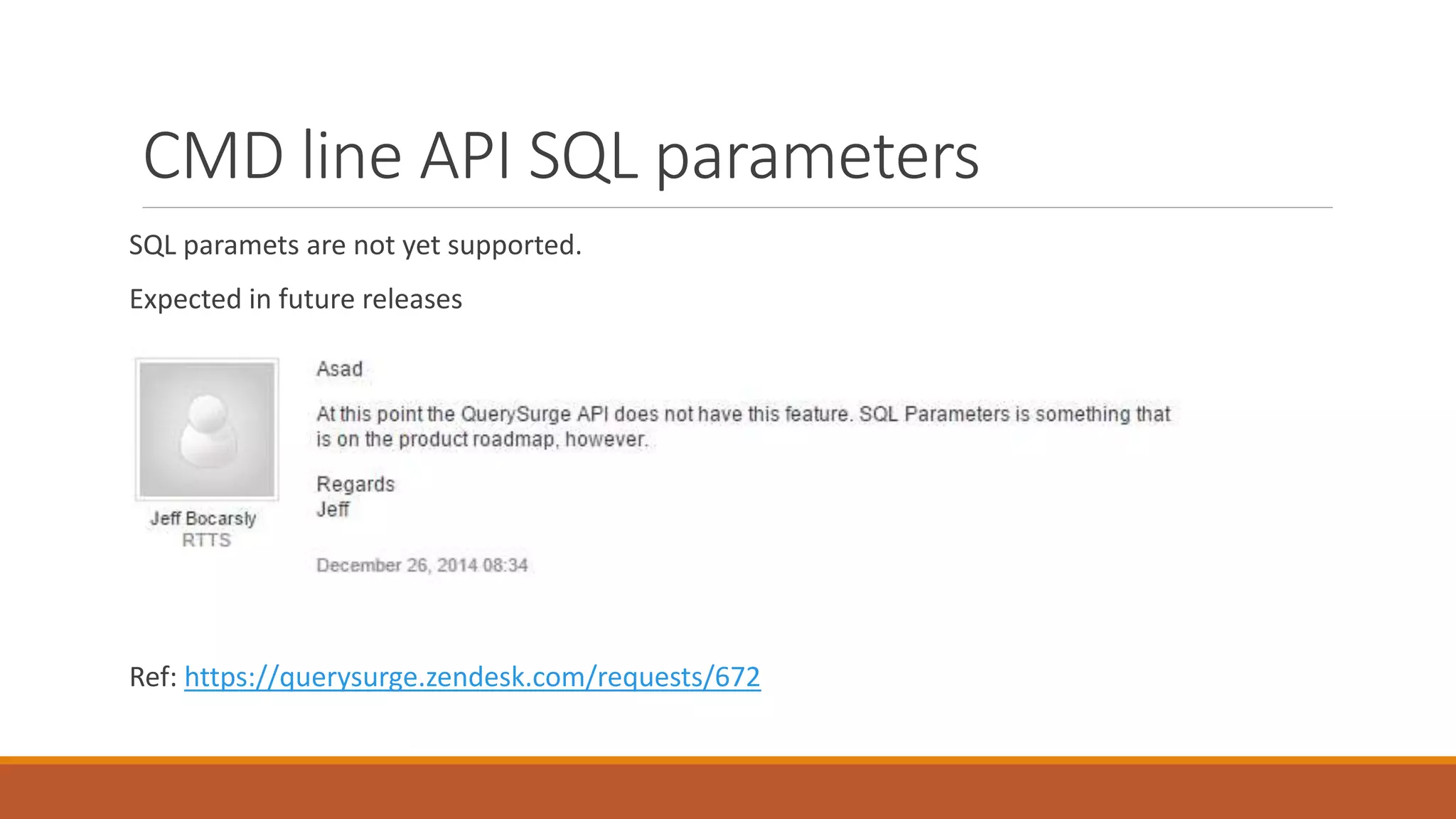
CMD line API SQL parameters
SQL paramets are not yet supported.
Expected in future releases
Ref: https://querysurge.zendesk.com/requests/672
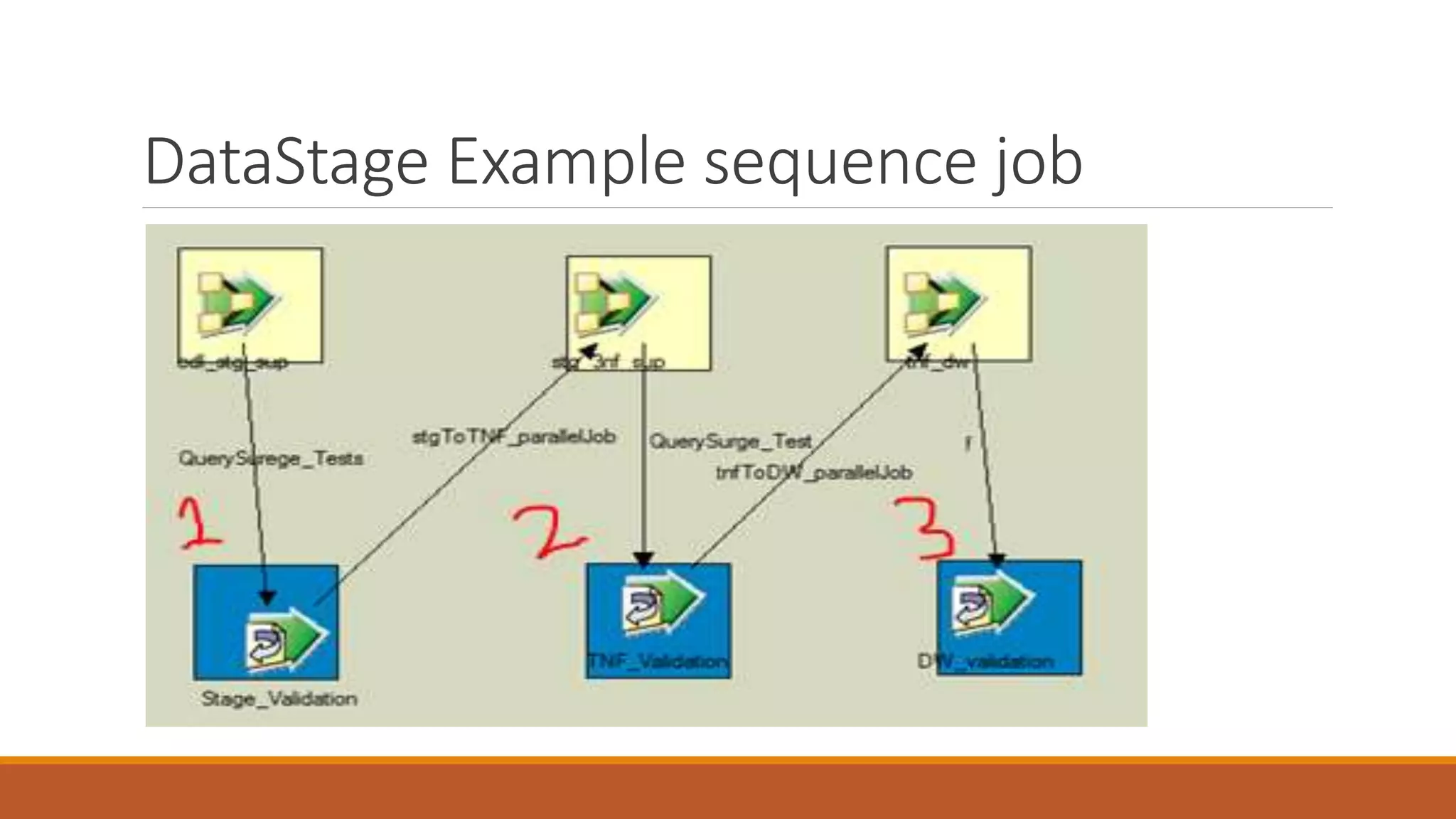
DataStage Example sequence job
DataSurge Suite after data loading
The component shown (Execute Command)
will call a batch file from DataStage to
execute Data Suite from DataSurge. The
batch file has the commands which uses
command line API to achieve the goal.
The test pass/fail report can be
generated and notifications can alse
be sent, all this is handled
automatically by QuerySurge
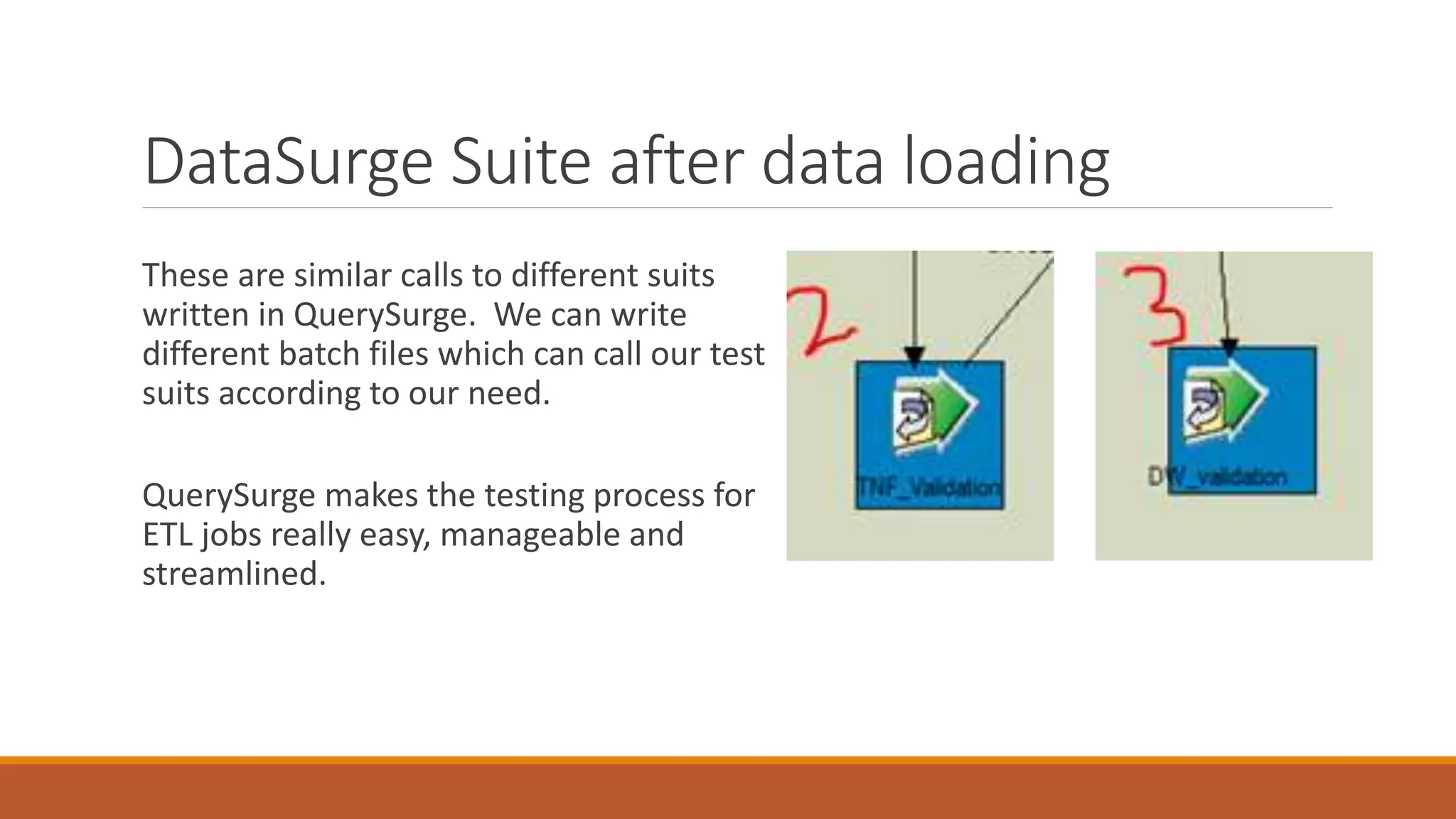
DataSurge Suite after data loading
These are similar calls to different suits
written in QuerySurge. We can write
different batch files which can call our test
suits according to our need.
QuerySurge makes the testing process for
ETL jobs really easy, manageable and
streamlined.
QuerySurge: Making a Data Suite
Step 1: Creating a query pair
A query pair has a source and destination database for comparison.
We write queries to test if expected behavior exists or not.
After running the query pair the result is either PASS/FAIL
A query pair fails if one database entry behaves unexpectedly
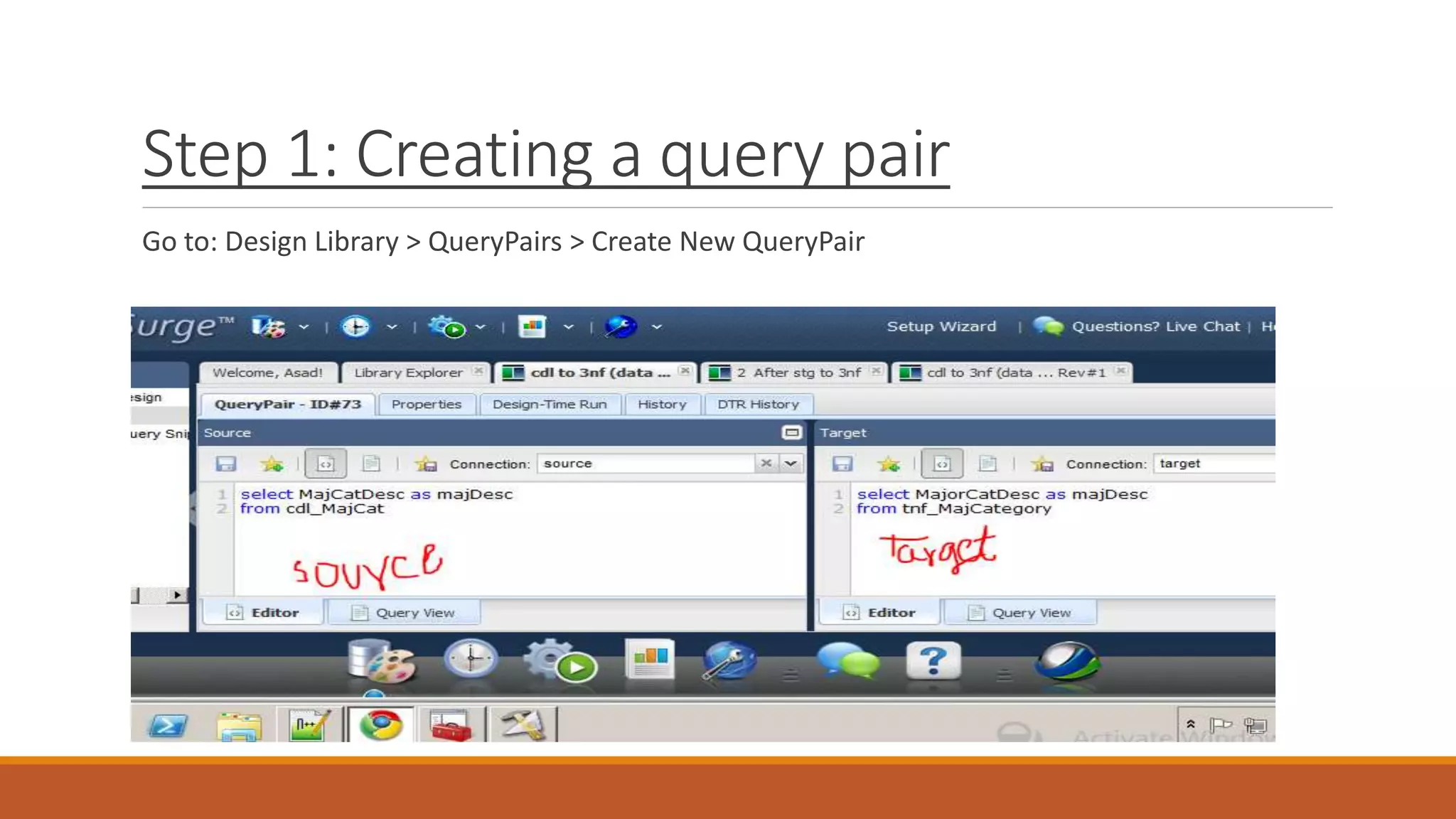
Step 1: Creating a query pair
Go to: Design Library > QueryPairs > Create New QueryPair
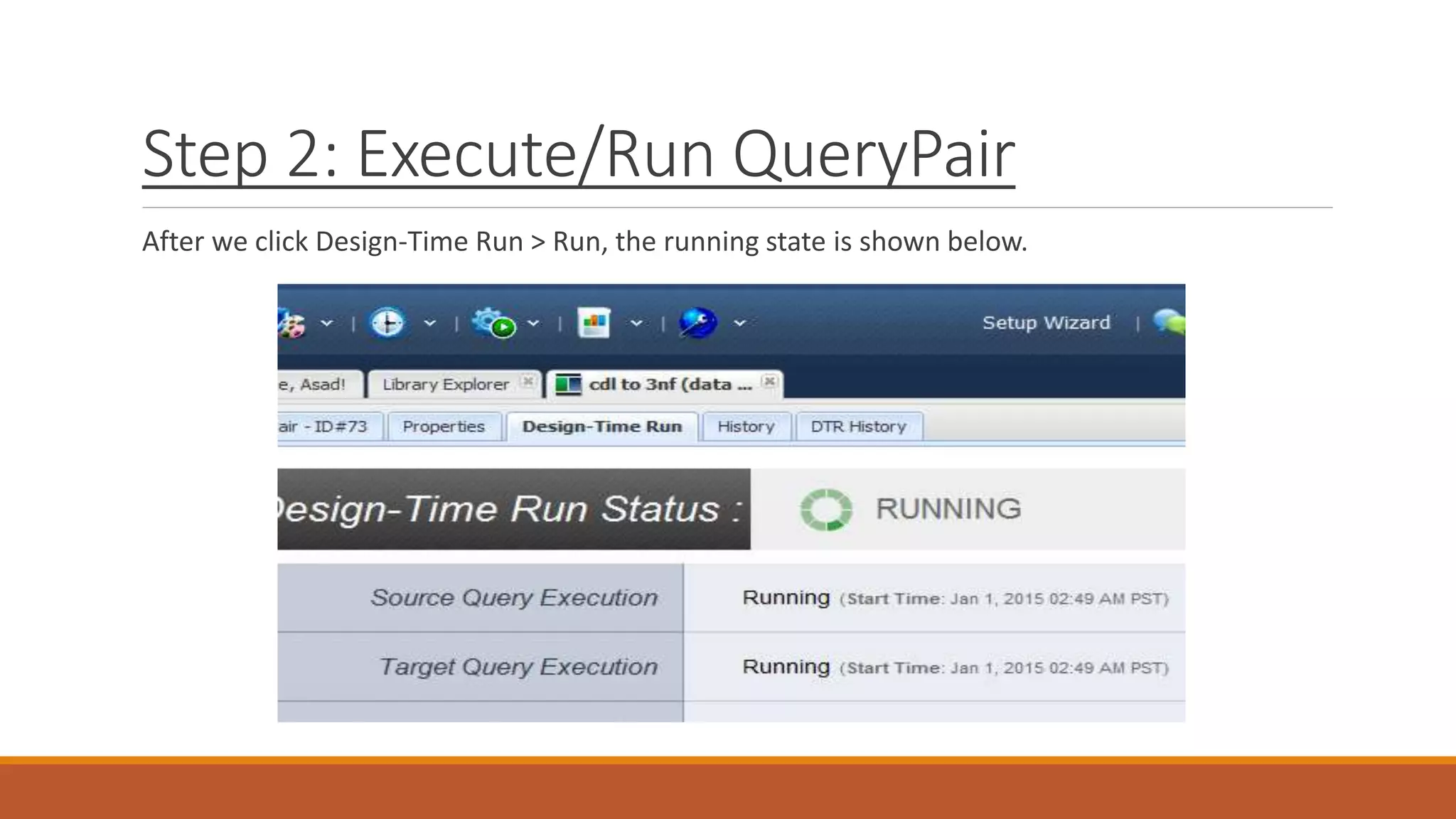
Step 2: Execute/Run QueryPair
After we click Design-Time Run > Run, the running state is shown below.
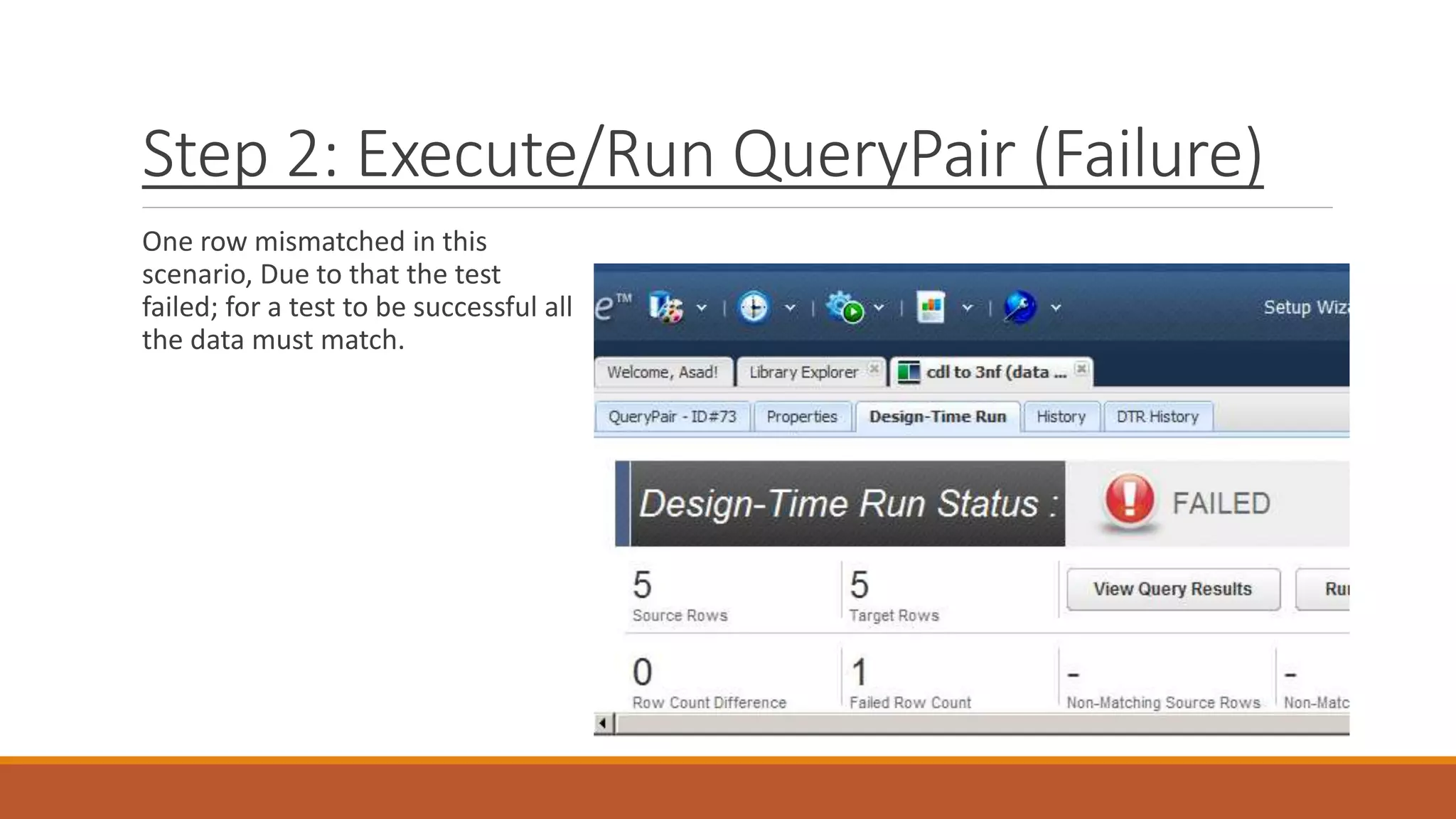
Step 2: Execute/Run QueryPair (Failure)
One row mismatched in this
scenario, Due to that the test
failed; for a test to be successful all
the data must match.
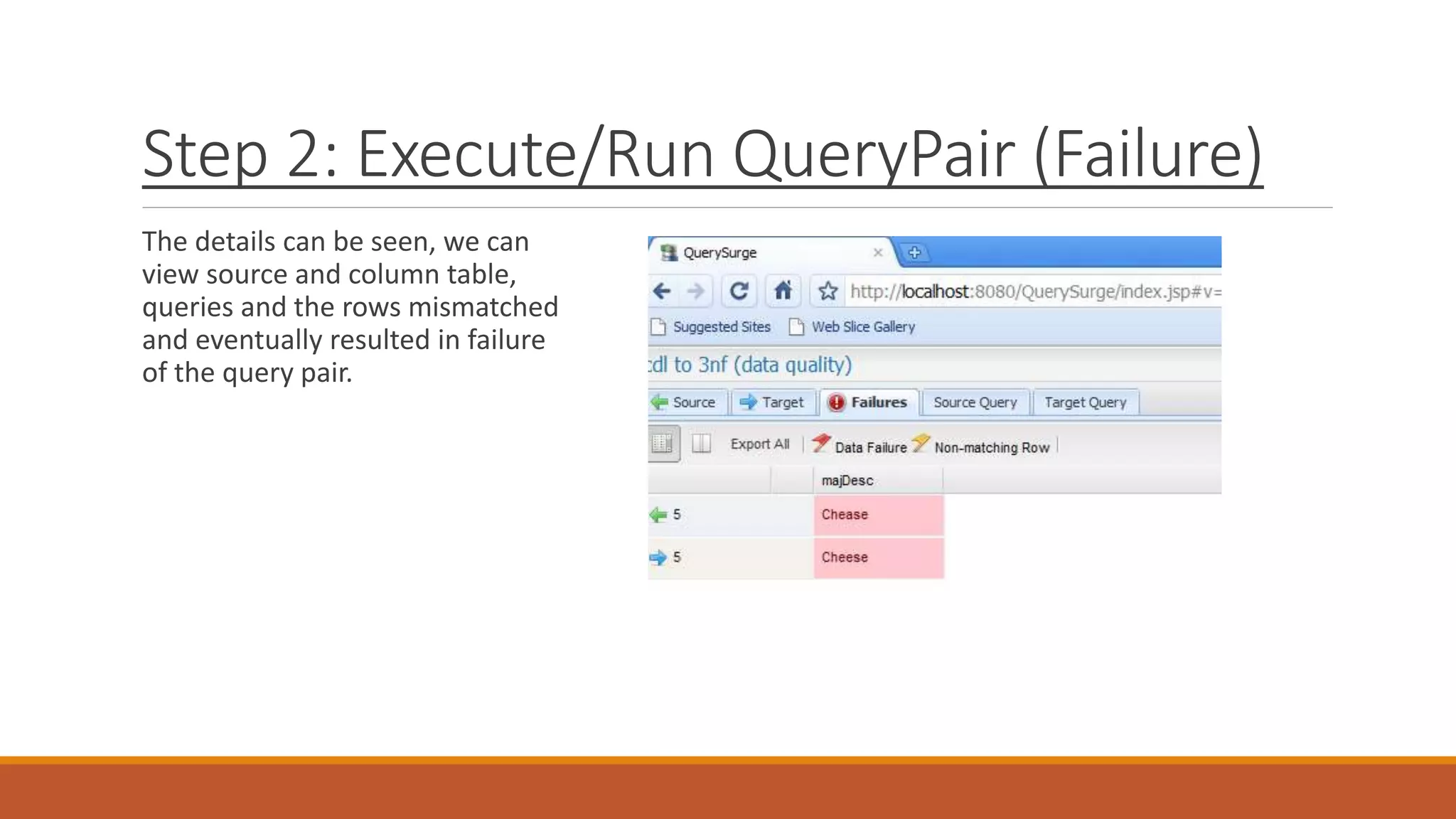
Step 2: Execute/Run QueryPair (Failure)
The details can be seen, we can
view source and column table,
queries and the rows mismatched
and eventually resulted in failure
of the query pair.
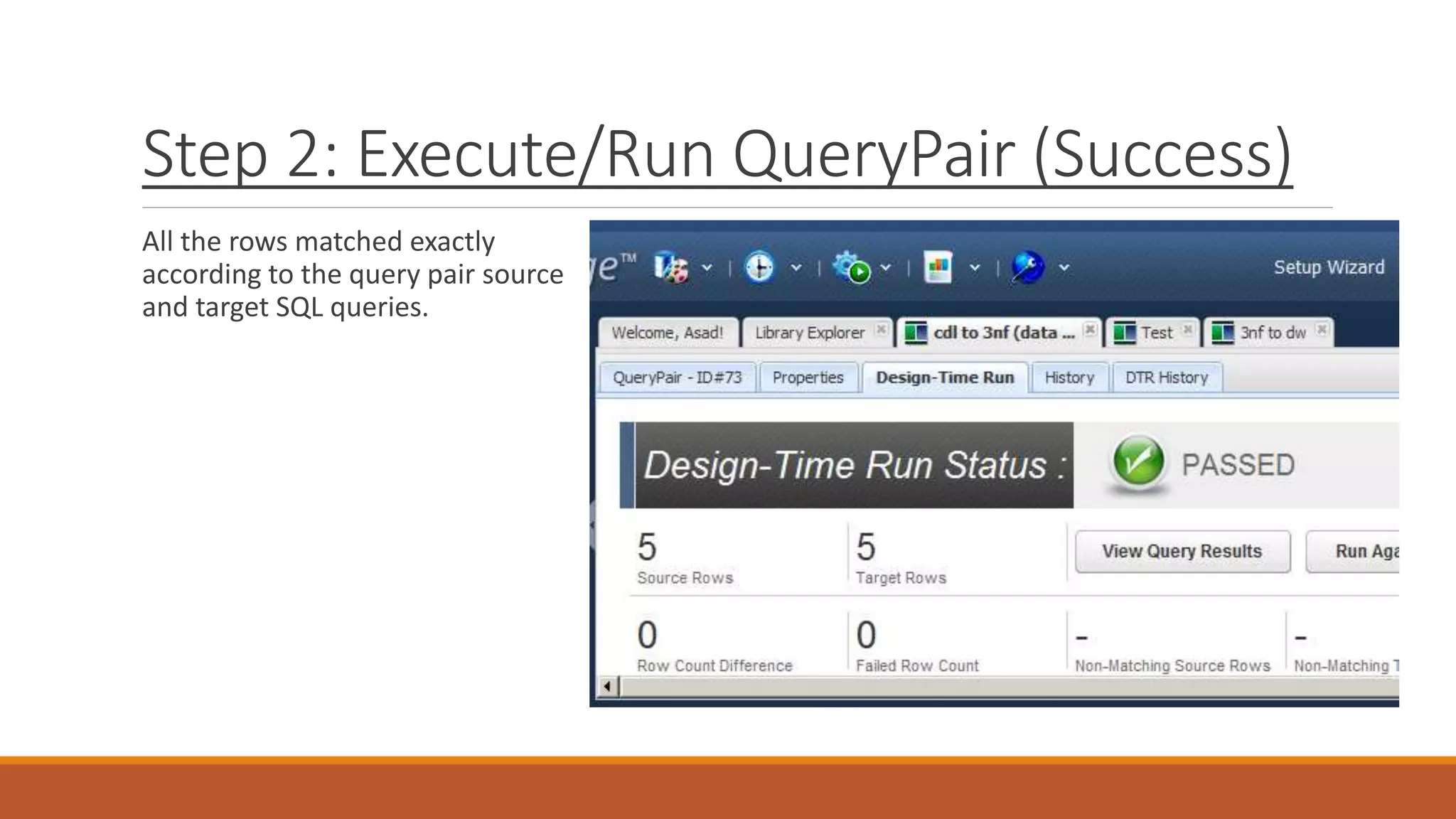
Step 2: Execute/Run QueryPair (Success)
All the rows matched exactly
according to the query pair source
and target SQL queries.
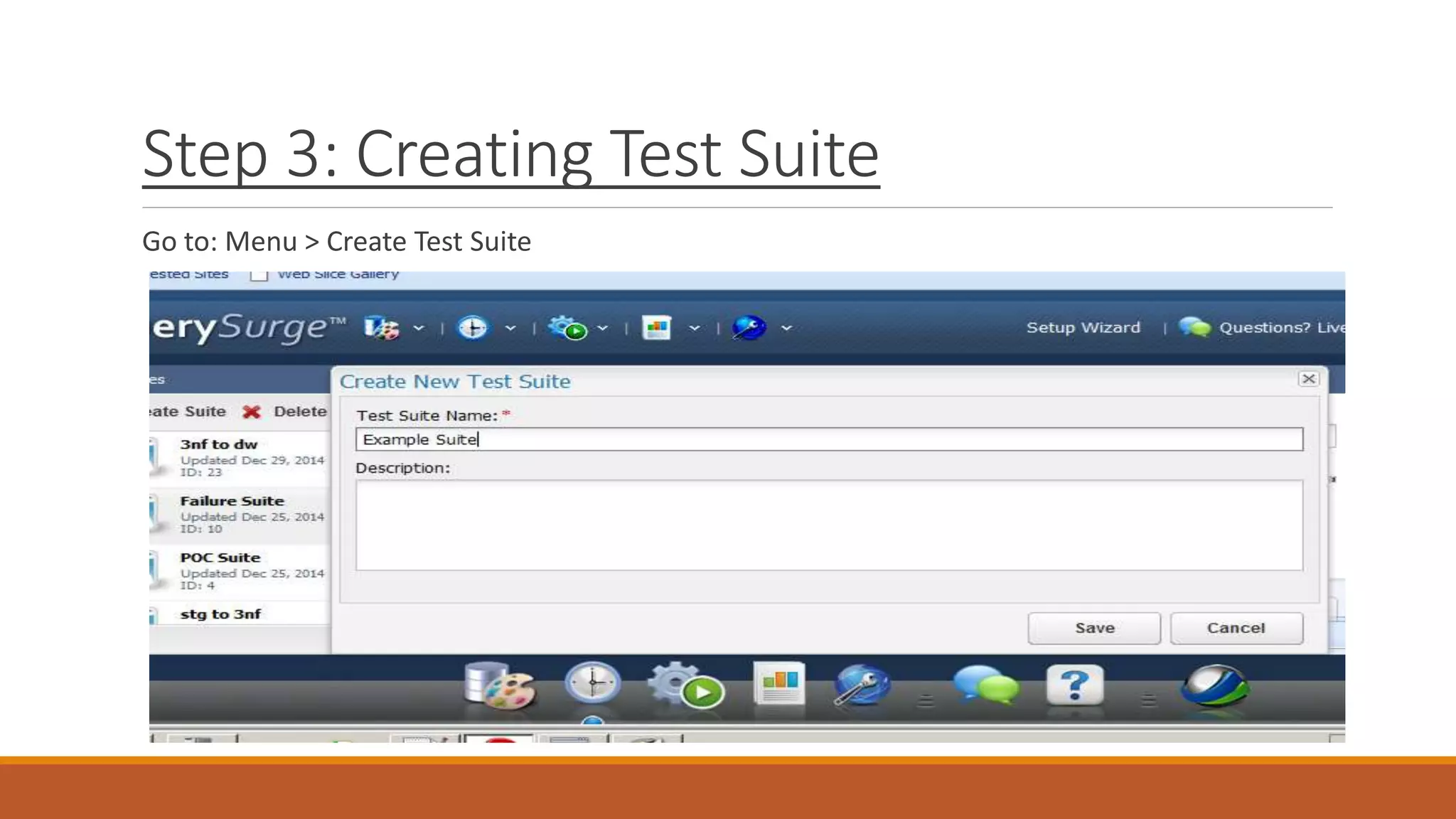
Step 3: Creating Test Suite
Go to: Menu > Create Test Suite
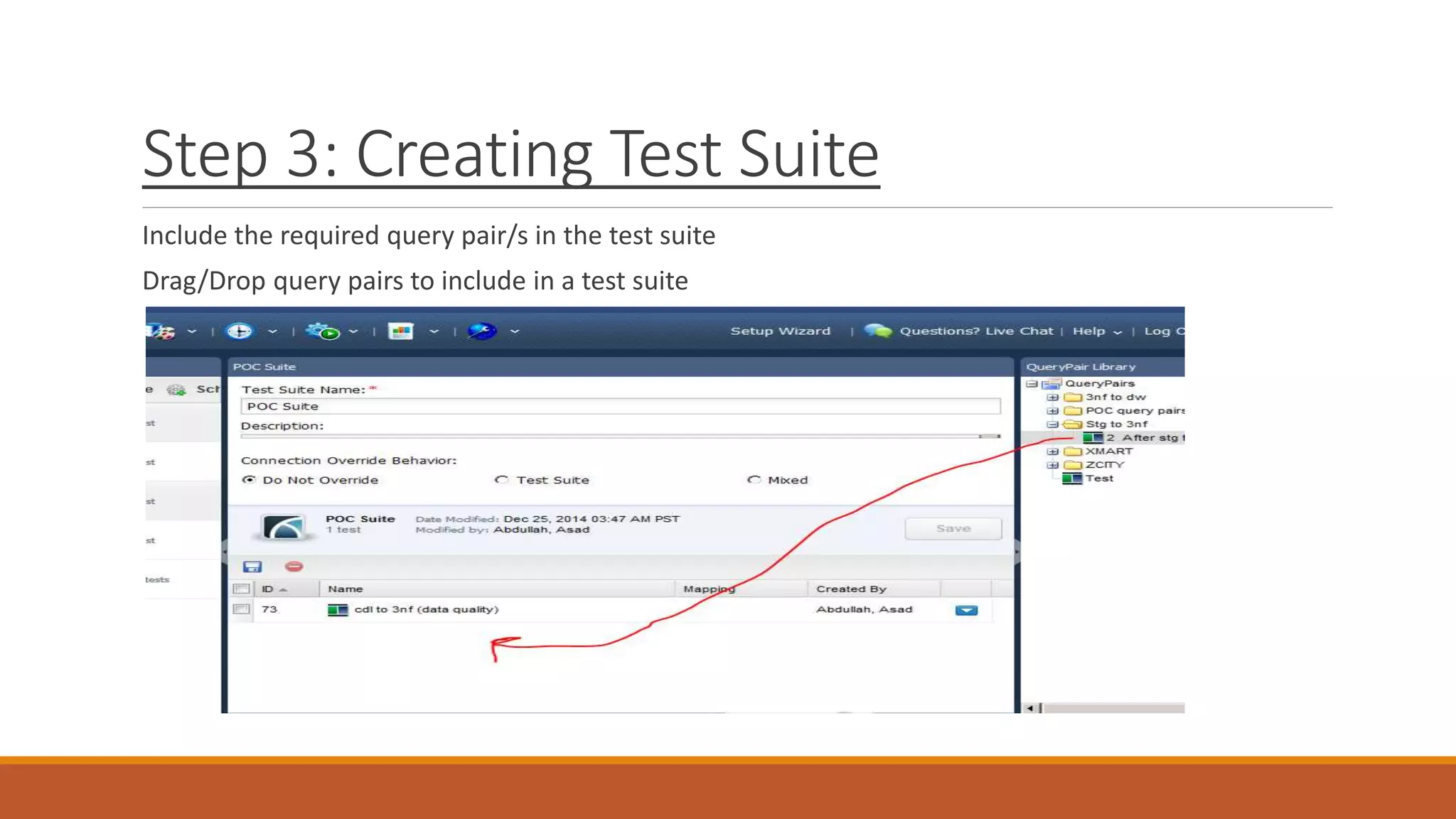
Step 3: Creating Test Suite
Include the required query pair/s in the test suite
Drag/Drop query pairs to include in a test suite
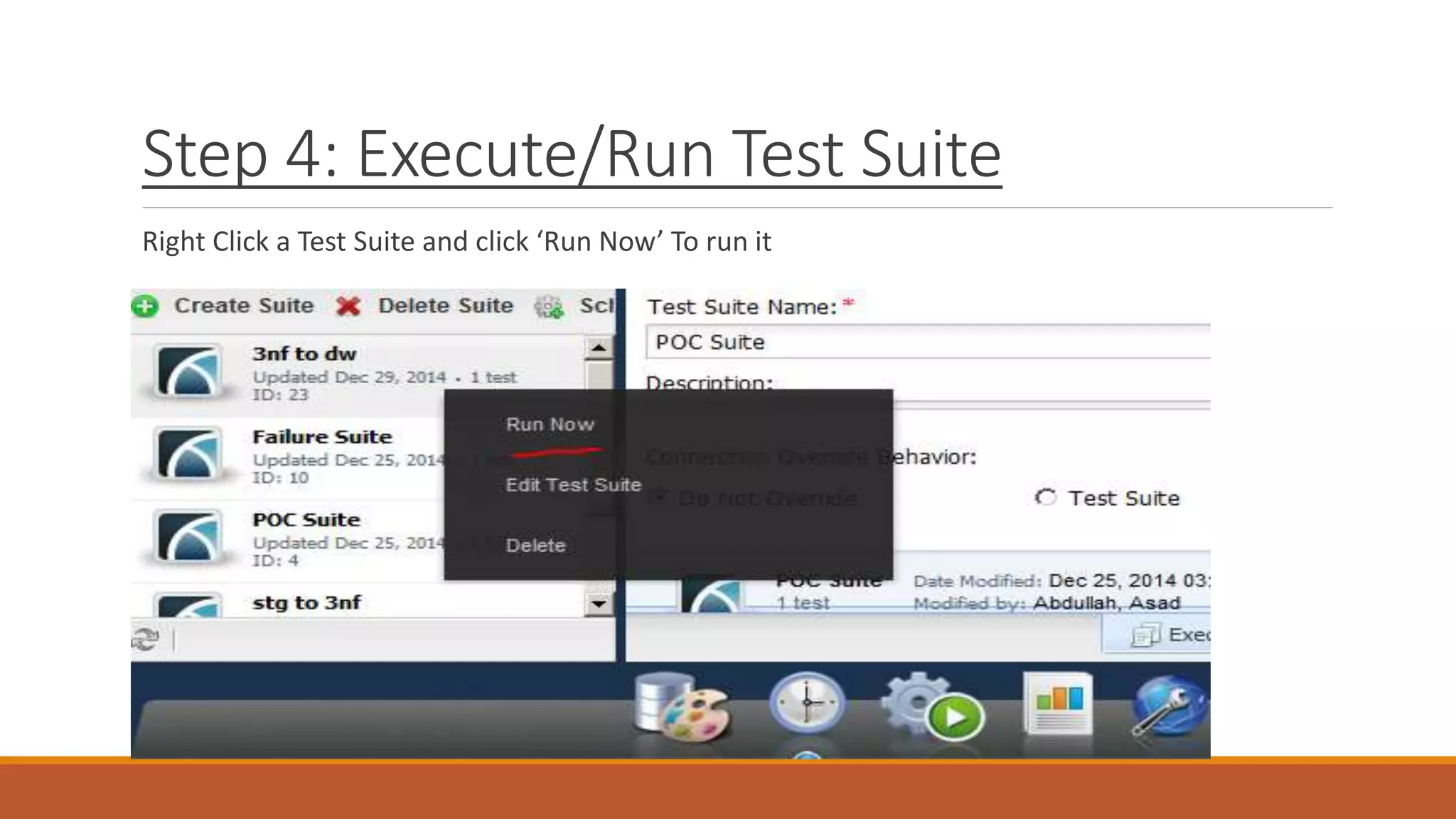
Step 4: Execute/Run Test Suite
Right Click a Test Suite and click ‘Run Now’ To run it
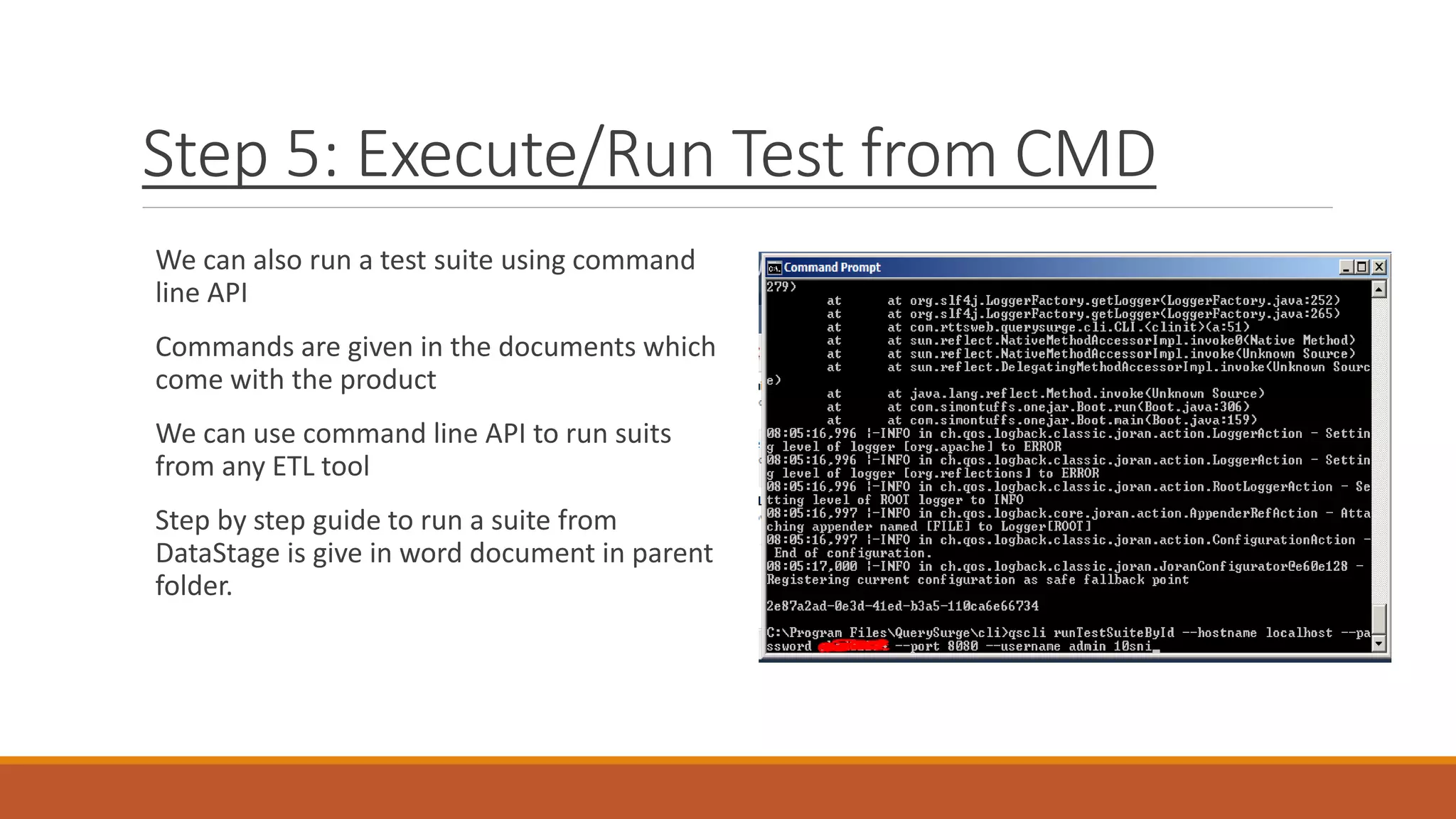
Step 5: Execute/Run Test from CMD
We can also run a test suite using command
line API
Commands are given in the documents which
come with the product
We can use command line API to run suits
from any ETL tool
Step by step guide to run a suite from
DataStage is give in word document in parent
folder.
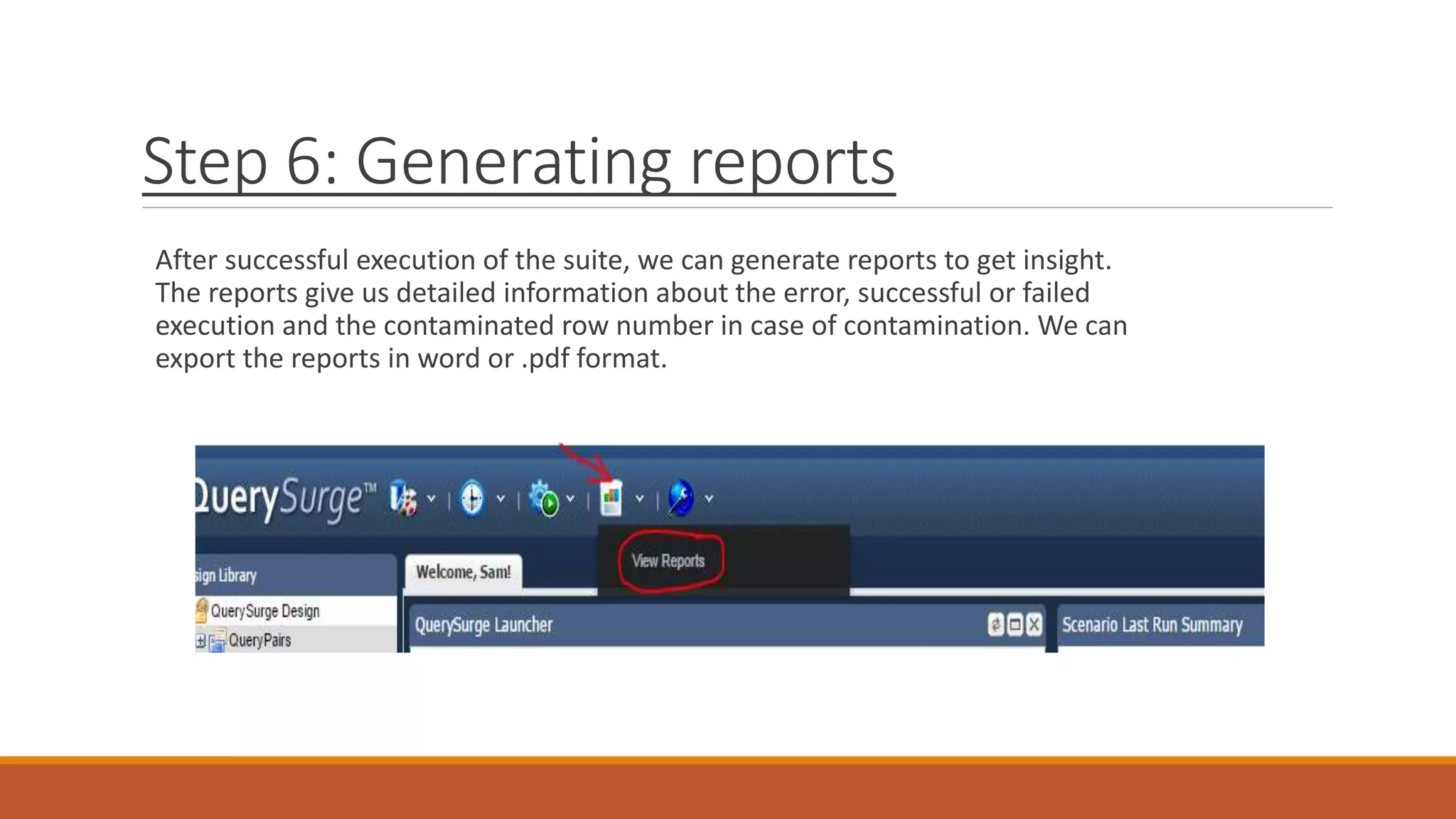
Step 6: Generating reports
After successful execution of the suite, we can generate reports to get insight.
The reports give us detailed information about the error, successful or failed
execution and the contaminated row number in case of contamination. We can
export the reports in word or .pdf format.
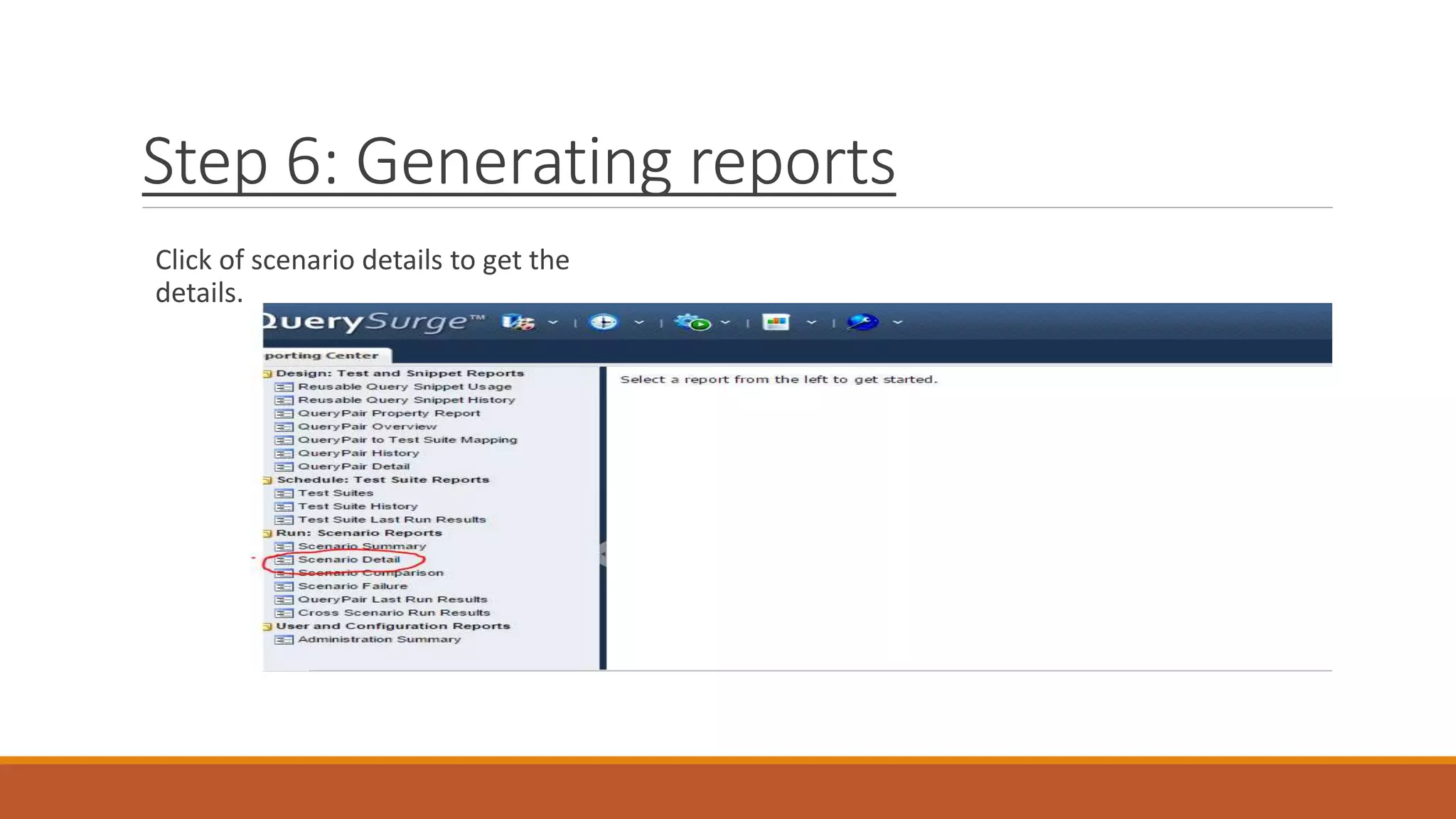
Step 6: Generating reports
Click of scenario details to get the
details.
Step 6: Generating reports
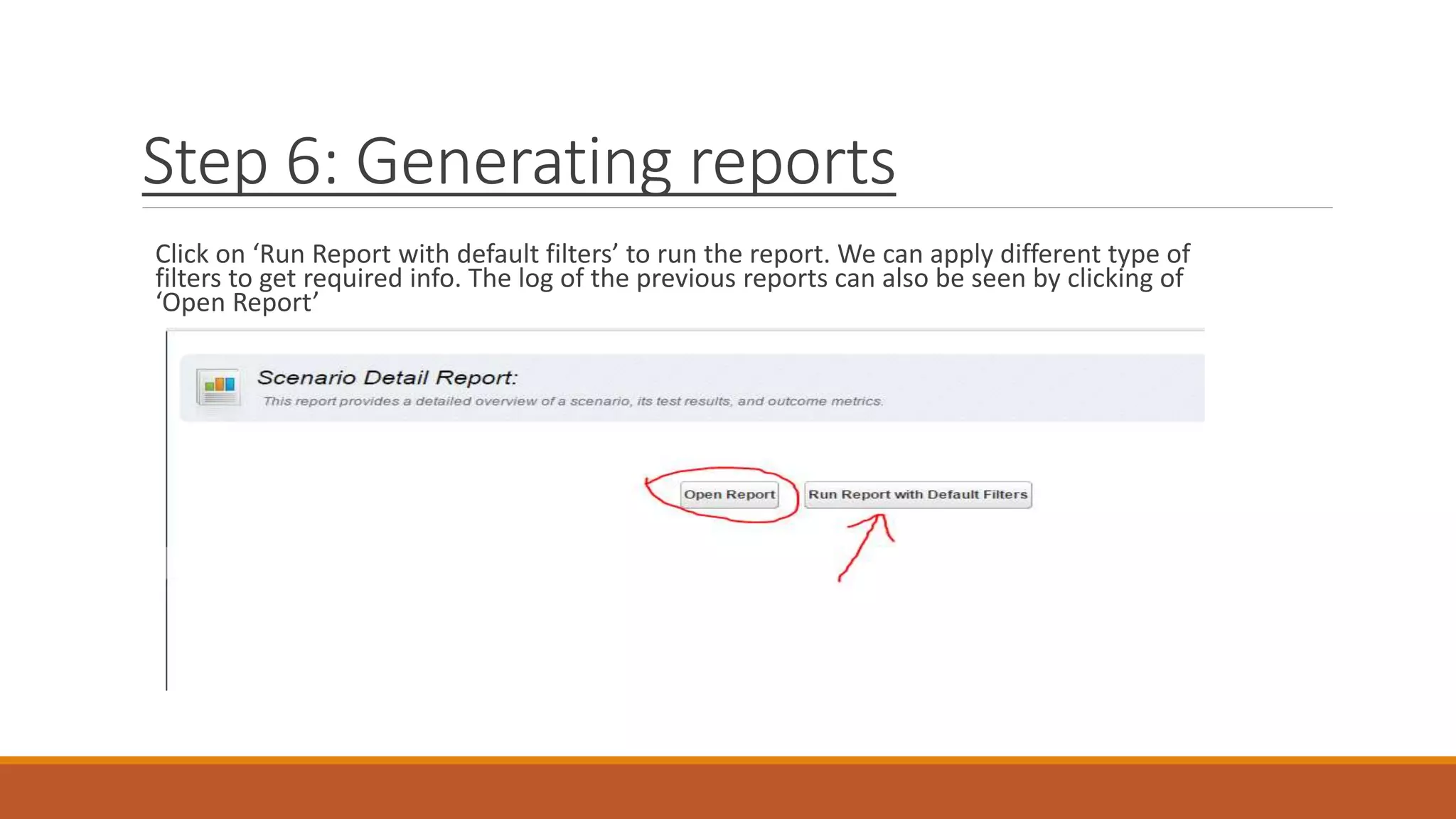
Click on ‘Run Report with default filters’ to run the report. We can apply different type of
filters to get required info. The log of the previous reports can also be seen by clicking of
‘Open Report’
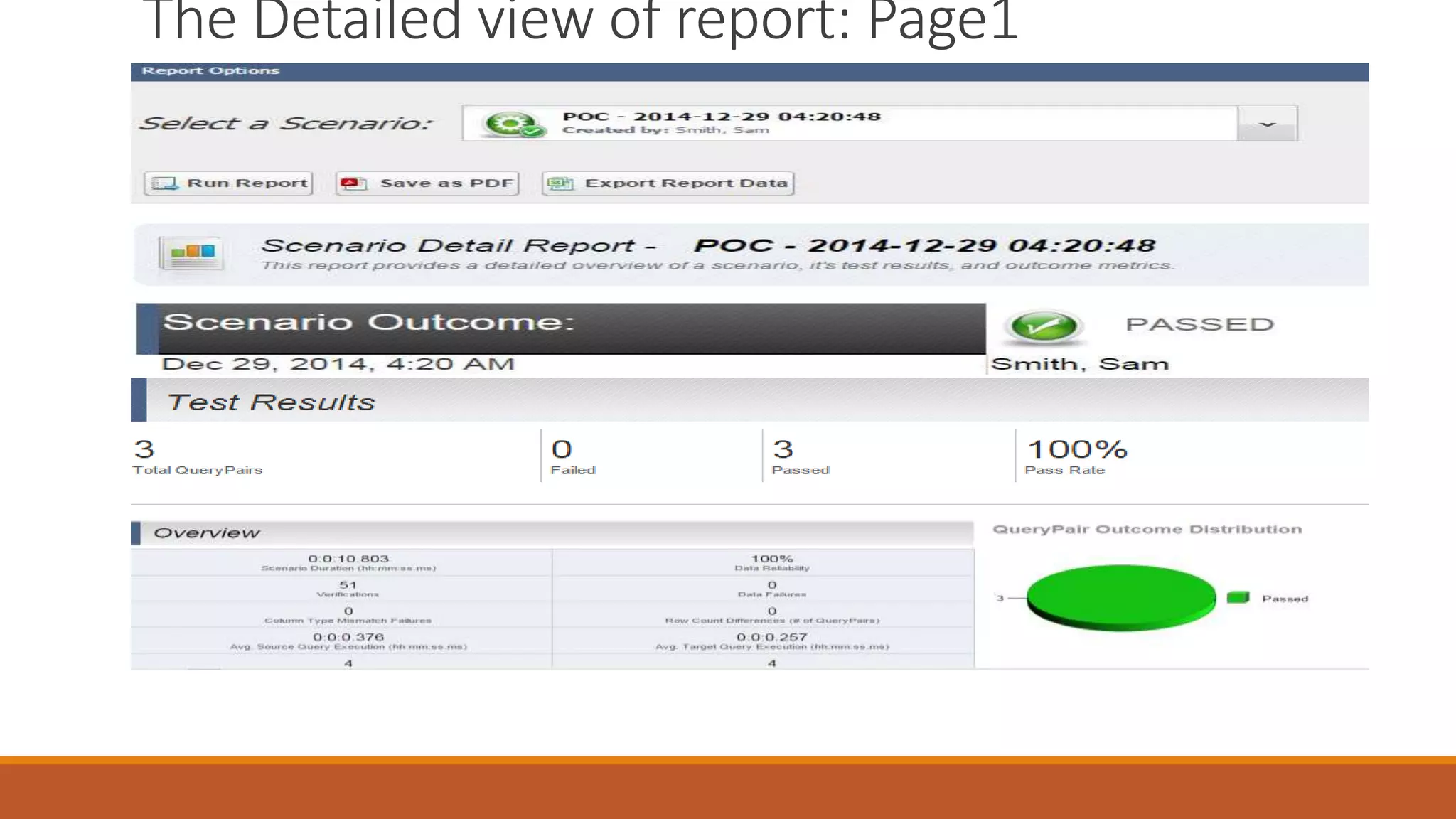
The Detailed view of report: Page1
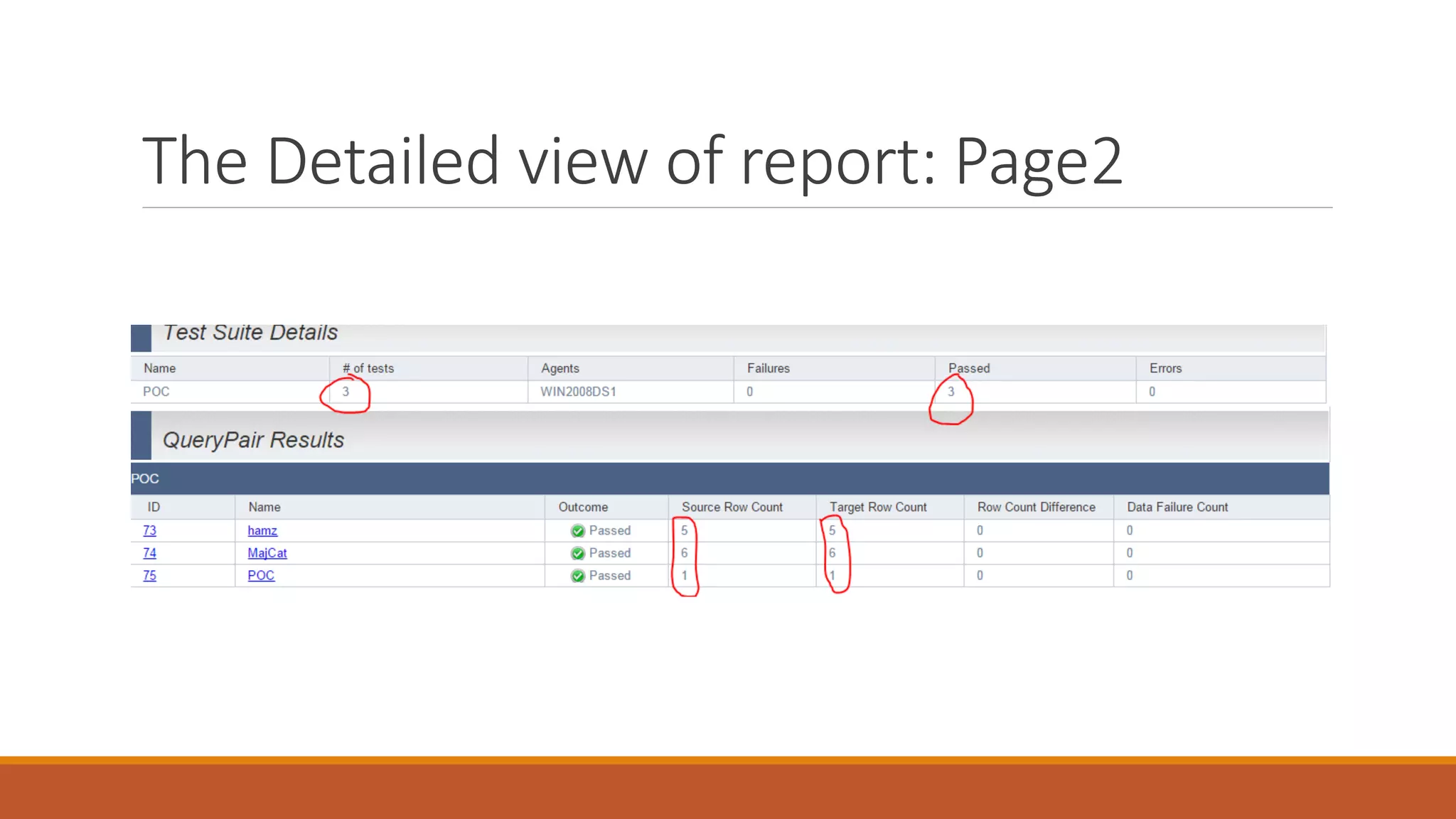
The Detailed view of report: Page2
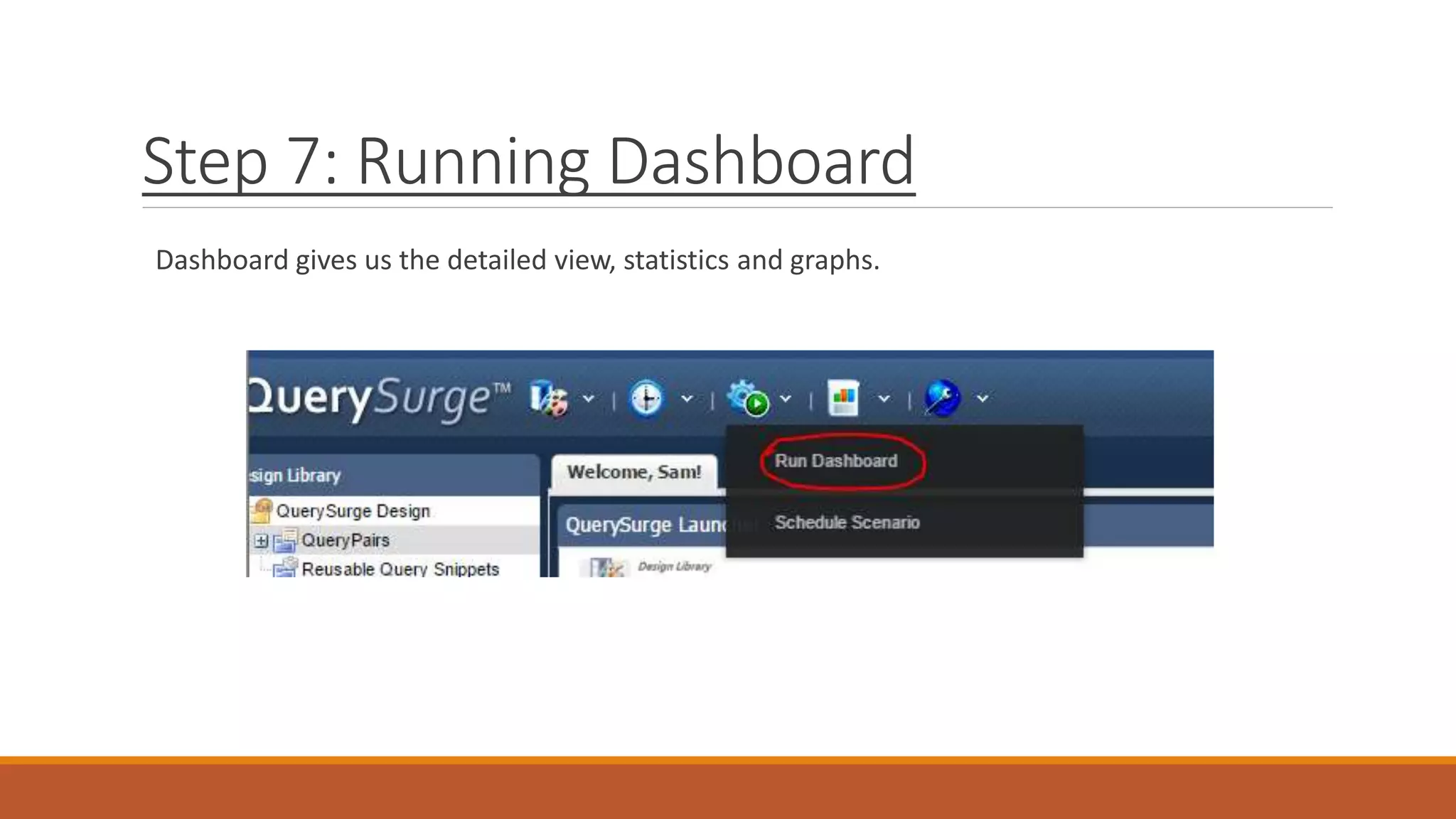
Step 7: Running Dashboard
Dashboard gives us the detailed view, statistics and graphs.
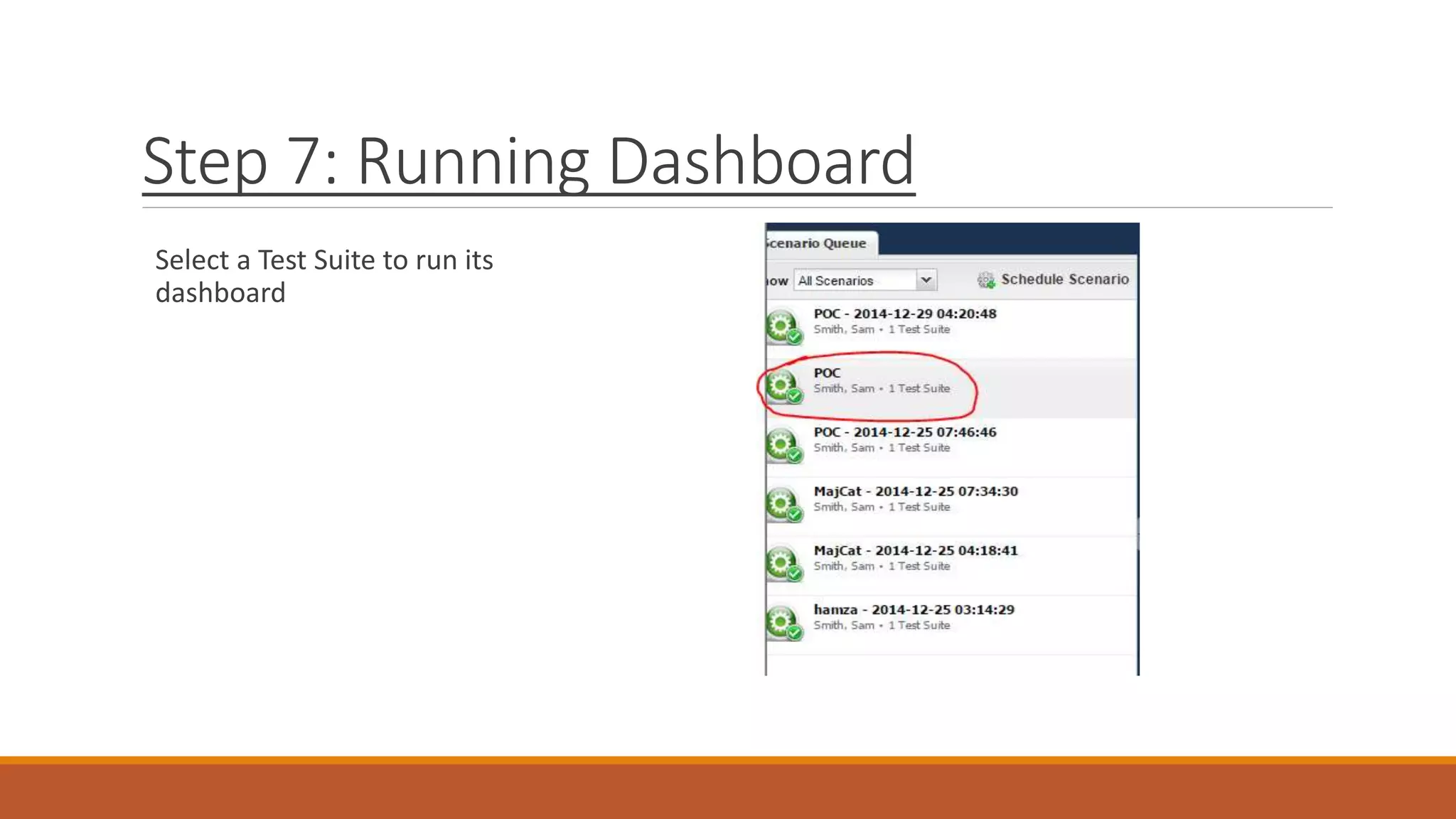
Step 7: Running Dashboard
Select a Test Suite to run its
dashboard
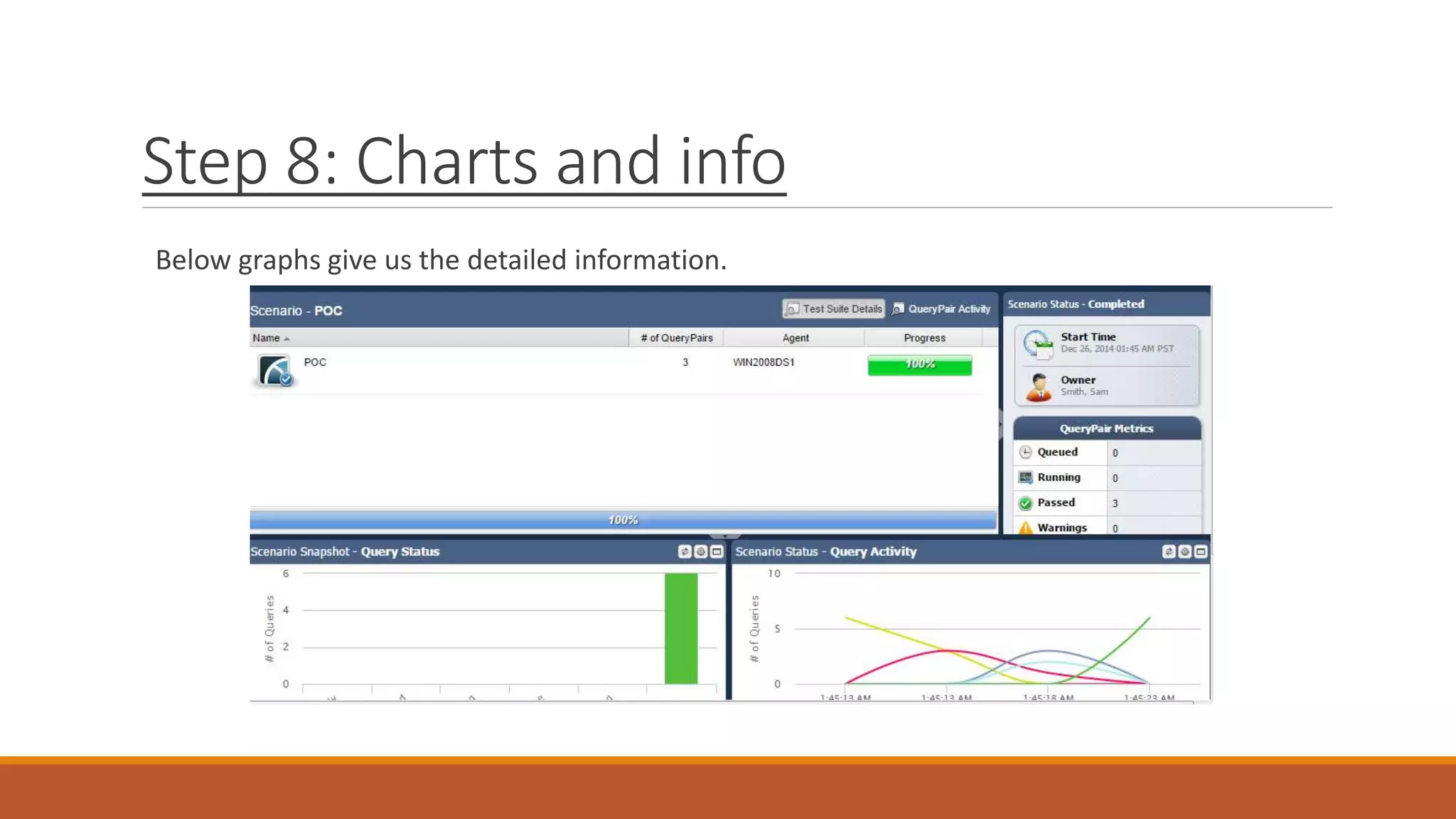
Step 8: Charts and info
Below graphs give us the detailed information.
References
http://talkcs.blogspot.com/2014/12/querysurge-and-datastage-etl-integration.html
https://querysurge.zendesk.com/requests/672
QuerySurge Official Site: http://www.querysurge.com/

QuerySurge integration with ETL / DataStage

  • 1.
  • 2.
    How QuerySerge isuseful QuerySurge Automates your Data Warehouse & ETL Testing Improves Data quality Reduces Cost and Risk Accelerate your testing cycles Reduces manual work
  • 3.
    Integration with ETLtools It has command line API which make it flexible to use Through its command line API we can use it with DataStage Execute Command stage in sequence job can be used for this purpose
  • 4.
    Reporting in QuerySurge Ithas highly customizable built-in Reports support Multiple filters can be applied on reports
  • 5.
    CMD line APISQL parameters SQL paramets are not yet supported. Expected in future releases Ref: https://querysurge.zendesk.com/requests/672
  • 6.
  • 7.
    DataSurge Suite afterdata loading The component shown (Execute Command) will call a batch file from DataStage to execute Data Suite from DataSurge. The batch file has the commands which uses command line API to achieve the goal. The test pass/fail report can be generated and notifications can alse be sent, all this is handled automatically by QuerySurge
  • 8.
    DataSurge Suite afterdata loading These are similar calls to different suits written in QuerySurge. We can write different batch files which can call our test suits according to our need. QuerySurge makes the testing process for ETL jobs really easy, manageable and streamlined.
  • 9.
    QuerySurge: Making aData Suite Step 1: Creating a query pair A query pair has a source and destination database for comparison. We write queries to test if expected behavior exists or not. After running the query pair the result is either PASS/FAIL A query pair fails if one database entry behaves unexpectedly
  • 10.
    Step 1: Creatinga query pair Go to: Design Library > QueryPairs > Create New QueryPair
  • 11.
    Step 2: Execute/RunQueryPair After we click Design-Time Run > Run, the running state is shown below.
  • 12.
    Step 2: Execute/RunQueryPair (Failure) One row mismatched in this scenario, Due to that the test failed; for a test to be successful all the data must match.
  • 13.
    Step 2: Execute/RunQueryPair (Failure) The details can be seen, we can view source and column table, queries and the rows mismatched and eventually resulted in failure of the query pair.
  • 14.
    Step 2: Execute/RunQueryPair (Success) All the rows matched exactly according to the query pair source and target SQL queries.
  • 15.
    Step 3: CreatingTest Suite Go to: Menu > Create Test Suite
  • 16.
    Step 3: CreatingTest Suite Include the required query pair/s in the test suite Drag/Drop query pairs to include in a test suite
  • 17.
    Step 4: Execute/RunTest Suite Right Click a Test Suite and click ‘Run Now’ To run it
  • 18.
    Step 5: Execute/RunTest from CMD We can also run a test suite using command line API Commands are given in the documents which come with the product We can use command line API to run suits from any ETL tool Step by step guide to run a suite from DataStage is give in word document in parent folder.
  • 19.
    Step 6: Generatingreports After successful execution of the suite, we can generate reports to get insight. The reports give us detailed information about the error, successful or failed execution and the contaminated row number in case of contamination. We can export the reports in word or .pdf format.
  • 20.
    Step 6: Generatingreports Click of scenario details to get the details.
  • 21.
    Step 6: Generatingreports Click on ‘Run Report with default filters’ to run the report. We can apply different type of filters to get required info. The log of the previous reports can also be seen by clicking of ‘Open Report’
  • 22.
    The Detailed viewof report: Page1
  • 23.
    The Detailed viewof report: Page2
  • 24.
    Step 7: RunningDashboard Dashboard gives us the detailed view, statistics and graphs.
  • 25.
    Step 7: RunningDashboard Select a Test Suite to run its dashboard
  • 26.
    Step 8: Chartsand info Below graphs give us the detailed information.
  • 27.

Editor's Notes

  • #2 Author: Asad Abdullah