Technology in the Garden
Using QR Codes to Market Your Demo Landscape
  Emily E. Eubanks, UF/IFAS Communications Coordinator
Technology in the Garden
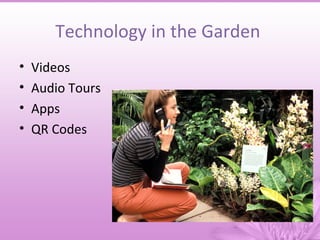
•   Videos
•   Audio Tours
•   Apps
•   QR Codes
QR Codes Basics
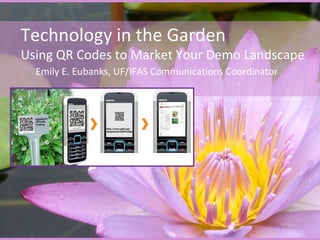
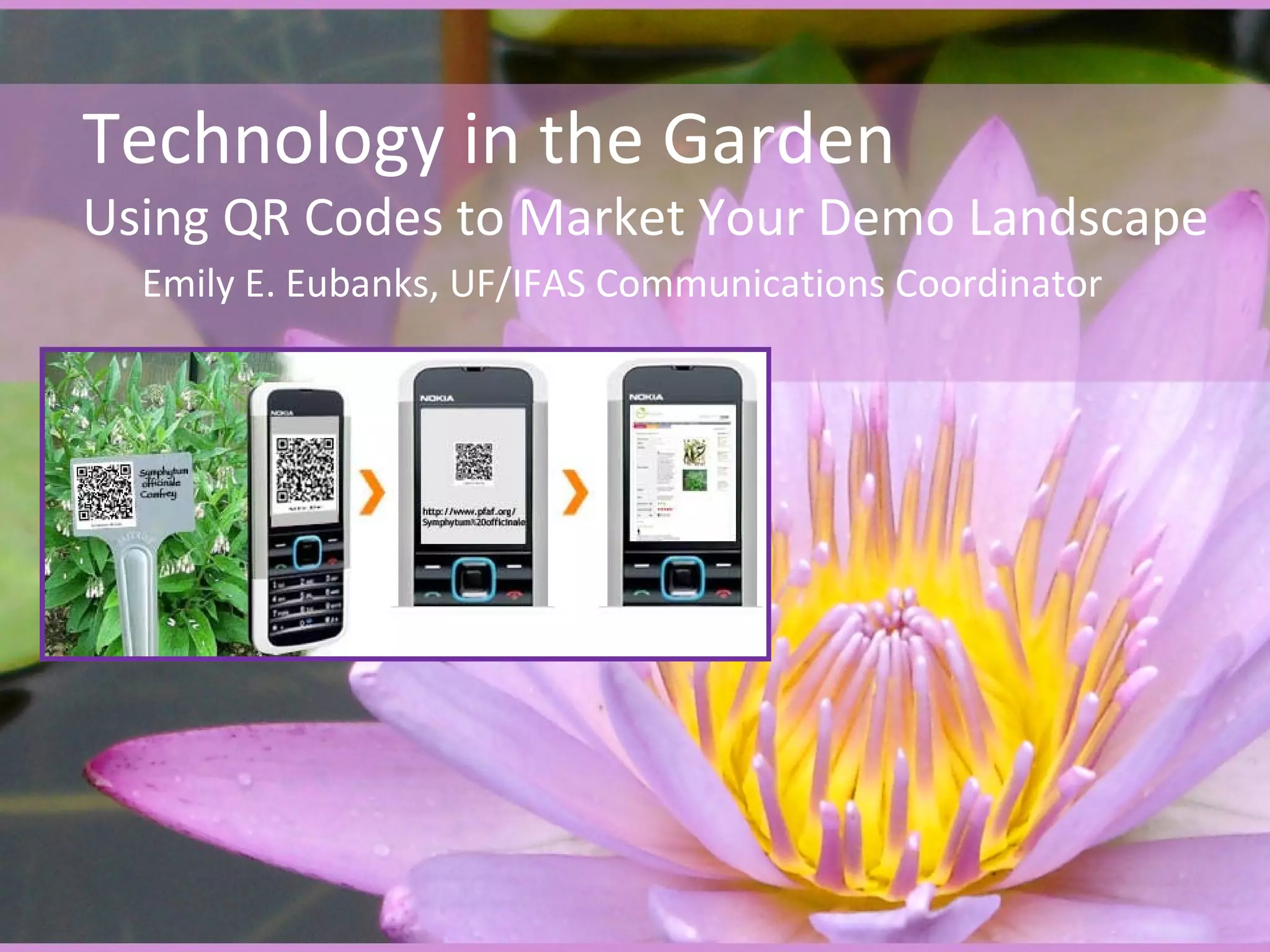
• QR codes (short for Quick Response) are
  barcodes that can be read by mobile phone
  (smartphone) cameras.
• A QR Code is unique to a webpage.
QR Codes in the Garden
• Give specific site/plant information on the
  spot
• Quick access
• Bookmark sites
• Provide consumer driven technology at their
  fingertips
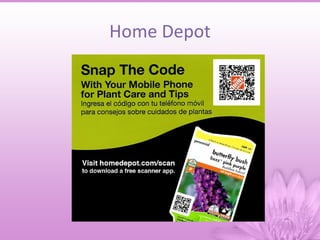
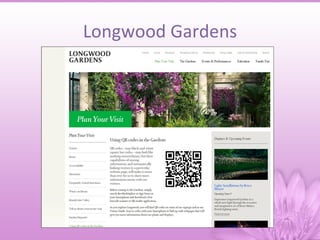
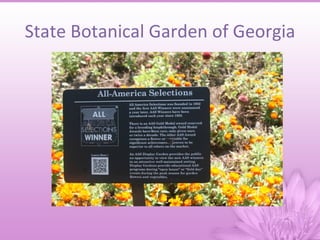
• Used by retailers and public gardens
Home Depot
Longwood Gardens
State Botanical Garden of Georgia
Primary Extension Methods for
      Teaching Basic Plant Info
• In person
  – One on one
  – Lecture
• Very hands-on
• Handouts
• Websites/Videos
Primary Extension Methods for
      Teaching Basic Plant Info
• Pros
  – Personalized info
  – People like it
• Cons
  – Very time consuming
  – Can’t answer everyone’s questions
  – Miss people who wander through gardens and
    don’t ask questions
What Do Visitors Want to Know
       From a Demo Garden?
•   What’s the name of this plant?
•   Can I grow it in my yard?
•   What kind of care does it need?
•   What other plants go well with it?
•   Where do I get more info?
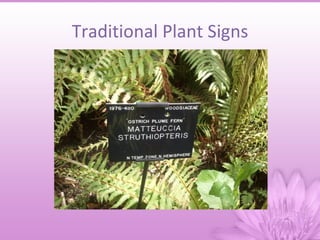
Traditional Plant Signs
Moving to an Online Format
          in the Garden
• Pros
  – Consistency across the state on the content
    received
  – Easily updated
  – Can be used as a self-teaching device
• Cons
  – Visitors tend to be an older population with
    barriers to technology
Extension Demonstration Gardens
• Cooperative Extension Service use
  demonstration gardens as teaching tools
• Usually maintained by Master Gardeners
• Significant variety of gardens
  – Themed
  – Indoor
  – Location specific
  – Plant type specific
Florida Extension Demo Gardens
• 66 documented demonstration gardens in
  Florida
• Maintained by Master Gardeners
• Located at extension offices, schools, fire
  stations, libraries, etc.
• Four seasons of gardening – constant
  maintenance and visitation
• And, constant gardening questions
Audience – Super Users
• Master Gardeners         • 4-H Volunteers & Youth
  – Mostly over 55           – Youth ages 8-18
  – Sometimes have smart     – Volunteers all ages
    phones                   – Usually have smart
  – Somewhat computer          phones
    literate                 – Somewhat computer
  – Lots of horticulture       literate
    knowledge                – No prior horticulture
                               knowledge
General Audience
• Everyone else who visits Extension office or
  demo garden
  – County commissioners
  – Lecture attendees
  – Quick stop ins
  – Plant clinic visitors
  – General public
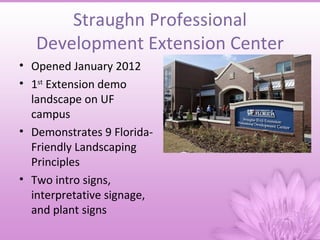
Straughn Professional
   Development Extension Center
• Opened January 2012
• 1st Extension demo
  landscape on UF
  campus
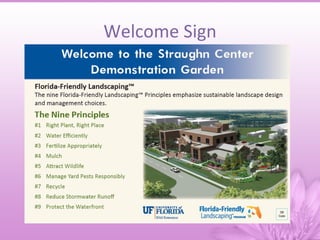
• Demonstrates 9 Florida-
  Friendly Landscaping
  Principles
• Two intro signs,
  interpretative signage,
  and plant signs
Timeline
• 2011 – developed Extension demonstration garden
  landscape plan and installation for Straughn Center,
  plans for signage but no money
• December 23, 2011 – met about grand opening of
  Straughn Center, initial request of indoor plants,
  realized they really wanted signage
• January 4, 2012 – started on signage and QR codes,
  realized it would be closer to 80 QR codes
• January 11, 2012 – installation of signs and QR codes
• January 12, 2012 – grand opening of Straughn Center
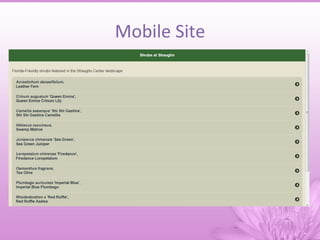
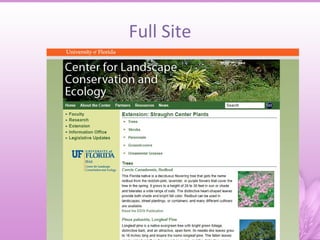
Development
• Communications Coordinator worked on content
• Web Coordinator worked on QR code and website
  development
  – After research, realized our current site is not mobile
    friendly and would need a mobile friendly site in addition
    to full site about landscape
  – Built on JQuery Mobile Framework
Welcome Sign
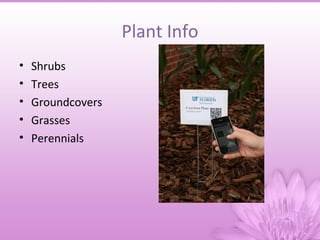
Plant Info
•   Shrubs
•   Trees
•   Groundcovers
•   Grasses
•   Perennials
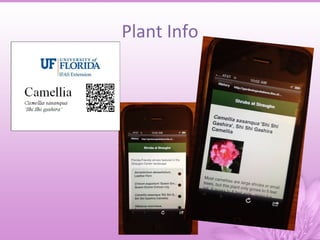
Plant Info
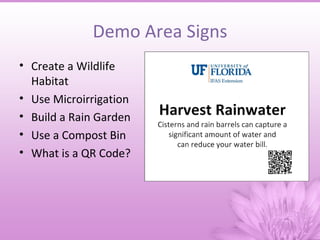
Demo Area Signs
• Create a Wildlife
  Habitat
• Use Microirrigation
• Build a Rain Garden
• Use a Compost Bin
• What is a QR Code?
Mobile Site
Full Site
Uses for QR Codes in the Garden
• Individual sites
  – Direct to Extension office site
• Podcasts
  – Audio tours, verbal info, stories about the garden,
    children’s book readings, etc.
• Evaluation
  – Pre- and post-test of garden
• Picture submission
  – Garden photo contest
Uses for QR Codes in the Garden
• Email
  – Send questions directly to MG Help Desk
• Google Maps
  – Check in or mark on Google Maps
• Twitter hashtag
  – Develop a trending hashtag about the garden
• Facebook page
  – Encourage people to like and interact
• Meet Your MGs
  – Bios of garden caretakers
Downsides
• Low awareness of QR codes
• Limited technology
• QR code might direct users to a website that
  does not display properly on a cell phone
• Appropriate and effective pedagogical uses of
  QR codes
Future
• In-service training for horticulture agents, MG
  coordinators, and Master Gardeners
• Serve as a resource for county faculty
  developing their signage

Qr codes in demo landscapes

  • 1.
    Technology in theGarden Using QR Codes to Market Your Demo Landscape Emily E. Eubanks, UF/IFAS Communications Coordinator
  • 2.
    Technology in theGarden • Videos • Audio Tours • Apps • QR Codes
  • 3.
    QR Codes Basics •QR codes (short for Quick Response) are barcodes that can be read by mobile phone (smartphone) cameras. • A QR Code is unique to a webpage.
  • 4.
    QR Codes inthe Garden • Give specific site/plant information on the spot • Quick access • Bookmark sites • Provide consumer driven technology at their fingertips • Used by retailers and public gardens
  • 5.
  • 6.
  • 7.
  • 8.
    Primary Extension Methodsfor Teaching Basic Plant Info • In person – One on one – Lecture • Very hands-on • Handouts • Websites/Videos
  • 9.
    Primary Extension Methodsfor Teaching Basic Plant Info • Pros – Personalized info – People like it • Cons – Very time consuming – Can’t answer everyone’s questions – Miss people who wander through gardens and don’t ask questions
  • 10.
    What Do VisitorsWant to Know From a Demo Garden? • What’s the name of this plant? • Can I grow it in my yard? • What kind of care does it need? • What other plants go well with it? • Where do I get more info?
  • 11.
  • 12.
    Moving to anOnline Format in the Garden • Pros – Consistency across the state on the content received – Easily updated – Can be used as a self-teaching device • Cons – Visitors tend to be an older population with barriers to technology
  • 13.
    Extension Demonstration Gardens •Cooperative Extension Service use demonstration gardens as teaching tools • Usually maintained by Master Gardeners • Significant variety of gardens – Themed – Indoor – Location specific – Plant type specific
  • 14.
    Florida Extension DemoGardens • 66 documented demonstration gardens in Florida • Maintained by Master Gardeners • Located at extension offices, schools, fire stations, libraries, etc. • Four seasons of gardening – constant maintenance and visitation • And, constant gardening questions
  • 15.
    Audience – SuperUsers • Master Gardeners • 4-H Volunteers & Youth – Mostly over 55 – Youth ages 8-18 – Sometimes have smart – Volunteers all ages phones – Usually have smart – Somewhat computer phones literate – Somewhat computer – Lots of horticulture literate knowledge – No prior horticulture knowledge
  • 16.
    General Audience • Everyoneelse who visits Extension office or demo garden – County commissioners – Lecture attendees – Quick stop ins – Plant clinic visitors – General public
  • 17.
    Straughn Professional Development Extension Center • Opened January 2012 • 1st Extension demo landscape on UF campus • Demonstrates 9 Florida- Friendly Landscaping Principles • Two intro signs, interpretative signage, and plant signs
  • 18.
    Timeline • 2011 –developed Extension demonstration garden landscape plan and installation for Straughn Center, plans for signage but no money • December 23, 2011 – met about grand opening of Straughn Center, initial request of indoor plants, realized they really wanted signage • January 4, 2012 – started on signage and QR codes, realized it would be closer to 80 QR codes • January 11, 2012 – installation of signs and QR codes • January 12, 2012 – grand opening of Straughn Center
  • 19.
    Development • Communications Coordinatorworked on content • Web Coordinator worked on QR code and website development – After research, realized our current site is not mobile friendly and would need a mobile friendly site in addition to full site about landscape – Built on JQuery Mobile Framework
  • 20.
  • 21.
    Plant Info • Shrubs • Trees • Groundcovers • Grasses • Perennials
  • 22.
  • 23.
    Demo Area Signs •Create a Wildlife Habitat • Use Microirrigation • Build a Rain Garden • Use a Compost Bin • What is a QR Code?
  • 24.
  • 25.
  • 26.
    Uses for QRCodes in the Garden • Individual sites – Direct to Extension office site • Podcasts – Audio tours, verbal info, stories about the garden, children’s book readings, etc. • Evaluation – Pre- and post-test of garden • Picture submission – Garden photo contest
  • 27.
    Uses for QRCodes in the Garden • Email – Send questions directly to MG Help Desk • Google Maps – Check in or mark on Google Maps • Twitter hashtag – Develop a trending hashtag about the garden • Facebook page – Encourage people to like and interact • Meet Your MGs – Bios of garden caretakers
  • 28.
    Downsides • Low awarenessof QR codes • Limited technology • QR code might direct users to a website that does not display properly on a cell phone • Appropriate and effective pedagogical uses of QR codes
  • 29.
    Future • In-service trainingfor horticulture agents, MG coordinators, and Master Gardeners • Serve as a resource for county faculty developing their signage

Editor's Notes

  • #6 7,000+ plants with unique QR Codes
  • #7 7,000+ plants with unique QR Codes