Python Data
Structures
LIST ,TUPLES, DICTIONARY
Lists
 List is a way to give name a collection of values
 A list can simply be defined by writing a list of comma separated
values in square brackets.
 Lists might contain items of different types, but usually the items all
have the same type.
 Python lists are mutable and individual elements of a list can be
changed.
 List contains heterogeneous data types
Lists, which are called Arrays
1.create_a_list = []
2.numbers_list = [1, 2, 3]
3.strings_list = ["spam", "eggs", "cheese"]
4.mixed_list = ["Hello", [1, 2, 3], False]

>>> create_a_list =[]
 >>> create_a_list
 []

>>> numbers_list =[1, 2, 3, 200]
 >>> numbers_list
 [1, 2, 3, 200]

>>> strings_list =["batman", "superman", "iron man"]
 >>> strings_list
 ['batman', 'superman', 'iron man']
Python list [a,b,]
 >>> xlist=[1.73,1.68,1.71,1.89]
 >>> print(xlist)
 [1.73, 1.68, 1.71, 1.89]
 Contain any type -List Contain different types
 >>> xlist1= ["femy",2.22,"henry",1.89,"Kiara",2.18,"John",1.99]
 >>> xlist1
 ['femy', 2.22, 'henry', 1.89, 'Kiara', 2.18, 'John', 1.99]
You can access elements from the list from either the
beginning or end of the list:
 >>> numbers_list[0]
 1
 >>> numbers_list[0:1]
 [1]
 >>> numbers_list[0:2]
 [1, 2]
 >>> xlist2=[["femy",2.22],
 ... ["henry",1.89],
 ... ["kiara",2.18],
 ... ["john",1.99]]
 >>>
 zero based indexing
 >>> xlist2[2]
 ['kiara', 2.18]
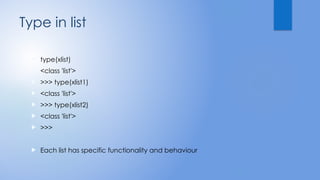
Type in list
 type(xlist)
 <class 'list'>
 >>> type(xlist1)
 <class 'list'>
 >>> type(xlist2)
 <class 'list'>
 >>>
 Each list has specific functionality and behaviour
Practice
 # area variables (in square meters)
 hall = 11.25
 kit = 18.0
 liv = 20.0
 bed = 10.75
 bath = 9.50
 # Create list areas
 test=["hall",11.25,"kit",18.0,"liv",20.0,"bed",10.75,"bath",9.50]
 test1=[11.25,18.0,20.0,10.75,9.50]
# house information as list of lists
 house = [["hallway", hall],
 ["kitchen", kit],
 ["living room", liv]]
 >>>print(house[2])
 zero based indexing
 >>>test1[4]
 >>> xlist1= ["femy",2.22,"henry",1.89,"Kiara",2.18,"John",1.99]
 >>> xlist1[6]
 'John'
 >>> xlist1[-1]
 1.99
 >>> xlist1[-2]
 'John'
 >>> xlist1[-3]
 2.18
 >>>
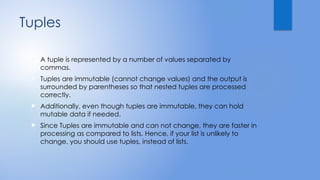
Tuples
 A tuple is represented by a number of values separated by
commas.
 Tuples are immutable (cannot change values) and the output is
surrounded by parentheses so that nested tuples are processed
correctly.
 Additionally, even though tuples are immutable, they can hold
mutable data if needed.
 Since Tuples are immutable and can not change, they are faster in
processing as compared to lists. Hence, if your list is unlikely to
change, you should use tuples, instead of lists.
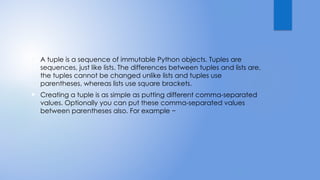
 A tuple is a sequence of immutable Python objects. Tuples are
sequences, just like lists. The differences between tuples and lists are,
the tuples cannot be changed unlike lists and tuples use
parentheses, whereas lists use square brackets.
 Creating a tuple is as simple as putting different comma-separated
values. Optionally you can put these comma-separated values
between parentheses also. For example −
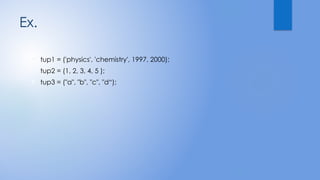
Ex.
 tup1 = ('physics', 'chemistry', 1997, 2000);
 tup2 = (1, 2, 3, 4, 5 );
 tup3 = ("a", "b", "c", "d“);
 #!/usr/bin/python
 tup1 = (12, 34.56);
 tup2 = ('abc', 'xyz');
 # Following action is not valid for tuples
 # tup1[0] = 100;
 # So let's create a new tuple as follows
 tup3 = tup1 + tup2;
 print tup3;
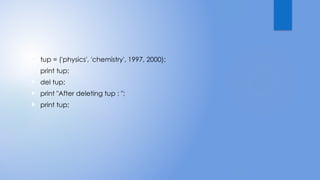
 tup = ('physics', 'chemistry', 1997, 2000);
 print tup;
 del tup;
 print "After deleting tup : ";
 print tup;
Dictionary
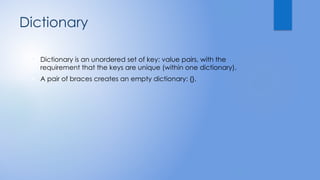
 Dictionary is an unordered set of key: value pairs, with the
requirement that the keys are unique (within one dictionary).
 A pair of braces creates an empty dictionary: {}.
 Each key is separated from its value by a colon (:), the items are
separated by commas, and the whole thing is enclosed in curly
braces.
 An empty dictionary without any items is written with just two curly
braces, like this: {}.
 Keys are unique within a dictionary while values may not be. The
values of a dictionary can be of any type, but the keys must be of
an immutable data type such as strings, numbers, or tuples.
 dict = {'Name': 'Zara', 'Age': 7, 'Class': 'First'}
 print "dict['Name']: ", dict['Name']
 print "dict['Age']: ", dict['Age']
Updating Dictionary
 dict = {'Name': 'Zara', 'Age': 7, 'Class': 'First'}
 dict['Age'] = 8; # update existing entry
 dict['School'] = "DPS School"; # Add new entry
 print "dict['Age']: ", dict['Age']
 print "dict['School']: ", dict['School']
Delete Dictionary Elements
 #!/usr/bin/python
 dict = {'Name': 'Zara', 'Age': 7, 'Class': 'First'}
 del dict['Name']; # remove entry with key 'Name'
 dict.clear(); # remove all entries in dict
 del dict ; # delete entire dictionary
 print "dict['Age']: ", dict['Age']
 print "dict['School']: ", dict['School']
pythonlist_arrays_and some practice problems

pythonlist_arrays_and some practice problems

  • 1.
  • 2.
    Lists  List isa way to give name a collection of values  A list can simply be defined by writing a list of comma separated values in square brackets.  Lists might contain items of different types, but usually the items all have the same type.  Python lists are mutable and individual elements of a list can be changed.  List contains heterogeneous data types
  • 3.
    Lists, which arecalled Arrays 1.create_a_list = [] 2.numbers_list = [1, 2, 3] 3.strings_list = ["spam", "eggs", "cheese"] 4.mixed_list = ["Hello", [1, 2, 3], False]
  • 4.
     >>> create_a_list =[] >>> create_a_list  []  >>> numbers_list =[1, 2, 3, 200]  >>> numbers_list  [1, 2, 3, 200]  >>> strings_list =["batman", "superman", "iron man"]  >>> strings_list  ['batman', 'superman', 'iron man']
  • 5.
    Python list [a,b,] >>> xlist=[1.73,1.68,1.71,1.89]  >>> print(xlist)  [1.73, 1.68, 1.71, 1.89]  Contain any type -List Contain different types  >>> xlist1= ["femy",2.22,"henry",1.89,"Kiara",2.18,"John",1.99]  >>> xlist1  ['femy', 2.22, 'henry', 1.89, 'Kiara', 2.18, 'John', 1.99]
  • 6.
    You can accesselements from the list from either the beginning or end of the list:  >>> numbers_list[0]  1  >>> numbers_list[0:1]  [1]  >>> numbers_list[0:2]  [1, 2]
  • 7.
     >>> xlist2=[["femy",2.22], ... ["henry",1.89],  ... ["kiara",2.18],  ... ["john",1.99]]  >>>  zero based indexing  >>> xlist2[2]  ['kiara', 2.18]
  • 8.
    Type in list type(xlist)  <class 'list'>  >>> type(xlist1)  <class 'list'>  >>> type(xlist2)  <class 'list'>  >>>  Each list has specific functionality and behaviour
  • 9.
    Practice  # areavariables (in square meters)  hall = 11.25  kit = 18.0  liv = 20.0  bed = 10.75  bath = 9.50  # Create list areas  test=["hall",11.25,"kit",18.0,"liv",20.0,"bed",10.75,"bath",9.50]  test1=[11.25,18.0,20.0,10.75,9.50]
  • 10.
    # house informationas list of lists  house = [["hallway", hall],  ["kitchen", kit],  ["living room", liv]]  >>>print(house[2])
  • 11.
     zero basedindexing  >>>test1[4]  >>> xlist1= ["femy",2.22,"henry",1.89,"Kiara",2.18,"John",1.99]  >>> xlist1[6]  'John'  >>> xlist1[-1]  1.99  >>> xlist1[-2]  'John'  >>> xlist1[-3]  2.18  >>>
  • 12.
    Tuples  A tupleis represented by a number of values separated by commas.  Tuples are immutable (cannot change values) and the output is surrounded by parentheses so that nested tuples are processed correctly.  Additionally, even though tuples are immutable, they can hold mutable data if needed.  Since Tuples are immutable and can not change, they are faster in processing as compared to lists. Hence, if your list is unlikely to change, you should use tuples, instead of lists.
  • 13.
     A tupleis a sequence of immutable Python objects. Tuples are sequences, just like lists. The differences between tuples and lists are, the tuples cannot be changed unlike lists and tuples use parentheses, whereas lists use square brackets.  Creating a tuple is as simple as putting different comma-separated values. Optionally you can put these comma-separated values between parentheses also. For example −
  • 14.
    Ex.  tup1 =('physics', 'chemistry', 1997, 2000);  tup2 = (1, 2, 3, 4, 5 );  tup3 = ("a", "b", "c", "d“);
  • 15.
     #!/usr/bin/python  tup1= (12, 34.56);  tup2 = ('abc', 'xyz');  # Following action is not valid for tuples  # tup1[0] = 100;  # So let's create a new tuple as follows  tup3 = tup1 + tup2;  print tup3;
  • 16.
     tup =('physics', 'chemistry', 1997, 2000);  print tup;  del tup;  print "After deleting tup : ";  print tup;
  • 17.
    Dictionary  Dictionary isan unordered set of key: value pairs, with the requirement that the keys are unique (within one dictionary).  A pair of braces creates an empty dictionary: {}.
  • 18.
     Each keyis separated from its value by a colon (:), the items are separated by commas, and the whole thing is enclosed in curly braces.  An empty dictionary without any items is written with just two curly braces, like this: {}.  Keys are unique within a dictionary while values may not be. The values of a dictionary can be of any type, but the keys must be of an immutable data type such as strings, numbers, or tuples.
  • 19.
     dict ={'Name': 'Zara', 'Age': 7, 'Class': 'First'}  print "dict['Name']: ", dict['Name']  print "dict['Age']: ", dict['Age']
  • 20.
    Updating Dictionary  dict= {'Name': 'Zara', 'Age': 7, 'Class': 'First'}  dict['Age'] = 8; # update existing entry  dict['School'] = "DPS School"; # Add new entry  print "dict['Age']: ", dict['Age']  print "dict['School']: ", dict['School']
  • 21.
    Delete Dictionary Elements #!/usr/bin/python  dict = {'Name': 'Zara', 'Age': 7, 'Class': 'First'}  del dict['Name']; # remove entry with key 'Name'  dict.clear(); # remove all entries in dict  del dict ; # delete entire dictionary  print "dict['Age']: ", dict['Age']  print "dict['School']: ", dict['School']