Dr. Harish Kumar B T, Dept of CSE, BIT, Bangalore
Functions
Dr. Harish Kumar B T, Dept of CSE, BIT, Bangalore
Functions
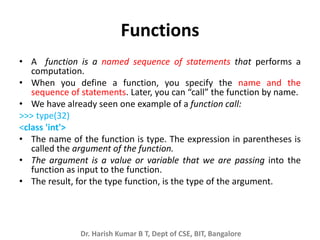
• A function is a named sequence of statements that performs a
computation.
• When you define a function, you specify the name and the
sequence of statements. Later, you can “call” the function by name.
• We have already seen one example of a function call:
>>> type(32)
<class 'int'>
• The name of the function is type. The expression in parentheses is
called the argument of the function.
• The argument is a value or variable that we are passing into the
function as input to the function.
• The result, for the type function, is the type of the argument.
Dr. Harish Kumar B T, Dept of CSE, BIT, Bangalore
Built-in functions
• Python provides a number of important built-
in functions that we can use without needing
to provide the function definition.
• The creators of Python wrote a set of
functions to solve common problems and
included them in Python for us to use.
• The max and min functions give us the largest
and smallest values in a list, respectively:
Dr. Harish Kumar B T, Dept of CSE, BIT, Bangalore
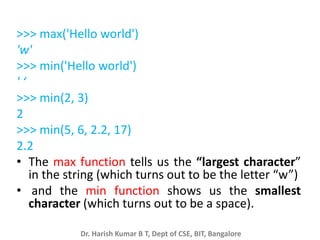
>>> max('Hello world')
'w'
>>> min('Hello world')
' ‘
>>> min(2, 3)
2
>>> min(5, 6, 2.2, 17)
2.2
• The max function tells us the “largest character”
in the string (which turns out to be the letter “w”)
• and the min function shows us the smallest
character (which turns out to be a space).
Dr. Harish Kumar B T, Dept of CSE, BIT, Bangalore
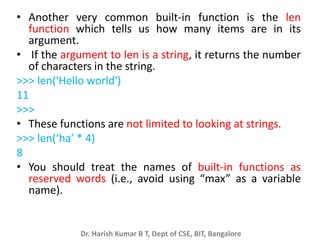
• Another very common built-in function is the len
function which tells us how many items are in its
argument.
• If the argument to len is a string, it returns the number
of characters in the string.
>>> len('Hello world')
11
>>>
• These functions are not limited to looking at strings.
>>> len(‘ha’ * 4)
8
• You should treat the names of built-in functions as
reserved words (i.e., avoid using “max” as a variable
name).
Dr. Harish Kumar B T, Dept of CSE, BIT, Bangalore
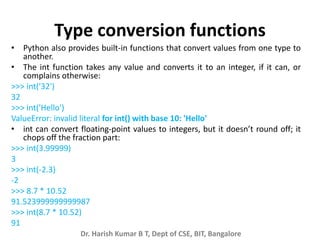
Type conversion functions
• Python also provides built-in functions that convert values from one type to
another.
• The int function takes any value and converts it to an integer, if it can, or
complains otherwise:
>>> int('32')
32
>>> int('Hello')
ValueError: invalid literal for int() with base 10: 'Hello'
• int can convert floating-point values to integers, but it doesn’t round off; it
chops off the fraction part:
>>> int(3.99999)
3
>>> int(-2.3)
-2
>>> 8.7 * 10.52
91.523999999999987
>>> int(8.7 * 10.52)
91
Dr. Harish Kumar B T, Dept of CSE, BIT, Bangalore
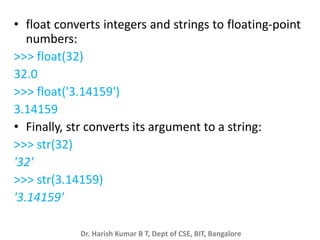
• float converts integers and strings to floating-point
numbers:
>>> float(32)
32.0
>>> float('3.14159')
3.14159
• Finally, str converts its argument to a string:
>>> str(32)
'32'
>>> str(3.14159)
'3.14159'
Dr. Harish Kumar B T, Dept of CSE, BIT, Bangalore
Random numbers
• Given the same inputs, most computer
programs generate the same outputs every
time, so they are said to be deterministic.
• Determinism is usually a good thing, since we
expect the same calculation to yield the same
result.
• For some applications, we want the computer
to be unpredictable. Games are an obvious
example, but there are more.
Dr. Harish Kumar B T, Dept of CSE, BIT, Bangalore
import random
for i in range(10):
x = random.random()
print(x)
• The function random returns a random float
between 0.0 and 1.0 (including 0.0 but not
1.0). Each time you call random, you get the
next number in a long series.
• This program produces the following list of 10
random numbers between 0.0 and up to but
not including 1.0.
Dr. Harish Kumar B T, Dept of CSE, BIT, Bangalore
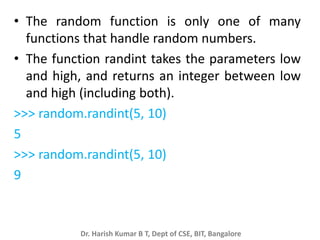
• The random function is only one of many
functions that handle random numbers.
• The function randint takes the parameters low
and high, and returns an integer between low
and high (including both).
>>> random.randint(5, 10)
5
>>> random.randint(5, 10)
9
Dr. Harish Kumar B T, Dept of CSE, BIT, Bangalore
• To choose an element from a sequence at
random, you can use choice:
>>> t = [1, 2, 3]
>>> random.choice(t)
2
>>> random.choice(t)
3
Dr. Harish Kumar B T, Dept of CSE, BIT, Bangalore
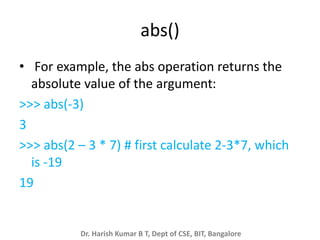
abs()
• For example, the abs operation returns the
absolute value of the argument:
>>> abs(-3)
3
>>> abs(2 – 3 * 7) # first calculate 2-3*7, which
is -19
19
Dr. Harish Kumar B T, Dept of CSE, BIT, Bangalore
Round()
• Rounds the result to the nearest value.
• There is a function that will do this, but for a
floating-point argument it returns a floating-point
result:
>>> round(8.7 * 10.52)
92.0
• We can combine round and int to return a value
that is both rounded and integer:
>>> int(round(8.7 * 10.52))
92
Dr. Harish Kumar B T, Dept of CSE, BIT, Bangalore
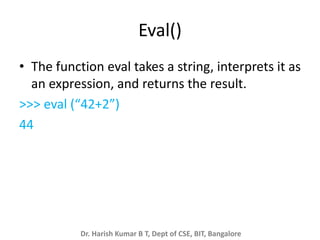
Eval()
• The function eval takes a string, interprets it as
an expression, and returns the result.
>>> eval (“42+2”)
44
Dr. Harish Kumar B T, Dept of CSE, BIT, Bangalore
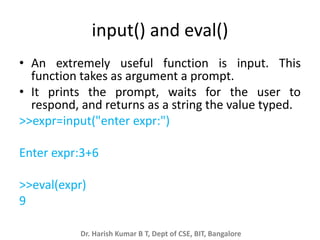
input() and eval()
• An extremely useful function is input. This
function takes as argument a prompt.
• It prints the prompt, waits for the user to
respond, and returns as a string the value typed.
>>expr=input("enter expr:")
Enter expr:3+6
>>eval(expr)
9
Dr. Harish Kumar B T, Dept of CSE, BIT, Bangalore
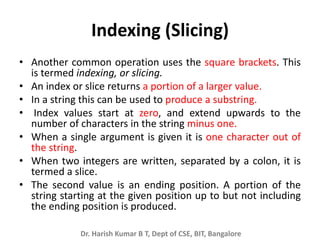
Indexing (Slicing)
• Another common operation uses the square brackets. This
is termed indexing, or slicing.
• An index or slice returns a portion of a larger value.
• In a string this can be used to produce a substring.
• Index values start at zero, and extend upwards to the
number of characters in the string minus one.
• When a single argument is given it is one character out of
the string.
• When two integers are written, separated by a colon, it is
termed a slice.
• The second value is an ending position. A portion of the
string starting at the given position up to but not including
the ending position is produced.
Dr. Harish Kumar B T, Dept of CSE, BIT, Bangalore
'realtor'[2:6]
Out[37]: 'alto'
'realtor'[2:7]
Out[38]: 'altor'
'realtor'[2:8]
Out[39]: 'altor'
'realtor'[2:3]
Out[40]: 'a'
'realtor'[2]
Out[41]: 'a'
Dr. Harish Kumar B T, Dept of CSE, BIT, Bangalore
• If a colon is given but the last number is
omitted the result is the remainder of the
string starting from the given position.
>>> ‘recurrent’[2:]
‘current’
• Finally, if no number is given before the colon
the result is the initial string up to but not
including the given position.
>>> ‘halter’[:4]
‘halt’
Dr. Harish Kumar B T, Dept of CSE, BIT, Bangalore
• String are immutable, meaning they cannot be
changed once assigned.
• Instead, a new string constructed out of an
existing string can be formed in parts, using slicing
commands.
>>> word = 'red'
>>> word[1] = 'a‘ # show word cannot be changed
Traceback (most recent call last):
File "<stdin>", line 1, in ?
TypeError: object doesn't support item assignment
>>> word = 'b' + word[:2] + 'a' + word[2:]
>>> word # change red to bread
'bread'
Dr. Harish Kumar B T, Dept of CSE, BIT, Bangalore
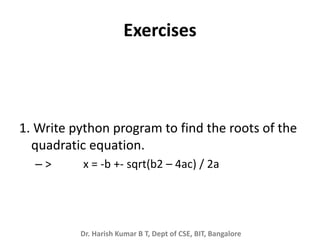
Exercises
1. Write python program to find the roots of the
quadratic equation.
– > x = -b +- sqrt(b2 – 4ac) / 2a
Dr. Harish Kumar B T, Dept of CSE, BIT, Bangalore
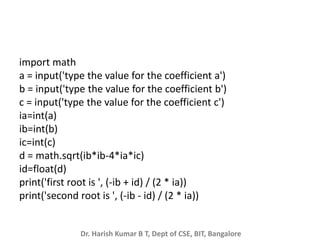
import math
a = input('type the value for the coefficient a')
b = input('type the value for the coefficient b')
c = input('type the value for the coefficient c')
ia=int(a)
ib=int(b)
ic=int(c)
d = math.sqrt(ib*ib-4*ia*ic)
id=float(d)
print('first root is ', (-ib + id) / (2 * ia))
print('second root is ', (-ib - id) / (2 * ia))

Pytho-Chapter-4-Functions.pptx

  • 1.
    Dr. Harish KumarB T, Dept of CSE, BIT, Bangalore Functions
  • 2.
    Dr. Harish KumarB T, Dept of CSE, BIT, Bangalore Functions • A function is a named sequence of statements that performs a computation. • When you define a function, you specify the name and the sequence of statements. Later, you can “call” the function by name. • We have already seen one example of a function call: >>> type(32) <class 'int'> • The name of the function is type. The expression in parentheses is called the argument of the function. • The argument is a value or variable that we are passing into the function as input to the function. • The result, for the type function, is the type of the argument.
  • 3.
    Dr. Harish KumarB T, Dept of CSE, BIT, Bangalore Built-in functions • Python provides a number of important built- in functions that we can use without needing to provide the function definition. • The creators of Python wrote a set of functions to solve common problems and included them in Python for us to use. • The max and min functions give us the largest and smallest values in a list, respectively:
  • 4.
    Dr. Harish KumarB T, Dept of CSE, BIT, Bangalore >>> max('Hello world') 'w' >>> min('Hello world') ' ‘ >>> min(2, 3) 2 >>> min(5, 6, 2.2, 17) 2.2 • The max function tells us the “largest character” in the string (which turns out to be the letter “w”) • and the min function shows us the smallest character (which turns out to be a space).
  • 5.
    Dr. Harish KumarB T, Dept of CSE, BIT, Bangalore • Another very common built-in function is the len function which tells us how many items are in its argument. • If the argument to len is a string, it returns the number of characters in the string. >>> len('Hello world') 11 >>> • These functions are not limited to looking at strings. >>> len(‘ha’ * 4) 8 • You should treat the names of built-in functions as reserved words (i.e., avoid using “max” as a variable name).
  • 6.
    Dr. Harish KumarB T, Dept of CSE, BIT, Bangalore Type conversion functions • Python also provides built-in functions that convert values from one type to another. • The int function takes any value and converts it to an integer, if it can, or complains otherwise: >>> int('32') 32 >>> int('Hello') ValueError: invalid literal for int() with base 10: 'Hello' • int can convert floating-point values to integers, but it doesn’t round off; it chops off the fraction part: >>> int(3.99999) 3 >>> int(-2.3) -2 >>> 8.7 * 10.52 91.523999999999987 >>> int(8.7 * 10.52) 91
  • 7.
    Dr. Harish KumarB T, Dept of CSE, BIT, Bangalore • float converts integers and strings to floating-point numbers: >>> float(32) 32.0 >>> float('3.14159') 3.14159 • Finally, str converts its argument to a string: >>> str(32) '32' >>> str(3.14159) '3.14159'
  • 8.
    Dr. Harish KumarB T, Dept of CSE, BIT, Bangalore Random numbers • Given the same inputs, most computer programs generate the same outputs every time, so they are said to be deterministic. • Determinism is usually a good thing, since we expect the same calculation to yield the same result. • For some applications, we want the computer to be unpredictable. Games are an obvious example, but there are more.
  • 9.
    Dr. Harish KumarB T, Dept of CSE, BIT, Bangalore import random for i in range(10): x = random.random() print(x) • The function random returns a random float between 0.0 and 1.0 (including 0.0 but not 1.0). Each time you call random, you get the next number in a long series. • This program produces the following list of 10 random numbers between 0.0 and up to but not including 1.0.
  • 10.
    Dr. Harish KumarB T, Dept of CSE, BIT, Bangalore • The random function is only one of many functions that handle random numbers. • The function randint takes the parameters low and high, and returns an integer between low and high (including both). >>> random.randint(5, 10) 5 >>> random.randint(5, 10) 9
  • 11.
    Dr. Harish KumarB T, Dept of CSE, BIT, Bangalore • To choose an element from a sequence at random, you can use choice: >>> t = [1, 2, 3] >>> random.choice(t) 2 >>> random.choice(t) 3
  • 12.
    Dr. Harish KumarB T, Dept of CSE, BIT, Bangalore abs() • For example, the abs operation returns the absolute value of the argument: >>> abs(-3) 3 >>> abs(2 – 3 * 7) # first calculate 2-3*7, which is -19 19
  • 13.
    Dr. Harish KumarB T, Dept of CSE, BIT, Bangalore Round() • Rounds the result to the nearest value. • There is a function that will do this, but for a floating-point argument it returns a floating-point result: >>> round(8.7 * 10.52) 92.0 • We can combine round and int to return a value that is both rounded and integer: >>> int(round(8.7 * 10.52)) 92
  • 14.
    Dr. Harish KumarB T, Dept of CSE, BIT, Bangalore Eval() • The function eval takes a string, interprets it as an expression, and returns the result. >>> eval (“42+2”) 44
  • 15.
    Dr. Harish KumarB T, Dept of CSE, BIT, Bangalore input() and eval() • An extremely useful function is input. This function takes as argument a prompt. • It prints the prompt, waits for the user to respond, and returns as a string the value typed. >>expr=input("enter expr:") Enter expr:3+6 >>eval(expr) 9
  • 16.
    Dr. Harish KumarB T, Dept of CSE, BIT, Bangalore Indexing (Slicing) • Another common operation uses the square brackets. This is termed indexing, or slicing. • An index or slice returns a portion of a larger value. • In a string this can be used to produce a substring. • Index values start at zero, and extend upwards to the number of characters in the string minus one. • When a single argument is given it is one character out of the string. • When two integers are written, separated by a colon, it is termed a slice. • The second value is an ending position. A portion of the string starting at the given position up to but not including the ending position is produced.
  • 17.
    Dr. Harish KumarB T, Dept of CSE, BIT, Bangalore 'realtor'[2:6] Out[37]: 'alto' 'realtor'[2:7] Out[38]: 'altor' 'realtor'[2:8] Out[39]: 'altor' 'realtor'[2:3] Out[40]: 'a' 'realtor'[2] Out[41]: 'a'
  • 18.
    Dr. Harish KumarB T, Dept of CSE, BIT, Bangalore • If a colon is given but the last number is omitted the result is the remainder of the string starting from the given position. >>> ‘recurrent’[2:] ‘current’ • Finally, if no number is given before the colon the result is the initial string up to but not including the given position. >>> ‘halter’[:4] ‘halt’
  • 19.
    Dr. Harish KumarB T, Dept of CSE, BIT, Bangalore • String are immutable, meaning they cannot be changed once assigned. • Instead, a new string constructed out of an existing string can be formed in parts, using slicing commands. >>> word = 'red' >>> word[1] = 'a‘ # show word cannot be changed Traceback (most recent call last): File "<stdin>", line 1, in ? TypeError: object doesn't support item assignment >>> word = 'b' + word[:2] + 'a' + word[2:] >>> word # change red to bread 'bread'
  • 20.
    Dr. Harish KumarB T, Dept of CSE, BIT, Bangalore Exercises 1. Write python program to find the roots of the quadratic equation. – > x = -b +- sqrt(b2 – 4ac) / 2a
  • 21.
    Dr. Harish KumarB T, Dept of CSE, BIT, Bangalore import math a = input('type the value for the coefficient a') b = input('type the value for the coefficient b') c = input('type the value for the coefficient c') ia=int(a) ib=int(b) ic=int(c) d = math.sqrt(ib*ib-4*ia*ic) id=float(d) print('first root is ', (-ib + id) / (2 * ia)) print('second root is ', (-ib - id) / (2 * ia))