Pseudo Code
Algorithm
• An algorithm is a procedure for solving a
problem in terms of the actions to be
executed and the order in which those
actions are to be executed. An algorithm is
merely the sequence of steps taken to solve a
problem. The steps are normally "sequence,"
"selection, " "iteration," and a case-type
statement.
Pseudo code
• Pseudo code is an artificial and informal
language that helps programmers develop
algorithms. Pseudo code is a "text-based"
detail (algorithmic) design tool.
Pseudo code
• The rules of Pseudo code are reasonably
straightforward. All statements showing
"dependency" are to be indented. These
include while, do, for, if, switch. Examples
below will illustrate this notion.
Example
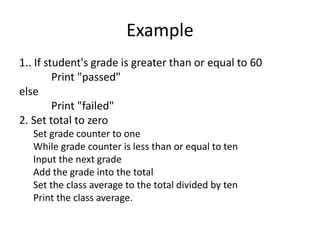
1.. If student's grade is greater than or equal to 60
Print "passed"
else
Print "failed"
2. Set total to zero
Set grade counter to one
While grade counter is less than or equal to ten
Input the next grade
Add the grade into the total
Set the class average to the total divided by ten
Print the class average.
Variables
A typical program uses various values that
change during its execution .
For example, we create a program that
performs some calculations on the
values entered by the user.
.
Variables
The values entered by one user will
obviously be different from those entered in
by another user. This means that when
creating the program, the programmer does
not know what values will be introduced as
input, and that makes it necessary to
process all possible values
a user may enter.
Variables
When a user enters a new value that will be
used in the process of calculation,
we can preserve it (temporarily) in the
random access memory of our computer.
The values in this part of memory change
(vary) throughout execution and this has led
to their name –variables
Variable Type
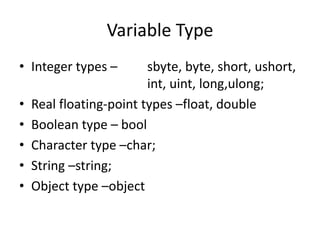
• Integer types – sbyte, byte, short, ushort,
int, uint, long,ulong;
• Real floating-point types –float, double
• Boolean type – bool
• Character type –char;
• String –string;
• Object type –object
Variable Types
• Data Types and Their Ranges.xlsx
Flow chart
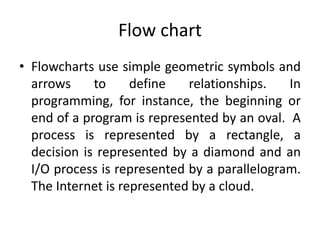
• Flowcharts use simple geometric symbols and
arrows to define relationships. In
programming, for instance, the beginning or
end of a program is represented by an oval. A
process is represented by a rectangle, a
decision is represented by a diamond and an
I/O process is represented by a parallelogram.
The Internet is represented by a cloud.
Flow Chart
• Flow Chart Symbols.xls
• Draw a flowchart to add two numbers
entered by user.
• Draw flowchart to find the largest among
three different numbers entered by user.

Pseudo code

  • 1.
  • 2.
    Algorithm • An algorithmis a procedure for solving a problem in terms of the actions to be executed and the order in which those actions are to be executed. An algorithm is merely the sequence of steps taken to solve a problem. The steps are normally "sequence," "selection, " "iteration," and a case-type statement.
  • 3.
    Pseudo code • Pseudocode is an artificial and informal language that helps programmers develop algorithms. Pseudo code is a "text-based" detail (algorithmic) design tool.
  • 4.
    Pseudo code • Therules of Pseudo code are reasonably straightforward. All statements showing "dependency" are to be indented. These include while, do, for, if, switch. Examples below will illustrate this notion.
  • 5.
    Example 1.. If student'sgrade is greater than or equal to 60 Print "passed" else Print "failed" 2. Set total to zero Set grade counter to one While grade counter is less than or equal to ten Input the next grade Add the grade into the total Set the class average to the total divided by ten Print the class average.
  • 6.
    Variables A typical programuses various values that change during its execution . For example, we create a program that performs some calculations on the values entered by the user. .
  • 7.
    Variables The values enteredby one user will obviously be different from those entered in by another user. This means that when creating the program, the programmer does not know what values will be introduced as input, and that makes it necessary to process all possible values a user may enter.
  • 8.
    Variables When a userenters a new value that will be used in the process of calculation, we can preserve it (temporarily) in the random access memory of our computer. The values in this part of memory change (vary) throughout execution and this has led to their name –variables
  • 9.
    Variable Type • Integertypes – sbyte, byte, short, ushort, int, uint, long,ulong; • Real floating-point types –float, double • Boolean type – bool • Character type –char; • String –string; • Object type –object
  • 10.
    Variable Types • DataTypes and Their Ranges.xlsx
  • 11.
    Flow chart • Flowchartsuse simple geometric symbols and arrows to define relationships. In programming, for instance, the beginning or end of a program is represented by an oval. A process is represented by a rectangle, a decision is represented by a diamond and an I/O process is represented by a parallelogram. The Internet is represented by a cloud.
  • 12.
    Flow Chart • FlowChart Symbols.xls • Draw a flowchart to add two numbers entered by user. • Draw flowchart to find the largest among three different numbers entered by user.