Š 2016, Amazon Web Services, Inc. or its Affiliates. All rights reserved.
Protecting Your Data in AWS
Dinah Barrett - Senior Partner Solutions Architect, AWS
August 11, 2016
Transport security
Authenticating AWS to you and protecting
confidentiality using TLS
• TLS can be used with every AWS API to protect data
upload/download and configuration change
• You can provide your own certificates to be presented to
your customers when using:
• Elastic Load Balancing
• Amazon CloudFront (content distribution network)
AWS Certificate Manager (ACM)
• Provision trusted SSL/TLS certificates from AWS for use with AWS
resources:
• Elastic Load Balancing
• Amazon CloudFront distributions
• AWS handles the muck
• Key pair and CSR generation
• Managed renewal and deployment
• Domain validation (DV) through email
• Available through AWS Management Console, AWS Command Line
Interface (AWS CLI), or API
ACM-provided certificates
Domain names
• Single domain name: www.example.com
• Wildcard domain names: *.example.com
• Combination of wildcard and non-wildcard names
• Multiple domain names in the same certificate (up to 10)
ACM-provided certificates are managed
• Private keys are generated, protected, and managed
• ACM-provided certificates cannot be used on Amazon EC2 instances or on-premises
servers
• Can be used with AWS services, such as Elastic Load Balancing and Amazon
CloudFront
Algorithms
• RSA 2048 and SHA-256
Free
Making TLS work better in your apps
• “signal to noise”
• A TLS library designed by AWS to help your developers
implement transport security with faster performance
• Avoids implementing rarely used TLS options and
extensions; ~6,000 lines of code
https://github.com/awslabs/s2n
Data-at-rest security
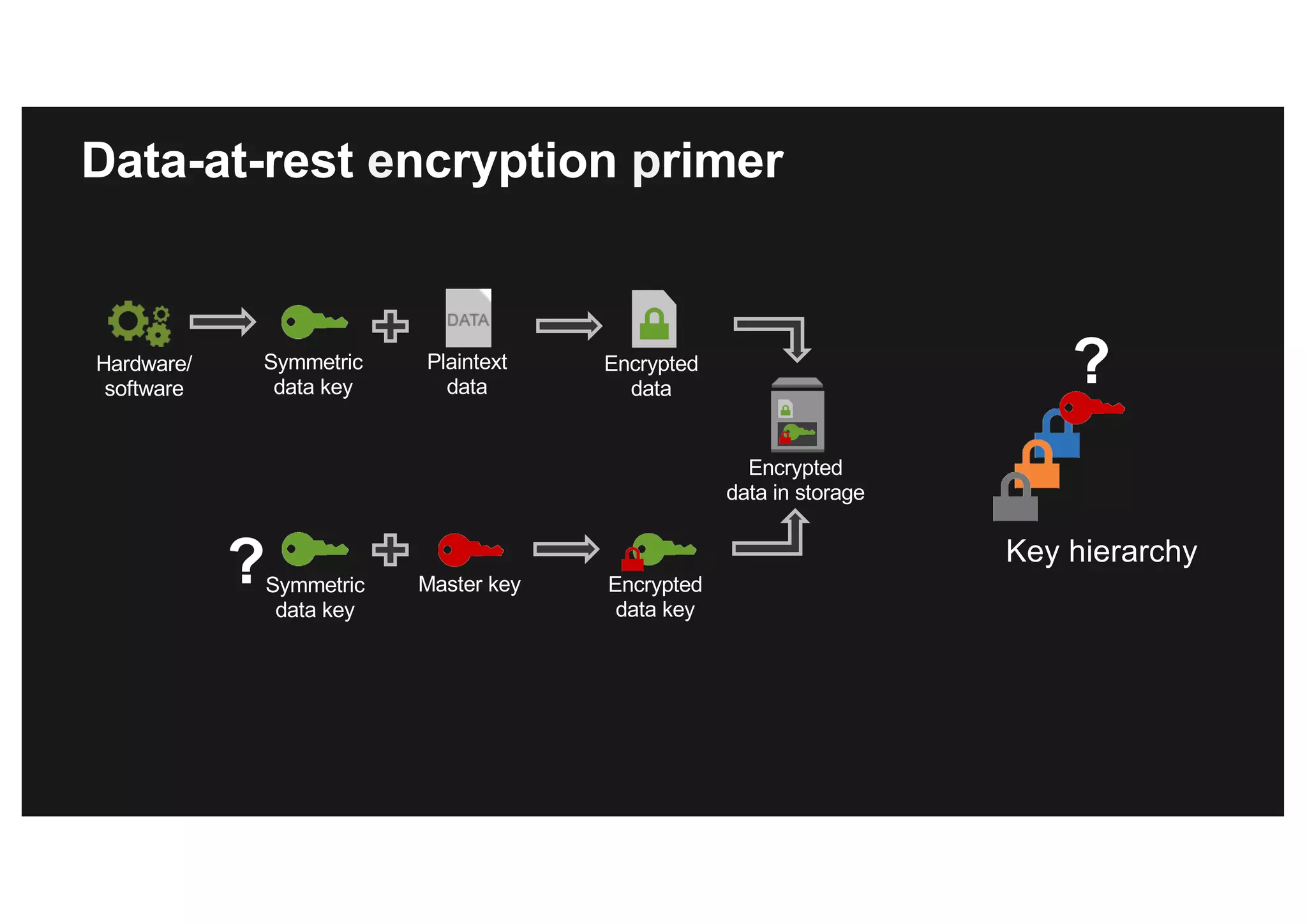
Plaintext
data
Hardware/
software
Encrypted
data
Encrypted
data in storage
Encrypted
data key
Symmetric
data key
Master keySymmetric
data key
? Key hierarchy
?
Data-at-rest encryption primer
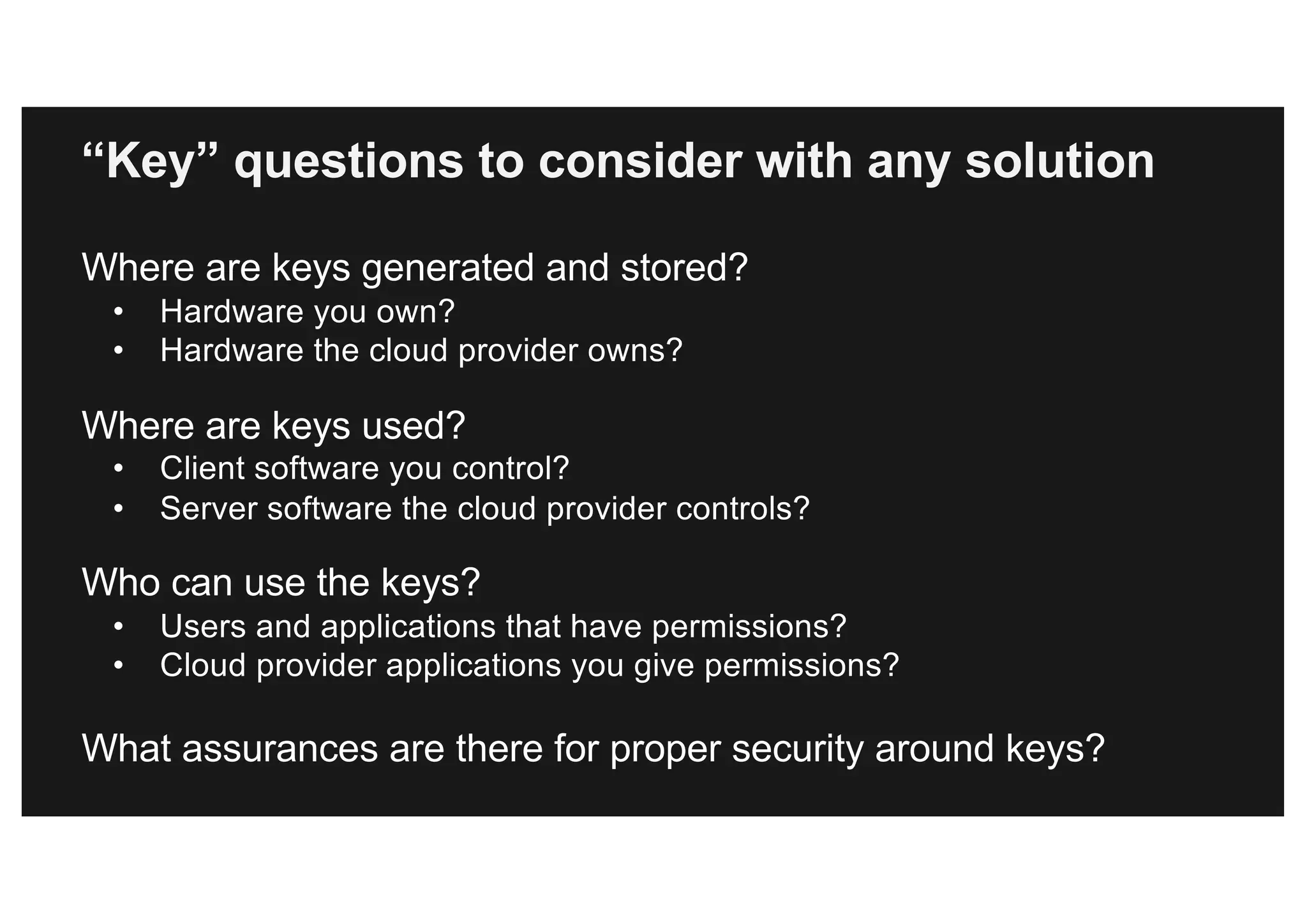
Where are keys generated and stored?
• Hardware you own?
• Hardware the cloud provider owns?
Where are keys used?
• Client software you control?
• Server software the cloud provider controls?
Who can use the keys?
• Users and applications that have permissions?
• Cloud provider applications you give permissions?
What assurances are there for proper security around keys?
“Key” questions to consider with any solution
Client-side encryption
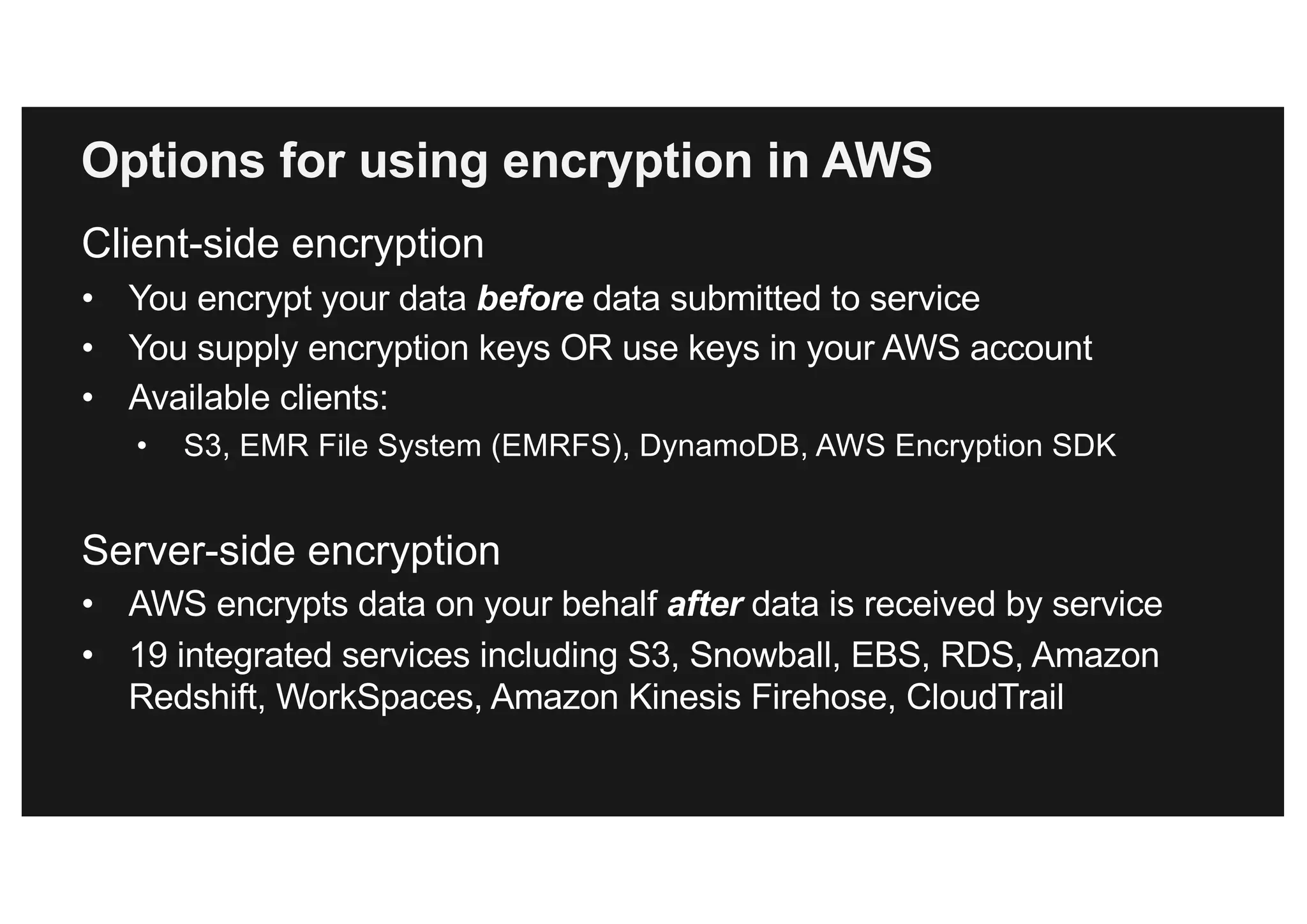
• You encrypt your data before data submitted to service
• You supply encryption keys OR use keys in your AWS account
• Available clients:
• S3, EMR File System (EMRFS), DynamoDB, AWS Encryption SDK
Server-side encryption
• AWS encrypts data on your behalf after data is received by service
• 19 integrated services including S3, Snowball, EBS, RDS, Amazon
Redshift, WorkSpaces, Amazon Kinesis Firehose, CloudTrail
Options for using encryption in AWS
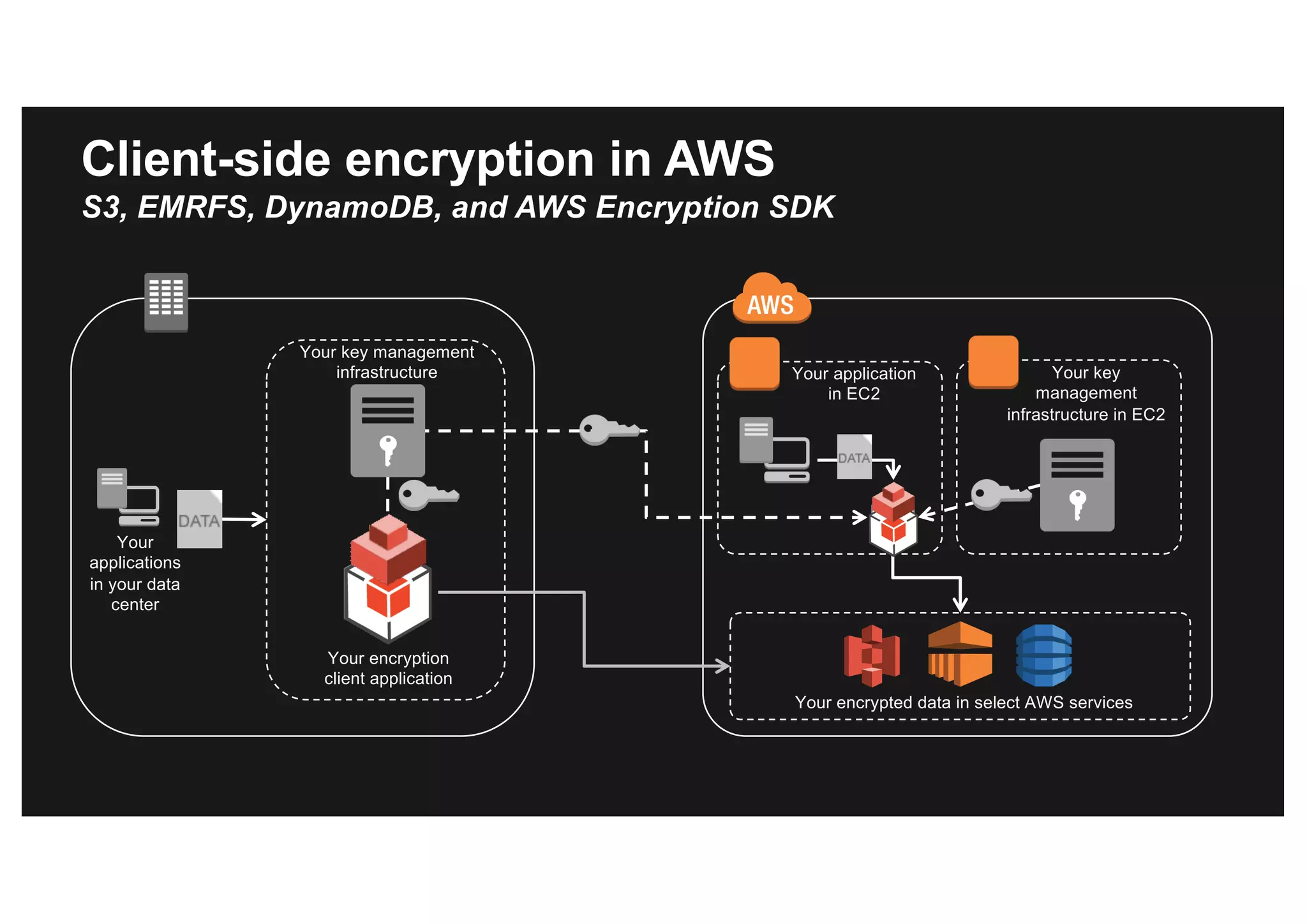
Your
applications
in your data
center
Your key
management
infrastructure in EC2
Your encryption
client application
Your key management
infrastructure Your application
in EC2
Your encrypted data in select AWS services
Client-side encryption in AWS
S3, EMRFS, DynamoDB, and AWS Encryption SDK
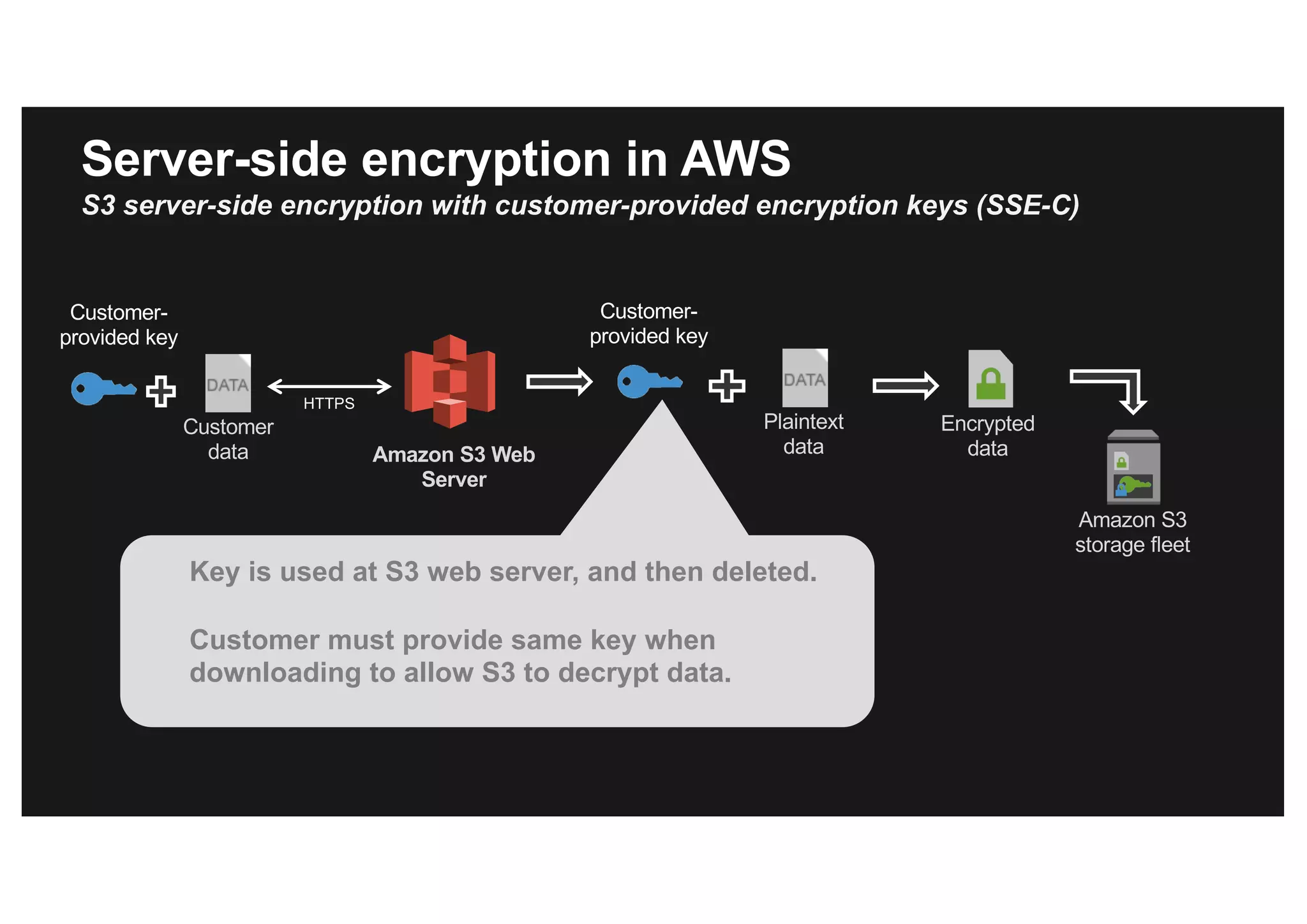
Amazon S3 Web
Server
HTTPS
Customer
data
Amazon S3
storage fleet
Key is used at S3 web server, and then deleted.
Customer must provide same key when
downloading to allow S3 to decrypt data.
Customer-
provided key
Server-side encryption in AWS
S3 server-side encryption with customer-provided encryption keys (SSE-C)
Plaintext
data
Encrypted
data
Customer-
provided key
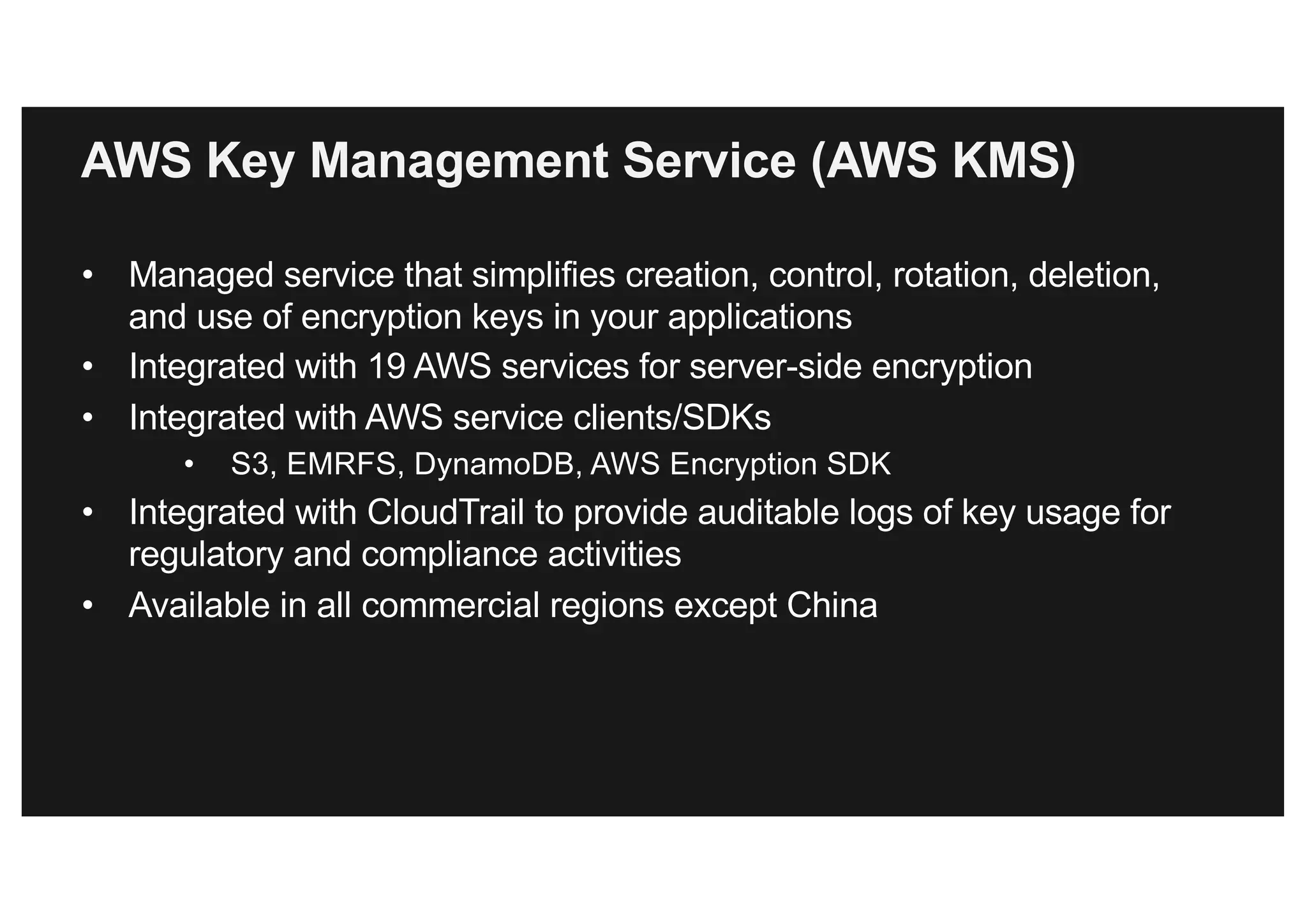
AWS Key Management Service (AWS KMS)
• Managed service that simplifies creation, control, rotation, deletion,
and use of encryption keys in your applications
• Integrated with 19 AWS services for server-side encryption
• Integrated with AWS service clients/SDKs
• S3, EMRFS, DynamoDB, AWS Encryption SDK
• Integrated with CloudTrail to provide auditable logs of key usage for
regulatory and compliance activities
• Available in all commercial regions except China
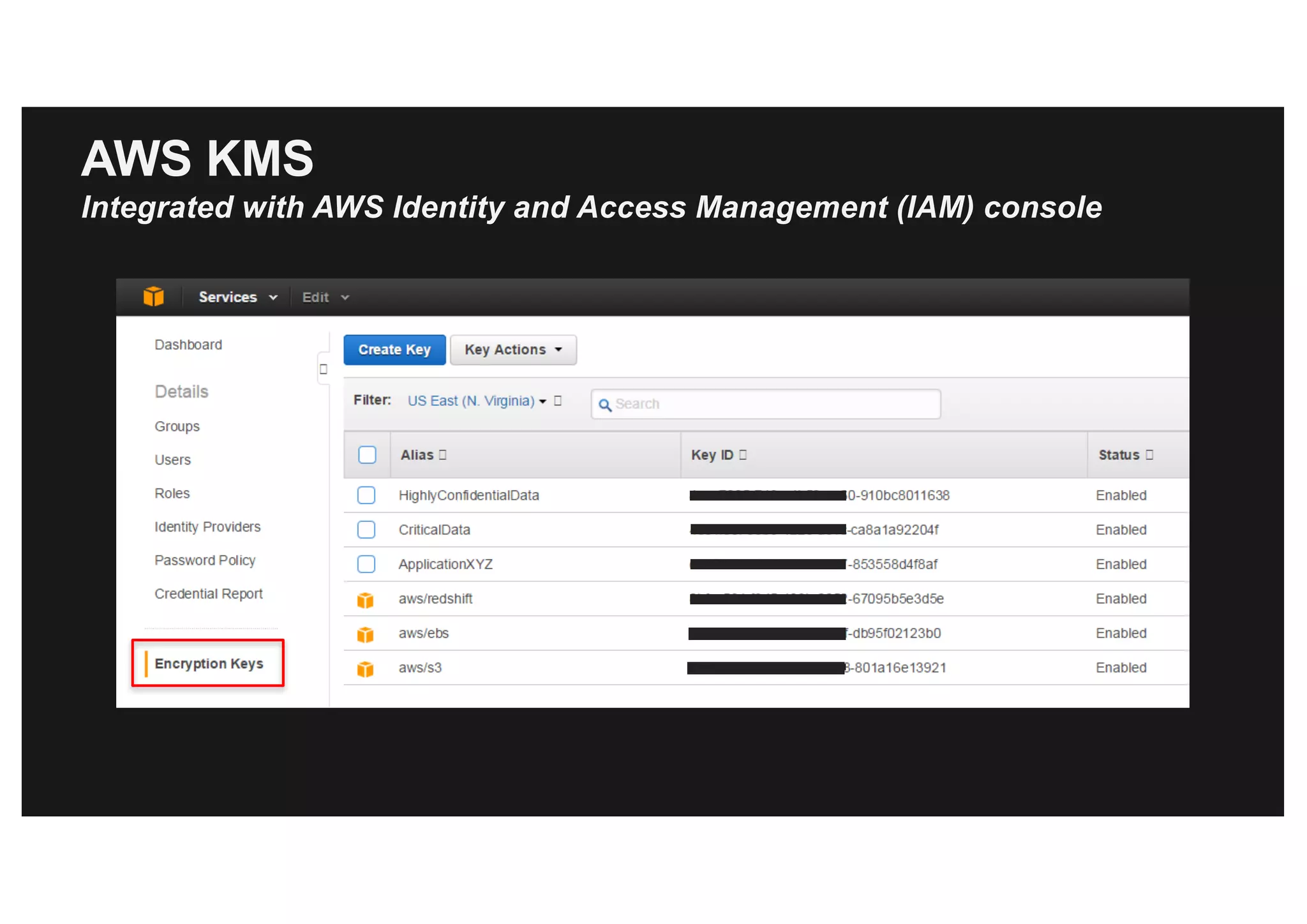
AWS KMS
Integrated with AWS Identity and Access Management (IAM) console
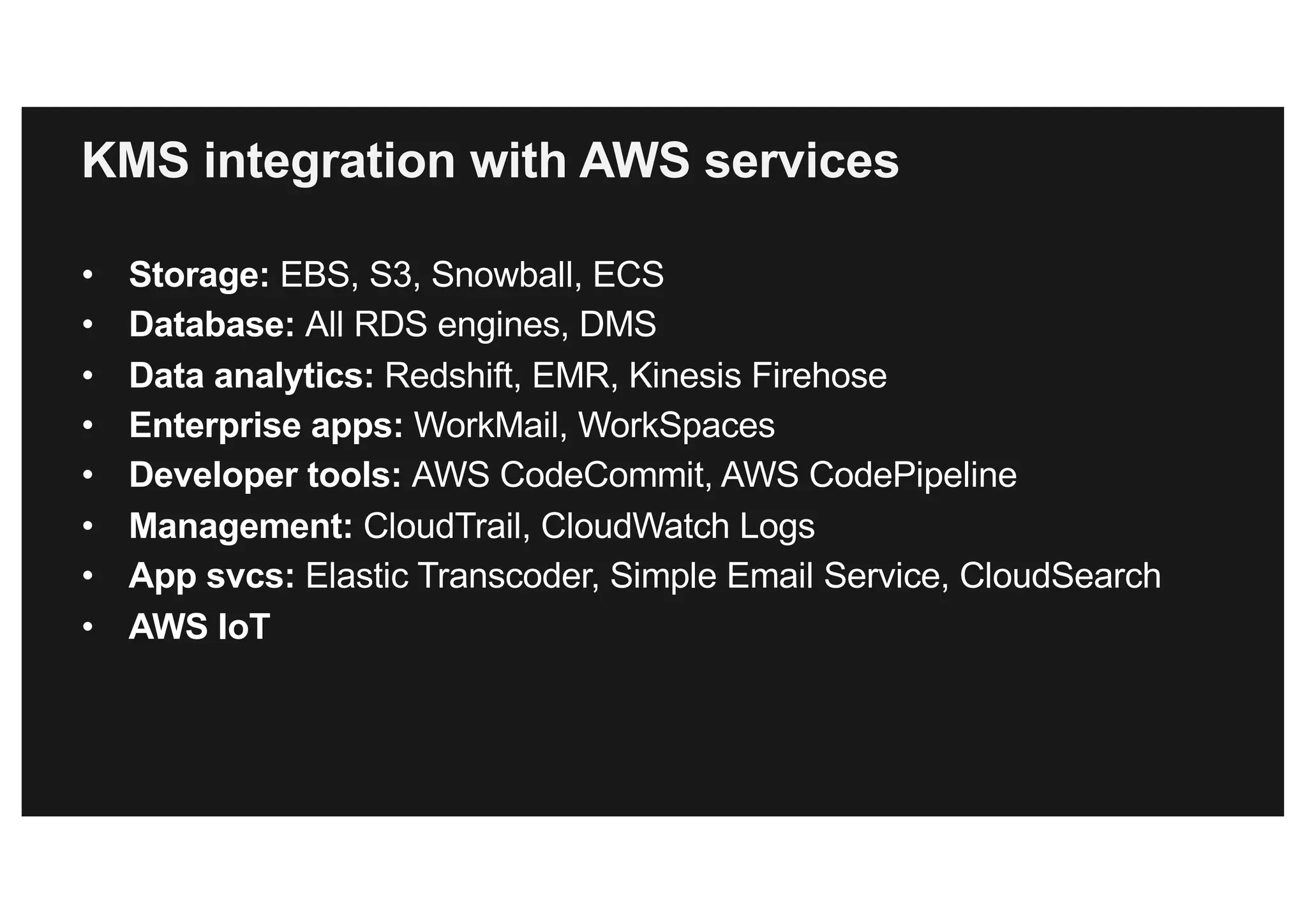
KMS integration with AWS services
• Storage: EBS, S3, Snowball, ECS
• Database: All RDS engines, DMS
• Data analytics: Redshift, EMR, Kinesis Firehose
• Enterprise apps: WorkMail, WorkSpaces
• Developer tools: AWS CodeCommit, AWS CodePipeline
• Management: CloudTrail, CloudWatch Logs
• App svcs: Elastic Transcoder, Simple Email Service, CloudSearch
• AWS IoT
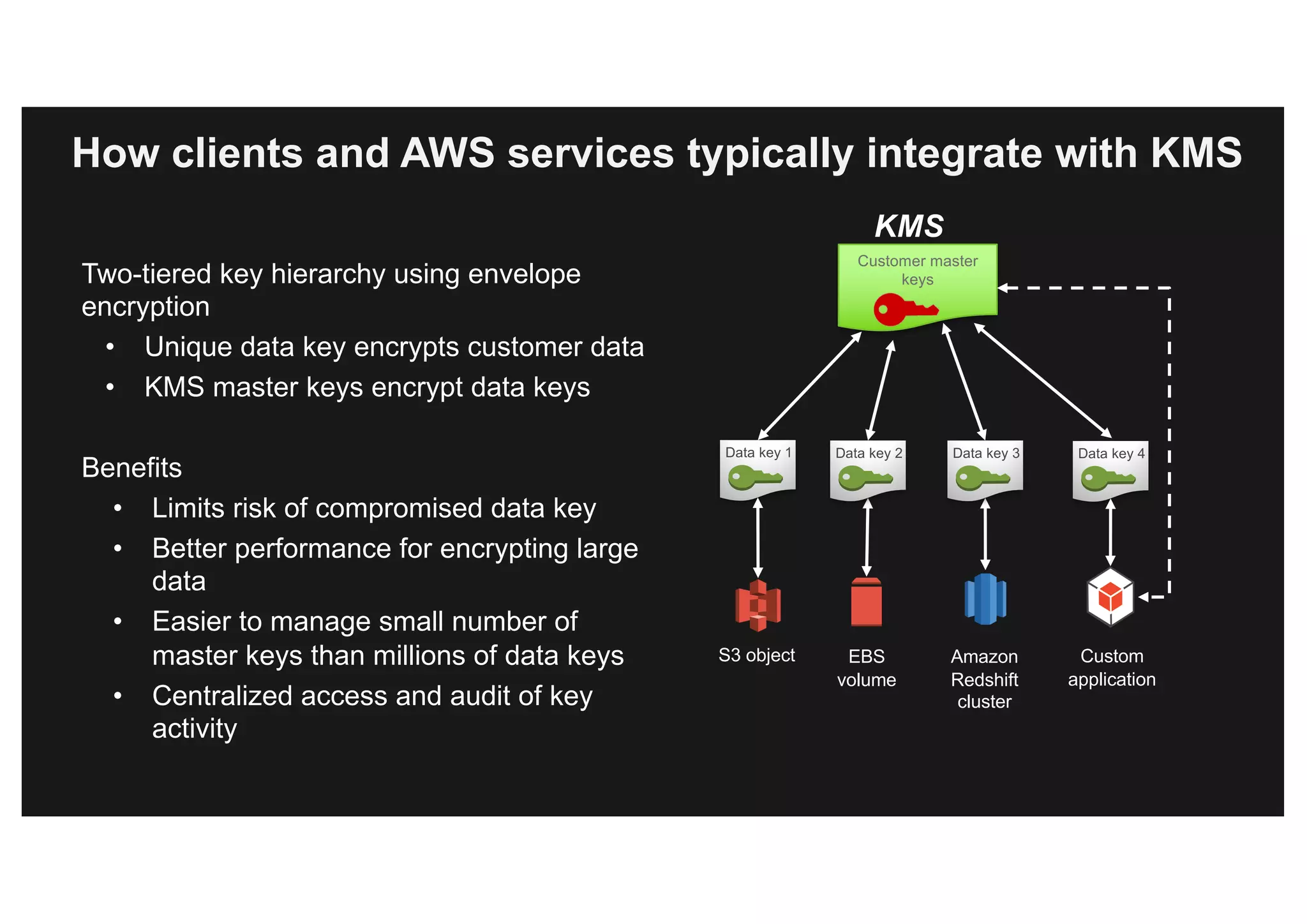
How clients and AWS services typically integrate with KMS
Two-tiered key hierarchy using envelope
encryption
• Unique data key encrypts customer data
• KMS master keys encrypt data keys
Benefits
• Limits risk of compromised data key
• Better performance for encrypting large
data
• Easier to manage small number of
master keys than millions of data keys
• Centralized access and audit of key
activity
Customer master
keys
Data key 1
S3 object EBS
volume
Amazon
Redshift
cluster
Data key 2 Data key 3 Data key 4
Custom
application
KMS
Your application or
AWS service
+
Data key Encrypted data key
Encrypted
data
Master keys in
customer’s account
KMS
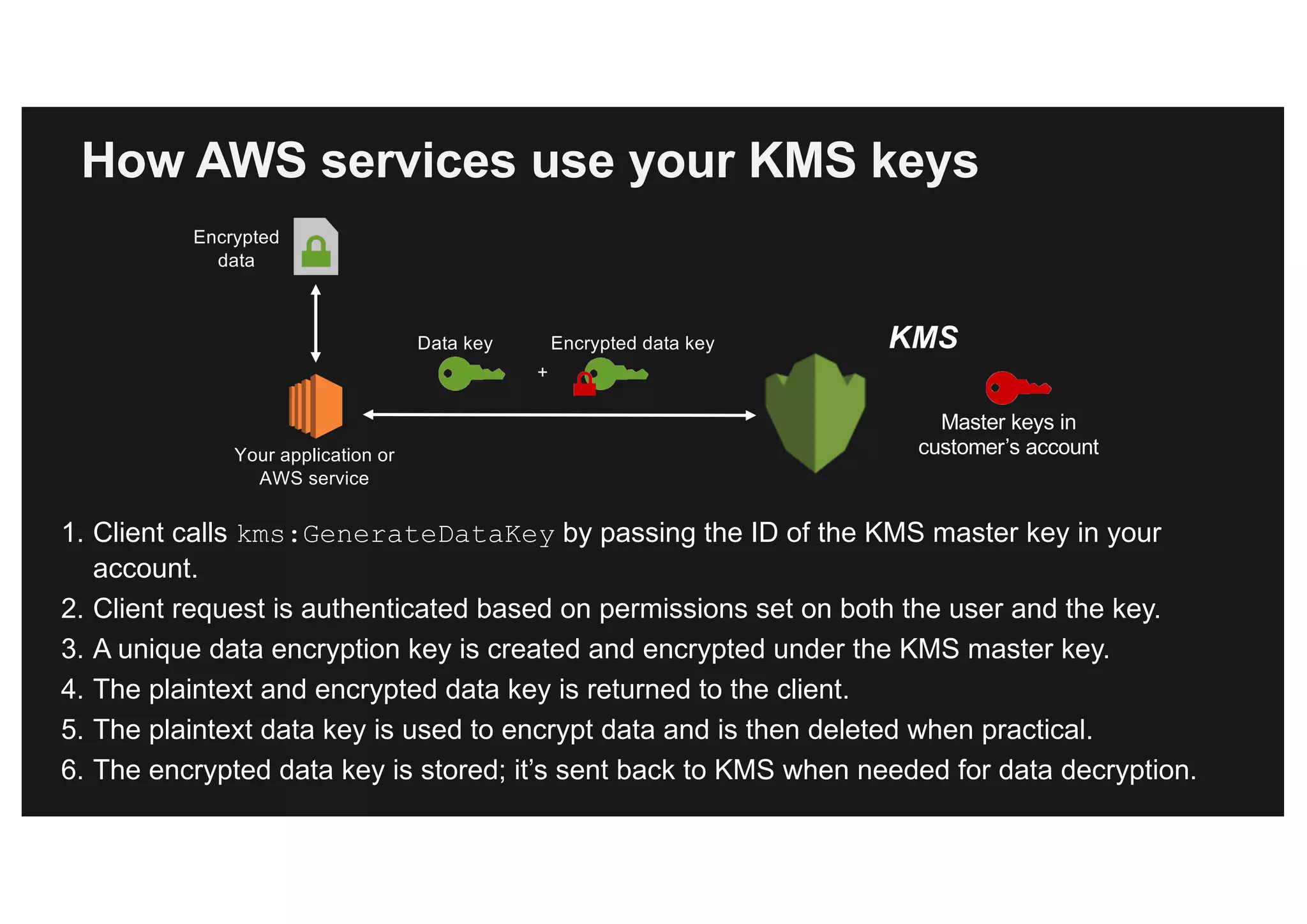
How AWS services use your KMS keys
1. Client calls kms:GenerateDataKey by passing the ID of the KMS master key in your
account.
2. Client request is authenticated based on permissions set on both the user and the key.
3. A unique data encryption key is created and encrypted under the KMS master key.
4. The plaintext and encrypted data key is returned to the client.
5. The plaintext data key is used to encrypt data and is then deleted when practical.
6. The encrypted data key is stored; it’s sent back to KMS when needed for data decryption.
create-volume [--dry-run | --no-dry-run] [--size <value>] [--snapshot-id
<value>] --availability-zone <value> [--volume-type <value>] [--iops <value>]
[--encrypted | --no-encrypted] [--kms-key-id <value>] [--cli-input-json <value>]
[--generate-cli-skeleton]
Console
AWS CLI/SDK
Interfaces to select KMS keys in AWS services
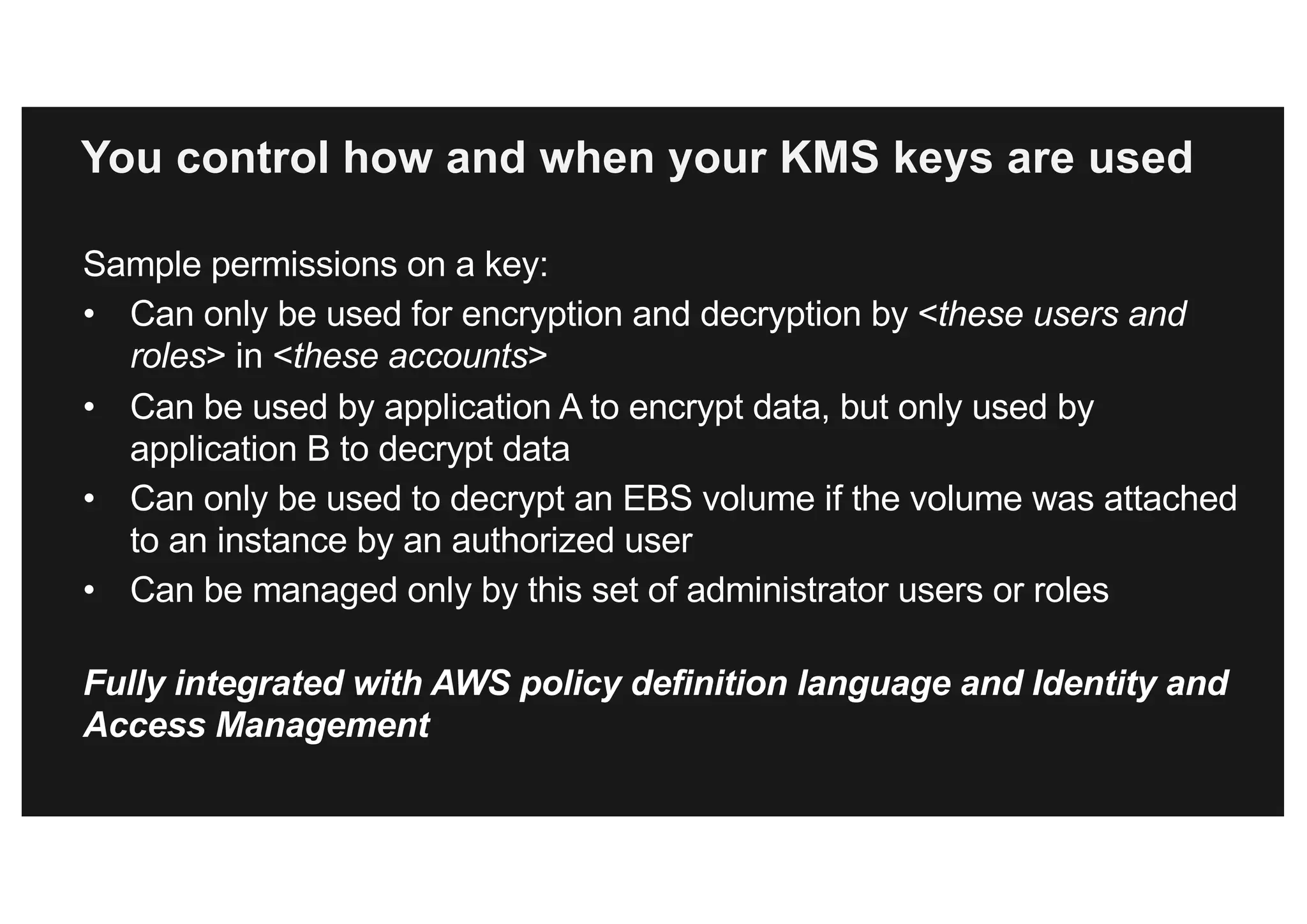
You control how and when your KMS keys are used
Sample permissions on a key:
• Can only be used for encryption and decryption by <these users and
roles> in <these accounts>
• Can be used by application A to encrypt data, but only used by
application B to decrypt data
• Can only be used to decrypt an EBS volume if the volume was attached
to an instance by an authorized user
• Can be managed only by this set of administrator users or roles
Fully integrated with AWS policy definition language and Identity and
Access Management
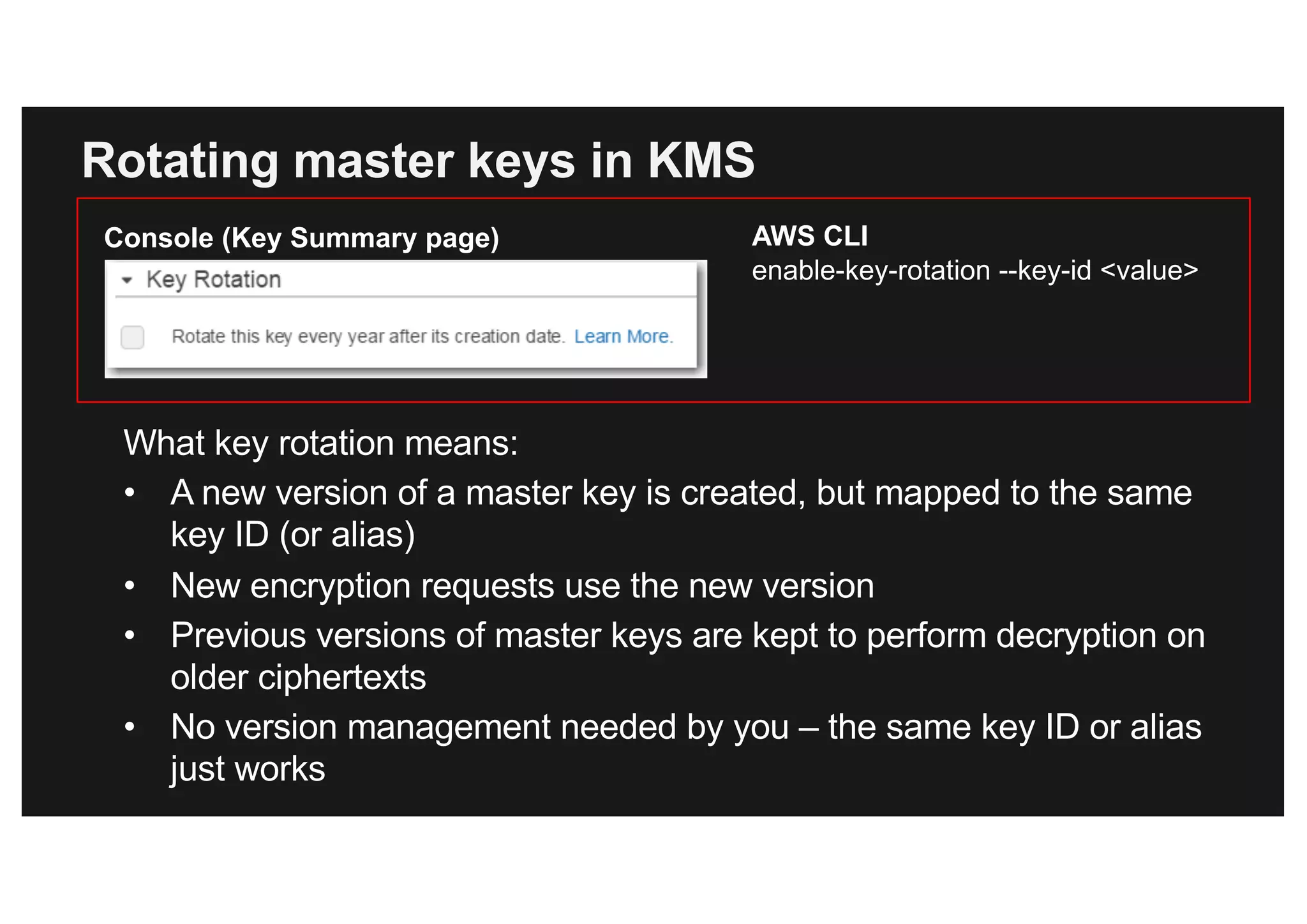
Rotating master keys in KMS
What key rotation means:
• A new version of a master key is created, but mapped to the same
key ID (or alias)
• New encryption requests use the new version
• Previous versions of master keys are kept to perform decryption on
older ciphertexts
• No version management needed by you – the same key ID or alias
just works
AWS CLI
enable-key-rotation --key-id <value>
Console (Key Summary page)
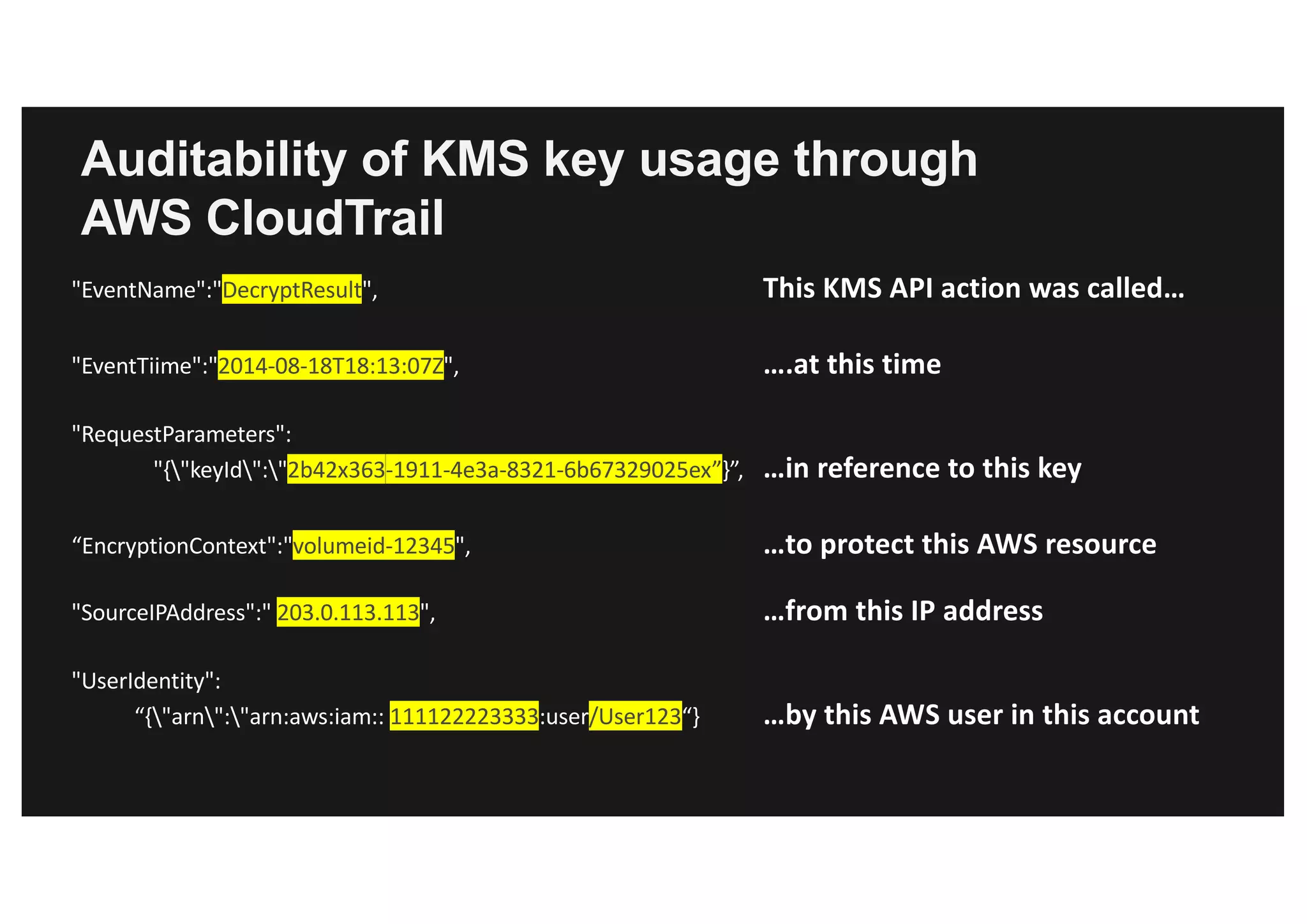
Auditability of KMS key usage through
AWS CloudTrail
"EventName":"DecryptResult", This	KMS	API	action	was	called…
"EventTiime":"2014-08-18T18:13:07Z",			 ….at	this	time	
"RequestParameters":
"{"keyId":"2b42x363-1911-4e3a-8321-6b67329025ex”}”,		 …in	reference	to	this	key
“EncryptionContext":"volumeid-12345",			 …to	protect	this	AWS	resource
"SourceIPAddress":" 203.0.113.113", …from	this	IP	address
"UserIdentity":
“{"arn":"arn:aws:iam:: 111122223333:user/User123“} …by	this	AWS	user	in	this	account
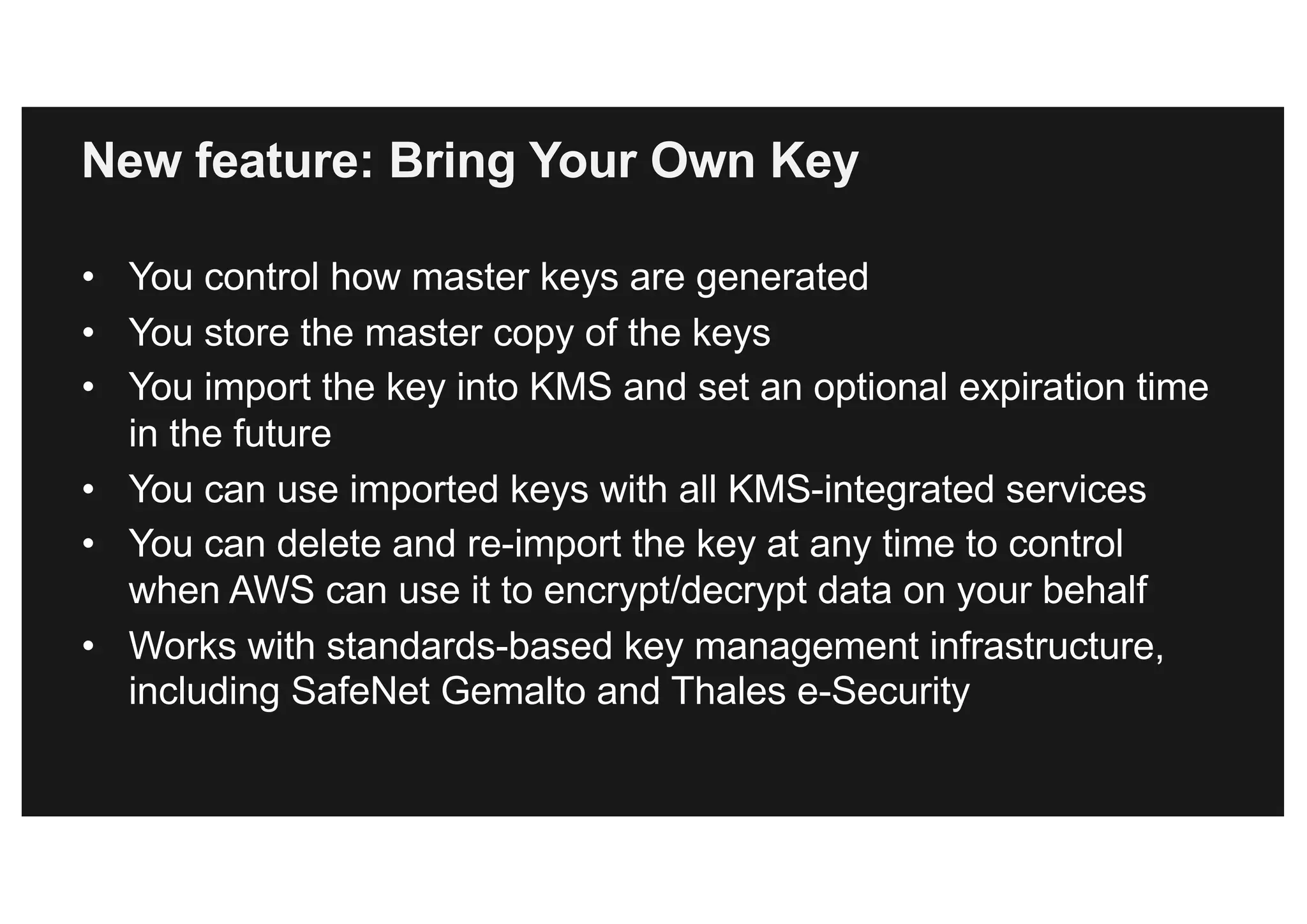
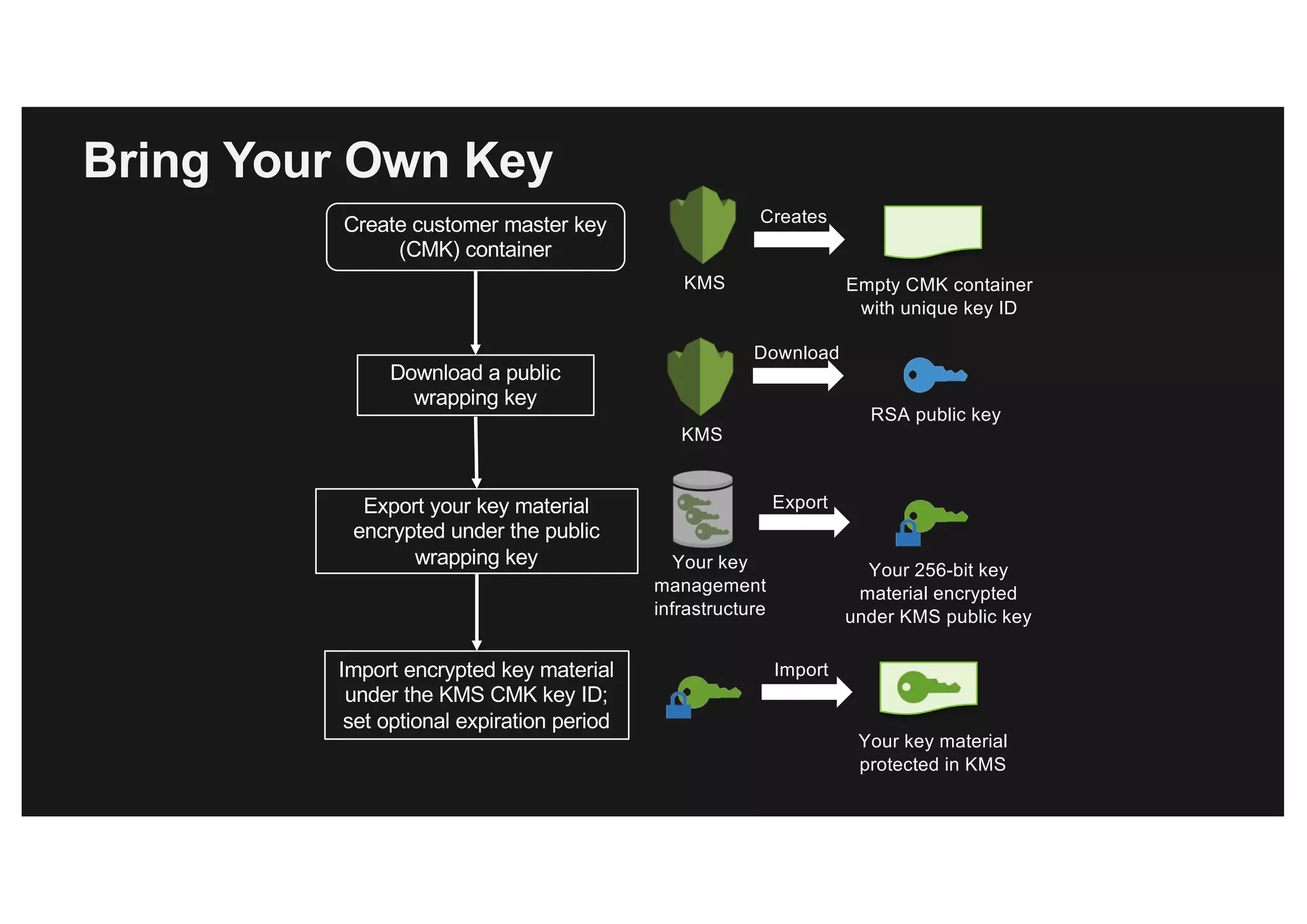
New feature: Bring Your Own Key
• You control how master keys are generated
• You store the master copy of the keys
• You import the key into KMS and set an optional expiration time
in the future
• You can use imported keys with all KMS-integrated services
• You can delete and re-import the key at any time to control
when AWS can use it to encrypt/decrypt data on your behalf
• Works with standards-based key management infrastructure,
including SafeNet Gemalto and Thales e-Security
Bring Your Own Key
Import encrypted key material
under the KMS CMK key ID;
set optional expiration period
Import
Your key material
protected in KMS
Download a public
wrapping key
KMS
Download
RSA public key
Create customer master key
(CMK) container
Empty CMK container
with unique key ID
KMS
Creates
Export your key material
encrypted under the public
wrapping key Your key
management
infrastructure
Export
Your 256-bit key
material encrypted
under KMS public key
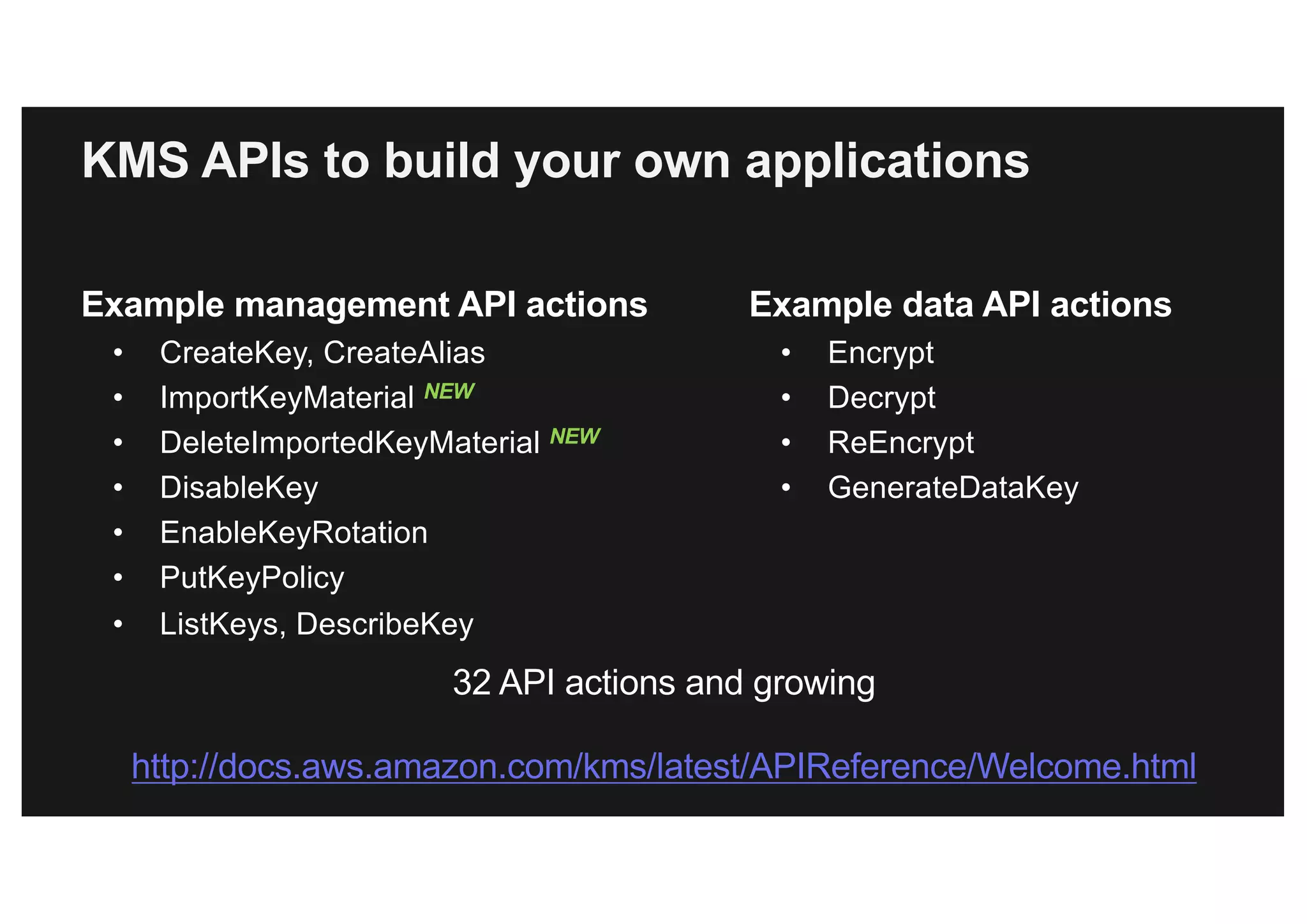
KMS APIs to build your own applications
Example management API actions
• CreateKey, CreateAlias
• ImportKeyMaterial NEW
• DeleteImportedKeyMaterial NEW
• DisableKey
• EnableKeyRotation
• PutKeyPolicy
• ListKeys, DescribeKey
Example data API actions
• Encrypt
• Decrypt
• ReEncrypt
• GenerateDataKey
32 API actions and growing
http://docs.aws.amazon.com/kms/latest/APIReference/Welcome.html
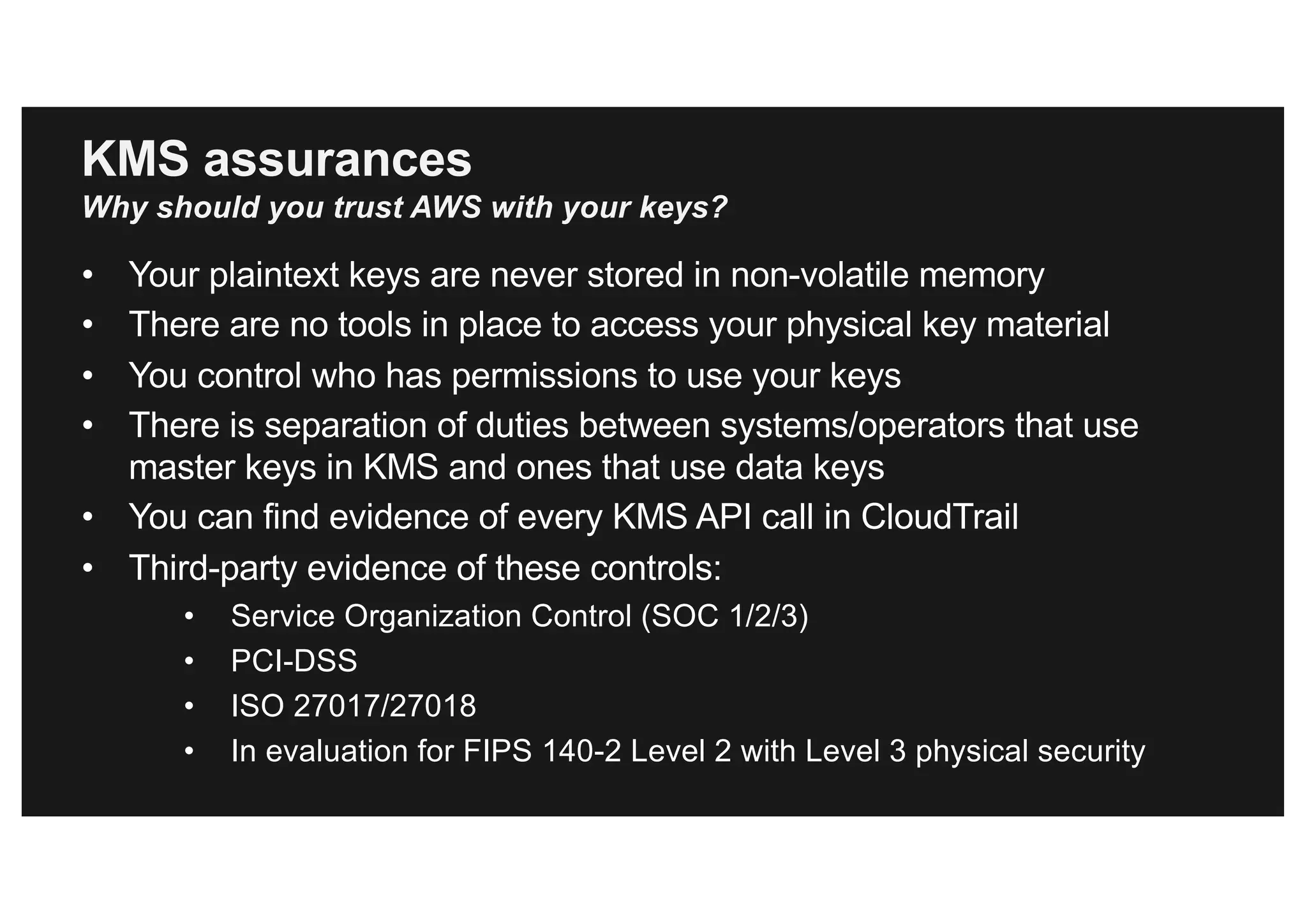
KMS assurances
Why should you trust AWS with your keys?
• Your plaintext keys are never stored in non-volatile memory
• There are no tools in place to access your physical key material
• You control who has permissions to use your keys
• There is separation of duties between systems/operators that use
master keys in KMS and ones that use data keys
• You can find evidence of every KMS API call in CloudTrail
• Third-party evidence of these controls:
• Service Organization Control (SOC 1/2/3)
• PCI-DSS
• ISO 27017/27018
• In evaluation for FIPS 140-2 Level 2 with Level 3 physical security
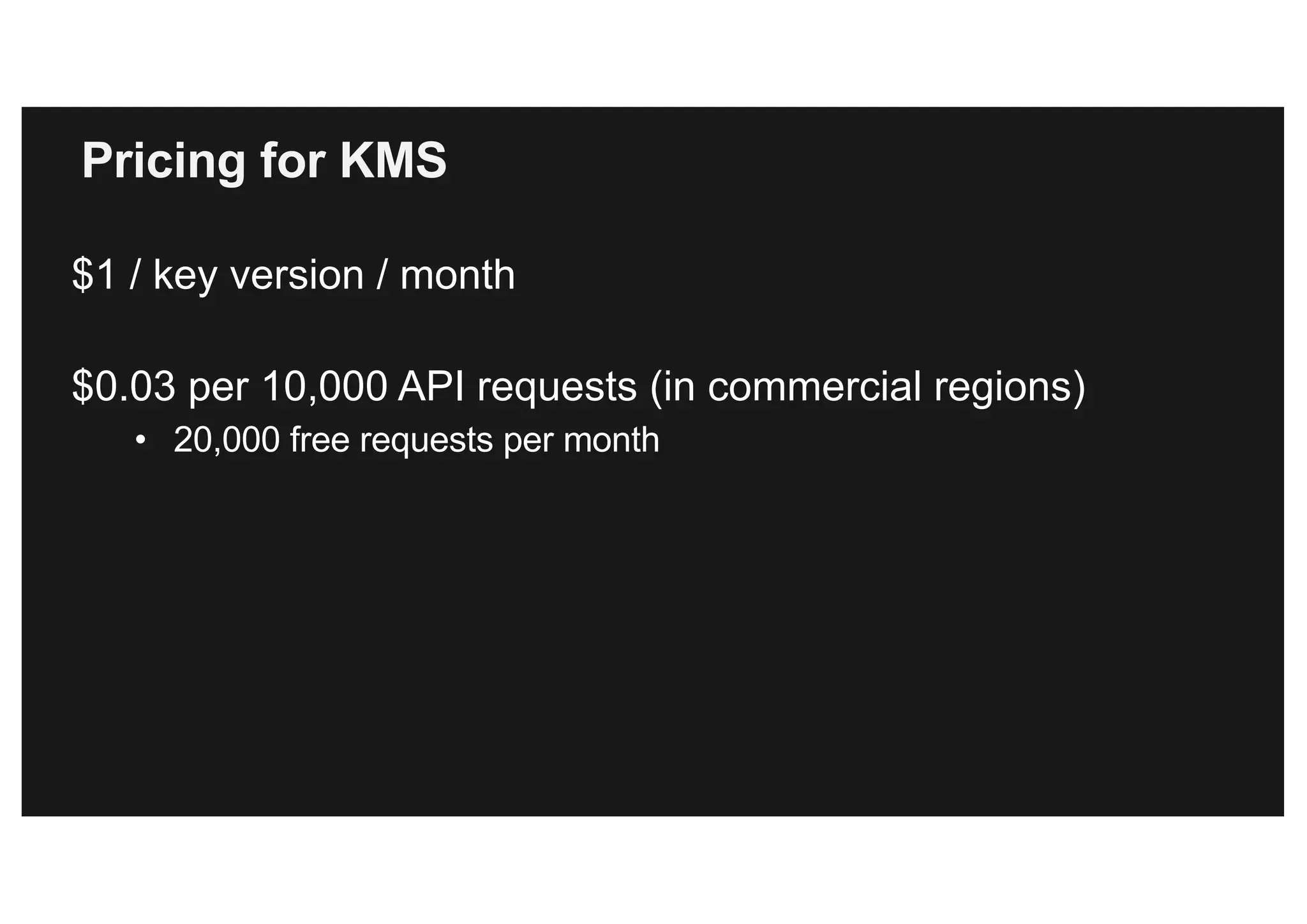
Pricing for KMS
$1 / key version / month
$0.03 per 10,000 API requests (in commercial regions)
• 20,000 free requests per month
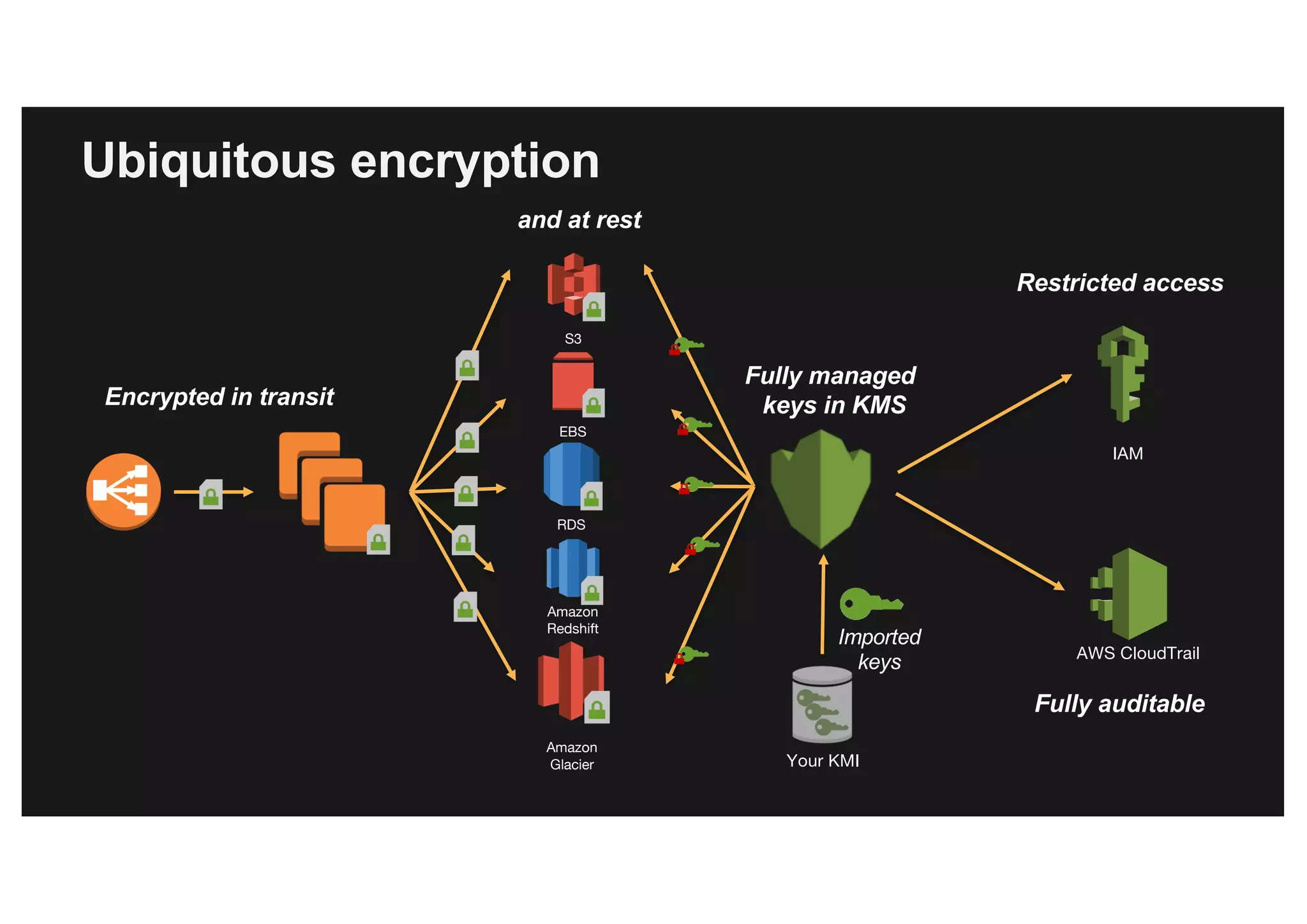
Ubiquitous encryption
EBS
RDS
Amazon
Redshift
S3
Amazon
Glacier
Encrypted in transit
AWS CloudTrail
IAM
Fully auditable
Restricted access
and at rest
Fully managed
keys in KMS
Imported
keys
Your KMI
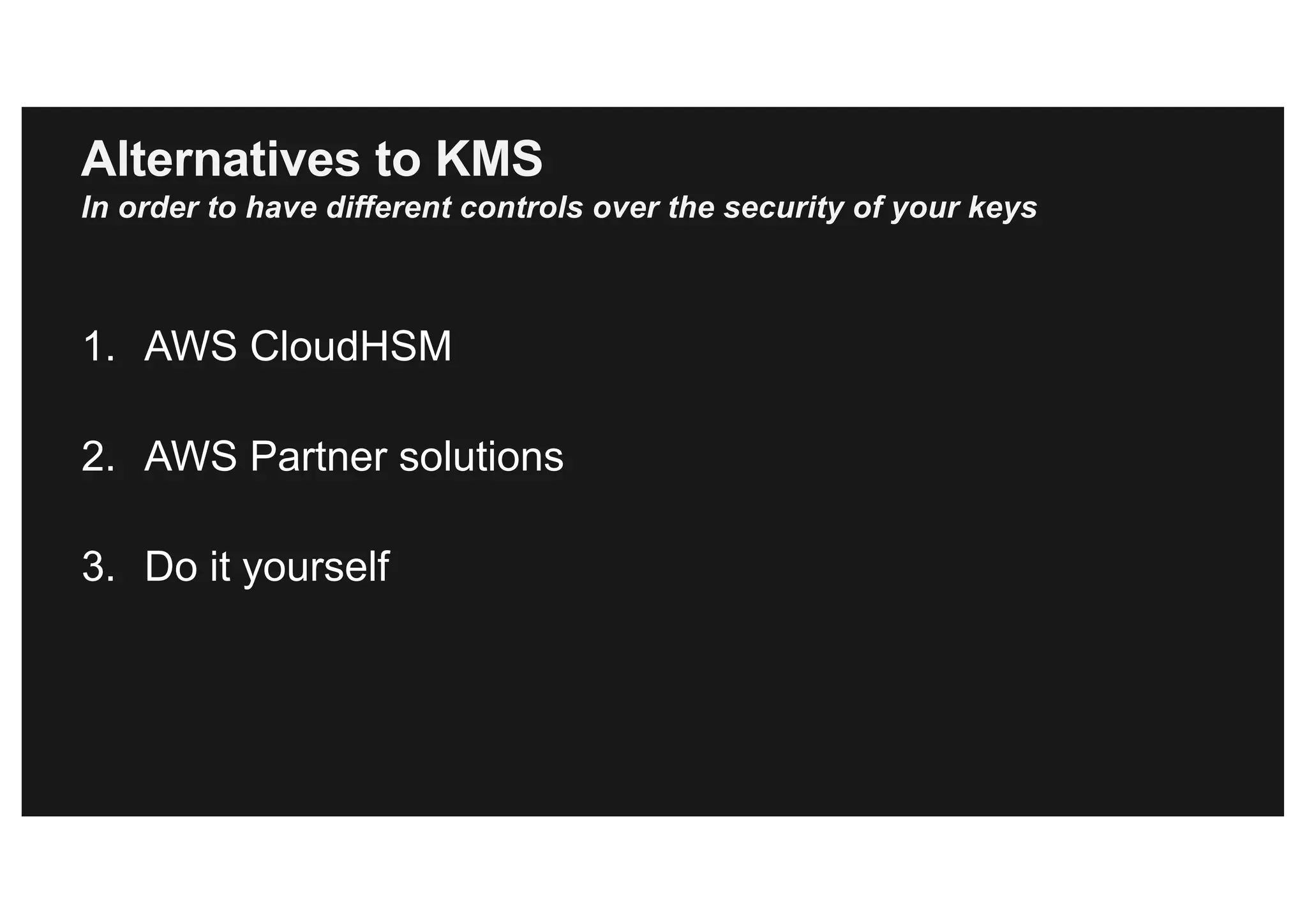
Alternatives to KMS
In order to have different controls over the security of your keys
1. AWS CloudHSM
2. AWS Partner solutions
3. Do it yourself
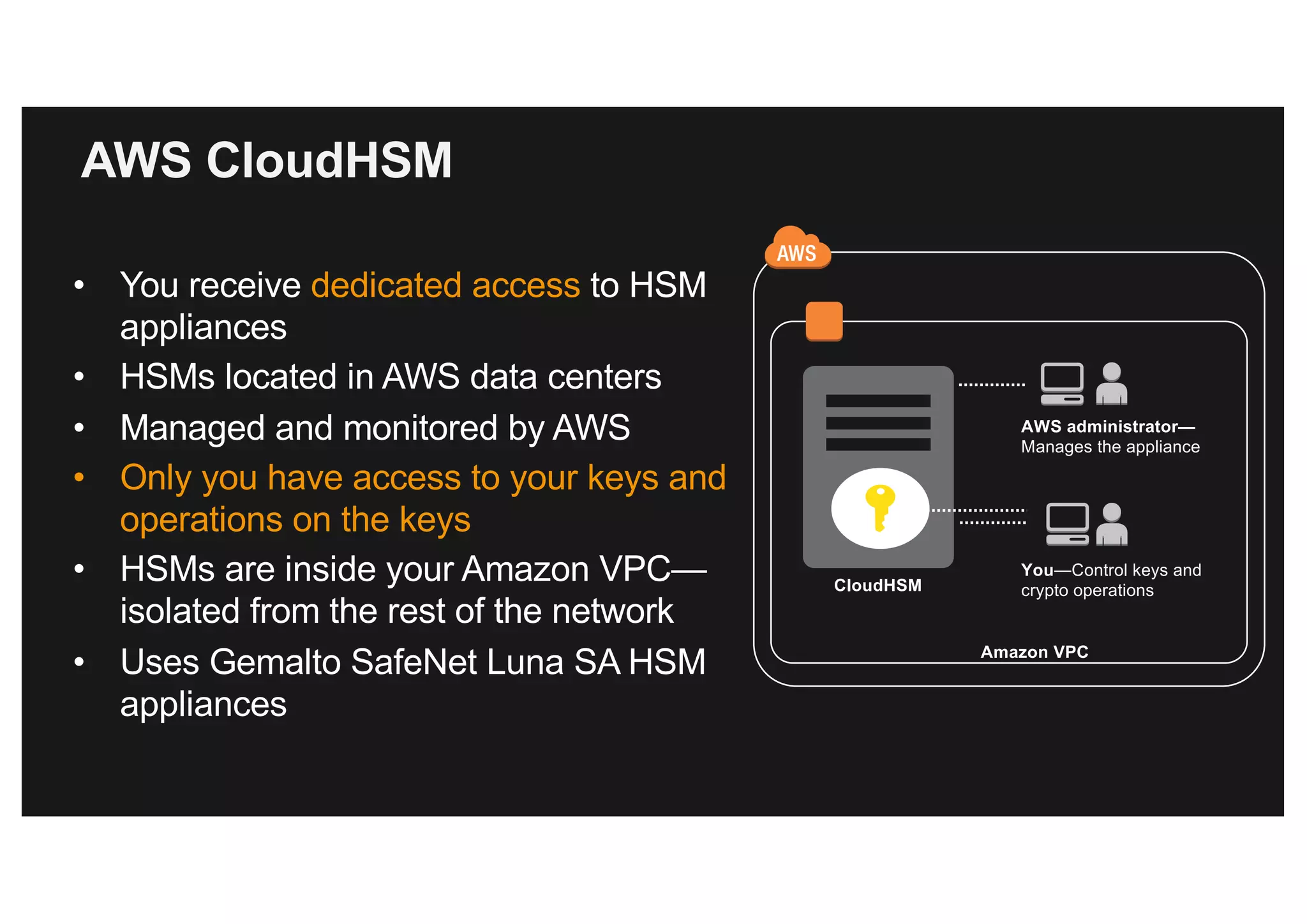
AWS CloudHSM
• You receive dedicated access to HSM
appliances
• HSMs located in AWS data centers
• Managed and monitored by AWS
• Only you have access to your keys and
operations on the keys
• HSMs are inside your Amazon VPC—
isolated from the rest of the network
• Uses Gemalto SafeNet Luna SA HSM
appliances
CloudHSM
AWS administrator—
Manages the appliance
You—Control keys and
crypto operations
Amazon VPC
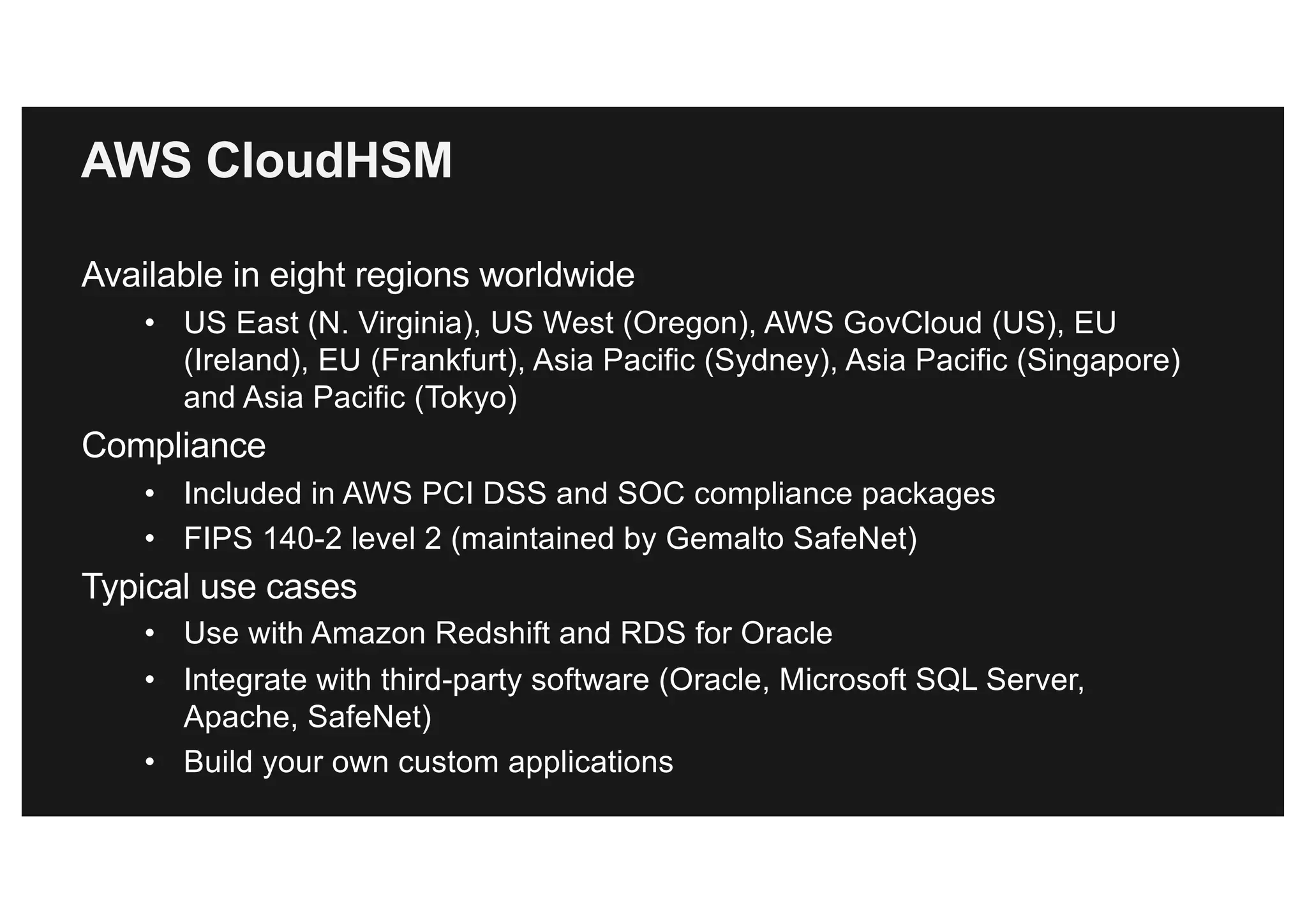
AWS CloudHSM
Available in eight regions worldwide
• US East (N. Virginia), US West (Oregon), AWS GovCloud (US), EU
(Ireland), EU (Frankfurt), Asia Pacific (Sydney), Asia Pacific (Singapore)
and Asia Pacific (Tokyo)
Compliance
• Included in AWS PCI DSS and SOC compliance packages
• FIPS 140-2 level 2 (maintained by Gemalto SafeNet)
Typical use cases
• Use with Amazon Redshift and RDS for Oracle
• Integrate with third-party software (Oracle, Microsoft SQL Server,
Apache, SafeNet)
• Build your own custom applications
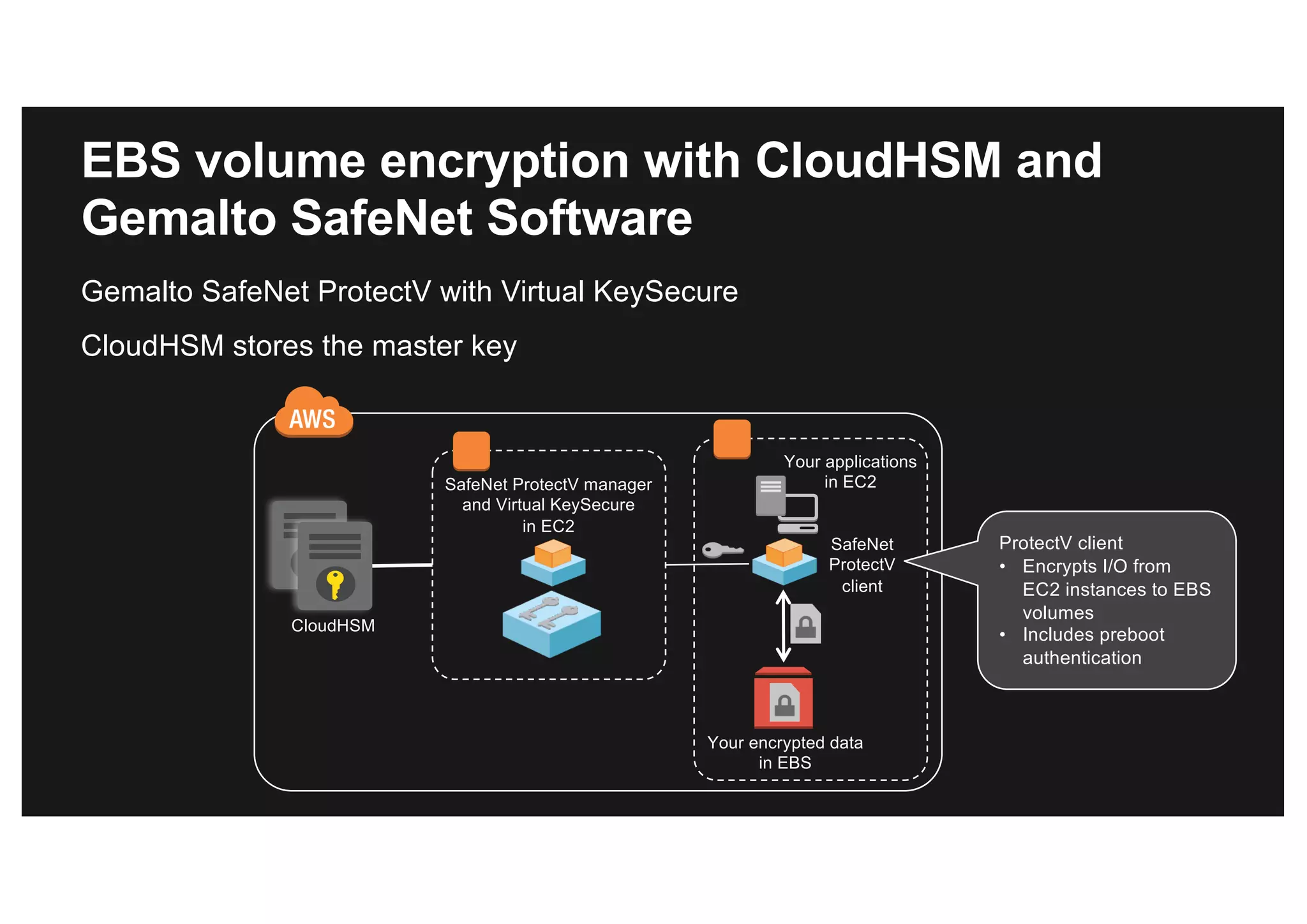
SafeNet ProtectV manager
and Virtual KeySecure
in EC2
EBS volume encryption with CloudHSM and
Gemalto SafeNet Software
Gemalto SafeNet ProtectV with Virtual KeySecure
CloudHSM stores the master key
SafeNet
ProtectV
client
CloudHSM
Your encrypted data
in EBS
Your applications
in EC2
ProtectV client
• Encrypts I/O from
EC2 instances to EBS
volumes
• Includes preboot
authentication
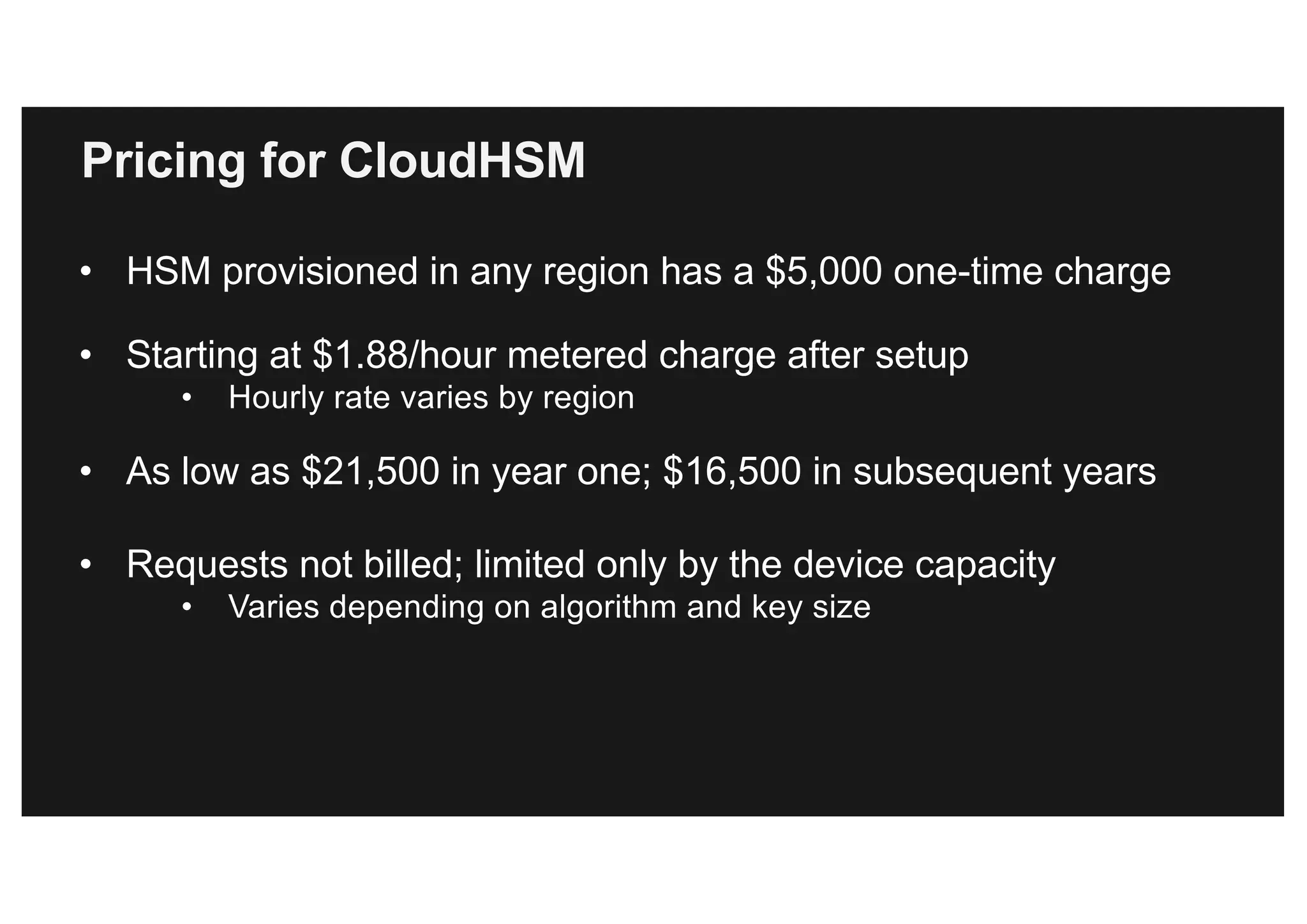
Pricing for CloudHSM
• HSM provisioned in any region has a $5,000 one-time charge
• Starting at $1.88/hour metered charge after setup
• Hourly rate varies by region
• As low as $21,500 in year one; $16,500 in subsequent years
• Requests not billed; limited only by the device capacity
• Varies depending on algorithm and key size
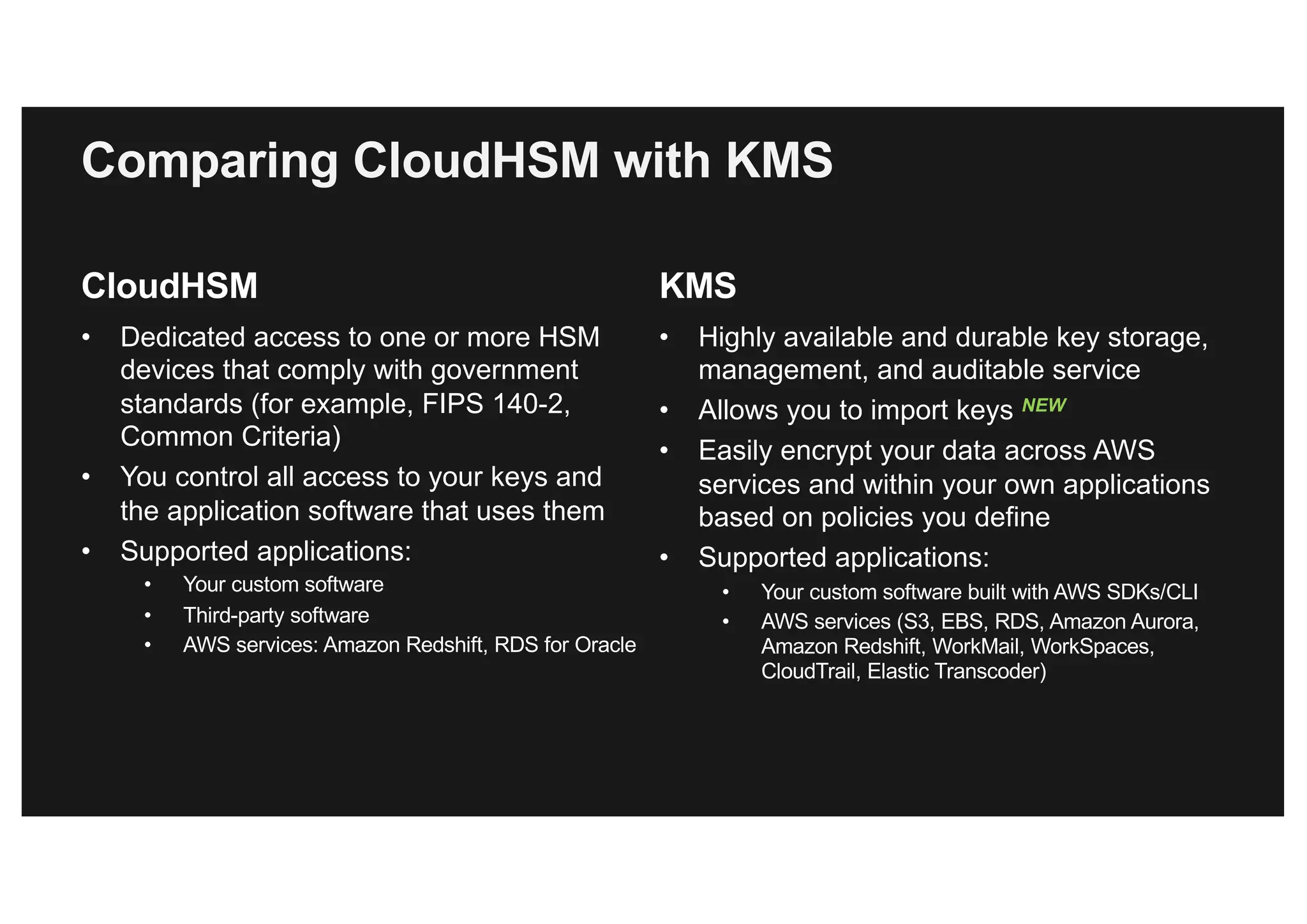
Comparing CloudHSM with KMS
CloudHSM
• Dedicated access to one or more HSM
devices that comply with government
standards (for example, FIPS 140-2,
Common Criteria)
• You control all access to your keys and
the application software that uses them
• Supported applications:
• Your custom software
• Third-party software
• AWS services: Amazon Redshift, RDS for Oracle
KMS
• Highly available and durable key storage,
management, and auditable service
• Allows you to import keys NEW
• Easily encrypt your data across AWS
services and within your own applications
based on policies you define
• Supported applications:
• Your custom software built with AWS SDKs/CLI
• AWS services (S3, EBS, RDS, Amazon Aurora,
Amazon Redshift, WorkMail, WorkSpaces,
CloudTrail, Elastic Transcoder)
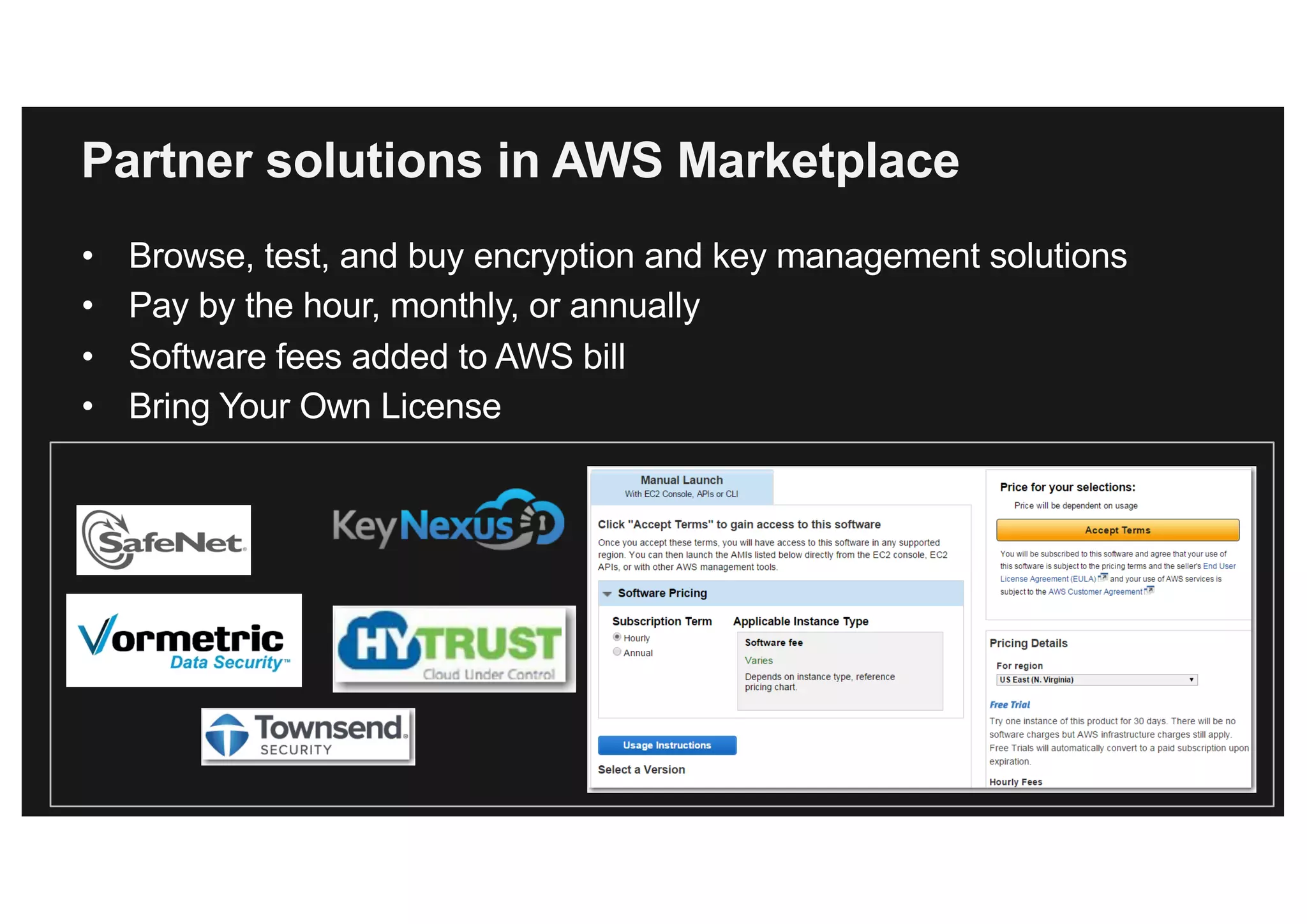
Partner solutions in AWS Marketplace
• Browse, test, and buy encryption and key management solutions
• Pay by the hour, monthly, or annually
• Software fees added to AWS bill
• Bring Your Own License
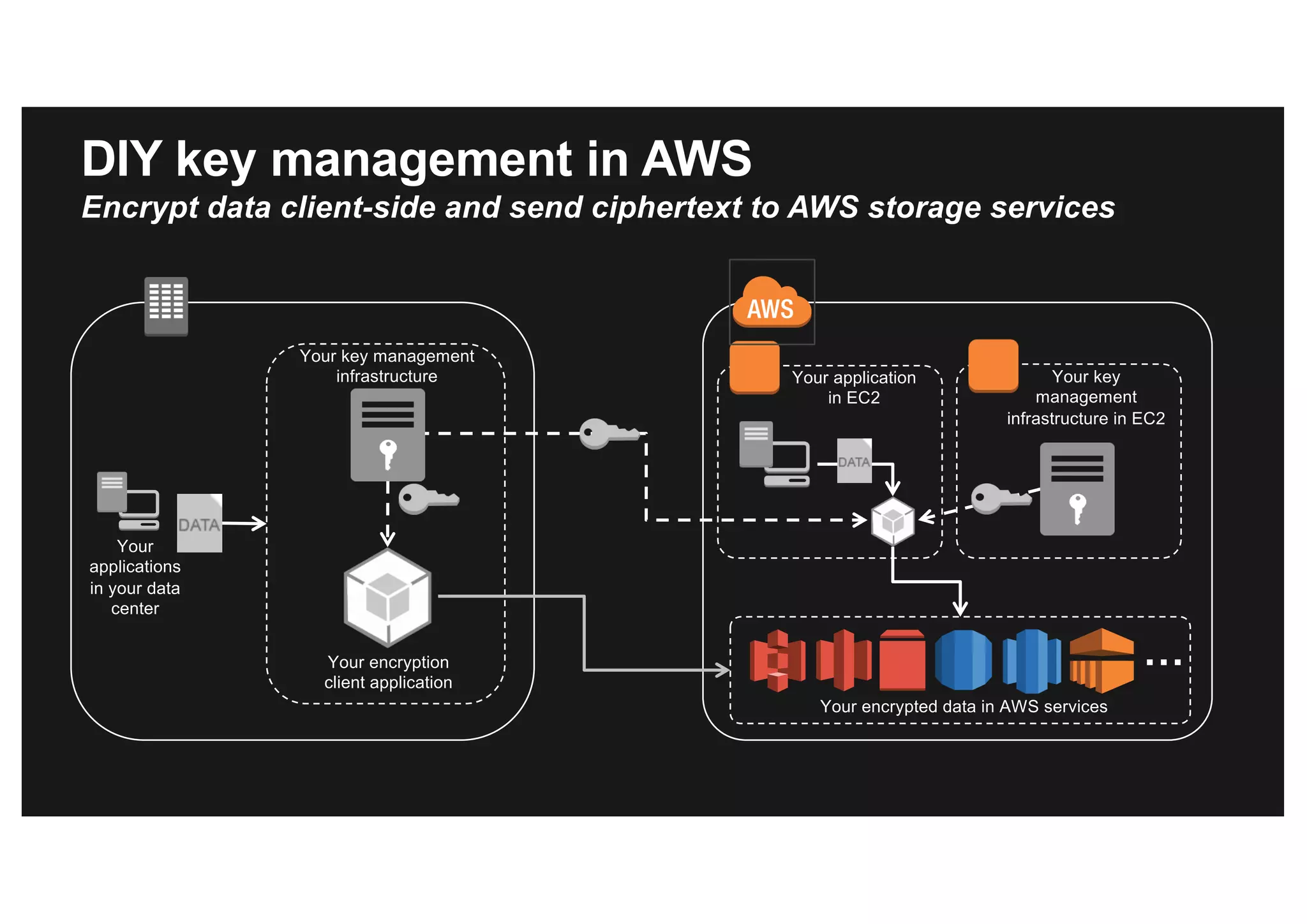
Your encryption
client application
Your key management
infrastructure
Your
applications
in your data
center
Your application
in EC2
Your key
management
infrastructure in EC2
Your encrypted data in AWS services
…
DIY key management in AWS
Encrypt data client-side and send ciphertext to AWS storage services
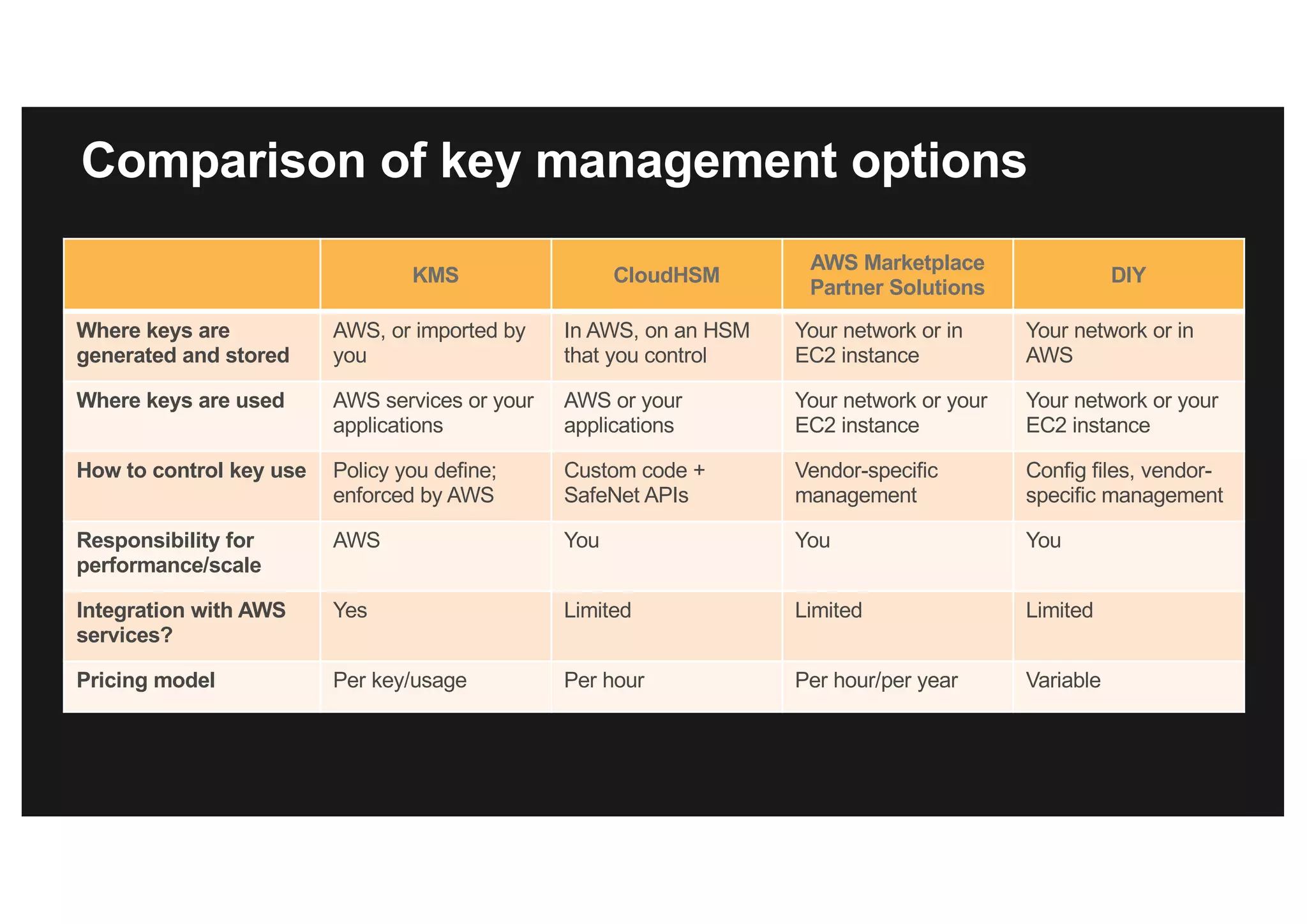
Comparison of key management options
KMS CloudHSM
AWS Marketplace
Partner Solutions
DIY
Where keys are
generated and stored
AWS, or imported by
you
In AWS, on an HSM
that you control
Your network or in
EC2 instance
Your network or in
AWS
Where keys are used AWS services or your
applications
AWS or your
applications
Your network or your
EC2 instance
Your network or your
EC2 instance
How to control key use Policy you define;
enforced by AWS
Custom code +
SafeNet APIs
Vendor-specific
management
Config files, vendor-
specific management
Responsibility for
performance/scale
AWS You You You
Integration with AWS
services?
Yes Limited Limited Limited
Pricing model Per key/usage Per hour Per hour/per year Variable
Thank you!

Protecting your data in AWS

  • 1.
    Š 2016, AmazonWeb Services, Inc. or its Affiliates. All rights reserved. Protecting Your Data in AWS Dinah Barrett - Senior Partner Solutions Architect, AWS August 11, 2016
  • 2.
  • 3.
    Authenticating AWS toyou and protecting confidentiality using TLS • TLS can be used with every AWS API to protect data upload/download and configuration change • You can provide your own certificates to be presented to your customers when using: • Elastic Load Balancing • Amazon CloudFront (content distribution network)
  • 4.
    AWS Certificate Manager(ACM) • Provision trusted SSL/TLS certificates from AWS for use with AWS resources: • Elastic Load Balancing • Amazon CloudFront distributions • AWS handles the muck • Key pair and CSR generation • Managed renewal and deployment • Domain validation (DV) through email • Available through AWS Management Console, AWS Command Line Interface (AWS CLI), or API
  • 5.
    ACM-provided certificates Domain names •Single domain name: www.example.com • Wildcard domain names: *.example.com • Combination of wildcard and non-wildcard names • Multiple domain names in the same certificate (up to 10) ACM-provided certificates are managed • Private keys are generated, protected, and managed • ACM-provided certificates cannot be used on Amazon EC2 instances or on-premises servers • Can be used with AWS services, such as Elastic Load Balancing and Amazon CloudFront Algorithms • RSA 2048 and SHA-256 Free
  • 6.
    Making TLS workbetter in your apps • “signal to noise” • A TLS library designed by AWS to help your developers implement transport security with faster performance • Avoids implementing rarely used TLS options and extensions; ~6,000 lines of code https://github.com/awslabs/s2n
  • 7.
  • 8.
    Plaintext data Hardware/ software Encrypted data Encrypted data in storage Encrypted datakey Symmetric data key Master keySymmetric data key ? Key hierarchy ? Data-at-rest encryption primer
  • 9.
    Where are keysgenerated and stored? • Hardware you own? • Hardware the cloud provider owns? Where are keys used? • Client software you control? • Server software the cloud provider controls? Who can use the keys? • Users and applications that have permissions? • Cloud provider applications you give permissions? What assurances are there for proper security around keys? “Key” questions to consider with any solution
  • 10.
    Client-side encryption • Youencrypt your data before data submitted to service • You supply encryption keys OR use keys in your AWS account • Available clients: • S3, EMR File System (EMRFS), DynamoDB, AWS Encryption SDK Server-side encryption • AWS encrypts data on your behalf after data is received by service • 19 integrated services including S3, Snowball, EBS, RDS, Amazon Redshift, WorkSpaces, Amazon Kinesis Firehose, CloudTrail Options for using encryption in AWS
  • 11.
    Your applications in your data center Yourkey management infrastructure in EC2 Your encryption client application Your key management infrastructure Your application in EC2 Your encrypted data in select AWS services Client-side encryption in AWS S3, EMRFS, DynamoDB, and AWS Encryption SDK
  • 12.
    Amazon S3 Web Server HTTPS Customer data AmazonS3 storage fleet Key is used at S3 web server, and then deleted. Customer must provide same key when downloading to allow S3 to decrypt data. Customer- provided key Server-side encryption in AWS S3 server-side encryption with customer-provided encryption keys (SSE-C) Plaintext data Encrypted data Customer- provided key
  • 13.
    AWS Key ManagementService (AWS KMS) • Managed service that simplifies creation, control, rotation, deletion, and use of encryption keys in your applications • Integrated with 19 AWS services for server-side encryption • Integrated with AWS service clients/SDKs • S3, EMRFS, DynamoDB, AWS Encryption SDK • Integrated with CloudTrail to provide auditable logs of key usage for regulatory and compliance activities • Available in all commercial regions except China
  • 14.
    AWS KMS Integrated withAWS Identity and Access Management (IAM) console
  • 15.
    KMS integration withAWS services • Storage: EBS, S3, Snowball, ECS • Database: All RDS engines, DMS • Data analytics: Redshift, EMR, Kinesis Firehose • Enterprise apps: WorkMail, WorkSpaces • Developer tools: AWS CodeCommit, AWS CodePipeline • Management: CloudTrail, CloudWatch Logs • App svcs: Elastic Transcoder, Simple Email Service, CloudSearch • AWS IoT
  • 16.
    How clients andAWS services typically integrate with KMS Two-tiered key hierarchy using envelope encryption • Unique data key encrypts customer data • KMS master keys encrypt data keys Benefits • Limits risk of compromised data key • Better performance for encrypting large data • Easier to manage small number of master keys than millions of data keys • Centralized access and audit of key activity Customer master keys Data key 1 S3 object EBS volume Amazon Redshift cluster Data key 2 Data key 3 Data key 4 Custom application KMS
  • 17.
    Your application or AWSservice + Data key Encrypted data key Encrypted data Master keys in customer’s account KMS How AWS services use your KMS keys 1. Client calls kms:GenerateDataKey by passing the ID of the KMS master key in your account. 2. Client request is authenticated based on permissions set on both the user and the key. 3. A unique data encryption key is created and encrypted under the KMS master key. 4. The plaintext and encrypted data key is returned to the client. 5. The plaintext data key is used to encrypt data and is then deleted when practical. 6. The encrypted data key is stored; it’s sent back to KMS when needed for data decryption.
  • 18.
    create-volume [--dry-run |--no-dry-run] [--size <value>] [--snapshot-id <value>] --availability-zone <value> [--volume-type <value>] [--iops <value>] [--encrypted | --no-encrypted] [--kms-key-id <value>] [--cli-input-json <value>] [--generate-cli-skeleton] Console AWS CLI/SDK Interfaces to select KMS keys in AWS services
  • 19.
    You control howand when your KMS keys are used Sample permissions on a key: • Can only be used for encryption and decryption by <these users and roles> in <these accounts> • Can be used by application A to encrypt data, but only used by application B to decrypt data • Can only be used to decrypt an EBS volume if the volume was attached to an instance by an authorized user • Can be managed only by this set of administrator users or roles Fully integrated with AWS policy definition language and Identity and Access Management
  • 20.
    Rotating master keysin KMS What key rotation means: • A new version of a master key is created, but mapped to the same key ID (or alias) • New encryption requests use the new version • Previous versions of master keys are kept to perform decryption on older ciphertexts • No version management needed by you – the same key ID or alias just works AWS CLI enable-key-rotation --key-id <value> Console (Key Summary page)
  • 21.
    Auditability of KMSkey usage through AWS CloudTrail "EventName":"DecryptResult", This KMS API action was called… "EventTiime":"2014-08-18T18:13:07Z", ….at this time "RequestParameters": "{"keyId":"2b42x363-1911-4e3a-8321-6b67329025ex”}”, …in reference to this key “EncryptionContext":"volumeid-12345", …to protect this AWS resource "SourceIPAddress":" 203.0.113.113", …from this IP address "UserIdentity": “{"arn":"arn:aws:iam:: 111122223333:user/User123“} …by this AWS user in this account
  • 22.
    New feature: BringYour Own Key • You control how master keys are generated • You store the master copy of the keys • You import the key into KMS and set an optional expiration time in the future • You can use imported keys with all KMS-integrated services • You can delete and re-import the key at any time to control when AWS can use it to encrypt/decrypt data on your behalf • Works with standards-based key management infrastructure, including SafeNet Gemalto and Thales e-Security
  • 23.
    Bring Your OwnKey Import encrypted key material under the KMS CMK key ID; set optional expiration period Import Your key material protected in KMS Download a public wrapping key KMS Download RSA public key Create customer master key (CMK) container Empty CMK container with unique key ID KMS Creates Export your key material encrypted under the public wrapping key Your key management infrastructure Export Your 256-bit key material encrypted under KMS public key
  • 24.
    KMS APIs tobuild your own applications Example management API actions • CreateKey, CreateAlias • ImportKeyMaterial NEW • DeleteImportedKeyMaterial NEW • DisableKey • EnableKeyRotation • PutKeyPolicy • ListKeys, DescribeKey Example data API actions • Encrypt • Decrypt • ReEncrypt • GenerateDataKey 32 API actions and growing http://docs.aws.amazon.com/kms/latest/APIReference/Welcome.html
  • 25.
    KMS assurances Why shouldyou trust AWS with your keys? • Your plaintext keys are never stored in non-volatile memory • There are no tools in place to access your physical key material • You control who has permissions to use your keys • There is separation of duties between systems/operators that use master keys in KMS and ones that use data keys • You can find evidence of every KMS API call in CloudTrail • Third-party evidence of these controls: • Service Organization Control (SOC 1/2/3) • PCI-DSS • ISO 27017/27018 • In evaluation for FIPS 140-2 Level 2 with Level 3 physical security
  • 26.
    Pricing for KMS $1/ key version / month $0.03 per 10,000 API requests (in commercial regions) • 20,000 free requests per month
  • 27.
    Ubiquitous encryption EBS RDS Amazon Redshift S3 Amazon Glacier Encrypted intransit AWS CloudTrail IAM Fully auditable Restricted access and at rest Fully managed keys in KMS Imported keys Your KMI
  • 28.
    Alternatives to KMS Inorder to have different controls over the security of your keys 1. AWS CloudHSM 2. AWS Partner solutions 3. Do it yourself
  • 29.
    AWS CloudHSM • Youreceive dedicated access to HSM appliances • HSMs located in AWS data centers • Managed and monitored by AWS • Only you have access to your keys and operations on the keys • HSMs are inside your Amazon VPC— isolated from the rest of the network • Uses Gemalto SafeNet Luna SA HSM appliances CloudHSM AWS administrator— Manages the appliance You—Control keys and crypto operations Amazon VPC
  • 30.
    AWS CloudHSM Available ineight regions worldwide • US East (N. Virginia), US West (Oregon), AWS GovCloud (US), EU (Ireland), EU (Frankfurt), Asia Pacific (Sydney), Asia Pacific (Singapore) and Asia Pacific (Tokyo) Compliance • Included in AWS PCI DSS and SOC compliance packages • FIPS 140-2 level 2 (maintained by Gemalto SafeNet) Typical use cases • Use with Amazon Redshift and RDS for Oracle • Integrate with third-party software (Oracle, Microsoft SQL Server, Apache, SafeNet) • Build your own custom applications
  • 31.
    SafeNet ProtectV manager andVirtual KeySecure in EC2 EBS volume encryption with CloudHSM and Gemalto SafeNet Software Gemalto SafeNet ProtectV with Virtual KeySecure CloudHSM stores the master key SafeNet ProtectV client CloudHSM Your encrypted data in EBS Your applications in EC2 ProtectV client • Encrypts I/O from EC2 instances to EBS volumes • Includes preboot authentication
  • 32.
    Pricing for CloudHSM •HSM provisioned in any region has a $5,000 one-time charge • Starting at $1.88/hour metered charge after setup • Hourly rate varies by region • As low as $21,500 in year one; $16,500 in subsequent years • Requests not billed; limited only by the device capacity • Varies depending on algorithm and key size
  • 33.
    Comparing CloudHSM withKMS CloudHSM • Dedicated access to one or more HSM devices that comply with government standards (for example, FIPS 140-2, Common Criteria) • You control all access to your keys and the application software that uses them • Supported applications: • Your custom software • Third-party software • AWS services: Amazon Redshift, RDS for Oracle KMS • Highly available and durable key storage, management, and auditable service • Allows you to import keys NEW • Easily encrypt your data across AWS services and within your own applications based on policies you define • Supported applications: • Your custom software built with AWS SDKs/CLI • AWS services (S3, EBS, RDS, Amazon Aurora, Amazon Redshift, WorkMail, WorkSpaces, CloudTrail, Elastic Transcoder)
  • 34.
    Partner solutions inAWS Marketplace • Browse, test, and buy encryption and key management solutions • Pay by the hour, monthly, or annually • Software fees added to AWS bill • Bring Your Own License
  • 35.
    Your encryption client application Yourkey management infrastructure Your applications in your data center Your application in EC2 Your key management infrastructure in EC2 Your encrypted data in AWS services … DIY key management in AWS Encrypt data client-side and send ciphertext to AWS storage services
  • 36.
    Comparison of keymanagement options KMS CloudHSM AWS Marketplace Partner Solutions DIY Where keys are generated and stored AWS, or imported by you In AWS, on an HSM that you control Your network or in EC2 instance Your network or in AWS Where keys are used AWS services or your applications AWS or your applications Your network or your EC2 instance Your network or your EC2 instance How to control key use Policy you define; enforced by AWS Custom code + SafeNet APIs Vendor-specific management Config files, vendor- specific management Responsibility for performance/scale AWS You You You Integration with AWS services? Yes Limited Limited Limited Pricing model Per key/usage Per hour Per hour/per year Variable
  • 37.