PROPER ERGONOMICS:
HOW EMPLOYERS SAVE $$$
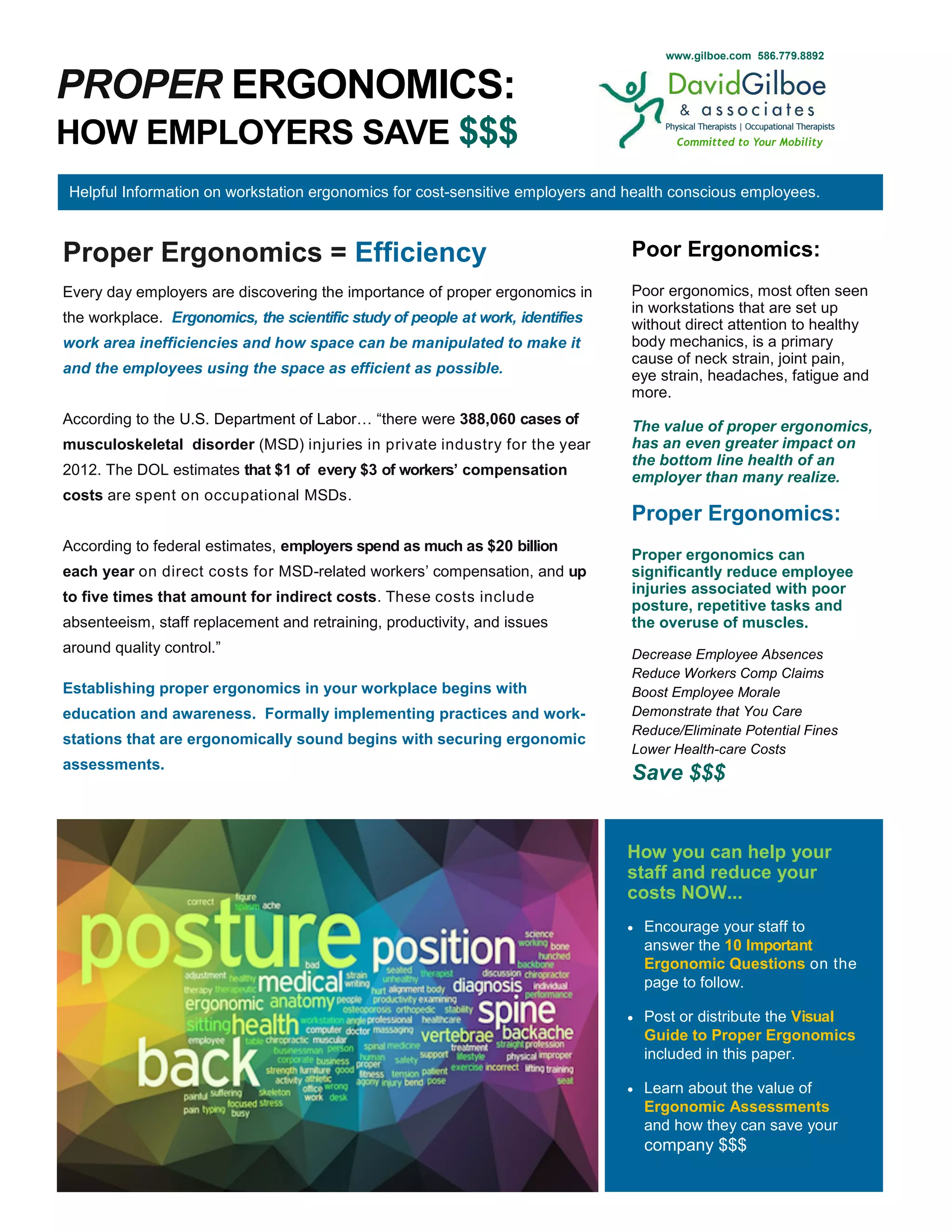
Proper Ergonomics = Efficiency
Every day employers are discovering the importance of proper ergonomics in
the workplace. Ergonomics, the scientific study of people at work, identifies
work area inefficiencies and how space can be manipulated to make it
and the employees using the space as efficient as possible.
According to the U.S. Department of Labor… “there were 388,060 cases of
musculoskeletal disorder (MSD) injuries in private industry for the year
2012. The DOL estimates that $1 of every $3 of workers’ compensation
costs are spent on occupational MSDs.
According to federal estimates, employers spend as much as $20 billion
each year on direct costs for MSD-related workers’ compensation, and up
to five times that amount for indirect costs. These costs include
absenteeism, staff replacement and retraining, productivity, and issues
around quality control.”
Establishing proper ergonomics in your workplace begins with
education and awareness. Formally implementing practices and work-
stations that are ergonomically sound begins with securing ergonomic
assessments.
Helpful Information on workstation ergonomics for cost-sensitive employers and health conscious employees.
Poor Ergonomics:
Poor ergonomics, most often seen
in workstations that are set up
without direct attention to healthy
body mechanics, is a primary
cause of neck strain, joint pain,
eye strain, headaches, fatigue and
more.
The value of proper ergonomics,
has an even greater impact on
the bottom line health of an
employer than many realize.
Proper Ergonomics:
Proper ergonomics can
significantly reduce employee
injuries associated with poor
posture, repetitive tasks and
the overuse of muscles.
Decrease Employee Absences
Reduce Workers Comp Claims
Boost Employee Morale
Demonstrate that You Care
Reduce/Eliminate Potential Fines
Lower Health-care Costs
Save $$$
How you can help your
staff and reduce your
costs NOW...
 Encourage your staff to
answer the 10 Important
Ergonomic Questions on the
page to follow.
 Post or distribute the Visual
Guide to Proper Ergonomics
included in this paper.
 Learn about the value of
Ergonomic Assessments
and how they can save your
company $$$
www.gilboe.com 586.779.8892
PROPER VERSUS IMPROPER ERGONOMICS:
10 IMPORTANT QUESTIONS YOU NEED TO ASK YOURSELF
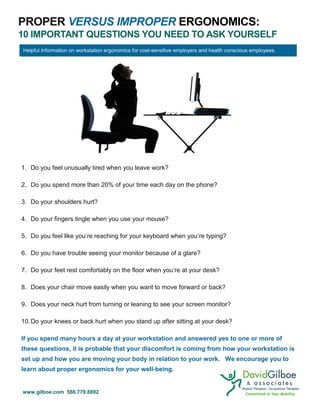
1. Do you feel unusually tired when you leave work?
2. Do you spend more than 20% of your time each day on the phone?
3. Do your shoulders hurt?
4. Do your fingers tingle when you use your mouse?
5. Do you feel like you’re reaching for your keyboard when you’re typing?
6. Do you have trouble seeing your monitor because of a glare?
7. Do your feet rest comfortably on the floor when you’re at your desk?
8. Does your chair move easily when you want to move forward or back?
9. Does your neck hurt from turning or leaning to see your screen monitor?
10.Do your knees or back hurt when you stand up after sitting at your desk?
If you spend many hours a day at your workstation and answered yes to one or more of
these questions, it is probable that your discomfort is coming from how your workstation is
set up and how you are moving your body in relation to your work. We encourage you to
learn about proper ergonomics for your well-being.
Helpful Information on workstation ergonomics for cost-sensitive employers and health conscious employees.
www.gilboe.com 586.779.8892
PROPER VERSUS IMPROPER ERGONOMICS:
A VISUAL GUIDE
Improper Ergonomics can commonly cause… neck pain, eye strain, headaches, shoulder pain, fatigue, back pain, joint pain, carpal
tunnel syndrome, rotator cuff issues, as well as internal health issues such as heart disease and an over-productive pancreas.
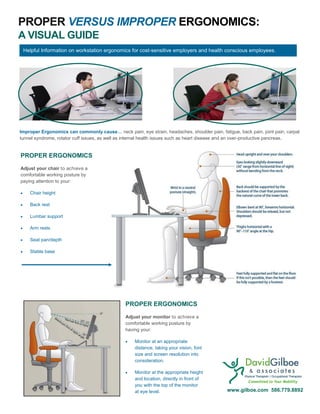
PROPER ERGONOMICS
Adjust your chair to achieve a
comfortable working posture by
paying attention to your:
 Chair height
 Back rest
 Lumbar support
 Arm rests
 Seat pan/depth
 Stable base
PROPER ERGONOMICS
Adjust your monitor to achieve a
comfortable working posture by
having your:
 Monitor at an appropriate
distance, taking your vision, font
size and screen resolution into
consideration.
 Monitor at the appropriate height
and location, directly in front of
you with the top of the monitor
at eye level.
Helpful Information on workstation ergonomics for cost-sensitive employers and health conscious employees.
www.gilboe.com 586.779.8892
PROPER VERSUS IMPROPER ERGONOMICS:
WORKSTATION ERGONOMIC ASSESSMENTS
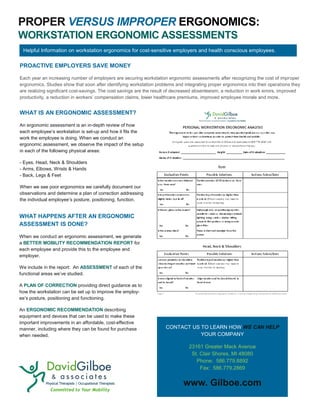
WHAT IS AN ERGONOMIC ASSESSMENT?
An ergonomic assessment is an in-depth review of how
each employee’s workstation is set-up and how it fits the
work the employee is doing. When we conduct an
ergonomic assessment, we observe the impact of the setup
in each of the following physical areas:
- Eyes, Head, Neck & Shoulders
- Arms, Elbows, Wrists & Hands
- Back, Legs & Feet
When we see poor ergonomics we carefully document our
observations and determine a plan of correction addressing
the individual employee’s posture, positioning, function.
PROACTIVE EMPLOYERS SAVE MONEY
Each year an increasing number of employers are securing workstation ergonomic assessments after recognizing the cost of improper
ergonomics. Studies show that soon after identifying workstation problems and integrating proper ergonomics into their operations they
are realizing significant cost-savings. The cost savings are the result of decreased absenteeism, a reduction in work errors, improved
productivity, a reduction in workers’ compensation claims, lower healthcare premiums, improved employee morale and more.
WHAT HAPPENS AFTER AN ERGONOMIC
ASSESSMENT IS DONE?
When we conduct an ergonomic assessment, we generate
a BETTER MOBILITY RECOMMENDATION REPORT for
each employee and provide this to the employee and
employer.
We include in the report: An ASSESSMENT of each of the
functional areas we’ve studied.
A PLAN OF CORRECTION providing direct guidance as to
how the workstation can be set up to improve the employ-
ee’s posture, positioning and functioning.
An ERGONOMIC RECOMMENDATION describing
equipment and devices that can be used to make these
important improvements in an affordable, cost-effective
manner, including where they can be found for purchase
when needed.
CONTACT US TO LEARN HOW WE CAN HELP
YOUR COMPANY
23161 Greater Mack Avenue
St. Clair Shores, MI 48080
Phone: 586.779.8892
Fax: 586.779.2869
www. Gilboe.com
Helpful Information on workstation ergonomics for cost-sensitive employers and health conscious employees.

Proper Ergonomics_How Employers Save $$$_3.24.16

  • 1.
    PROPER ERGONOMICS: HOW EMPLOYERSSAVE $$$ Proper Ergonomics = Efficiency Every day employers are discovering the importance of proper ergonomics in the workplace. Ergonomics, the scientific study of people at work, identifies work area inefficiencies and how space can be manipulated to make it and the employees using the space as efficient as possible. According to the U.S. Department of Labor… “there were 388,060 cases of musculoskeletal disorder (MSD) injuries in private industry for the year 2012. The DOL estimates that $1 of every $3 of workers’ compensation costs are spent on occupational MSDs. According to federal estimates, employers spend as much as $20 billion each year on direct costs for MSD-related workers’ compensation, and up to five times that amount for indirect costs. These costs include absenteeism, staff replacement and retraining, productivity, and issues around quality control.” Establishing proper ergonomics in your workplace begins with education and awareness. Formally implementing practices and work- stations that are ergonomically sound begins with securing ergonomic assessments. Helpful Information on workstation ergonomics for cost-sensitive employers and health conscious employees. Poor Ergonomics: Poor ergonomics, most often seen in workstations that are set up without direct attention to healthy body mechanics, is a primary cause of neck strain, joint pain, eye strain, headaches, fatigue and more. The value of proper ergonomics, has an even greater impact on the bottom line health of an employer than many realize. Proper Ergonomics: Proper ergonomics can significantly reduce employee injuries associated with poor posture, repetitive tasks and the overuse of muscles. Decrease Employee Absences Reduce Workers Comp Claims Boost Employee Morale Demonstrate that You Care Reduce/Eliminate Potential Fines Lower Health-care Costs Save $$$ How you can help your staff and reduce your costs NOW...  Encourage your staff to answer the 10 Important Ergonomic Questions on the page to follow.  Post or distribute the Visual Guide to Proper Ergonomics included in this paper.  Learn about the value of Ergonomic Assessments and how they can save your company $$$ www.gilboe.com 586.779.8892
  • 2.
    PROPER VERSUS IMPROPERERGONOMICS: 10 IMPORTANT QUESTIONS YOU NEED TO ASK YOURSELF 1. Do you feel unusually tired when you leave work? 2. Do you spend more than 20% of your time each day on the phone? 3. Do your shoulders hurt? 4. Do your fingers tingle when you use your mouse? 5. Do you feel like you’re reaching for your keyboard when you’re typing? 6. Do you have trouble seeing your monitor because of a glare? 7. Do your feet rest comfortably on the floor when you’re at your desk? 8. Does your chair move easily when you want to move forward or back? 9. Does your neck hurt from turning or leaning to see your screen monitor? 10.Do your knees or back hurt when you stand up after sitting at your desk? If you spend many hours a day at your workstation and answered yes to one or more of these questions, it is probable that your discomfort is coming from how your workstation is set up and how you are moving your body in relation to your work. We encourage you to learn about proper ergonomics for your well-being. Helpful Information on workstation ergonomics for cost-sensitive employers and health conscious employees. www.gilboe.com 586.779.8892
  • 3.
    PROPER VERSUS IMPROPERERGONOMICS: A VISUAL GUIDE Improper Ergonomics can commonly cause… neck pain, eye strain, headaches, shoulder pain, fatigue, back pain, joint pain, carpal tunnel syndrome, rotator cuff issues, as well as internal health issues such as heart disease and an over-productive pancreas. PROPER ERGONOMICS Adjust your chair to achieve a comfortable working posture by paying attention to your:  Chair height  Back rest  Lumbar support  Arm rests  Seat pan/depth  Stable base PROPER ERGONOMICS Adjust your monitor to achieve a comfortable working posture by having your:  Monitor at an appropriate distance, taking your vision, font size and screen resolution into consideration.  Monitor at the appropriate height and location, directly in front of you with the top of the monitor at eye level. Helpful Information on workstation ergonomics for cost-sensitive employers and health conscious employees. www.gilboe.com 586.779.8892
  • 4.
    PROPER VERSUS IMPROPERERGONOMICS: WORKSTATION ERGONOMIC ASSESSMENTS WHAT IS AN ERGONOMIC ASSESSMENT? An ergonomic assessment is an in-depth review of how each employee’s workstation is set-up and how it fits the work the employee is doing. When we conduct an ergonomic assessment, we observe the impact of the setup in each of the following physical areas: - Eyes, Head, Neck & Shoulders - Arms, Elbows, Wrists & Hands - Back, Legs & Feet When we see poor ergonomics we carefully document our observations and determine a plan of correction addressing the individual employee’s posture, positioning, function. PROACTIVE EMPLOYERS SAVE MONEY Each year an increasing number of employers are securing workstation ergonomic assessments after recognizing the cost of improper ergonomics. Studies show that soon after identifying workstation problems and integrating proper ergonomics into their operations they are realizing significant cost-savings. The cost savings are the result of decreased absenteeism, a reduction in work errors, improved productivity, a reduction in workers’ compensation claims, lower healthcare premiums, improved employee morale and more. WHAT HAPPENS AFTER AN ERGONOMIC ASSESSMENT IS DONE? When we conduct an ergonomic assessment, we generate a BETTER MOBILITY RECOMMENDATION REPORT for each employee and provide this to the employee and employer. We include in the report: An ASSESSMENT of each of the functional areas we’ve studied. A PLAN OF CORRECTION providing direct guidance as to how the workstation can be set up to improve the employ- ee’s posture, positioning and functioning. An ERGONOMIC RECOMMENDATION describing equipment and devices that can be used to make these important improvements in an affordable, cost-effective manner, including where they can be found for purchase when needed. CONTACT US TO LEARN HOW WE CAN HELP YOUR COMPANY 23161 Greater Mack Avenue St. Clair Shores, MI 48080 Phone: 586.779.8892 Fax: 586.779.2869 www. Gilboe.com Helpful Information on workstation ergonomics for cost-sensitive employers and health conscious employees.