Virtual Class
Md. Taifu Islam
ID :201311035020
CSE 35th Batch
Bangladesh University
With Cloud Computing
Presented By
Bikash Karmokar
Lecturer, Bangladesh
University
Supervised By
Table Of Contents
❑ Objective of my project.
❑ Requirements
❑ Working procedure
❑ Advantage
❑ Acknowledgement
❑ What Next
To give Teachers & Students
manage their classes in an
easy and effective way with
the help of Internet, Cloud
and Mobile technology
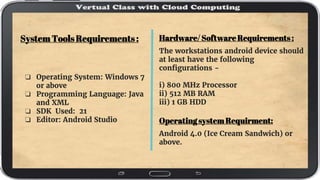
Hardware/ Software Requirements :
The workstations android device should
at least have the following
configurations -
i) 800 MHz Processor
ii) 512 MB RAM
iii) 1 GB HDD
Operating system Requirment:
Android 4.0 (Ice Cream Sandwich) or
above.
System Tools Requirements :
❏ Operating System: Windows 7
or above
❏ Programming Language: Java
and XML
❏ SDK Used: 21
❏ Editor: Android Studio
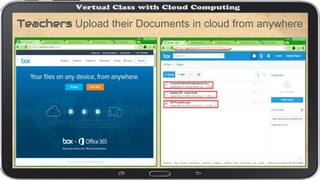
Teachers Upload their Documents in cloud from anywhere
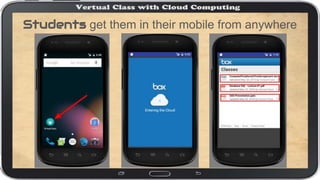
Students get them in their mobile from anywhere
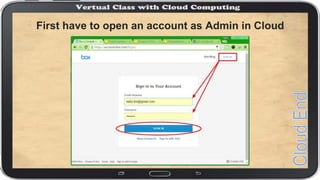
First have to open an account as Admin in Cloud
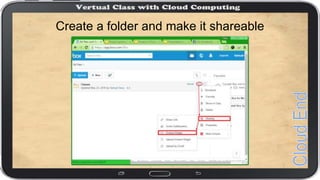
Create a folder and make it shareable
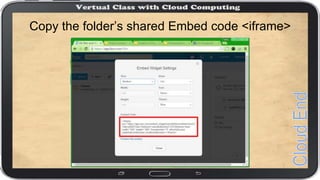
Copy the folder’s shared Embed code <iframe>
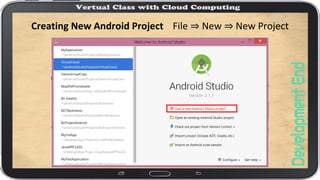
Creating New Android Project File ⇒ New ⇒ New Project
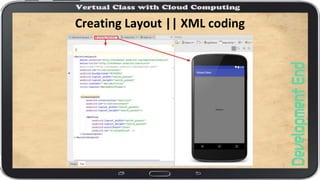
Creating Layout || XML coding
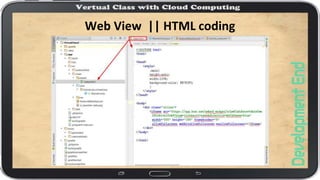
Web View || HTML coding
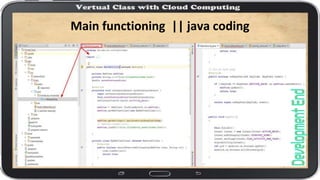
Main functioning || java coding
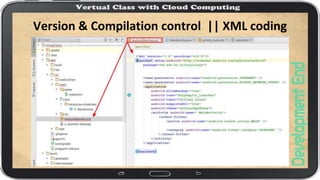
Version & Compilation control || XML coding
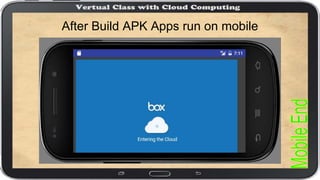
After Build APK Apps run on mobile
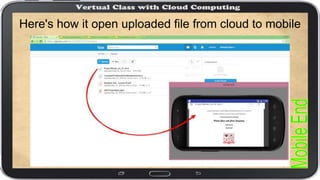
Here's how it open uploaded file from cloud to mobile
Acknowledgements
This Intuitive App not born without the
concept & guidance of my Supervisor.
Lecturer BIKASH CHANDRA KARMOKAR.
He has been very Creative, Supportive
and his feedback has greatly improved
my work.
Also thanks to ‘box.com’ Cloud service.
Next time can be
added more features
even live streaming
or slideshow with
real time voice.
 Virtual class Project slide
 Virtual class Project slide

Virtual class Project slide

  • 1.
    Virtual Class Md. TaifuIslam ID :201311035020 CSE 35th Batch Bangladesh University With Cloud Computing Presented By Bikash Karmokar Lecturer, Bangladesh University Supervised By
  • 2.
    Table Of Contents ❑Objective of my project. ❑ Requirements ❑ Working procedure ❑ Advantage ❑ Acknowledgement ❑ What Next
  • 4.
    To give Teachers& Students manage their classes in an easy and effective way with the help of Internet, Cloud and Mobile technology
  • 6.
    Hardware/ Software Requirements: The workstations android device should at least have the following configurations - i) 800 MHz Processor ii) 512 MB RAM iii) 1 GB HDD Operating system Requirment: Android 4.0 (Ice Cream Sandwich) or above. System Tools Requirements : ❏ Operating System: Windows 7 or above ❏ Programming Language: Java and XML ❏ SDK Used: 21 ❏ Editor: Android Studio
  • 8.
    Teachers Upload theirDocuments in cloud from anywhere
  • 9.
    Students get themin their mobile from anywhere
  • 11.
    First have toopen an account as Admin in Cloud
  • 12.
    Create a folderand make it shareable
  • 13.
    Copy the folder’sshared Embed code <iframe>
  • 14.
    Creating New AndroidProject File ⇒ New ⇒ New Project
  • 15.
  • 16.
    Web View ||HTML coding
  • 17.
  • 18.
    Version & Compilationcontrol || XML coding
  • 19.
    After Build APKApps run on mobile
  • 20.
    Here's how itopen uploaded file from cloud to mobile
  • 21.
    Acknowledgements This Intuitive Appnot born without the concept & guidance of my Supervisor. Lecturer BIKASH CHANDRA KARMOKAR. He has been very Creative, Supportive and his feedback has greatly improved my work. Also thanks to ‘box.com’ Cloud service.
  • 23.
    Next time canbe added more features even live streaming or slideshow with real time voice.