Introduction
Description:
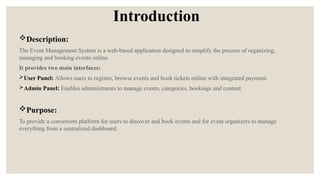
The Event ManagementSystem is a web-based application designed to simplify the process of organizing,
managing and booking events online.
It provides two main interfaces:
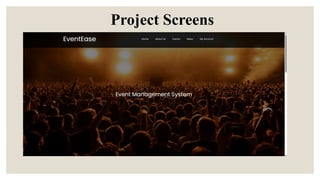
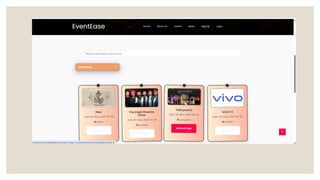
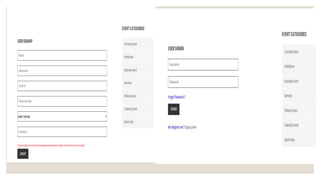
User Panel: Allows users to register, browse events and book tickets online with integrated payment.
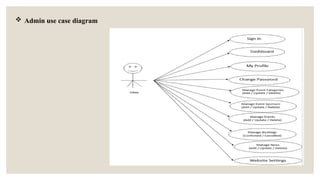
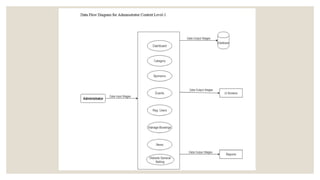
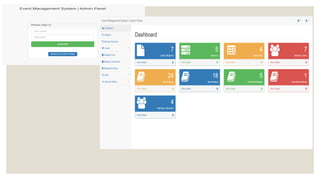
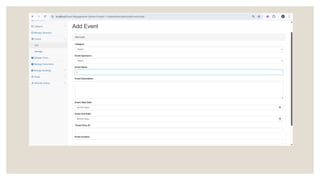
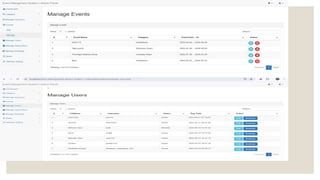
Admin Panel: Enables administrators to manage events, categories, bookings and content.
Purpose:
To provide a convenient platform for users to discover and book events and for event organizers to manage
everything from a centralized dashboard.
3.
Benefits of EventEase
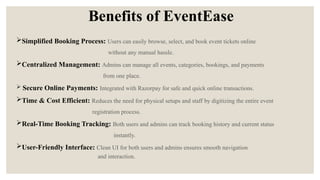
SimplifiedBooking Process: Users can easily browse, select, and book event tickets online
without any manual hassle.
Centralized Management: Admins can manage all events, categories, bookings, and payments
from one place.
Secure Online Payments: Integrated with Razorpay for safe and quick online transactions.
Time & Cost Efficient: Reduces the need for physical setups and staff by digitizing the entire event
registration process.
Real-Time Booking Tracking: Both users and admins can track booking history and current status
instantly.
User-Friendly Interface: Clean UI for both users and admins ensures smooth navigation
and interaction.
4.
Technologies used
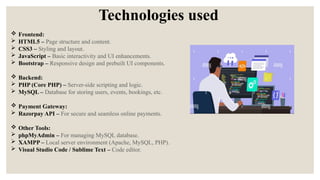
Frontend:
HTML5 – Page structure and content.
CSS3 – Styling and layout.
JavaScript – Basic interactivity and UI enhancements.
Bootstrap – Responsive design and prebuilt UI components.
Backend:
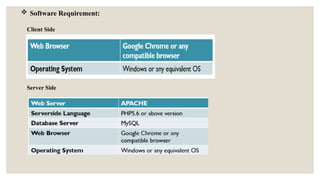
PHP (Core PHP) – Server-side scripting and logic.
MySQL – Database for storing users, events, bookings, etc.
Payment Gateway:
Razorpay API – For secure and seamless online payments.
Other Tools:
phpMyAdmin – For managing MySQL database.
XAMPP – Local server environment (Apache, MySQL, PHP).
Visual Studio Code / Sublime Text – Code editor.
5.
Manual Method vsIntegration
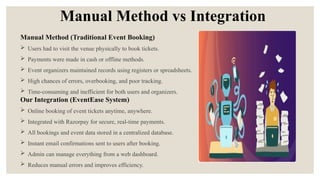
Manual Method (Traditional Event Booking)
Users had to visit the venue physically to book tickets.
Payments were made in cash or offline methods.
Event organizers maintained records using registers or spreadsheets.
High chances of errors, overbooking, and poor tracking.
Time-consuming and inefficient for both users and organizers.
Our Integration (EventEase System)
Online booking of event tickets anytime, anywhere.
Integrated with Razorpay for secure, real-time payments.
All bookings and event data stored in a centralized database.
Instant email confirmations sent to users after booking.
Admin can manage everything from a web dashboard.
Reduces manual errors and improves efficiency.
6.
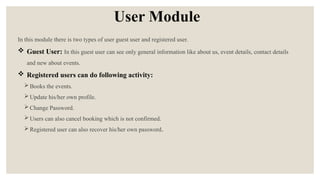
User Module
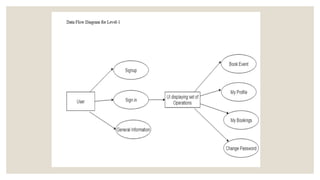
In thismodule there is two types of user guest user and registered user.
Guest User: In this guest user can see only general information like about us, event details, contact details
and new about events.
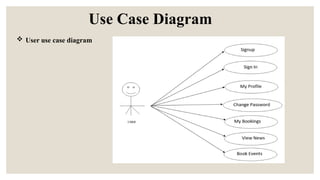
Registered users can do following activity:
Books the events.
Update his/her own profile.
Change Password.
Users can also cancel booking which is not confirmed.
Registered user can also recover his/her own password.
Dataflow Diagrams (DFDs)
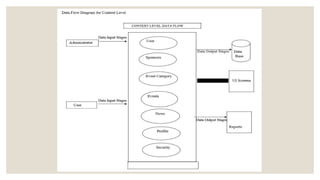
A DFD is a visual representation of how data flows within a system.
It clearly shows how information enters, exits, is processed, and stored in the system.
DFDs can represent manual systems, automated systems, or a combination of both.
It helps to identify system requirements graphically, making it easier to understand.
DFDs show the scope and boundaries of the entire system.
It is used as a communication tool between system analysts and stakeholders.
DFDs are useful during the initial stages of system design or redesign.
Also known as Data Flow Graph or Bubble Chart.
Result Analysis
SystemPerformance & Output:
Users can successfully register, browse events, and book tickets online.
Admin can easily add/edit/delete events, manage users, bookings,
sponsors, and view reports.
Razor pay payment integration works smoothly for secure online
transactions.
Booking details are stored in the database and displayed in real-time in
the user and admin panels.
Website is responsive and mobile-friendly due to Bootstrap.
23.
Future Scope
AI-BasedEvent Recommendation System:
Integrating machine learning algorithms can allow the system to suggest personalized events to users
based on their previous bookings, interests, and browsing patterns, similar to how Netflix recommends
shows. This makes the platform smarter and improves user engagement.
Multi-Venue & Geo-Targeted Events:
By using location-based services (like Google Maps API), the system can display events specific to the
user’s city or current location. Admins can add and manage events in multiple cities, making the
platform scalable for national or international use.
Live Event Streaming Integration:
Adding a live-streaming feature will allow users to attend virtual or hybrid events (such as webinars,
concerts, and conferences) directly through the platform. This makes the system useful for a broader
audience, including remote participants.
Automated Notification & Reminder System:
An automated notification system can be implemented to send reminders via email, SMS, or app
notifications. These alerts can include upcoming event reminders, booking confirmations, payment
alerts, or last-minute slot availability, improving communication and reducing no-shows.
24.
Conclusion
The EventEaseproject successfully streamlines the entire process of event
management from event creation to user registration and online ticket booking.
It eliminates the drawbacks of traditional methods by offering a digital, user-
friendly, and secure platform for both users and administrators.
Integration with Razorpay ensures safe and instant payments, while the admin
panel provides full control over events and bookings.
The system is scalable and can be extended with features like AI-based
recommendations, QR-based entry, and live event streaming in the future.
Overall, the project serves as a robust and practical solution for modern-day
event management.