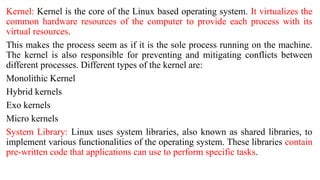
Kernel: Kernel is the core of the Linux based operating system. It virtualizes the
common hardware resources of the computer to provide each process with its
virtual resources.
This makes the process seem as if it is the sole process running on the machine.
The kernel is also responsible for preventing and mitigating conflicts between
different processes. Different types of the kernel are:
Monolithic Kernel
Hybrid kernels
Exo kernels
Micro kernels
System Library: Linux uses system libraries, also known as shared libraries, to
implement various functionalities of the operating system. These libraries contain
pre-written code that applications can use to perform specific tasks.
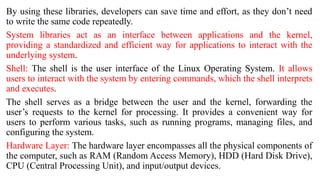
By using these libraries, developers can save time and effort, as they don’t need
to write the same code repeatedly.
System libraries act as an interface between applications and the kernel,
providing a standardized and efficient way for applications to interact with the
underlying system.
Shell: The shell is the user interface of the Linux Operating System. It allows
users to interact with the system by entering commands, which the shell interprets
and executes.
The shell serves as a bridge between the user and the kernel, forwarding the
user’s requests to the kernel for processing. It provides a convenient way for
users to perform various tasks, such as running programs, managing files, and
configuring the system.
Hardware Layer: The hardware layer encompasses all the physical components of
the computer, such as RAM (Random Access Memory), HDD (Hard Disk Drive),
CPU (Central Processing Unit), and input/output devices.
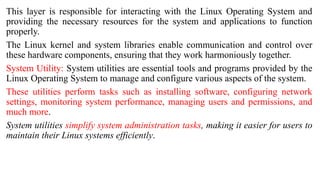
This layer is responsible for interacting with the Linux Operating System and
providing the necessary resources for the system and applications to function
properly.
The Linux kernel and system libraries enable communication and control over
these hardware components, ensuring that they work harmoniously together.
System Utility: System utilities are essential tools and programs provided by the
Linux Operating System to manage and configure various aspects of the system.
These utilities perform tasks such as installing software, configuring network
settings, monitoring system performance, managing users and permissions, and
much more.
System utilities simplify system administration tasks, making it easier for users to
maintain their Linux systems efficiently.
Why Linux is Virus Proof?
Linux does not encourage 'automatic' actions, and automatic actions are biggest
help to virus writers.
For example, in DOS or Windows, a file having .exe extension 'automatically'
gets right to execute. In Linux, you need to change the attribute of file to get
executable permission.
On Linux, it is harder for the virus to get system-level access. This is because the
root account owns system-related files. Therefore, if infected, viruses can be
easily removed as they can only affect the user account where they were installed
and do not affect the root account.
In other words, the Linux architecture makes it almost impossible for a virus to
do anything. This is one of the main reasons we still don’t need antivirus software
on Linux.
There are many operating systems available, but few offer the protection of Linux
system security. This is because the system has numerous built-in features to keep
it secure, including automatically assigning low user permissions.
In addition, a large community keeps Linux secure by regularly testing its
vulnerabilities and creating security patches. Of course, this does not mean that
Linux is completely immune to viruses and malware.
As such, although Linux is generally safer than windows and other operating
systems, users should take extra precautions to safeguard their security.
Linux and Hacking
Because Linux is an open source software, it is logical to think that it would be a
top target for hackers.
However, there is a large community of developers who regularly test Linux for
security flaws and issue patches that helps keep Linux secure.
As the operating system has numerous distributions, “ethical” hackers may
wonder which version of Linux is best for hacking. Here are some of the most
popular Linux distributions for discovering and patching loopholes:
BackBox: An Ubutu-based system that offers wide-ranging penetration and
security testing features.
Kali Linux: A useful distribution for digital forensics with more than 500
penetration testing tools.
Backtrack: Good for port scanning, security audits, Wi-Fi inspection, and other
security testing.
Pentoo: A Gentoo-based system with useful tools for ethical hacking.
NodeZero: An Unbutu-based system with over 300 security tools.
Parrot: A Debian-based system that is efficient and cloud-friendly.
Caine: An Unbutu-based distribution geared towards computer forensics; acronym for
Computer Aided Investigation Environment.

Presentation1_for_undergraduate_students_linux.pptx

  • 2.
    Kernel: Kernel isthe core of the Linux based operating system. It virtualizes the common hardware resources of the computer to provide each process with its virtual resources. This makes the process seem as if it is the sole process running on the machine. The kernel is also responsible for preventing and mitigating conflicts between different processes. Different types of the kernel are: Monolithic Kernel Hybrid kernels Exo kernels Micro kernels System Library: Linux uses system libraries, also known as shared libraries, to implement various functionalities of the operating system. These libraries contain pre-written code that applications can use to perform specific tasks.
  • 3.
    By using theselibraries, developers can save time and effort, as they don’t need to write the same code repeatedly. System libraries act as an interface between applications and the kernel, providing a standardized and efficient way for applications to interact with the underlying system. Shell: The shell is the user interface of the Linux Operating System. It allows users to interact with the system by entering commands, which the shell interprets and executes. The shell serves as a bridge between the user and the kernel, forwarding the user’s requests to the kernel for processing. It provides a convenient way for users to perform various tasks, such as running programs, managing files, and configuring the system. Hardware Layer: The hardware layer encompasses all the physical components of the computer, such as RAM (Random Access Memory), HDD (Hard Disk Drive), CPU (Central Processing Unit), and input/output devices.
  • 4.
    This layer isresponsible for interacting with the Linux Operating System and providing the necessary resources for the system and applications to function properly. The Linux kernel and system libraries enable communication and control over these hardware components, ensuring that they work harmoniously together. System Utility: System utilities are essential tools and programs provided by the Linux Operating System to manage and configure various aspects of the system. These utilities perform tasks such as installing software, configuring network settings, monitoring system performance, managing users and permissions, and much more. System utilities simplify system administration tasks, making it easier for users to maintain their Linux systems efficiently.
  • 5.
    Why Linux isVirus Proof?
  • 6.
    Linux does notencourage 'automatic' actions, and automatic actions are biggest help to virus writers. For example, in DOS or Windows, a file having .exe extension 'automatically' gets right to execute. In Linux, you need to change the attribute of file to get executable permission. On Linux, it is harder for the virus to get system-level access. This is because the root account owns system-related files. Therefore, if infected, viruses can be easily removed as they can only affect the user account where they were installed and do not affect the root account. In other words, the Linux architecture makes it almost impossible for a virus to do anything. This is one of the main reasons we still don’t need antivirus software on Linux.
  • 7.
    There are manyoperating systems available, but few offer the protection of Linux system security. This is because the system has numerous built-in features to keep it secure, including automatically assigning low user permissions. In addition, a large community keeps Linux secure by regularly testing its vulnerabilities and creating security patches. Of course, this does not mean that Linux is completely immune to viruses and malware. As such, although Linux is generally safer than windows and other operating systems, users should take extra precautions to safeguard their security.
  • 8.
  • 9.
    Because Linux isan open source software, it is logical to think that it would be a top target for hackers. However, there is a large community of developers who regularly test Linux for security flaws and issue patches that helps keep Linux secure. As the operating system has numerous distributions, “ethical” hackers may wonder which version of Linux is best for hacking. Here are some of the most popular Linux distributions for discovering and patching loopholes: BackBox: An Ubutu-based system that offers wide-ranging penetration and security testing features. Kali Linux: A useful distribution for digital forensics with more than 500 penetration testing tools. Backtrack: Good for port scanning, security audits, Wi-Fi inspection, and other security testing.
  • 10.
    Pentoo: A Gentoo-basedsystem with useful tools for ethical hacking. NodeZero: An Unbutu-based system with over 300 security tools. Parrot: A Debian-based system that is efficient and cloud-friendly. Caine: An Unbutu-based distribution geared towards computer forensics; acronym for Computer Aided Investigation Environment.