Presentation Dos, Don’ts, and Whys
UROP Event Planning Team
(808) 956-7492 urop@hawaii.edu http://manoa.hawaii.edu/urop
Unless you really want to
Use Annoying Colors
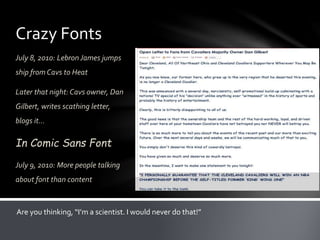
Crazy Fonts
July 8, 2010: Lebron James jumps
ship from Cavs to Heat
Later that night: Cavs owner, Dan
Gilbert, writes scathing letter,
blogs it…
In Comic Sans Font
July 9, 2010: More people talking
about font than content
Are you thinking, “I’m a scientist. I would never do that!”
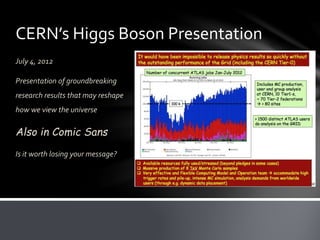
CERN’s Higgs Boson Presentation
July 4, 2012
Presentation of groundbreaking
research results that may reshape
how we view the universe
Also in Comic Sans
Is it worth losing your message?
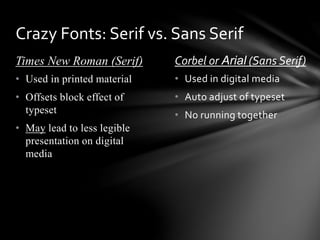
Times New Roman (Serif) Corbel or Arial (Sans Serif)
• Used in digital media
• Auto adjust of typeset
• No running together
• Used in printed material
• Offsets block effect of
typeset
• May lead to less legible
presentation on digital
media
Crazy Fonts: Serif vs. Sans Serif
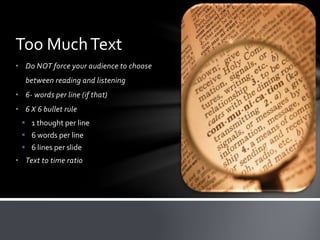
• Do NOT force your audience to choose
between reading and listening
• 6- words per line (if that)
• 6 X 6 bullet rule
 1 thought per line
 6 words per line
 6 lines per slide
• Text to time ratio
Too MuchText
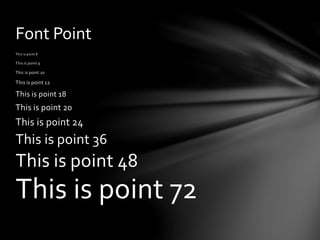
This is point 8
This is point 9
This is point 10
This is point 12
This is point 18
This is point 20
This is point 24
This is point 36
This is point 48
This is point 72
Font Point
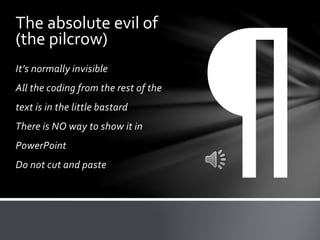
It’s normally invisible
All the coding from the rest of the
text is in the little bastard
There is NO way to show it in
PowerPoint
Do not cut and paste
The absolute evil of
(the pilcrow)
• Reading your slides
• Generic clipart
• Mistake your presentation for a cartoon
• Talk like a robot
• Move like a robot
• Dance like a robot
• Poor transitions
Other Rookie Mistakes
• Reading your slides
• Generic clipart
• Mistake your presentation for a cartoon
• Talk like a robot
• Move like a robot
• Dance like a robot
• Poor transitions
• Only using text
Other Rookie Mistakes
Forget that PowerPoint is your secondary.
It is there to reinforce your verbal
presentation, not replace it.
The Biggest Mistake
No, seriously, do this stuff!
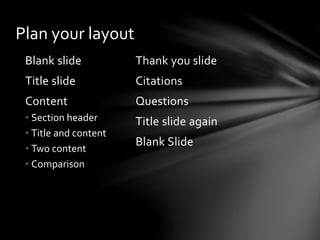
Blank slide
Title slide
Content
• Section header
• Title and content
• Two content
• Comparison
Plan your layout
Thank you slide
Citations
Questions
Title slide again
Blank Slide
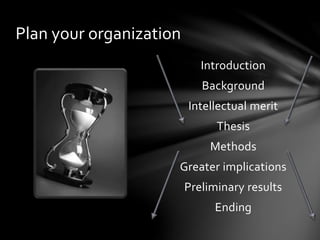
Introduction
Background
Intellectual merit
Thesis
Methods
Greater implications
Preliminary results
Ending
Plan your organization
ThankYou
Questions?
Presentation Dos, Don’ts, and Whys
UROP Event Planning Team
(808) 956-7492 urop@hawaii.edu http://manoa.hawaii.edu/urop
Presentation building

Presentation building

  • 1.
    Presentation Dos, Don’ts,and Whys UROP Event Planning Team (808) 956-7492 urop@hawaii.edu http://manoa.hawaii.edu/urop
  • 2.
  • 3.
  • 6.
    Crazy Fonts July 8,2010: Lebron James jumps ship from Cavs to Heat Later that night: Cavs owner, Dan Gilbert, writes scathing letter, blogs it… In Comic Sans Font July 9, 2010: More people talking about font than content Are you thinking, “I’m a scientist. I would never do that!”
  • 7.
    CERN’s Higgs BosonPresentation July 4, 2012 Presentation of groundbreaking research results that may reshape how we view the universe Also in Comic Sans Is it worth losing your message?
  • 8.
    Times New Roman(Serif) Corbel or Arial (Sans Serif) • Used in digital media • Auto adjust of typeset • No running together • Used in printed material • Offsets block effect of typeset • May lead to less legible presentation on digital media Crazy Fonts: Serif vs. Sans Serif
  • 9.
    • Do NOTforce your audience to choose between reading and listening • 6- words per line (if that) • 6 X 6 bullet rule  1 thought per line  6 words per line  6 lines per slide • Text to time ratio Too MuchText
  • 10.
    This is point8 This is point 9 This is point 10 This is point 12 This is point 18 This is point 20 This is point 24 This is point 36 This is point 48 This is point 72 Font Point
  • 11.
    It’s normally invisible Allthe coding from the rest of the text is in the little bastard There is NO way to show it in PowerPoint Do not cut and paste The absolute evil of (the pilcrow)
  • 12.
    • Reading yourslides • Generic clipart • Mistake your presentation for a cartoon • Talk like a robot • Move like a robot • Dance like a robot • Poor transitions Other Rookie Mistakes
  • 13.
    • Reading yourslides • Generic clipart • Mistake your presentation for a cartoon • Talk like a robot • Move like a robot • Dance like a robot • Poor transitions • Only using text Other Rookie Mistakes
  • 14.
    Forget that PowerPointis your secondary. It is there to reinforce your verbal presentation, not replace it. The Biggest Mistake
  • 15.
    No, seriously, dothis stuff!
  • 16.
    Blank slide Title slide Content •Section header • Title and content • Two content • Comparison Plan your layout Thank you slide Citations Questions Title slide again Blank Slide
  • 17.
  • 18.
  • 19.
  • 20.
    Presentation Dos, Don’ts,and Whys UROP Event Planning Team (808) 956-7492 urop@hawaii.edu http://manoa.hawaii.edu/urop