TITLE WITH
PICTURE LAYOUT
Subtitle
Title and Content Layout with List
 Add your first bullet point here
 Add your second bullet point here
 Add your third bullet point here
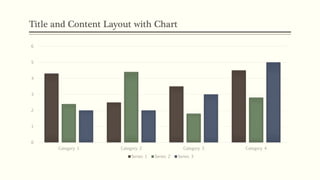
Title and Content Layout with Chart
0
1
2
3
4
5
6
Category 1 Category 2 Category 3 Category 4
Series 1 Series 2 Series 3
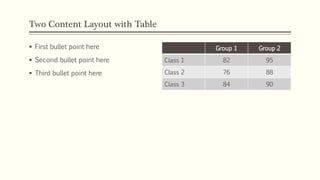
Two Content Layout with Table
 First bullet point here
 Second bullet point here
 Third bullet point here
Group 1 Group 2
Class 1 82 95
Class 2 76 88
Class 3 84 90
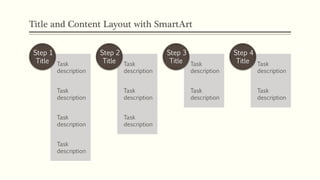
Title and Content Layout with SmartArt
Task
description
Task
description
Task
description
Task
description
Step 1
Title Task
description
Task
description
Task
description
Step 2
Title Task
description
Task
description
Step 3
Title Task
description
Task
description
Step 4
Title
Picture with Caption Layout
Caption
Presentation
Presentation
Presentation
Presentation
Presentation
Presentation

Presentation

  • 1.
  • 2.
    Title and ContentLayout with List  Add your first bullet point here  Add your second bullet point here  Add your third bullet point here
  • 3.
    Title and ContentLayout with Chart 0 1 2 3 4 5 6 Category 1 Category 2 Category 3 Category 4 Series 1 Series 2 Series 3
  • 4.
    Two Content Layoutwith Table  First bullet point here  Second bullet point here  Third bullet point here Group 1 Group 2 Class 1 82 95 Class 2 76 88 Class 3 84 90
  • 5.
    Title and ContentLayout with SmartArt Task description Task description Task description Task description Step 1 Title Task description Task description Task description Step 2 Title Task description Task description Step 3 Title Task description Task description Step 4 Title
  • 6.
    Picture with CaptionLayout Caption

Editor's Notes

  • #2 NOTE: Want a different image on this slide? Select the picture and delete it. Now click the Pictures icon in the placeholder to insert your own image.