PowerShell – Object 篇
2013/11/18 Howard
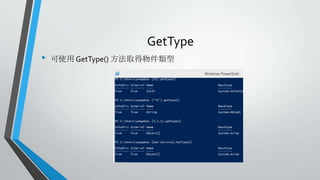
GetType
•

可使用 GetType() 方法取得物件類型
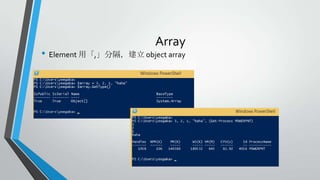
Array

• Element 用「,」分隔,建立 object array
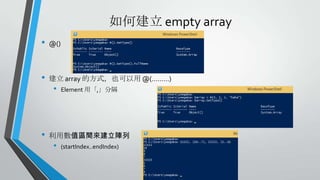
如何建立 empty array
•

@()

•

建立 array 的方式,也可以用 @(………)

•

•

Element 用「,」分隔

利用數值區間來建立陣列

•

(startIndex..endIndex)
取得 array 資料

• 可以用 [index], [StartIndex..EndIndex] 取得資料

• 以上例,$array[3] 的輸出是什麼
• 以上例,$array[0,-1] 的輸出是什麼
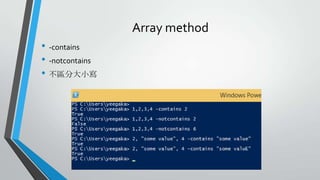
Array method
• -contains
• -notcontains
• 不區分大小寫
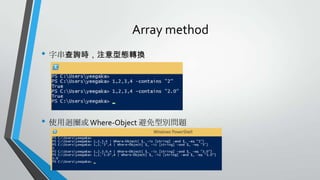
Array method
• 字串查詢時,注意型態轉換

• 使用迴圈或 Where-Object 避免型別問題
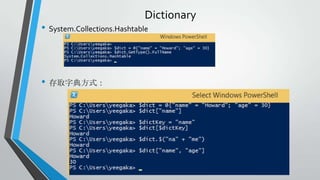
Dictionary

• System.Collections.Hashtable

• 存取字典方式:
Dictionary method
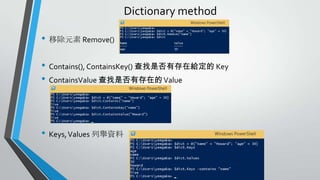
• 移除元素 Remove()
• Contains(), ContainsKey() 查找是否有存在給定的 Key
• ContainsValue 查找是否有存在的 Value

• Keys, Values 列舉資料
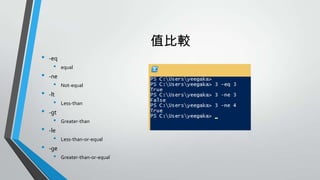
值比較
•
•
•
•
•
•

-eq

•

equal

-ne

•

Not-equal

-lt

•

Less-than

-gt

•

Greater-than

-le

•

Less-than-or-equal

-ge

•

Greater-than-or-equal
值比較
•

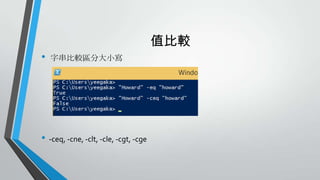
字串比較區分大小寫

• -ceq, -cne, -clt, -cle, -cgt, -cge
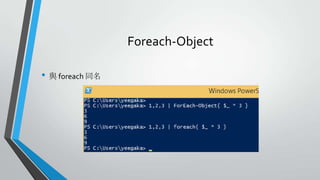
Foreach-Object
• 與 foreach 同名
$_
• 指的是當前物件的索引
• 如同 JavaScript 中的 this
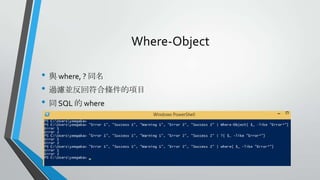
Where-Object
• 與 where, ? 同名
• 過濾並反回符合條件的項目
• 同 SQL 的 where
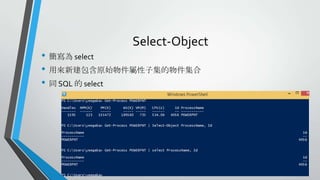
Select-Object

• 簡寫為 select
• 用來新建包含原始物件屬性子集的物件集合
• 同 SQL 的 select
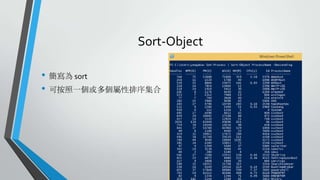
Sort-Object
• 簡寫為 sort
• 可按照一個或多個屬性排序集合
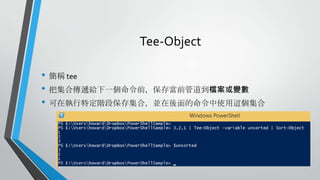
Tee-Object
• 簡稱 tee
• 把集合傳遞給下一個命令前,保存當前管道到檔案或變數
• 可在執行特定階段保存集合,並在後面的命令中使用這個集合
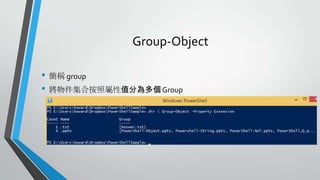
Group-Object
• 簡稱 group
• 將物件集合按照屬性值分為多個 Group
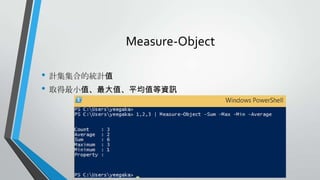
Measure-Object
• 計集集合的統計值
• 取得最小值、最大值、平均值等資訊
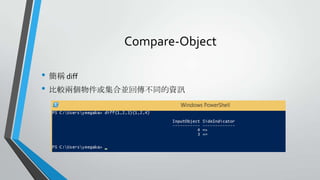
Compare-Object
• 簡稱 diff
• 比較兩個物件或集合並回傳不同的資訊
Q1
• 列出你 pc 中的 service 列表
•
•

get-service
其中狀態是「執行中」且 名稱是「Win 開頭」,再按照「名稱」降幂排序。
Reference

Power shell – object 篇

Editor's Notes

  • #9 Key 值,不限定一定要字串