Course Content
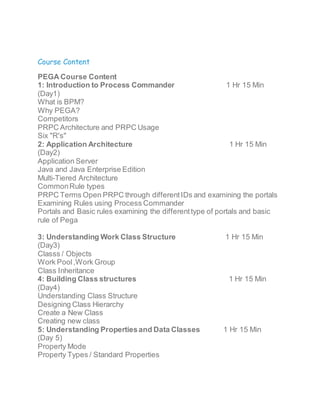
PEGA Course Content
1: Introduction to Process Commander 1 Hr 15 Min
(Day1)
What is BPM?
Why PEGA?
Competitors
PRPC Architecture and PRPC Usage
Six "R's"
2: Application Architecture 1 Hr 15 Min
(Day2)
Application Server
Java and Java Enterprise Edition
Multi-Tiered Architecture
CommonRule types
PRPC Terms Open PRPC through differentIDs and examining the portals
Examining Rules using Process Commander
Portals and Basic rules examining the differenttype of portals and basic
rule of Pega
3: Understanding Work Class Structure 1 Hr 15 Min
(Day3)
Classs / Objects
Work Pool,Work Group
Class Inheritance
4: Building Class structures 1 Hr 15 Min
(Day4)
Understanding Class Structure
Designing Class Hierarchy
Create a New Class
Creating new class
5: Understanding Propertiesand Data Classes 1 Hr 15 Min
(Day 5)
Property Mode
Property Types / Standard Properties
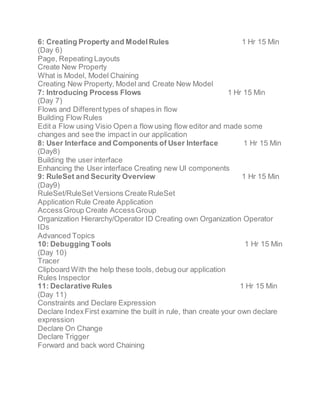
6: Creating Property and ModelRules 1 Hr 15 Min
(Day 6)
Page, Repeating Layouts
Create New Property
What is Model, Model Chaining
Creating New Property, Model and Create New Model
7: Introducing Process Flows 1 Hr 15 Min
(Day 7)
Flows and Differenttypes of shapes in flow
Building Flow Rules
Edit a Flow using Visio Open a flow using flow editor and made some
changes and see the impact in our application
8: User Interface and Components of User Interface 1 Hr 15 Min
(Day8)
Building the user interface
Enhancing the User interface Creating new UI components
9: RuleSet and Security Overview 1 Hr 15 Min
(Day9)
RuleSet/RuleSetVersions Create RuleSet
Application Rule Create Application
AccessGroup Create AccessGroup
Organization Hierarchy/Operator ID Creating own Organization Operator
IDs
Advanced Topics
10: Debugging Tools 1 Hr 15 Min
(Day 10)
Tracer
Clipboard With the help these tools, debug our application
Rules Inspector
11: Declarative Rules 1 Hr 15 Min
(Day 11)
Constraints and Declare Expression
Declare IndexFirst examine the built in rule, than create your own declare
expression
Declare On Change
Declare Trigger
Forward and back word Chaining
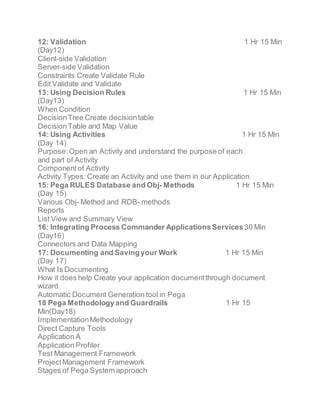
12: Validation 1 Hr 15 Min
(Day12)
Client-side Validation
Server-side Validation
Constraints Create Validate Rule
Edit Validate and Validate
13: Using Decision Rules 1 Hr 15 Min
(Day13)
When Condition
DecisionTree Create decisiontable
DecisionTable and Map Value
14: Using Activities 1 Hr 15 Min
(Day 14)
Purpose:Open an Activity and understand the purpose of each
and part of Activity
Componentof Activity
Activity Types: Create an Activity and use them in our Application
15: Pega RULES Database and Obj- Methods 1 Hr 15 Min
(Day 15)
Various Obj- Method and RDB- methods
Reports
List View and Summary View
16: Integrating Process Commander ApplicationsServices30 Min
(Day16)
Connectors and Data Mapping
17: Documenting and Savingyour Work 1 Hr 15 Min
(Day 17)
What Is Documenting
How it does help Create your application documentthrough document
wizard
Automatic Document Generation tool in Pega
18 Pega Methodologyand Guardrails 1 Hr 15
Min(Day18)
ImplementationMethodology
Direct Capture Tools
Application A
Application Profiler
Test Management Framework
ProjectManagement Framework
Stages of Pega System approach
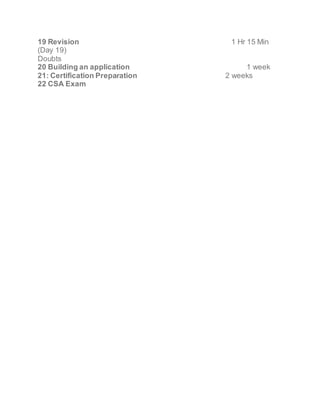
19 Revision 1 Hr 15 Min
(Day 19)
Doubts
20 Building an application 1 week
21: Certification Preparation 2 weeks
22 CSA Exam

Pega training course content | pega training classes

  • 1.
    Course Content PEGA CourseContent 1: Introduction to Process Commander 1 Hr 15 Min (Day1) What is BPM? Why PEGA? Competitors PRPC Architecture and PRPC Usage Six "R's" 2: Application Architecture 1 Hr 15 Min (Day2) Application Server Java and Java Enterprise Edition Multi-Tiered Architecture CommonRule types PRPC Terms Open PRPC through differentIDs and examining the portals Examining Rules using Process Commander Portals and Basic rules examining the differenttype of portals and basic rule of Pega 3: Understanding Work Class Structure 1 Hr 15 Min (Day3) Classs / Objects Work Pool,Work Group Class Inheritance 4: Building Class structures 1 Hr 15 Min (Day4) Understanding Class Structure Designing Class Hierarchy Create a New Class Creating new class 5: Understanding Propertiesand Data Classes 1 Hr 15 Min (Day 5) Property Mode Property Types / Standard Properties
  • 2.
    6: Creating Propertyand ModelRules 1 Hr 15 Min (Day 6) Page, Repeating Layouts Create New Property What is Model, Model Chaining Creating New Property, Model and Create New Model 7: Introducing Process Flows 1 Hr 15 Min (Day 7) Flows and Differenttypes of shapes in flow Building Flow Rules Edit a Flow using Visio Open a flow using flow editor and made some changes and see the impact in our application 8: User Interface and Components of User Interface 1 Hr 15 Min (Day8) Building the user interface Enhancing the User interface Creating new UI components 9: RuleSet and Security Overview 1 Hr 15 Min (Day9) RuleSet/RuleSetVersions Create RuleSet Application Rule Create Application AccessGroup Create AccessGroup Organization Hierarchy/Operator ID Creating own Organization Operator IDs Advanced Topics 10: Debugging Tools 1 Hr 15 Min (Day 10) Tracer Clipboard With the help these tools, debug our application Rules Inspector 11: Declarative Rules 1 Hr 15 Min (Day 11) Constraints and Declare Expression Declare IndexFirst examine the built in rule, than create your own declare expression Declare On Change Declare Trigger Forward and back word Chaining
  • 3.
    12: Validation 1Hr 15 Min (Day12) Client-side Validation Server-side Validation Constraints Create Validate Rule Edit Validate and Validate 13: Using Decision Rules 1 Hr 15 Min (Day13) When Condition DecisionTree Create decisiontable DecisionTable and Map Value 14: Using Activities 1 Hr 15 Min (Day 14) Purpose:Open an Activity and understand the purpose of each and part of Activity Componentof Activity Activity Types: Create an Activity and use them in our Application 15: Pega RULES Database and Obj- Methods 1 Hr 15 Min (Day 15) Various Obj- Method and RDB- methods Reports List View and Summary View 16: Integrating Process Commander ApplicationsServices30 Min (Day16) Connectors and Data Mapping 17: Documenting and Savingyour Work 1 Hr 15 Min (Day 17) What Is Documenting How it does help Create your application documentthrough document wizard Automatic Document Generation tool in Pega 18 Pega Methodologyand Guardrails 1 Hr 15 Min(Day18) ImplementationMethodology Direct Capture Tools Application A Application Profiler Test Management Framework ProjectManagement Framework Stages of Pega System approach
  • 4.
    19 Revision 1Hr 15 Min (Day 19) Doubts 20 Building an application 1 week 21: Certification Preparation 2 weeks 22 CSA Exam