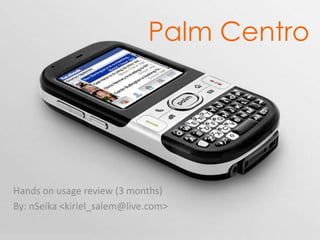
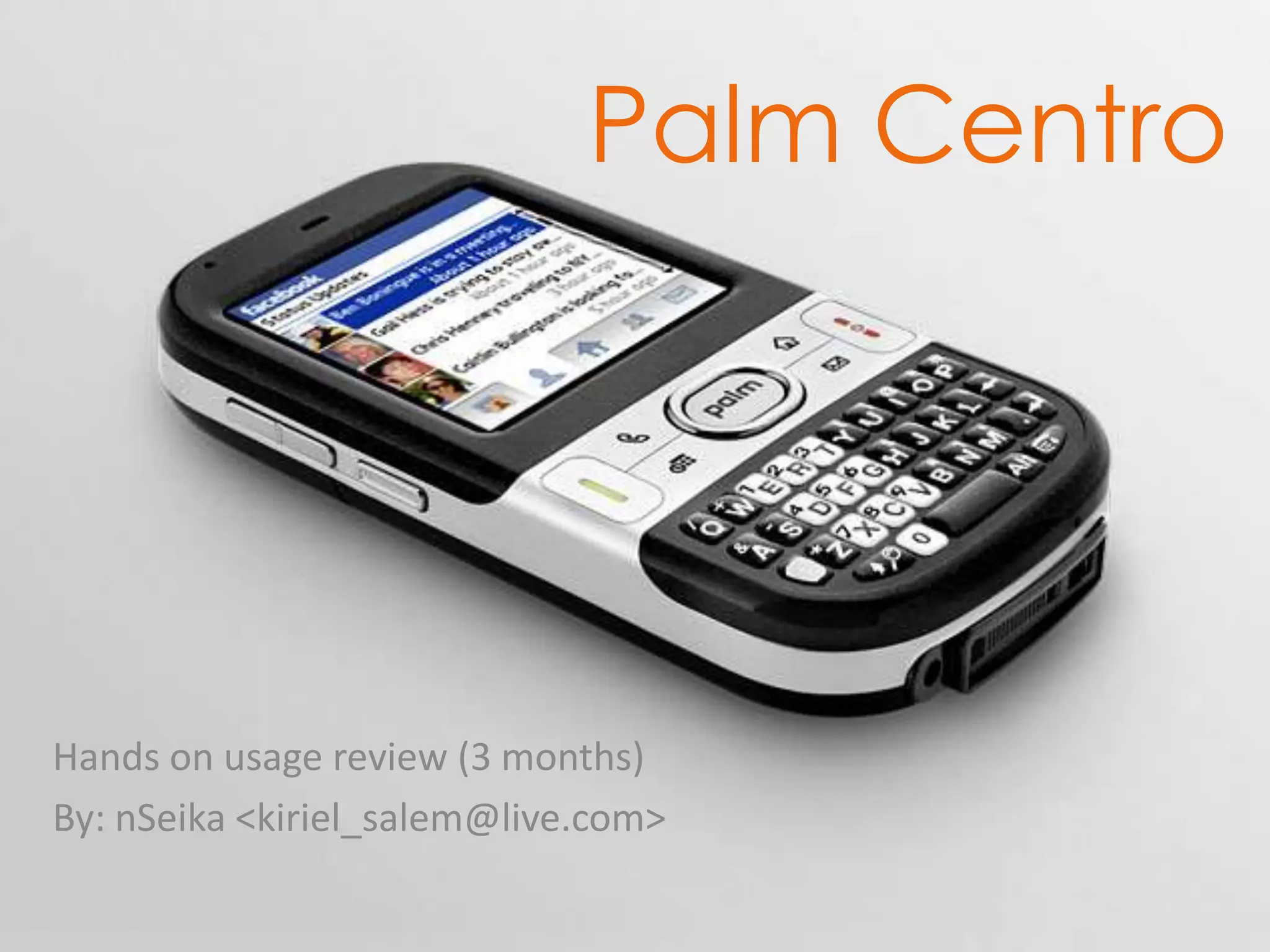
Palm Centro Hands on usage review (3 months) By: nSeika <kiriel_salem@live.com>
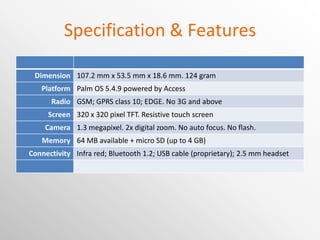
Specification & Features Dimension 107.2 mm x 53.5 mm x 18.6 mm. 124 gram Platform Palm OS 5.4.9 powered by Access Radio GSM; GPRS class 10; EDGE. No 3G and above Screen 320 x 320 pixel TFT. Resistive touch screen Camera 1.3 megapixel. 2x digital zoom. No auto focus. No flash. Memory 64 MB available + micro SD (up to 4 GB) Connectivity Infra red; Bluetooth 1.2; USB cable (proprietary); 2.5 mm headset
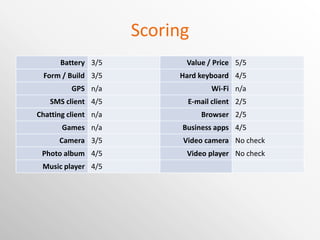
Scoring Battery 3/5 Value / Price 5/5 Form / Build 3/5 Hard keyboard 4/5 GPS n/a Wi-Fi n/a SMS client 4/5 E-mail client 2/5 Chatting client n/a Browser 2/5 Games n/a Business apps 4/5 Camera 3/5 Video camera No check Photo album 4/5 Video player No check Music player 4/5
Disadvantages Old Palm OS that’s not updated anymore Still many legacy applications available No Wi-Fi No GPS Google Maps application uses cell tower triangulation Can be paired with external GPS receiver Blazer browser is far behind other smartphone browsers Works good enough for mobile sites Proprietary power and data cable Data cable can be replaced with Bluetooth radio No USB mass storage profile Remedied with 3 rd  party application (e.g. Softick CardExport) No driver for 64 bit Windows Use Bluetooth serial connection profile
Design & Construction Retail package Carton box and plastic inside box Not exactly exclusive looking Too big. Could reduce the size to half like Treo Pro’s Would appreciate more amenities such as leather case or strap Content Phone Battery Adaptor Data cable Mono handsfree CD for Palm Desktop A stack of manual books and documents
Design & Construction Front Indicator lamp Power charge (red    green) Searching for network (blinking red) No indicator for Bluetooth or messages Speaker Screen Buttons Dial, Disconnect Navigation button Hardware keys Keyboard Rear Camera Mirror Speaker Top Stylus silo access Silent mode switch Bottom Multi connector port (proprietary) Power charger plug (proprietary) Lanyard strap 2.5 mm audio jack Microphone Left Infra Red Right Volume dial Can’t work as jog dial Side button
Design & Construction QWERTY candy bar form Personally prefers clamshell form factor Square screen, giving impression of balanced proportion between the top (screen) and bottom (keyboard) Keyboard are small, but actually usable 5 way navigation button Main annoyance Loose and not so responsive Screen Difficult to reach buttons near the edge Sharp and clear, despite the 320 x 320 resolution Back speaker Loud voice Better if placed against the table surface Back cover Difficult to close SIM card Very difficult to take off Memory card Have to open back cover to easily open the lid When accessing the card, the cover keeps obstructing Stylus Plastic and ugly Too light compared to older model such as Tungsten series’ metal stylus Overall Build is solid Size fits well in hand
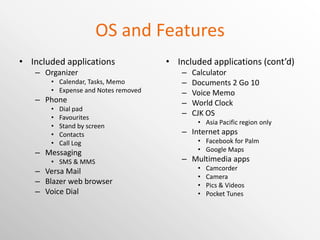
OS and Features Included applications Organizer Calendar, Tasks, Memo Expense and Notes removed Phone Dial pad Favourites Stand by screen Contacts Call Log Messaging SMS & MMS Versa Mail Blazer web browser Voice Dial Included applications (cont’d) Calculator Documents 2 Go 10 Voice Memo World Clock CJK OS Asia Pacific region only Internet apps Facebook for Palm Google Maps Multimedia apps Camcorder Camera Pics & Videos Pocket Tunes
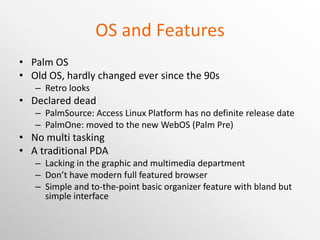
OS and Features Palm OS Old OS, hardly changed ever since the 90s Retro looks Declared dead PalmSource: Access Linux Platform has no definite release date PalmOne: moved to the new WebOS (Palm Pre) No multi tasking A traditional PDA Lacking in the graphic and multimedia department Don’t have modern full featured browser Simple and to-the-point basic organizer feature with bland but simple interface
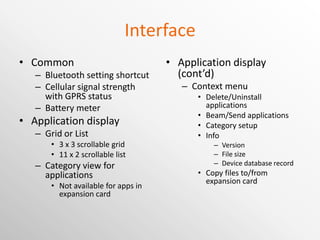
Interface Common Bluetooth setting shortcut Cellular signal strength with GPRS status Battery meter Application display Grid or List 3 x 3 scrollable grid 11 x 2 scrollable list Category view for applications Not available for apps in expansion card Application display (cont’d) Context menu Delete/Uninstall applications Beam/Send applications Category setup Info Version File size Device database record Copy files to/from expansion card
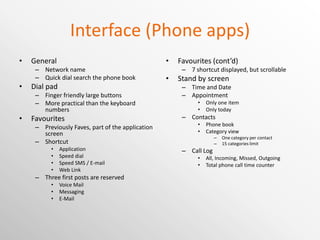
Interface (Phone apps) General Network name Quick dial search the phone book Dial pad Finger friendly large buttons More practical than the keyboard numbers Favourites Previously Faves, part of the application screen Shortcut Application Speed dial Speed SMS / E-mail Web Link Three first posts are reserved Voice Mail Messaging E-Mail Favourites (cont’d) 7 shortcut displayed, but scrollable Stand by screen Time and Date Appointment Only one item Only today Contacts Phone book Category view One category per contact 15 categories limit Call Log All, Incoming, Missed, Outgoing Total phone call time counter
Contacts “ Last, First” or “Company, Last” only 3 rd  party apps available Categories Single category 15 unique categories limit Sharing Infra Red, Bluetooth, SMS, E-Mail Infra Red is the easiest, but not many device use it All the most commonly used fields 4 custom fields Memo for extra notes Google Maps Find address in Google Maps Not useful in most countries with incomplete address in Google Maps Can’t send SMS directly
Messaging Messaging Threaded message display Character counter & multiple message counter Messaging is quick with the qwerty keyboard Quick text Don’t exit the apps before message is sent Versa Mail Supports POP, IMAP, Exchange HTML mail display supported
Multimedia Camera 2 Megapixel fixed focus No flash Decent picture in bright place Blue cast for indoor light Use auto fix in Palm Desktop EXIF Camera type, Date Time, Orientation, Size, Resolution Camcorder Pics & Videos Category/Album view Slideshow Draw on picture No frame or clip art Pocket Tunes Support background play Works with Windows Media Player
Connectivity Infra Red Bluetooth 1.2 Stereo Bluetooth need 3 rd  party apps Can be used for HotSync Data cable using proprietary connection Driver only for 32 bit Windows USB mass storage profile need 3 rd  party apps
Browser Blazer 4.5 Outdated browser Poor support for Java script Poor support for wide page layout Good enough for mobile websites Has auto fill for form (except password) Password shows last character typed Opera Mini Needs IBM Java VM No longer officially available Needs custom setup Increase VM memory size
Organizer Calendar Support single category Today screen Day, Week, Month view Support complex repeat Daily Day of the week Date of the month Day of the month Day of the year Tasks Support same feature as Calendar apps including Repeats Memo Keeps memo up to 4kb First line as title Many free 3 rd  party alternatives Synchronize with Palm Desktop or Outlook Apps removed from previous Palm OS version Expense: business expense tracker Notes: free note tracking with stylus Many 3 rd  party alternatives are available
Other apps Documents to Go Best office editing for Palm Support Office 2007 files Doesn’t support Styles Probably no mobile apps supports that Synchronize with desktop through HotSync Calculator 7 modes. Use right d-pad Facebook Free download (not included) Add upload to Facebook in Pics & Videos Doesn’t support Apps (good thing) Doesn’t support replies World Clock Local and 2 foreign time Alarm Poor repeat option
Applications Recommended apps Softick CardExport2 Use the Centro as USB card reader File manager apps Files, FileZ, Resco Explorer, etc. TCPMP Media player. Free version. Now Core Player. Free version is available in alternate download site. Garmin Mobile XT GPS with Garmin receiver Recommended apps (cont’d) Power Run Move application to memory card Device back up apps Resco Backup, etc Input Method Editor PoBox (Open source Japanese IME)
Desktop application Palm Desktop Includes drivers needed for connecting device Manage phone’s PIM information Create new PIM item easier using computer screen and keyboard Contact, Calendar and Tasks can be synchronized to Outlook Pictures can only be managed outside device using Palm Desktop Doesn’t support Unicode In computer with Japanese language setting, it will crash when adding/editing contacts Support synchronizing to more than one Palm device
Conclusion A lot of limitation by the old OS For those who like to explore, there’s many 3 rd  party apps solution No integration with online services Google has sync feature Mobile sites works fine A great personal organizer Quick and clean organizer device, although the UI felt really retro Internet and entertainment side is not so comparable to the newer generation devices Main strength is price tag Bang for the bucks if you understand the shortcomes Indonesian new price at Rp. 2.5M, cheaper than even most mid-range feature phones

Palm Centro

  • 1.
    Palm Centro Handson usage review (3 months) By: nSeika <kiriel_salem@live.com>
  • 2.
    Specification & FeaturesDimension 107.2 mm x 53.5 mm x 18.6 mm. 124 gram Platform Palm OS 5.4.9 powered by Access Radio GSM; GPRS class 10; EDGE. No 3G and above Screen 320 x 320 pixel TFT. Resistive touch screen Camera 1.3 megapixel. 2x digital zoom. No auto focus. No flash. Memory 64 MB available + micro SD (up to 4 GB) Connectivity Infra red; Bluetooth 1.2; USB cable (proprietary); 2.5 mm headset
  • 3.
    Scoring Battery 3/5Value / Price 5/5 Form / Build 3/5 Hard keyboard 4/5 GPS n/a Wi-Fi n/a SMS client 4/5 E-mail client 2/5 Chatting client n/a Browser 2/5 Games n/a Business apps 4/5 Camera 3/5 Video camera No check Photo album 4/5 Video player No check Music player 4/5
  • 4.
    Disadvantages Old PalmOS that’s not updated anymore Still many legacy applications available No Wi-Fi No GPS Google Maps application uses cell tower triangulation Can be paired with external GPS receiver Blazer browser is far behind other smartphone browsers Works good enough for mobile sites Proprietary power and data cable Data cable can be replaced with Bluetooth radio No USB mass storage profile Remedied with 3 rd party application (e.g. Softick CardExport) No driver for 64 bit Windows Use Bluetooth serial connection profile
  • 5.
    Design & ConstructionRetail package Carton box and plastic inside box Not exactly exclusive looking Too big. Could reduce the size to half like Treo Pro’s Would appreciate more amenities such as leather case or strap Content Phone Battery Adaptor Data cable Mono handsfree CD for Palm Desktop A stack of manual books and documents
  • 6.
    Design & ConstructionFront Indicator lamp Power charge (red  green) Searching for network (blinking red) No indicator for Bluetooth or messages Speaker Screen Buttons Dial, Disconnect Navigation button Hardware keys Keyboard Rear Camera Mirror Speaker Top Stylus silo access Silent mode switch Bottom Multi connector port (proprietary) Power charger plug (proprietary) Lanyard strap 2.5 mm audio jack Microphone Left Infra Red Right Volume dial Can’t work as jog dial Side button
  • 7.
    Design & ConstructionQWERTY candy bar form Personally prefers clamshell form factor Square screen, giving impression of balanced proportion between the top (screen) and bottom (keyboard) Keyboard are small, but actually usable 5 way navigation button Main annoyance Loose and not so responsive Screen Difficult to reach buttons near the edge Sharp and clear, despite the 320 x 320 resolution Back speaker Loud voice Better if placed against the table surface Back cover Difficult to close SIM card Very difficult to take off Memory card Have to open back cover to easily open the lid When accessing the card, the cover keeps obstructing Stylus Plastic and ugly Too light compared to older model such as Tungsten series’ metal stylus Overall Build is solid Size fits well in hand
  • 8.
    OS and FeaturesIncluded applications Organizer Calendar, Tasks, Memo Expense and Notes removed Phone Dial pad Favourites Stand by screen Contacts Call Log Messaging SMS & MMS Versa Mail Blazer web browser Voice Dial Included applications (cont’d) Calculator Documents 2 Go 10 Voice Memo World Clock CJK OS Asia Pacific region only Internet apps Facebook for Palm Google Maps Multimedia apps Camcorder Camera Pics & Videos Pocket Tunes
  • 9.
    OS and FeaturesPalm OS Old OS, hardly changed ever since the 90s Retro looks Declared dead PalmSource: Access Linux Platform has no definite release date PalmOne: moved to the new WebOS (Palm Pre) No multi tasking A traditional PDA Lacking in the graphic and multimedia department Don’t have modern full featured browser Simple and to-the-point basic organizer feature with bland but simple interface
  • 10.
    Interface Common Bluetoothsetting shortcut Cellular signal strength with GPRS status Battery meter Application display Grid or List 3 x 3 scrollable grid 11 x 2 scrollable list Category view for applications Not available for apps in expansion card Application display (cont’d) Context menu Delete/Uninstall applications Beam/Send applications Category setup Info Version File size Device database record Copy files to/from expansion card
  • 11.
    Interface (Phone apps)General Network name Quick dial search the phone book Dial pad Finger friendly large buttons More practical than the keyboard numbers Favourites Previously Faves, part of the application screen Shortcut Application Speed dial Speed SMS / E-mail Web Link Three first posts are reserved Voice Mail Messaging E-Mail Favourites (cont’d) 7 shortcut displayed, but scrollable Stand by screen Time and Date Appointment Only one item Only today Contacts Phone book Category view One category per contact 15 categories limit Call Log All, Incoming, Missed, Outgoing Total phone call time counter
  • 12.
    Contacts “ Last,First” or “Company, Last” only 3 rd party apps available Categories Single category 15 unique categories limit Sharing Infra Red, Bluetooth, SMS, E-Mail Infra Red is the easiest, but not many device use it All the most commonly used fields 4 custom fields Memo for extra notes Google Maps Find address in Google Maps Not useful in most countries with incomplete address in Google Maps Can’t send SMS directly
  • 13.
    Messaging Messaging Threadedmessage display Character counter & multiple message counter Messaging is quick with the qwerty keyboard Quick text Don’t exit the apps before message is sent Versa Mail Supports POP, IMAP, Exchange HTML mail display supported
  • 14.
    Multimedia Camera 2Megapixel fixed focus No flash Decent picture in bright place Blue cast for indoor light Use auto fix in Palm Desktop EXIF Camera type, Date Time, Orientation, Size, Resolution Camcorder Pics & Videos Category/Album view Slideshow Draw on picture No frame or clip art Pocket Tunes Support background play Works with Windows Media Player
  • 15.
    Connectivity Infra RedBluetooth 1.2 Stereo Bluetooth need 3 rd party apps Can be used for HotSync Data cable using proprietary connection Driver only for 32 bit Windows USB mass storage profile need 3 rd party apps
  • 16.
    Browser Blazer 4.5Outdated browser Poor support for Java script Poor support for wide page layout Good enough for mobile websites Has auto fill for form (except password) Password shows last character typed Opera Mini Needs IBM Java VM No longer officially available Needs custom setup Increase VM memory size
  • 17.
    Organizer Calendar Supportsingle category Today screen Day, Week, Month view Support complex repeat Daily Day of the week Date of the month Day of the month Day of the year Tasks Support same feature as Calendar apps including Repeats Memo Keeps memo up to 4kb First line as title Many free 3 rd party alternatives Synchronize with Palm Desktop or Outlook Apps removed from previous Palm OS version Expense: business expense tracker Notes: free note tracking with stylus Many 3 rd party alternatives are available
  • 18.
    Other apps Documentsto Go Best office editing for Palm Support Office 2007 files Doesn’t support Styles Probably no mobile apps supports that Synchronize with desktop through HotSync Calculator 7 modes. Use right d-pad Facebook Free download (not included) Add upload to Facebook in Pics & Videos Doesn’t support Apps (good thing) Doesn’t support replies World Clock Local and 2 foreign time Alarm Poor repeat option
  • 19.
    Applications Recommended appsSoftick CardExport2 Use the Centro as USB card reader File manager apps Files, FileZ, Resco Explorer, etc. TCPMP Media player. Free version. Now Core Player. Free version is available in alternate download site. Garmin Mobile XT GPS with Garmin receiver Recommended apps (cont’d) Power Run Move application to memory card Device back up apps Resco Backup, etc Input Method Editor PoBox (Open source Japanese IME)
  • 20.
    Desktop application PalmDesktop Includes drivers needed for connecting device Manage phone’s PIM information Create new PIM item easier using computer screen and keyboard Contact, Calendar and Tasks can be synchronized to Outlook Pictures can only be managed outside device using Palm Desktop Doesn’t support Unicode In computer with Japanese language setting, it will crash when adding/editing contacts Support synchronizing to more than one Palm device
  • 21.
    Conclusion A lotof limitation by the old OS For those who like to explore, there’s many 3 rd party apps solution No integration with online services Google has sync feature Mobile sites works fine A great personal organizer Quick and clean organizer device, although the UI felt really retro Internet and entertainment side is not so comparable to the newer generation devices Main strength is price tag Bang for the bucks if you understand the shortcomes Indonesian new price at Rp. 2.5M, cheaper than even most mid-range feature phones

Editor's Notes

  • #9 List most of the applications. But some applications that are just part of the Preference panel for example, is not listed.
  • #13 Infra red is actually the most straightforward and simple method of beaming contact information between devices, even more than using Bluetooth. Because both party are most likely close to each others, aligning devices shouldn’t be difficult. But too bad many devices has ditched this feature for Bluetooth only solution.