“Open” includes Users - Leverage their
Input
+ Open Source Enthusiast since 2006
+ Ubuntu Loco Zurich 2008/9
+ Blending Tech with Business and
User needs since 2010
Randy Earl
Research Manager
+ IT & Mgmt. for 20+ years
+ At Atlantic BT for 4 years
+ MBA, BS Physics NCSU
+ Former Naval Officer
+ Zen Chaplain at NCSU
Specialties
+ Mapping business models
+ Structuring analytical
approaches
+ Facilitating team collaboration
+ Translating business to
technology
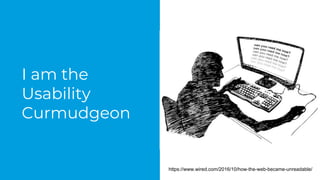
I am the
Usability
Curmudgeon
https://www.wired.com/2016/10/how-the-web-became-unreadable/
I don’t make Software…
I make software Better!
To scratch an itch?
To make something new?
To do something better than it is done elsewhere?
Often, Open Source is Innovative - both at the major concept
level and at the iterative improvement level!
Why Do you write Open Source Code?
All Things Open 2016 keynote statements
focused on Diversity and Innovation:
● “To truly innovate, you need to intentionally seek
diversity”
● “Diversity has to be intentional”
● “You have to question your opinions in order to
be open to others”
“To seek the truth,
you must first cease
to cherish opinion.”
From Faith in Mind
(Xin Xin Ming)
By Sengcan, Third
Patriarch of Zen
7th Century China
+ Demographics?
+ Skill Level?
+ Knowledge & Interests?
+ Use Case?
+ Background / Context?
ALL OF THE ABOVE
What does “Diversity” Mean?
There is a great discussion around the value of building and
encouraging diversity.
However, the majority of that discussion thus far has been
around the developer community – yet there are two sides to any
interface.
How to Get Diversity?
If you think of your application as a window to the world, then the
users are the other half of that equation.
In terms of sheer volume, users far outnumber contributors for
your application.
Intentionally building and engaging with a diverse user base can
drive innovation and improve your software.
How to Get Diversity?
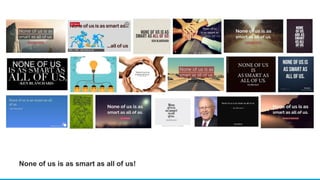
None of us is as smart as all of us!
The open source community has a reputation for often ignoring
users and usability – sometimes to the point of ridicule.
How many of us have groaned over the years at the quirky
interfaces of beloved applications such as the GIMP?
(or name your favorite, there are many)
Why Does this Matter?
“It’s easy to end up with underlying code that is as
wonderful as a bacon flavored mouthguard, and then
a user interface on top of that that’s flat out
impossible for an average user to navigate.” -
Techquickie
Well, it could be simply embarrassing.
However, there could be serious Business Impacts.
I have seen both consumer and business applications where the
interfaces were so bad users were either unable or unwilling to
suffer through the interface to use the application and went
elsewhere.
Is this Important?
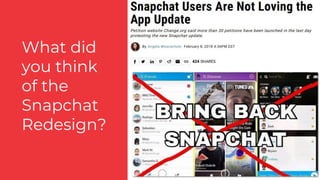
What did
you think
of the
Snapchat
Redesign?
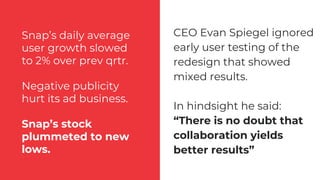
Snap’s daily average
user growth slowed
to 2% over prev qrtr.
Negative publicity
hurt its ad business.
Snap’s stock
plummeted to new
lows.
CEO Evan Spiegel ignored
early user testing of the
redesign that showed
mixed results.
In hindsight he said:
“There is no doubt that
collaboration yields
better results”
In any business model, and particularly open source,
ignoring users can be disastrous!
Why especially Open
Source?
Fierce competition of
ideas and ability to
fork.
Profusion of Distros,
Desktops, and Apps
have been both
blessing & curse.
Think of Nextcloud vs.
ownCloud...
+ A Tool Portal intended to make life easier for Faculty.
+ Users found it simpler to work around the system.
+ Culprits:
+ Poor Usability Heuristics
+ Screenflow did not match User Workflow
+ Inconsistent Mental Model of Overall Approach
Tortured Workflow Example
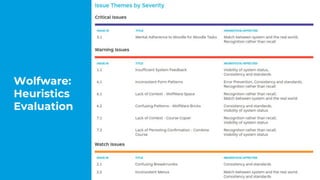
Wolfware:
Heuristics
Evaluation
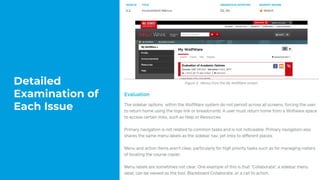
Detailed
Examination of
Each Issue
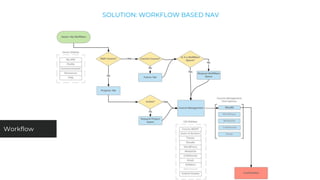
SOLUTION: WORKFLOW BASED NAV
Workflow
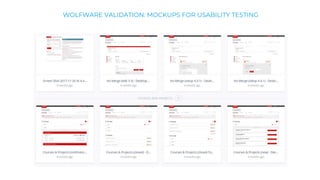
WOLFWARE VALIDATION: MOCKUPS FOR USABILITY TESTING
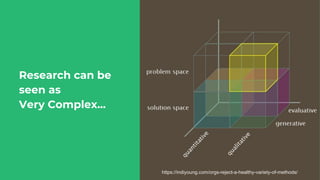
Research can be
seen as
Very Complex...
https://indiyoung.com/orgs-reject-a-healthy-variety-of-methods/
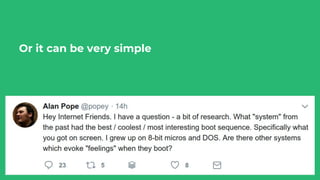
Or it can be very simple
For greatest effect, focus on Problem Space, not Solution Space
+ Problem Space - Larger purpose / intent, user needs
+ Solution Space - Ideas & design, features & functionality
Problem Space vs. Solution Space
Research is just Asking Questions
However, Research is NOT asking what people like,
dislike, or what they want.
“Often, customers know what they want, but don’t
know how to articulate it. So, ask specific questions
that allow you to glean insights to use for your
innovation.” - Entrepreneur.com
“If I had asked people what they wanted, they would
have said faster horses.” - NOT Henry Ford
“An innovator should have understanding of one’s
customers and their problems via empirical,
observational, anecdotal methods or even intuition.
They should also feel free to ignore customers’
inputs.” - Harvard Business Review
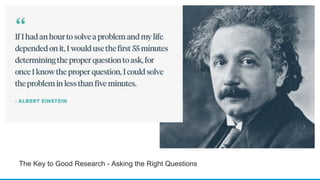
The Key to Good Research - Asking the Right Questions
1. Formulate the Question
2. Determine Method for asking the Question
3. Analyze the Results
Research is a Structured Process for Asking Questions
A well-rounded solution covers multiple perspectives:
+ Organizational Objectives
+ User Needs
+ Product Features & Interface
+ Market / Competition
There are questions to asks and methods appropriate for each area.
1. Formulating Questions
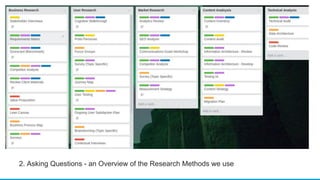
2. Asking Questions - an Overview of the Research Methods we use
This can be simple or can be complex.
Want to make sure you can get a meaningful answer.
Think about analysis when forming question and method.
Example - bad survey questions:
+ Double-barreled (“or”) questions
+ Biased or Leading questions
+ Use of Double-negatives
3. Analyzing Results
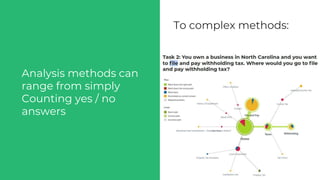
Analysis methods can
range from simply
Counting yes / no
answers
To complex methods:
Prototype Testing
An experimental model of an idea,
A way to give our ideas a presence,
That we can put in front of someone else,
to see if that idea has value.
What is a Prototype?
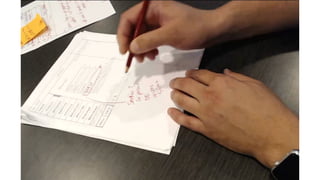
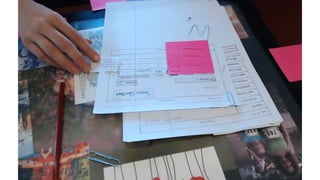
+ Very little effort required
+ No visual design
+ No code development
+ Rough sketches on paper
+ A script of questions
+ Careful observation of answers and behavior
Paper Prototyping
First round Design - first presentation resulted in redoing over a
week of design work.
Second round - invested 8 hours to do paper prototyping of
concepts before proceeding with design.
Impact?
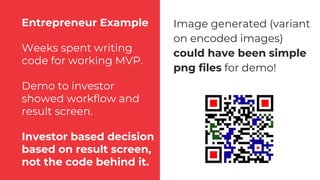
Entrepreneur Example
Weeks spent writing
code for working MVP.
Demo to investor
showed workflow and
result screen.
Investor based decision
based on result screen,
not the code behind it.
Image generated (variant
on encoded images)
could have been simple
png files for demo!
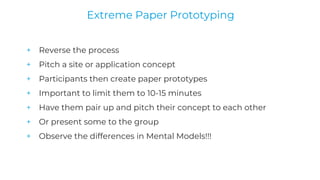
+ Reverse the process
+ Pitch a site or application concept
+ Participants then create paper prototypes
+ Important to limit them to 10-15 minutes
+ Have them pair up and pitch their concept to each other
+ Or present some to the group
+ Observe the differences in Mental Models!!!
Extreme Paper Prototyping
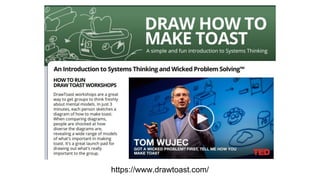
https://www.drawtoast.com/
More Types & Methods of Tests
Collected Comments from Feedback Forms
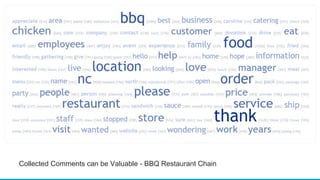
Collected Comments can be Valuable - BBQ Restaurant Chain
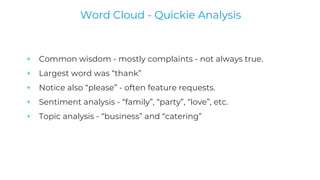
+ Common wisdom - mostly complaints - not always true.
+ Largest word was “thank”
+ Notice also “please” - often feature requests.
+ Sentiment analysis - “family”, “party”, “love”, etc.
+ Topic analysis - “business” and “catering”
Word Cloud - Quickie Analysis
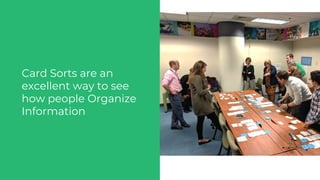
Card Sorting
Card Sorts are an
excellent way to see
how people Organize
Information
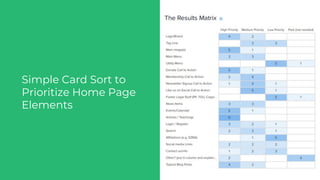
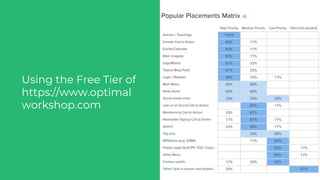
Simple Card Sort to
Prioritize Home Page
Elements
Using the Free Tier of
https://www.optimal
workshop.com
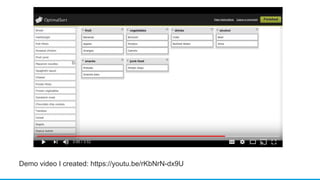
Demo video I created: https://youtu.be/rKbNrN-dx9U
Analytics Review
Google Analytics
“Why do this review? We
KNOW this industry, we
BUILT this industry 40
years ago!”
- Marketing Director,
B2B Client
Client was having
problems with users
finding products.
Their product catalog
listed “Personal Care”
Users were searching for
“Hygiene”
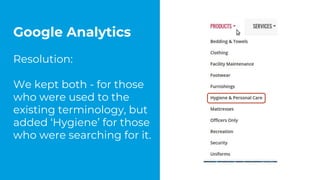
Google Analytics
Resolution:
We kept both - for those
who were used to the
existing terminology, but
added ‘Hygiene’ for those
who were searching for it.
Respect your users - give them an efficient UI
Red Hat
+ Very smart, talented people.
+ Reluctance to ‘dumb down’ the experience.
+ But that is not the point.
“the interface needs to be as efficient as possible, because our users
are very busy and have little time.”
- Tesh Patel; Senior Manager, Learning Technologies and
Platforms at Red Hat
Red Hat Learning Experience Layer
"Just because I can figure something out doesn't mean I want to."
- Tech-Savvy Workshop Participant
Don’t Overwork Your Users
Key Point - interface to enable/automate a process online.
High-value, low volume interaction (thus low ability to learn, yet
high consequences).
Interface so bad, new users had to be walked through live.
Heuristics & Workflow analysis, implemented in a new design
Anonymized Tortured Workflow Example
Examples & Results
Simple Labeling Question:
NC Courts Website
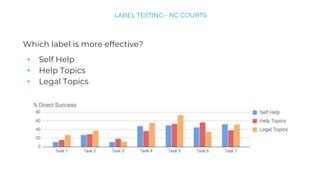
Which label is more effective?
+ Self Help
+ Help Topics
+ Legal Topics
LABEL TESTING - NC COURTS
Label Testing
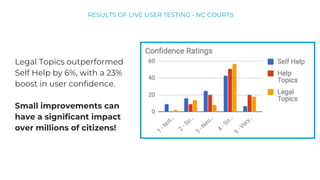
Legal Topics outperformed
Self Help by 6%, with a 23%
boost in user confidence.
Small improvements can
have a significant impact
over millions of citizens!
RESULTS OF LIVE USER TESTING - NC COURTS
User Task Driven Navigation:
NC Department of Revenue
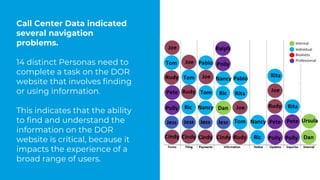
Call Center Data indicated
several navigation
problems.
14 distinct Personas need to
complete a task on the DOR
website that involves finding
or using information.
This indicates that the ability
to find and understand the
information on the DOR
website is critical, because it
impacts the experience of a
broad range of users.
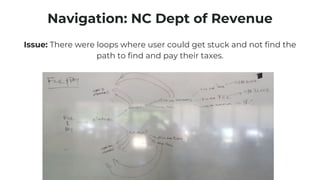
Navigation: NC Dept of Revenue
Issue: There were loops where user could get stuck and not find the
path to find and pay their taxes.
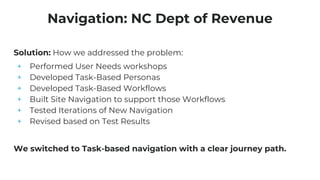
Solution: How we addressed the problem:
+ Performed User Needs workshops
+ Developed Task-Based Personas
+ Developed Task-Based Workflows
+ Built Site Navigation to support those Workflows
+ Tested Iterations of New Navigation
+ Revised based on Test Results
We switched to Task-based navigation with a clear journey path.
Navigation: NC Dept of Revenue
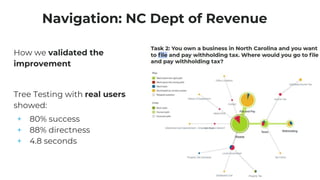
How we validated the
improvement
Tree Testing with real users
showed:
+ 80% success
+ 88% directness
+ 4.8 seconds
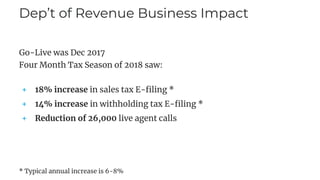
Dep’t of Revenue Business Impact
Go-Live was Dec 2017
Four Month Tax Season of 2018 saw:
+ 18% increase in sales tax E-filing *
+ 14% increase in withholding tax E-filing *
+ Reduction of 26,000 live agent calls
* Typical annual increase is 6-8%
Usability Testing
A thing is usable if:
+ A person of average - or even below average - ability and
experience (i.e. most people)
+ Can figure out how to use the thing for its intended purpose
+ Without it being more trouble than it’s worth
What is “Usability”?
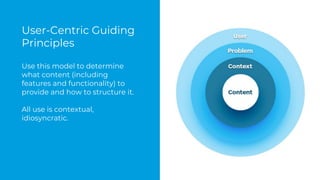
User-Centric Guiding
Principles
Use this model to determine
what content (including
features and functionality) to
provide and how to structure it.
All use is contextual,
idiosyncratic.
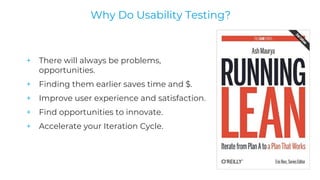
+ There will always be problems,
opportunities.
+ Finding them earlier saves time and $.
+ Improve user experience and satisfaction.
+ Find opportunities to innovate.
+ Accelerate your Iteration Cycle.
Why Do Usability Testing?
+ Determine your research questions
+ What hypothesis do you want to test?
+ E.g. Labels, Workflow, Navigation, etc.
+ Write the Tasks needed to force the user to face that issue
+ Ensure testing Prototype covers those tasks
You aren’t looking for the problems you know you are going to
fix - you are looking for the problems you don’t know about yet!
How to - What do you want to Test?
+ Your Site or Application
+ Competitor Site or Application
+ A Paper Prototype of the Concept
+ Wireframes
+ Clickable Mockups
How to - What to Test With
+ Representative users often needed, but not always
+ We sometimes use colleagues in our office
+ Use a sample from your client’s office
+ Recruit in related spaces (e.g. jury pool for gov’t sites)
+ Events like this one! (ask first, don’t violate courtesy)
“Recruit loosely & grade on a curve” - Steve Krug
How to - Recruiting
+ Not a question of statistics & sample size
+ Focus on gaining key insights
+ Thus 3 to 5 are enough!
+ These will reveal major problems
+ More will just drown you in papercuts
How to - Sample Size
+ Write the Scripts for the Tasks
+ Prepare Permission forms
+ Ensure proper testing equipment
+ Secure a testing space
+ Prepare a recording method
How to - Prepare the Test
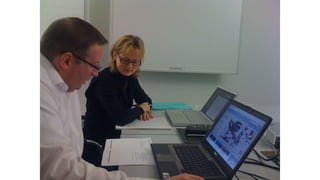
+ Have 2 testers, 1 Moderator and 1 Observer (note taker)
+ Record with Camtasia, webcam, etc.
+ Have the entire process scripted, not just tasks
+ Go through the Tasks
+ Thank and compensate Participants
How to - Perform the Test
+ Focus on the Key Insights!
+ Gather these from Moderators and Research Team immediately,
while fresh.
+ Don’t get distracted by papercuts.
+ Don’t need a fancy report
+ Make images, recordings available to others
How to - Perform the Analysis
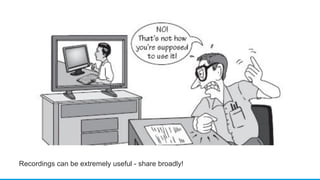
Recordings can be extremely useful - share broadly!
“This Test is Over”
Usability Test
Participant before
the first task - why?
You will learn
something useful,
guaranteed!
When to Test?
“A little before you think is
reasonable”
Steve Krug
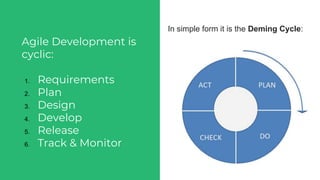
Agile Development is
cyclic:
1. Requirements
2. Plan
3. Design
4. Develop
5. Release
6. Track & Monitor
In simple form it is the Deming Cycle:
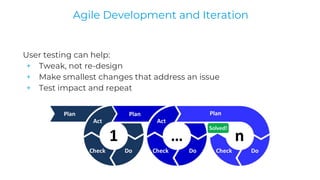
User testing can help:
+ Tweak, not re-design
+ Make smallest changes that address an issue
+ Test impact and repeat
Agile Development and Iteration
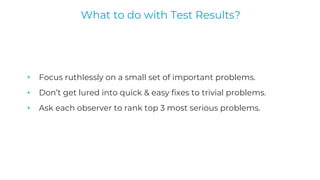
+ Focus ruthlessly on a small set of important problems.
+ Don’t get lured into quick & easy fixes to trivial problems.
+ Ask each observer to rank top 3 most serious problems.
What to do with Test Results?
Resources to Get Started
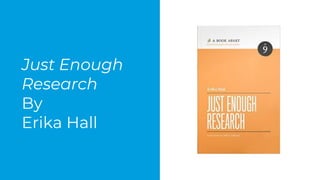
Just Enough
Research
By
Erika Hall
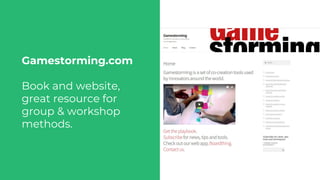
Gamestorming.com
Book and website,
great resource for
group & workshop
methods.
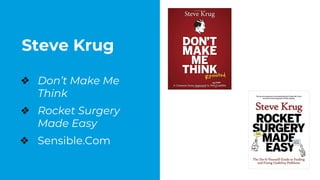
Steve Krug
❖ Don’t Make Me
Think
❖ Rocket Surgery
Made Easy
❖ Sensible.Com
Where to Get Help
Triangle UXPA
User Experience
Professionals
Association
The Triangle UXPA was founded in
2006 and is the North Carolina
Raleigh/Durham/Chapel Hill chapter
of the User Experience Professionals
Association. We are focused on
building and supporting the local
community of practitioners who craft
great user experiences.
+ TriUXPA
+ Other meetups such as A11Y
+ Graduate student interns
+ Open Source Community Volunteers
+ UX / Design professionals in your office/team
Where to Get Help?
Q&A Time
Thank you!
I’d love to talk
to you
Randy.Earl@Atlanticbt.com
@randy_Earl
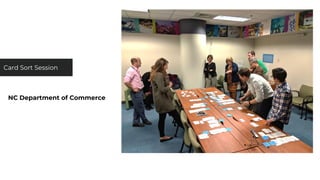
NC Department of Commerce
Card Sort Session
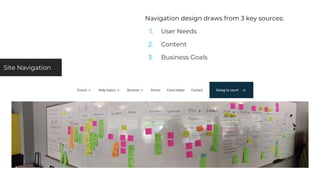
Site Navigation
Navigation design draws from 3 key sources:
1. User Needs
2. Content
3. Business Goals
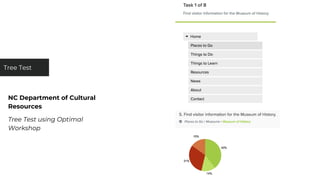
NC Department of Cultural
Resources
Tree Test using Optimal
Workshop
Tree Test
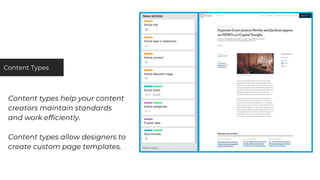
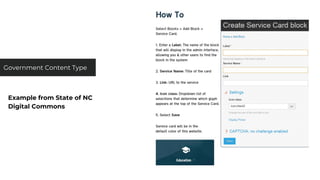
Content types help your content
creators maintain standards
and work efficiently.
Content types allow designers to
create custom page templates.
Content Types
Example from State of NC
Digital Commons
Government Content Type
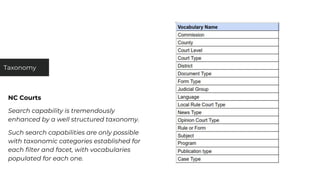
NC Courts
Search capability is tremendously
enhanced by a well structured taxonomy.
Such search capabilities are only possible
with taxonomic categories established for
each filter and facet, with vocabularies
populated for each one.
Taxonomy
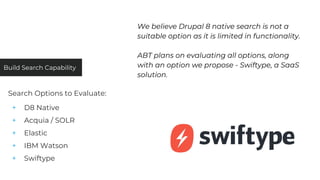
Build Search Capability
We believe Drupal 8 native search is not a
suitable option as it is limited in functionality.
ABT plans on evaluating all options, along
with an option we propose - Swiftype, a SaaS
solution.
Search Options to Evaluate:
+ D8 Native
+ Acquia / SOLR
+ Elastic
+ IBM Watson
+ Swiftype
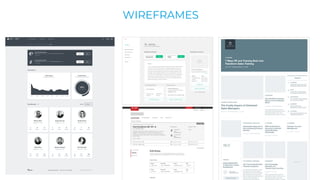
Design
WIREFRAMES
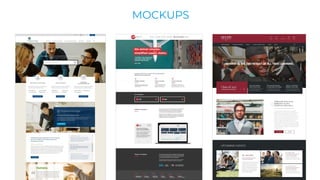
MOCKUPS
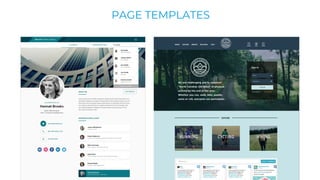
PAGE TEMPLATES
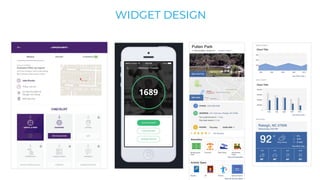
WIDGET DESIGN
WEARABLE DESIGN
+ Accessibility & Convenience
+ City Information Source
+ Retail Opportunities
+ City Event Notifications
+ City Maps and Parking Info
+ Transportation Options & Locations
Development & Integrations
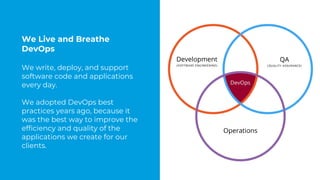
We Live and Breathe
DevOps
We write, deploy, and support
software code and applications
every day.
We adopted DevOps best
practices years ago, because it
was the best way to improve the
efficiency and quality of the
applications we create for our
clients.
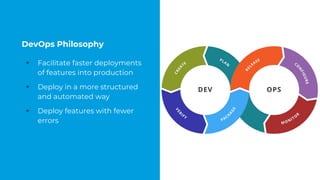
DevOps Philosophy
+ Facilitate faster deployments
of features into production
+ Deploy in a more structured
and automated way
+ Deploy features with fewer
errors
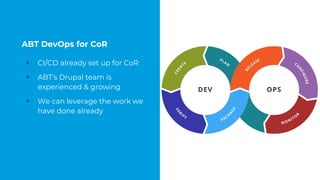
ABT DevOps for CoR
+ CI/CD already set up for CoR
+ ABT’s Drupal team is
experienced & growing
+ We can leverage the work we
have done already
Technical Audit
An application architect or lead developer will audit the existing site to determine existing functionality that needs to be
implemented on the new site. This includes looking at the code base, determining how existing features are
implemented and how they might be implemented in Drupal, and determining the existing data structures.
Technical Specifications
An application architect or lead developer will begin documenting any technical plans that come from the research,
designs, or technical audit. This will not result in a polished, unchanging set of specifications; instead, it will be a reference
document that can be updated during development.
Site Administration & Settings Setup
Much of the administration and settings have already been established, but it is very likely some changes will be
identified throughout the design and development phases.
Site Structure & Navigation
The site structure and navigation should have been identified in a previous stage, and therefore building the navigation
will need both front end development to build the navigation in the template and to site-build the navigation through
the admin.
DEVELOPMENT PREPARATION
The development of the base work in Drupal include the following:
+ Content Type Development: This is creating the content type definitions in
Drupal, such as assigned fields, types, and selection values
+ Layout / CT Implementation: This is building the actual site markup for layouts
using content types , and connecting front end development with back end
development.
+ Template Creation: Converting static markup developed in layout step to
Drupal’s template system.
+ Views Templates: Developing Drupal templates for dynamic lists of content
known as Views.
+ Components / Widgets: Similar front and back end development for widgets
identified in requirements gathering.
PRIMARY SITE DEVELOPMENT
This is additional development beyond developing the primary content types and layouts. For the City of Raleigh, we have
identified this as the following:
+ Content Type Workflow Setup: the workflow developed in Phase 1 needs to be applied to each new content type
that is created. Additionally, additional workflows may need to be created based on the requirements developed for
those content types.
+ Forms Setup: It is identified in the RFP there are forms to migrate. Some development occur to set these up and
process submittals.
+ Accessibility Development: Additional development and QA will be required to verify all front end development
meets WCAG AA standards beyond the typical 508 compliance. Atlantic BT uses industry standard tools for testing
compliance.
+ Permissions: While a permission system is in place, permissions will have to be updated after when content types
and modules are added to the system. It is also expected additional permissions based on user departments will be
a requirement as well.
+ Digital style guide: This is a standard deliverable from Atlantic BT, especially useful for any design where microsites
may be utilized. It provides very clear documentation tying the visual design to the markup of the site.
+ Analytics Configuration: Marketing support for any Google Analytics configured required by the City of Raleigh.
ADDITIONAL SITE DEVELOPMENT
3rd Party Integrations can range from straightforward to
complex when factoring in requirements gathering, implementing
within a new design, and development.
APPLICATION INTEGRATIONS
+ Google Analytics
+ Google Search Appliance/SEO
+ Everbridge
Atlantic BT expects these integrations to be straightforward.
ABT will of course work with the City of Raleigh on requirements
and approach, but the use cases and interfaces are pretty standard.
APPLICATION INTEGRATIONS
+ ArcGIS
+ GovDelivery
+ Sharepoint
These integrations will likely be more involved, in determining how
these services will be used and/or the actual development and
integration.
Sharepoint in particular is a large unknown, and will benefit from
agreeing on a prioritized list of features and iterative
development.
APPLICATION INTEGRATIONS

"Open" includes users - Leverage their input

  • 1.
    “Open” includes Users- Leverage their Input
  • 2.
    + Open SourceEnthusiast since 2006 + Ubuntu Loco Zurich 2008/9 + Blending Tech with Business and User needs since 2010 Randy Earl Research Manager + IT & Mgmt. for 20+ years + At Atlantic BT for 4 years + MBA, BS Physics NCSU + Former Naval Officer + Zen Chaplain at NCSU Specialties + Mapping business models + Structuring analytical approaches + Facilitating team collaboration + Translating business to technology
  • 3.
  • 4.
    I don’t makeSoftware… I make software Better!
  • 5.
    To scratch anitch? To make something new? To do something better than it is done elsewhere? Often, Open Source is Innovative - both at the major concept level and at the iterative improvement level! Why Do you write Open Source Code?
  • 6.
    All Things Open2016 keynote statements focused on Diversity and Innovation: ● “To truly innovate, you need to intentionally seek diversity” ● “Diversity has to be intentional” ● “You have to question your opinions in order to be open to others”
  • 7.
    “To seek thetruth, you must first cease to cherish opinion.” From Faith in Mind (Xin Xin Ming) By Sengcan, Third Patriarch of Zen 7th Century China
  • 8.
    + Demographics? + SkillLevel? + Knowledge & Interests? + Use Case? + Background / Context? ALL OF THE ABOVE What does “Diversity” Mean?
  • 9.
    There is agreat discussion around the value of building and encouraging diversity. However, the majority of that discussion thus far has been around the developer community – yet there are two sides to any interface. How to Get Diversity?
  • 10.
    If you thinkof your application as a window to the world, then the users are the other half of that equation. In terms of sheer volume, users far outnumber contributors for your application. Intentionally building and engaging with a diverse user base can drive innovation and improve your software. How to Get Diversity?
  • 11.
    None of usis as smart as all of us!
  • 12.
    The open sourcecommunity has a reputation for often ignoring users and usability – sometimes to the point of ridicule. How many of us have groaned over the years at the quirky interfaces of beloved applications such as the GIMP? (or name your favorite, there are many) Why Does this Matter?
  • 13.
    “It’s easy toend up with underlying code that is as wonderful as a bacon flavored mouthguard, and then a user interface on top of that that’s flat out impossible for an average user to navigate.” - Techquickie
  • 14.
    Well, it couldbe simply embarrassing. However, there could be serious Business Impacts. I have seen both consumer and business applications where the interfaces were so bad users were either unable or unwilling to suffer through the interface to use the application and went elsewhere. Is this Important?
  • 15.
    What did you think ofthe Snapchat Redesign?
  • 16.
    Snap’s daily average usergrowth slowed to 2% over prev qrtr. Negative publicity hurt its ad business. Snap’s stock plummeted to new lows. CEO Evan Spiegel ignored early user testing of the redesign that showed mixed results. In hindsight he said: “There is no doubt that collaboration yields better results”
  • 17.
    In any businessmodel, and particularly open source, ignoring users can be disastrous!
  • 18.
    Why especially Open Source? Fiercecompetition of ideas and ability to fork. Profusion of Distros, Desktops, and Apps have been both blessing & curse. Think of Nextcloud vs. ownCloud...
  • 19.
    + A ToolPortal intended to make life easier for Faculty. + Users found it simpler to work around the system. + Culprits: + Poor Usability Heuristics + Screenflow did not match User Workflow + Inconsistent Mental Model of Overall Approach Tortured Workflow Example
  • 20.
  • 21.
  • 22.
  • 23.
    WOLFWARE VALIDATION: MOCKUPSFOR USABILITY TESTING
  • 25.
    Research can be seenas Very Complex... https://indiyoung.com/orgs-reject-a-healthy-variety-of-methods/
  • 26.
    Or it canbe very simple
  • 27.
    For greatest effect,focus on Problem Space, not Solution Space + Problem Space - Larger purpose / intent, user needs + Solution Space - Ideas & design, features & functionality Problem Space vs. Solution Space
  • 28.
    Research is justAsking Questions
  • 29.
    However, Research isNOT asking what people like, dislike, or what they want.
  • 30.
    “Often, customers knowwhat they want, but don’t know how to articulate it. So, ask specific questions that allow you to glean insights to use for your innovation.” - Entrepreneur.com “If I had asked people what they wanted, they would have said faster horses.” - NOT Henry Ford
  • 31.
    “An innovator shouldhave understanding of one’s customers and their problems via empirical, observational, anecdotal methods or even intuition. They should also feel free to ignore customers’ inputs.” - Harvard Business Review
  • 32.
    The Key toGood Research - Asking the Right Questions
  • 33.
    1. Formulate theQuestion 2. Determine Method for asking the Question 3. Analyze the Results Research is a Structured Process for Asking Questions
  • 34.
    A well-rounded solutioncovers multiple perspectives: + Organizational Objectives + User Needs + Product Features & Interface + Market / Competition There are questions to asks and methods appropriate for each area. 1. Formulating Questions
  • 35.
    2. Asking Questions- an Overview of the Research Methods we use
  • 36.
    This can besimple or can be complex. Want to make sure you can get a meaningful answer. Think about analysis when forming question and method. Example - bad survey questions: + Double-barreled (“or”) questions + Biased or Leading questions + Use of Double-negatives 3. Analyzing Results
  • 37.
    Analysis methods can rangefrom simply Counting yes / no answers To complex methods:
  • 38.
  • 39.
    An experimental modelof an idea, A way to give our ideas a presence, That we can put in front of someone else, to see if that idea has value. What is a Prototype?
  • 40.
    + Very littleeffort required + No visual design + No code development + Rough sketches on paper + A script of questions + Careful observation of answers and behavior Paper Prototyping
  • 43.
    First round Design- first presentation resulted in redoing over a week of design work. Second round - invested 8 hours to do paper prototyping of concepts before proceeding with design. Impact?
  • 44.
    Entrepreneur Example Weeks spentwriting code for working MVP. Demo to investor showed workflow and result screen. Investor based decision based on result screen, not the code behind it. Image generated (variant on encoded images) could have been simple png files for demo!
  • 45.
    + Reverse theprocess + Pitch a site or application concept + Participants then create paper prototypes + Important to limit them to 10-15 minutes + Have them pair up and pitch their concept to each other + Or present some to the group + Observe the differences in Mental Models!!! Extreme Paper Prototyping
  • 46.
  • 47.
    More Types &Methods of Tests
  • 48.
  • 49.
    Collected Comments canbe Valuable - BBQ Restaurant Chain
  • 50.
    + Common wisdom- mostly complaints - not always true. + Largest word was “thank” + Notice also “please” - often feature requests. + Sentiment analysis - “family”, “party”, “love”, etc. + Topic analysis - “business” and “catering” Word Cloud - Quickie Analysis
  • 51.
  • 52.
    Card Sorts arean excellent way to see how people Organize Information
  • 53.
    Simple Card Sortto Prioritize Home Page Elements
  • 54.
    Using the FreeTier of https://www.optimal workshop.com
  • 55.
    Demo video Icreated: https://youtu.be/rKbNrN-dx9U
  • 56.
  • 57.
    Google Analytics “Why dothis review? We KNOW this industry, we BUILT this industry 40 years ago!” - Marketing Director, B2B Client Client was having problems with users finding products. Their product catalog listed “Personal Care” Users were searching for “Hygiene”
  • 58.
    Google Analytics Resolution: We keptboth - for those who were used to the existing terminology, but added ‘Hygiene’ for those who were searching for it.
  • 59.
    Respect your users- give them an efficient UI
  • 60.
    Red Hat + Verysmart, talented people. + Reluctance to ‘dumb down’ the experience. + But that is not the point. “the interface needs to be as efficient as possible, because our users are very busy and have little time.” - Tesh Patel; Senior Manager, Learning Technologies and Platforms at Red Hat Red Hat Learning Experience Layer
  • 61.
    "Just because Ican figure something out doesn't mean I want to." - Tech-Savvy Workshop Participant Don’t Overwork Your Users
  • 62.
    Key Point -interface to enable/automate a process online. High-value, low volume interaction (thus low ability to learn, yet high consequences). Interface so bad, new users had to be walked through live. Heuristics & Workflow analysis, implemented in a new design Anonymized Tortured Workflow Example
  • 63.
  • 64.
  • 65.
    Which label ismore effective? + Self Help + Help Topics + Legal Topics LABEL TESTING - NC COURTS Label Testing
  • 66.
    Legal Topics outperformed SelfHelp by 6%, with a 23% boost in user confidence. Small improvements can have a significant impact over millions of citizens! RESULTS OF LIVE USER TESTING - NC COURTS
  • 67.
    User Task DrivenNavigation: NC Department of Revenue
  • 68.
    Call Center Dataindicated several navigation problems. 14 distinct Personas need to complete a task on the DOR website that involves finding or using information. This indicates that the ability to find and understand the information on the DOR website is critical, because it impacts the experience of a broad range of users.
  • 69.
    Navigation: NC Deptof Revenue Issue: There were loops where user could get stuck and not find the path to find and pay their taxes.
  • 70.
    Solution: How weaddressed the problem: + Performed User Needs workshops + Developed Task-Based Personas + Developed Task-Based Workflows + Built Site Navigation to support those Workflows + Tested Iterations of New Navigation + Revised based on Test Results We switched to Task-based navigation with a clear journey path. Navigation: NC Dept of Revenue
  • 71.
    Navigation: NC Deptof Revenue How we validated the improvement Tree Testing with real users showed: + 80% success + 88% directness + 4.8 seconds
  • 72.
    Dep’t of RevenueBusiness Impact Go-Live was Dec 2017 Four Month Tax Season of 2018 saw: + 18% increase in sales tax E-filing * + 14% increase in withholding tax E-filing * + Reduction of 26,000 live agent calls * Typical annual increase is 6-8%
  • 74.
  • 75.
    A thing isusable if: + A person of average - or even below average - ability and experience (i.e. most people) + Can figure out how to use the thing for its intended purpose + Without it being more trouble than it’s worth What is “Usability”?
  • 76.
    User-Centric Guiding Principles Use thismodel to determine what content (including features and functionality) to provide and how to structure it. All use is contextual, idiosyncratic.
  • 77.
    + There willalways be problems, opportunities. + Finding them earlier saves time and $. + Improve user experience and satisfaction. + Find opportunities to innovate. + Accelerate your Iteration Cycle. Why Do Usability Testing?
  • 78.
    + Determine yourresearch questions + What hypothesis do you want to test? + E.g. Labels, Workflow, Navigation, etc. + Write the Tasks needed to force the user to face that issue + Ensure testing Prototype covers those tasks You aren’t looking for the problems you know you are going to fix - you are looking for the problems you don’t know about yet! How to - What do you want to Test?
  • 79.
    + Your Siteor Application + Competitor Site or Application + A Paper Prototype of the Concept + Wireframes + Clickable Mockups How to - What to Test With
  • 80.
    + Representative usersoften needed, but not always + We sometimes use colleagues in our office + Use a sample from your client’s office + Recruit in related spaces (e.g. jury pool for gov’t sites) + Events like this one! (ask first, don’t violate courtesy) “Recruit loosely & grade on a curve” - Steve Krug How to - Recruiting
  • 81.
    + Not aquestion of statistics & sample size + Focus on gaining key insights + Thus 3 to 5 are enough! + These will reveal major problems + More will just drown you in papercuts How to - Sample Size
  • 82.
    + Write theScripts for the Tasks + Prepare Permission forms + Ensure proper testing equipment + Secure a testing space + Prepare a recording method How to - Prepare the Test
  • 83.
    + Have 2testers, 1 Moderator and 1 Observer (note taker) + Record with Camtasia, webcam, etc. + Have the entire process scripted, not just tasks + Go through the Tasks + Thank and compensate Participants How to - Perform the Test
  • 85.
    + Focus onthe Key Insights! + Gather these from Moderators and Research Team immediately, while fresh. + Don’t get distracted by papercuts. + Don’t need a fancy report + Make images, recordings available to others How to - Perform the Analysis
  • 86.
    Recordings can beextremely useful - share broadly!
  • 87.
    “This Test isOver” Usability Test Participant before the first task - why? You will learn something useful, guaranteed!
  • 88.
    When to Test? “Alittle before you think is reasonable” Steve Krug
  • 89.
    Agile Development is cyclic: 1.Requirements 2. Plan 3. Design 4. Develop 5. Release 6. Track & Monitor In simple form it is the Deming Cycle:
  • 90.
    User testing canhelp: + Tweak, not re-design + Make smallest changes that address an issue + Test impact and repeat Agile Development and Iteration
  • 91.
    + Focus ruthlesslyon a small set of important problems. + Don’t get lured into quick & easy fixes to trivial problems. + Ask each observer to rank top 3 most serious problems. What to do with Test Results?
  • 92.
  • 93.
  • 94.
    Gamestorming.com Book and website, greatresource for group & workshop methods.
  • 95.
    Steve Krug ❖ Don’tMake Me Think ❖ Rocket Surgery Made Easy ❖ Sensible.Com
  • 96.
  • 97.
    Triangle UXPA User Experience Professionals Association TheTriangle UXPA was founded in 2006 and is the North Carolina Raleigh/Durham/Chapel Hill chapter of the User Experience Professionals Association. We are focused on building and supporting the local community of practitioners who craft great user experiences.
  • 98.
    + TriUXPA + Othermeetups such as A11Y + Graduate student interns + Open Source Community Volunteers + UX / Design professionals in your office/team Where to Get Help?
  • 99.
  • 101.
    Thank you! I’d loveto talk to you Randy.Earl@Atlanticbt.com @randy_Earl
  • 102.
    NC Department ofCommerce Card Sort Session
  • 103.
    Site Navigation Navigation designdraws from 3 key sources: 1. User Needs 2. Content 3. Business Goals
  • 104.
    NC Department ofCultural Resources Tree Test using Optimal Workshop Tree Test
  • 105.
    Content types helpyour content creators maintain standards and work efficiently. Content types allow designers to create custom page templates. Content Types
  • 106.
    Example from Stateof NC Digital Commons Government Content Type
  • 107.
    NC Courts Search capabilityis tremendously enhanced by a well structured taxonomy. Such search capabilities are only possible with taxonomic categories established for each filter and facet, with vocabularies populated for each one. Taxonomy
  • 108.
    Build Search Capability Webelieve Drupal 8 native search is not a suitable option as it is limited in functionality. ABT plans on evaluating all options, along with an option we propose - Swiftype, a SaaS solution. Search Options to Evaluate: + D8 Native + Acquia / SOLR + Elastic + IBM Watson + Swiftype
  • 109.
  • 110.
  • 111.
  • 112.
  • 113.
  • 114.
    WEARABLE DESIGN + Accessibility& Convenience + City Information Source + Retail Opportunities + City Event Notifications + City Maps and Parking Info + Transportation Options & Locations
  • 115.
  • 116.
    We Live andBreathe DevOps We write, deploy, and support software code and applications every day. We adopted DevOps best practices years ago, because it was the best way to improve the efficiency and quality of the applications we create for our clients.
  • 117.
    DevOps Philosophy + Facilitatefaster deployments of features into production + Deploy in a more structured and automated way + Deploy features with fewer errors
  • 118.
    ABT DevOps forCoR + CI/CD already set up for CoR + ABT’s Drupal team is experienced & growing + We can leverage the work we have done already
  • 119.
    Technical Audit An applicationarchitect or lead developer will audit the existing site to determine existing functionality that needs to be implemented on the new site. This includes looking at the code base, determining how existing features are implemented and how they might be implemented in Drupal, and determining the existing data structures. Technical Specifications An application architect or lead developer will begin documenting any technical plans that come from the research, designs, or technical audit. This will not result in a polished, unchanging set of specifications; instead, it will be a reference document that can be updated during development. Site Administration & Settings Setup Much of the administration and settings have already been established, but it is very likely some changes will be identified throughout the design and development phases. Site Structure & Navigation The site structure and navigation should have been identified in a previous stage, and therefore building the navigation will need both front end development to build the navigation in the template and to site-build the navigation through the admin. DEVELOPMENT PREPARATION
  • 120.
    The development ofthe base work in Drupal include the following: + Content Type Development: This is creating the content type definitions in Drupal, such as assigned fields, types, and selection values + Layout / CT Implementation: This is building the actual site markup for layouts using content types , and connecting front end development with back end development. + Template Creation: Converting static markup developed in layout step to Drupal’s template system. + Views Templates: Developing Drupal templates for dynamic lists of content known as Views. + Components / Widgets: Similar front and back end development for widgets identified in requirements gathering. PRIMARY SITE DEVELOPMENT
  • 121.
    This is additionaldevelopment beyond developing the primary content types and layouts. For the City of Raleigh, we have identified this as the following: + Content Type Workflow Setup: the workflow developed in Phase 1 needs to be applied to each new content type that is created. Additionally, additional workflows may need to be created based on the requirements developed for those content types. + Forms Setup: It is identified in the RFP there are forms to migrate. Some development occur to set these up and process submittals. + Accessibility Development: Additional development and QA will be required to verify all front end development meets WCAG AA standards beyond the typical 508 compliance. Atlantic BT uses industry standard tools for testing compliance. + Permissions: While a permission system is in place, permissions will have to be updated after when content types and modules are added to the system. It is also expected additional permissions based on user departments will be a requirement as well. + Digital style guide: This is a standard deliverable from Atlantic BT, especially useful for any design where microsites may be utilized. It provides very clear documentation tying the visual design to the markup of the site. + Analytics Configuration: Marketing support for any Google Analytics configured required by the City of Raleigh. ADDITIONAL SITE DEVELOPMENT
  • 122.
    3rd Party Integrationscan range from straightforward to complex when factoring in requirements gathering, implementing within a new design, and development. APPLICATION INTEGRATIONS
  • 123.
    + Google Analytics +Google Search Appliance/SEO + Everbridge Atlantic BT expects these integrations to be straightforward. ABT will of course work with the City of Raleigh on requirements and approach, but the use cases and interfaces are pretty standard. APPLICATION INTEGRATIONS
  • 124.
    + ArcGIS + GovDelivery +Sharepoint These integrations will likely be more involved, in determining how these services will be used and/or the actual development and integration. Sharepoint in particular is a large unknown, and will benefit from agreeing on a prioritized list of features and iterative development. APPLICATION INTEGRATIONS