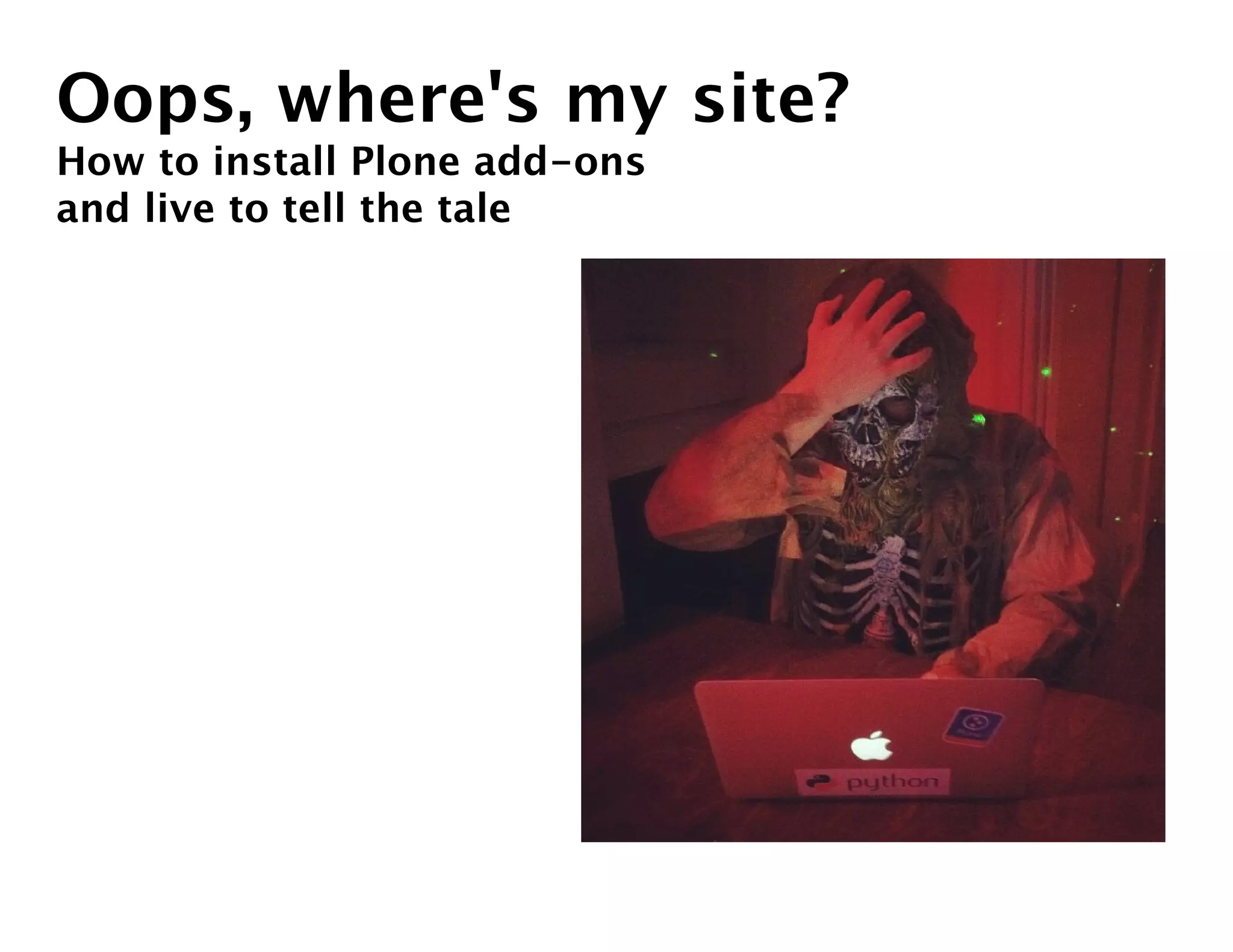
Oops, where's my site?
How to install Plone add-ons
and live to tell the tale
Goals
 • Know the procedure for installing most Plone add-ons

 • Understand guidelines to prevent things from breaking

 • Recognize some common ways installation fails and know how to recover
Starting on the same page
The flavors of Plone installers
(Available from plone.org)

Windows installer
     Only option for Windows.

OS X
       For Mac OS X. Doesn't require a C compiler.

Unified installer
      Installation from source for all Unix-like systems (including OS X).
      Requires a C compiler to install.

Your own custom buildout
     Most likely generated using ZopeSkel or based on a previous project.
     Provides the most flexibility.
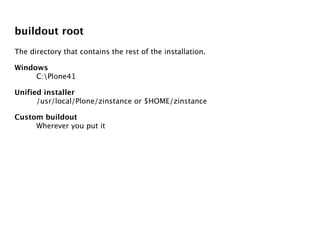
buildout root
The directory that contains the rest of the installation.

Windows
     C:Plone41

Unified installer
      /usr/local/Plone/zinstance or $HOME/zinstance

Custom buildout
     Wherever you put it
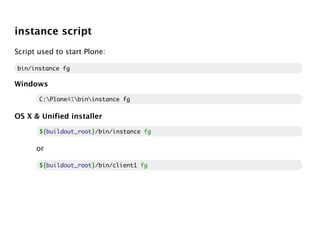
instance script
Script used to start Plone:

bin/instance fg

Windows

       C:Plone41bininstance fg

OS X & Unified installer

       ${
       ${buildout_root}/bin/instance fg
                      }

      or

       ${
       ${buildout_root}/bin/client1 fg
                      }
First, do no harm
multi-staged deployment
 • Keep at least one copy of the site separate from the production copy, to test
   changes.

 • Keep all changes in version control (svn, git, etc.) so you can reproduce your
   environment.

 • Use buildout's extends to handle differences between environments.
Aspeli's rule of deployment
Code & configuration flow from the development site to the production site; data
flows from the production site to the development site.
Back up your data before you make changes!
 1. Make sure your buildout configuration is under version control.

 2. Back up the data:

     $ bin/snapshotbackup

    -- or --

     $ bin/backup

(collective.recipe.backup is included in the Unified installer buildout.)
Restoring from backup
1. Stop the instance

2. Use your version control system to revert to the old version of the buildout,
   and re-run it.

3. Restore the data:

   $ bin/snapshotrestore
   -- or --
   $ bin/restore

4. Start the instance.
The simplest backup
Copy the entire buildout.
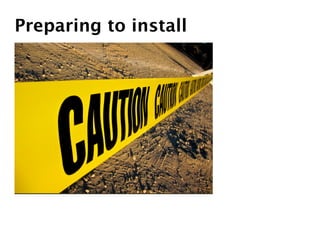
Preparing to install
Finding add-ons
 • Python Package Index (PyPI): http://pypi.python.org/pypi

 • Plone.org products directory: http://plone.org/products

 • Plone Open Comparison: http://plone.opencomparison.org
Plone version compatibility
Dependencies
Simplest way to tell what it depends on is actually installing. :(

Use the buildout.dumppickedversions extension:

[buildout]
extensions = buildout.dumppickedversions

(Included in the Unified installer buildout.)
What does it do?
  • Does it do some trivial customization, or introduce a brand new
    experimental subsystem?

  • Does it do anything malicious?

  • Is it possible to uninstall?

Ask others about their experience with it (on IRC or the mailing lists).
A simple installation
Buildout.cfg format
Parts

        Each part has a header in square brackets:

        [buildout]

Variables

        Each part contains multiple variables below the header:

        [buildout]
        extends = http://dist.plone.org/release/4.1.2/versions.cfg
        parts = instance

        Variables can interpolate other variables

        [instance]
        eggs = ${buildout:eggs}
Adding PloneFormGen
Add the name of the distribution to the eggs variable.

Which part?

[instance]
eggs =
    Plone
    Products.PloneFormGen

But in the Unified installer buildout the instance eggs are based on the
buildout eggs:

[instance]
eggs = ${buildout:eggs}

So you can add to buildout eggs:

[buildout]
eggs =
    Plone
    Products.PloneFormGen
Run buildout
$ bin/buildout

For verbose info:

$ bin/buildout -v


Confirm it was installed
Examine the instance script.
Identifying picked versions
If we used buildout.dumppickedversions, it shows us which versions were
"picked":

*************** PICKED VERSIONS ****************
[versions]
Products.PloneFormGen = 1.7b5
Products.PythonField = 1.1.3
Products.TALESField = 1.1.3
Products.TemplateFields = 1.2.5

#Required by:
#Products.PloneFormGen 1.7b5
collective.js.jqueryui = 1.8.5.2
Pinning picked versions
Add them to the versions buildout part:

[versions]
Products.PloneFormGen = 1.7b5
Products.PythonField = 1.1.3
Products.TALESField = 1.1.3
Products.TemplateFields = 1.2.5

#Required by:
#Products.PloneFormGen 1.7b5
collective.js.jqueryui = 1.8.5.2

Now if you re-run buildout, it should show no picked versions.
Inferior pinning
Why not do this?

[buildout]
eggs = Products.PloneFormGen==1.7b5

Because the version doesn't get used if PloneFormGen is a dependency of
something else.
Being strict about pinning
Disallow picked versions:

[buildout]
allow-picked-versions = false
Starting Zope
Use the instance script in foreground mode to make failures obvious:

$ bin/instance fg
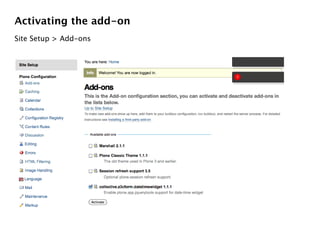
Activating the add-on
Site Setup > Add-ons
A complex installation
Installing Dexterity
[buildout]
extends = http://good-py.appspot.com/release/dexterity/1.0.3?plone=4.1.2

[instance]
eggs =
    plone.app.dexterity
good-py
 • A tool for building and distributing known good sets

 • One KGS can extend another

 • A KGS can be constrained by a particular platform
Upgrading an add-on
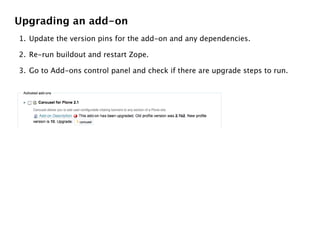
1. Update the version pins for the add-on and any dependencies.

2. Re-run buildout and restart Zope.

3. Go to Add-ons control panel and check if there are upgrade steps to run.
What could possibly go wrong?
Incompatible version pins
Example:

The version, 1.1.2, is not consistent with the requirement,
'plone.app.jquerytools>=1.2dev'.
While:
  Installing instance.
Error: Bad version 1.1.2

Reason: PloneFormGen requires plone.app.jquerytools >= 1.2dev, but I have it
pinned to 1.1.2.

How did I know?:

Getting required 'collective.js.jqueryui'
  required by Products.PloneFormGen 1.7b6.
Picked: collective.js.jqueryui = 1.8.13.1
The version, 1.1.2, is not consistent with the requirement,
'plone.app.jquerytools>=1.2dev'.
While:
  Installing instance.
Error: Bad version 1.1.2

Solution: Upgrade plone.app.jquerytools (with care).
PyPI times out
Symptom: Error message about the egg not being available.

Solution: Temporarily use a mirror of the package index:

[buildout]
index = http://d.pypi.python.org/simple
ZCML not loaded
Symptom: The product you installed doesn't show up in the Add-ons control
panel.

Reason: Many add-ons "announce" themselves to Plone so that Plone loads their
configuration, but some are missing this.

Solution: Include the package's ZCML in buildout, re-run buildout, and restart:

[instance]
zcml =
    my.package
Other errors while starting up
Seeking help:

 • Send the full traceback to the add-on's author

 • Ask in #plone channel on IRC

 • Ask on the plone-users mailing list
Room for improvement
plonelint tool
"Dry run mode" for buildout
Communal Known Good Set
         (KGS)
UI for installing packages
Questions

Oops, where's my site?

  • 1.
    Oops, where's mysite? How to install Plone add-ons and live to tell the tale
  • 2.
    Goals • Knowthe procedure for installing most Plone add-ons • Understand guidelines to prevent things from breaking • Recognize some common ways installation fails and know how to recover
  • 3.
    Starting on thesame page
  • 4.
    The flavors ofPlone installers (Available from plone.org) Windows installer Only option for Windows. OS X For Mac OS X. Doesn't require a C compiler. Unified installer Installation from source for all Unix-like systems (including OS X). Requires a C compiler to install. Your own custom buildout Most likely generated using ZopeSkel or based on a previous project. Provides the most flexibility.
  • 5.
    buildout root The directorythat contains the rest of the installation. Windows C:Plone41 Unified installer /usr/local/Plone/zinstance or $HOME/zinstance Custom buildout Wherever you put it
  • 6.
    instance script Script usedto start Plone: bin/instance fg Windows C:Plone41bininstance fg OS X & Unified installer ${ ${buildout_root}/bin/instance fg } or ${ ${buildout_root}/bin/client1 fg }
  • 7.
  • 8.
    multi-staged deployment •Keep at least one copy of the site separate from the production copy, to test changes. • Keep all changes in version control (svn, git, etc.) so you can reproduce your environment. • Use buildout's extends to handle differences between environments.
  • 9.
    Aspeli's rule ofdeployment Code & configuration flow from the development site to the production site; data flows from the production site to the development site.
  • 10.
    Back up yourdata before you make changes! 1. Make sure your buildout configuration is under version control. 2. Back up the data: $ bin/snapshotbackup -- or -- $ bin/backup (collective.recipe.backup is included in the Unified installer buildout.)
  • 11.
    Restoring from backup 1.Stop the instance 2. Use your version control system to revert to the old version of the buildout, and re-run it. 3. Restore the data: $ bin/snapshotrestore -- or -- $ bin/restore 4. Start the instance.
  • 12.
    The simplest backup Copythe entire buildout.
  • 13.
  • 14.
    Finding add-ons •Python Package Index (PyPI): http://pypi.python.org/pypi • Plone.org products directory: http://plone.org/products • Plone Open Comparison: http://plone.opencomparison.org
  • 15.
  • 16.
    Dependencies Simplest way totell what it depends on is actually installing. :( Use the buildout.dumppickedversions extension: [buildout] extensions = buildout.dumppickedversions (Included in the Unified installer buildout.)
  • 17.
    What does itdo? • Does it do some trivial customization, or introduce a brand new experimental subsystem? • Does it do anything malicious? • Is it possible to uninstall? Ask others about their experience with it (on IRC or the mailing lists).
  • 18.
  • 19.
    Buildout.cfg format Parts Each part has a header in square brackets: [buildout] Variables Each part contains multiple variables below the header: [buildout] extends = http://dist.plone.org/release/4.1.2/versions.cfg parts = instance Variables can interpolate other variables [instance] eggs = ${buildout:eggs}
  • 20.
    Adding PloneFormGen Add thename of the distribution to the eggs variable. Which part? [instance] eggs = Plone Products.PloneFormGen But in the Unified installer buildout the instance eggs are based on the buildout eggs: [instance] eggs = ${buildout:eggs} So you can add to buildout eggs: [buildout] eggs = Plone Products.PloneFormGen
  • 21.
    Run buildout $ bin/buildout Forverbose info: $ bin/buildout -v Confirm it was installed Examine the instance script.
  • 22.
    Identifying picked versions Ifwe used buildout.dumppickedversions, it shows us which versions were "picked": *************** PICKED VERSIONS **************** [versions] Products.PloneFormGen = 1.7b5 Products.PythonField = 1.1.3 Products.TALESField = 1.1.3 Products.TemplateFields = 1.2.5 #Required by: #Products.PloneFormGen 1.7b5 collective.js.jqueryui = 1.8.5.2
  • 23.
    Pinning picked versions Addthem to the versions buildout part: [versions] Products.PloneFormGen = 1.7b5 Products.PythonField = 1.1.3 Products.TALESField = 1.1.3 Products.TemplateFields = 1.2.5 #Required by: #Products.PloneFormGen 1.7b5 collective.js.jqueryui = 1.8.5.2 Now if you re-run buildout, it should show no picked versions.
  • 24.
    Inferior pinning Why notdo this? [buildout] eggs = Products.PloneFormGen==1.7b5 Because the version doesn't get used if PloneFormGen is a dependency of something else.
  • 25.
    Being strict aboutpinning Disallow picked versions: [buildout] allow-picked-versions = false
  • 26.
    Starting Zope Use theinstance script in foreground mode to make failures obvious: $ bin/instance fg
  • 27.
  • 28.
  • 29.
    Installing Dexterity [buildout] extends =http://good-py.appspot.com/release/dexterity/1.0.3?plone=4.1.2 [instance] eggs = plone.app.dexterity
  • 30.
    good-py • Atool for building and distributing known good sets • One KGS can extend another • A KGS can be constrained by a particular platform
  • 31.
    Upgrading an add-on 1.Update the version pins for the add-on and any dependencies. 2. Re-run buildout and restart Zope. 3. Go to Add-ons control panel and check if there are upgrade steps to run.
  • 32.
  • 33.
    Incompatible version pins Example: Theversion, 1.1.2, is not consistent with the requirement, 'plone.app.jquerytools>=1.2dev'. While: Installing instance. Error: Bad version 1.1.2 Reason: PloneFormGen requires plone.app.jquerytools >= 1.2dev, but I have it pinned to 1.1.2. How did I know?: Getting required 'collective.js.jqueryui' required by Products.PloneFormGen 1.7b6. Picked: collective.js.jqueryui = 1.8.13.1 The version, 1.1.2, is not consistent with the requirement, 'plone.app.jquerytools>=1.2dev'. While: Installing instance. Error: Bad version 1.1.2 Solution: Upgrade plone.app.jquerytools (with care).
  • 34.
    PyPI times out Symptom:Error message about the egg not being available. Solution: Temporarily use a mirror of the package index: [buildout] index = http://d.pypi.python.org/simple
  • 35.
    ZCML not loaded Symptom:The product you installed doesn't show up in the Add-ons control panel. Reason: Many add-ons "announce" themselves to Plone so that Plone loads their configuration, but some are missing this. Solution: Include the package's ZCML in buildout, re-run buildout, and restart: [instance] zcml = my.package
  • 36.
    Other errors whilestarting up Seeking help: • Send the full traceback to the add-on's author • Ask in #plone channel on IRC • Ask on the plone-users mailing list
  • 37.
  • 38.
  • 39.
    "Dry run mode"for buildout
  • 40.
  • 41.
  • 42.