DB2 for Linux, Unix, and
Windows
- Ravi
What is a Database Manager?
AGENDA!
Installation pre-requisites
CREATE/DROP
START/STOP
DBM Configuration
db2set command
db2 CLP history
Q&A
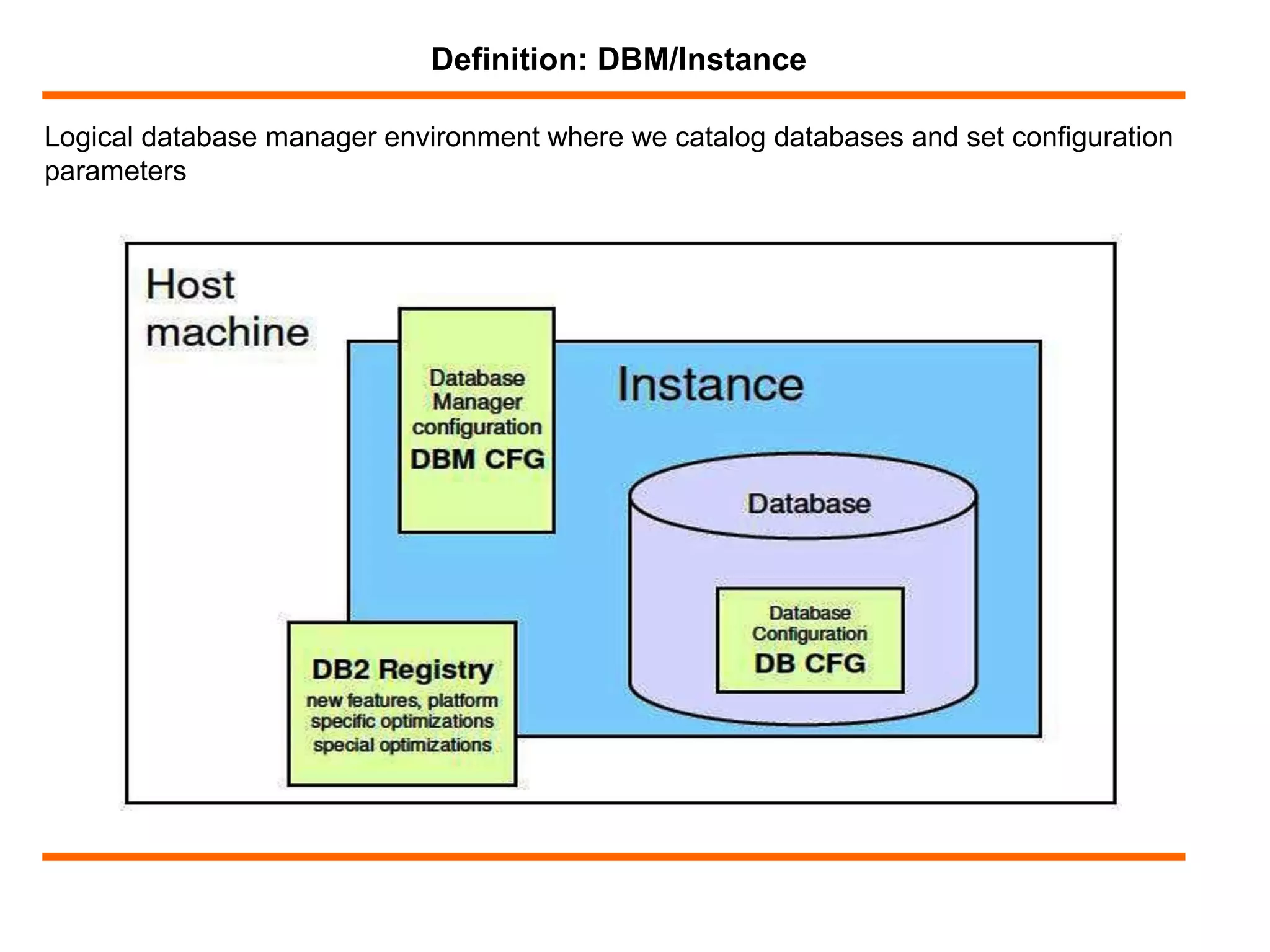
Logical database manager environment where we catalog databases and set configuration
parameters
Definition: DBM/Instance
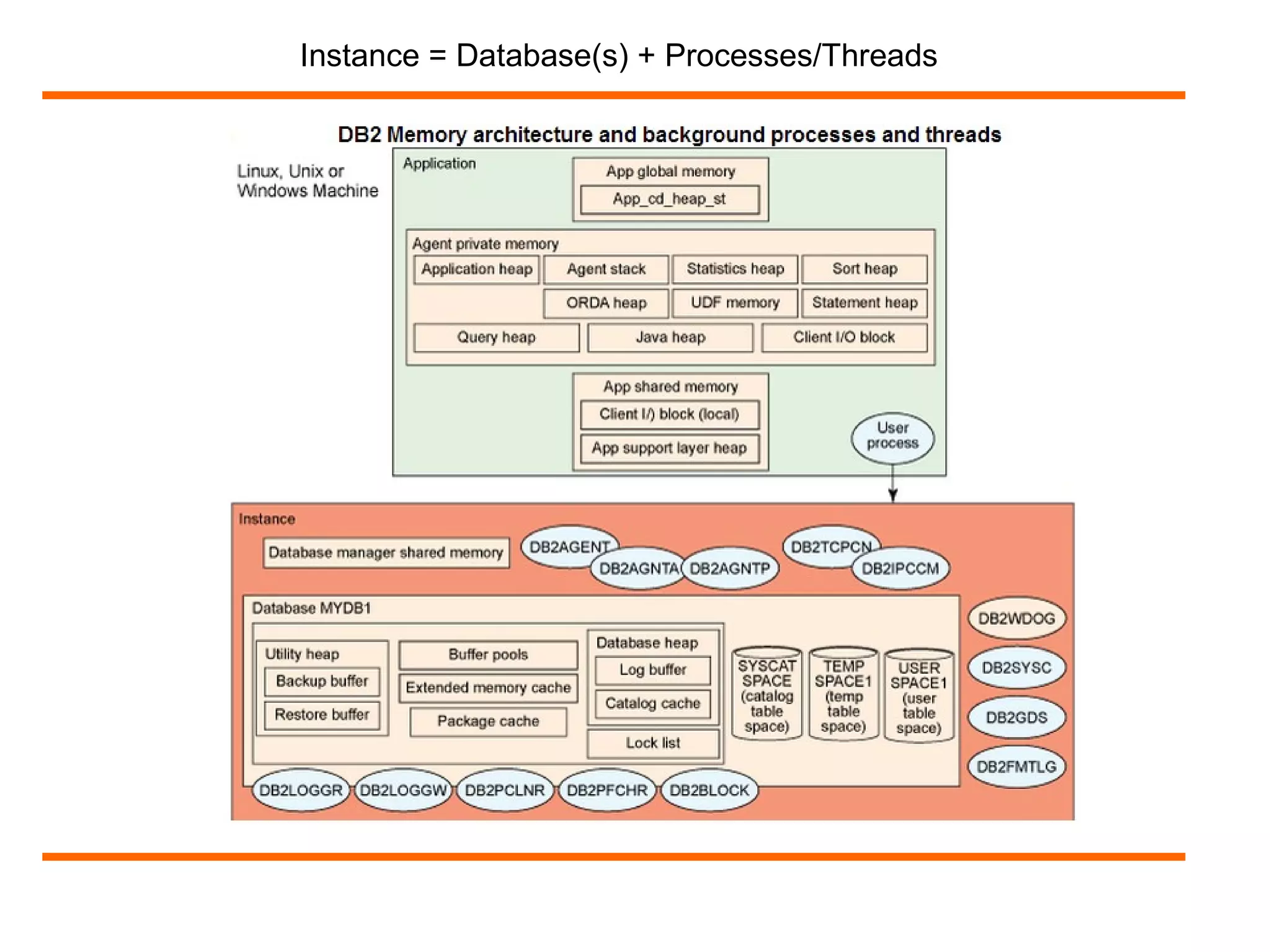
Instance = Database(s) + Processes/Threads
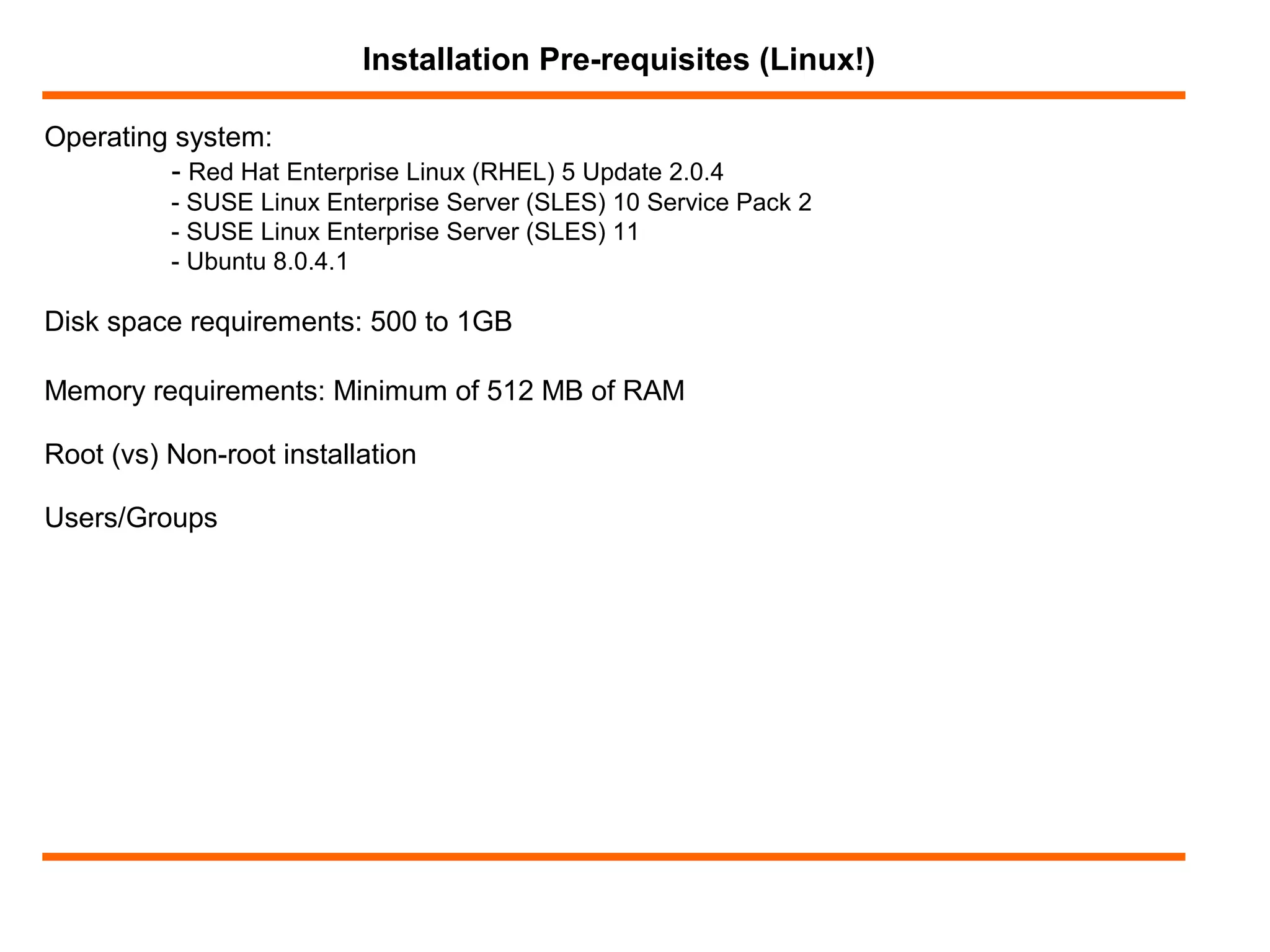
Operating system:
- Red Hat Enterprise Linux (RHEL) 5 Update 2.0.4
- SUSE Linux Enterprise Server (SLES) 10 Service Pack 2
- SUSE Linux Enterprise Server (SLES) 11
- Ubuntu 8.0.4.1
Installation Pre-requisites (Linux!)
Disk space requirements: 500 to 1GB
Memory requirements: Minimum of 512 MB of RAM
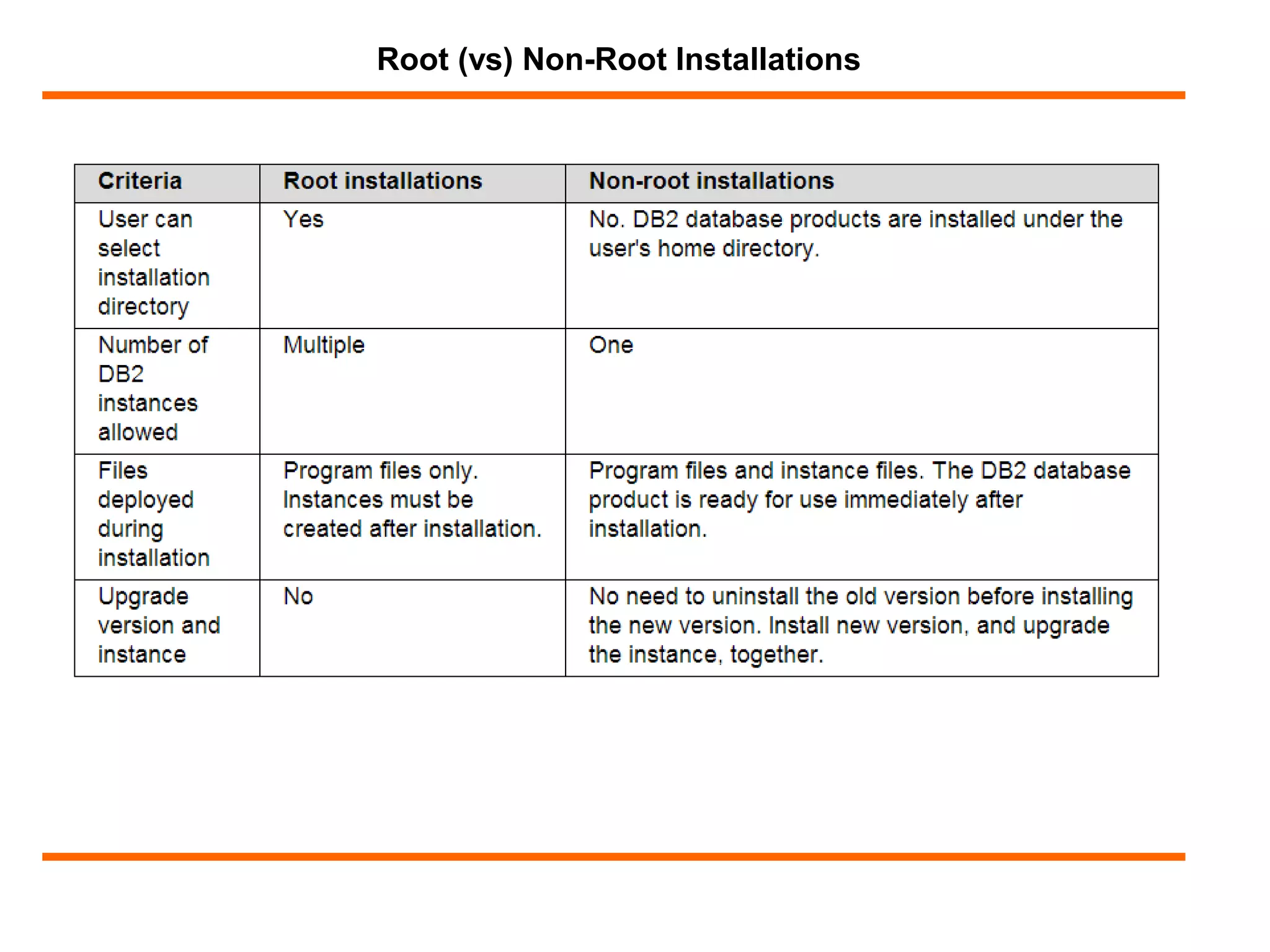
Root (vs) Non-root installation
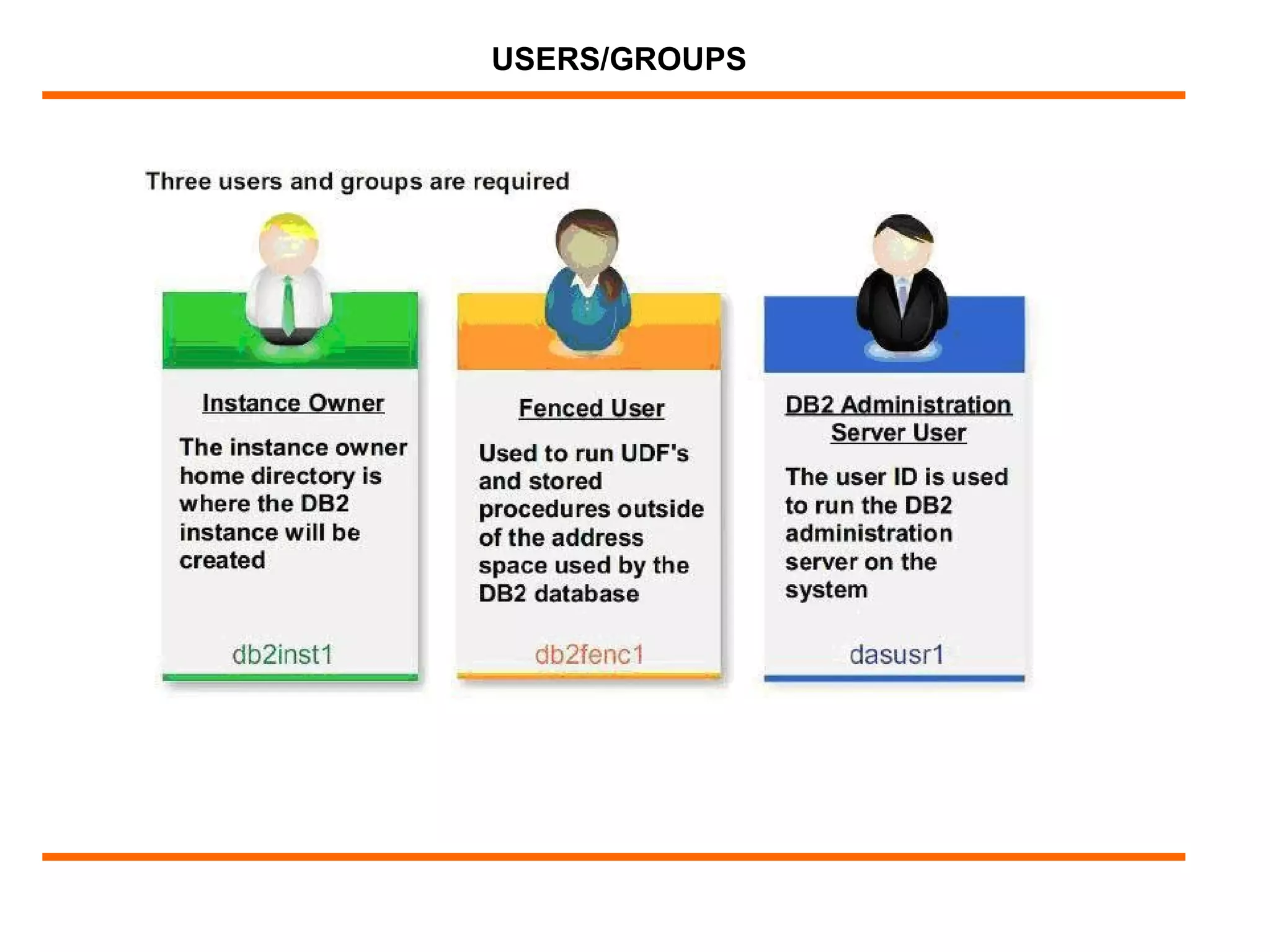
Users/Groups
Root (vs) Non-Root Installations
USERS/GROUPS
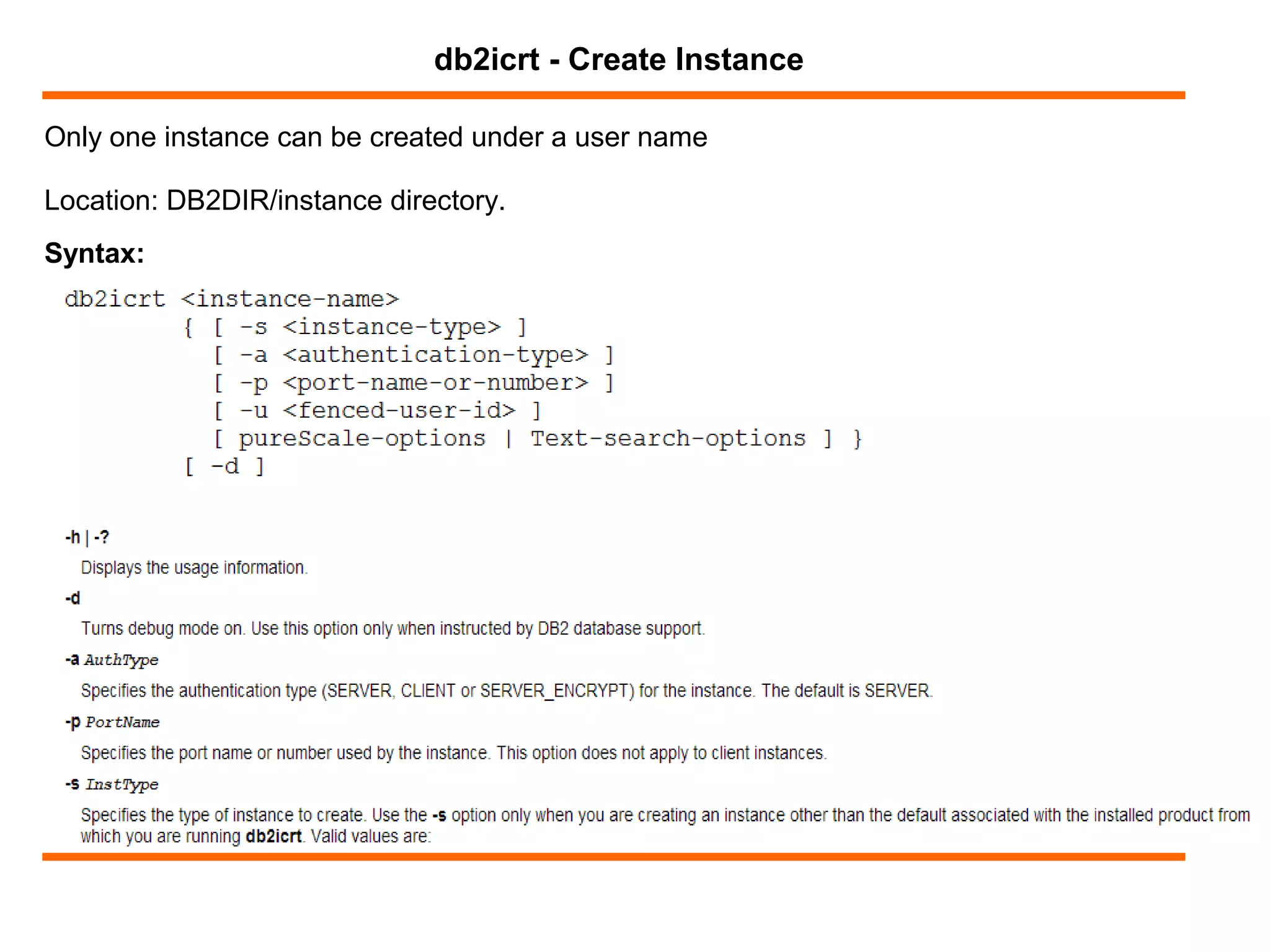
Only one instance can be created under a user name
db2icrt - Create Instance
Syntax:
Location: DB2DIR/instance directory.
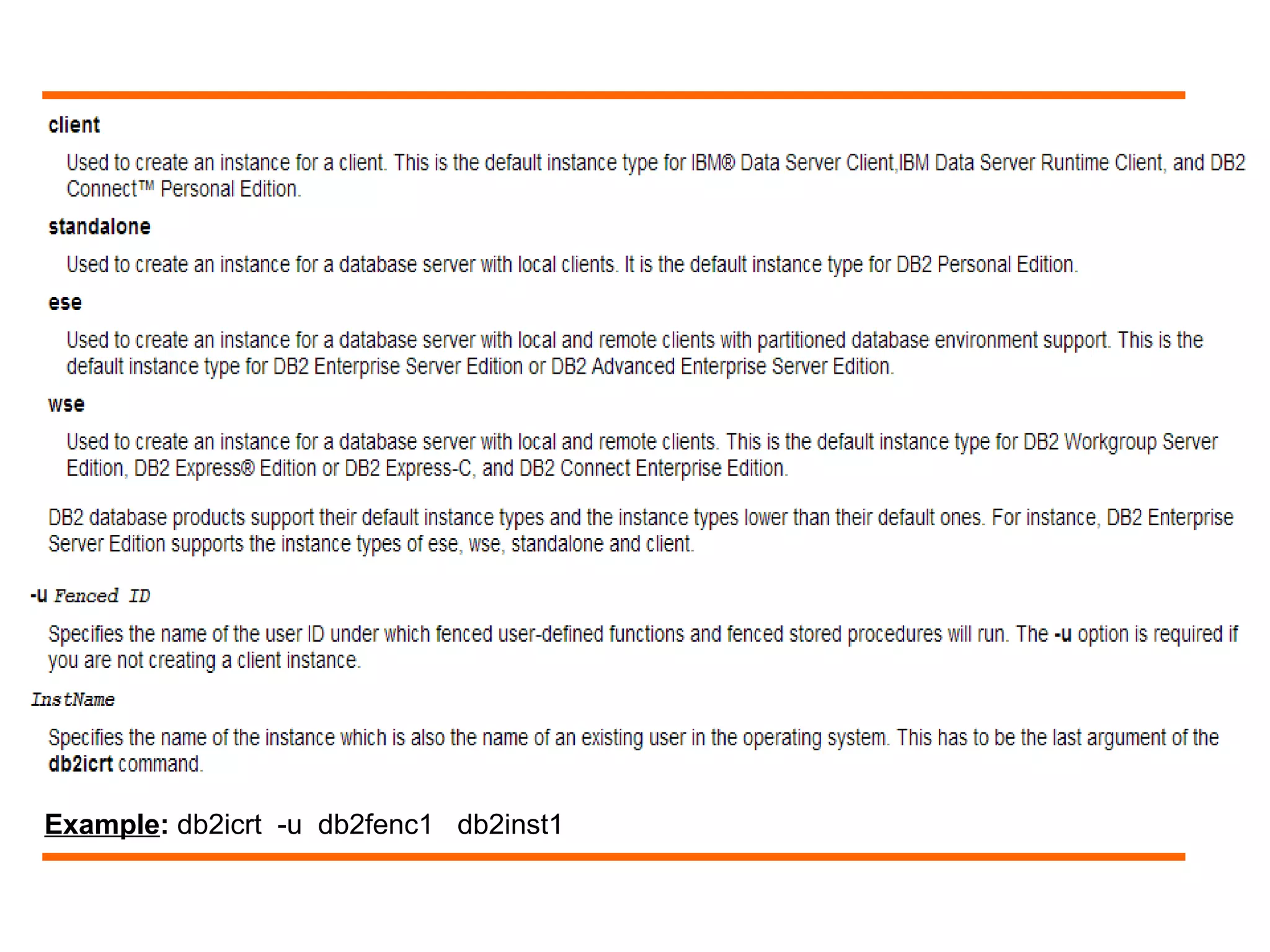
Example: db2icrt -u db2fenc1 db2inst1
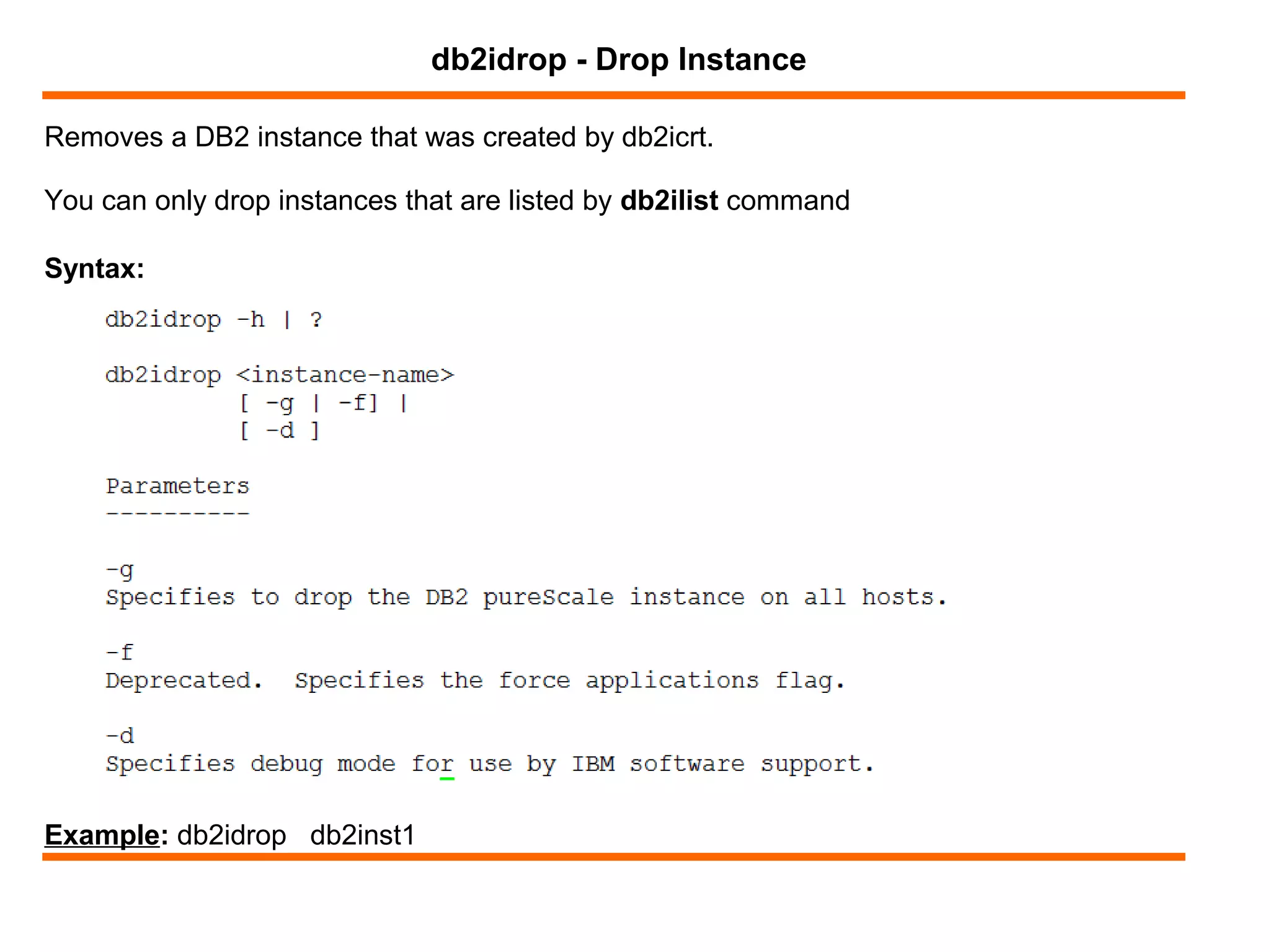
Removes a DB2 instance that was created by db2icrt.
db2idrop - Drop Instance
Syntax:
You can only drop instances that are listed by db2ilist command
Example: db2idrop db2inst1
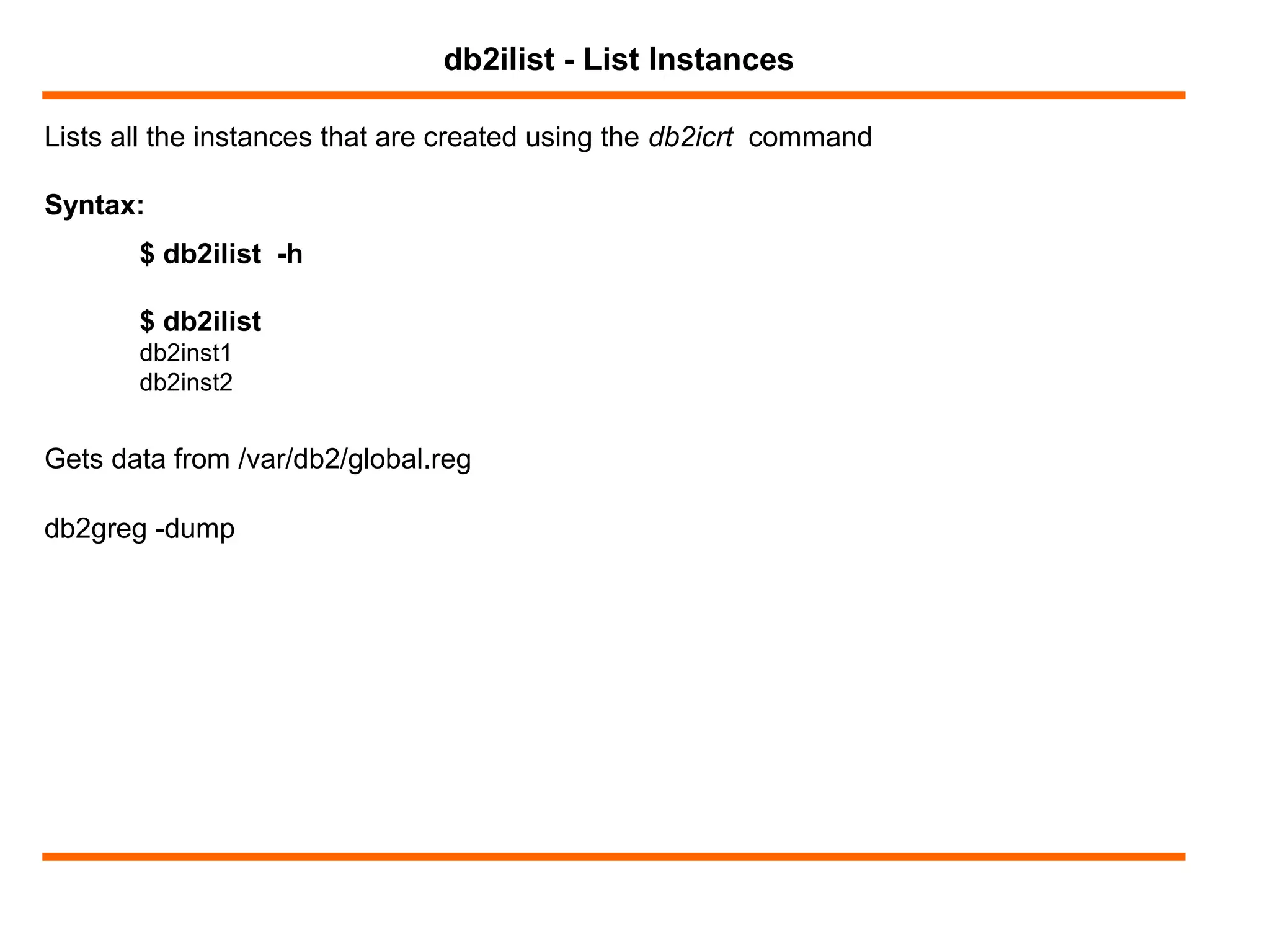
Lists all the instances that are created using the db2icrt command
db2ilist - List Instances
Syntax:
$ db2ilist -h
$ db2ilist
db2inst1
db2inst2
Gets data from /var/db2/global.reg
db2greg -dump
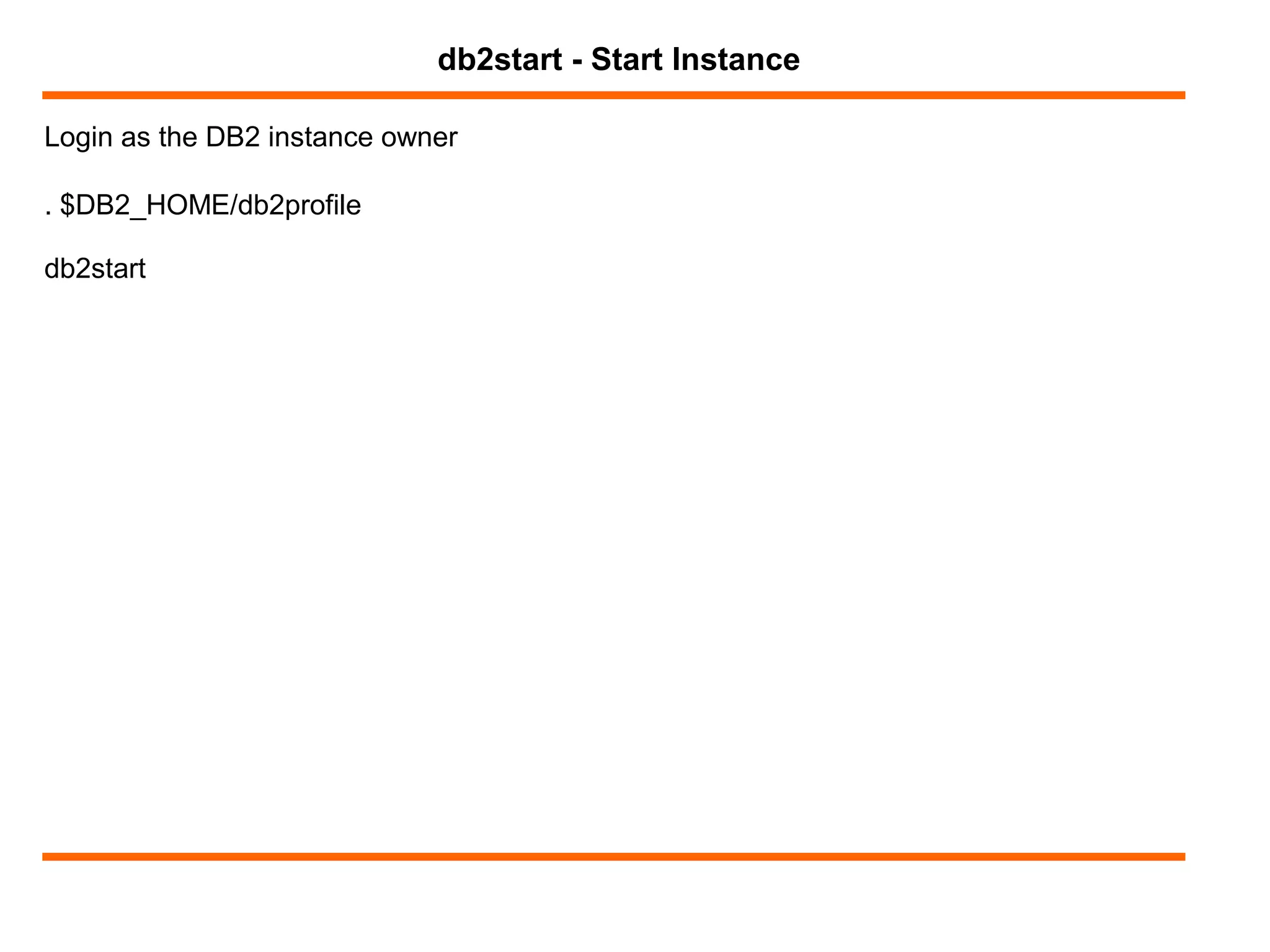
Login as the DB2 instance owner
db2start - Start Instance
. $DB2_HOME/db2profile
db2start
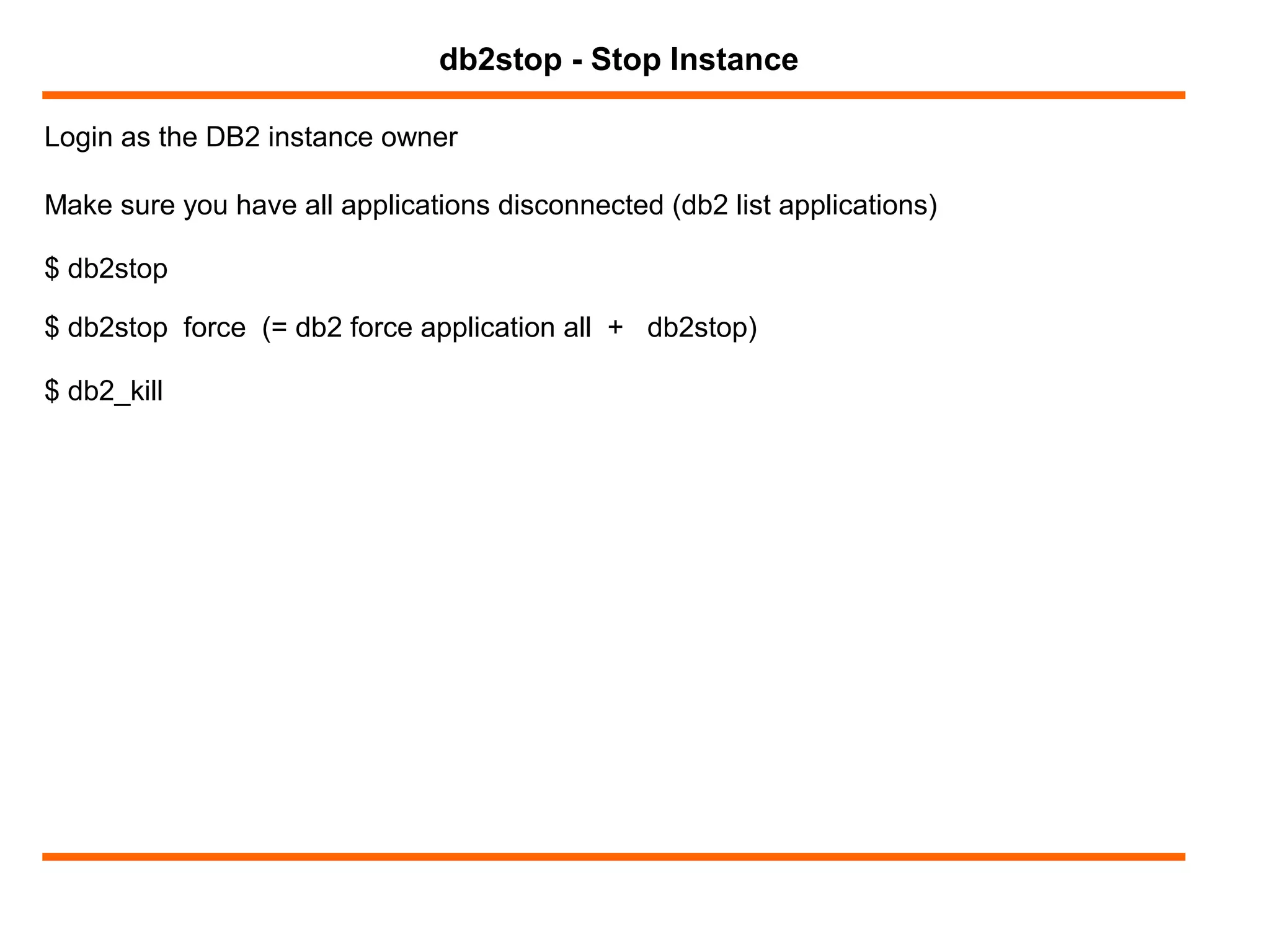
Login as the DB2 instance owner
db2stop - Stop Instance
Make sure you have all applications disconnected (db2 list applications)
$ db2stop
$ db2stop force (= db2 force application all + db2stop)
$ db2_kill
$ db2 get instance
$ db2 ? get dbm cfg
GET DATABASE MANAGER CONFIGURATION [SHOW DETAIL]
$ db2 get dbm cfg
$ db2 get dbm cfg | grep NUMDB
$ db2 update dbm cfg using NUMDB 10
$ db2 attach to db2inst1
$ db2 get dbm cfg show detail
$ db2 reset dbm cfg
DBM CONFIGURATION
DB2SET
IBM DB2 profile registry command
Allows for centralized control of environmental variables
4 Profile registries:
- Instance level profile registry [i] (~/sqllib/profile.env)
- Global level profile registry [g] (/var/db2/global.reg)
- Instance node level profile registry [n] (~/sqllib/nodes/node_number.env)
- Instance profile registry (/var/db2/global.reg)
db2set ?
db2set -lr
db2set
db2set registry_variable_name
db2set registry_variable_name=
db2set registry_variable_name=new_value
db2set registry_variable_name=new_value -i instance_name
db2set registry_variable_name=new_value -g
db2set registry_variable_name=new_value -i instance_name node_number
db2set -r registry_variable_name
db2set -r registry_variable_name node_number
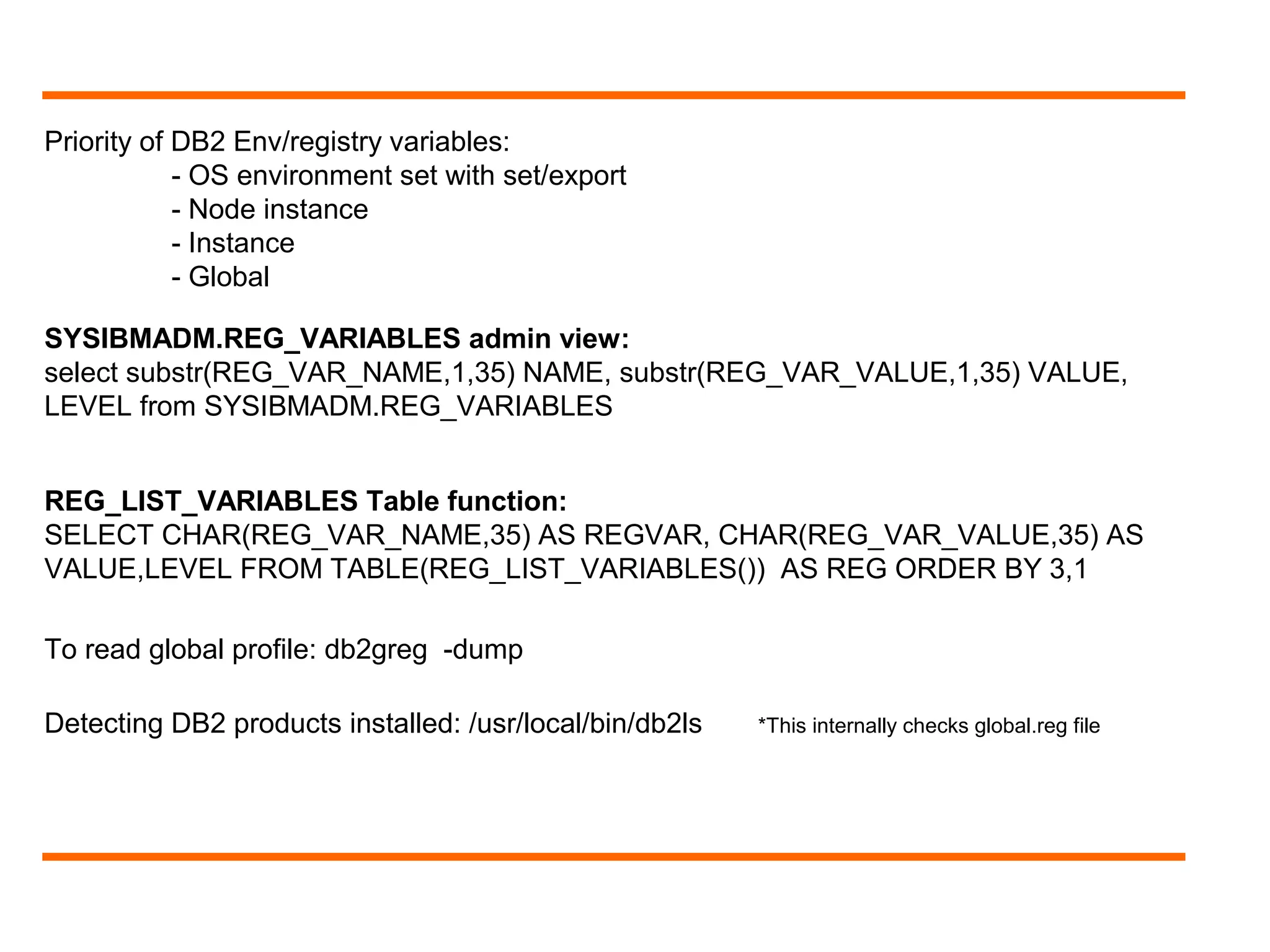
Priority of DB2 Env/registry variables:
- OS environment set with set/export
- Node instance
- Instance
- Global
To read global profile: db2greg -dump
Detecting DB2 products installed: /usr/local/bin/db2ls *This internally checks global.reg file
SYSIBMADM.REG_VARIABLES admin view:
select substr(REG_VAR_NAME,1,35) NAME, substr(REG_VAR_VALUE,1,35) VALUE,
LEVEL from SYSIBMADM.REG_VARIABLES
REG_LIST_VARIABLES Table function:
SELECT CHAR(REG_VAR_NAME,35) AS REGVAR, CHAR(REG_VAR_VALUE,35) AS
VALUE,LEVEL FROM TABLE(REG_LIST_VARIABLES()) AS REG ORDER BY 3,1
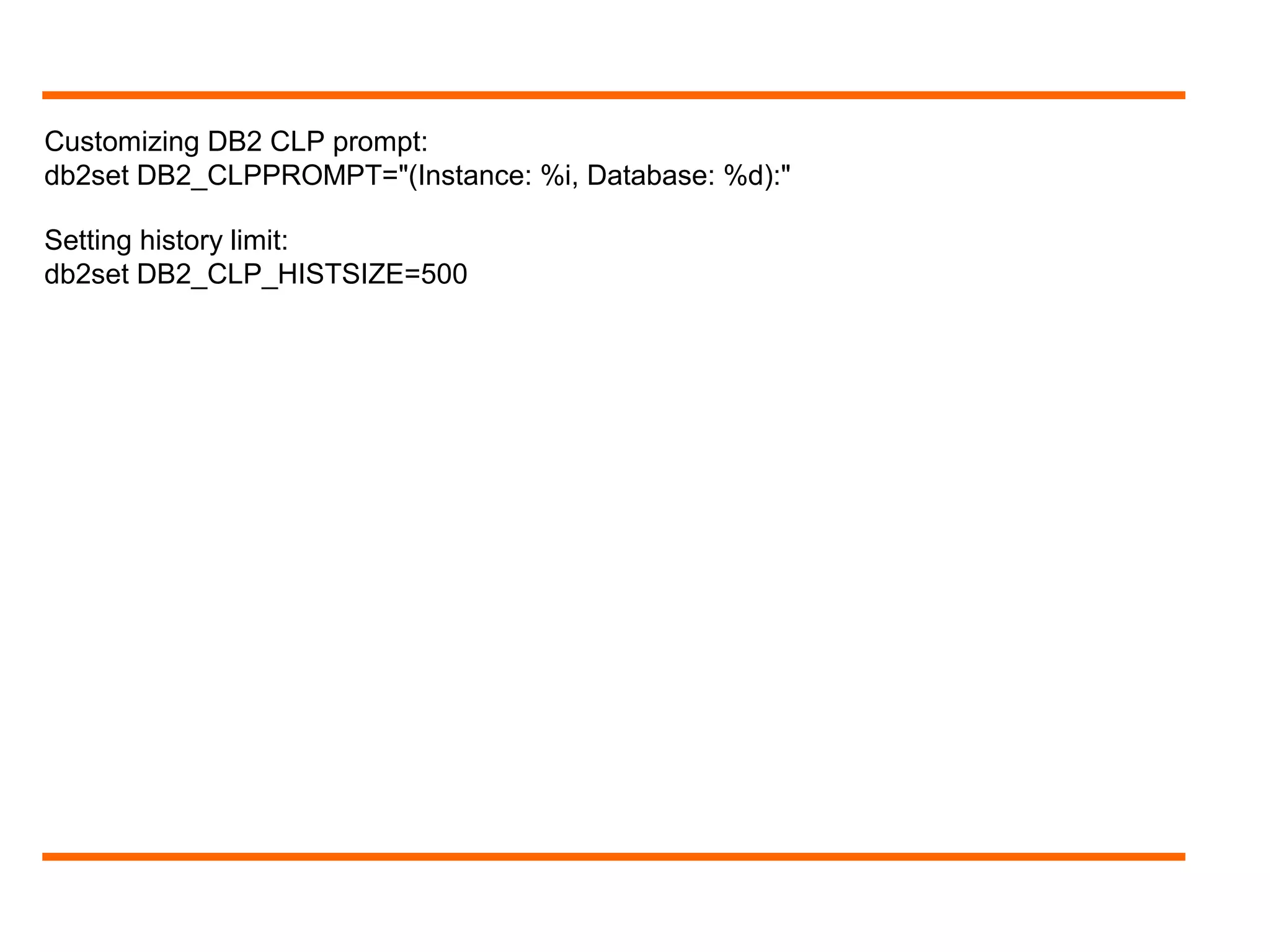
Customizing DB2 CLP prompt:
db2set DB2_CLPPROMPT="(Instance: %i, Database: %d):"
Setting history limit:
db2set DB2_CLP_HISTSIZE=500
Online Training in IBM DB2 LUW/UDB DBA in Hyderabad

Online Training in IBM DB2 LUW/UDB DBA in Hyderabad

  • 1.
    DB2 for Linux,Unix, and Windows - Ravi
  • 2.
    What is aDatabase Manager? AGENDA! Installation pre-requisites CREATE/DROP START/STOP DBM Configuration db2set command db2 CLP history Q&A
  • 3.
    Logical database managerenvironment where we catalog databases and set configuration parameters Definition: DBM/Instance
  • 4.
    Instance = Database(s)+ Processes/Threads
  • 6.
    Operating system: - RedHat Enterprise Linux (RHEL) 5 Update 2.0.4 - SUSE Linux Enterprise Server (SLES) 10 Service Pack 2 - SUSE Linux Enterprise Server (SLES) 11 - Ubuntu 8.0.4.1 Installation Pre-requisites (Linux!) Disk space requirements: 500 to 1GB Memory requirements: Minimum of 512 MB of RAM Root (vs) Non-root installation Users/Groups
  • 7.
    Root (vs) Non-RootInstallations
  • 8.
  • 9.
    Only one instancecan be created under a user name db2icrt - Create Instance Syntax: Location: DB2DIR/instance directory.
  • 10.
    Example: db2icrt -udb2fenc1 db2inst1
  • 11.
    Removes a DB2instance that was created by db2icrt. db2idrop - Drop Instance Syntax: You can only drop instances that are listed by db2ilist command Example: db2idrop db2inst1
  • 12.
    Lists all theinstances that are created using the db2icrt command db2ilist - List Instances Syntax: $ db2ilist -h $ db2ilist db2inst1 db2inst2 Gets data from /var/db2/global.reg db2greg -dump
  • 13.
    Login as theDB2 instance owner db2start - Start Instance . $DB2_HOME/db2profile db2start
  • 14.
    Login as theDB2 instance owner db2stop - Stop Instance Make sure you have all applications disconnected (db2 list applications) $ db2stop $ db2stop force (= db2 force application all + db2stop) $ db2_kill
  • 15.
    $ db2 getinstance $ db2 ? get dbm cfg GET DATABASE MANAGER CONFIGURATION [SHOW DETAIL] $ db2 get dbm cfg $ db2 get dbm cfg | grep NUMDB $ db2 update dbm cfg using NUMDB 10 $ db2 attach to db2inst1 $ db2 get dbm cfg show detail $ db2 reset dbm cfg DBM CONFIGURATION
  • 16.
  • 17.
    IBM DB2 profileregistry command Allows for centralized control of environmental variables 4 Profile registries: - Instance level profile registry [i] (~/sqllib/profile.env) - Global level profile registry [g] (/var/db2/global.reg) - Instance node level profile registry [n] (~/sqllib/nodes/node_number.env) - Instance profile registry (/var/db2/global.reg) db2set ? db2set -lr db2set db2set registry_variable_name db2set registry_variable_name= db2set registry_variable_name=new_value db2set registry_variable_name=new_value -i instance_name db2set registry_variable_name=new_value -g db2set registry_variable_name=new_value -i instance_name node_number db2set -r registry_variable_name db2set -r registry_variable_name node_number
  • 18.
    Priority of DB2Env/registry variables: - OS environment set with set/export - Node instance - Instance - Global To read global profile: db2greg -dump Detecting DB2 products installed: /usr/local/bin/db2ls *This internally checks global.reg file SYSIBMADM.REG_VARIABLES admin view: select substr(REG_VAR_NAME,1,35) NAME, substr(REG_VAR_VALUE,1,35) VALUE, LEVEL from SYSIBMADM.REG_VARIABLES REG_LIST_VARIABLES Table function: SELECT CHAR(REG_VAR_NAME,35) AS REGVAR, CHAR(REG_VAR_VALUE,35) AS VALUE,LEVEL FROM TABLE(REG_LIST_VARIABLES()) AS REG ORDER BY 3,1
  • 19.
    Customizing DB2 CLPprompt: db2set DB2_CLPPROMPT="(Instance: %i, Database: %d):" Setting history limit: db2set DB2_CLP_HISTSIZE=500

Editor's Notes

  • #2 http://www.ibm.com/developerworks/data/library/techarticle/dm-0509poon/
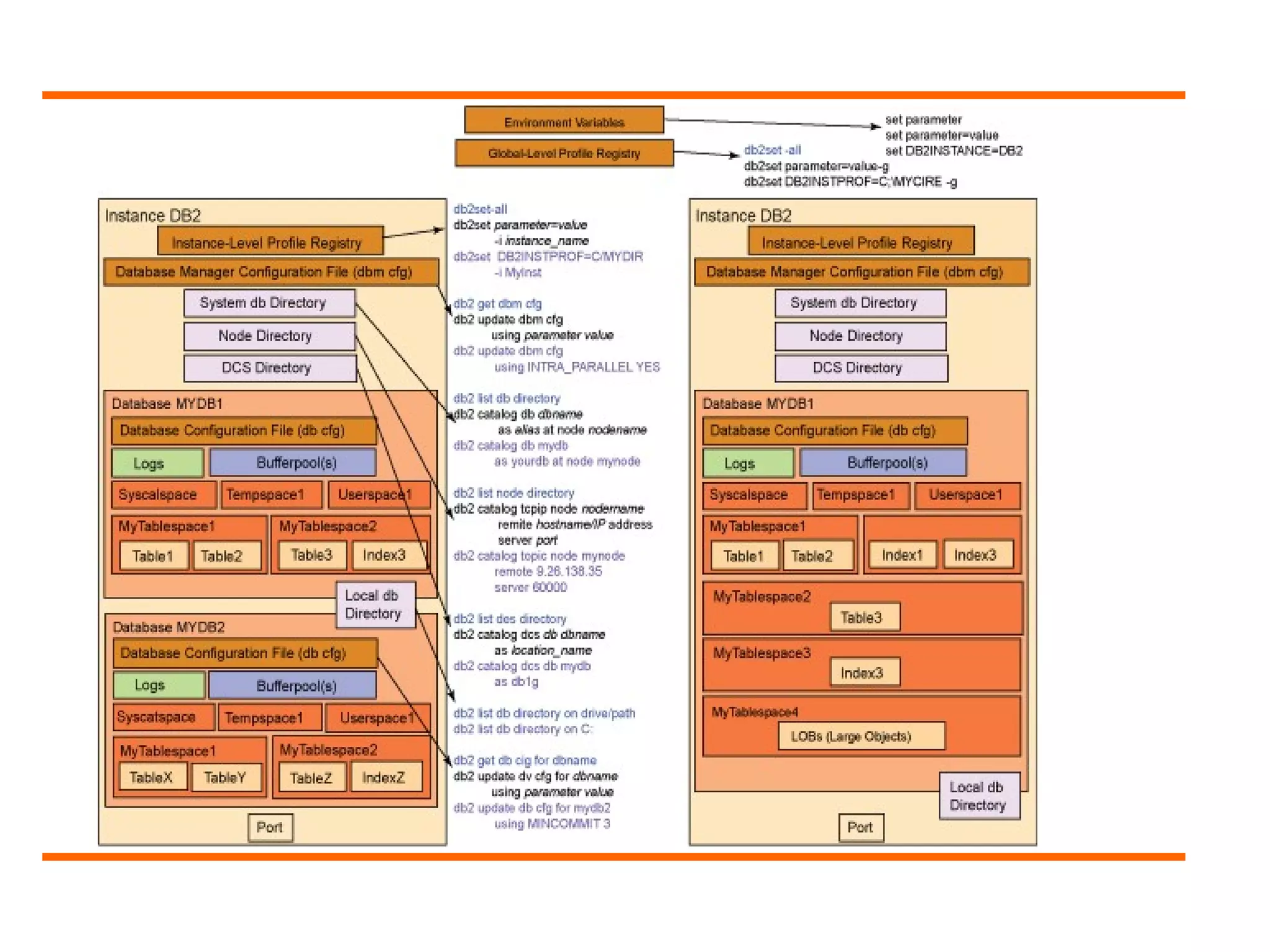
  • #5 Instance = Database(s) + Processes/Threads
  • #6 Instance view: A bit more detailed!
  • #7 Pre-requisites as of DB2 9.7!
  • #8 Instance IDs should not be root or have password expired.
  • #10 DB2DIR: DB2 installed location. You can find this using db2ls command http://www-01.ibm.com/support/knowledgecenter/SSEPGG_10.5.0/com.ibm.db2.luw.qb.server.doc/doc/c0050566.html The instance directory stores all information that pertains to a database instance. You cannot change the location of the instance directory once it is created. The directory contains: The database manager configuration file (db2systm) The system database directory The node directory The node configuration file (db2nodes.cfg) Any other files that contain debugging information, such as the exception or register dump or the call stack for the DB2 database processes. The installation process creates a default DB2 instance, which is defined by the DB2INSTANCE environment variable. However, instances can be created/dropped after installation.
  • #14 Auto starting Instances: db2iauto -on instance_name On LUW, an instance created by using db2icrt is set as a manual start.
  • #15 ps -ef | grep ^db2inst1 | egrep -v "bash|sshd|grep"
  • #16 ps -ef | grep ^db2inst1 | egrep -v "bash|sshd|grep“ reset dbm cfg: Resets the DBM configuration file to its default values Location of DBM CFG file: ./sqllib/db2systm Link: https://www.columbia.edu/sec/acis/db2/db2d0/db2d0160.htm
  • #18 Instance node level profile registry: For partitioned databases **** To display help information for the command, use: db2set ? To list the complete set of all supported registry variables, use: db2set -lr To list all currently defined registry variables for this session, use: db2set To show the current session value of a registry variable, use: db2set registry_variable_name To delete the current session value of a registry variable, use: db2set registry_variable_name= To change a registry variable for this session only, use: db2set registry_variable_name=new_value To change a registry variable default for all databases in the instance, use: db2set registry_variable_name=new_value -I instance_name To change a registry variable default for all instances in the system, use: db2set registry_variable_name=new_value -g Note:The two parameters "-I" and "-G" cannot be used at the same time in the same command. To change a registry variable default for a particular node in an instance, use: db2set registry_variable_name=new_value -i instance_name node_number To reset all registry variables for an instance back to the defaults found in the Global Profile Registry, use: db2set -r registry_variable_name To reset all registry variables for a node in an instance back to the defaults found in the Global Profile Registry, use: db2set -r registry_variable_name node_number ***
  • #19 Instance node level profile registry: For partitioned databases **** To display help information for the command, use: db2set ? To list the complete set of all supported registry variables, use: db2set -lr To list all currently defined registry variables for this session, use: db2set To show the current session value of a registry variable, use: db2set registry_variable_name To delete the current session value of a registry variable, use: db2set registry_variable_name= To change a registry variable for this session only, use: db2set registry_variable_name=new_value To change a registry variable default for all databases in the instance, use: db2set registry_variable_name=new_value -I instance_name To change a registry variable default for all instances in the system, use: db2set registry_variable_name=new_value -g Note:The two parameters "-I" and "-G" cannot be used at the same time in the same command. To change a registry variable default for a particular node in an instance, use: db2set registry_variable_name=new_value -i instance_name node_number To reset all registry variables for an instance back to the defaults found in the Global Profile Registry, use: db2set -r registry_variable_name To reset all registry variables for a node in an instance back to the defaults found in the Global Profile Registry, use: db2set -r registry_variable_name node_number ***
  • #20 %ia: If instance attachment exists, the authid of the current instance attachment; otherwise a null string %i: Local alias of instance %da: If database connection exists, the authid. Else, null string %d: Database aliase %n: New line character