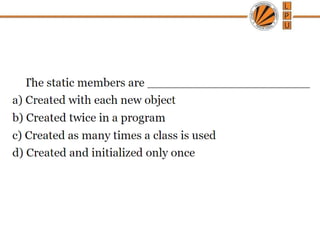
CSE202: OBJECT ORIENTEDPROGRAMMING
Static Members and Static Functions
Friend Function and Friend Class
Functions
Recursion
2.
Memory allocation forobjects
• We have studied that memory space for objects is
allocated when they are declared and not when class
is specified. All objects belong to a class use same
member functions no separate space is allocated for
member function when object is created.
• Only space for member variables is allocated
separately for each object.
• Memory created when functions defined: common
• Memory created when objects defined. Not common
3.
Static Data Members
•It is initialized to zero when first object of its class is created . No other initialization
is permitted.
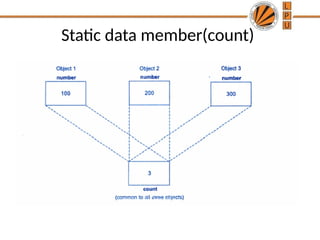
• Only one copy of that member is created for entire class and shared by all objects
of that class.
• Visible only within class but lifetime in entire program.
• They are normally used to maintain values common to the entire class
Example: static data member can be used as a counter that records the occurrences of
all objects
• Type and scope of each static member variable must be defined outside the class
definition.
• This is necessary because static data members are stored separately rather than as
a part of an object.
• Since they are associated with the class itself rather than with any class object, they
are also known as class variables.
4.
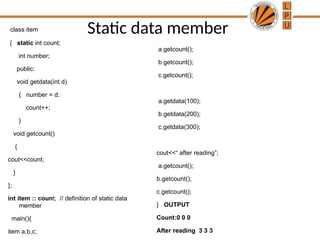
Static data member
classitem
{ static int count;
int number;
public:
void getdata(int d)
{ number = d;
count++;
}
void getcount()
{
cout<<count;
}
};
int item :: count; // definition of static data
member
main(){
item a,b,c;
a.getcount();
b.getcount();
c.getcount();
a.getdata(100);
b.getdata(200);
c.getdata(300);
cout<<“ after reading”;
a.getcount();
b.getcount();
c.getcount();
} OUTPUT
Count:0 0 0
After reading 3 3 3
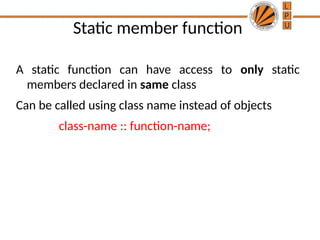
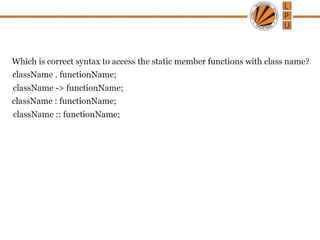
Static member function
Astatic function can have access to only static
members declared in same class
Can be called using class name instead of objects
class-name :: function-name;
7.
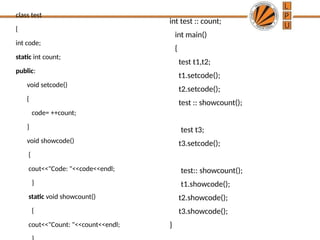
class test
{
int code;
staticint count;
public:
void setcode()
{
code= ++count;
}
void showcode()
{
cout<<"Code: "<<code<<endl;
}
static void showcount()
{
cout<<"Count: "<<count<<endl;
int test :: count;
int main()
{
test t1,t2;
t1.setcode();
t2.setcode();
test :: showcount();
test t3;
t3.setcode();
test:: showcount();
t1.showcode();
t2.showcode();
t3.showcode();
}
8.
True statements aboutstatic member function
is/are
(I)Static function of a class can be called by class
name using scope resolution operator i.e. : :
(II)Static function can receive both static and non-
static data members of a class
(III)Static function is not the part of an object of a
class
1.I and II
2.I only
3.I and III
4.I, II and III
9.
True statements aboutstatic member function
is/are
(I)Static function of a class can be called by class
name using scope resolution operator i.e. : :
(II)Static function can receive both static and non-
static data members of a class
(III)Static function is not the part of an object of a
class
1.I and II
2.I only
3.I and III
4.I, II and III
10.
Which function canbe called without using an
object of a class in C++
1.Static function
2.Inline function
3.Friend function
4.constant function
11.
Which function canbe called without using an
object of a class in C++
1.Static function
2.Inline function
3.Friend function
4.constant function
14.
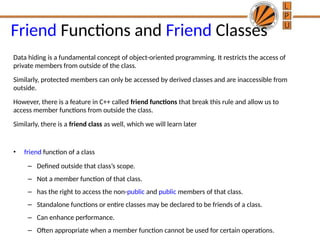
Friend Functions andFriend Classes
Data hiding is a fundamental concept of object-oriented programming. It restricts the access of
private members from outside of the class.
Similarly, protected members can only be accessed by derived classes and are inaccessible from
outside.
However, there is a feature in C++ called friend functions that break this rule and allow us to
access member functions from outside the class.
Similarly, there is a friend class as well, which we will learn later
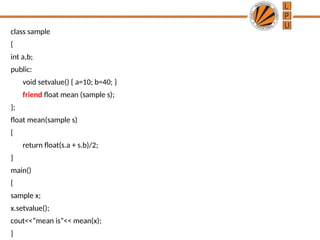
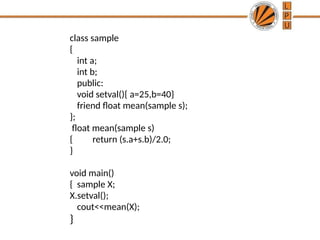
• friend function of a class
– Defined outside that class’s scope.
– Not a member function of that class.
– has the right to access the non-public and public members of that class.
– Standalone functions or entire classes may be declared to be friends of a class.
– Can enhance performance.
– Often appropriate when a member function cannot be used for certain operations.
15.
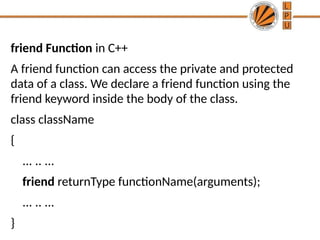
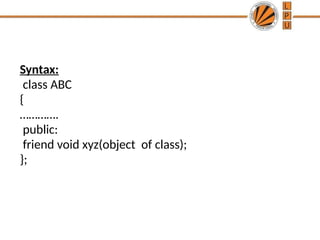
friend Function inC++
A friend function can access the private and protected
data of a class. We declare a friend function using the
friend keyword inside the body of the class.
class className
{
... .. ...
friend returnType functionName(arguments);
... .. ...
}
16.
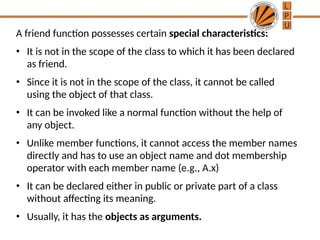
A friend functionpossesses certain special characteristics:
• It is not in the scope of the class to which it has been declared
as friend.
• Since it is not in the scope of the class, it cannot be called
using the object of that class.
• It can be invoked like a normal function without the help of
any object.
• Unlike member functions, it cannot access the member names
directly and has to use an object name and dot membership
operator with each member name (e.g., A.x)
• It can be declared either in public or private part of a class
without affecting its meaning.
• Usually, it has the objects as arguments.
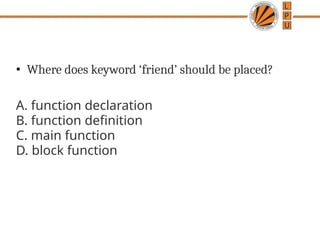
• Where doeskeyword ‘friend’ should be placed?
A. function declaration
B. function definition
C. main function
D. block function
19.
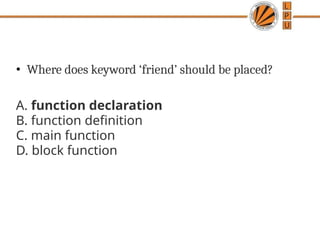
• Where doeskeyword ‘friend’ should be placed?
A. function declaration
B. function definition
C. main function
D. block function
20.
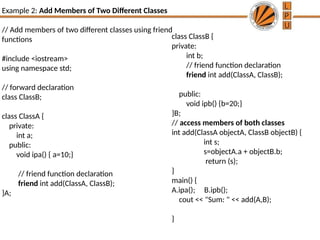
class ClassB {
private:
intb;
// friend function declaration
friend int add(ClassA, ClassB);
public:
void ipb() {b=20;}
}B;
// access members of both classes
int add(ClassA objectA, ClassB objectB) {
int s;
s=objectA.a + objectB.b;
return (s);
}
main() {
A.ipa(); B.ipb();
cout << "Sum: " << add(A,B);
}
Example 2: Add Members of Two Different Classes
// Add members of two different classes using friend
functions
#include <iostream>
using namespace std;
// forward declaration
class ClassB;
class ClassA {
private:
int a;
public:
void ipa() { a=10;}
// friend function declaration
friend int add(ClassA, ClassB);
}A;
21.
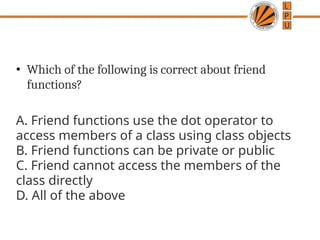
• Which ofthe following is correct about friend
functions?
A. Friend functions use the dot operator to
access members of a class using class objects
B. Friend functions can be private or public
C. Friend cannot access the members of the
class directly
D. All of the above
22.
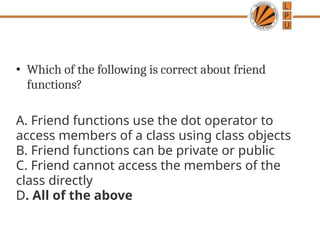
• Which ofthe following is correct about friend
functions?
A. Friend functions use the dot operator to
access members of a class using class objects
B. Friend functions can be private or public
C. Friend cannot access the members of the
class directly
D. All of the above
23.
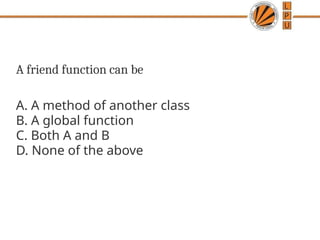
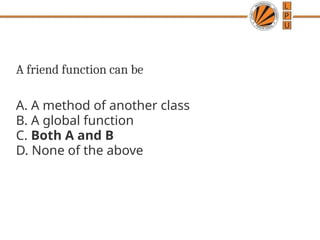
A friend functioncan be
A. A method of another class
B. A global function
C. Both A and B
D. None of the above
24.
A friend functioncan be
A. A method of another class
B. A global function
C. Both A and B
D. None of the above
25.
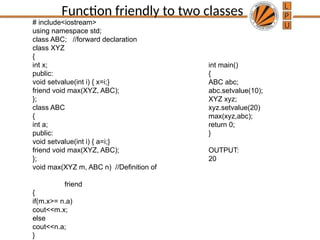
# include<iostream>
using namespacestd;
class ABC; //forward declaration
class XYZ
{
int x;
public:
void setvalue(int i) { x=i;}
friend void max(XYZ, ABC);
};
class ABC
{
int a;
public:
void setvalue(int i) { a=i;}
friend void max(XYZ, ABC);
};
void max(XYZ m, ABC n) //Definition of
friend
{
if(m.x>= n.a)
cout<<m.x;
else
cout<<n.a;
}
int main()
{
ABC abc;
abc.setvalue(10);
XYZ xyz;
xyz.setvalue(20)
max(xyz,abc);
return 0;
}
OUTPUT:
20
Function friendly to two classes
26.
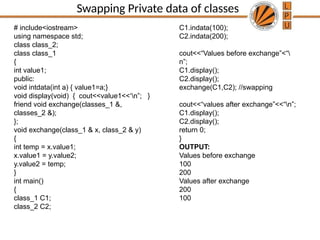
Swapping Private dataof classes
# include<iostream>
using namespace std;
class class_2;
class class_1
{
int value1;
public:
void intdata(int a) { value1=a;}
void display(void) { cout<<value1<<‘n”; }
friend void exchange(classes_1 &,
classes_2 &);
};
void exchange(class_1 & x, class_2 & y)
{
int temp = x.value1;
x.value1 = y.value2;
y.value2 = temp;
}
int main()
{
class_1 C1;
class_2 C2;
C1.indata(100);
C2.indata(200);
cout<<“Values before exchange”<“
n”;
C1.display();
C2.display();
exchange(C1,C2); //swapping
cout<<“values after exchange”<<“n”;
C1.display();
C2.display();
return 0;
}
OUTPUT:
Values before exchange
100
200
Values after exchange
200
100
27.
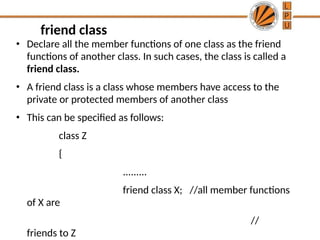
• Declare allthe member functions of one class as the friend
functions of another class. In such cases, the class is called a
friend class.
• A friend class is a class whose members have access to the
private or protected members of another class
• This can be specified as follows:
class Z
{
.........
friend class X; //all member functions
of X are
//
friends to Z
friend class
28.
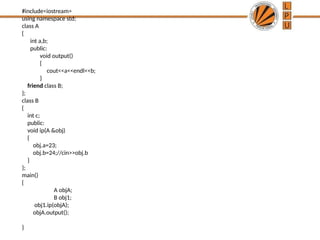
#include<iostream>
using namespace std;
classA
{
int a,b;
public:
void output()
{
cout<<a<<endl<<b;
}
friend class B;
};
class B
{
int c;
public:
void ip(A &obj)
{
obj.a=23;
obj.b=24;//cin>>obj.b
}
};
main()
{
A objA;
B obj1;
obj1.ip(objA);
objA.output();
}
29.
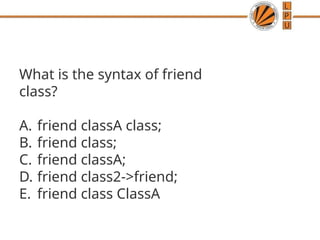
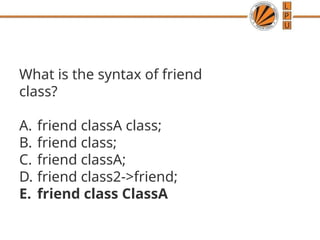
What is thesyntax of friend
class?
A. friend classA class;
B. friend class;
C. friend classA;
D. friend class2->friend;
E. friend class ClassA
30.
What is thesyntax of friend
class?
A. friend classA class;
B. friend class;
C. friend classA;
D. friend class2->friend;
E. friend class ClassA
31.
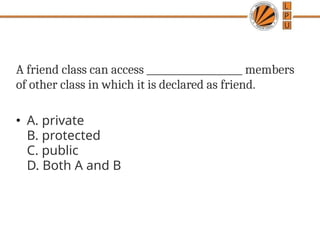
A friend classcan access ____________________ members
of other class in which it is declared as friend.
• A. private
B. protected
C. public
D. Both A and B
32.
A friend classcan access ____________________ members
of other class in which it is declared as friend.
• A. private
B. protected
C. public
D. Both A and B
33.
If class Ais a friend of B, then B doesn’t become a
friend of A automatically.
A. TRUE
B. FALSE
C. Can be true and false
D. Can not say
34.
If class Ais a friend of B, then B doesn’t become a
friend of A automatically.
A. TRUE
B. FALSE
C. Can be true and false
D. Can not say
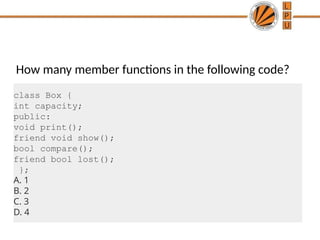
How many memberfunctions in the following code?
class Box {
int capacity;
public:
void print();
friend void show();
bool compare();
friend bool lost();
};
A. 1
B. 2
C. 3
D. 4
38.
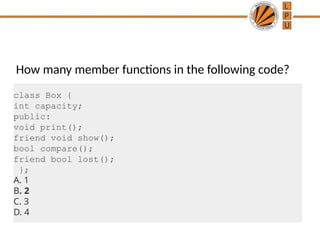
How many memberfunctions in the following code?
class Box {
int capacity;
public:
void print();
friend void show();
bool compare();
friend bool lost();
};
A. 1
B. 2
C. 3
D. 4
39.
friend Functions andfriend Classes
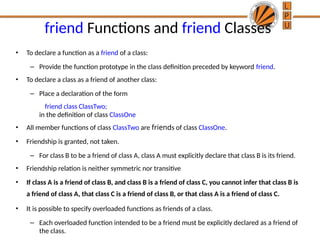
• To declare a function as a friend of a class:
– Provide the function prototype in the class definition preceded by keyword friend.
• To declare a class as a friend of another class:
– Place a declaration of the form
friend class ClassTwo;
in the definition of class ClassOne
• All member functions of class ClassTwo are friends of class ClassOne.
• Friendship is granted, not taken.
– For class B to be a friend of class A, class A must explicitly declare that class B is its friend.
• Friendship relation is neither symmetric nor transitive
• If class A is a friend of class B, and class B is a friend of class C, you cannot infer that class B is
a friend of class A, that class C is a friend of class B, or that class A is a friend of class C.
• It is possible to specify overloaded functions as friends of a class.
– Each overloaded function intended to be a friend must be explicitly declared as a friend of
the class.
40.
What is function????
•Function is a self contained block of statements that
perform a coherent task of some kind.
• Every C++ program can be a thought of the
collection of functions.
• main( ) is also a function.
41.
Types of Functions.
•Library functions
– These are the in- -built functions of ‘C++ ’library.
– These are already defined in header files.
– e.g. Cout<<; is a function which is used to print at output.
It is defined in ‘iostream.h ’ file .
• User defined functions.
– Programmer can create their own function in C++ to
perform specific task
• Writing functionsavoids rewriting of the same code
again and again in the program.
• Using function large programs can be reduced to
smaller ones. It is easy to debug and find out the
errors in it.
• Using a function it becomes easier to write program
to keep track of what they are doing.
44.
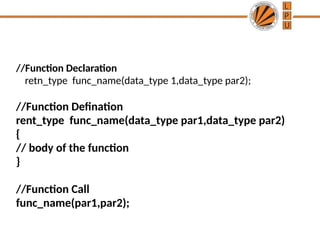
//Function Declaration
retn_type func_name(data_type1,data_type par2);
//Function Defination
rent_type func_name(data_type par1,data_type par2)
{
// body of the function
}
//Function Call
func_name(par1,par2);
45.
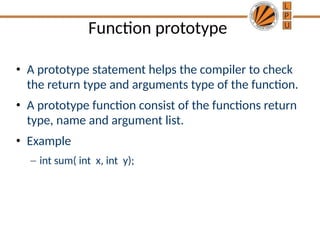
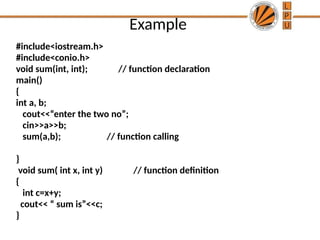
Function prototype
• Aprototype statement helps the compiler to check
the return type and arguments type of the function.
• A prototype function consist of the functions return
type, name and argument list.
• Example
– int sum( int x, int y);
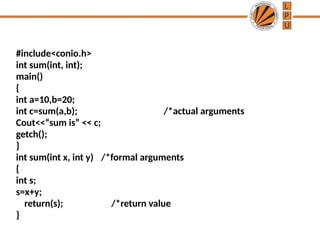
#include<conio.h>
int sum(int, int);
main()
{
inta=10,b=20;
int c=sum(a,b); /*actual arguments
Cout<<“sum is” << c;
getch();
}
int sum(int x, int y) /*formal arguments
{
int s;
s=x+y;
return(s); /*return value
}
48.
Where does theexecution of the program
starts?
a) user-defined function
b) main function
c) void function
d) else function
49.
What are mandatoryparts in the function
declaration?
a) return type, function name
b) return type, function name, parameters
c) parameters, function name
d) parameters, variables
50.
What is thescope of the variable declared
in the user defined function?
a) whole program
b) only inside the {} block
c) the main function
d) header section
51.
Categories of functions
🞂A function with no parameter and no return value
🞂 A function with parameter and no return value
🞂 A function with parameter and return value
🞂 A function without parameter and return value
52.
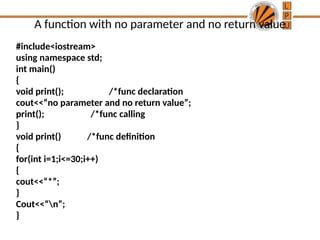
A function withno parameter and no return value
#include<iostream>
using namespace std;
int main()
{
void print(); /*func declaration
cout<<“no parameter and no return value”;
print(); /*func calling
}
void print() /*func definition
{
for(int i=1;i<=30;i++)
{
cout<<“*”;
}
Cout<<“n”;
}
53.
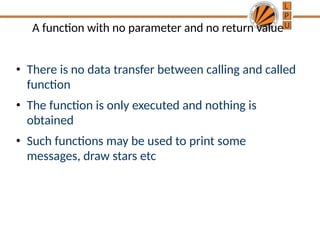
A function withno parameter and no return value
• There is no data transfer between calling and called
function
• The function is only executed and nothing is
obtained
• Such functions may be used to print some
messages, draw stars etc
54.
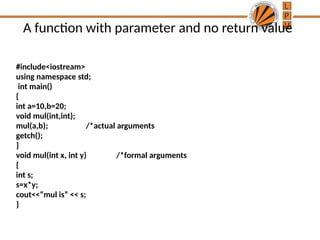
A function withparameter and no return value
#include<iostream>
using namespace std;
int main()
{
int a=10,b=20;
void mul(int,int);
mul(a,b); /*actual arguments
getch();
}
void mul(int x, int y) /*formal arguments
{
int s;
s=x*y;
cout<<“mul is” << s;
}
55.
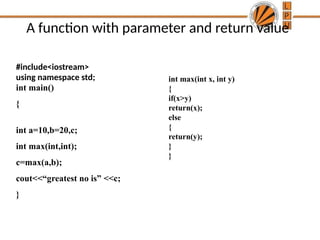
A function withparameter and return value
#include<iostream>
using namespace std;
int main()
{
int a=10,b=20,c;
int max(int,int);
c=max(a,b);
cout<<“greatest no is” <<c;
}
int max(int x, int y)
{
if(x>y)
return(x);
else
{
return(y);
}
}
56.
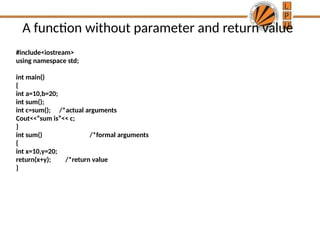
A function withoutparameter and return value
#include<iostream>
using namespace std;
int main()
{
int a=10,b=20;
int sum();
int c=sum(); /*actual arguments
Cout<<“sum is”<< c;
}
int sum() /*formal arguments
{
int x=10,y=20;
return(x+y); /*return value
}
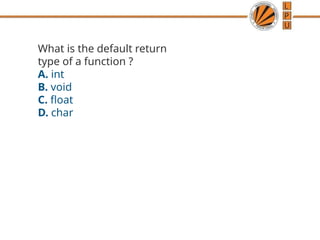
57.
What is thedefault return
type of a function ?
A. int
B. void
C. float
D. char
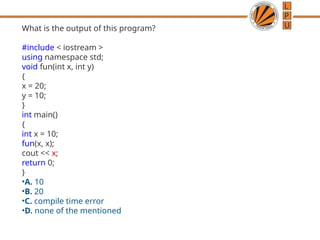
58.
What is theoutput of this program?
#include < iostream >
using namespace std;
void fun(int x, int y)
{
x = 20;
y = 10;
}
int main()
{
int x = 10;
fun(x, x);
cout << x;
return 0;
}
•A. 10
•B. 20
•C. compile time error
•D. none of the mentioned
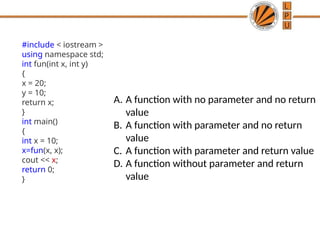
59.
#include < iostream>
using namespace std;
int fun(int x, int y)
{
x = 20;
y = 10;
return x;
}
int main()
{
int x = 10;
x=fun(x, x);
cout << x;
return 0;
}
A. A function with no parameter and no return
value
B. A function with parameter and no return
value
C. A function with parameter and return value
D. A function without parameter and return
value
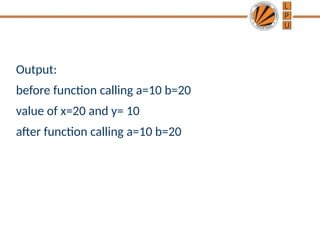
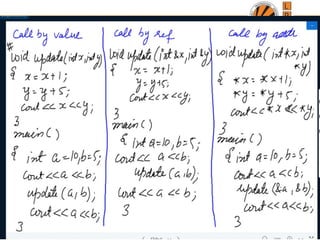
Call By Value
•It is a default mechanism for argument passing.
• Any changes made in the formal argument are not
reflected back to actual argument, rather they
remain local to the block which are lost once the
control is returned back to calling program
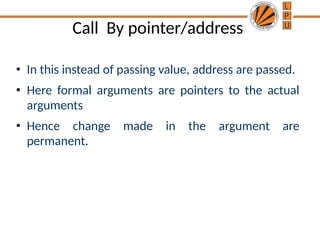
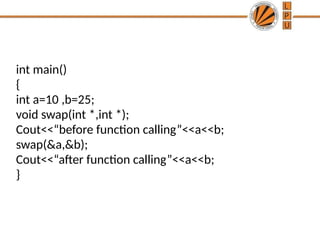
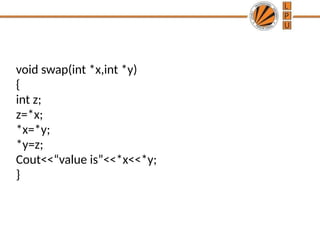
Call By pointer/address
•In this instead of passing value, address are passed.
• Here formal arguments are pointers to the actual
arguments
• Hence change made in the argument are
permanent.
66.
int main()
{
int a=10,b=25;
void swap(int *,int *);
Cout<<“before function calling”<<a<<b;
swap(&a,&b);
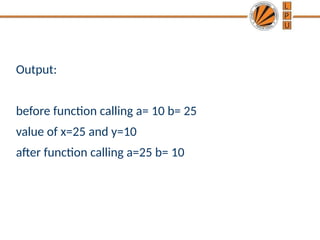
Cout<<“after function calling”<<a<<b;
}
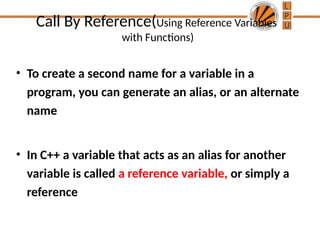
Call By Reference(UsingReference Variables
with Functions)
• To create a second name for a variable in a
program, you can generate an alias, or an alternate
name
• In C++ a variable that acts as an alias for another
variable is called a reference variable, or simply a
reference
70.
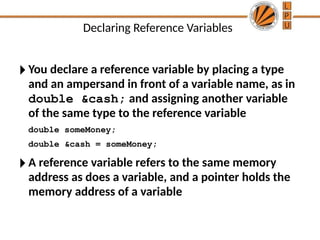
Declaring Reference Variables
🞂You declare a reference variable by placing a type
and an ampersand in front of a variable name, as in
double &cash; and assigning another variable
of the same type to the reference variable
double someMoney;
double &cash = someMoney;
🞂 A reference variable refers to the same memory
address as does a variable, and a pointer holds the
memory address of a variable
71.
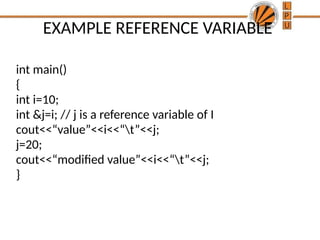
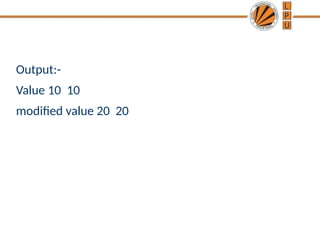
EXAMPLE REFERENCE VARIABLE
intmain()
{
int i=10;
int &j=i; // j is a reference variable of I
cout<<“value”<<i<<“t”<<j;
j=20;
cout<<“modified value”<<i<<“t”<<j;
}
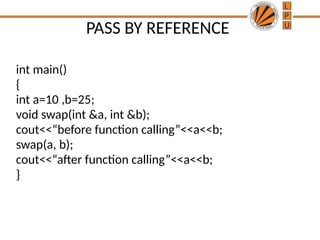
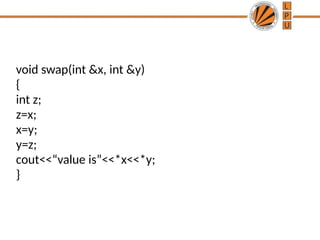
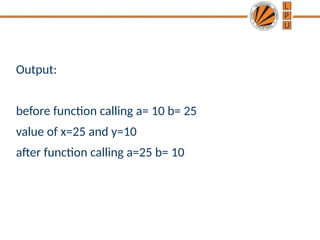
PASS BY REFERENCE
intmain()
{
int a=10 ,b=25;
void swap(int &a, int &b);
cout<<“before function calling”<<a<<b;
swap(a, b);
cout<<“after function calling”<<a<<b;
}
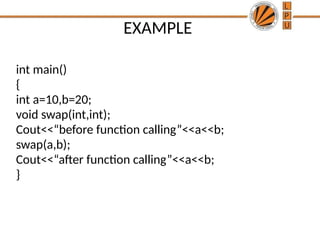
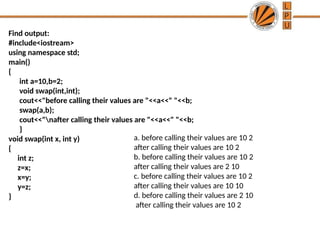
Find output:
#include<iostream>
using namespacestd;
main()
{
int a=10,b=2;
void swap(int,int);
cout<<"before calling their values are "<<a<<" "<<b;
swap(a,b);
cout<<"nafter calling their values are "<<a<<" "<<b;
}
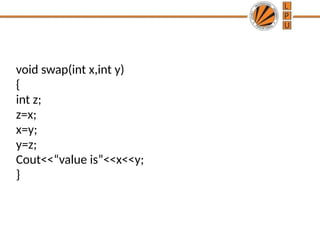
void swap(int x, int y)
{
int z;
z=x;
x=y;
y=z;
}
a. before calling their values are 10 2
after calling their values are 10 2
b. before calling their values are 10 2
after calling their values are 2 10
c. before calling their values are 10 2
after calling their values are 10 10
d. before calling their values are 2 10
after calling their values are 10 2
78.
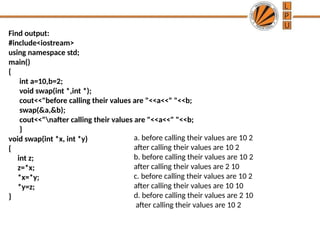
Find output:
#include<iostream>
using namespacestd;
main()
{
int a=10,b=2;
void swap(int *,int *);
cout<<"before calling their values are "<<a<<" "<<b;
swap(&a,&b);
cout<<"nafter calling their values are "<<a<<" "<<b;
}
void swap(int *x, int *y)
{
int z;
z=*x;
*x=*y;
*y=z;
}
a. before calling their values are 10 2
after calling their values are 10 2
b. before calling their values are 10 2
after calling their values are 2 10
c. before calling their values are 10 2
after calling their values are 10 10
d. before calling their values are 2 10
after calling their values are 10 2
79.
Recursion
🞂 When functioncall itself repeatedly ,until some
specified condition is met then this process is called
recursion.
🞂 It is useful for writing repetitive problems where
each action is stated in terms of previous result.
🞂 The need of recursion arises if logic of the problem
is such that the solution of the problem depends
upon the repetition of certain set of statements
with different input values an with a condition.
80.
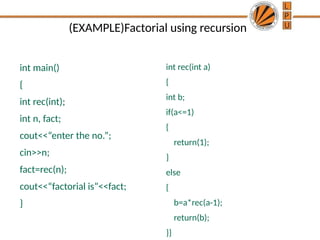
(EXAMPLE)Factorial using recursion
intmain()
{
int rec(int);
int n, fact;
cout<<“enter the no.”;
cin>>n;
fact=rec(n);
cout<<“factorial is”<<fact;
}
int rec(int a)
{
int b;
if(a<=1)
{
return(1);
}
else
{
b=a*rec(a-1);
return(b);
}}
81.
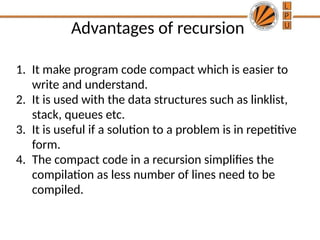
Advantages of recursion
1.It make program code compact which is easier to
write and understand.
2. It is used with the data structures such as linklist,
stack, queues etc.
3. It is useful if a solution to a problem is in repetitive
form.
4. The compact code in a recursion simplifies the
compilation as less number of lines need to be
compiled.
82.
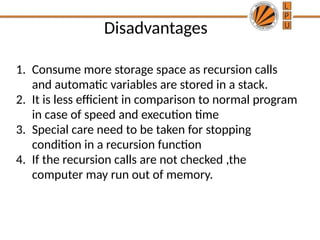
Disadvantages
1. Consume morestorage space as recursion calls
and automatic variables are stored in a stack.
2. It is less efficient in comparison to normal program
in case of speed and execution time
3. Special care need to be taken for stopping
condition in a recursion function
4. If the recursion calls are not checked ,the
computer may run out of memory.
83.
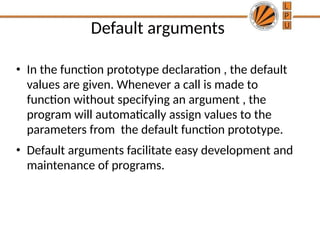
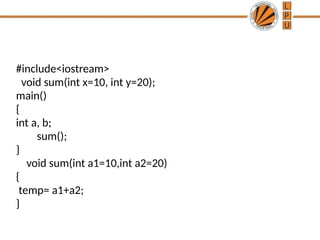
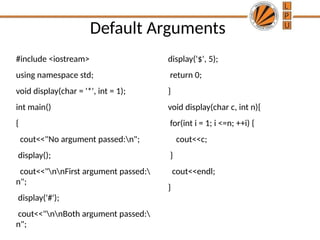
Default arguments
• Inthe function prototype declaration , the default
values are given. Whenever a call is made to
function without specifying an argument , the
program will automatically assign values to the
parameters from the default function prototype.
• Default arguments facilitate easy development and
maintenance of programs.
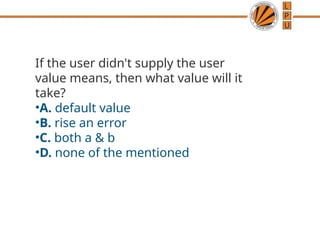
If the userdidn't supply the user
value means, then what value will it
take?
•A. default value
•B. rise an error
•C. both a & b
•D. none of the mentioned
87.
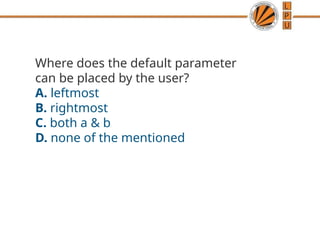
Where does thedefault parameter
can be placed by the user?
A. leftmost
B. rightmost
C. both a & b
D. none of the mentioned
88.
Which value willit take when both
user and default values are given?
A. user value
B. default value
C. custom value
D. none of the mentioned
89.
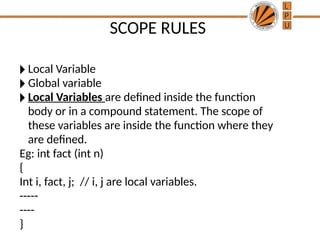
SCOPE RULES
🞂 LocalVariable
🞂 Global variable
🞂 Local Variables are defined inside the function
body or in a compound statement. The scope of
these variables are inside the function where they
are defined.
Eg: int fact (int n)
{
Int i, fact, j; // i, j are local variables.
-----
----
}
90.
• Global variablesare those variables whose scope is
available through out the program.
Overloading in C++
❑Whatis overloading
– Overloading means assigning multiple
meanings to a function name or operator
symbol
– It allows multiple definitions of a function with
the same name, but different signatures.
❑C++ supports
– Function overloading
– Operator overloading
94.
Why is OverloadingUseful?
❑ Function overloading allows functions that
conceptually perform the same task on
objects of different types to be given the
same name.
❑ Operator overloading provides a convenient
notation for manipulating user-defined
objects with conventional operators.
95.
Function Overloading
• Isthe process of using the same name for two or
more functions
• Requires each redefinition of a function to use a
different function signature that is:
– different types of parameters,
– or sequence of parameters,
– or number of parameters
• Is used so that a programmer does not have to
remember multiple function names
96.
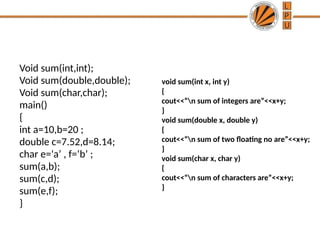
Void sum(int,int);
Void sum(double,double);
Voidsum(char,char);
main()
{
int a=10,b=20 ;
double c=7.52,d=8.14;
char e=‘a’ , f=‘b’ ;
sum(a,b);
sum(c,d);
sum(e,f);
}
void sum(int x, int y)
{
cout<<“n sum of integers are”<<x+y;
}
void sum(double x, double y)
{
cout<<“n sum of two floating no are”<<x+y;
}
void sum(char x, char y)
{
cout<<“n sum of characters are”<<x+y;
}
97.
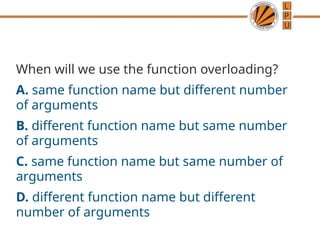
When will weuse the function overloading?
A. same function name but different number
of arguments
B. different function name but same number
of arguments
C. same function name but same number of
arguments
D. different function name but different
number of arguments
98.
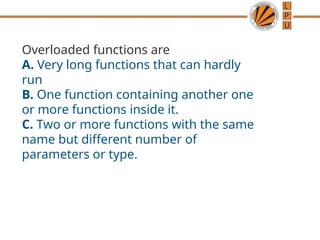
Overloaded functions are
A.Very long functions that can hardly
run
B. One function containing another one
or more functions inside it.
C. Two or more functions with the same
name but different number of
parameters or type.
99.
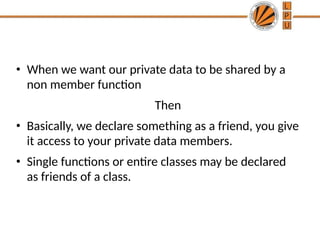
• When wewant our private data to be shared by a
non member function
Then
• Basically, we declare something as a friend, you give
it access to your private data members.
• Single functions or entire classes may be declared
as friends of a class.
100.
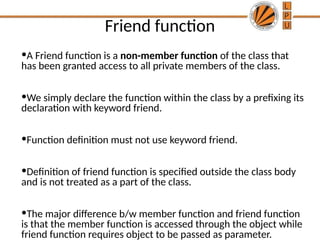
Friend function
•A Friendfunction is a non-member function of the class that
has been granted access to all private members of the class.
•We simply declare the function within the class by a prefixing its
declaration with keyword friend.
•Function definition must not use keyword friend.
•Definition of friend function is specified outside the class body
and is not treated as a part of the class.
•The major difference b/w member function and friend function
is that the member function is accessed through the object while
friend function requires object to be passed as parameter.
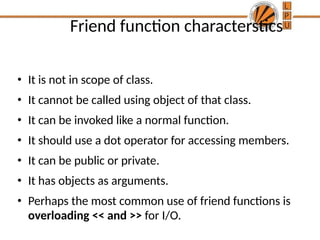
Friend function characterstics
•It is not in scope of class.
• It cannot be called using object of that class.
• It can be invoked like a normal function.
• It should use a dot operator for accessing members.
• It can be public or private.
• It has objects as arguments.
• Perhaps the most common use of friend functions is
overloading << and >> for I/O.
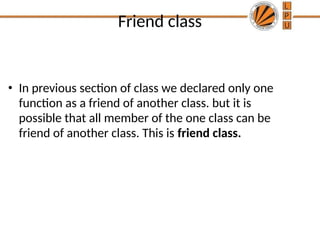
Friend class
• Inprevious section of class we declared only one
function as a friend of another class. but it is
possible that all member of the one class can be
friend of another class. This is friend class.
105.
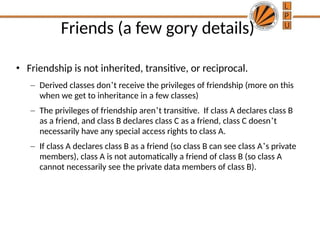
Friends (a fewgory details)
• Friendship is not inherited, transitive, or reciprocal.
– Derived classes don’t receive the privileges of friendship (more on this
when we get to inheritance in a few classes)
– The privileges of friendship aren’t transitive. If class A declares class B
as a friend, and class B declares class C as a friend, class C doesn’t
necessarily have any special access rights to class A.
– If class A declares class B as a friend (so class B can see class A’s private
members), class A is not automatically a friend of class B (so class A
cannot necessarily see the private data members of class B).
106.
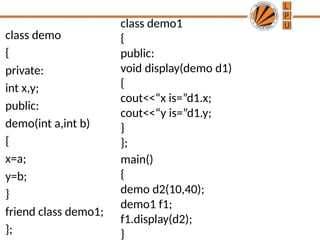
class demo
{
private:
int x,y;
public:
demo(inta,int b)
{
x=a;
y=b;
}
friend class demo1;
};
class demo1
{
public:
void display(demo d1)
{
cout<<“x is=”d1.x;
cout<<“y is=”d1.y;
}
};
main()
{
demo d2(10,40);
demo1 f1;
f1.display(d2);
}
107.
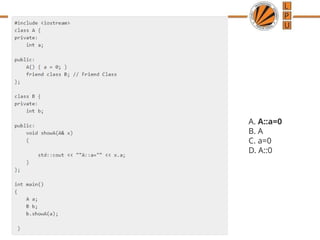
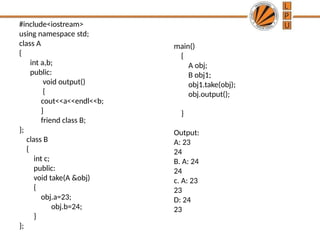
#include<iostream>
using namespace std;
classA
{
int a,b;
public:
void output()
{
cout<<a<<endl<<b;
}
friend class B;
};
class B
{
int c;
public:
void take(A &obj)
{
obj.a=23;
obj.b=24;
}
};
main()
{
A obj;
B obj1;
obj1.take(obj);
obj.output();
}
Output:
A: 23
24
B. A: 24
24
c. A: 23
23
D: 24
23