Original Data
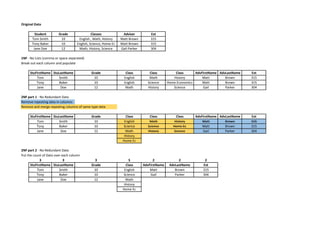
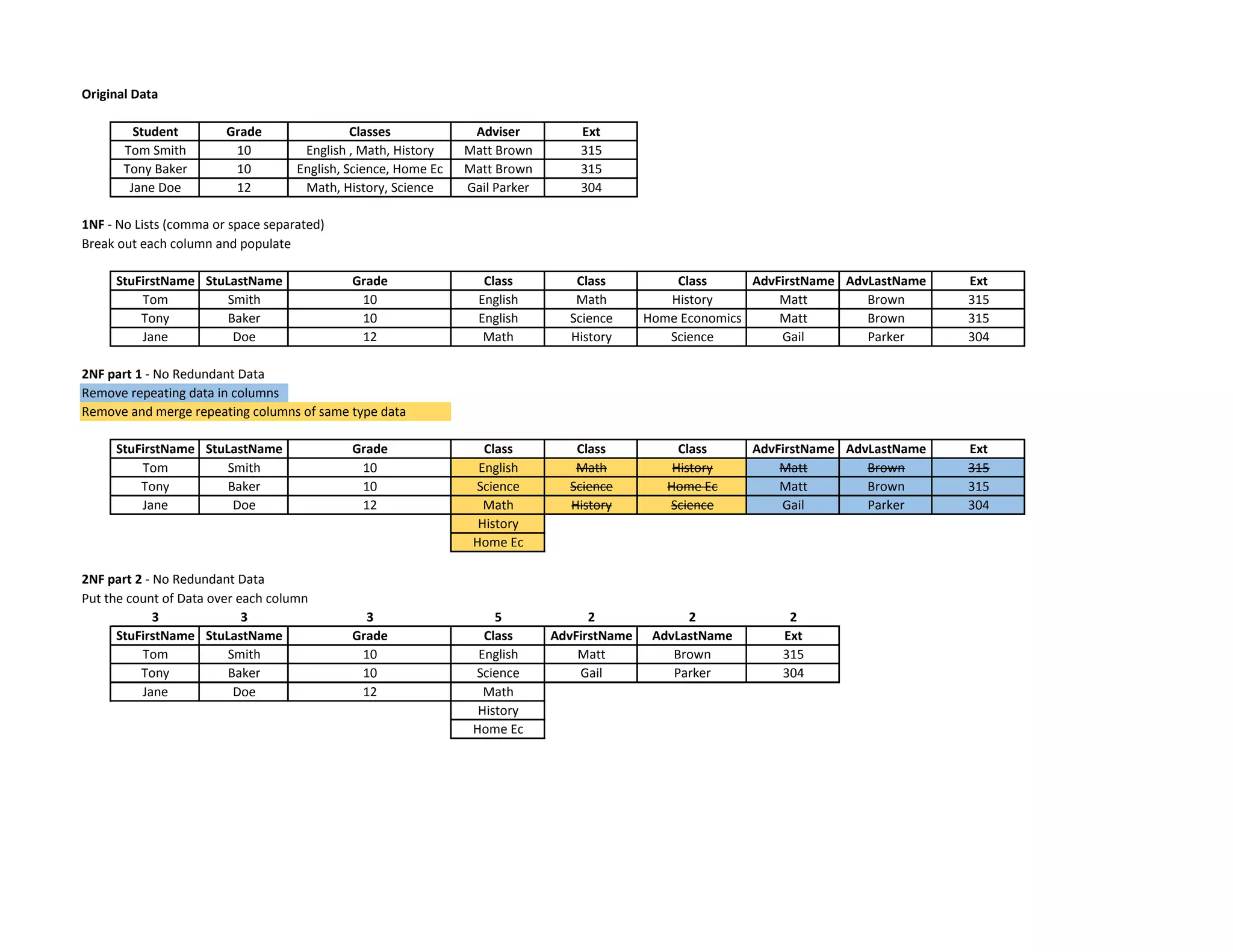
Student Grade Classes Adviser Ext
Tom Smith 10 English , Math, History Matt Brown 315
Tony Baker 10 English, Science, Home Ec Matt Brown 315
Jane Doe 12 Math, History, Science Gail Parker 304
1NF - No Lists (comma or space separated)
Break out each column and populate
StuFirstName StuLastName Grade Class Class Class AdvFirstName AdvLastName Ext
Tom Smith 10 English Math History Matt Brown 315
Tony Baker 10 English Science Home Economics Matt Brown 315
Jane Doe 12 Math History Science Gail Parker 304
2NF part 1 - No Redundant Data
Remove repeating data in columns
Remove and merge repeating columns of same type data
StuFirstName StuLastName Grade Class Class Class AdvFirstName AdvLastName Ext
Tom Smith 10 English Math History Matt Brown 315
Tony Baker 10 Science Science Home Ec Matt Brown 315
Jane Doe 12 Math History Science Gail Parker 304
History
Home Ec
2NF part 2 - No Redundant Data
Put the count of Data over each column
3 3 3 5 2 2 2
StuFirstName StuLastName Grade Class AdvFirstName AdvLastName Ext
Tom Smith 10 English Matt Brown 315
Tony Baker 10 Science Gail Parker 304
Jane Doe 12 Math
History
Home Ec
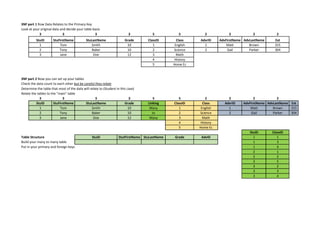
3NF part 1 Row Data Relates to the Primary Key
Look at your original data and decide your table basis
3 3 3 3 5 5 2 2 2 2
StuID StuFirstName StuLastName Grade ClassID Class AdvrID AdvFirstName AdvLastName Ext
1 Tom Smith 10 1 English 1 Matt Brown 315
2 Tony Baker 10 2 Science 2 Gail Parker 304
3 Jane Doe 12 3 Math
4 History
5 Home Ec
3NF part 2 Now you can set up your tables
Check the data count to each other but be careful they relate
Determine the table that most of the data will relate to (Student in this case)
Relate the tables to the "main" table
3 3 3 3 5 5 2 2 2 2
StuID StuFirstName StuLastName Grade Linking ClassID Class AdvrID AdvFirstName AdvLastName Ext
1 Tom Smith 10 Many 1 English 1 Matt Brown 315
2 Tony Baker 10 to 2 Science 2 Gail Parker 304
3 Jane Doe 12 Many 3 Math
4 History
5 Home Ec
StuID ClassID
Table Structure StuID StutFirstName StuLastName Grade AdvID 1 1
Build your many to many table 1 3
Put in your primary and foreign keys 1 4
2 1
2 2
2 5
3 2
3 3
3 4

Normalization

  • 1.
    Original Data Student GradeClasses Adviser Ext Tom Smith 10 English , Math, History Matt Brown 315 Tony Baker 10 English, Science, Home Ec Matt Brown 315 Jane Doe 12 Math, History, Science Gail Parker 304 1NF - No Lists (comma or space separated) Break out each column and populate StuFirstName StuLastName Grade Class Class Class AdvFirstName AdvLastName Ext Tom Smith 10 English Math History Matt Brown 315 Tony Baker 10 English Science Home Economics Matt Brown 315 Jane Doe 12 Math History Science Gail Parker 304 2NF part 1 - No Redundant Data Remove repeating data in columns Remove and merge repeating columns of same type data StuFirstName StuLastName Grade Class Class Class AdvFirstName AdvLastName Ext Tom Smith 10 English Math History Matt Brown 315 Tony Baker 10 Science Science Home Ec Matt Brown 315 Jane Doe 12 Math History Science Gail Parker 304 History Home Ec 2NF part 2 - No Redundant Data Put the count of Data over each column 3 3 3 5 2 2 2 StuFirstName StuLastName Grade Class AdvFirstName AdvLastName Ext Tom Smith 10 English Matt Brown 315 Tony Baker 10 Science Gail Parker 304 Jane Doe 12 Math History Home Ec
  • 2.
    3NF part 1Row Data Relates to the Primary Key Look at your original data and decide your table basis 3 3 3 3 5 5 2 2 2 2 StuID StuFirstName StuLastName Grade ClassID Class AdvrID AdvFirstName AdvLastName Ext 1 Tom Smith 10 1 English 1 Matt Brown 315 2 Tony Baker 10 2 Science 2 Gail Parker 304 3 Jane Doe 12 3 Math 4 History 5 Home Ec 3NF part 2 Now you can set up your tables Check the data count to each other but be careful they relate Determine the table that most of the data will relate to (Student in this case) Relate the tables to the "main" table 3 3 3 3 5 5 2 2 2 2 StuID StuFirstName StuLastName Grade Linking ClassID Class AdvrID AdvFirstName AdvLastName Ext 1 Tom Smith 10 Many 1 English 1 Matt Brown 315 2 Tony Baker 10 to 2 Science 2 Gail Parker 304 3 Jane Doe 12 Many 3 Math 4 History 5 Home Ec StuID ClassID Table Structure StuID StutFirstName StuLastName Grade AdvID 1 1 Build your many to many table 1 3 Put in your primary and foreign keys 1 4 2 1 2 2 2 5 3 2 3 3 3 4