Node.js 淺談RESTful
MiCloud - Simon
Course PPT: http://goo.gl/F7ybr0
● REST的基本概念
● 哪些服務使用REST
● REST Client
○ request
● REST Server
○ restify
○ express
○ connect
● 更進階的模組
○ rest-client
○ rest-api-connector
大綱
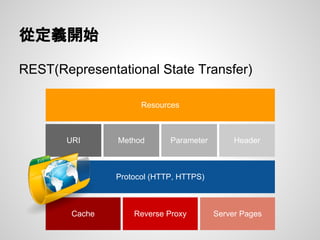
REST(Representational State Transfer)
從定義開始
Protocol (HTTP, HTTPS)
URI Method Parameter Header
Cache Reverse Proxy Server Pages
Resources
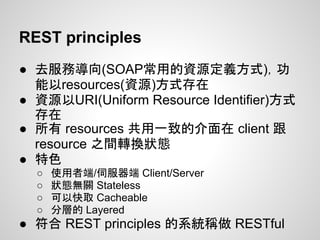
REST principles
● 去服務導向(SOAP常用的資源定義方式),功
能以resources(資源)方式存在
● 資源以URI(Uniform Resource Identifier)方式
存在
● 所有 resources 共用一致的介面在 client 跟
resource 之間轉換狀態
● 特色
○ 使用者端/伺服器端 Client/Server
○ 狀態無關 Stateless
○ 可以快取 Cacheable
○ 分層的 Layered
● 符合 REST principles 的系統稱做 RESTful
簡單的說
● 基於HTTP(S)實作資源導向架構
● RESTful是一種寫作習慣
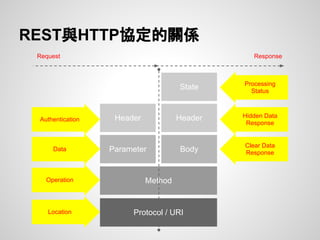
Protocol / URI
Method
Parameter
Header
Body
Header
State
REST與HTTP協定的關係
Request Response
Authentication
Data
Operation
Hidden Data
Response
Clear Data
Response
Processing
Status
Location
哪些服務使用REST
Building a REST Client
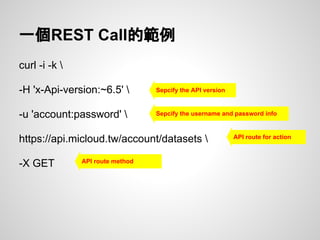
一個REST Call的範例
curl -i -k 
-H 'x-Api-version:~6.5' 
-u 'account:password' 
https://api.micloud.tw/account/datasets 
-X GET
Sepcify the API version
Sepcify the username and password info
API route for action
API route method
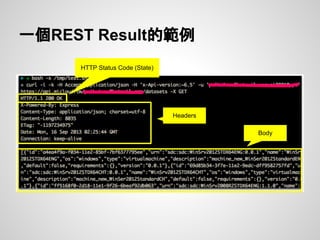
一個REST Result的範例
HTTP Status Code (State)
Headers
Body
使用Node.js進行REST call
/** sample-request.js **/
var request = require('request');
var account = process.argv[2], password = process.argv[3];
request({
method: 'GET',
url: 'https://api.micloud.tw/'+account+'/datasets',
auth: {
username: account,
password: password
}
}, function(e,r,d){
if(e) console.log(e);
console.log(d);
});
Sepcify the username and password info
API route for action
API route method
Building a REST Server
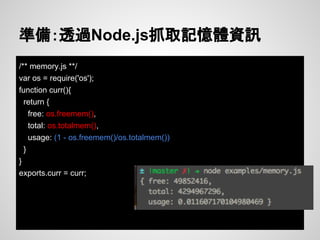
(Case: 建立主機記憶體使用資訊REST Service)
/** memory.js **/
var os = require('os');
function curr(){
return {
free: os.freemem(),
total: os.totalmem(),
usage: (1 - os.freemem()/os.totalmem())
}
}
exports.curr = curr;
準備:透過Node.js抓取記憶體資訊
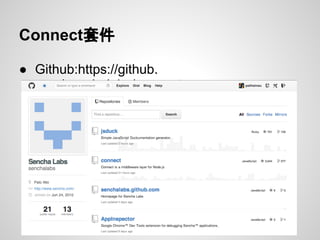
Connect套件
● Github:https://github.
com/senchalabs/connect
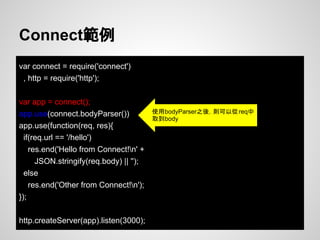
var connect = require('connect')
, http = require('http');
var app = connect();
app.use(connect.bodyParser())
app.use(function(req, res){
if(req.url == '/hello')
res.end('Hello from Connect!n' +
JSON.stringify(req.body) || '');
else
res.end('Other from Connect!n');
});
http.createServer(app).listen(3000);
Connect範例
使用bodyParser之後,則可以從req中
取到body
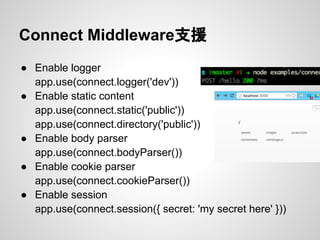
Connect Middleware支援
● Enable logger
app.use(connect.logger('dev'))
● Enable static content
app.use(connect.static('public'))
app.use(connect.directory('public'))
● Enable body parser
app.use(connect.bodyParser())
● Enable cookie parser
app.use(connect.cookieParser())
● Enable session
app.use(connect.session({ secret: 'my secret here' }))
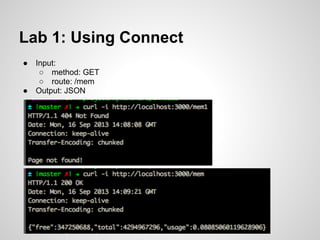
Lab 1: Using Connect
● Input:
○ method: GET
○ route: /mem
● Output: JSON
ANS:
var connect = require('connect')
, http = require('http')
, mem = require('./memory');
var app = connect();
app.use(connect.bodyParser())
app.use(function(req, res){
if(req.url == '/mem' && req.method == 'GET')
res.end(JSON.stringify(mem.curr()));
else{
res.statusCode = 404;
res.end('Page not found!');
}
});
http.createServer(app).listen(3000);
Express模組
● Github: https://github.com/visionmedia
Express Routing規則(1)
● app.all(route, callback)
● app.get(route, callback)
● app.post(route, callback)
● app.put(route, callback)
● app.del(route, callback)
Express Routing規則(2)
● app.get(‘/:key’, function(req, res, next){...})
● app.get(‘/:key/*’, function(req, res, next){...})
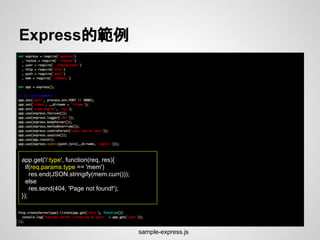
Express的範例
app.get('/:type', function(req, res){
if(req.params.type == 'mem')
res.end(JSON.stringify(mem.curr()));
else
res.send(404, 'Page not found!');
});
sample-express.js
restify模組
● Github: https://github.com/mcavage
● 官網:http://mcavage.me/node-restify/
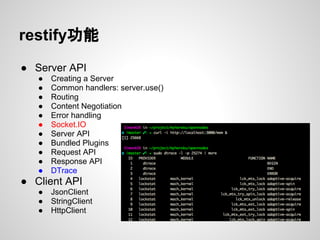
restify功能
● Server API
● Creating a Server
● Common handlers: server.use()
● Routing
● Content Negotiation
● Error handling
● Socket.IO
● Server API
● Bundled Plugins
● Request API
● Response API
● DTrace
● Client API
● JsonClient
● StringClient
● HttpClient
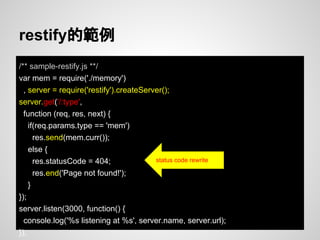
restify的範例
/** sample-restify.js **/
var mem = require('./memory')
, server = require('restify').createServer();
server.get('/:type',
function (req, res, next) {
if(req.params.type == 'mem')
res.send(mem.curr());
else {
res.statusCode = 404;
res.end('Page not found!');
}
});
server.listen(3000, function() {
console.log('%s listening at %s', server.name, server.url);
});
status code rewrite
連線RESTful
更進階(簡單)的模組
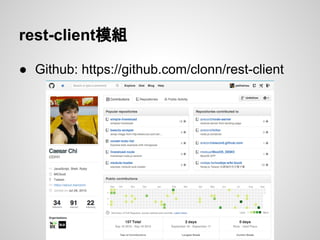
rest-client模組
● Github: https://github.com/clonn/rest-client
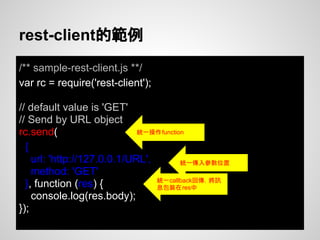
rest-client的範例
/** sample-rest-client.js **/
var rc = require('rest-client');
// default value is 'GET'
// Send by URL object
rc.send(
{
url: 'http://127.0.0.1/URL',
method: 'GET'
}, function (res) {
console.log(res.body);
});
統一操作function
統一傳入參數位置
統一callback回傳,將訊
息包裝在res中
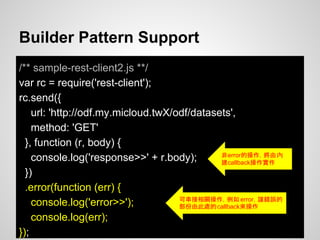
Builder Pattern Support
/** sample-rest-client2.js **/
var rc = require('rest-client');
rc.send({
url: 'http://odf.my.micloud.twX/odf/datasets',
method: 'GET'
}, function (r, body) {
console.log('response>>' + r.body);
})
.error(function (err) {
console.log('error>>');
console.log(err);
});
可串接相關操作,例如 error,讓錯誤的
部份由此處的callback來操作
非error的操作,將由內
建callback操作實作
rest-api-connector模組
● Github: https://github.com/peihsinsu/rest-api-connector
rest-api-connector目的
● rest-less: 減少直接操作url fetch的動作
● api to sdk: 直接使用sdk對應rest api,讓開發
者直接操作function
Server: http://odf.my.micloud.tw
Auth: Authorization:demo
● [GET]/odf/datasets
● Deacription: 取出所有既存Dataset名稱
● [GET]/odf/:ds_name/:type
● Param:
○ ds_name: 資料檔名稱
○ type: page | json | download | field
● Body:
○ fields (option): 資料欄位列表
● Description: 取出資料
○ Example: curl $SERVER/odf/GetAnimals/json -X GET -d
fields=Name,Sex,Age
rest-api-connector的範例 - 定義
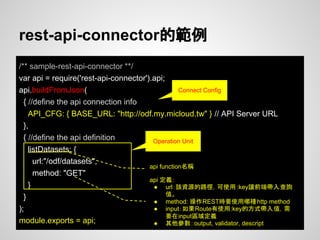
rest-api-connector的範例
/** sample-rest-api-connector **/
var api = require('rest-api-connector').api;
api.buildFromJson(
{ //define the api connection info
API_CFG: { BASE_URL: "http://odf.my.micloud.tw" } // API Server URL
},
{ //define the api definition
listDatasets: {
url:"/odf/datasets",
method: "GET"
}
}
);
module.exports = api;
Operation Unit
api function名稱
api 定義:
● url:該資源的路徑,可使用 :key讓前端帶入查詢
值。
● method: 操作REST時要使用哪種http method
● input:如果Route有使用:key的方式帶入值,需
要在input區域定義
● 其他參數:output, validator, descript
Connect Config
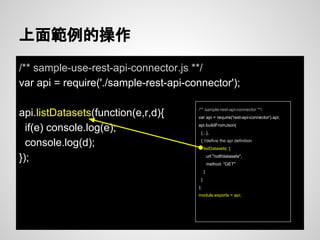
上面範例的操作
/** sample-use-rest-api-connector.js **/
var api = require('./sample-rest-api-connector');
api.listDatasets(function(e,r,d){
if(e) console.log(e);
console.log(d);
});
/** sample-rest-api-connector **/
var api = require('rest-api-connector').api;
api.buildFromJson(
{...},
{ //define the api definition
listDatasets: {
url:"/odf/datasets",
method: "GET"
}
}
);
module.exports = api;
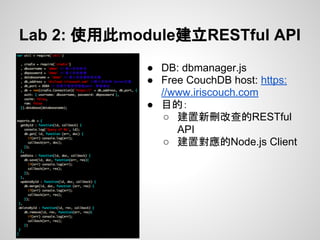
Lab 2: 使用此module建立RESTful API
● DB: dbmanager.js
● Free CouchDB host: https:
//www.iriscouch.com
● 目的:
○ 建置新刪改查的RESTful
API
○ 建置對應的Node.js Client
Course Sample Code Github
● https://github.com/micloud/class-nodejs-rest
● Course PPT: http://goo.gl/F7ybr0
Reference
● Google talk about REST: http://www.youtube.com/watch?
v=YCcAE2SCQ6k
● REST 以及 REST 與 HTTP 的關係:
http://sls.weco.net/keywords/rest
● 什麼是REST跟RESTful?
http://ihower.tw/blog/archives/1542
● RESTful 介面實作示範
http://blog.roodo.com/rocksaying/archives/10568163.html

Node.js 淺談res tful