















Node.js: a little overview
Nicola Del Gobbo
Who am I?
Developer
N-API Team
Full stack developer highly focused on performance
How to implement a native addon for Node.js with programming languages different from C or C++
My research field
Agenda
Introduction to Node.js
How to create distributed services
Native Addons
Who use Node.js?
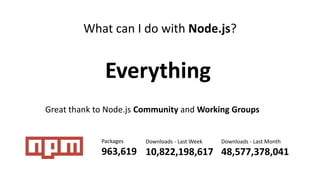
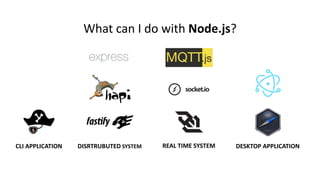
What can I do with Node.js?
Everything
Great thank to Node.js Community and Working Groups
Packages
963,619
Downloads - Last Week
10,822,198,617
Downloads - Last Month
48,577,378,041
CLI APPLICATION DESKTOP APPLICATIONDISRTRUBUTED SYSTEM REAL TIME SYSTEM
What can I do with Node.js?
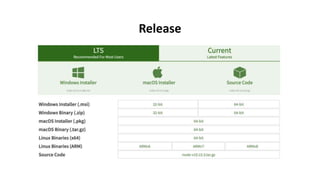
Release
Release
https://github.com/nodejs/Release
Choose your
modules
Add health checking Track your requests
Power your metrics Build your Docker image Deploy to Kubernetes
What is Node.js?
A JavaScript engine Asynchronous I/O
~100k LOC of JS and C++
Node is a glue
Node.js is a JavaScript runtime built on Chrome's V8 JavaScript engine
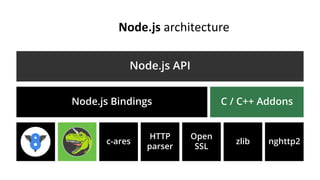
Node.js architecture
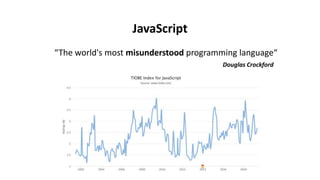
JavaScript
“The world's most misunderstood programming language“
Douglas Crockford
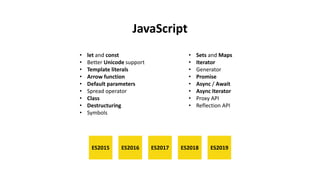
JavaScript
• let and const
• Better Unicode support
• Template literals
• Arrow function
• Default parameters
• Spread operator
• Class
• Destructuring
• Symbols
• Sets and Maps
• Iterator
• Generator
• Promise
• Async / Await
• Async Iterator
• Proxy API
• Reflection API
ES2015 ES2016 ES2017 ES2018 ES2019
JavaScript
“Use JavaScript like JavaScript“
“JavaScript developers should focus on writing
idiomatic, readable and maintainable code“
Peter Marshall & Arunesh Chandra
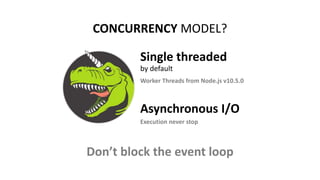
CONCURRENCY MODEL?
Asynchronous I/O
Single threaded
by default
Worker Threads from Node.js v10.5.0
Execution never stop
Don’t block the event loop
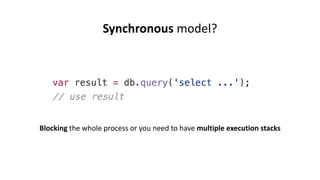
Synchronous model?
Blocking the whole process or you need to have multiple execution stacks
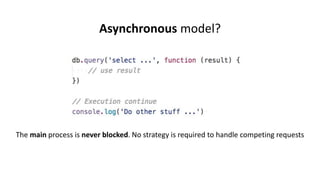
Asynchronous model?
The main process is never blocked. No strategy is required to handle competing requests
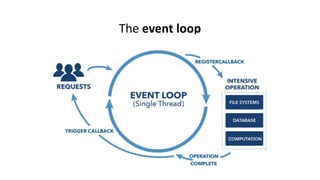
The event loop
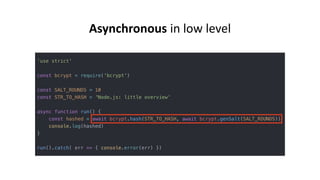
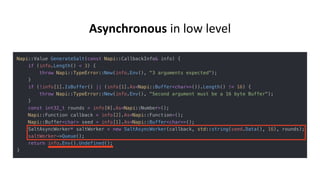
Asynchronous in low level
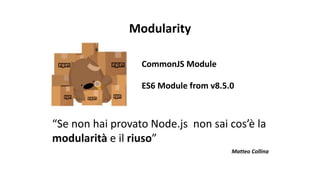
CommonJS Module
ES6 Module from v8.5.0
“Se non hai provato Node.js non sai cos’è la
modularità e il riuso”
Matteo Collina
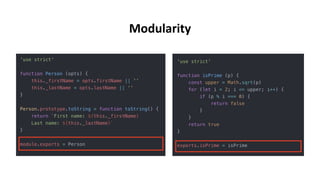
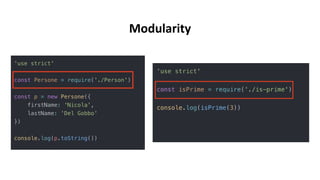
Modularity
Modularity
Modularity
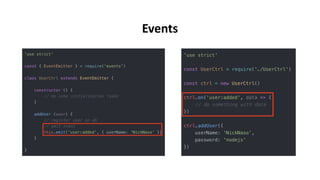
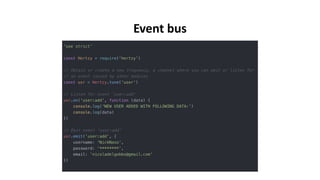
EventEmitter is a very important class in Node.js. It provides a channel for events to be
dispatched and listeners notified. Many objects you will encounter in Node.js inherit
from EventEmitter
Events
Events
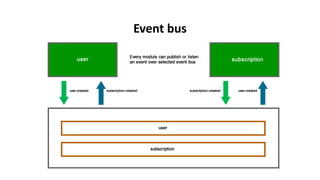
Event bus
Event bus
Stream
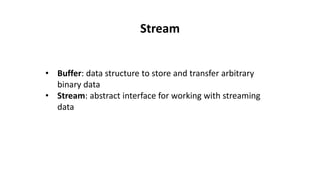
• Buffer: data structure to store and transfer arbitrary
binary data
• Stream: abstract interface for working with streaming
data
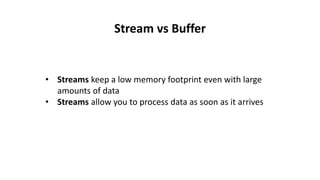
Stream vs Buffer
• Streams keep a low memory footprint even with large
amounts of data
• Streams allow you to process data as soon as it arrives
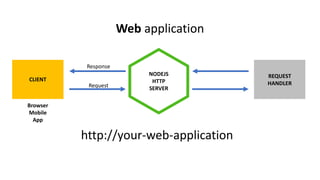
NODEJS
HTTP
SERVER
CLIENT
Browser
Mobile
App
REQUEST
HANDLER
http://your-web-application
Request
Response
Web application
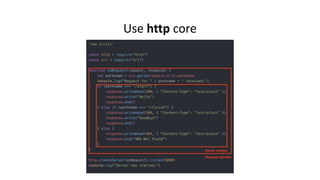
Use http core
Frameworks
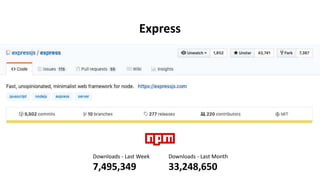
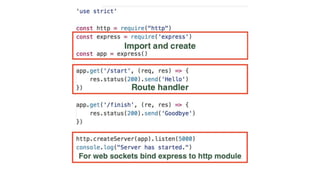
Express
Downloads - Last Week
7,495,349
Downloads - Last Month
33,248,650
• Minimalist
• Unopinionated
• Fast (about 38k req/sec)
• Simple (do one thing well philosophy from Unix world)
• Wrapper of http core module
Express
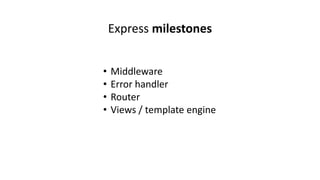
• Middleware
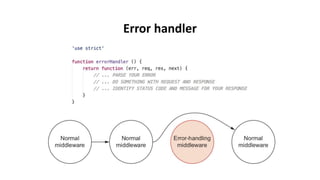
• Error handler
• Router
• Views / template engine
Express milestones
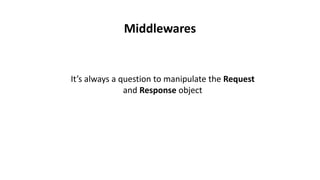
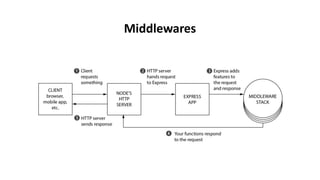
It’s always a question to manipulate the Request
and Response object
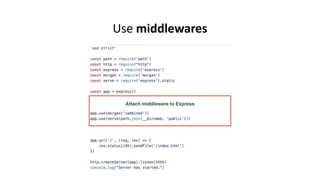
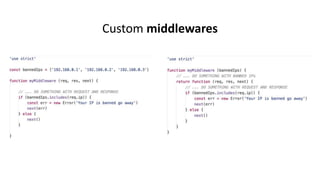
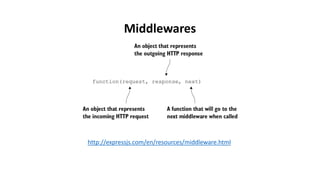
Middlewares
Middlewares
Use middlewares
Custom middlewares
http://expressjs.com/en/resources/middleware.html
Middlewares
Error handler
Routing refers to determining how an application responds
to a client request to a particular endpoint, which is a URI
(or path) and a specific HTTP request method
Routing
The fastest JSON Schema validator for
Node.js and browser
Validate your input
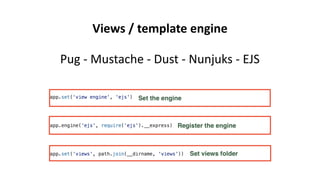
Pug - Mustache - Dust - Nunjuks - EJS
Views / template engine
Helmet helps you secure your Express apps
by setting various HTTP headers
Security
Log everything that happens in your application
Pay attention there is a cost for logging
Logger
Winston
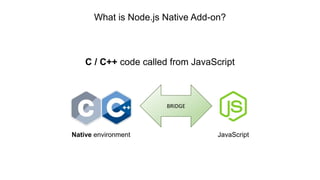
What is Node.js Native Add-on?
C / C++ code called from JavaScript
BRIDGE
Native environment JavaScript
From Node.js documentation
Node.js Addons are dynamically-linked shared objects, written in
C++, that can be loaded into Node.js using the require() function,
and used just as if they were an ordinary Node.js module.
They are used primarily to provide an interface between JavaScript
running in Node.js and C/C++ libraries.
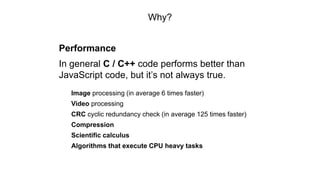
Why?
Performance
In general C / C++ code performs better than
JavaScript code, but it’s not always true.
Image processing (in average 6 times faster)
Video processing
CRC cyclic redundancy check (in average 125 times faster)
Compression
Scientific calculus
Algorithms that execute CPU heavy tasks
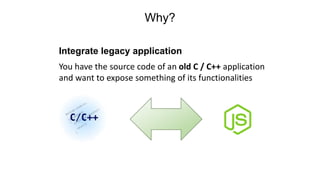
Why?
Integrate legacy application
You have the source code of an old C / C++ application
and want to expose something of its functionalities
Why?
You don’t find what fits your specific needs on npm
Sometimes completely implementing the module
in JavaScript is not the right solution
Think at libraries like:
ImageMagick
Ghostscript
FFmpeg
TensorFlow
…
Why?
Better error handling
Even if you will use an old C / C++ library you will get an
error code that explains the error that just happened
In new C / C++ library you have the exception
You don’t have to parse some string to identify if there
was an error and what kind of it
With great power comes great responsibility
Ben Parker
Problems
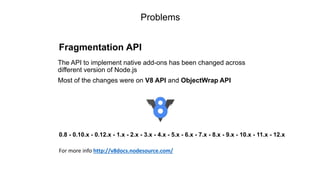
Fragmentation API
The API to implement native add-ons has been changed across
different version of Node.js
Most of the changes were on V8 API and ObjectWrap API
0.8 - 0.10.x - 0.12.x - 1.x - 2.x - 3.x - 4.x - 5.x - 6.x - 7.x - 8.x - 9.x - 10.x - 11.x - 12.x
For more info http://v8docs.nodesource.com/
Problems
Need an adapter to stay compatible across different
version of Node.js
• NAN - Native Abstraction for Node.js
• API compatibility
• Strong bonded with V8 API
• You have to recompile your native add-ons switching to
different version of Node.js
Problems
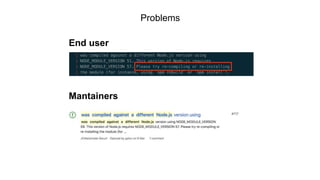
End user
Mantainers
Node.js: 6.12.2
V8: 5.1.281
NODE_MODULE_VERSION: 48
Addon
Node.js: 8.9.3
V8: 6.1.534
NODE_MODULE_VERSION: 57
ABI break
• At worst, mysterious segfaults
• At best, addon fails to load
• NODE_MODULE_VERSION mismatch
Problems
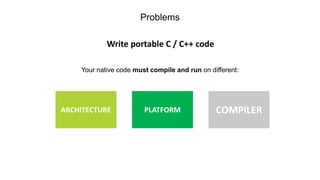
Write portable C / C++ code
Your native code must compile and run on different:
ARCHITECTURE PLATFORM COMPILER
Problems
Documentation
• C / C++ libraries that you are integrating are not well documented
• There are good references but not so much practical guide
focusing on complex concepts about native add-ons
N-API
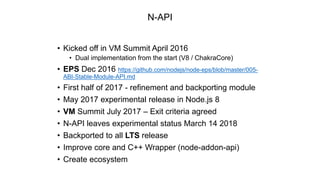
• Kicked off in VM Summit April 2016
• Dual implementation from the start (V8 / ChakraCore)
• EPS Dec 2016 https://github.com/nodejs/node-eps/blob/master/005-
ABI-Stable-Module-API.md
• First half of 2017 - refinement and backporting module
• May 2017 experimental release in Node.js 8
• VM Summit July 2017 – Exit criteria agreed
• N-API leaves experimental status March 14 2018
• Backported to all LTS release
• Improve core and C++ Wrapper (node-addon-api)
• Create ecosystem
N-API
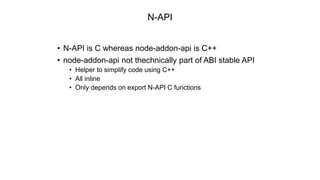
• N-API is C whereas node-addon-api is C++
• node-addon-api not thechnically part of ABI stable API
• Helper to simplify code using C++
• All inline
• Only depends on export N-API C functions
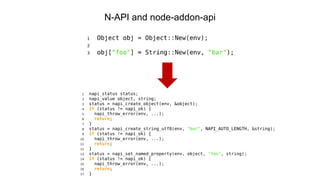
N-API and node-addon-api
node-addon-api vs NAN
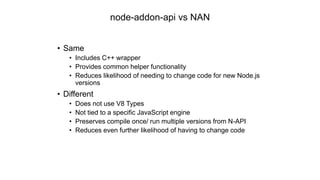
• Same
• Includes C++ wrapper
• Provides common helper functionality
• Reduces likelihood of needing to change code for new Node.js
versions
• Different
• Does not use V8 Types
• Not tied to a specific JavaScript engine
• Preserves compile once/ run multiple versions from N-API
• Reduces even further likelihood of having to change code
Node.js: no matter
V8/ChakraCore: no matter
NAPI_VERSION: 1
Node.js: later
V8/ChakraCore: no matter
NAPI_VERSION: 2
No ABI break
• NAPI_VERSION is cumulative
• Addon is forwards compatible
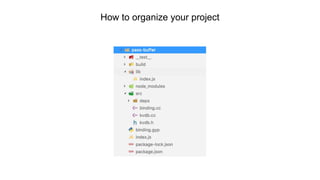
How to organize your project
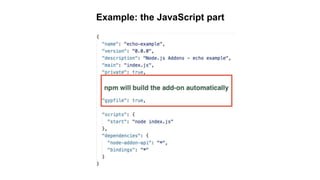
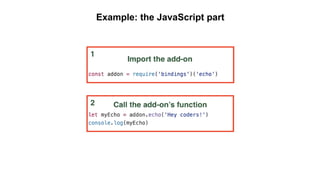
Example: the JavaScript part
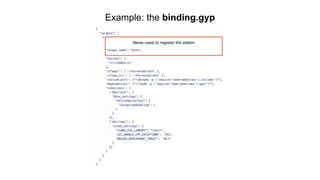
Example: the binding.gyp
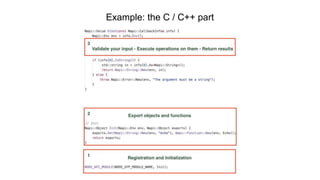
Example: the C / C++ part
Example
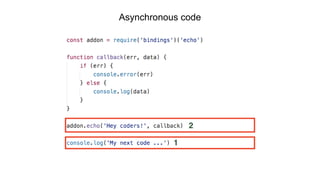
Asynchronous code
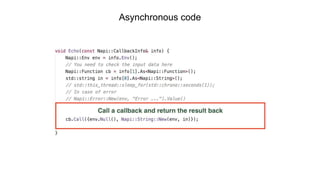
Asynchronous code
Example
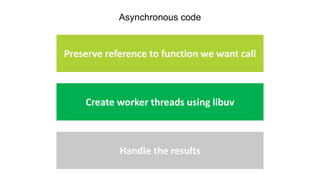
Asynchronous code
Preserve reference to function we want call
Create worker threads using libuv
Handle the results
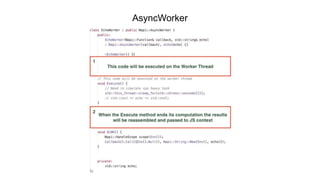
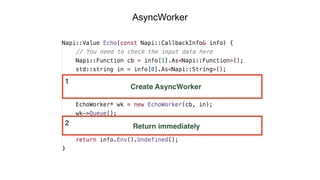
AsyncWorker
AsyncWorker
Example
AsyncWorker
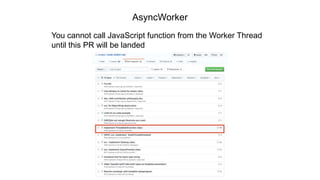
You cannot call JavaScript function from the Worker Thread
until this PR will be landed
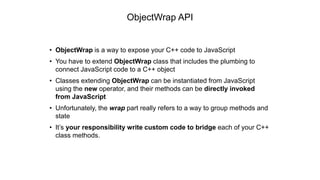
• ObjectWrap is a way to expose your C++ code to JavaScript
• You have to extend ObjectWrap class that includes the plumbing to
connect JavaScript code to a C++ object
• Classes extending ObjectWrap can be instantiated from JavaScript
using the new operator, and their methods can be directly invoked
from JavaScript
• Unfortunately, the wrap part really refers to a way to group methods and
state
• It’s your responsibility write custom code to bridge each of your C++
class methods.
ObjectWrap API
Example
Thanks
Don’t be afraid sometimes it’s a good thing dirty your hands
with a little of C++
All examples and materials are here
https://github.com/NickNaso/node-overview

Nodejs overview

Editor's Notes

  • #5 Update the numbers
  • #6 Update the numbers
  • #50 In a very simple way Native Addons could be considered as C / C++ code called from JavaScript. They are a bridge between our Application programming language JavaScript and Native environment that is completely written in C / C++. This allow us to call C / C++ functions and methods directly from JavaScript.
  • #51 If we take a look at Node.js documentation under Addons section Native Addons are defined as: dynamically-linked shared objects, written in C++, that can be loaded into Node.js using the require() function, and used just as if they were an ordinary Node.js module Their main purpose is to provide an interface between JavaScript running in Node.js and C / C++ libraries. This increase the developer experience because if you are using a Native Addon you don’t care of this, but you just use it as any other pure JavaScript module.
  • #52 Why should you implement new Native Add-On? The first reason is for performance In general C / C++ code performs better then JavaScript code, but it’s really true for CPU bounds operations. Think for example at: Image processing | Video processing | Compression | Scientific calculus | Cyclic redundancy check and all algorithms that at one point execute some CPU heavy tasks. In all these cases you can gain more in performance.
  • #53 Sometimes you want just integrate a legacy application So you have the source code of an old C / C++ application and want to expose something of its functionalities through new Node.js application
  • #54 Even if npm is a very large repo where you can find almost everything sometimes you don’t find what fits your specific needs and in this case you have to take a choice. Completely reimplementing the module in JavaScript, but in my opinion it’s an insane idea to reimplement from the ground solutions like ImageMagick | Ghostscript | Ffmpeg and TensorFlow because you will lose all your time on develop a module and not to concentrate on business logic of your application. In these cases the You have to concentrate on business logic of your application and not on developing a single module
  • #64 N-API is one of the most important features announced with Node.js 8 which is aimed at reducing the maintenance cost for native add-ons
  • #65 N-API is one of the most important features announced with Node.js 8 which is aimed at reducing the maintenance cost for native add-ons
  • #66 N-API is one of the most important features announced with Node.js 8 which is aimed at reducing the maintenance cost for native add-ons
  • #67 N-API is one of the most important features announced with Node.js 8 which is aimed at reducing the maintenance cost for native add-ons
  • #68 N-API is one of the most important features announced with Node.js 8 which is aimed at reducing the maintenance cost for native add-ons
  • #69 N-API is one of the most important features announced with Node.js 8 which is aimed at reducing the maintenance cost for native add-ons
  • #70 When I start to develop a new native addon I use the boilerplate depicted on the slide. Here the most important elements are the SRC and LIB folders. SRC folder contains the C / C++ code and the native dependencies while the LIB folder contains the JavaScript code There are also the usual package.json file and the binging.gyp file that contains all the building configurations for the addon. At the end our addon will be composed by two parts one written in C++ and another written in JavaScript and usually the JavaScript part will use the native code to expose some features
  • #71 When I start to develop a new native addon I use the boilerplate depicted on the slide. Here the most important elements are the SRC and LIB folders. SRC folder contains the C / C++ code and the native dependencies while the LIB folder contains the JavaScript code There are also the usual package.json file and the binging.gyp file that contains all the building configurations for the addon. At the end our addon will be composed by two parts one written in C++ and another written in JavaScript and usually the JavaScript part will use the native code to expose some features
  • #72 When I start to develop a new native addon I use the boilerplate depicted on the slide. Here the most important elements are the SRC and LIB folders. SRC folder contains the C / C++ code and the native dependencies while the LIB folder contains the JavaScript code There are also the usual package.json file and the binging.gyp file that contains all the building configurations for the addon. At the end our addon will be composed by two parts one written in C++ and another written in JavaScript and usually the JavaScript part will use the native code to expose some features
  • #73 In our binding.gyp we need to set the target name that will match the module name. The reported example is almost simple sometimes finding the right settings for binding.gyp is not easy so I suggest to take a look at GYP documentation or at nodey-gyp wiki where there are examples of existing binding.gyp and use them as source of inspiration to solve your problems with these kind of configurations.
  • #74 What happen here? The macro NODE_API_MODULE creates code that will register a module named ”echo” and in addition it will ensure that a function init is called when the module is required. In the init we export our function or object. In the reported example we export echo and you can find the code executed by this function in the method Echo. As first thing we validate the input data, then transfer the JavaScript input to C++ data structure. C++ code perform the requested computation and before returning transfer the output data to JavaScript context. This is the most straightforward integration pattern that you can realize to pass data between JavaScript and C / C++ . The main reason for using this approach is simplicity and because you can integrate the C++ without modification. In addition we have a complete decoupling of the JavaScript and C++ code.
  • #77 In an asynchronous addon function, the calling JavaScript code returns immediately. The calling code passes a callback function to the addon, and the addon does its work in a separate worker thread. This avoids locking up the Node.js event loop, as the addon function does not block.