Node.js Web长连接开发
         实践
             龙浩 From longtask.com
        twitter @hoorace
我为什么用Node.js
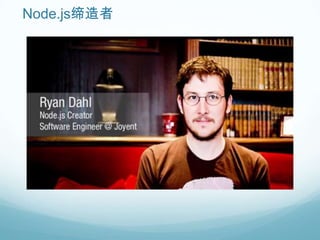
Node.js缔造者
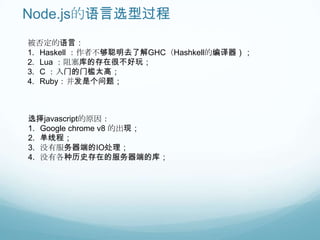
Node.js的语言选型过程
被否定的语言:
1. Haskell :作者不够聪明去了解GHC(Hashkell的编译器);
2. Lua :阻塞库的存在很不好玩;
3. C :入门的门槛太高;
4. Ruby:并发是个问题;


选择javascript的原因:
1. Google chrome v8 的出现;
2. 单线程;
3. 没有服务器端的IO处理;
4. 没有各种历史存在的服务器端的库;
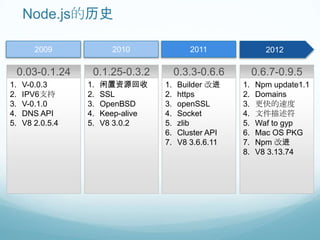
Node.js的历史

         2009             2010                 2011               2012
                                     2009
     0.03-0.1.24    0.1.25-0.3.2            0.3.3-0.6.6        0.6.7-0.9.5
1.    V-0.0.3      1.   闲置资源回收         1.   Builder 改进    1.   Npm update1.1
2.    IPV6支持       2.   SSL            2.   https         2.   Domains
3.    V-0.1.0      3.   OpenBSD        3.   openSSL       3.   更快的速度
4.    DNS API      4.   Keep-alive     4.   Socket        4.   文件描述符
5.    V8 2.0.5.4   5.   V8 3.0.2       5.   zlib          5.   Waf to gyp
                                       6.   Cluster API   6.   Mac OS PKG
                                       7.   V8 3.6.6.11   7.   Npm 改进
                                                          8.   V8 3.13.74
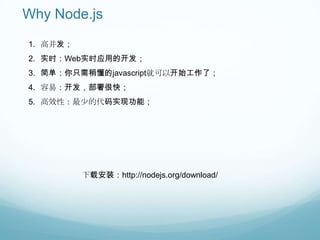
Why Node.js
1. 高并发;
2. 实时:Web实时应用的开发;
3. 简单:你只需稍懂的javascript就可以开始工作了;
4. 容易:开发,部署很快;
5. 高效性:最少的代码实现功能;


          下载安装:http://nodejs.org/download/
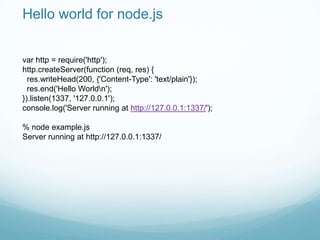
Hello world for node.js


var http = require('http');
http.createServer(function (req, res) {
  res.writeHead(200, {'Content-Type': 'text/plain'});
  res.end('Hello Worldn');
}).listen(1337, '127.0.0.1');
console.log('Server running at http://127.0.0.1:1337/');

% node example.js
Server running at http://127.0.0.1:1337/
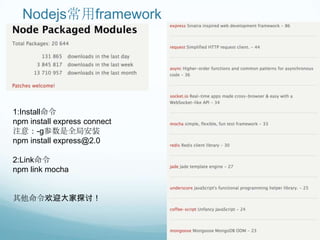
Nodejs常用framework


1:Install命令
npm install express connect
注意:-g参数是全局安装
npm install express@2.0

2:Link命令
npm link mocha


其他命令欢迎大家探讨!
Web实时交互技术回顾

1. 轮询
2. Comet的方式:http的长连接的“服务器推送”技术
3. Jetty websocket
4. Flash XMLSocket
……
可以满足需求么?


       Real-Time


           Fast
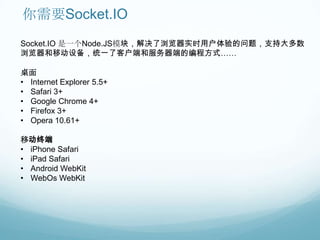
你需要Socket.IO
Socket.IO 是一个Node.JS模块,解决了浏览器实时用户体验的问题,支持大多数
浏览器和移动设备,统一了客户端和服务器端的编程方式……

桌面
• Internet Explorer 5.5+
• Safari 3+
• Google Chrome 4+
• Firefox 3+
• Opera 10.61+

移动终端
• iPhone Safari
• iPad Safari
• Android WebKit
• WebOs WebKit
Install Socket.IO

npm install socket.io
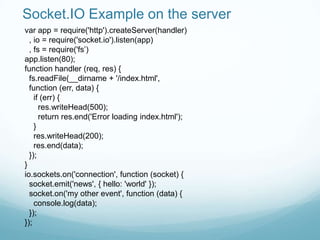
Socket.IO Example on the server
var app = require('http').createServer(handler)
  , io = require('socket.io').listen(app)
  , fs = require('fs‟)
app.listen(80);
function handler (req, res) {
  fs.readFile(__dirname + '/index.html',
  function (err, data) {
    if (err) {
      res.writeHead(500);
      return res.end('Error loading index.html');
    }
    res.writeHead(200);
    res.end(data);
  });
}
io.sockets.on('connection', function (socket) {
  socket.emit('news', { hello: 'world' });
  socket.on('my other event', function (data) {
    console.log(data);
  });
});
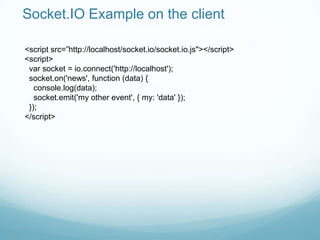
Socket.IO Example on the client

<script src=”http://localhost/socket.io/socket.io.js"></script>
<script>
 var socket = io.connect('http://localhost');
 socket.on('news', function (data) {
   console.log(data);
   socket.emit('my other event', { my: 'data' });
 });
</script>
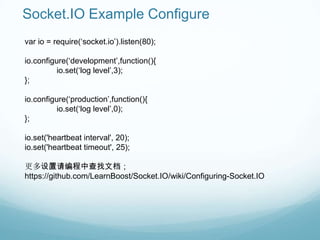
Socket.IO Example Configure
var io = require(„socket.io‟).listen(80);

io.configure(„development‟,function(){
          io.set(„log level‟,3);
};

io.configure(„production‟,function(){
          io.set(„log level‟,0);
};

io.set('heartbeat interval', 20);
io.set('heartbeat timeout', 25);

更多设置请编程中查找文档;
https://github.com/LearnBoost/Socket.IO/wiki/Configuring-Socket.IO
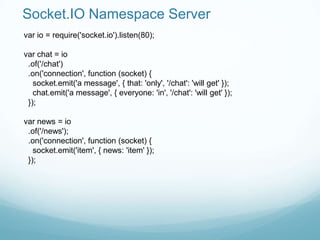
Socket.IO Namespace Server
var io = require('socket.io').listen(80);

var chat = io
 .of('/chat')
 .on('connection', function (socket) {
   socket.emit('a message', { that: 'only', '/chat': 'will get' });
   chat.emit('a message', { everyone: 'in', '/chat': 'will get' });
 });

var news = io
 .of('/news');
 .on('connection', function (socket) {
   socket.emit('item', { news: 'item' });
 });
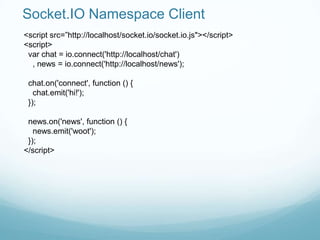
Socket.IO Namespace Client
<script src=”http://localhost/socket.io/socket.io.js"></script>
<script>
 var chat = io.connect('http://localhost/chat')
  , news = io.connect('http://localhost/news');

 chat.on('connect', function () {
   chat.emit('hi!');
 });

 news.on('news', function () {
   news.emit('woot');
 });
</script>
Socket.IO Event
connection;
disconnection;
connect_failed;
error;

……
Socket.IO Message
socket.on(event,listener);
socket.on(“connection”,function(data){
         console.log(“connection success!”);
});

socket.emit(event, [arg1], [arg2], [...])
socket.emit(„news, {„name‟:‟longhao‟}};

socket.send(„hi!‟);

socket.json.send({„name‟:‟longhao‟});

socket.broadcast.emit(„event‟);
socket.broadcast.json.send({ a: „message‟ }); //广播2步走

//Sending volatile messages,
socket.volatile.emit('bieber tweet', tweet);
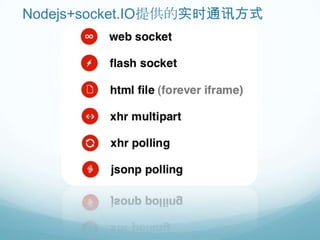
Nodejs+socket.IO提供的实时通讯方式
注意事项:


编程心得:
var sio = require('socket.io‟),
   io = sio.listen(app, {origins:'*.okhqb.com*:*'});

io.set('transports', ['websocket' , 'jsonp-polling' , 'xhr-polling' , 'htmlfile']);

设置transports的时候需要注意顺序,否则有些浏览器无法实时发送消息!
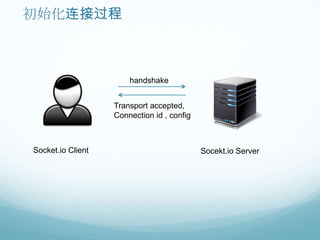
初始化连接过程


                       handshake


                   Transport accepted,
                   Connection id , config


Socket.io Client                            Socekt.io Server
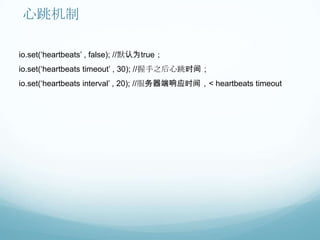
心跳机制

io.set(„heartbeats‟ , false); //默认为true;
io.set(„heartbeats timeout‟ , 30); //握手之后心跳时间;
io.set(„heartbeats interval‟ , 20); //服务器端响应时间,< heartbeats timeout
Test


       mocha
               测试代码备注中
Deploy


Command + Monitor
线上产品


okhqb.com 右边客服
Node.js长连接开发实践

Node.js长连接开发实践