• Introduction
• Scope
•Assumptions
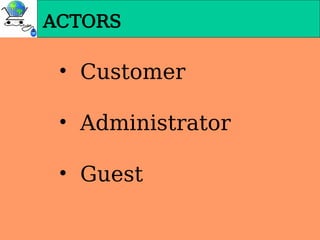
• Actors
• Functionality
• Technologies used
• Software & Hardware Interfaces
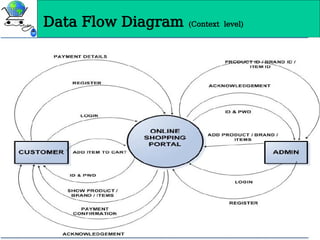
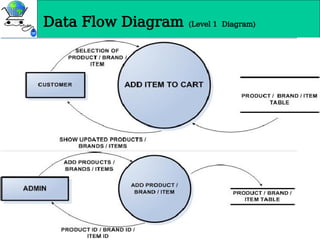
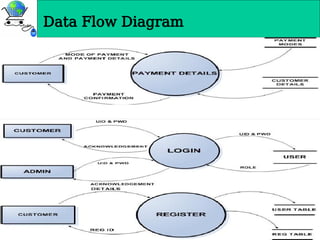
• Data Flow Diagrams
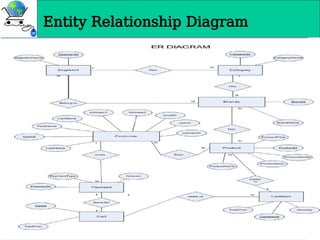
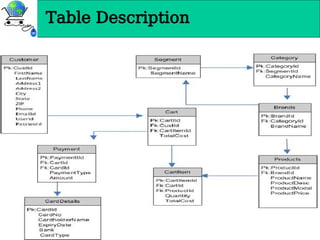
• Entity Relationship Diagram
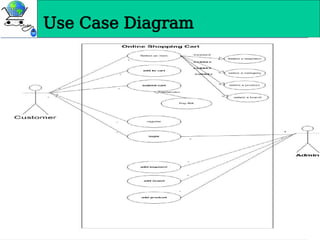
• Use Case Diagram
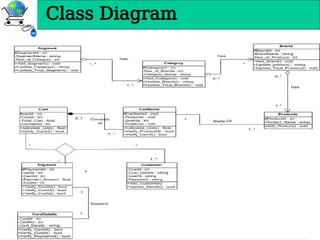
• Class Diagram
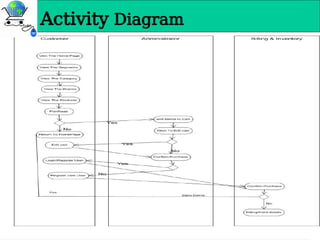
• Activity Diagram
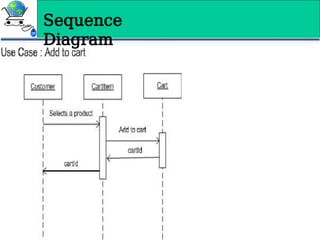
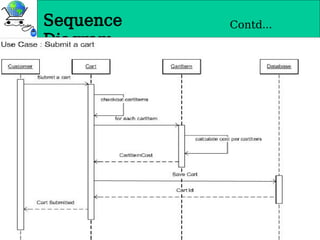
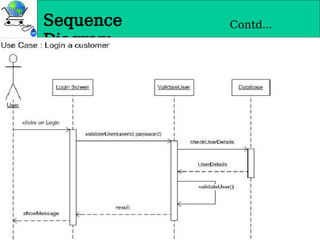
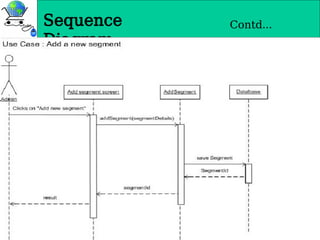
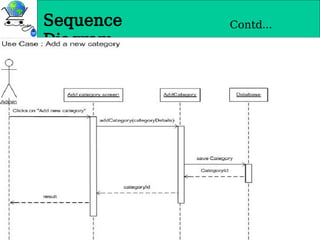
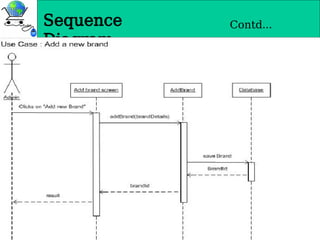
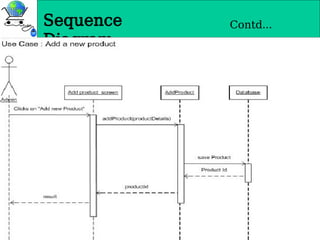
• Sequence Diagram
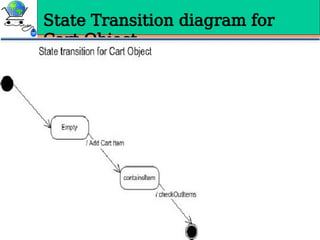
• State Transition diagram for Cart Object
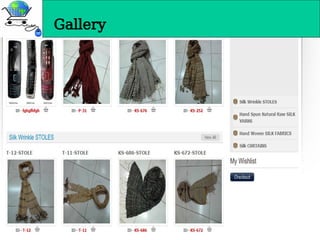
• User Interface Design and Implementation
• Conclusions
CONTENTS
3.
INTRODUCTI
ON
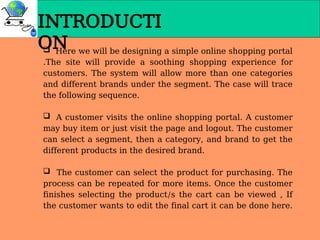
Here wewill be designing a simple online shopping portal
.The site will provide a soothing shopping experience for
customers. The system will allow more than one categories
and different brands under the segment. The case will trace
the following sequence.
A customer visits the online shopping portal. A customer
may buy item or just visit the page and logout. The customer
can select a segment, then a category, and brand to get the
different products in the desired brand.
The customer can select the product for purchasing. The
process can be repeated for more items. Once the customer
finishes selecting the product/s the cart can be viewed , If
the customer wants to edit the final cart it can be done here.
FUNCTIONALI
TY
Portal
Allows thecustomer to view the different categories and further
to different products within the brands
Allows the customer to shop online saying time and cost of
customer.
The portal provides a bill and an shipment Id which can be used
to track the delivery status of the goods purchased by the
customer.
Customer
Customers when enter the site and view the various products in
different category.
Authentication of the customer is done for the payment of the
shopping done
Customer can browses through the products available in the shop,
can select some of them and put into the shopping cart.
6.
FUNCTIONALI
TY
Contd…
Guest
• Guest whenenter the site can view all the
products of different category
• Guest cannot add product to cart without login to
the system
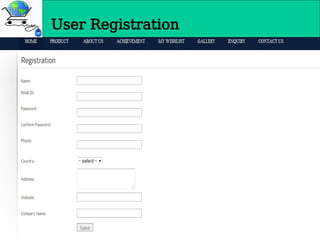
• If Guest is a new user he/should register in the
system and Administrator need to approve.
Administrator
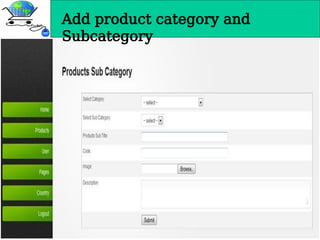
• Add/Updates the details of the different
category ,segments etc.
• Approved the new customer and Manage all the
Pages of the portal.
• Verifies the customer card details and records the
details for shipment of goods.
7.
TECHNOLOGY USED
This projectis a web application that is developed in JAVA
having MYSQL as back end.
1. Database Design (MYSQL)
2. Input Design (HTML, CSS, JavaScript)
3. Coding (JAVA)
4. Editor (Notepad++, Textpad++) or MS VISUVAL
STUDIO CODE
8.
Software & Hardware
Interfaces
SoftwareInterface
Client Side: PHP, Web Browser, Windows XP/2000/Vista
Web Server: Apache, Windows XP/2000/Vista
Data Base Server: MYSQL
Hardware used
Client Side:
Internet Explorer : 7.0
Processor : Pentium IV 2.0 and above.
RAM : 1GB
Server Side:
Processor : Pentium IV 2.0 and above.
RAM : 1 GB
Disk space : 4GB
Server : Maven
User Interface Designand
Implementation
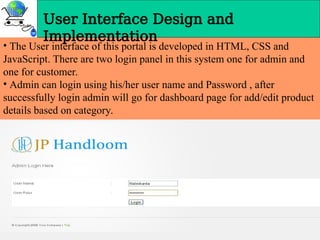
• The User interface of this portal is developed in HTML, CSS and
JavaScript. There are two login panel in this system one for admin and
one for customer.
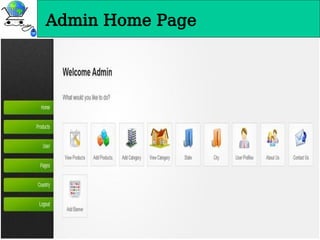
• Admin can login using his/her user name and Password , after
successfully login admin will go for dashboard page for add/edit product
details based on category.
• The userfront-end has to be available via HTTP.
To gain a security protected communication the
confidential data will be transmitted via SSL
protocol.
• All private data like passwords and credit cart
info must be stored in encrypted form
• Data transfer should be accurate and with in a
reasonable amount of time keeping in mind the
network traffic.
• The system should not allow entry of duplicate
key values.
• System should have the ability to generate
transactional Logs to avoid any accidental loss of
data.
Security
31.
Security
• The ‘OnlineShopping’ is designed to provide a web based
application that would make searching, viewing and selection of a
product easier. The search engine provides an easy and
convenient way to search for products where a user can Search
for a product interactively and the search engine would refine the
products available based on the user’s input. The user can then
view the complete specification of each product. They can also
view the product reviews and also write their own reviews. Use of
Ajax components would make the application interactive and
prevents annoying post backs.
• This application does not have a built in check out process.
An external checkout package has to be integrated in to this
application. Also users cannot save the shopping carts so that
they can access later i.e. they cannot create wish lists which they
can access later. This application does not have features by which
user can set price ranges for products and receive alerts once the
price reaches the particular range.


![NMPROJECT3[1]661161651651651651616516516](https://cdn.slidesharecdn.com/ss_thumbnails/nmproject31-250302171911-138595c0-thumbnail.jpg?width=640&height=640&fit=bounds)


![[[Srs]] online shopping website for TYBSC IT](https://cdn.slidesharecdn.com/ss_thumbnails/srsonlineshoppingwebsite-180419114654-thumbnail.jpg?width=640&height=640&fit=bounds)


![Online Shopping PPT LOGO[1].pptx](https://cdn.slidesharecdn.com/ss_thumbnails/onlineshoppingpptlogo1-230808084545-66591f34-thumbnail.jpg?width=640&height=640&fit=bounds)


