OnlineDWHtrainings.com
Contact Name: Rao
Contact No: 919948713895
Informatica Power Center 7.x/8.x/9.x
 Introduction to ETL Logic
 Overview of Staging Area
 Need of ETL Logic
 Difference between OLTP systems and OLAP systems
 Overview on Data Warehousing concepts
 Introduction to Data Modeling
 Overview on Database
 Construction of DWH/Data marts using ETL logic
 Introduction to Informatica Power Center
 Difference between various versions of Power center
 Overview of sub tools of the Informatica Power Center:
• Informatica Client
• Informatica Server
• Informatica Repository
• Informatica Repository server
• Overview on integration service
• Internal Architecture of the server
 Informatica client:
• Informatica designer
• Workflow manager
• Workflow monitor
1 | P a g e
• Repository manager
• Repository server administrative console
 Working with Power center administrative console
• Create a folder
• Create a repository service
• Create an integration service
• Create users and users groups and assign privileges
• Working with logs
• Explanation on data movement mode
ASCII and Unicode
 Informatica Designer:
• Source analyzer
• Ware house designer/ target designer
• Transformation developer
• Mapplet designer
• Mapping designer
 Workflow manager:
• Workflow designer
• Worklett designer
• Task developer
 Transformations:
• Reusable transformations
• Non-reusable transformations
• Active and Passive transformations
1) Source qualifier
2) Expression
3) Aggregator
2 | P a g e
4) Rank
5) Filter
6) Router
7) Lookup
a) Connected
b) Unconnected
c) Difference between Dynamic Lookup, Static Lookup, Persistence Lookup
And Re-cache from the source
8) Stored Procedure and function
a) Connected
b) Unconnected
9) Update Strategy
10) Transaction control
11) Normalizer
12) Sequence generator
13) Union
14) Joiner ( Normal, Master outer, detail Outer, Full Outer)
15) XML Source qualifier
16) Sorter
17) Mapplet input
18) Mapplet Output
 Advanced Transformations:
Java Transformation
Sql Transformation
HTTP transformation
SAP R/3 Transformation
Data Masking
Data Unstructured
3 | P a g e
Mapping designer:
 Best practices when building mappings
 Construction of complex mappings for dimension tables and fact tables
 Dimension mappings:
• SCD type-1
• SCD type-2
 Flag current data
 Effective data range
 Version number mapping
• SCD type-3
• Design type-1, type-2, and type-3 dimensions for various requirements within a single mapping
(Hybrid Dimension-HSCD).
• Working with rapidly changing dimensions (Monster Dimensions)
• Construction of the complex mappings for Data warehousing
• Creation of the cubes
• Analysis of Business user requirements
 Combined type-1,type-2 and type-3 in a single mapping
 Working with SCD wizards
 Working with Rapidly Changing dimensions (RCD).
 Development of the target tables based on business user requirements
 Source analyzer:
• Import source tables from different data bases or flat files
• Working with XML files
• Working with COBOL files
• Create new source tables in the sources analyzer
4 | P a g e
• Define the relationships
• Create source tables in source analyzer itself.
 Target designer:
• Import target tables from different data bases or flat files
• Create target tables in target designer itself.
• Reusable transformations in Transformation developer
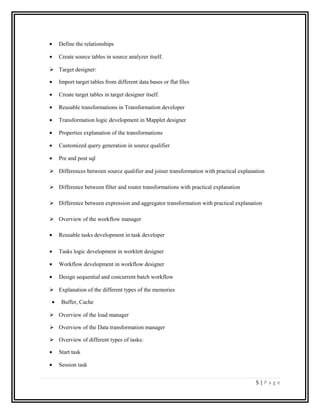
• Transformation logic development in Mapplet designer
• Properties explanation of the transformations
• Customized query generation in source qualifier
• Pre and post sql
 Differences between source qualifier and joiner transformation with practical explanation
 Difference between filter and router transformations with practical explanation
 Difference between expression and aggregator transformation with practical explanation
 Overview of the workflow manager
• Reusable tasks development in task developer
• Tasks logic development in worklett designer
• Workflow development in workflow designer
• Design sequential and concurrent batch workflow
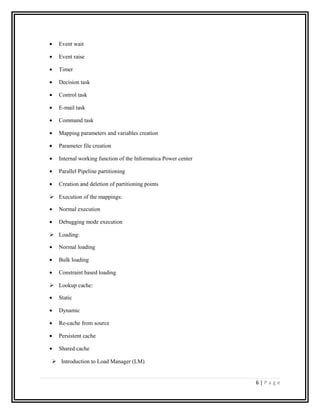
 Explanation of the different types of the memories
• Buffer, Cache
 Overview of the load manager
 Overview of the Data transformation manager
 Overview of different types of tasks:
• Start task
• Session task
5 | P a g e
• Event wait
• Event raise
• Timer
• Decision task
• Control task
• E-mail task
• Command task
• Mapping parameters and variables creation
• Parameter file creation
• Internal working function of the Informatica Power center
• Parallel Pipeline partitioning
• Creation and deletion of partitioning points
 Execution of the mappings:
• Normal execution
• Debugging mode execution
 Loading:
• Normal loading
• Bulk loading
• Constraint based loading
 Lookup cache:
• Static
• Dynamic
• Re-cache from source
• Persistent cache
• Shared cache
 Introduction to Load Manager (LM)
6 | P a g e
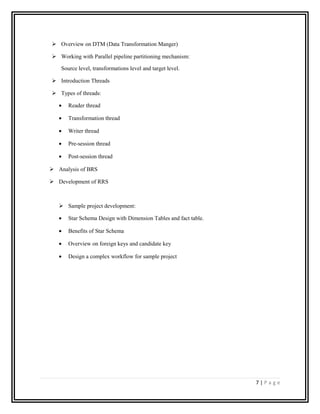
 Overview on DTM (Data Transformation Manger)
 Working with Parallel pipeline partitioning mechanism:
Source level, transformations level and target level.
 Introduction Threads
 Types of threads:
• Reader thread
• Transformation thread
• Writer thread
• Pre-session thread
• Post-session thread
 Analysis of BRS
 Development of RRS
 Sample project development:
• Star Schema Design with Dimension Tables and fact table.
• Benefits of Star Schema
• Overview on foreign keys and candidate key
• Design a complex workflow for sample project
7 | P a g e

new_informatica_1

  • 1.
    OnlineDWHtrainings.com Contact Name: Rao ContactNo: 919948713895 Informatica Power Center 7.x/8.x/9.x  Introduction to ETL Logic  Overview of Staging Area  Need of ETL Logic  Difference between OLTP systems and OLAP systems  Overview on Data Warehousing concepts  Introduction to Data Modeling  Overview on Database  Construction of DWH/Data marts using ETL logic  Introduction to Informatica Power Center  Difference between various versions of Power center  Overview of sub tools of the Informatica Power Center: • Informatica Client • Informatica Server • Informatica Repository • Informatica Repository server • Overview on integration service • Internal Architecture of the server  Informatica client: • Informatica designer • Workflow manager • Workflow monitor 1 | P a g e
  • 2.
    • Repository manager •Repository server administrative console  Working with Power center administrative console • Create a folder • Create a repository service • Create an integration service • Create users and users groups and assign privileges • Working with logs • Explanation on data movement mode ASCII and Unicode  Informatica Designer: • Source analyzer • Ware house designer/ target designer • Transformation developer • Mapplet designer • Mapping designer  Workflow manager: • Workflow designer • Worklett designer • Task developer  Transformations: • Reusable transformations • Non-reusable transformations • Active and Passive transformations 1) Source qualifier 2) Expression 3) Aggregator 2 | P a g e
  • 3.
    4) Rank 5) Filter 6)Router 7) Lookup a) Connected b) Unconnected c) Difference between Dynamic Lookup, Static Lookup, Persistence Lookup And Re-cache from the source 8) Stored Procedure and function a) Connected b) Unconnected 9) Update Strategy 10) Transaction control 11) Normalizer 12) Sequence generator 13) Union 14) Joiner ( Normal, Master outer, detail Outer, Full Outer) 15) XML Source qualifier 16) Sorter 17) Mapplet input 18) Mapplet Output  Advanced Transformations: Java Transformation Sql Transformation HTTP transformation SAP R/3 Transformation Data Masking Data Unstructured 3 | P a g e
  • 4.
    Mapping designer:  Bestpractices when building mappings  Construction of complex mappings for dimension tables and fact tables  Dimension mappings: • SCD type-1 • SCD type-2  Flag current data  Effective data range  Version number mapping • SCD type-3 • Design type-1, type-2, and type-3 dimensions for various requirements within a single mapping (Hybrid Dimension-HSCD). • Working with rapidly changing dimensions (Monster Dimensions) • Construction of the complex mappings for Data warehousing • Creation of the cubes • Analysis of Business user requirements  Combined type-1,type-2 and type-3 in a single mapping  Working with SCD wizards  Working with Rapidly Changing dimensions (RCD).  Development of the target tables based on business user requirements  Source analyzer: • Import source tables from different data bases or flat files • Working with XML files • Working with COBOL files • Create new source tables in the sources analyzer 4 | P a g e
  • 5.
    • Define therelationships • Create source tables in source analyzer itself.  Target designer: • Import target tables from different data bases or flat files • Create target tables in target designer itself. • Reusable transformations in Transformation developer • Transformation logic development in Mapplet designer • Properties explanation of the transformations • Customized query generation in source qualifier • Pre and post sql  Differences between source qualifier and joiner transformation with practical explanation  Difference between filter and router transformations with practical explanation  Difference between expression and aggregator transformation with practical explanation  Overview of the workflow manager • Reusable tasks development in task developer • Tasks logic development in worklett designer • Workflow development in workflow designer • Design sequential and concurrent batch workflow  Explanation of the different types of the memories • Buffer, Cache  Overview of the load manager  Overview of the Data transformation manager  Overview of different types of tasks: • Start task • Session task 5 | P a g e
  • 6.
    • Event wait •Event raise • Timer • Decision task • Control task • E-mail task • Command task • Mapping parameters and variables creation • Parameter file creation • Internal working function of the Informatica Power center • Parallel Pipeline partitioning • Creation and deletion of partitioning points  Execution of the mappings: • Normal execution • Debugging mode execution  Loading: • Normal loading • Bulk loading • Constraint based loading  Lookup cache: • Static • Dynamic • Re-cache from source • Persistent cache • Shared cache  Introduction to Load Manager (LM) 6 | P a g e
  • 7.
     Overview onDTM (Data Transformation Manger)  Working with Parallel pipeline partitioning mechanism: Source level, transformations level and target level.  Introduction Threads  Types of threads: • Reader thread • Transformation thread • Writer thread • Pre-session thread • Post-session thread  Analysis of BRS  Development of RRS  Sample project development: • Star Schema Design with Dimension Tables and fact table. • Benefits of Star Schema • Overview on foreign keys and candidate key • Design a complex workflow for sample project 7 | P a g e