MVVM в WinForms
DEVEXPRESS WAY
dmitry.garavsky@devexpress.com
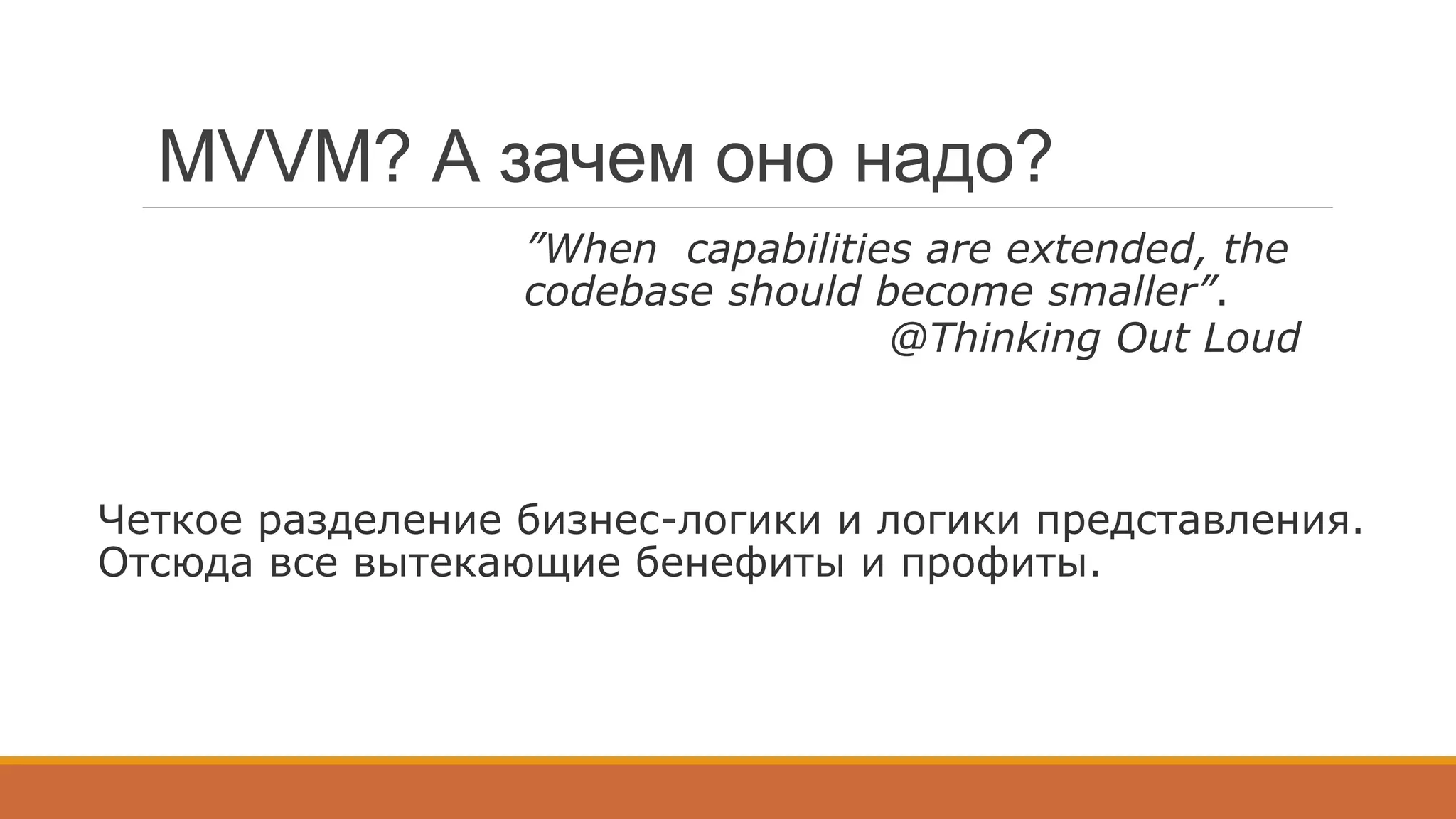
MVVM? А зачем оно надо?
”When capabilities are extended, the
codebase should become smaller”.
@Thinking Out Loud
Четкое разделение бизнес-логики и логики представления.
Отсюда все вытекающие бенефиты и профиты.
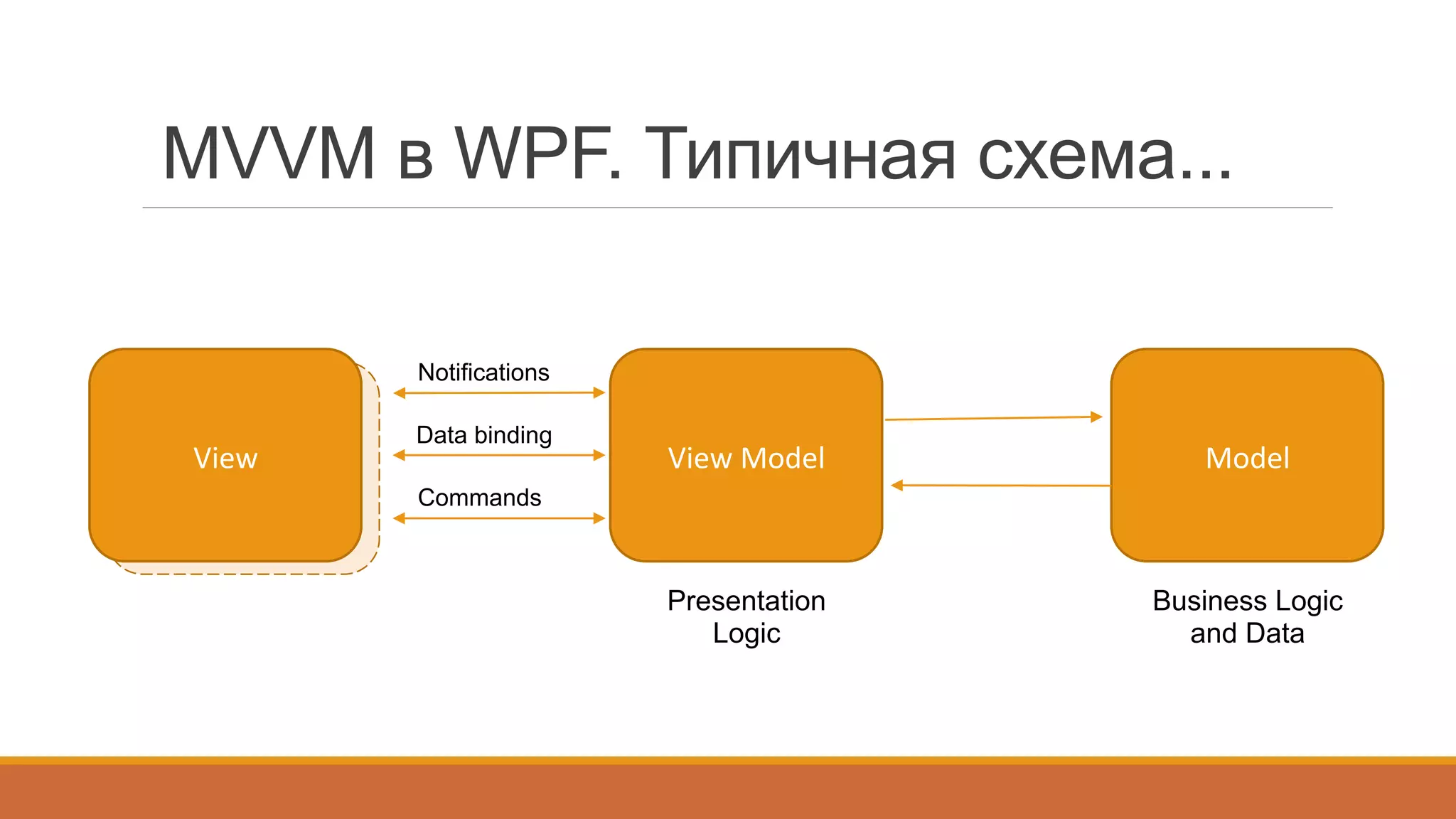
MVVM в WPF. Типичная схема...
View	
  View	
   Model	
  
Business Logic
and Data
View	
  Model	
  
Presentation
Logic
Data binding
Commands
Notifications
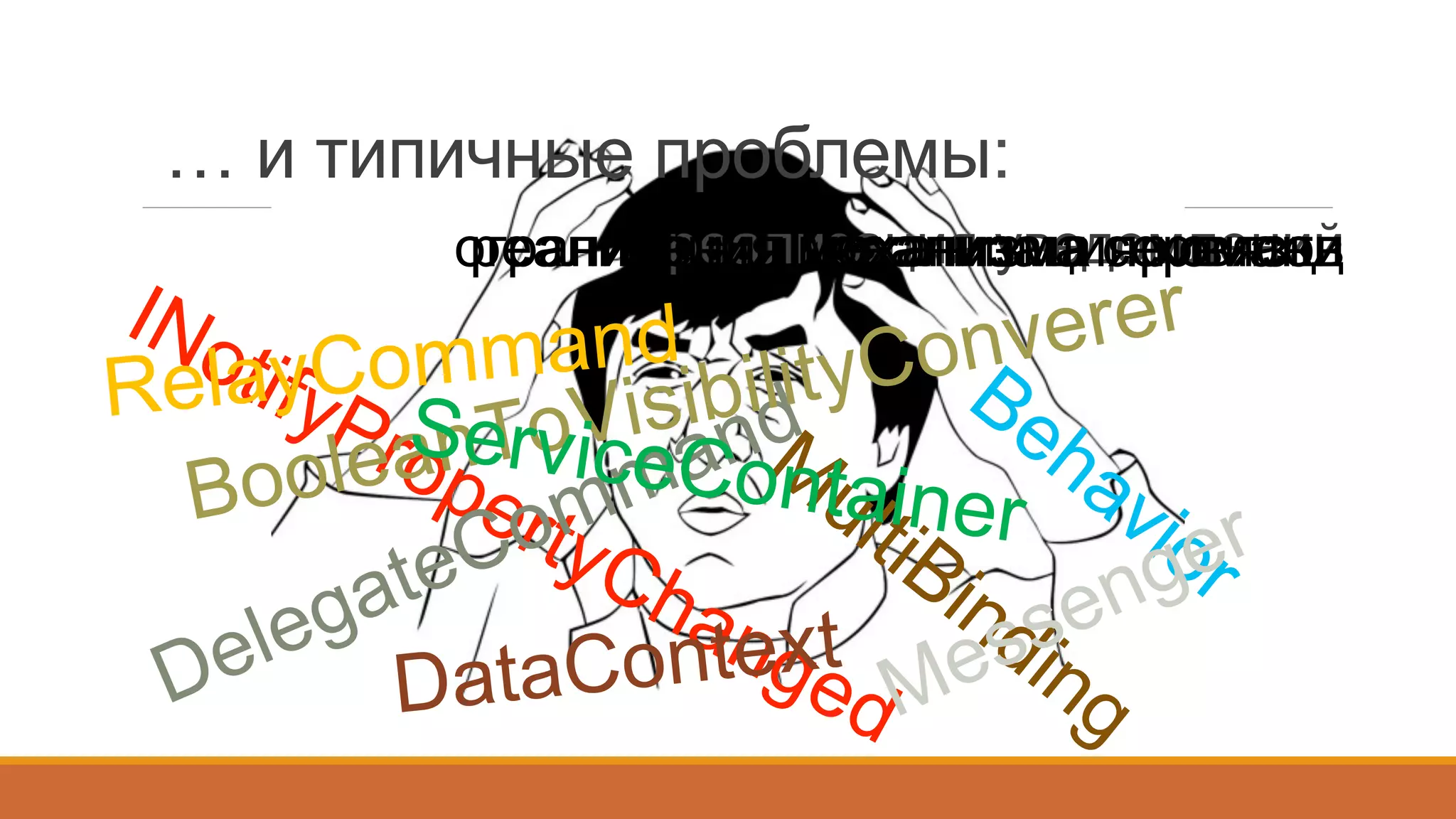
… и типичные проблемы:
	
   реализация уведомленийреализация командограничения механизма привязкиреализация механизма сервисов
RelayCommand
BooleanToVisibilityConverer
DataContext
ServiceContainer
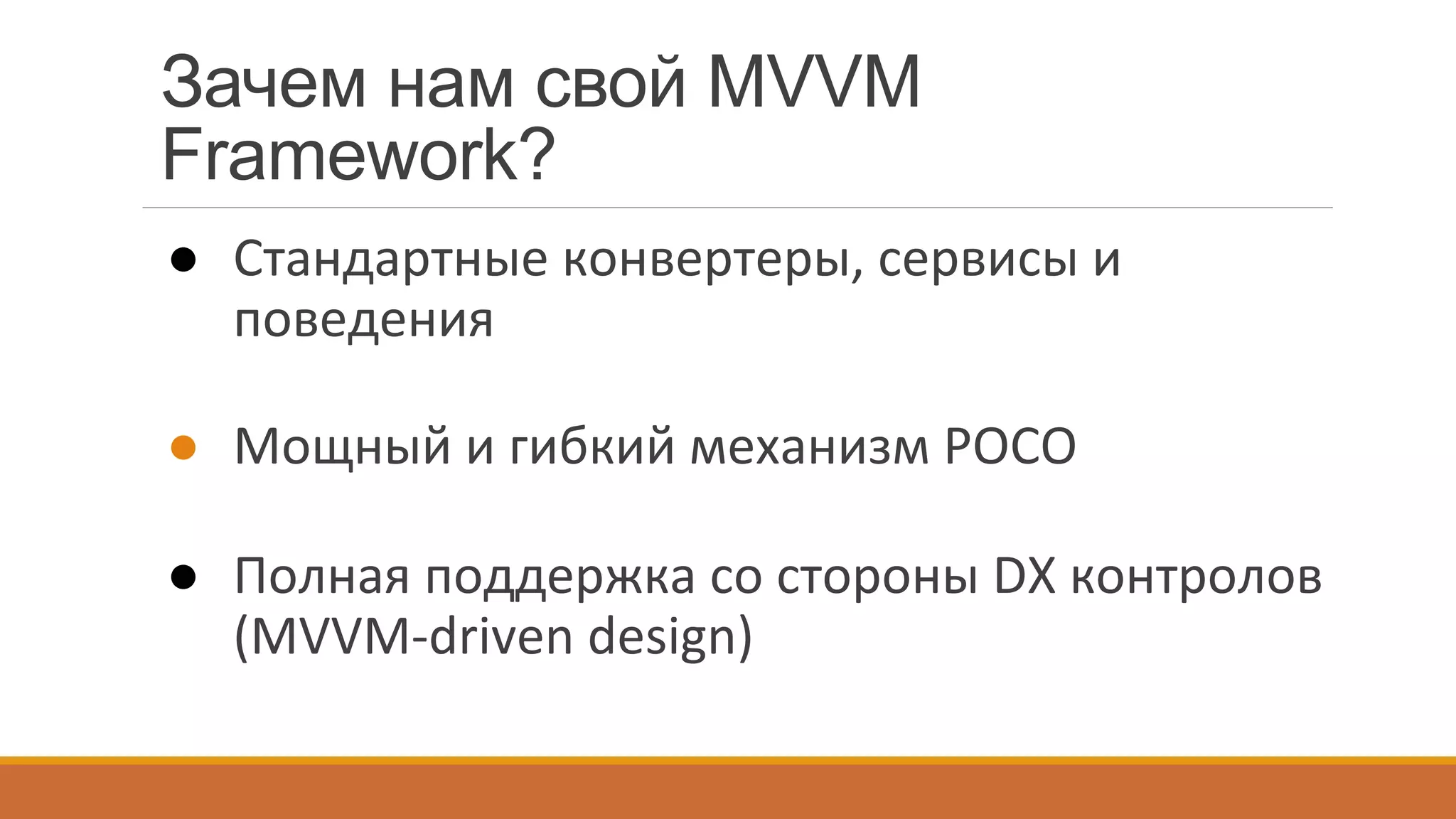
Зачем нам свой MVVM
Framework?
●  Стандартные	
  конвертеры,	
  сервисы	
  и	
  
поведения	
  
●  Мощный	
  и	
  гибкий	
  механизм	
  POCO	
  
●  Полная	
  поддержка	
  со	
  стороны	
  DX	
  контролов	
  
(MVVM-­‐driven	
  design)	


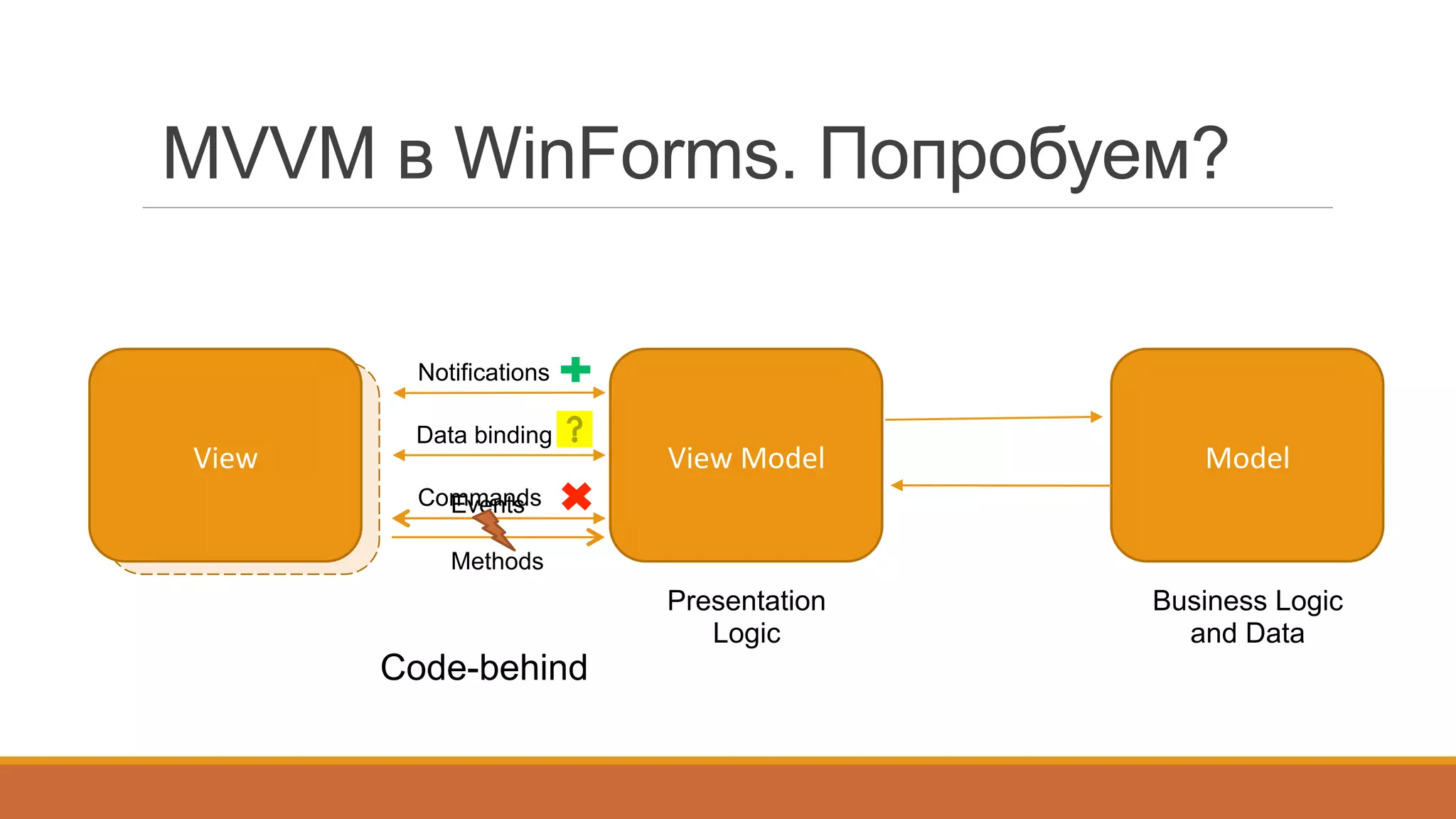
MVVM в WinForms. Попробуем?
View	
  View	
   Model	
  
Business Logic
and Data
View	
  Model	
  
Presentation
Logic
Data binding
Commands
Notifications
Code-behind
Events
Methods
class	
  AccountCollectionViewPresenter	
  {	


  public	
  CollectionViewPresenter(GridView	
  gridView,	
  AccountCollectionViewModel	
  viewModel)	
  {	


  gridView.FocusedRowObjectChanged	
  +=	
  (s,	
  e)	
  =>	
  {	


  viewModel.SelectedEntity	
  =	
  e.Row	
  as	
  Model.Account;	


  };	


  ((INotifyPropertyChanged)viewModel).PropertyChanged	
  +=	
  (s,	
  e)	
  =>	
  {	


  if(e.PropertyName	
  ==	
  "SelectedEntity")	
  {	


  var	
  entity	
  =	
  viewModel.SelectedEntity;	


  if(entity	
  !=	
  null)	


  gridView.FocusedRowHandle	
  =	
  gridView.LocateByValue("Id",	
  entity.ID);	


  else	


  gridView.FocusedRowHandle	
  =	
  GridControl.InvalidRowHandle;	


  }	


  };	


  }	
  
}	
  
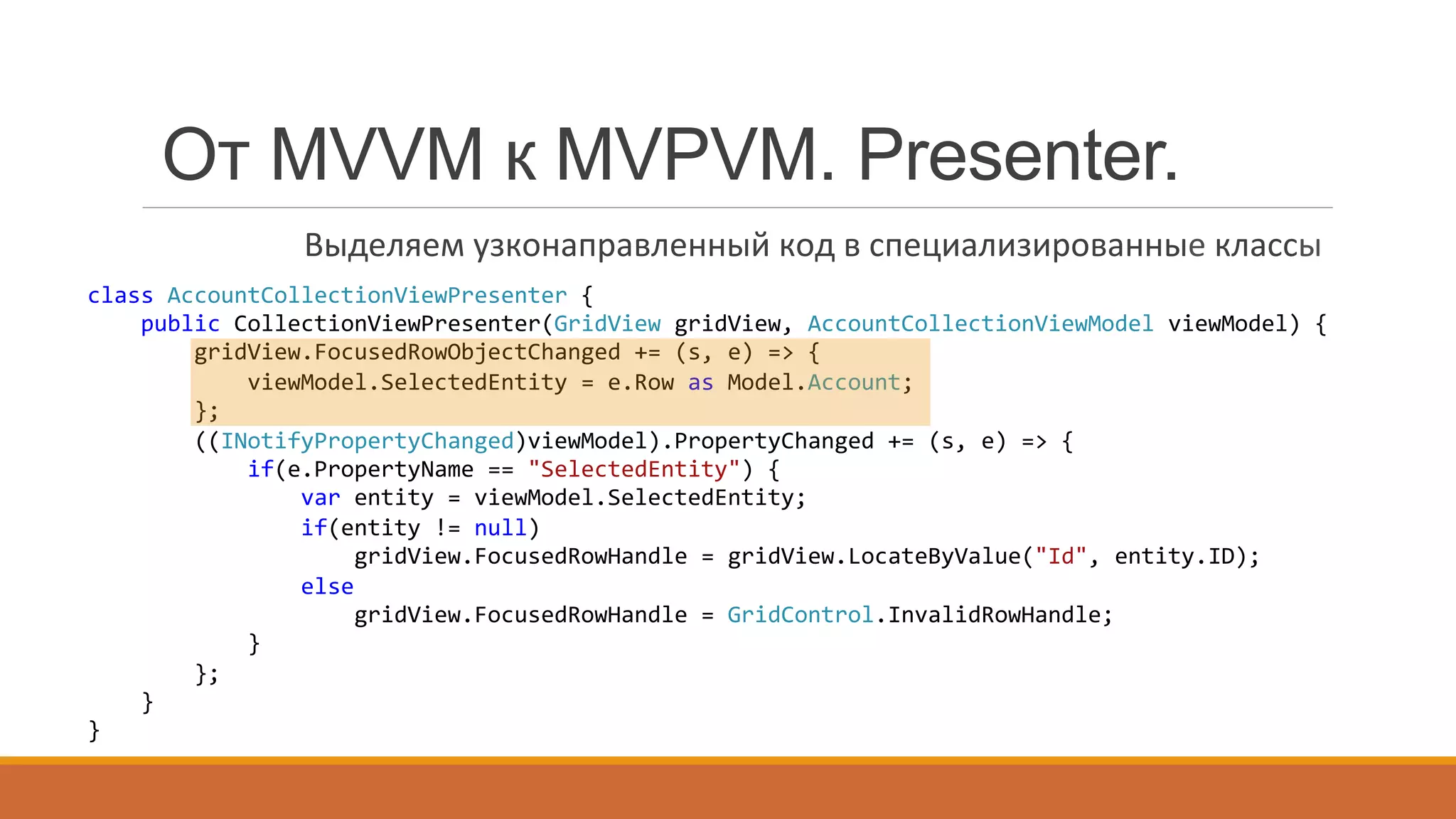
От MVVM к MVPVM. Presenter.
Выделяем	
  узконаправленный	
  код	
  в	
  специализированные	
  классы	
  
class	
  AccountCollectionViewPresenter	
  {	


  public	
  CollectionViewPresenter(GridView	
  gridView,	
  AccountCollectionViewModel	
  viewModel)	
  {	


  gridView.FocusedRowObjectChanged	
  +=	
  (s,	
  e)	
  =>	
  {	


  viewModel.SelectedEntity	
  =	
  e.Row	
  as	
  Model.Account;	


  };	


  ((INotifyPropertyChanged)viewModel).PropertyChanged	
  +=	
  (s,	
  e)	
  =>	
  {	


  if(e.PropertyName	
  ==	
  "SelectedEntity")	
  {	


  var	
  entity	
  =	
  viewModel.SelectedEntity;	


  if(entity	
  !=	
  null)	


  gridView.FocusedRowHandle	
  =	
  gridView.LocateByValue("Id",	
  entity.ID);	


  else	


  gridView.FocusedRowHandle	
  =	
  GridControl.InvalidRowHandle;	


  }	


  };	


  }	
  
}	
  
gridView.FocusedRowObjectChanged	
  +=	
  (s,	
  e)	
  =>	
  {	


  viewModel.SelectedEntity	
  =	
  e.Row	
  as	
  Model.Account;	
  
};
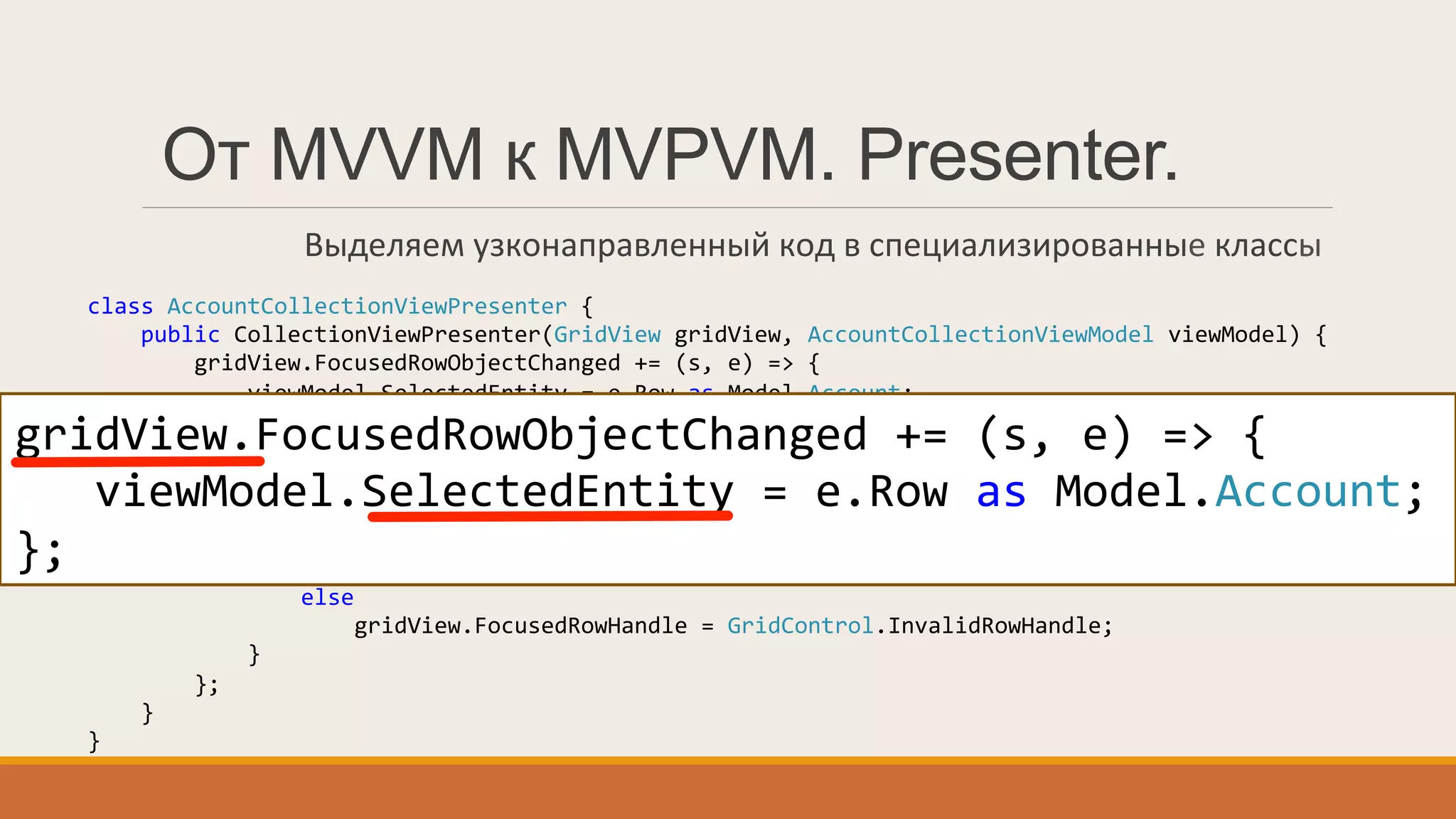
От MVVM к MVPVM. Presenter.
Выделяем	
  узконаправленный	
  код	
  в	
  специализированные	
  классы	
  
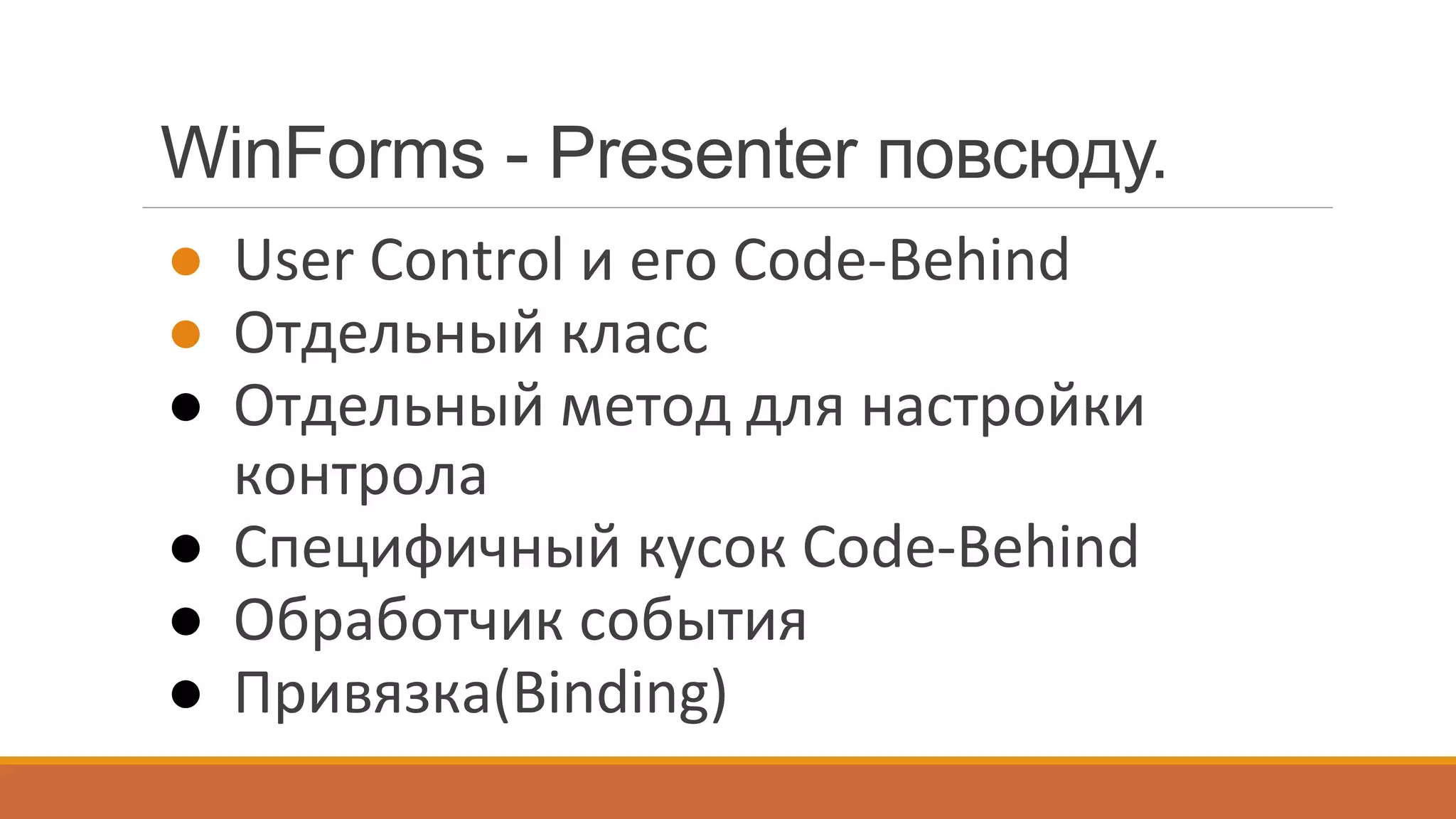
WinForms - Presenter повсюду.
●  User	
  Control	
  и	
  его	
  Code-­‐Behind	
  
●  Отдельный	
  класс	
  
●  Отдельный	
  метод	
  для	
  настройки	
  
контрола	
  
●  Специфичный	
  кусок	
  Code-­‐Behind	
  
●  Обработчик	
  события	
  
●  Привязка(Binding)	
  
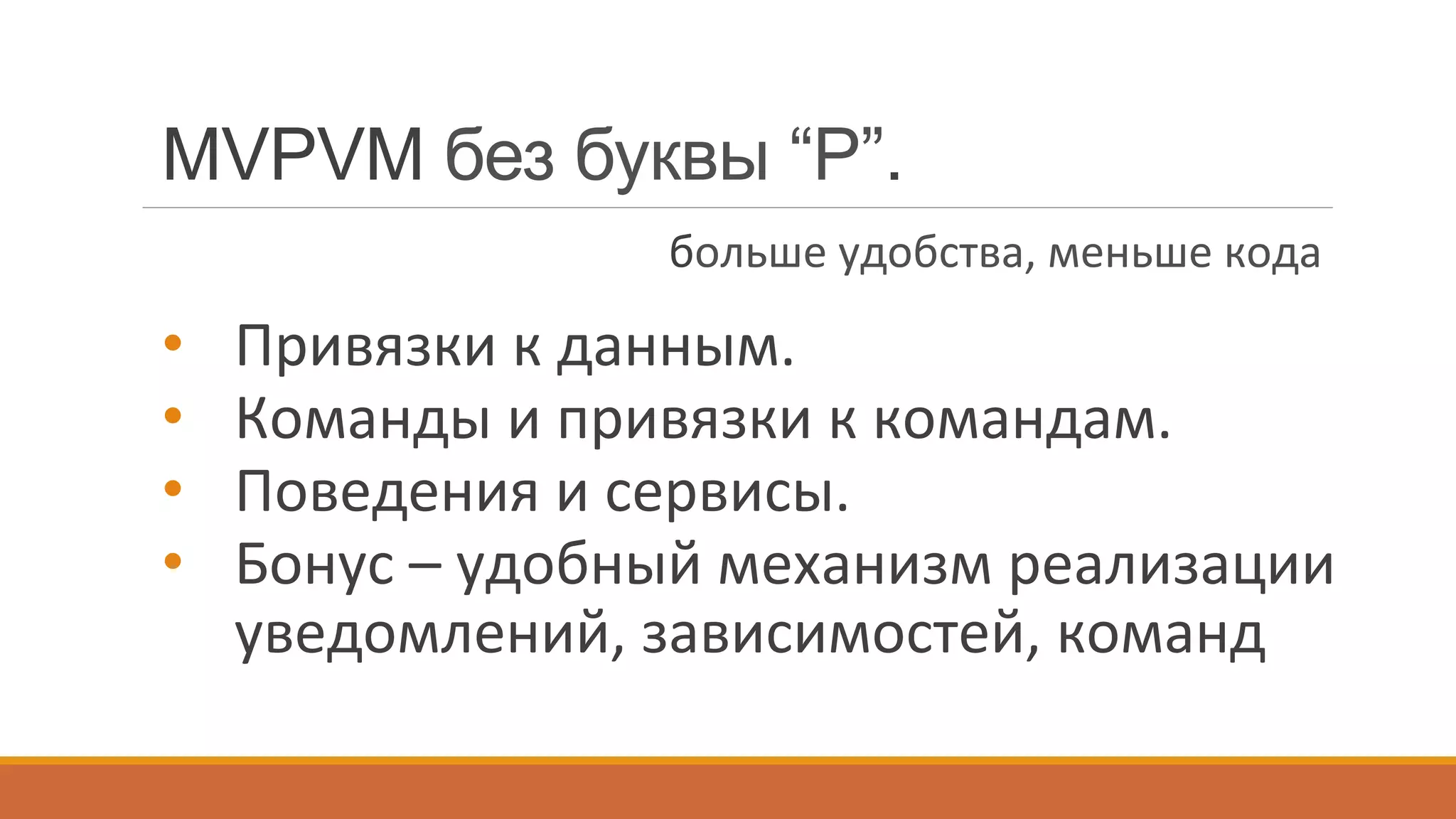
•  Привязки	
  к	
  данным.	
  
•  Команды	
  и	
  привязки	
  к	
  командам.	
  
•  Поведения	
  и	
  сервисы.	
  
•  Бонус	
  –	
  удобный	
  механизм	
  реализации	
  
уведомлений,	
  зависимостей,	
  команд	
  
MVPVM без буквы “P”.
больше	
  удобства,	
  меньше	
  кода	
  
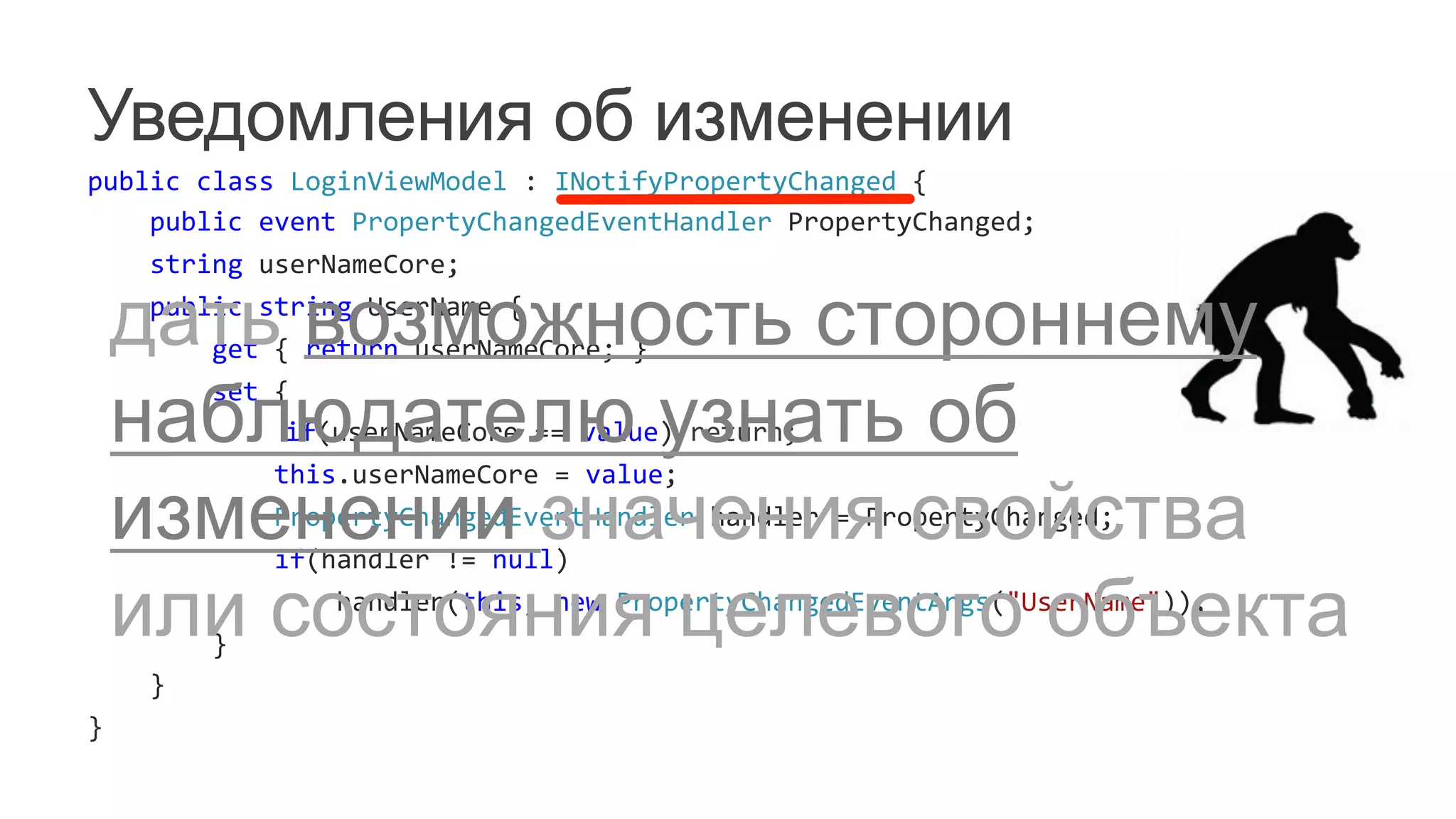
Уведомления об изменении
public	
  class	
  LoginViewModel	
  :	
  INotifyPropertyChanged	
  {	


  public	
  event	
  PropertyChangedEventHandler	
  PropertyChanged;	


  string	
  userNameCore;	


  public	
  string	
  UserName	
  {	


  get	
  {	
  return	
  userNameCore;	
  }	


  set	
  {	


  if(userNameCore	
  ==	
  value)	
  return;	


  this.userNameCore	
  =	
  value;	


  PropertyChangedEventHandler	
  handler	
  =	
  PropertyChanged;	


  if(handler	
  !=	
  null)	


  handler(this,	
  new	
  PropertyChangedEventArgs("UserName"));	


  }	


  }	
  
}	
  
дать возможность стороннему
наблюдателю узнать об
изменении значения свойства
или состояния целевого объекта
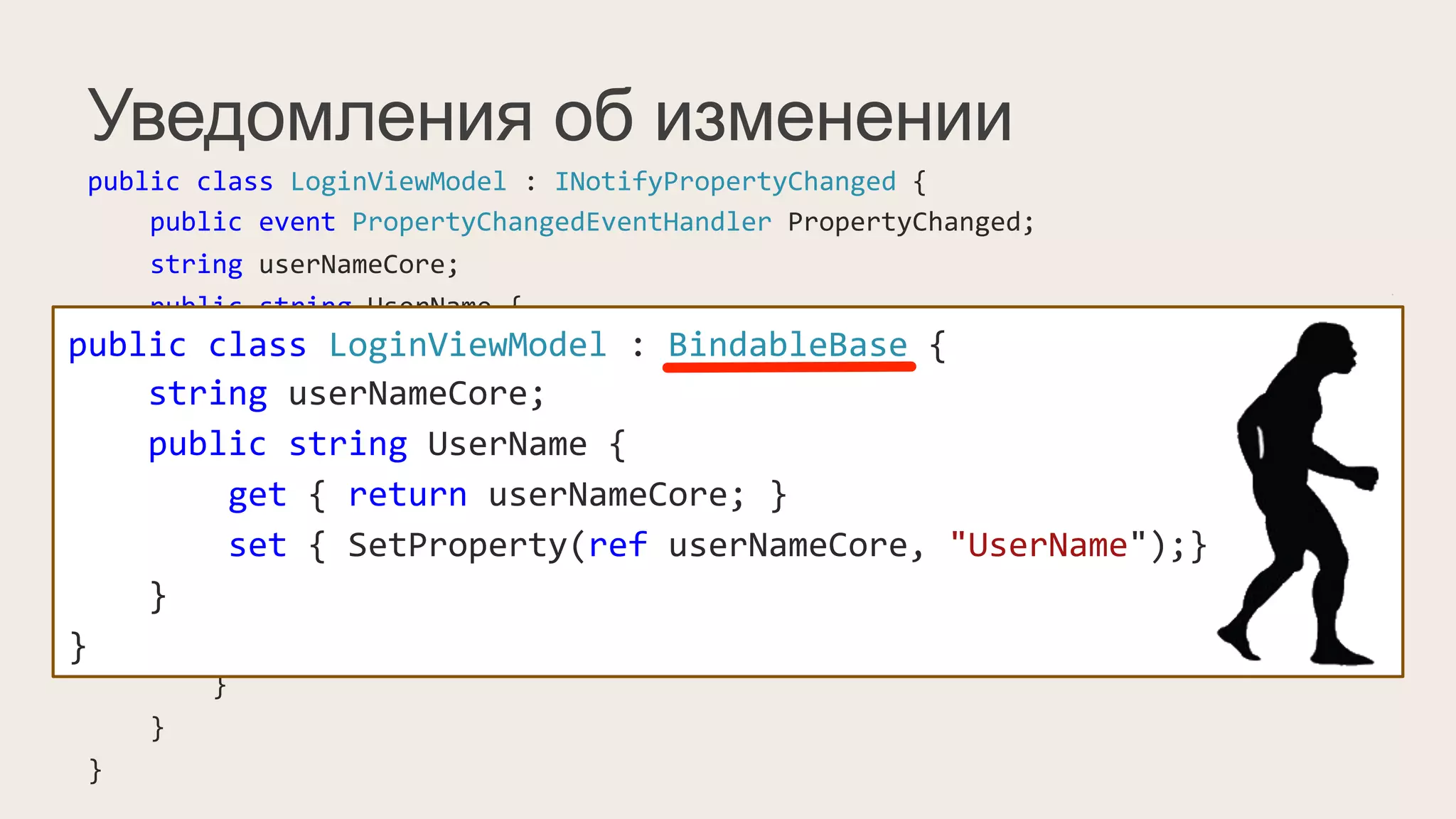
Уведомления об изменении
public	
  class	
  LoginViewModel	
  :	
  INotifyPropertyChanged	
  {	


  public	
  event	
  PropertyChangedEventHandler	
  PropertyChanged;	


  string	
  userNameCore;	


  public	
  string	
  UserName	
  {	


  get	
  {	
  return	
  userNameCore;	
  }	


  set	
  {	


  if(value	
  !=	
  userNameCore)	
  {	


  this.userNameCore	
  =	
  value;	


  PropertyChangedEventHandler	
  handler	
  =	
  PropertyChanged;	


  if(handler	
  !=	
  null)	


  handler(this,	
  new	
  PropertyChangedEventArgs("UserName"));	


  }	


  }	


  }	
  
}	
  
public	
  class	
  LoginViewModel	
  :	
  BindableBase	
  {	


  string	
  userNameCore;	


  public	
  string	
  UserName	
  {	


  get	
  {	
  return	
  userNameCore;	
  }	


  set	
  {	
  SetProperty(ref	
  userNameCore,	
  "UserName");}	


  }	
  
}	
  
Уведомления об изменении
public	
  class	
  LoginViewModel	
  :	
  INotifyPropertyChanged	
  {	


  public	
  event	
  PropertyChangedEventHandler	
  PropertyChanged;	


  string	
  userNameCore;	


  public	
  string	
  UserName	
  {	


  get	
  {	
  return	
  userNameCore;	
  }	


  set	
  {	


  if(value	
  !=	
  userNameCore)	
  {	


  this.userNameCore	
  =	
  value;	


  PropertyChangedEventHandler	
  handler	
  =	
  PropertyChanged;	


  if(handler	
  !=	
  null)	


  handler(this,	
  new	
  PropertyChangedEventArgs("UserName"));	


  }	


  }	


  }	
  
}	
  
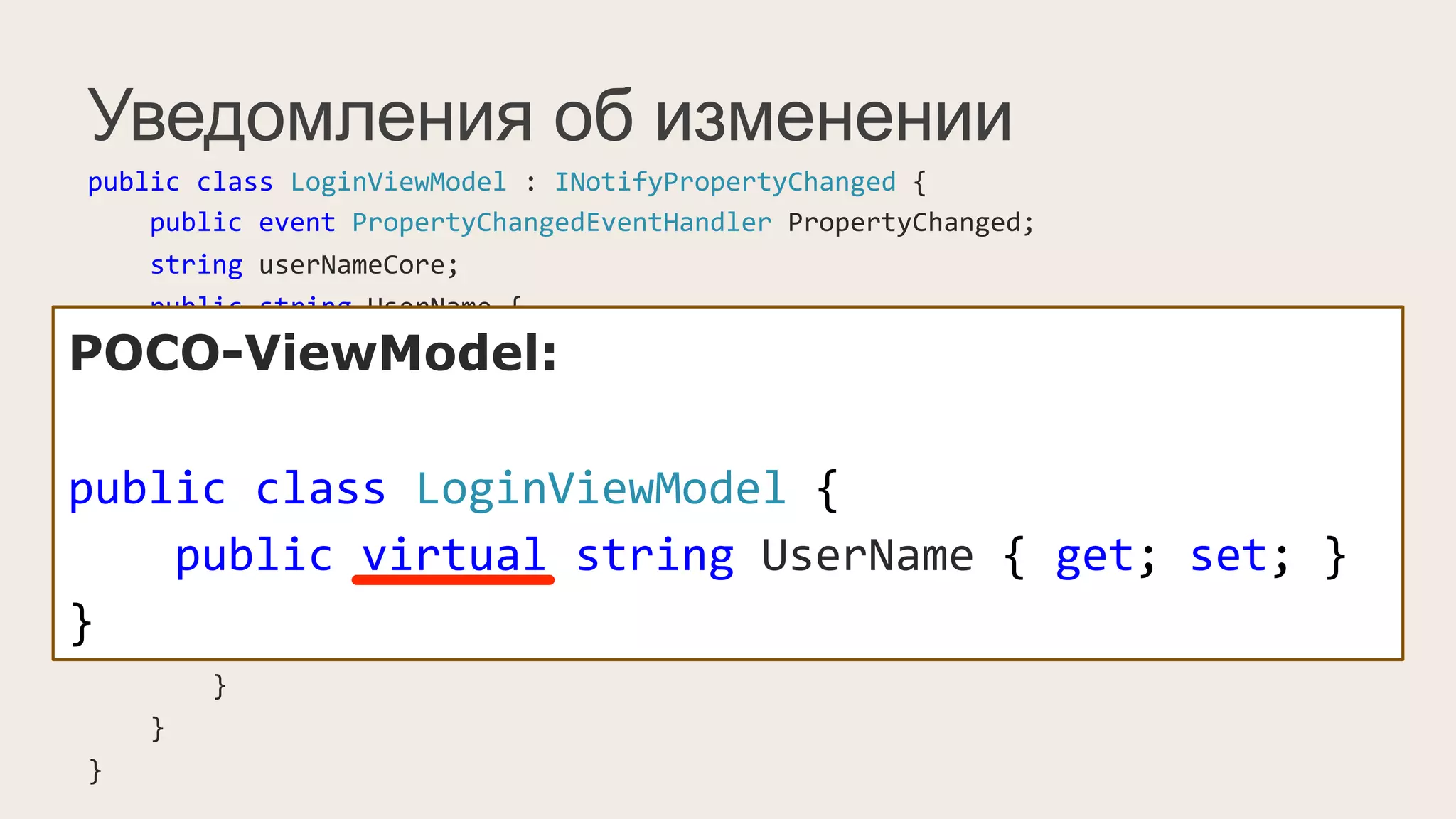
POCO-ViewModel:
public	
  class	
  LoginViewModel	
  {	


  public	
  virtual	
  string	
  UserName	
  {	
  get;	
  set;	
  }	
  
}
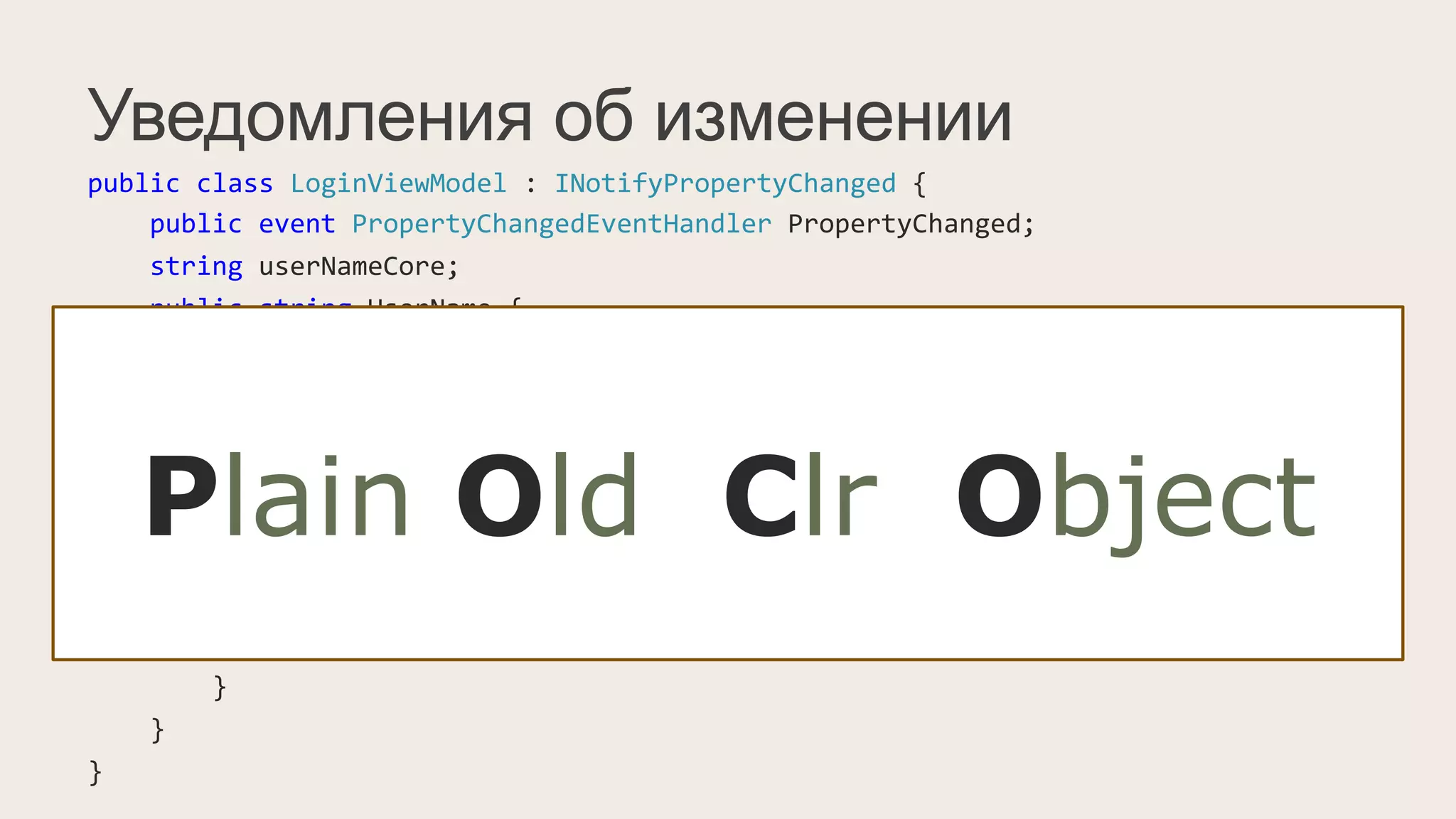
Plain Old Clr Object
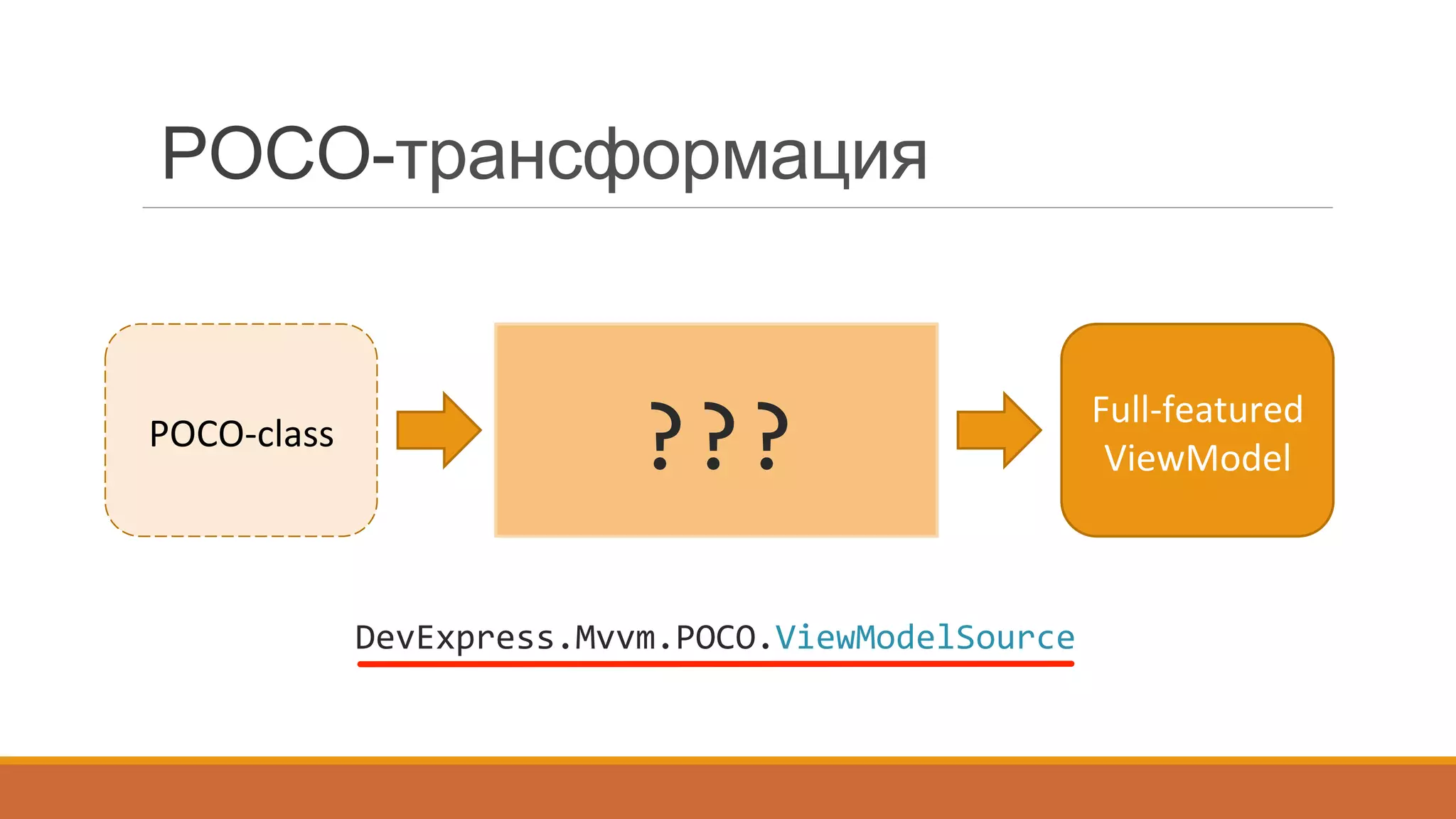
POCO-трансформация
???	
  POCO-­‐class	
  
Full-­‐featured	
  
ViewModel	
  
DevExpress.Mvvm.POCO.ViewModelSource	
  
Уведомления об изменении
public	
  class	
  LoginViewModel	
  :	
  INotifyPropertyChanged	
  {	


  public	
  event	
  PropertyChangedEventHandler	
  PropertyChanged;	


  string	
  userNameCore;	


  public	
  string	
  UserName	
  {	


  get	
  {	
  return	
  userNameCore;	
  }	


  set	
  {	


  if(value	
  !=	
  userNameCore)	
  {	


  this.userNameCore	
  =	
  value;	


  PropertyChangedEventHandler	
  handler	
  =	
  PropertyChanged;	


  if(handler	
  !=	
  null)	


  handler(this,	
  new	
  PropertyChangedEventArgs("UserName"));	


  }	


  }	


  }	
  
}	
  
POCO-ViewModel:
public	
  class	
  LoginViewModel	
  {	


  public	
  virtual	
  string	
  UserName	
  {	
  get;	
  set;	
  }	
  
}
Как это использовать?
XAML:
<UserControl	
  x:Class="DXPOCO.Views.LoginView"	


  xmlns:dxmvvm="http://schemas.devexpress.com/winfx/2008/xaml/mvvm"	


  xmlns:ViewModels="clr-­‐namespace:DXPOCO.ViewModels"	


  DataContext="{dxmvvm:ViewModelSource	
  Type=ViewModels:LoginViewModel}"	


  ...>	
  
</UserControl>	
  
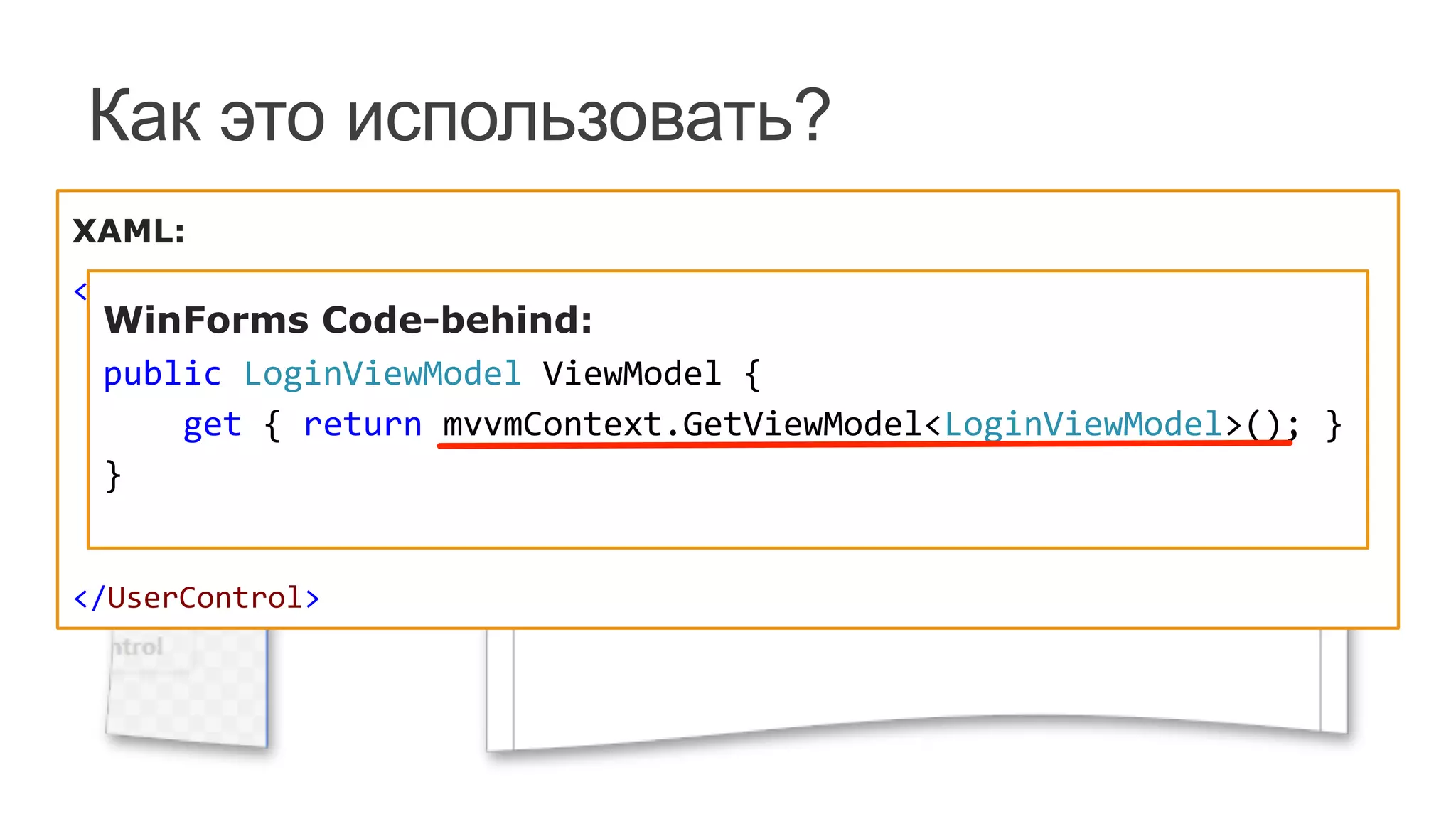
WinForms Code-behind:
public	
  LoginViewModel	
  ViewModel	
  {	


  get	
  {	
  return	
  mvvmContext.GetViewModel<LoginViewModel>();	
  }	
  
}	
  
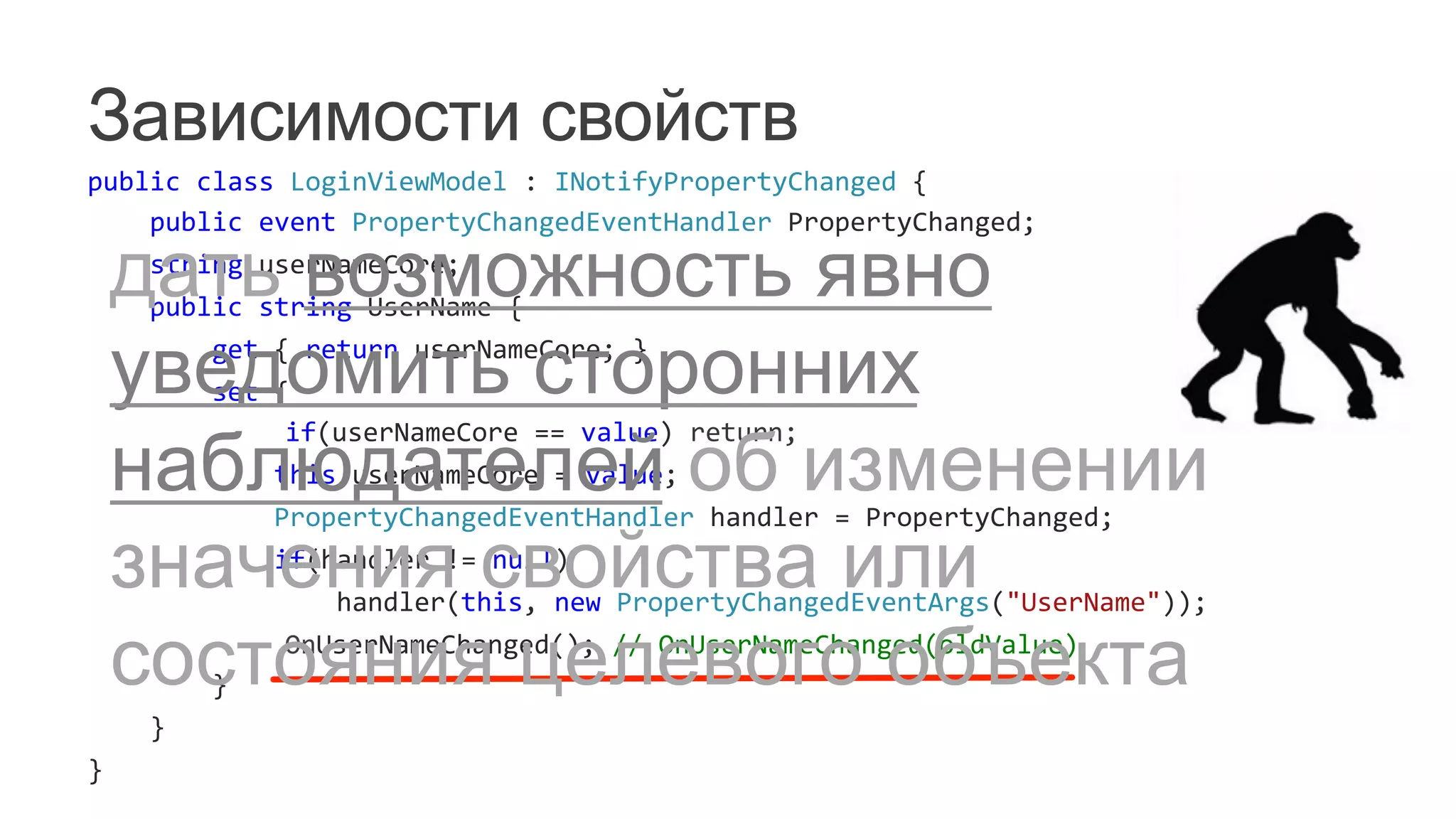
Зависимости свойств
public	
  class	
  LoginViewModel	
  :	
  INotifyPropertyChanged	
  {	


  public	
  event	
  PropertyChangedEventHandler	
  PropertyChanged;	


  string	
  userNameCore;	


  public	
  string	
  UserName	
  {	


  get	
  {	
  return	
  userNameCore;	
  }	


  set	
  {	


  if(userNameCore	
  ==	
  value)	
  return;	


  this.userNameCore	
  =	
  value;	


  PropertyChangedEventHandler	
  handler	
  =	
  PropertyChanged;	


  if(handler	
  !=	
  null)	


  handler(this,	
  new	
  PropertyChangedEventArgs("UserName"));	


  OnUserNameChanged();	
  //	
  OnUserNameChanged(oldValue)	


  }	


  }	
  
}	
  
дать возможность явно
уведомить сторонних
наблюдателей об изменении
значения свойства или
состояния целевого объекта
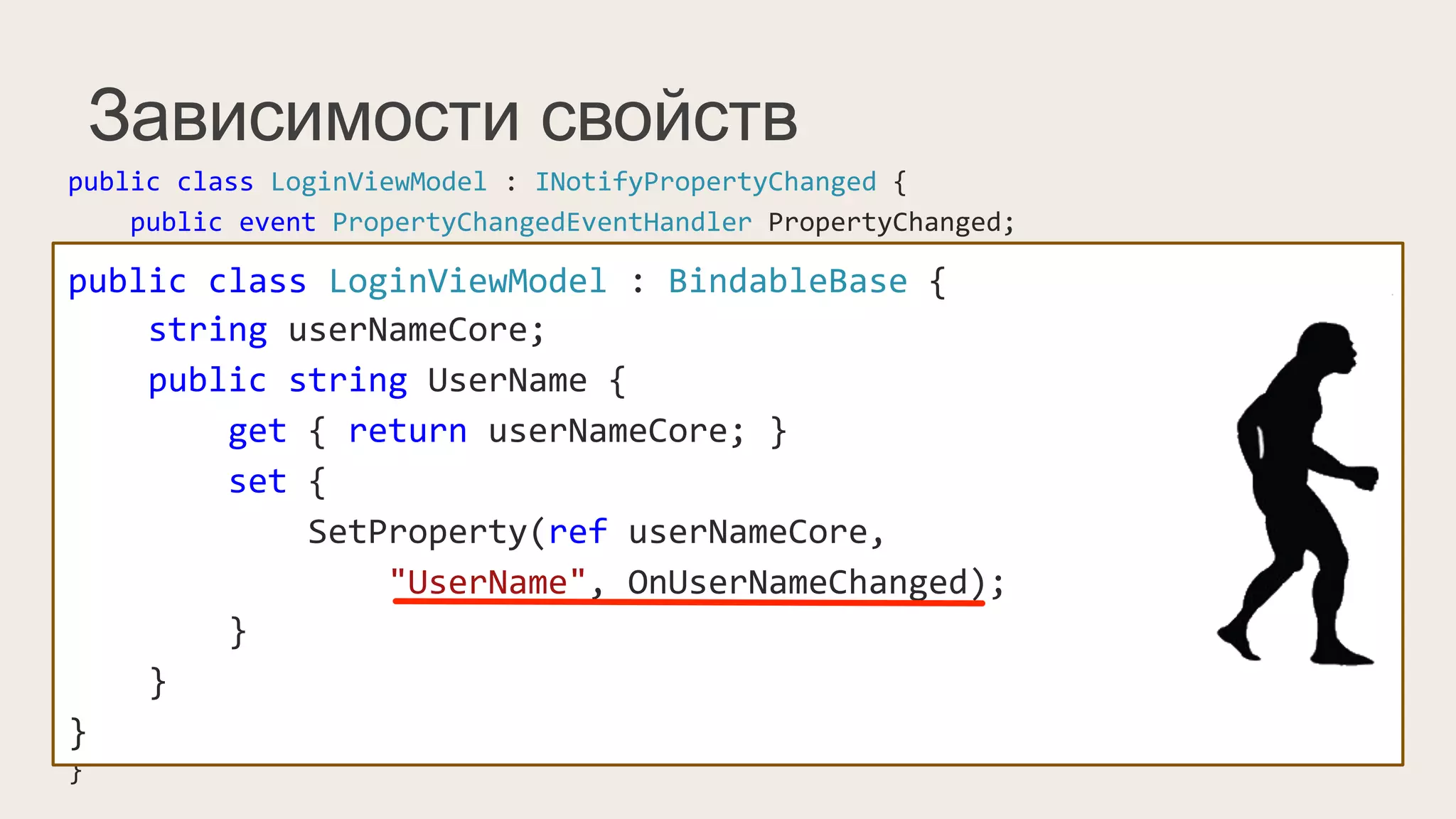
Зависимости свойств
public	
  class	
  LoginViewModel	
  :	
  INotifyPropertyChanged	
  {	


  public	
  event	
  PropertyChangedEventHandler	
  PropertyChanged;	


  string	
  userNameCore;	


  public	
  string	
  UserName	
  {	


  get	
  {	
  return	
  userNameCore;	
  }	


  set	
  {	


  if(value	
  !=	
  userNameCore)	
  {	


  this.userNameCore	
  =	
  value;	


  PropertyChangedEventHandler	
  handler	
  =	
  PropertyChanged;	


  if(handler	
  !=	
  null)	


  handler(this,	
  new	
  PropertyChangedEventArgs("UserName"));	


  }	


  }	


  }	
  
}	
  
public	
  class	
  LoginViewModel	
  :	
  BindableBase	
  {	


  string	
  userNameCore;	


  public	
  string	
  UserName	
  {	


  get	
  {	
  return	
  userNameCore;	
  }	


  set	
  {	


  SetProperty(ref	
  userNameCore,	


  "UserName",	
  OnUserNameChanged);	


  }	


  }	
  
}	
  
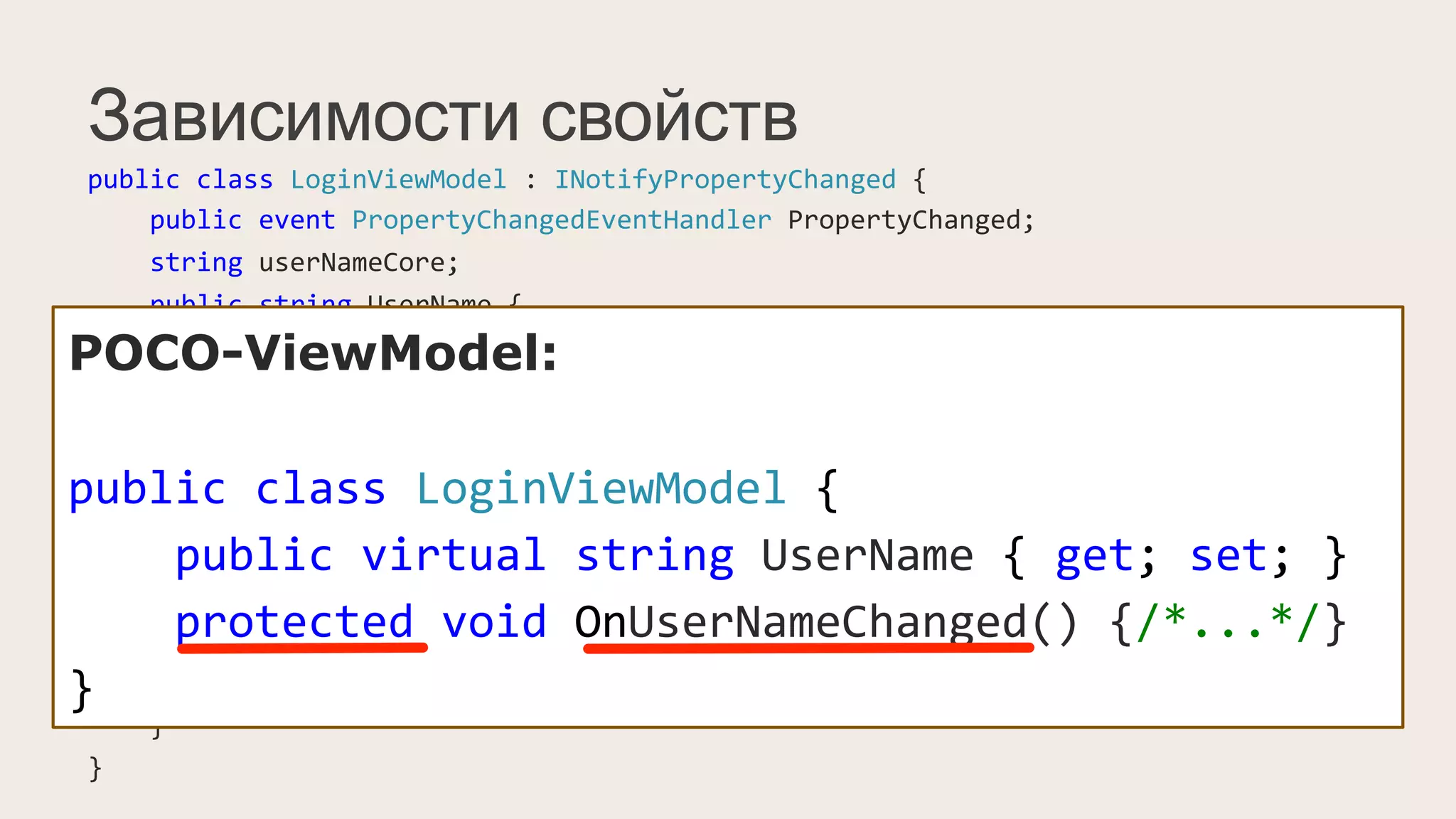
Зависимости свойств
public	
  class	
  LoginViewModel	
  :	
  INotifyPropertyChanged	
  {	


  public	
  event	
  PropertyChangedEventHandler	
  PropertyChanged;	


  string	
  userNameCore;	


  public	
  string	
  UserName	
  {	


  get	
  {	
  return	
  userNameCore;	
  }	


  set	
  {	


  if(value	
  !=	
  userNameCore)	
  {	


  this.userNameCore	
  =	
  value;	


  PropertyChangedEventHandler	
  handler	
  =	
  PropertyChanged;	


  if(handler	
  !=	
  null)	


  handler(this,	
  new	
  PropertyChangedEventArgs("UserName"));	


  }	


  }	


  }	
  
}	
  
POCO-ViewModel:
public	
  class	
  LoginViewModel	
  {	


  public	
  virtual	
  string	
  UserName	
  {	
  get;	
  set;	
  }	


  protected	
  void	
  OnUserNameChanged()	
  {/*...*/}	
  
}
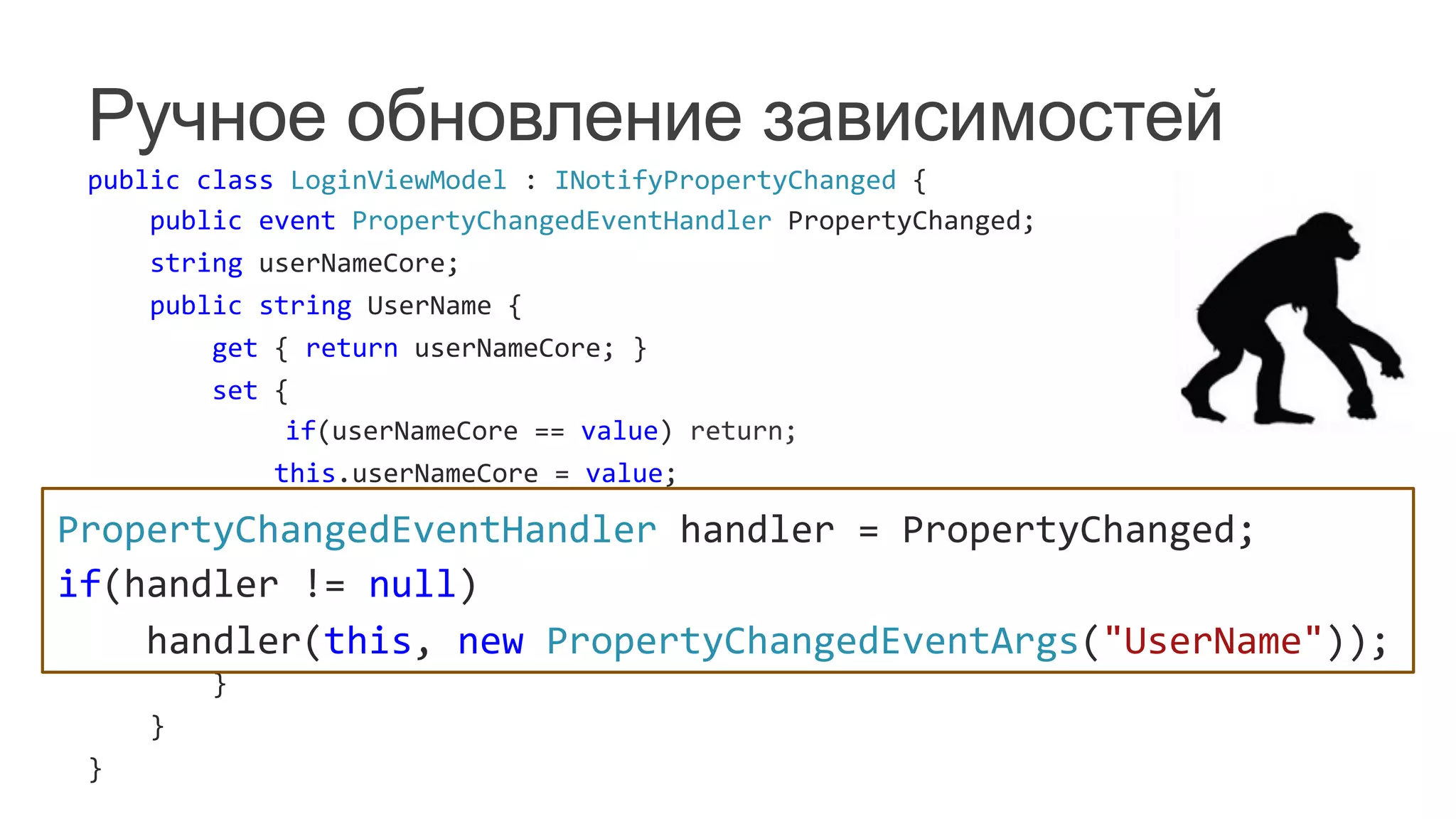
Ручное обновление зависимостей
public	
  class	
  LoginViewModel	
  :	
  INotifyPropertyChanged	
  {	


  public	
  event	
  PropertyChangedEventHandler	
  PropertyChanged;	


  string	
  userNameCore;	


  public	
  string	
  UserName	
  {	


  get	
  {	
  return	
  userNameCore;	
  }	


  set	
  {	


  if(userNameCore	
  ==	
  value)	
  return;	


  this.userNameCore	
  =	
  value;	


  PropertyChangedEventHandler	
  handler	
  =	
  PropertyChanged;	


  if(handler	
  !=	
  null)	


  handler(this,	
  new	
  PropertyChangedEventArgs("UserName"));	


  OnUserNameChanged();	


  }	


  }	
  
}	
  
PropertyChangedEventHandler	
  handler	
  =	
  PropertyChanged;	
  
if(handler	
  !=	
  null)	


  handler(this,	
  new	
  PropertyChangedEventArgs("UserName"));	
  
Ручное обновление зависимостей
public	
  class	
  LoginViewModel	
  :	
  INotifyPropertyChanged	
  {	


  public	
  event	
  PropertyChangedEventHandler	
  PropertyChanged;	


  string	
  userNameCore;	


  public	
  string	
  UserName	
  {	


  get	
  {	
  return	
  userNameCore;	
  }	


  set	
  {	


  if(value	
  !=	
  userNameCore)	
  {	


  this.userNameCore	
  =	
  value;	


  PropertyChangedEventHandler	
  handler	
  =	
  PropertyChanged;	


  if(handler	
  !=	
  null)	


  handler(this,	
  new	
  PropertyChangedEventArgs("UserName"));	


  }	


  }	


  }	
  
}	
  
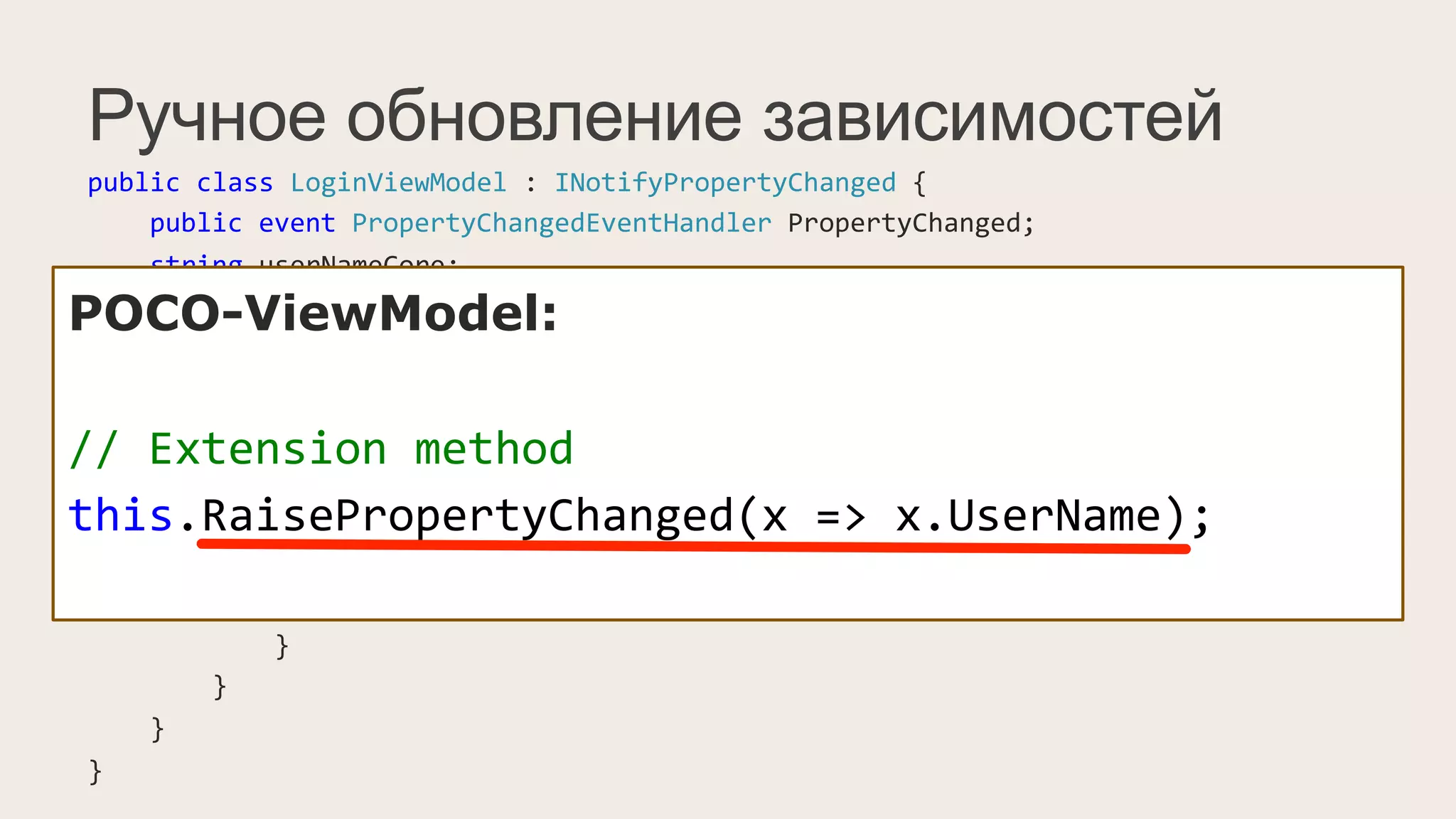
POCO-ViewModel:
//	
  Extension	
  method	
  
this.RaisePropertyChanged(x	
  =>	
  x.UserName);	
  
Как это использовать?
XAML:


  <dxe:TextEdit	
  Text="{Binding	
  UserName}"/>	


WinForms Code-behind (MVVMContext API):
	
  
mvvmContext.SetBinding(userNameTextEdit,	


  edit	
  =>	
  edit.EditValue,	
  "UserName");	
  
//	
  ...	
  
var	
  fluentAPI	
  =	
  mvvmContext.OfType<LoginViewModel>();	
  
fluentAPI.SetBinding(lblUserName,	


  lbl	
  =>	
  lbl.Text,	
  x	
  =>	
  x.UserName);	
  
Команды
	
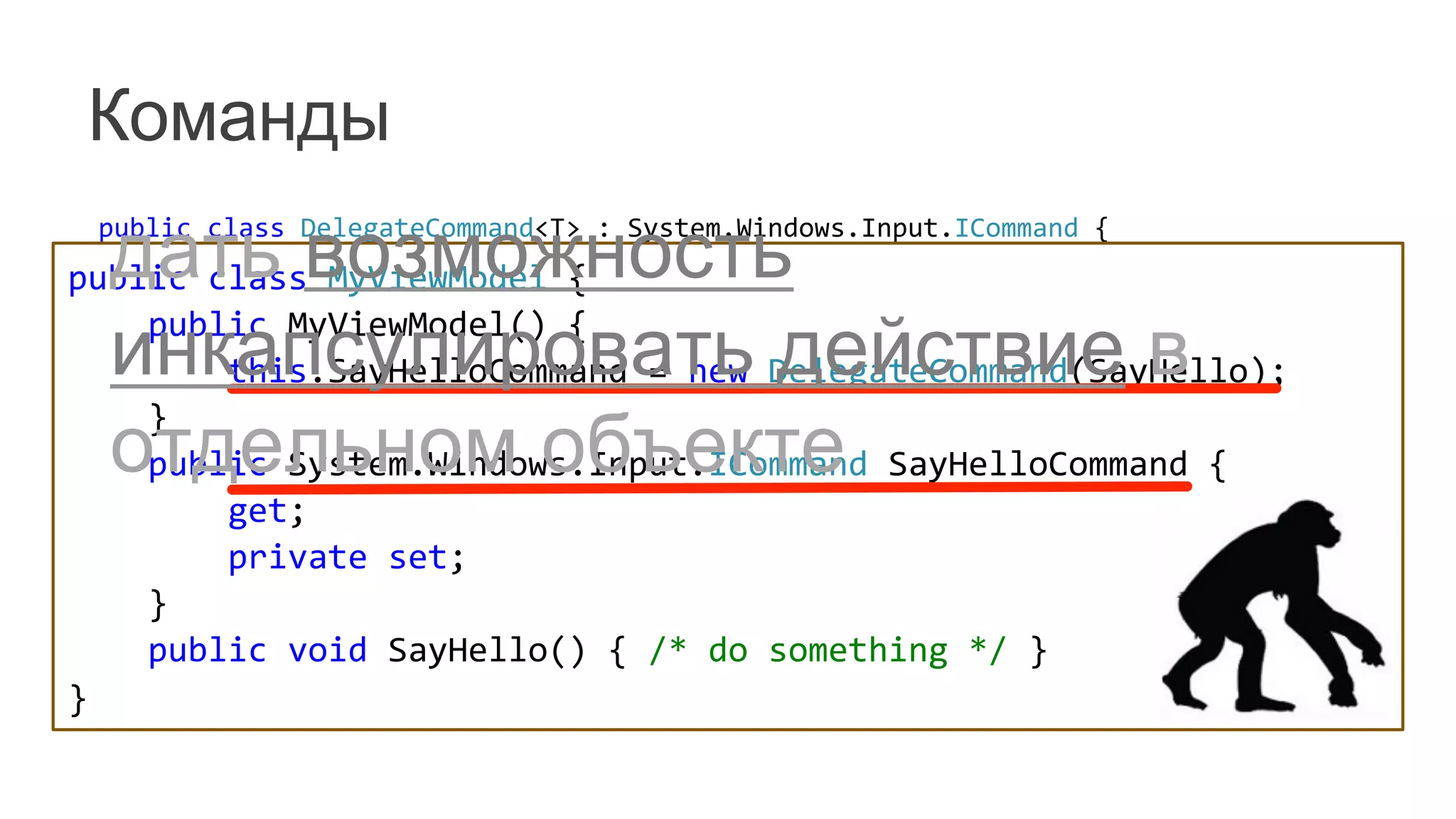
   public	
  class	
  DelegateCommand<T>	
  :	
  System.Windows.Input.ICommand	
  {	


  readonly	
  Predicate<T>	
  _canExecute;	


  readonly	
  Action<T>	
  _execute;	


  public	
  DelegateCommand(Action<T>	
  execute)	


  :	
  this(execute,	
  null)	
  {	


  }	


  public	
  DelegateCommand(Action<T>	
  execute,	
  Predicate<T>	
  canExecute)	
  {	


  _execute	
  =	
  execute;	


  _canExecute	
  =	
  canExecute;	


  }	


  //...	
  
	
   }	
  
public	
  class	
  MyViewModel	
  {	


  public	
  MyViewModel()	
  {	


  this.SayHelloCommand	
  =	
  new	
  DelegateCommand(SayHello);	


  }	


  public	
  System.Windows.Input.ICommand	
  SayHelloCommand	
  {	


  get;	


  private	
  set;	


  }	


  public	
  void	
  SayHello()	
  {	
  /*	
  do	
  something	
  */	
  }	
  
}	
  
дать возможность
инкапсулировать действие в
отдельном объекте
Команды
	
   public	
  class	
  DelegateCommand<T>	
  :	
  System.Windows.Input.ICommand	
  {	


  readonly	
  Predicate<T>	
  _canExecute;	


  readonly	
  Action<T>	
  _execute;	


  public	
  DelegateCommand(Action<T>	
  execute)	


  :	
  this(execute,	
  null)	
  {	


  }	


  public	
  DelegateCommand(Action<T>	
  execute,	
  Predicate<T>	
  canExecute)	
  {	


  _execute	
  =	
  execute;	


  _canExecute	
  =	
  canExecute;	


  }	


  //...	
  
	
   }	
  
POCO-ViewModel:
public	
  class	
  MyViewModel	
  {	


  public	
  void	
  SayHello()	
  {	
  /*	
  do	
  something	
  */	
  }	
  
}	
  
POCO-ViewModel:
public	
  class	
  MyViewModel	
  {	


  public	
  void	
  SaySomething(string	
  str)	
  {	


  /*	
  ...	
  */	


  }	


  public	
  bool	
  CanSaySomething(string	
  str)	
  {	


  /*	
  ...	
  */	


  }	
  
}	
  
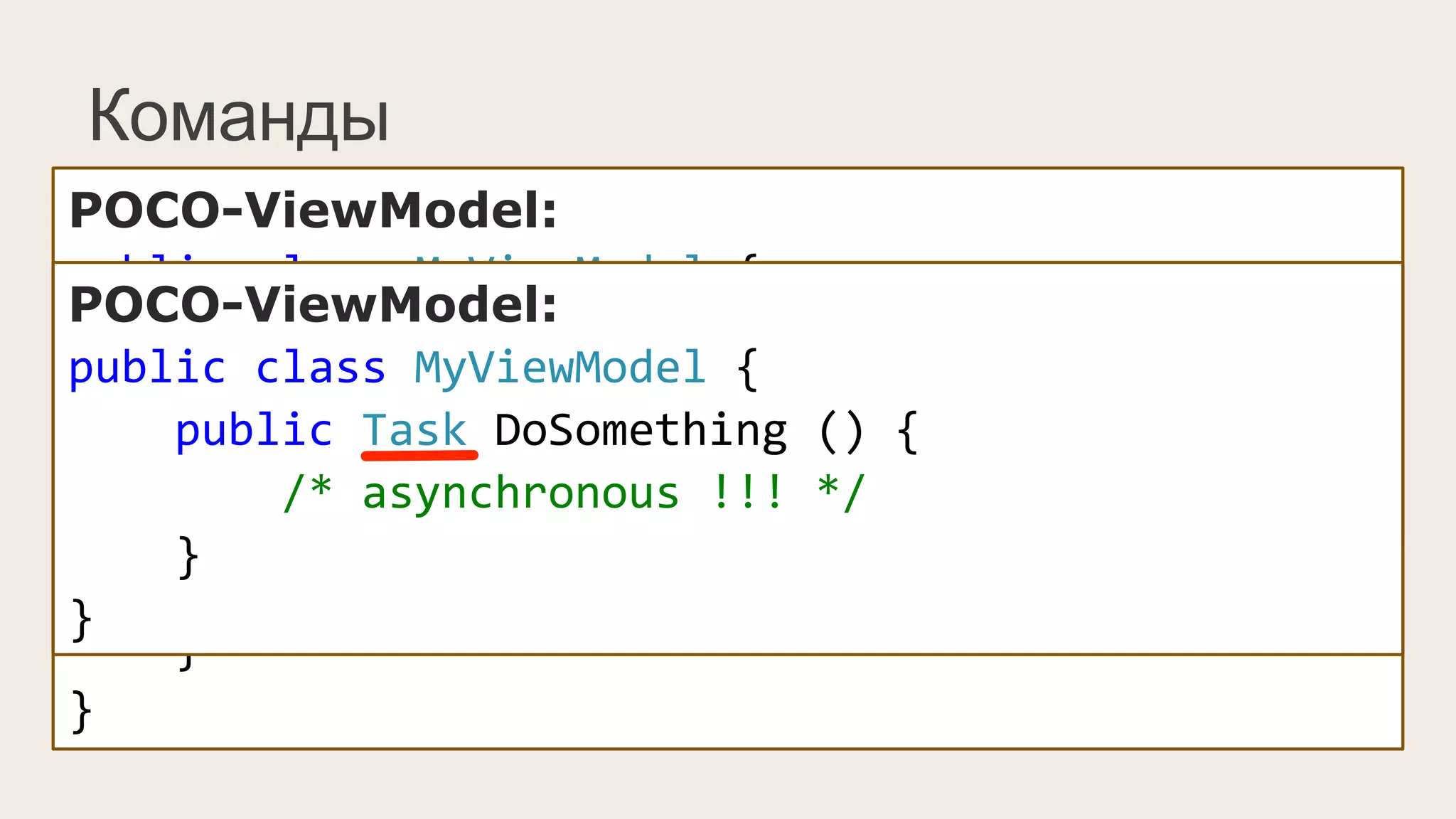
POCO-ViewModel:
public	
  class	
  MyViewModel	
  {	


  public	
  Task	
  DoSomething	
  ()	
  {	


  /*	
  asynchronous	
  !!!	
  */	


  }	
  
}	
  
Как это использовать?
XAML:
	
  
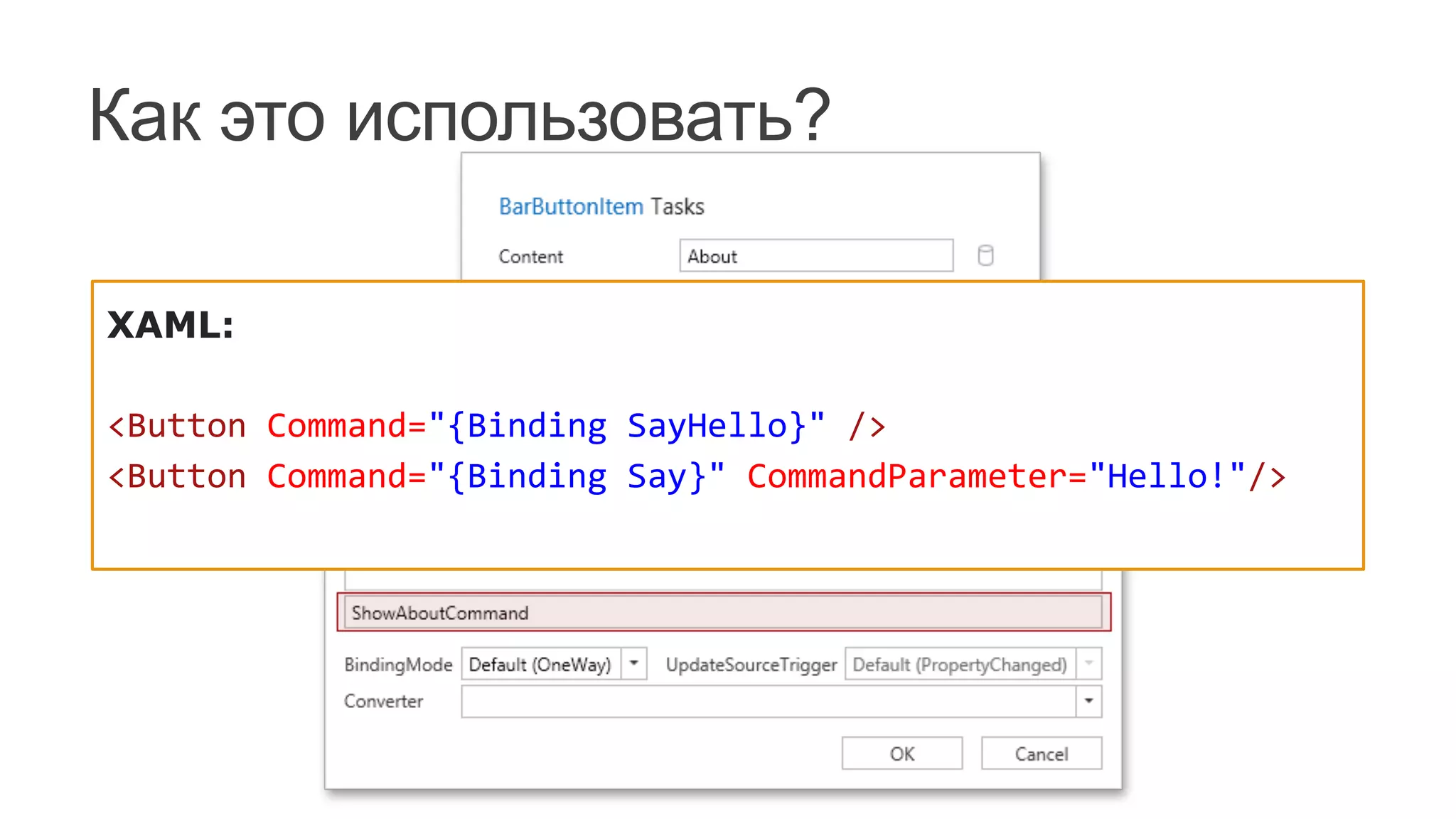
<Button	
  Command="{Binding	
  SayHello}"	
  />	
  	
  
<Button	
  Command="{Binding	
  Say}"	
  CommandParameter="Hello!"/>	
  	
  
Как это использовать?
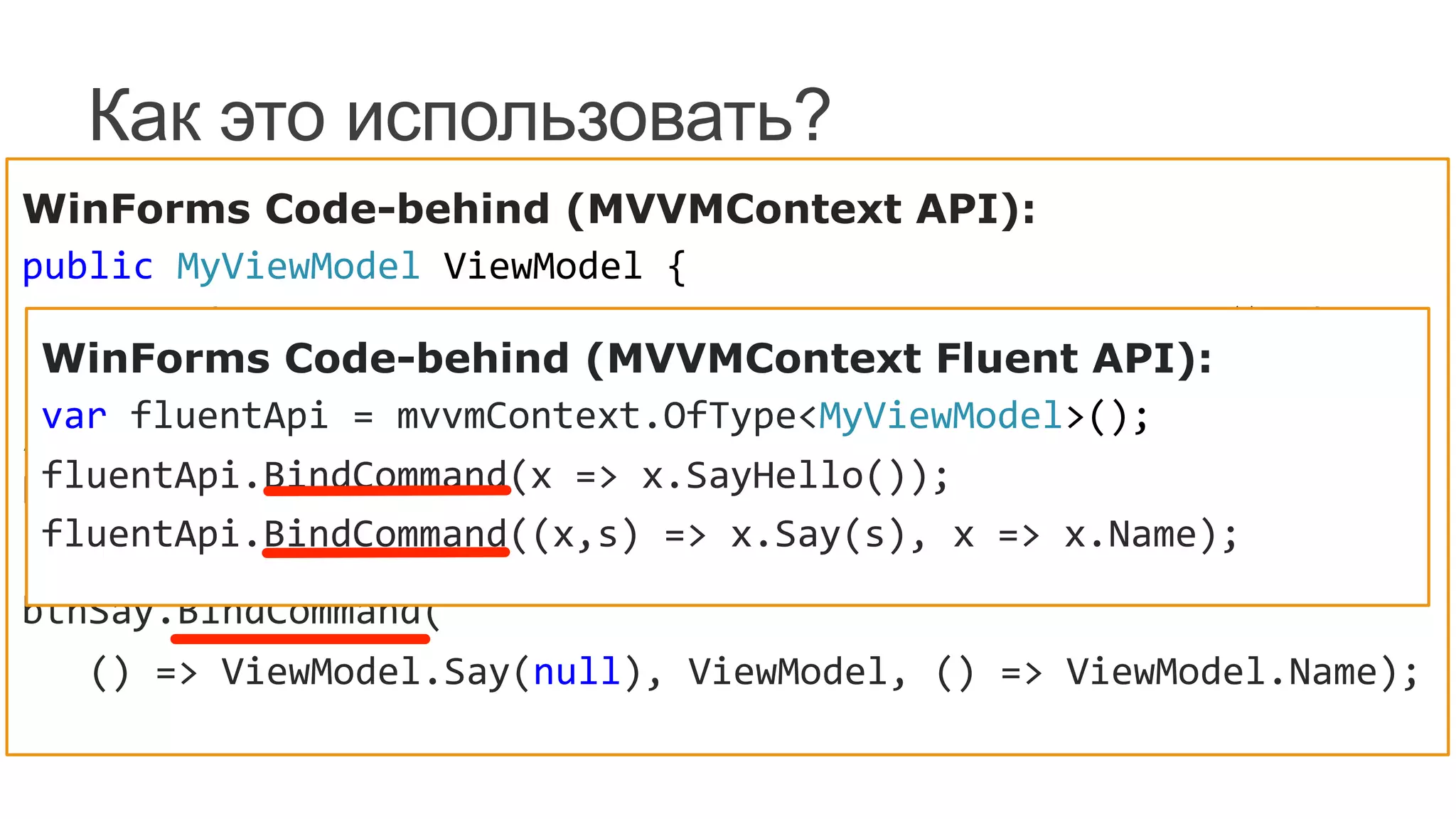
WinForms Code-behind (MVVMContext API):
public	
  MyViewModel	
  ViewModel	
  {	


  get	
  {	
  return	
  mvvmContext.GetViewModel<MyViewModel>();	
  }	
  
}	
  
//	
  
btnSayHello.BindCommand(	


  ()	
  =>	
  ViewModel.SayHello(),	
  ViewModel);	
  
btnSay.BindCommand(	


  ()	
  =>	
  ViewModel.Say(null),	
  ViewModel,	
  ()	
  =>	
  ViewModel.Name);	
  
WinForms Code-behind (MVVMContext Fluent API):
var	
  fluentApi	
  =	
  mvvmContext.OfType<MyViewModel>();	
  
fluentApi.BindCommand(x	
  =>	
  x.SayHello());	
  
fluentApi.BindCommand((x,s)	
  =>	
  x.Say(s),	
  x	
  =>	
  x.Name);	
  
Интерактивность. Сервисы.
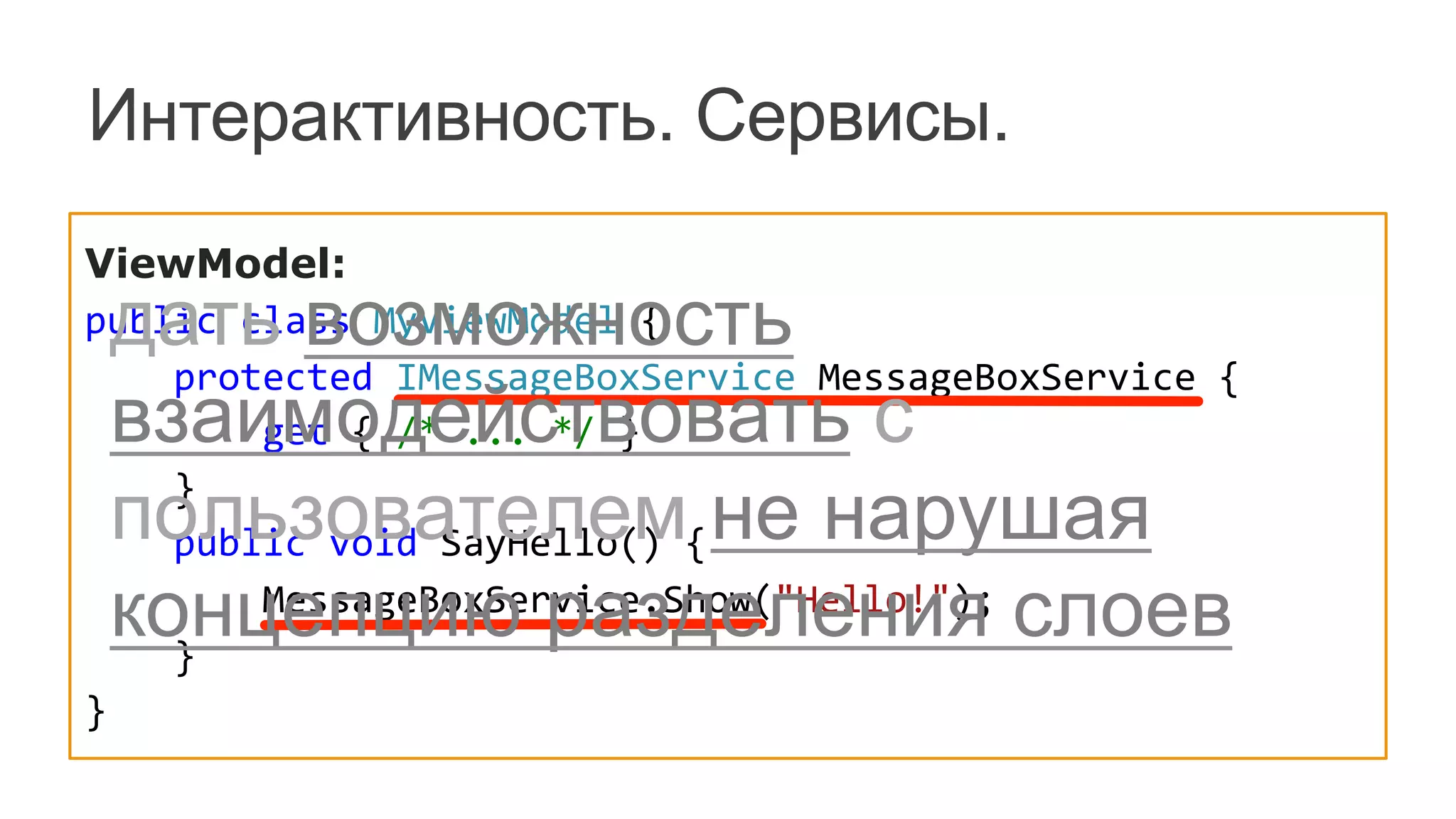
ViewModel:
public	
  class	
  MyViewModel	
  {


  protected	
  IMessageBoxService	
  MessageBoxService	
  {


  get	
  {	
  /*	
  ...	
  */	
  }


  }


  public	
  void	
  SayHello()	
  {


  MessageBoxService.Show("Hello!");	


  }
}
дать возможность
взаимодействовать с
пользователем не нарушая
концепцию разделения слоев
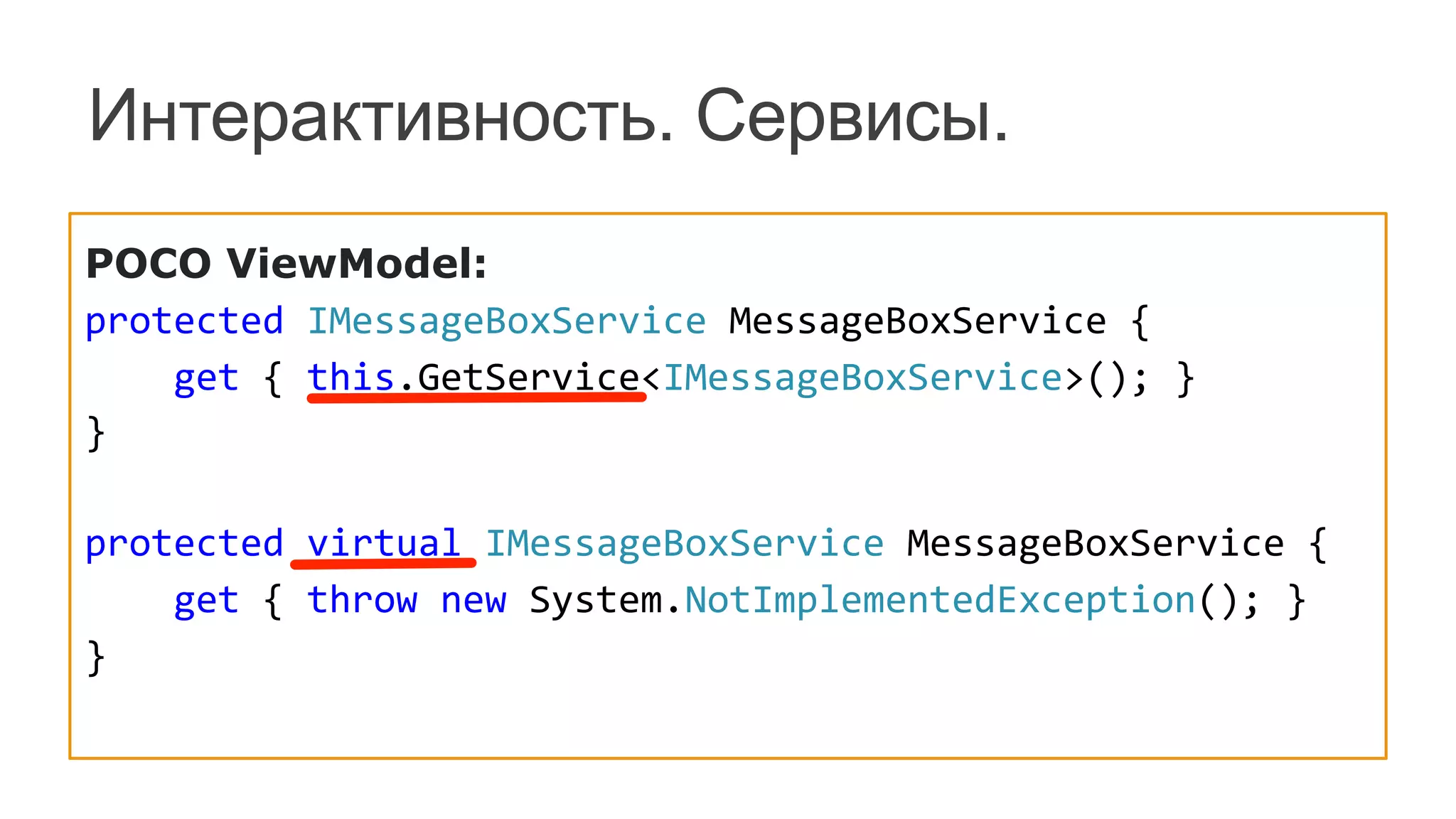
POCO ViewModel:
protected	
  IMessageBoxService	
  MessageBoxService	
  {	


  get	
  {	
  this.GetService<IMessageBoxService>();	
  }	
  
}	


protected	
  virtual	
  IMessageBoxService	
  MessageBoxService	
  {	


  get	
  {	
  throw	
  new	
  System.NotImplementedException();	
  }	
  
}	
  
Интерактивность. Сервисы.
Как это использовать?
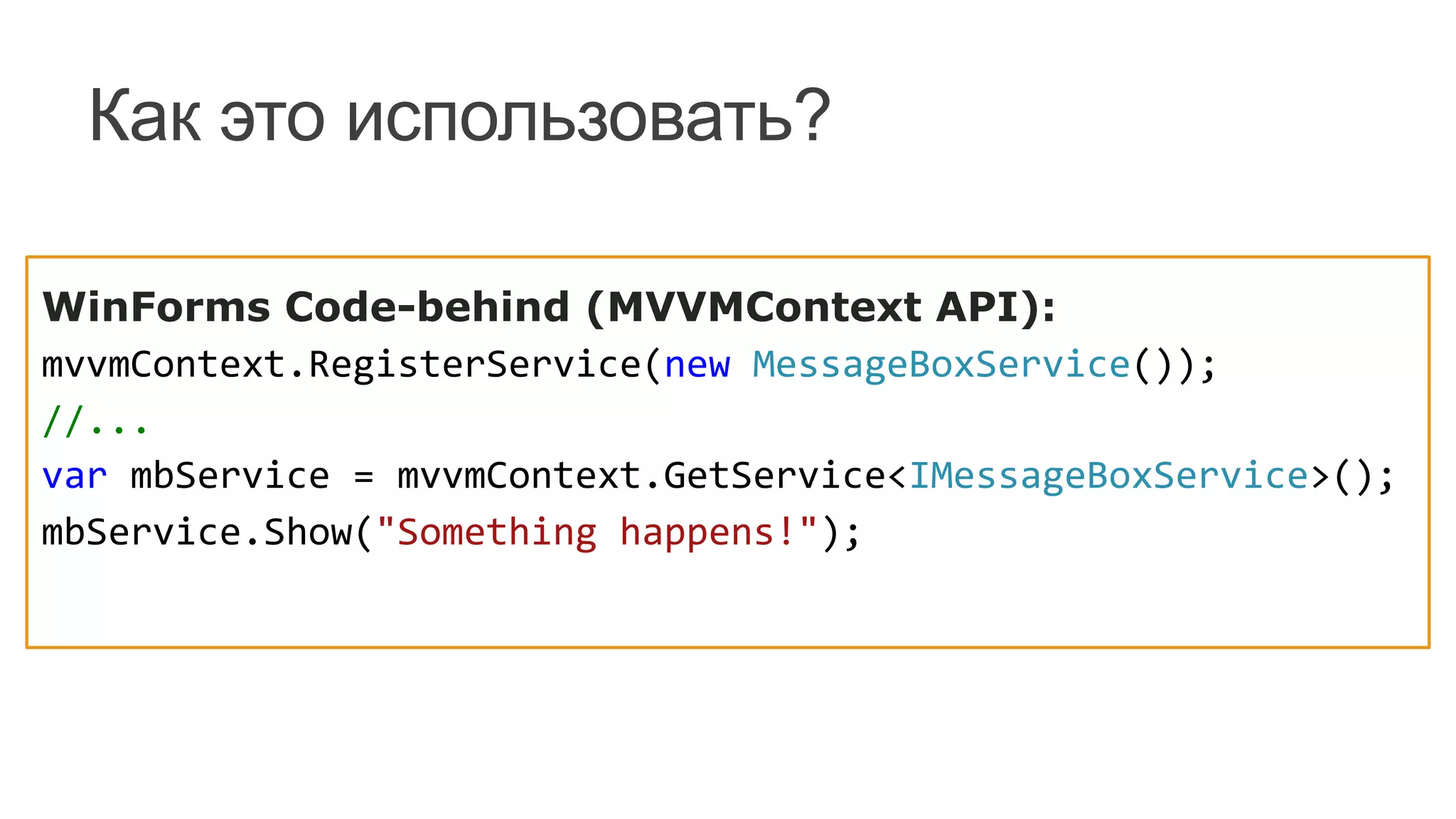
WinForms Code-behind (MVVMContext API):
mvvmContext.RegisterService(new	
  MessageBoxService());	
  
//...	
  
var	
  mbService	
  =	
  mvvmContext.GetService<IMessageBoxService>();	
  
mbService.Show("Something	
  happens!");	
  
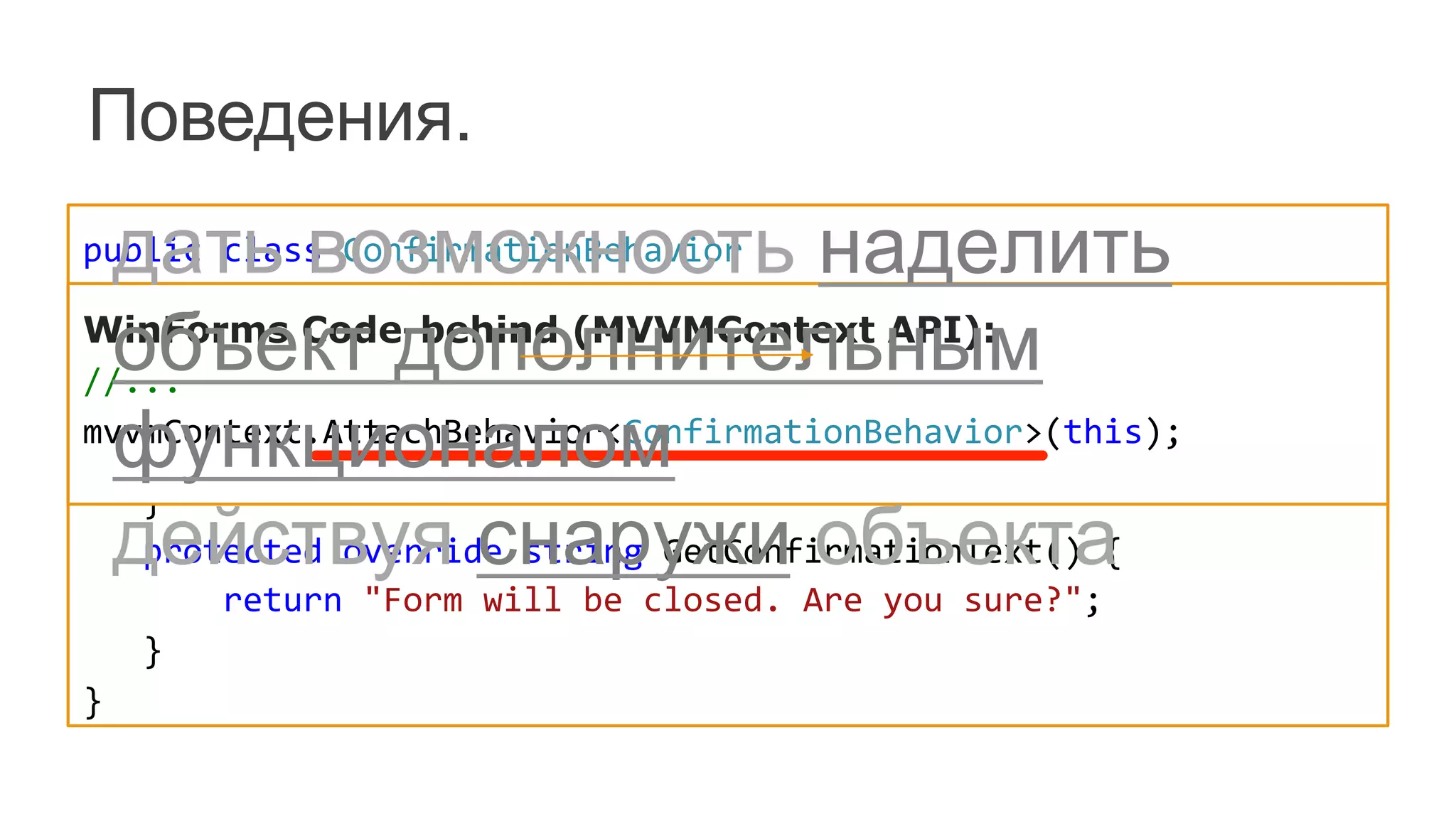
public	
  class	
  ConfirmationBehavior	


  :	
  ConfirmationBehavior<FormClosingEventArgs>	
  {	


  public	
  ConfirmationBehavior()	
  :	
  base("FormClosing")	
  {	
  }	


  protected	
  override	
  string	
  GetConfirmationCaption()	
  {	


  return	
  "Oops!";	


  }	


  protected	
  override	
  string	
  GetConfirmationText()	
  {	


  return	
  "Form	
  will	
  be	
  closed.	
  Are	
  you	
  sure?";	


  }	
  
}	
  
Поведения.
WinForms Code-behind (MVVMContext API):	
  
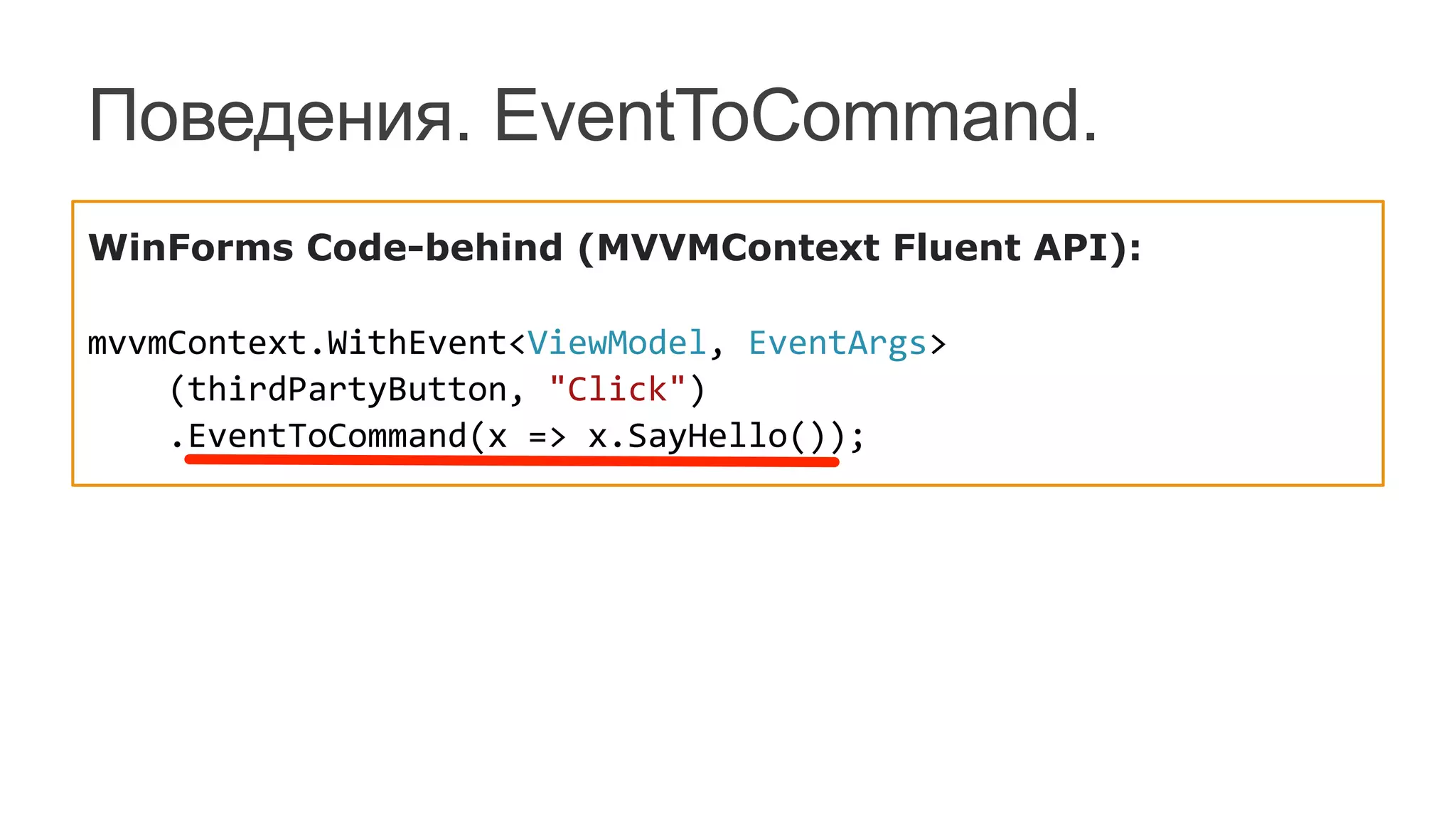
//...	
  
mvvmContext.AttachBehavior<ConfirmationBehavior>(this);	


дать возможность наделить
объект дополнительным
функционалом
действуя снаружи объекта
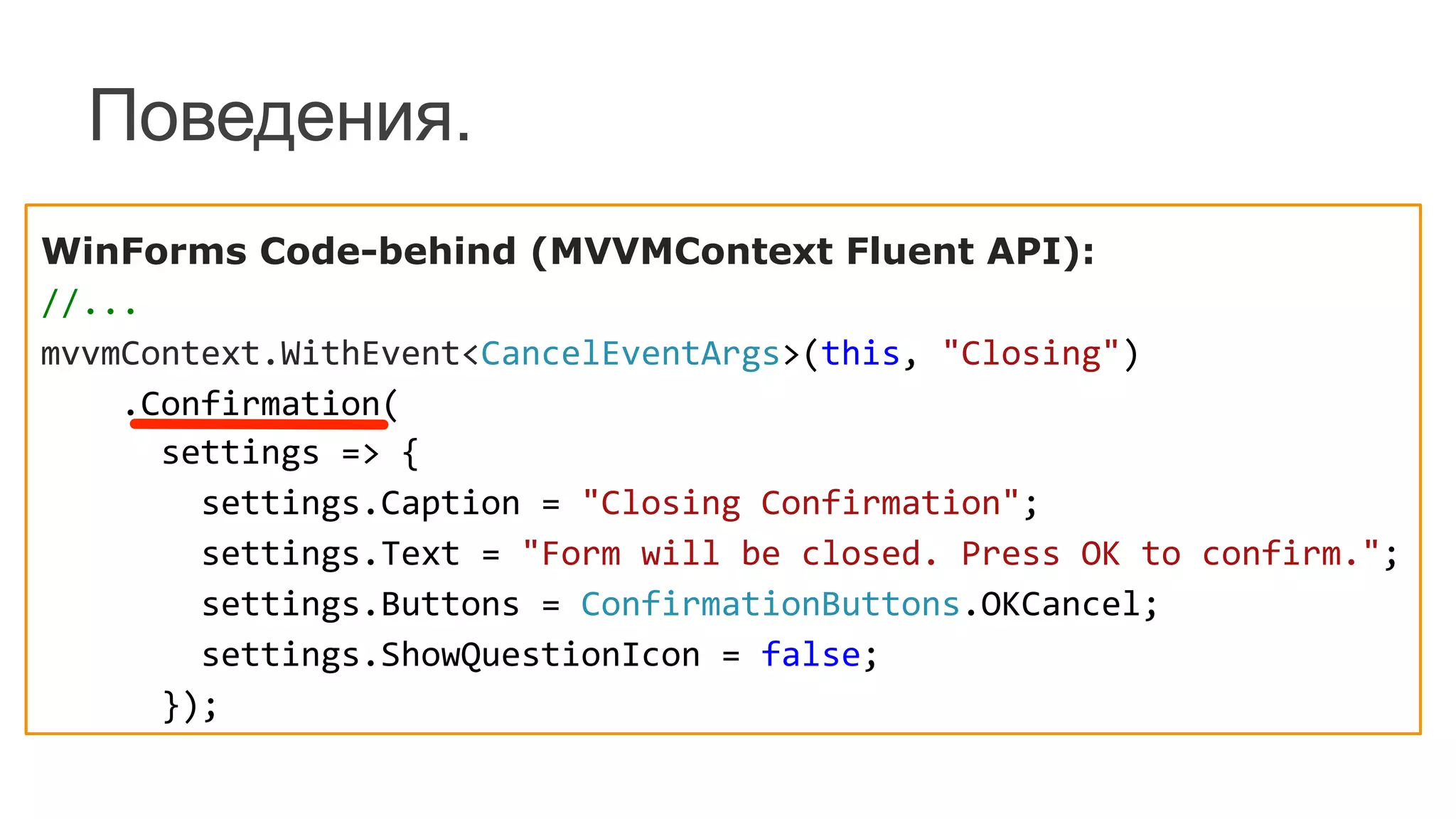
Поведения.
WinForms Code-behind (MVVMContext Fluent API):	
  
//...	
  
mvvmContext.WithEvent<CancelEventArgs>(this,	
  "Closing")	


  .Confirmation(	


  settings	
  =>	
  {	


  settings.Caption	
  =	
  "Closing	
  Confirmation";	


  settings.Text	
  =	
  "Form	
  will	
  be	
  closed.	
  Press	
  OK	
  to	
  confirm.";	


  settings.Buttons	
  =	
  ConfirmationButtons.OKCancel;	


  settings.ShowQuestionIcon	
  =	
  false;	


  });	
  
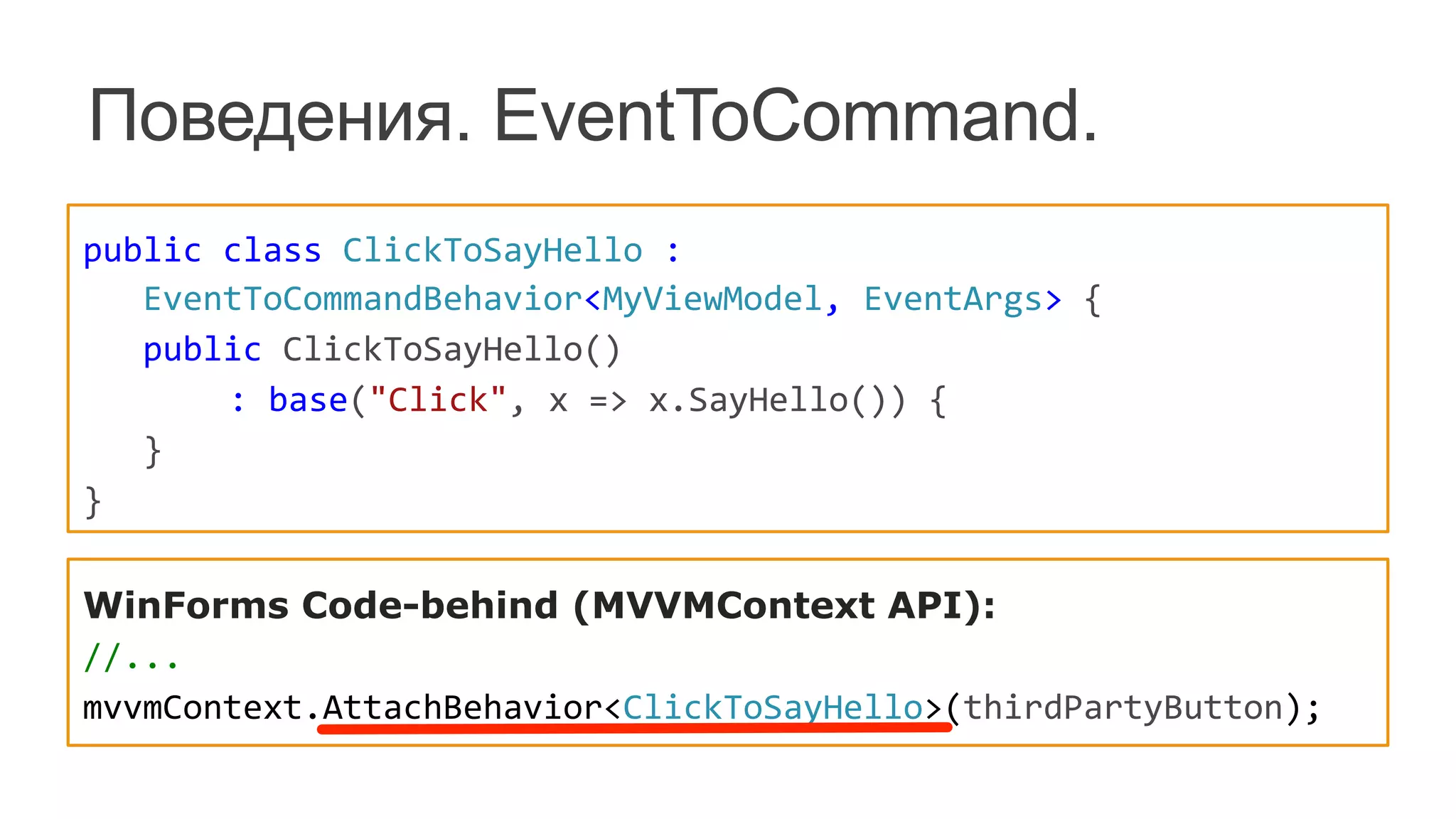
Поведения. EventToCommand.
public	
  class	
  ClickToSayHello	
  :	


  EventToCommandBehavior<MyViewModel,	
  EventArgs>	
  {	


  public	
  ClickToSayHello()	


  :	
  base("Click",	
  x	
  =>	
  x.SayHello())	
  {	


  }	
  
}	
  
WinForms Code-behind (MVVMContext API):	
  
//...	
  
mvvmContext.AttachBehavior<ClickToSayHello>(thirdPartyButton);	
  
Поведения. EventToCommand.
WinForms Code-behind (MVVMContext Fluent API):	


mvvmContext.WithEvent<ViewModel,	
  EventArgs>	


  (thirdPartyButton,	
  "Click")	


  .EventToCommand(x	
  =>	
  x.SayHello());	


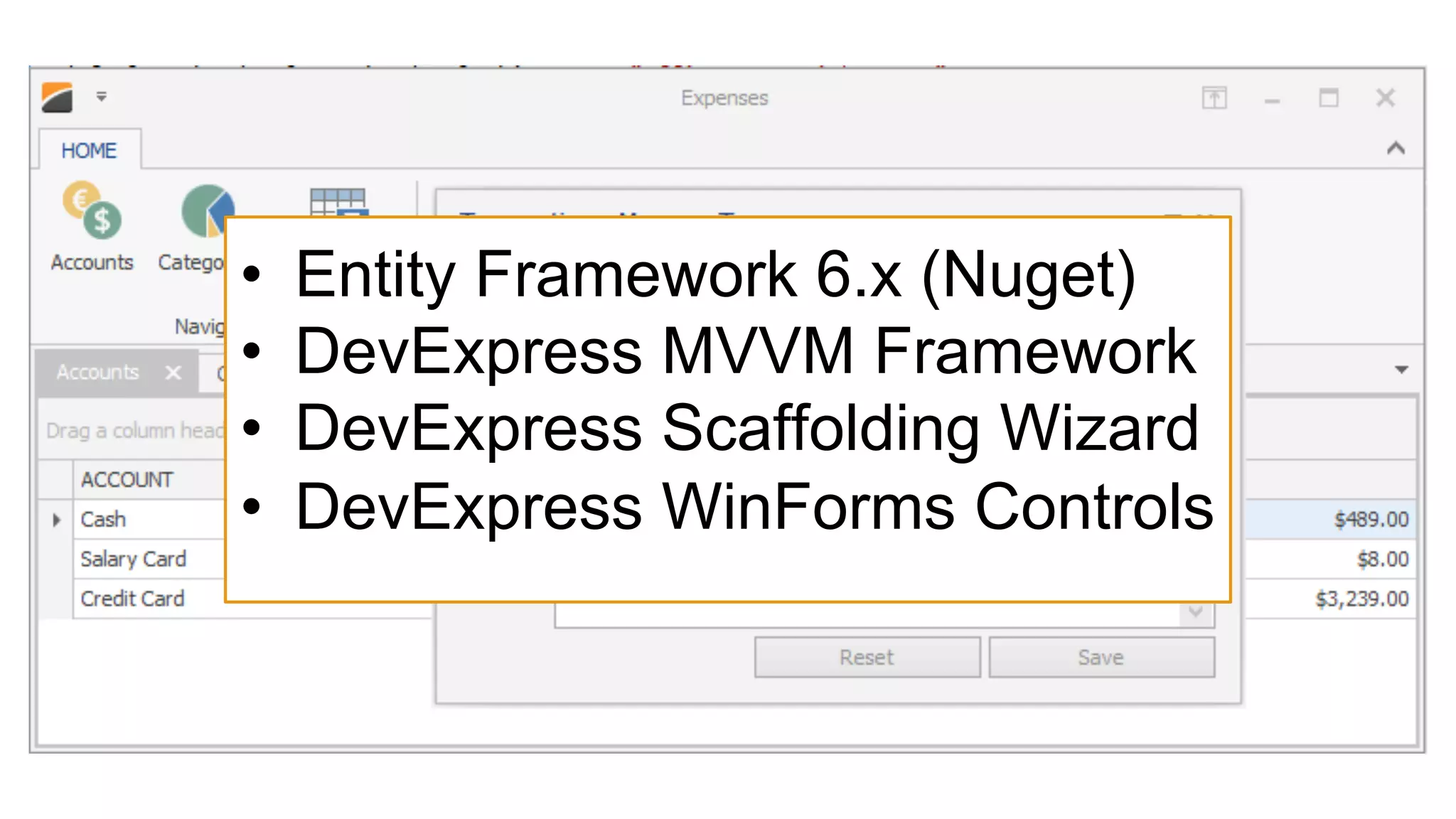
Простое CRUD-приложение Expenses.
•  Entity Framework 6.x (Nuget)
•  DevExpress MVVM Framework
•  DevExpress Scaffolding Wizard
•  DevExpress WinForms Controls
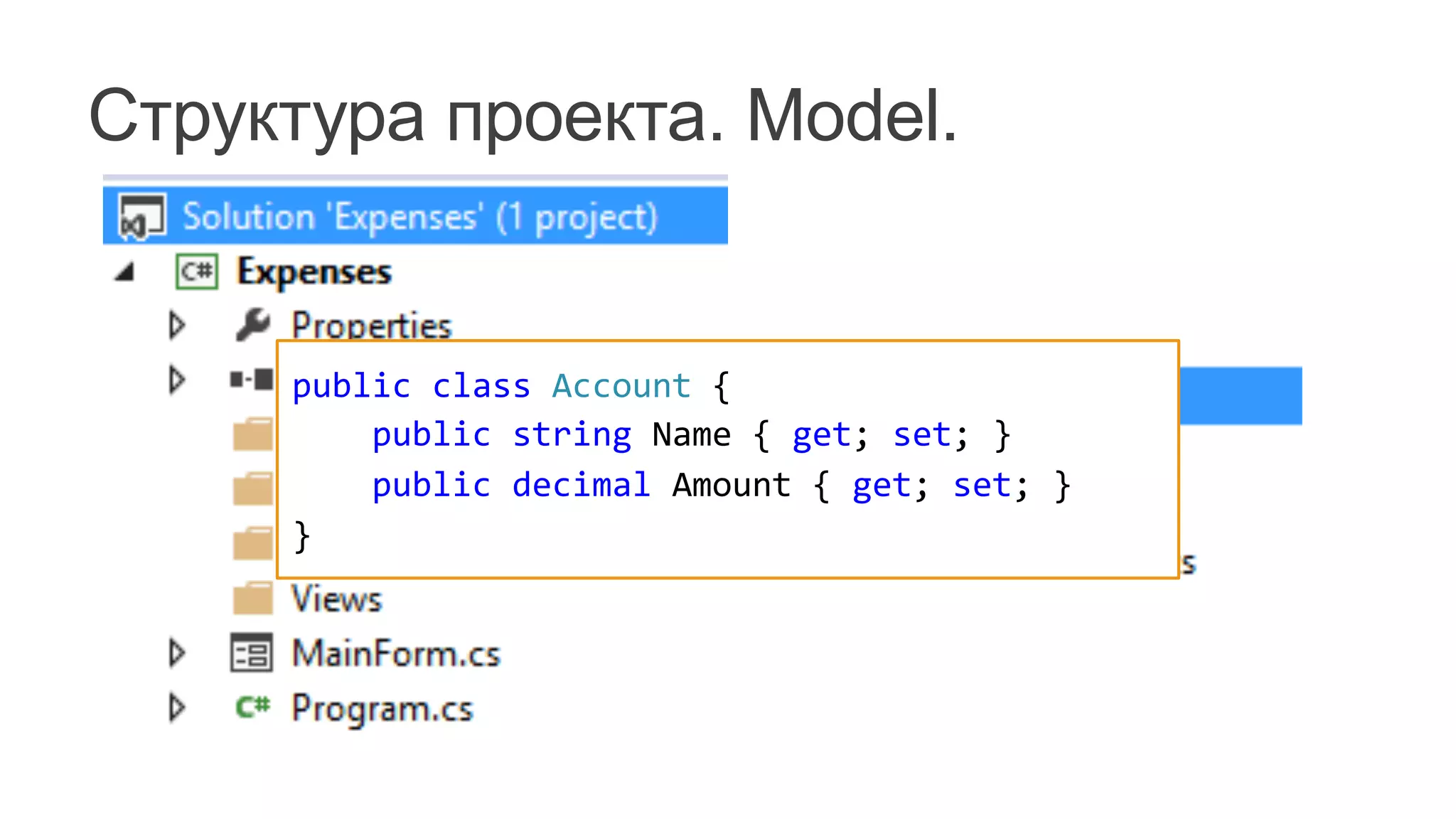
Структура проекта. Model.
public	
  class	
  Account	
  {


  public	
  string	
  Name	
  {	
  get;	
  set;	
  }


  public	
  decimal	
  Amount	
  {	
  get;	
  set;	
  }
}
public	
  class	
  ExpensesDbContext	
  :	
  DbContext	
  {	


  static	
  ExpensesDbContext()	
  {	


  Database.SetInitializer<ExpensesDbContext>(	


  new	
  ExpensesDbContextInitializer());	


  }	


  public	
  DbSet<Account>	
  Accounts	
  {	
  get;	
  set;	
  }	


  public	
  DbSet<Category>	
  Categories	
  {	
  get;	
  set;	
  }	


  public	
  DbSet<Transaction>	
  Transactions	
  {	
  get;	
  set;	
  }	
  
}
public	
  class	
  Account	
  {	


  [Key,	
  Display(AutoGenerateField	
  =	
  false)]	


  public	
  int	
  ID	
  {	
  get;	
  set;	
  }	


  [Required,	
  StringLength(30,	
  MinimumLength	
  =	
  4)]	


  [Display(Name	
  =	
  "ACCOUNT")]	


  public	
  string	
  Name	
  {	
  get;	
  set;	
  }	


  [DataType(DataType.Currency)]	


  [Display(Name	
  =	
  "AMOUNT")]	


  public	
  decimal	
  Amount	
  {	
  get;	
  set;	
  }	
  
}	
  
Добавим Entity Framework
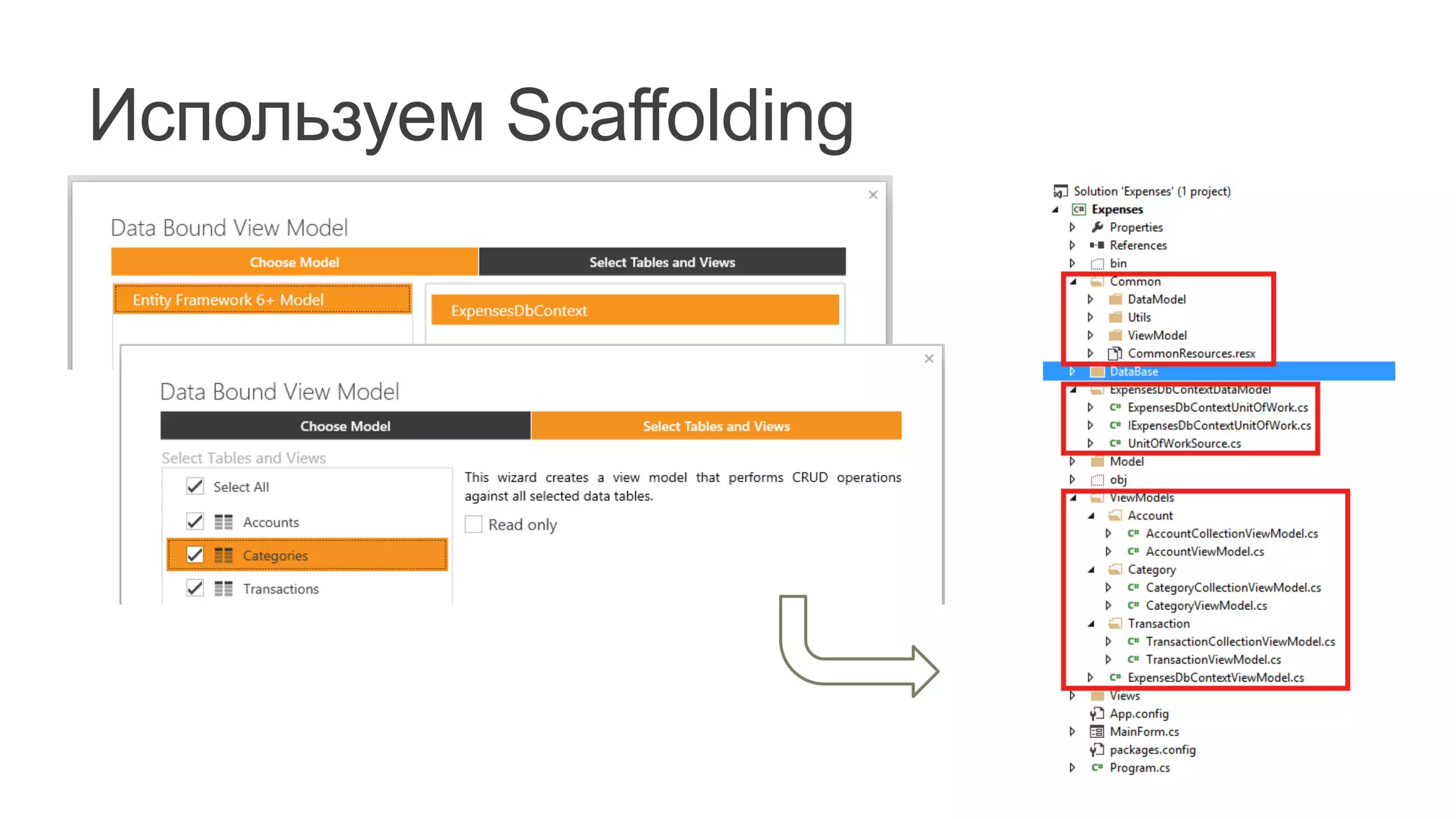
Используем Scaffolding
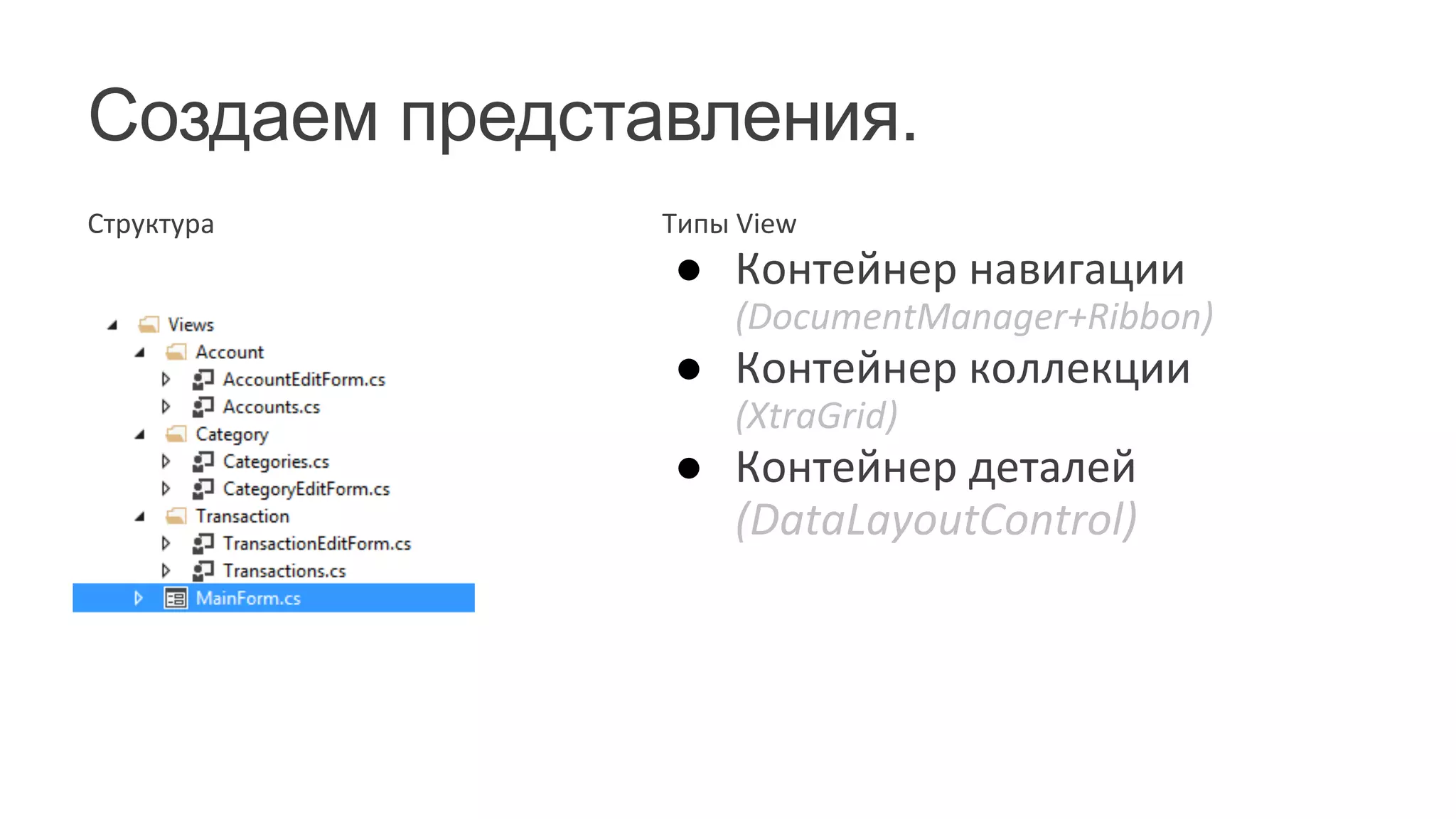
Создаем представления.
Структура	
   Типы	
  View	
  
●  Контейнер	
  навигации	
  
(DocumentManager+Ribbon)	
  
●  Контейнер	
  коллекции	
  
(XtraGrid)	
  
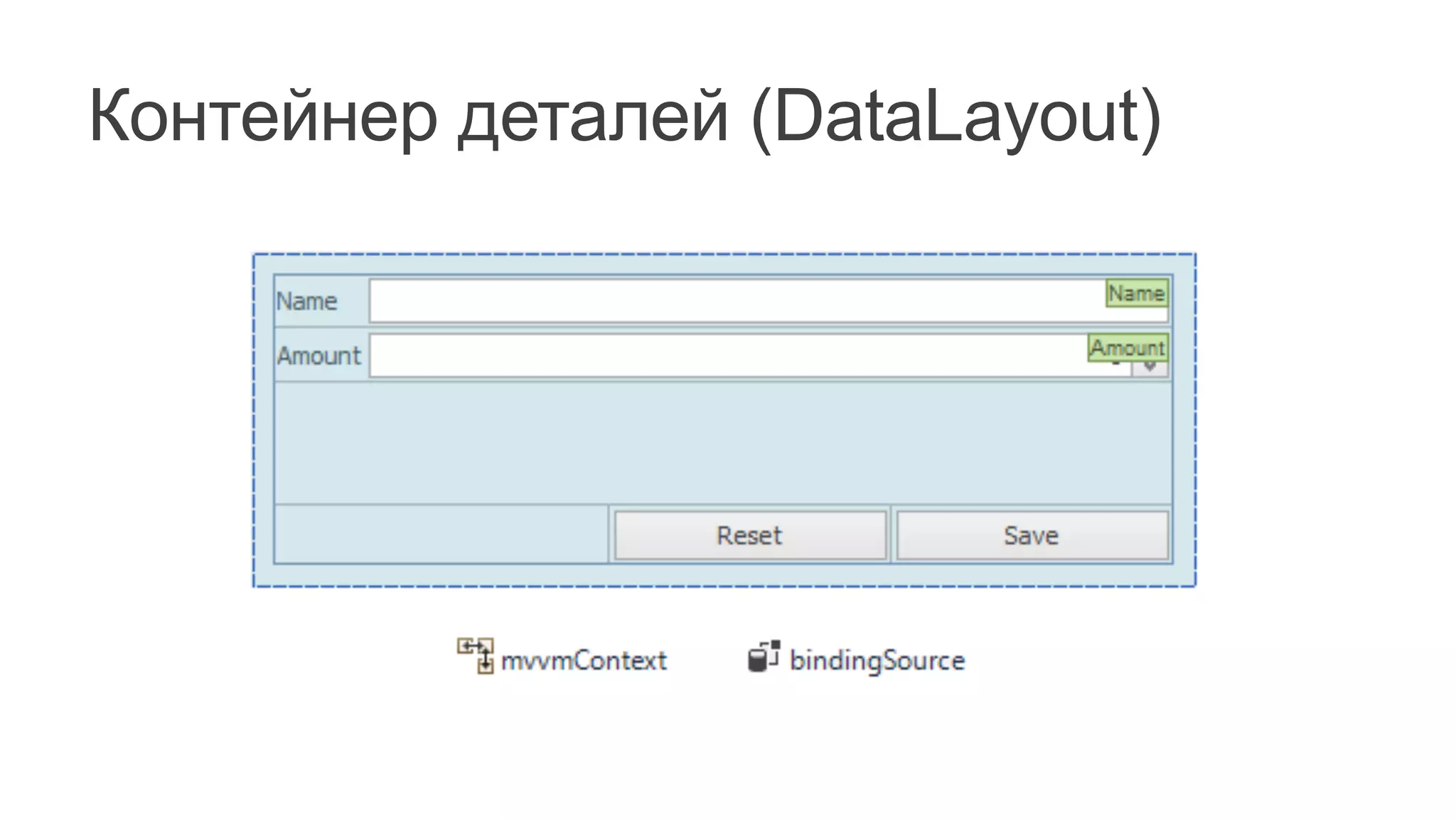
●  Контейнер	
  деталей	
  
(DataLayoutControl)	


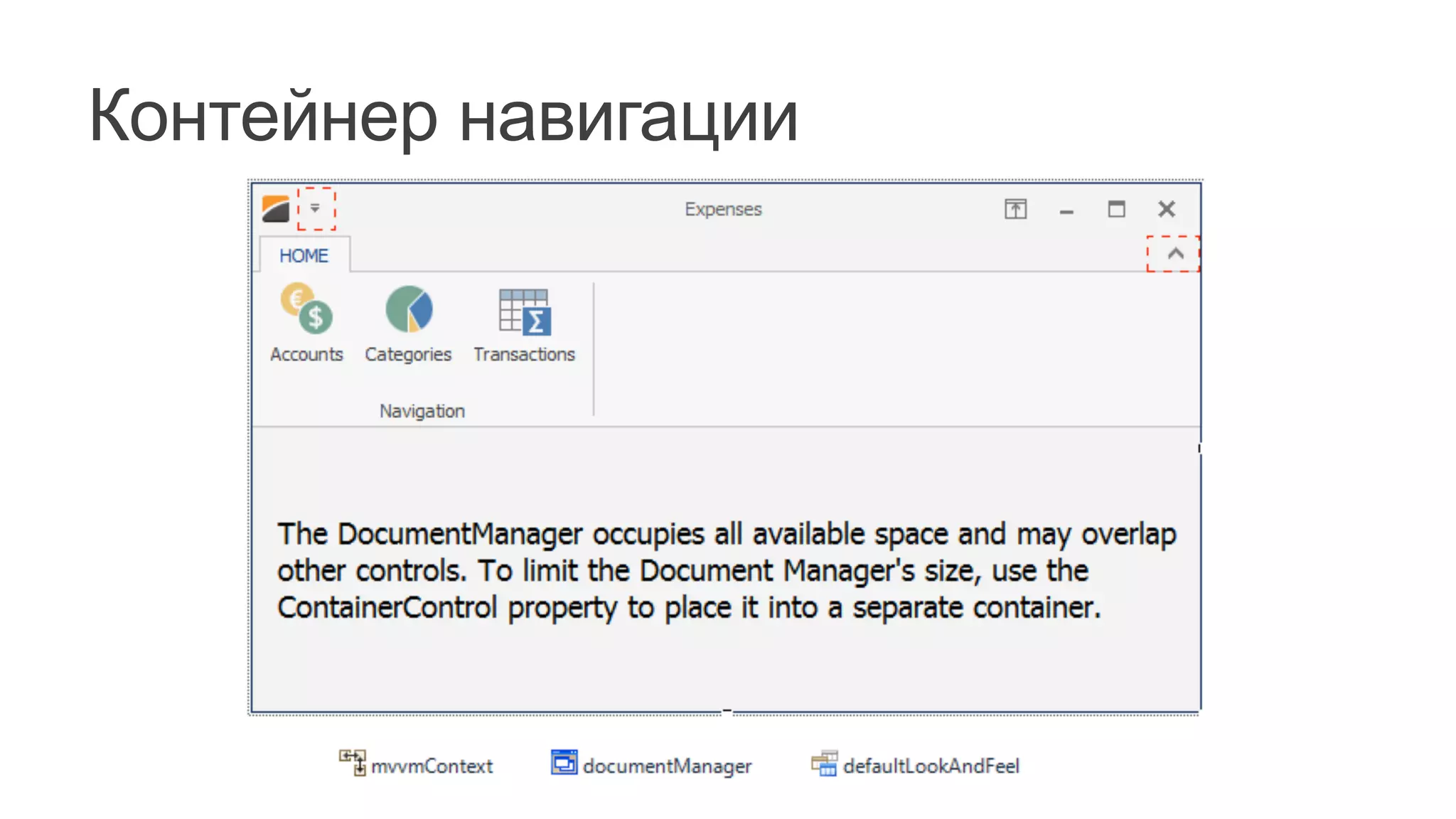
Контейнер навигации
Привязки и навигация
mvvmContext.RegisterService(DocumentManagerService.Create(tabbedView));	


var	
  fluent	
  =	
  mvvmContext.OfType<ExpensesDbContextViewModel>();	
  
fluent.BindCommand(biAccounts,	
  (x,	
  m)	
  =>	
  x.Show(m),	
  x	
  =>	
  x.Modules[0]);	
  
fluent.BindCommand(biCategories,	
  (x,	
  m)	
  =>	
  x.Show(m),	
  x	
  =>	
  x.Modules[1]);	
  
fluent.BindCommand(biTransactions,	
  (x,	
  m)	
  =>	
  x.Show(m),	
  x	
  =>	
  x.Modules[2]);	


fluent.WithEvent<FormClosingEventArgs>(this,	
  "FormClosing")	


  .EventToCommand(x	
  =>	
  x.OnClosing(null));	


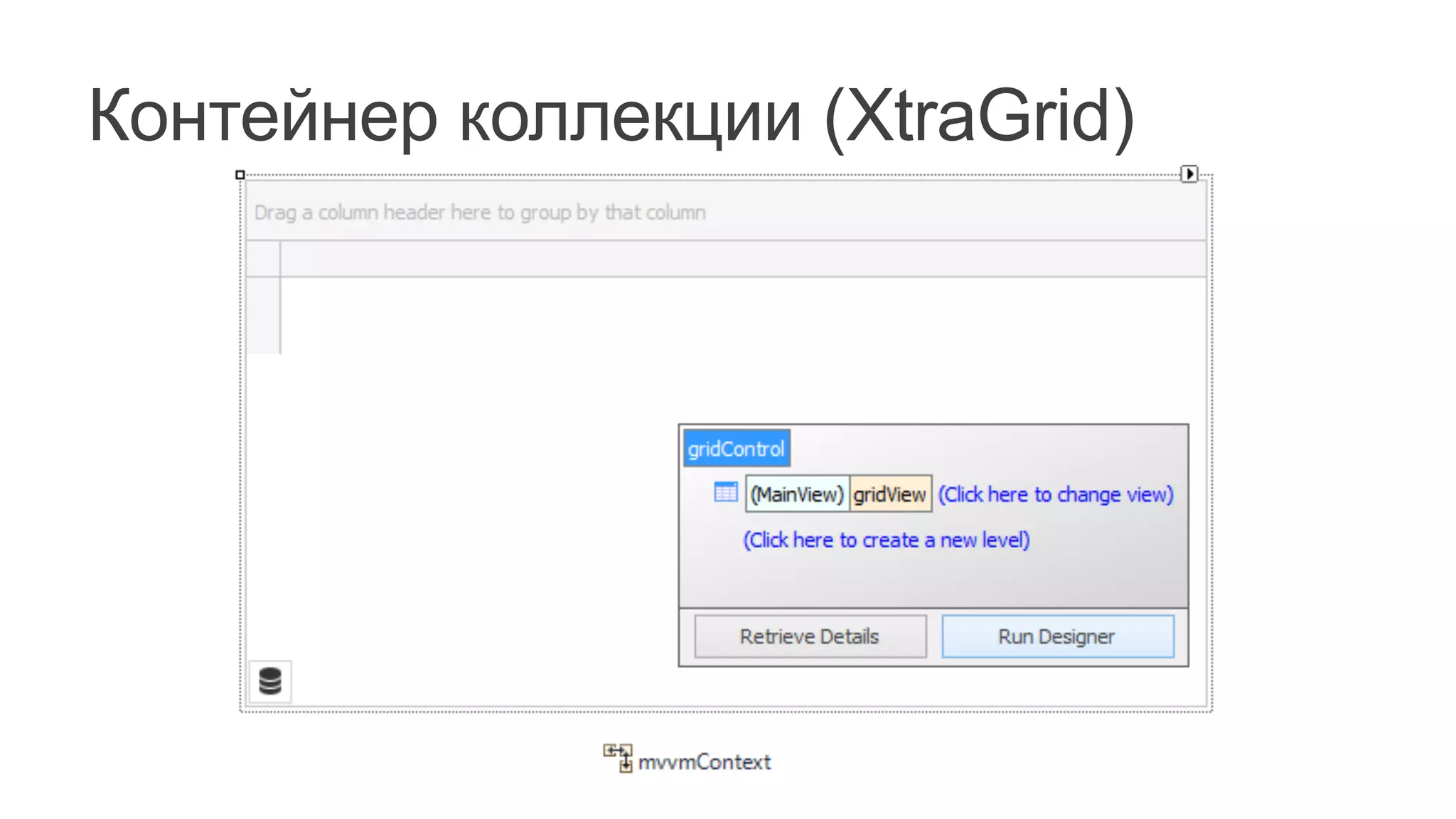
Контейнер коллекции (XtraGrid)
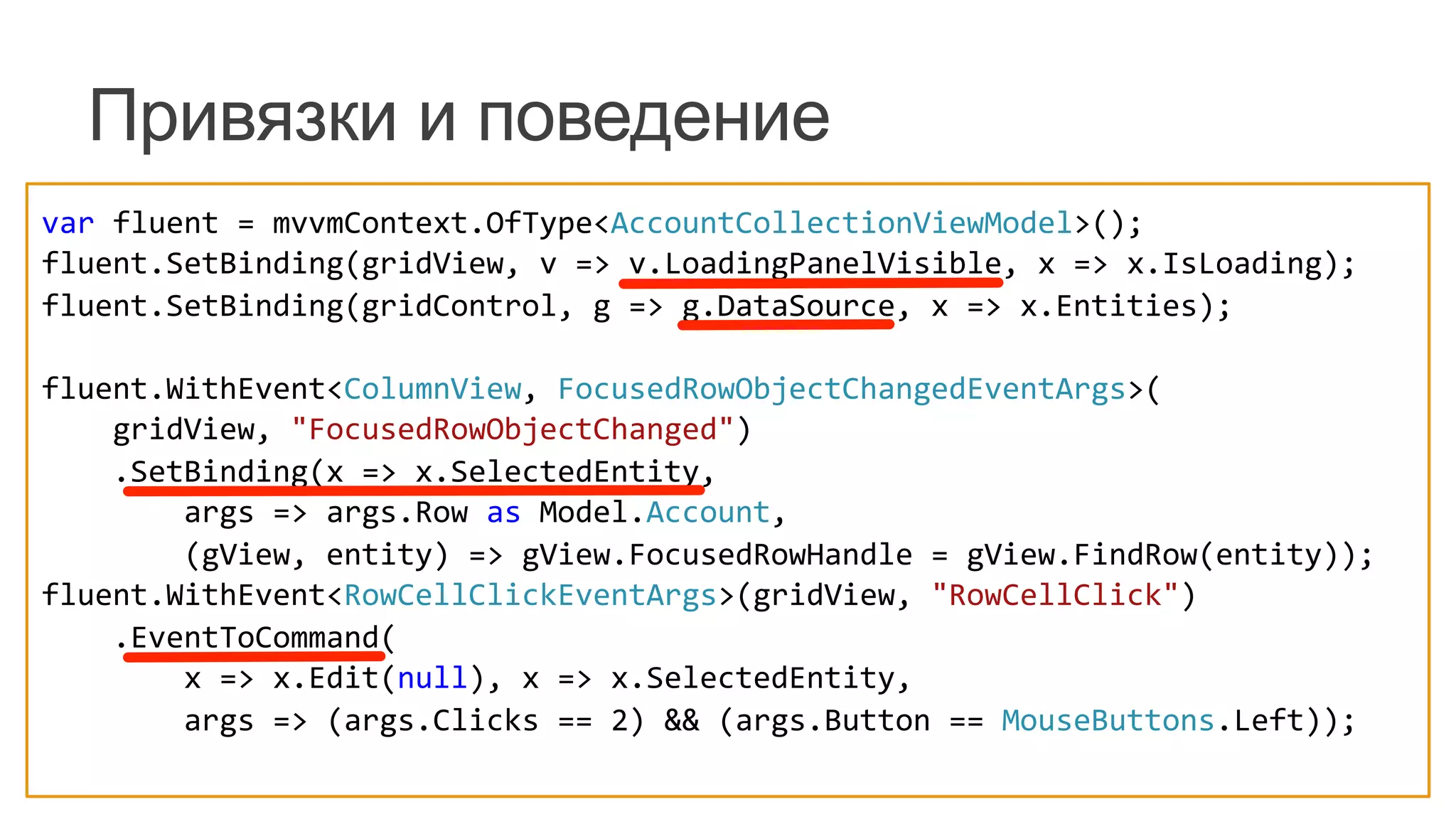
Привязки и поведение
var	
  fluent	
  =	
  mvvmContext.OfType<AccountCollectionViewModel>();	
  
fluent.SetBinding(gridView,	
  v	
  =>	
  v.LoadingPanelVisible,	
  x	
  =>	
  x.IsLoading);	
  
fluent.SetBinding(gridControl,	
  g	
  =>	
  g.DataSource,	
  x	
  =>	
  x.Entities);	


fluent.WithEvent<ColumnView,	
  FocusedRowObjectChangedEventArgs>(	


  gridView,	
  "FocusedRowObjectChanged")	


  .SetBinding(x	
  =>	
  x.SelectedEntity,	


  args	
  =>	
  args.Row	
  as	
  Model.Account,	


  (gView,	
  entity)	
  =>	
  gView.FocusedRowHandle	
  =	
  gView.FindRow(entity));	
  
fluent.WithEvent<RowCellClickEventArgs>(gridView,	
  "RowCellClick")	


  .EventToCommand(	


  x	
  =>	
  x.Edit(null),	
  x	
  =>	
  x.SelectedEntity,	


  args	
  =>	
  (args.Clicks	
  ==	
  2)	
  &&	
  (args.Button	
  ==	
  MouseButtons.Left));	
  
Контейнер деталей (DataLayout)
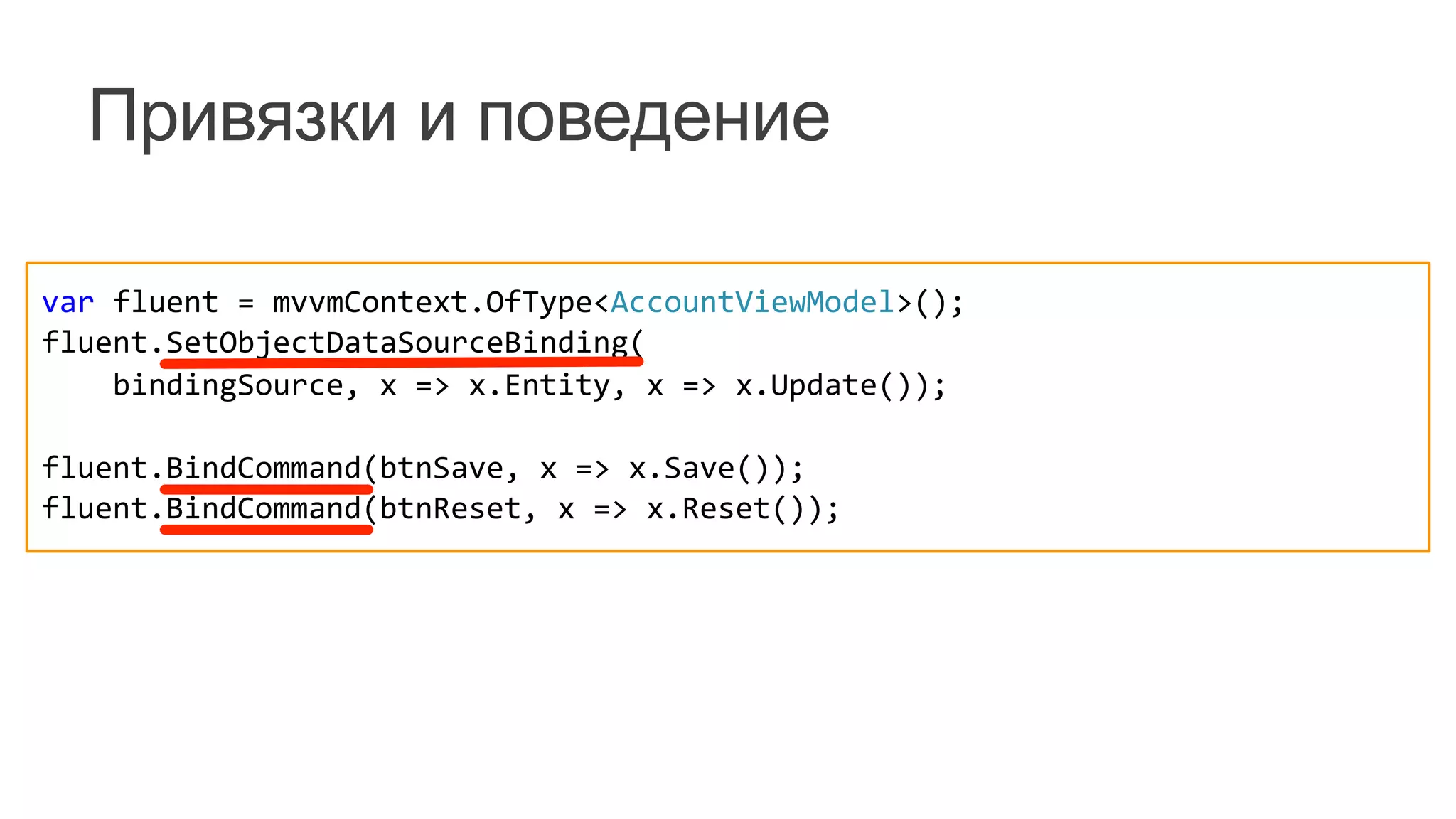
Привязки и поведение
var	
  fluent	
  =	
  mvvmContext.OfType<AccountViewModel>();	
  
fluent.SetObjectDataSourceBinding(	


  bindingSource,	
  x	
  =>	
  x.Entity,	
  x	
  =>	
  x.Update());	


fluent.BindCommand(btnSave,	
  x	
  =>	
  x.Save());	
  
fluent.BindCommand(btnReset,	
  x	
  =>	
  x.Reset());	


[DataType(DataType.Date)]	
  
[Display(Name	
  =	
  "DATE")]	
  
public	
  DateTime	
  Date	
  {	
  get;	
  set;	
  }	
  
[DataType(DataType.Currency)]	
  
[Display(Name	
  =	
  "AMOUNT")]	
  
public	
  decimal	
  Amount	
  {	
  get;	
  set;	
  }	
  
[DataType(DataType.MultilineText)]	
  
[Display(Name	
  =	
  "COMMENT")]	
  
public	
  string	
  Comment	
  {	
  get;	
  set;	
  }	
  
[Required,	
  StringLength(30,	
  MinimumLength	
  =	
  4)]
[Display(Name	
  =	
  "ACCOUNT")]
public	
  string	
  Name	
  {	
  get;	
  set;	
  }
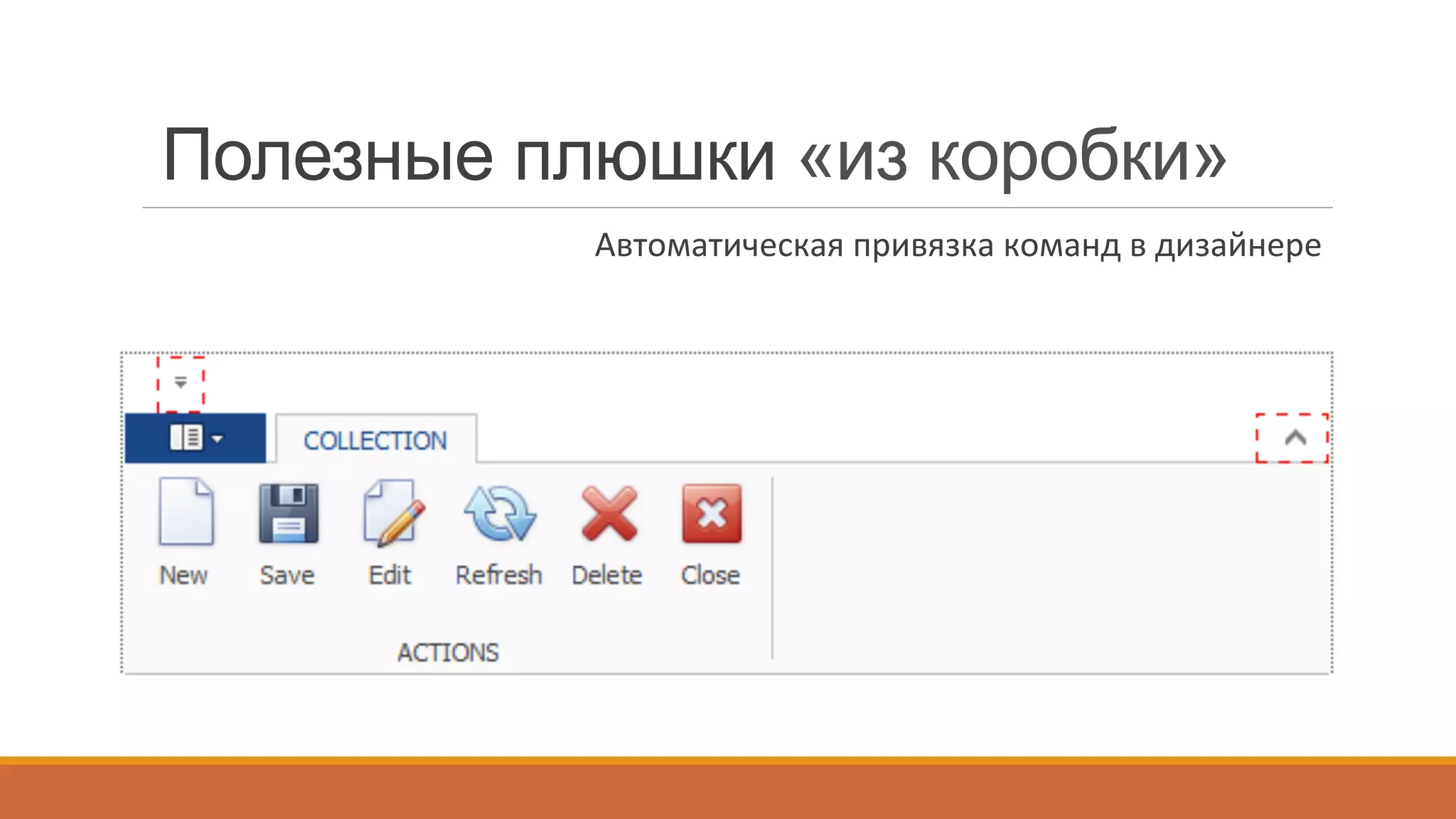
Полезные плюшки «из коробки»
Поддержка	
  аннотационных	
  аттрибутов	
  
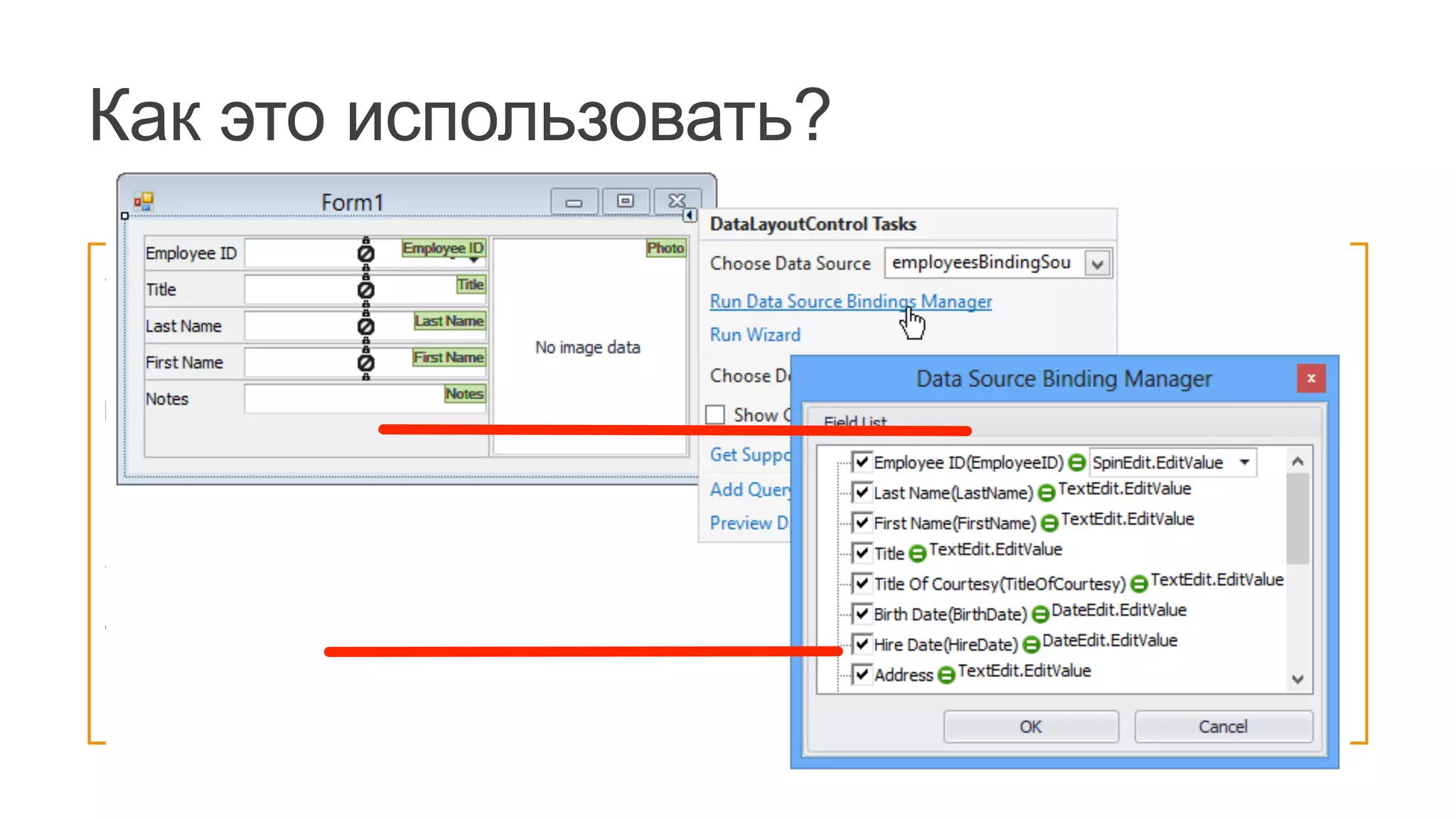
Полезные плюшки «из коробки»
Автоматическая	
  привязка	
  команд	
  в	
  дизайнере	
  
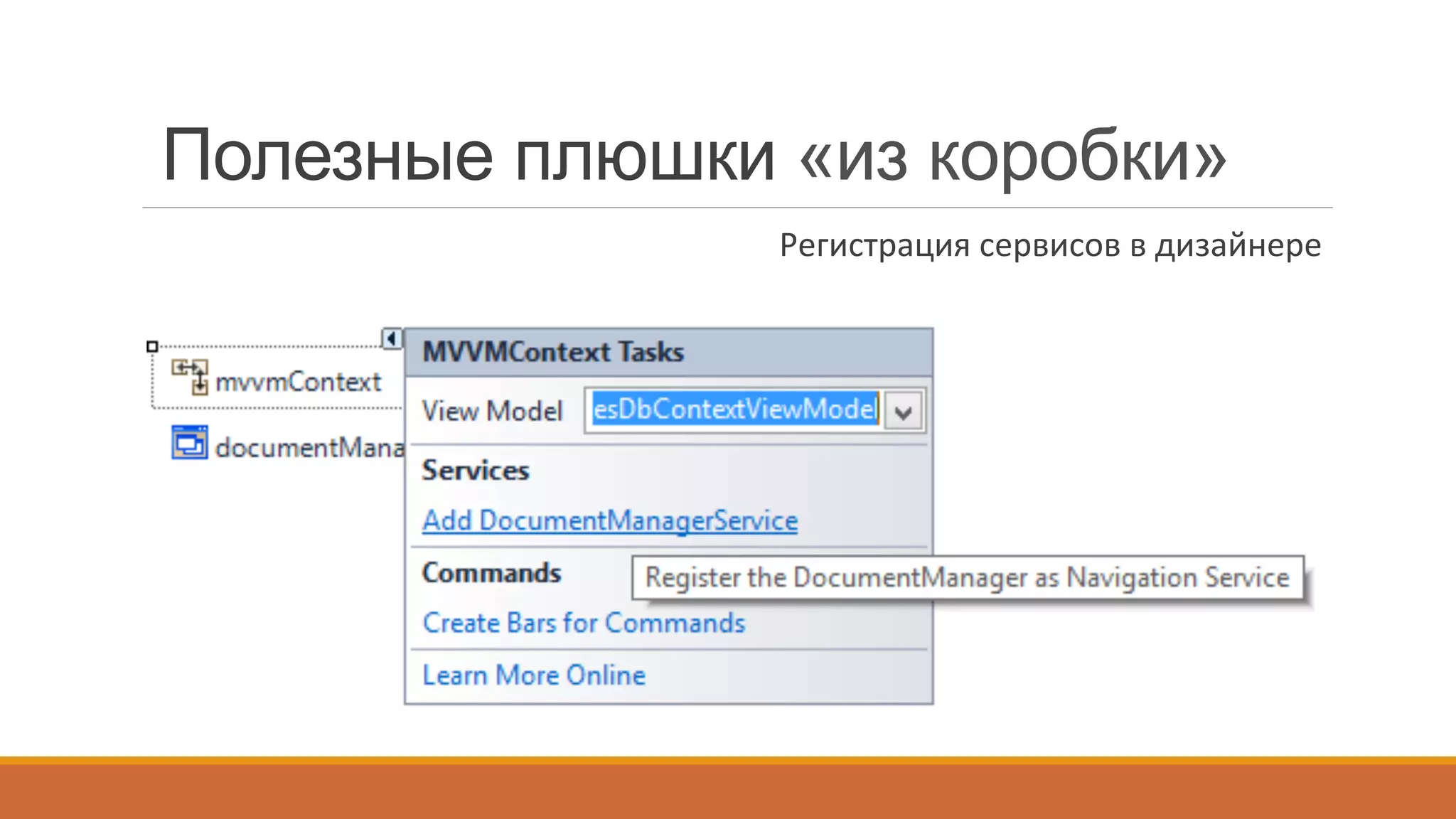
Полезные плюшки «из коробки»
Регистрация	
  сервисов	
  в	
  дизайнере	
  
MessageBoxService - выбор типа
(стандартный, скинированный, Flyout):
DevExpress.Utils.MVVM.MVVMContext.RegisterFlyoutMessageBoxService();	
  
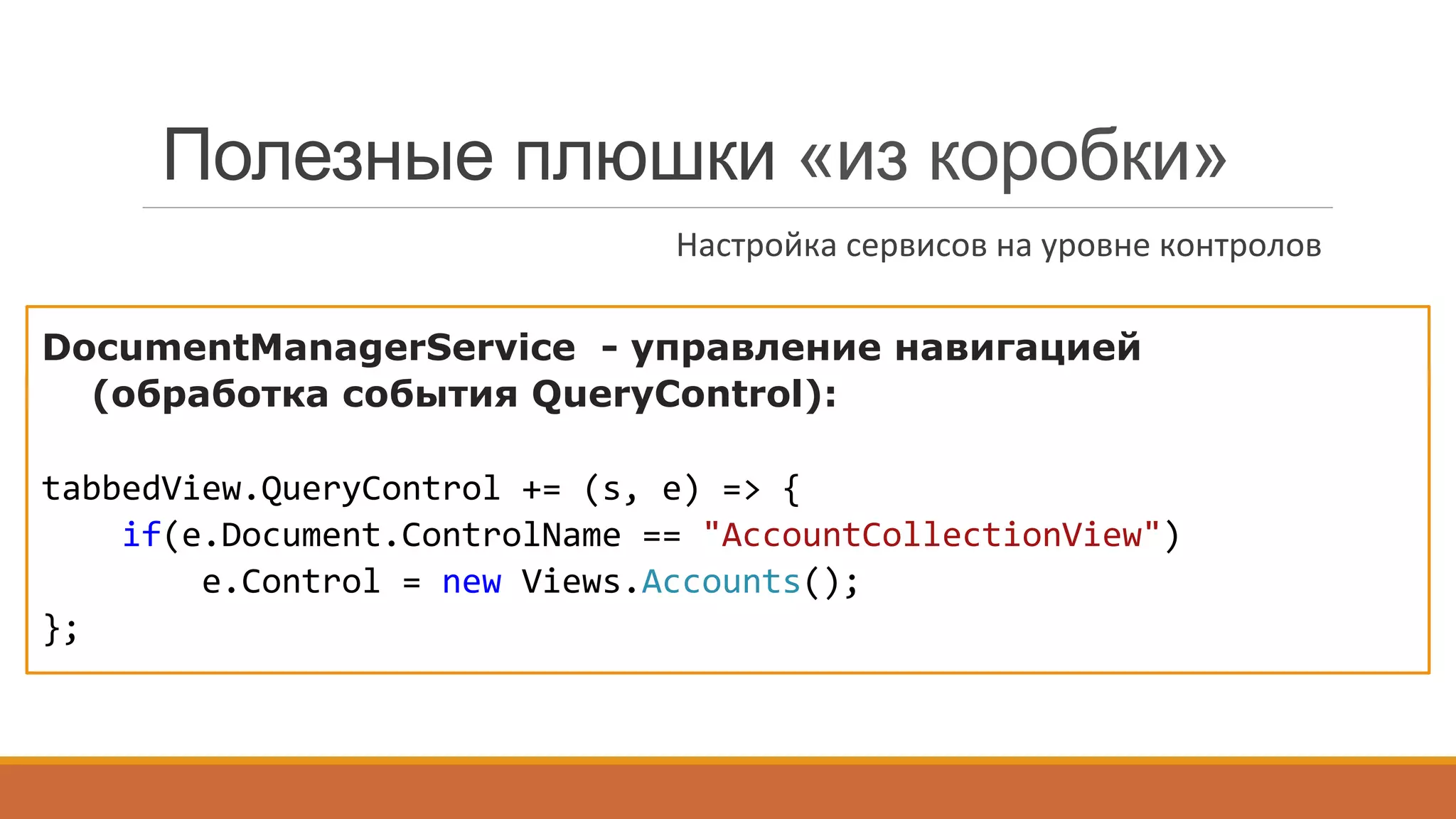
DocumentManagerService - управление навигацией
(обработка события QueryControl):
tabbedView.QueryControl	
  +=	
  (s,	
  e)	
  =>	
  {	


  if(e.Document.ControlName	
  ==	
  "AccountCollectionView")	


  e.Control	
  =	
  new	
  Views.Accounts();	
  
};	


Полезные плюшки «из коробки»
Настройка	
  сервисов	
  на	
  уровне	
  контролов	
  
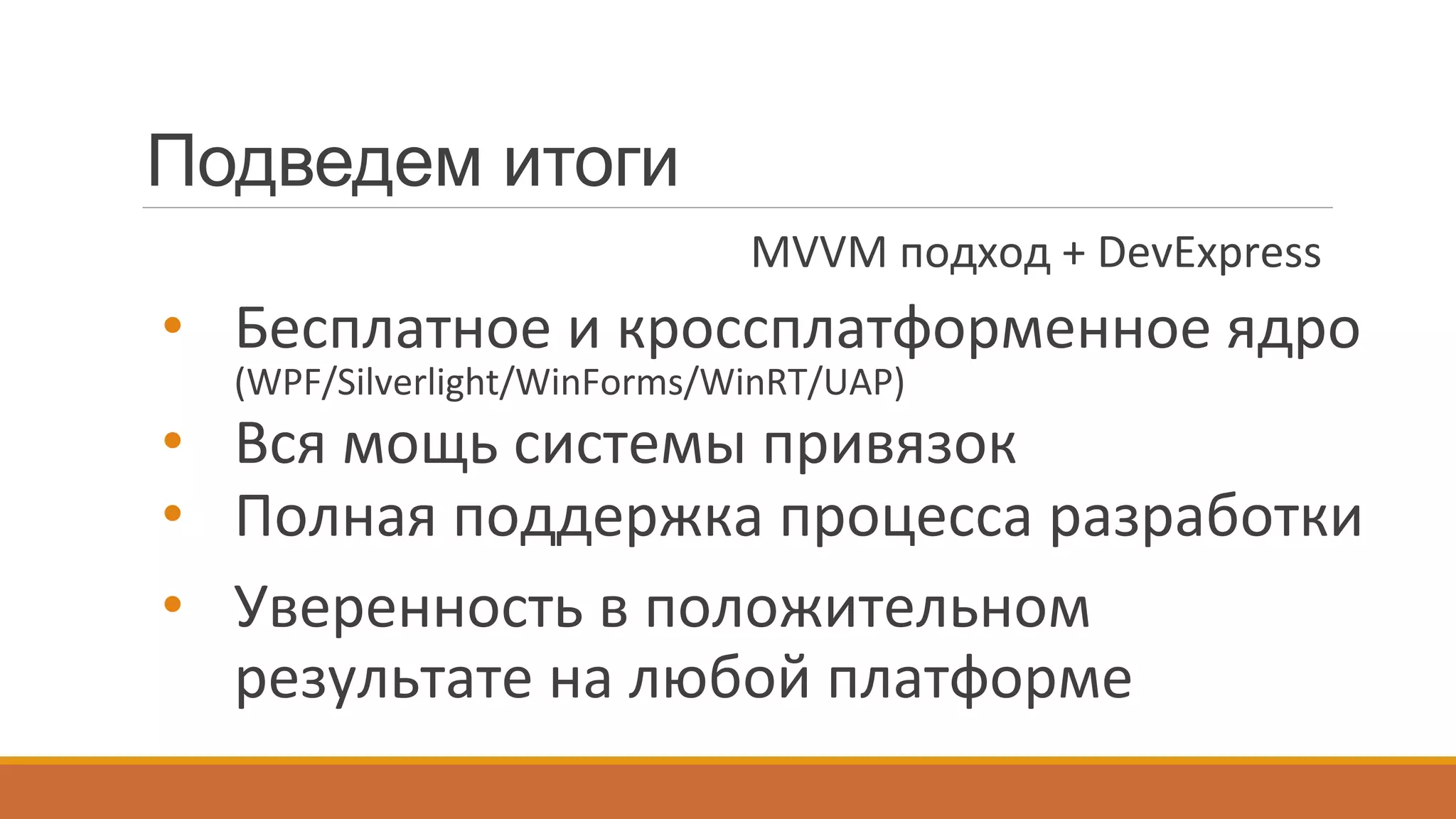
Подведем итоги
•  Бесплатное	
  и	
  кроссплатформенное	
  ядро	
  
(WPF/Silverlight/WinForms/WinRT/UAP)	
  
•  Вся	
  мощь	
  системы	
  привязок	
  
•  Полная	
  поддержка	
  процесса	
  разработки	
  
•  Уверенность	
  в	
  положительном	
  
результате	
  на	
  любой	
  платформе	
  
MVVM	
  подход	
  +	
  DevExpress	
  
Спасибо за
внимание!
WWW.DEVEXPRESS.COM
support@devexpress.com
dmitry.garavsky@devexpress.com
Гаравский Дмитрий
Материалы
Статьи	
  и	
  руководства:	
  
1.  DevExpress	
  MVVM	
  Framework	
  and	
  MVVM(MVPVM)	
  Architectural	
  Pa{ern	
  in	
  
WinForms	
  
2.  MVVM	
  In	
  Ac~on:	
  Expenses	
  App	
  -­‐	
  Displaying	
  and	
  naviga~ng	
  between	
  DB	
  
Collec~ons(Tutorial	
  01)	
  
3.  MVVM	
  In	
  Ac~on:	
  Expenses	
  App	
  –	
  Displaying	
  DB	
  En~ty	
  details.	
  DB	
  En~ty	
  
proper~es	
  edi~ng.(Tutorial	
  02)	


Примеры	
  и	
  ссылки:	
  
1.  Приложение	
  Expenses	
  (ссылка	
  на	
  DevExpress	
  Code	
  Central)	
  
2.  DevExpress.MVVM.Free	
  (github)	
  

MVVM в WinForms – DevExpress Way (теория и практика)

  • 1.
    MVVM в WinForms DEVEXPRESSWAY dmitry.garavsky@devexpress.com
  • 2.
    MVVM? А зачемоно надо? ”When capabilities are extended, the codebase should become smaller”. @Thinking Out Loud Четкое разделение бизнес-логики и логики представления. Отсюда все вытекающие бенефиты и профиты.
  • 3.
    MVVM в WPF.Типичная схема... View  View   Model   Business Logic and Data View  Model   Presentation Logic Data binding Commands Notifications
  • 4.
    … и типичныепроблемы:   реализация уведомленийреализация командограничения механизма привязкиреализация механизма сервисов RelayCommand BooleanToVisibilityConverer DataContext ServiceContainer
  • 5.
    Зачем нам свойMVVM Framework? ●  Стандартные  конвертеры,  сервисы  и   поведения   ●  Мощный  и  гибкий  механизм  POCO   ●  Полная  поддержка  со  стороны  DX  контролов   (MVVM-­‐driven  design)    
  • 6.
    MVVM в WinForms.Попробуем? View  View   Model   Business Logic and Data View  Model   Presentation Logic Data binding Commands Notifications Code-behind Events Methods
  • 7.
    class  AccountCollectionViewPresenter  {          public  CollectionViewPresenter(GridView  gridView,  AccountCollectionViewModel  viewModel)  {                  gridView.FocusedRowObjectChanged  +=  (s,  e)  =>  {                          viewModel.SelectedEntity  =  e.Row  as  Model.Account;                  };                  ((INotifyPropertyChanged)viewModel).PropertyChanged  +=  (s,  e)  =>  {                          if(e.PropertyName  ==  "SelectedEntity")  {                                  var  entity  =  viewModel.SelectedEntity;                                  if(entity  !=  null)                                          gridView.FocusedRowHandle  =  gridView.LocateByValue("Id",  entity.ID);                                  else                                          gridView.FocusedRowHandle  =  GridControl.InvalidRowHandle;                          }                  };          }   }   От MVVM к MVPVM. Presenter. Выделяем  узконаправленный  код  в  специализированные  классы  
  • 8.
    class  AccountCollectionViewPresenter  {          public  CollectionViewPresenter(GridView  gridView,  AccountCollectionViewModel  viewModel)  {                  gridView.FocusedRowObjectChanged  +=  (s,  e)  =>  {                          viewModel.SelectedEntity  =  e.Row  as  Model.Account;                  };                  ((INotifyPropertyChanged)viewModel).PropertyChanged  +=  (s,  e)  =>  {                          if(e.PropertyName  ==  "SelectedEntity")  {                                  var  entity  =  viewModel.SelectedEntity;                                  if(entity  !=  null)                                          gridView.FocusedRowHandle  =  gridView.LocateByValue("Id",  entity.ID);                                  else                                          gridView.FocusedRowHandle  =  GridControl.InvalidRowHandle;                          }                  };          }   }   gridView.FocusedRowObjectChanged  +=  (s,  e)  =>  {        viewModel.SelectedEntity  =  e.Row  as  Model.Account;   }; От MVVM к MVPVM. Presenter. Выделяем  узконаправленный  код  в  специализированные  классы  
  • 9.
    WinForms - Presenterповсюду. ●  User  Control  и  его  Code-­‐Behind   ●  Отдельный  класс   ●  Отдельный  метод  для  настройки   контрола   ●  Специфичный  кусок  Code-­‐Behind   ●  Обработчик  события   ●  Привязка(Binding)  
  • 10.
    •  Привязки  к  данным.   •  Команды  и  привязки  к  командам.   •  Поведения  и  сервисы.   •  Бонус  –  удобный  механизм  реализации   уведомлений,  зависимостей,  команд   MVPVM без буквы “P”. больше  удобства,  меньше  кода  
  • 11.
    Уведомления об изменении public  class  LoginViewModel  :  INotifyPropertyChanged  {          public  event  PropertyChangedEventHandler  PropertyChanged;          string  userNameCore;          public  string  UserName  {                  get  {  return  userNameCore;  }                  set  {                             if(userNameCore  ==  value)  return;                          this.userNameCore  =  value;                          PropertyChangedEventHandler  handler  =  PropertyChanged;                          if(handler  !=  null)                                  handler(this,  new  PropertyChangedEventArgs("UserName"));                                          }          }   }   дать возможность стороннему наблюдателю узнать об изменении значения свойства или состояния целевого объекта
  • 12.
    Уведомления об изменении public  class  LoginViewModel  :  INotifyPropertyChanged  {          public  event  PropertyChangedEventHandler  PropertyChanged;          string  userNameCore;          public  string  UserName  {                  get  {  return  userNameCore;  }                  set  {                          if(value  !=  userNameCore)  {                                  this.userNameCore  =  value;                                  PropertyChangedEventHandler  handler  =  PropertyChanged;                                  if(handler  !=  null)                                          handler(this,  new  PropertyChangedEventArgs("UserName"));                          }                  }          }   }   public  class  LoginViewModel  :  BindableBase  {          string  userNameCore;          public  string  UserName  {                  get  {  return  userNameCore;  }                  set  {  SetProperty(ref  userNameCore,  "UserName");}          }   }  
  • 13.
    Уведомления об изменении public  class  LoginViewModel  :  INotifyPropertyChanged  {          public  event  PropertyChangedEventHandler  PropertyChanged;          string  userNameCore;          public  string  UserName  {                  get  {  return  userNameCore;  }                  set  {                          if(value  !=  userNameCore)  {                                  this.userNameCore  =  value;                                  PropertyChangedEventHandler  handler  =  PropertyChanged;                                  if(handler  !=  null)                                          handler(this,  new  PropertyChangedEventArgs("UserName"));                          }                  }          }   }   POCO-ViewModel: public  class  LoginViewModel  {          public  virtual  string  UserName  {  get;  set;  }   } Plain Old Clr Object
  • 14.
    POCO-трансформация ???  POCO-­‐class   Full-­‐featured   ViewModel   DevExpress.Mvvm.POCO.ViewModelSource  
  • 15.
    Уведомления об изменении public  class  LoginViewModel  :  INotifyPropertyChanged  {          public  event  PropertyChangedEventHandler  PropertyChanged;          string  userNameCore;          public  string  UserName  {                  get  {  return  userNameCore;  }                  set  {                          if(value  !=  userNameCore)  {                                  this.userNameCore  =  value;                                  PropertyChangedEventHandler  handler  =  PropertyChanged;                                  if(handler  !=  null)                                          handler(this,  new  PropertyChangedEventArgs("UserName"));                          }                  }          }   }   POCO-ViewModel: public  class  LoginViewModel  {          public  virtual  string  UserName  {  get;  set;  }   }
  • 16.
    Как это использовать? XAML: <UserControl  x:Class="DXPOCO.Views.LoginView"          xmlns:dxmvvm="http://schemas.devexpress.com/winfx/2008/xaml/mvvm"          xmlns:ViewModels="clr-­‐namespace:DXPOCO.ViewModels"          DataContext="{dxmvvm:ViewModelSource  Type=ViewModels:LoginViewModel}"          ...>   </UserControl>   WinForms Code-behind: public  LoginViewModel  ViewModel  {          get  {  return  mvvmContext.GetViewModel<LoginViewModel>();  }   }  
  • 17.
    Зависимости свойств public  class  LoginViewModel  :  INotifyPropertyChanged  {          public  event  PropertyChangedEventHandler  PropertyChanged;          string  userNameCore;          public  string  UserName  {                  get  {  return  userNameCore;  }                  set  {                             if(userNameCore  ==  value)  return;                          this.userNameCore  =  value;                          PropertyChangedEventHandler  handler  =  PropertyChanged;                          if(handler  !=  null)                                  handler(this,  new  PropertyChangedEventArgs("UserName"));                             OnUserNameChanged();  //  OnUserNameChanged(oldValue)                  }          }   }   дать возможность явно уведомить сторонних наблюдателей об изменении значения свойства или состояния целевого объекта
  • 18.
    Зависимости свойств public  class  LoginViewModel  :  INotifyPropertyChanged  {          public  event  PropertyChangedEventHandler  PropertyChanged;          string  userNameCore;          public  string  UserName  {                  get  {  return  userNameCore;  }                  set  {                          if(value  !=  userNameCore)  {                                  this.userNameCore  =  value;                                  PropertyChangedEventHandler  handler  =  PropertyChanged;                                  if(handler  !=  null)                                          handler(this,  new  PropertyChangedEventArgs("UserName"));                          }                  }          }   }   public  class  LoginViewModel  :  BindableBase  {          string  userNameCore;          public  string  UserName  {                  get  {  return  userNameCore;  }                  set  {                            SetProperty(ref  userNameCore,                                  "UserName",  OnUserNameChanged);                  }          }   }  
  • 19.
    Зависимости свойств public  class  LoginViewModel  :  INotifyPropertyChanged  {          public  event  PropertyChangedEventHandler  PropertyChanged;          string  userNameCore;          public  string  UserName  {                  get  {  return  userNameCore;  }                  set  {                          if(value  !=  userNameCore)  {                                  this.userNameCore  =  value;                                  PropertyChangedEventHandler  handler  =  PropertyChanged;                                  if(handler  !=  null)                                          handler(this,  new  PropertyChangedEventArgs("UserName"));                          }                  }          }   }   POCO-ViewModel: public  class  LoginViewModel  {          public  virtual  string  UserName  {  get;  set;  }          protected  void  OnUserNameChanged()  {/*...*/}   }
  • 20.
    Ручное обновление зависимостей public  class  LoginViewModel  :  INotifyPropertyChanged  {          public  event  PropertyChangedEventHandler  PropertyChanged;          string  userNameCore;          public  string  UserName  {                  get  {  return  userNameCore;  }                  set  {                             if(userNameCore  ==  value)  return;                          this.userNameCore  =  value;                          PropertyChangedEventHandler  handler  =  PropertyChanged;                          if(handler  !=  null)                                  handler(this,  new  PropertyChangedEventArgs("UserName"));                             OnUserNameChanged();                  }          }   }   PropertyChangedEventHandler  handler  =  PropertyChanged;   if(handler  !=  null)          handler(this,  new  PropertyChangedEventArgs("UserName"));  
  • 21.
    Ручное обновление зависимостей public  class  LoginViewModel  :  INotifyPropertyChanged  {          public  event  PropertyChangedEventHandler  PropertyChanged;          string  userNameCore;          public  string  UserName  {                  get  {  return  userNameCore;  }                  set  {                          if(value  !=  userNameCore)  {                                  this.userNameCore  =  value;                                  PropertyChangedEventHandler  handler  =  PropertyChanged;                                  if(handler  !=  null)                                          handler(this,  new  PropertyChangedEventArgs("UserName"));                          }                  }          }   }   POCO-ViewModel: //  Extension  method   this.RaisePropertyChanged(x  =>  x.UserName);  
  • 22.
    Как это использовать? XAML:          <dxe:TextEdit  Text="{Binding  UserName}"/>     WinForms Code-behind (MVVMContext API):   mvvmContext.SetBinding(userNameTextEdit,          edit  =>  edit.EditValue,  "UserName");   //  ...   var  fluentAPI  =  mvvmContext.OfType<LoginViewModel>();   fluentAPI.SetBinding(lblUserName,          lbl  =>  lbl.Text,  x  =>  x.UserName);  
  • 23.
    Команды   public  class  DelegateCommand<T>  :  System.Windows.Input.ICommand  {             readonly  Predicate<T>  _canExecute;             readonly  Action<T>  _execute;             public  DelegateCommand(Action<T>  execute)                     :  this(execute,  null)  {             }             public  DelegateCommand(Action<T>  execute,  Predicate<T>  canExecute)  {                     _execute  =  execute;                     _canExecute  =  canExecute;             }             //...     }   public  class  MyViewModel  {          public  MyViewModel()  {                  this.SayHelloCommand  =  new  DelegateCommand(SayHello);          }          public  System.Windows.Input.ICommand  SayHelloCommand  {                  get;                  private  set;          }          public  void  SayHello()  {  /*  do  something  */  }   }   дать возможность инкапсулировать действие в отдельном объекте
  • 24.
    Команды   public  class  DelegateCommand<T>  :  System.Windows.Input.ICommand  {             readonly  Predicate<T>  _canExecute;             readonly  Action<T>  _execute;             public  DelegateCommand(Action<T>  execute)                     :  this(execute,  null)  {             }             public  DelegateCommand(Action<T>  execute,  Predicate<T>  canExecute)  {                     _execute  =  execute;                     _canExecute  =  canExecute;             }             //...     }   POCO-ViewModel: public  class  MyViewModel  {          public  void  SayHello()  {  /*  do  something  */  }   }   POCO-ViewModel: public  class  MyViewModel  {          public  void  SaySomething(string  str)  {                    /*  ...  */            }          public  bool  CanSaySomething(string  str)  {                    /*  ...  */            }   }   POCO-ViewModel: public  class  MyViewModel  {          public  Task  DoSomething  ()  {                    /*  asynchronous  !!!  */            }   }  
  • 25.
    Как это использовать? XAML:   <Button  Command="{Binding  SayHello}"  />     <Button  Command="{Binding  Say}"  CommandParameter="Hello!"/>    
  • 26.
    Как это использовать? WinFormsCode-behind (MVVMContext API): public  MyViewModel  ViewModel  {          get  {  return  mvvmContext.GetViewModel<MyViewModel>();  }   }   //   btnSayHello.BindCommand(        ()  =>  ViewModel.SayHello(),  ViewModel);   btnSay.BindCommand(        ()  =>  ViewModel.Say(null),  ViewModel,  ()  =>  ViewModel.Name);   WinForms Code-behind (MVVMContext Fluent API): var  fluentApi  =  mvvmContext.OfType<MyViewModel>();   fluentApi.BindCommand(x  =>  x.SayHello());   fluentApi.BindCommand((x,s)  =>  x.Say(s),  x  =>  x.Name);  
  • 27.
    Интерактивность. Сервисы. ViewModel: public  class  MyViewModel  {        protected  IMessageBoxService  MessageBoxService  {                get  {  /*  ...  */  }        }        public  void  SayHello()  {                MessageBoxService.Show("Hello!");          } } дать возможность взаимодействовать с пользователем не нарушая концепцию разделения слоев
  • 28.
    POCO ViewModel: protected  IMessageBoxService  MessageBoxService  {          get  {  this.GetService<IMessageBoxService>();  }   }     protected  virtual  IMessageBoxService  MessageBoxService  {          get  {  throw  new  System.NotImplementedException();  }   }   Интерактивность. Сервисы.
  • 29.
    Как это использовать? WinFormsCode-behind (MVVMContext API): mvvmContext.RegisterService(new  MessageBoxService());   //...   var  mbService  =  mvvmContext.GetService<IMessageBoxService>();   mbService.Show("Something  happens!");  
  • 30.
    public  class  ConfirmationBehavior          :  ConfirmationBehavior<FormClosingEventArgs>  {        public  ConfirmationBehavior()  :  base("FormClosing")  {  }        protected  override  string  GetConfirmationCaption()  {                  return  "Oops!";          }        protected  override  string  GetConfirmationText()  {                return  "Form  will  be  closed.  Are  you  sure?";        }   }   Поведения. WinForms Code-behind (MVVMContext API):   //...   mvvmContext.AttachBehavior<ConfirmationBehavior>(this);     дать возможность наделить объект дополнительным функционалом действуя снаружи объекта
  • 31.
    Поведения. WinForms Code-behind (MVVMContextFluent API):   //...   mvvmContext.WithEvent<CancelEventArgs>(this,  "Closing")          .Confirmation(              settings  =>  {                  settings.Caption  =  "Closing  Confirmation";                  settings.Text  =  "Form  will  be  closed.  Press  OK  to  confirm.";                  settings.Buttons  =  ConfirmationButtons.OKCancel;                  settings.ShowQuestionIcon  =  false;              });  
  • 32.
    Поведения. EventToCommand. public  class  ClickToSayHello  :        EventToCommandBehavior<MyViewModel,  EventArgs>  {        public  ClickToSayHello()          :  base("Click",  x  =>  x.SayHello())  {        }   }   WinForms Code-behind (MVVMContext API):   //...   mvvmContext.AttachBehavior<ClickToSayHello>(thirdPartyButton);  
  • 33.
    Поведения. EventToCommand. WinForms Code-behind(MVVMContext Fluent API):     mvvmContext.WithEvent<ViewModel,  EventArgs>          (thirdPartyButton,  "Click")          .EventToCommand(x  =>  x.SayHello());    
  • 34.
    Простое CRUD-приложение Expenses. • Entity Framework 6.x (Nuget) •  DevExpress MVVM Framework •  DevExpress Scaffolding Wizard •  DevExpress WinForms Controls
  • 35.
    Структура проекта. Model. public  class  Account  {        public  string  Name  {  get;  set;  }        public  decimal  Amount  {  get;  set;  } }
  • 36.
    public  class  ExpensesDbContext  :  DbContext  {          static  ExpensesDbContext()  {            Database.SetInitializer<ExpensesDbContext>(                          new  ExpensesDbContextInitializer());          }          public  DbSet<Account>  Accounts  {  get;  set;  }          public  DbSet<Category>  Categories  {  get;  set;  }          public  DbSet<Transaction>  Transactions  {  get;  set;  }   } public  class  Account  {          [Key,  Display(AutoGenerateField  =  false)]          public  int  ID  {  get;  set;  }          [Required,  StringLength(30,  MinimumLength  =  4)]          [Display(Name  =  "ACCOUNT")]          public  string  Name  {  get;  set;  }          [DataType(DataType.Currency)]          [Display(Name  =  "AMOUNT")]          public  decimal  Amount  {  get;  set;  }   }   Добавим Entity Framework
  • 37.
  • 38.
    Создаем представления. Структура  Типы  View   ●  Контейнер  навигации   (DocumentManager+Ribbon)   ●  Контейнер  коллекции   (XtraGrid)   ●  Контейнер  деталей   (DataLayoutControl)      
  • 39.
  • 40.
    Привязки и навигация mvvmContext.RegisterService(DocumentManagerService.Create(tabbedView));     var  fluent  =  mvvmContext.OfType<ExpensesDbContextViewModel>();   fluent.BindCommand(biAccounts,  (x,  m)  =>  x.Show(m),  x  =>  x.Modules[0]);   fluent.BindCommand(biCategories,  (x,  m)  =>  x.Show(m),  x  =>  x.Modules[1]);   fluent.BindCommand(biTransactions,  (x,  m)  =>  x.Show(m),  x  =>  x.Modules[2]);                     fluent.WithEvent<FormClosingEventArgs>(this,  "FormClosing")          .EventToCommand(x  =>  x.OnClosing(null));    
  • 41.
  • 42.
    Привязки и поведение var  fluent  =  mvvmContext.OfType<AccountCollectionViewModel>();   fluent.SetBinding(gridView,  v  =>  v.LoadingPanelVisible,  x  =>  x.IsLoading);   fluent.SetBinding(gridControl,  g  =>  g.DataSource,  x  =>  x.Entities);       fluent.WithEvent<ColumnView,  FocusedRowObjectChangedEventArgs>(          gridView,  "FocusedRowObjectChanged")          .SetBinding(x  =>  x.SelectedEntity,                  args  =>  args.Row  as  Model.Account,                  (gView,  entity)  =>  gView.FocusedRowHandle  =  gView.FindRow(entity));   fluent.WithEvent<RowCellClickEventArgs>(gridView,  "RowCellClick")          .EventToCommand(                  x  =>  x.Edit(null),  x  =>  x.SelectedEntity,                  args  =>  (args.Clicks  ==  2)  &&  (args.Button  ==  MouseButtons.Left));  
  • 43.
  • 44.
    Привязки и поведение var  fluent  =  mvvmContext.OfType<AccountViewModel>();   fluent.SetObjectDataSourceBinding(          bindingSource,  x  =>  x.Entity,  x  =>  x.Update());       fluent.BindCommand(btnSave,  x  =>  x.Save());   fluent.BindCommand(btnReset,  x  =>  x.Reset());    
  • 45.
    [DataType(DataType.Date)]   [Display(Name  =  "DATE")]   public  DateTime  Date  {  get;  set;  }   [DataType(DataType.Currency)]   [Display(Name  =  "AMOUNT")]   public  decimal  Amount  {  get;  set;  }   [DataType(DataType.MultilineText)]   [Display(Name  =  "COMMENT")]   public  string  Comment  {  get;  set;  }   [Required,  StringLength(30,  MinimumLength  =  4)] [Display(Name  =  "ACCOUNT")] public  string  Name  {  get;  set;  } Полезные плюшки «из коробки» Поддержка  аннотационных  аттрибутов  
  • 46.
    Полезные плюшки «изкоробки» Автоматическая  привязка  команд  в  дизайнере  
  • 47.
    Полезные плюшки «изкоробки» Регистрация  сервисов  в  дизайнере  
  • 48.
    MessageBoxService - выбортипа (стандартный, скинированный, Flyout): DevExpress.Utils.MVVM.MVVMContext.RegisterFlyoutMessageBoxService();   DocumentManagerService - управление навигацией (обработка события QueryControl): tabbedView.QueryControl  +=  (s,  e)  =>  {          if(e.Document.ControlName  ==  "AccountCollectionView")                  e.Control  =  new  Views.Accounts();   };     Полезные плюшки «из коробки» Настройка  сервисов  на  уровне  контролов  
  • 49.
    Подведем итоги •  Бесплатное  и  кроссплатформенное  ядро   (WPF/Silverlight/WinForms/WinRT/UAP)   •  Вся  мощь  системы  привязок   •  Полная  поддержка  процесса  разработки   •  Уверенность  в  положительном   результате  на  любой  платформе   MVVM  подход  +  DevExpress  
  • 50.
  • 51.
    Материалы Статьи  и  руководства:   1.  DevExpress  MVVM  Framework  and  MVVM(MVPVM)  Architectural  Pa{ern  in   WinForms   2.  MVVM  In  Ac~on:  Expenses  App  -­‐  Displaying  and  naviga~ng  between  DB   Collec~ons(Tutorial  01)   3.  MVVM  In  Ac~on:  Expenses  App  –  Displaying  DB  En~ty  details.  DB  En~ty   proper~es  edi~ng.(Tutorial  02)     Примеры  и  ссылки:   1.  Приложение  Expenses  (ссылка  на  DevExpress  Code  Central)   2.  DevExpress.MVVM.Free  (github)