Department of Computer Science
Multimedia Systems(CoSc 4151)
Chapter One : Introduction to Multimedia
Outlines
1.1 . What is Multimedia?
1.2 . History of Multimedia
1.3 . Multimedia and Hypermedia
1.4 . Characteristics of multimedia
1.5 . Types of multimedia
1.6 . Application of multimedia
1.7 . Elements of Multimedia
1.8 . Multimedia and the World Wide Web
1.9 . Stages in multimedia development
2
1.1 What is multimedia?
3
 Multimedia is a combination of two words
 Multi meaning many
 Media meaning to communicate
 Multimedia means using different Medias to Communicate
 What to communicate?
 Concept/message
 Commercial
 Short films
 Publishing a book
 Develop a web site
 Multimedia is the field concerned with the computer
controlled integration of text, graphics, drawings, still
and moving images (Video), animation, audio, and any
other media where every type of information can be
represented, stored, transmitted and processed digitally.
 Multimedia can be defined as the integration of
multiple forms of media. It includes the combination of
text, music, pictures, drawings, moving images
(animation), video to create some applications.
 Multimedia concerns the representation of mixed modes
of information.
4
1.1 What is multimedia ….
What is hypertext and hypermedia?
 Hypertext is a text which contains links to other texts.
 Hypermedia
 Hypermedia is not constrained to be text-based. It can
include other media, e.g., graphics, images, and
especially the continuous media – sound and video.
Example Hypermedia Applications
5
 The World Wide Web (WWW) is the best example of a
hypermedia application.
 Power point
 Adobe Acrobat (or other PDF software)
 Adobe Flash
 Many Others?
6
What is hypertext and hypermedia?
Multimedia systems
 A Multimedia System is a system capable of processing
multimedia data and applications.
 A Multimedia System is characterized by the
processing, storage, generation, manipulation and
rendition of Multimedia information.
7
Characteristics of multimedia
 A Multimedia system has four basic characteristics:
 Multimedia systems must be computer controlled.
 Multimedia systems are integrated.
 The information they handle must be represented digitally.
 The interface to the final presentation of media is usually
interactive.
8
Types of multimedia
 Multimedia can classified in to
Static
 Static multimedia is time independent discrete value
Information in these media consists exclusively of a
sequence of individual elements without a time
component.
Example:
 Text
 Graphics
 Images
9
Dynamic
 Dynamic media is time dependent continuous media.
Information is expressed as not only of its individual
value, but also by the time of its occurrence.
Example
 Audio
 Video
 Animation
10
Types of multimedia…
Application of multimedia
 Hypermedia courseware
 Video conferencing
 Video on demand
 Interactive TV
 Advertisements
 Education
 animation films
11
 computer & TV games
 advertisements
 designing
 education
 Games
 simulation (virtual reality)
 defense applications
 graphics applications
12
Application of multimedia…
Elements of multimedia
 The following are the most common elements of
multimedia
 Text
 Graphics
 Images
 Audio
 Video
 Animation
13
 Text
 Text is the most common medium in multimedia. We can use
colors, formats, sounds, animation for the text to make more
effective and attractive to the users.
 We can use different formatting options from the tool bars to
manipulate the text.
 We can add objects like clip arts, word arts, pictures to our
presentation.
 We can drag, resize, and overlap the objects as per our
requirement.
14
Elements of multimedia
Image
An image from Latin Imago is an artifact, for example a
two dimensional picture that has a similar appearance to
some subject-usually a physical object or a person.
A digital image is a presentation of a two-dimensional
image using ones and zeros (binary).depending on
whether or not the image resolution is fixed, it may be of
vector or raster type. Without qualifications, the term
“digital image” usually refers to raster images also called
bitmap images.
15
Elements of multimedia…
Graphics
Graphics from Greek graphikos are visual presentations from some
surface, such as a wall, canvas, computer screen, paper, or stone to
brand, inform, illustrate or entertain
Examples are
Drawings, line art, graphs, diagrams, typography, symbols,
geometric, maps, engineering drawings or other images.
Graphics always combine text, illustration, and color. Graphics
design may consist of the deliberate selection, creation, or
arrangement of typography alone, as in a brochure , flier, poster,
website, or book without any other element.
16
Elements of multimedia…
Animation
Animation: Animation means moving of an image.
Animations are created from series of individual images called
‘frames’
When individual frames are moving rapidly in sequence, we
feel that the image is moving.
Music (sound) is always stored in computers in digital format.
Sounds can be used in multimedia for background music, sound
effects, narration (explanation).
Appropriate sound effects make any animation more interesting
and more believable.
17
Elements of multimedia…
Video
Commonly refers to several storage formats.it may
include text, image, sound etc.
18
Elements of multimedia…
Stages in multimedia system development
 Development of traditional software usually focus on
the operational function of the software
 Multimedia product developer must not only consider
the operational functionality but also the content of the
application.
 MM product therefore, is based on a number of factors
to make a successful MM product.
19
 Concept Validity: Is this an idea that will sell?- important for
Commercial product.
 Technology Dependence - advance technology
 Availability of content: can we fill the disk with relevant and
useful content.
 Tool selection- need to pick the best tool for the production.
 Authoring - to simplify the production process.
 Testing- should be scheduled within the product development
cycle.
20
Stages in multimedia system development
 Delivery and product support - developers often leave
delivery and support as an afterthought, putting to much
dependence on end user skills to install and use the
product.

Critical for developers to keep in touch with the user long after
the delivery of the product.
 Maintenance- updated may be because - performance
improvement, error correction or new content
availability.

Developers should consider extensibility in the production
design to ensure that updates are easy and cost
effective.
21
Stages in multimedia system development
 Producer - the creator of the product. Responsible for
managing the budget, resources, tools, and
schedule.
 Consumer: the sponsor. Define the need, skills of end
users and the benefit of the product.
 Product – including
Content - form, pictures, audio, video
Function - How the product works
Technology
22
Stages in multimedia system development
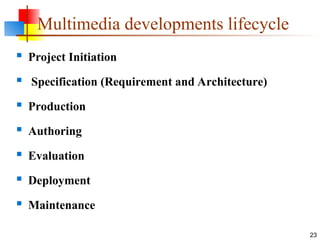
Multimedia developments lifecycle
 Project Initiation
 Specification (Requirement and Architecture)
 Production
 Authoring
 Evaluation
 Deployment
 Maintenance
23
Project Initiation
Is the beginning phase of MM development and can make
the difference in project success and failure
Initiation will

Define the project and product goal

Specify project objectives

Allocate personnel and equipment resources

Scope and technical issue and content

Determine schedule

Establish and monitor a project budget

Manage risks that would hinder the project
24
Multimedia developments lifecycle
 Specification (Requirement and Architecture)
Defines and specifies the hardware and software required
for a multimedia product
The requirement process specifies

Functional requirements

User requirement

Performance requirement
 Production
 Content production follows storyboarding so that the story ideas
and concept can be turned into reality.
 Content production, depending on the availability of existing
resources or the need to create new materials
25
Multimedia developments lifecycle
Authoring
Authoring is a process of assembling the content into the
multimedia software development environment following
the map provided by the storyboard.
Two kinds of authoring that occur
 Content assembly - the content is put together and linked to
other content
 Functional programming - software is created to provide
specific behavior
It is critical that selection of the authoring tool and
storyboarding be mutual.
26
Multimedia developments lifecycle
Evaluation
Evaluation is the process that tests and assesses a MM
product to make sure it is what was ordered and it does
what it supposed to do.
27
Multimedia developments lifecycle
Deployment
 Releasing the product to the end user.
Task involve such as:
 Documentation for the product in written including user and installation
guide and troubleshooting instruction
 Mass production of CD_ROM
 packing of product
 Marketing the product
 Mass production of hardware
 Installation of the software
 Training of personnel to use the software
28
Multimedia developments lifecycle
Maintenance
The process in which a product can evolve and grow with
emerging technology or to meet user demands
29
Multimedia developments lifecycle
Multimedia database(MMDB)
 Multimedia databases are a collection of related
multimedia data. The multimedia data include one or
more primary media data types such as text, images,
graphics objects (including drawing, sketches and
illustrations), animation sequences, audio and video.
30
Application areas of MMDB
 Examples of multimedia database application areas
 Digital libraries
 News- on- demand
 Video – on- demand
 Music database
 Geographic Information system(GIS)
 Telemedicine
31
Multimedia Database Management System(MMDBMS)
 Multimedia database management system (MMDBMS)
 Multimedia database management system is a
framework that manages different types of data
potentially represented in a wide diversity of formats in
a wide array of media resources. It provides support for
multimedia data types, and facilitate for creation,
storage, access, query and control of a multimedia
databases.
32
1.9 Compression Algorithms
 Compression algorithms re-encode image data into more
compact representations of the same information. Think of
compression as using fewer words to say the same thing.
 Compression Methods
 There are basically two types of compression methods: lossy and
lossless.
 Lossy compression creates smaller files by discarding (losing)
some information about the original image. It removes details
and color changes it deems too small for the human eye to
differentiate.
 Lossless compression, on the other hand, never discards any
information about the original file.
33

multimedia course presentation for final project

  • 1.
    Department of ComputerScience Multimedia Systems(CoSc 4151) Chapter One : Introduction to Multimedia
  • 2.
    Outlines 1.1 . Whatis Multimedia? 1.2 . History of Multimedia 1.3 . Multimedia and Hypermedia 1.4 . Characteristics of multimedia 1.5 . Types of multimedia 1.6 . Application of multimedia 1.7 . Elements of Multimedia 1.8 . Multimedia and the World Wide Web 1.9 . Stages in multimedia development 2
  • 3.
    1.1 What ismultimedia? 3  Multimedia is a combination of two words  Multi meaning many  Media meaning to communicate  Multimedia means using different Medias to Communicate  What to communicate?  Concept/message  Commercial  Short films  Publishing a book  Develop a web site
  • 4.
     Multimedia isthe field concerned with the computer controlled integration of text, graphics, drawings, still and moving images (Video), animation, audio, and any other media where every type of information can be represented, stored, transmitted and processed digitally.  Multimedia can be defined as the integration of multiple forms of media. It includes the combination of text, music, pictures, drawings, moving images (animation), video to create some applications.  Multimedia concerns the representation of mixed modes of information. 4 1.1 What is multimedia ….
  • 5.
    What is hypertextand hypermedia?  Hypertext is a text which contains links to other texts.  Hypermedia  Hypermedia is not constrained to be text-based. It can include other media, e.g., graphics, images, and especially the continuous media – sound and video. Example Hypermedia Applications 5
  • 6.
     The WorldWide Web (WWW) is the best example of a hypermedia application.  Power point  Adobe Acrobat (or other PDF software)  Adobe Flash  Many Others? 6 What is hypertext and hypermedia?
  • 7.
    Multimedia systems  AMultimedia System is a system capable of processing multimedia data and applications.  A Multimedia System is characterized by the processing, storage, generation, manipulation and rendition of Multimedia information. 7
  • 8.
    Characteristics of multimedia A Multimedia system has four basic characteristics:  Multimedia systems must be computer controlled.  Multimedia systems are integrated.  The information they handle must be represented digitally.  The interface to the final presentation of media is usually interactive. 8
  • 9.
    Types of multimedia Multimedia can classified in to Static  Static multimedia is time independent discrete value Information in these media consists exclusively of a sequence of individual elements without a time component. Example:  Text  Graphics  Images 9
  • 10.
    Dynamic  Dynamic mediais time dependent continuous media. Information is expressed as not only of its individual value, but also by the time of its occurrence. Example  Audio  Video  Animation 10 Types of multimedia…
  • 11.
    Application of multimedia Hypermedia courseware  Video conferencing  Video on demand  Interactive TV  Advertisements  Education  animation films 11
  • 12.
     computer &TV games  advertisements  designing  education  Games  simulation (virtual reality)  defense applications  graphics applications 12 Application of multimedia…
  • 13.
    Elements of multimedia The following are the most common elements of multimedia  Text  Graphics  Images  Audio  Video  Animation 13
  • 14.
     Text  Textis the most common medium in multimedia. We can use colors, formats, sounds, animation for the text to make more effective and attractive to the users.  We can use different formatting options from the tool bars to manipulate the text.  We can add objects like clip arts, word arts, pictures to our presentation.  We can drag, resize, and overlap the objects as per our requirement. 14 Elements of multimedia
  • 15.
    Image An image fromLatin Imago is an artifact, for example a two dimensional picture that has a similar appearance to some subject-usually a physical object or a person. A digital image is a presentation of a two-dimensional image using ones and zeros (binary).depending on whether or not the image resolution is fixed, it may be of vector or raster type. Without qualifications, the term “digital image” usually refers to raster images also called bitmap images. 15 Elements of multimedia…
  • 16.
    Graphics Graphics from Greekgraphikos are visual presentations from some surface, such as a wall, canvas, computer screen, paper, or stone to brand, inform, illustrate or entertain Examples are Drawings, line art, graphs, diagrams, typography, symbols, geometric, maps, engineering drawings or other images. Graphics always combine text, illustration, and color. Graphics design may consist of the deliberate selection, creation, or arrangement of typography alone, as in a brochure , flier, poster, website, or book without any other element. 16 Elements of multimedia…
  • 17.
    Animation Animation: Animation meansmoving of an image. Animations are created from series of individual images called ‘frames’ When individual frames are moving rapidly in sequence, we feel that the image is moving. Music (sound) is always stored in computers in digital format. Sounds can be used in multimedia for background music, sound effects, narration (explanation). Appropriate sound effects make any animation more interesting and more believable. 17 Elements of multimedia…
  • 18.
    Video Commonly refers toseveral storage formats.it may include text, image, sound etc. 18 Elements of multimedia…
  • 19.
    Stages in multimediasystem development  Development of traditional software usually focus on the operational function of the software  Multimedia product developer must not only consider the operational functionality but also the content of the application.  MM product therefore, is based on a number of factors to make a successful MM product. 19
  • 20.
     Concept Validity:Is this an idea that will sell?- important for Commercial product.  Technology Dependence - advance technology  Availability of content: can we fill the disk with relevant and useful content.  Tool selection- need to pick the best tool for the production.  Authoring - to simplify the production process.  Testing- should be scheduled within the product development cycle. 20 Stages in multimedia system development
  • 21.
     Delivery andproduct support - developers often leave delivery and support as an afterthought, putting to much dependence on end user skills to install and use the product.  Critical for developers to keep in touch with the user long after the delivery of the product.  Maintenance- updated may be because - performance improvement, error correction or new content availability.  Developers should consider extensibility in the production design to ensure that updates are easy and cost effective. 21 Stages in multimedia system development
  • 22.
     Producer -the creator of the product. Responsible for managing the budget, resources, tools, and schedule.  Consumer: the sponsor. Define the need, skills of end users and the benefit of the product.  Product – including Content - form, pictures, audio, video Function - How the product works Technology 22 Stages in multimedia system development
  • 23.
    Multimedia developments lifecycle Project Initiation  Specification (Requirement and Architecture)  Production  Authoring  Evaluation  Deployment  Maintenance 23
  • 24.
    Project Initiation Is thebeginning phase of MM development and can make the difference in project success and failure Initiation will  Define the project and product goal  Specify project objectives  Allocate personnel and equipment resources  Scope and technical issue and content  Determine schedule  Establish and monitor a project budget  Manage risks that would hinder the project 24 Multimedia developments lifecycle
  • 25.
     Specification (Requirementand Architecture) Defines and specifies the hardware and software required for a multimedia product The requirement process specifies  Functional requirements  User requirement  Performance requirement  Production  Content production follows storyboarding so that the story ideas and concept can be turned into reality.  Content production, depending on the availability of existing resources or the need to create new materials 25 Multimedia developments lifecycle
  • 26.
    Authoring Authoring is aprocess of assembling the content into the multimedia software development environment following the map provided by the storyboard. Two kinds of authoring that occur  Content assembly - the content is put together and linked to other content  Functional programming - software is created to provide specific behavior It is critical that selection of the authoring tool and storyboarding be mutual. 26 Multimedia developments lifecycle
  • 27.
    Evaluation Evaluation is theprocess that tests and assesses a MM product to make sure it is what was ordered and it does what it supposed to do. 27 Multimedia developments lifecycle
  • 28.
    Deployment  Releasing theproduct to the end user. Task involve such as:  Documentation for the product in written including user and installation guide and troubleshooting instruction  Mass production of CD_ROM  packing of product  Marketing the product  Mass production of hardware  Installation of the software  Training of personnel to use the software 28 Multimedia developments lifecycle
  • 29.
    Maintenance The process inwhich a product can evolve and grow with emerging technology or to meet user demands 29 Multimedia developments lifecycle
  • 30.
    Multimedia database(MMDB)  Multimediadatabases are a collection of related multimedia data. The multimedia data include one or more primary media data types such as text, images, graphics objects (including drawing, sketches and illustrations), animation sequences, audio and video. 30
  • 31.
    Application areas ofMMDB  Examples of multimedia database application areas  Digital libraries  News- on- demand  Video – on- demand  Music database  Geographic Information system(GIS)  Telemedicine 31
  • 32.
    Multimedia Database ManagementSystem(MMDBMS)  Multimedia database management system (MMDBMS)  Multimedia database management system is a framework that manages different types of data potentially represented in a wide diversity of formats in a wide array of media resources. It provides support for multimedia data types, and facilitate for creation, storage, access, query and control of a multimedia databases. 32
  • 33.
    1.9 Compression Algorithms Compression algorithms re-encode image data into more compact representations of the same information. Think of compression as using fewer words to say the same thing.  Compression Methods  There are basically two types of compression methods: lossy and lossless.  Lossy compression creates smaller files by discarding (losing) some information about the original image. It removes details and color changes it deems too small for the human eye to differentiate.  Lossless compression, on the other hand, never discards any information about the original file. 33