MSI-CIEC PORTAL http://www.si-ciec.org
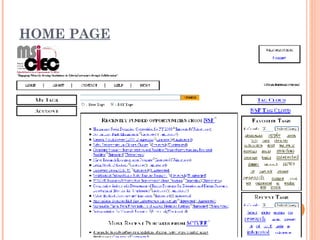
HOME PAGE
CAPABILITIES Tagging system similar to Del.icio.us / Connotea Click tagging NSF Tag Cloud Searching for NSF Tags Listing Profile Adding a user as a friend
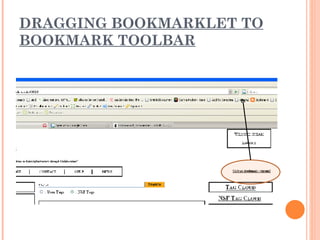
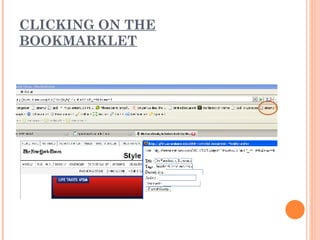
TAGGING User are able to tag any webpage online using a bookmarklet The bookmarklet can be dragged on to the bookmark toolbar (only when user is logged in) similar to Connotea
DRAGGING BOOKMARKLET TO BOOKMARK TOOLBAR
CLICKING ON THE BOOKMARKLET
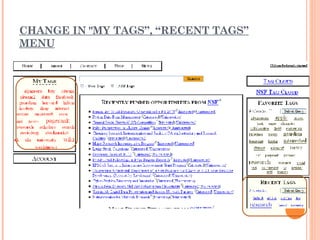
CHANGE IN "MY TAGS”, “RECENT TAGS” MENU
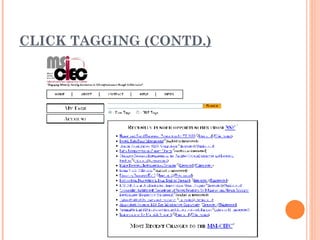
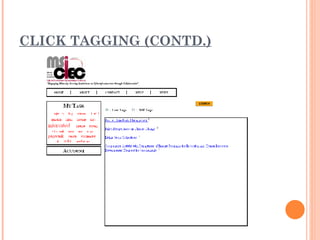
CLICK TAGGING Home page consists of feeds from NSF, SCIVEE etc. User (when logged in) has the option to tag a feed item as “Interested” or “UnInterested” The tags can be displayed using the “My Tags” link
CLICK TAGGING (CONTD.)
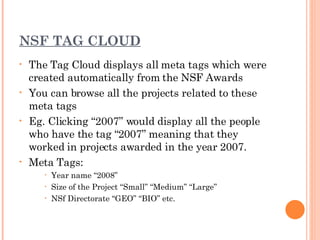
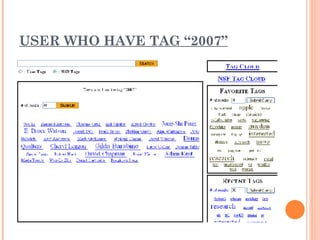
NSF TAG CLOUD The Tag Cloud displays all meta tags which were created automatically from the NSF Awards You can browse all the projects related to these meta tags Eg. Clicking “2007” would display all the people who have the tag “2007” meaning that they worked in projects awarded in the year 2007. Meta Tags: Year name “2008” Size of the Project “Small” “Medium” “Large” NSf Directorate “GEO” “BIO” etc.
USER WHO HAVE TAG “2007”
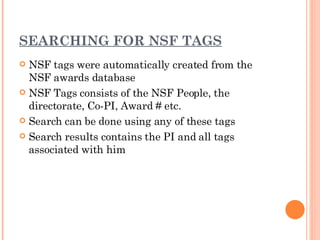
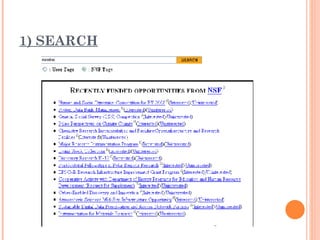
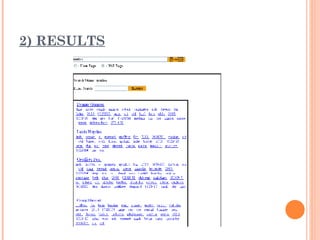
SEARCHING FOR NSF TAGS NSF tags were automatically created from the NSF awards database NSF Tags consists of the NSF People, the directorate, Co-PI, Award # etc. Search can be done using any of these tags Search results contains the PI and all tags associated with him
1) SEARCH
2) RESULTS
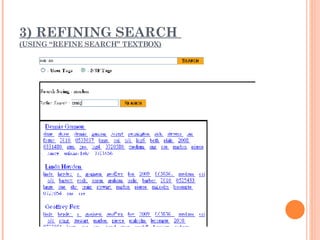
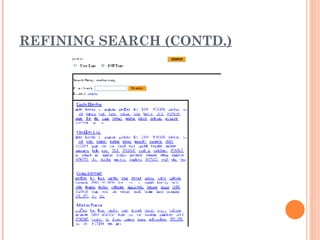
3) REFINING SEARCH  (USING “REFINE SEARCH” TEXTBOX)
REFINING SEARCH (CONTD.)
RESULTS
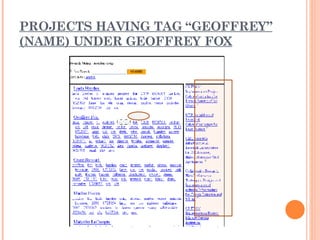
PROJECTS HAVING TAG “GEOFFREY” (NAME) UNDER GEOFFREY FOX
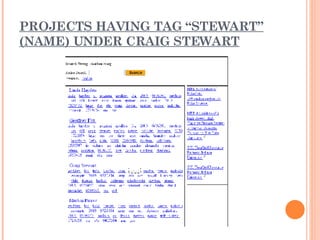
PROJECTS HAVING TAG “STEWART” (NAME) UNDER CRAIG STEWART
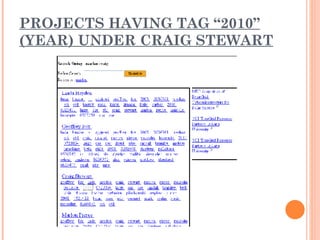
PROJECTS HAVING TAG “2010” (YEAR) UNDER CRAIG STEWART
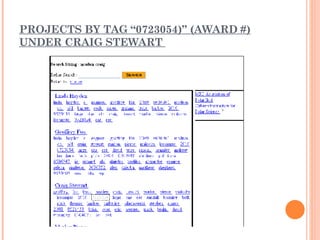
PROJECTS BY TAG “0723054)” (AWARD #) UNDER CRAIG STEWART
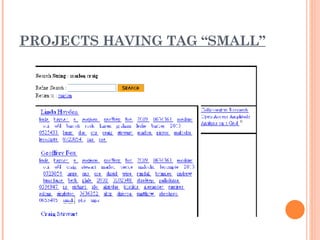
PROJECTS HAVING TAG “SMALL”
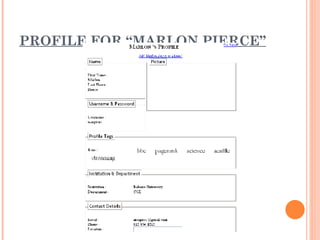
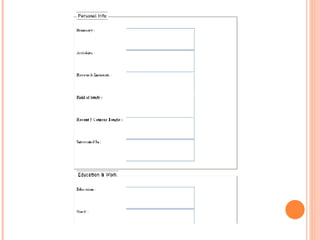
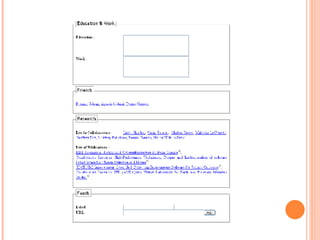
LISTING PROFILE Listing Proposals they worked on Listing the people whom they collaborated with Listing tag cloud for users Displaying a detailed Profile of users (including NSF people) Example: Clicking on the Full Name in the search would take you to that user’s profile page
PROFILE FOR “MARLON PIERCE”
 
 
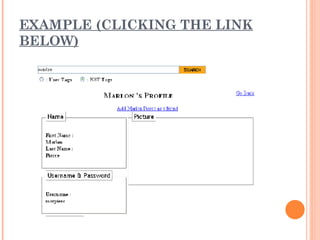
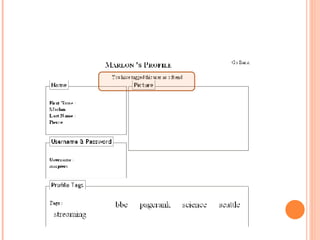
ADDING AS A FRIEND A user (when logged in) can also add any user as a friend Once you are on the profile page of any user, you can add that user as a friend by clicking “Add  User Full Name  as a friend” link.
EXAMPLE (CLICKING THE LINK BELOW)
 
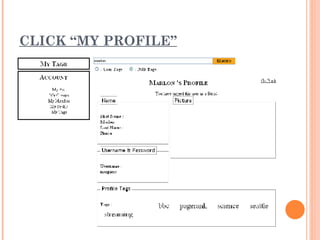
CLICK “MY PROFILE”
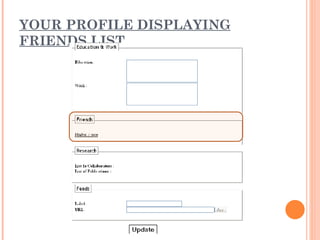
YOUR PROFILE DISPLAYING FRIENDS LIST
CAPABILITIES IN FUTURE Creating a flash-animated ontology tree for displaying related tags Connecting other social networking portals such as LinkedIn, Facebook, Orkut etc. Possibility of using Google’s  OpenSocial  . Import/Exporting data to/from  Connotea  or  Del.icio.us .
SUGGESTIONS Please submit your suggestions to  MSI-CIEC Development Team [email_address]
END

MSI-CIEC Portal

  • 1.
  • 2.
  • 3.
    CAPABILITIES Tagging systemsimilar to Del.icio.us / Connotea Click tagging NSF Tag Cloud Searching for NSF Tags Listing Profile Adding a user as a friend
  • 4.
    TAGGING User areable to tag any webpage online using a bookmarklet The bookmarklet can be dragged on to the bookmark toolbar (only when user is logged in) similar to Connotea
  • 5.
    DRAGGING BOOKMARKLET TOBOOKMARK TOOLBAR
  • 6.
    CLICKING ON THEBOOKMARKLET
  • 7.
    CHANGE IN "MYTAGS”, “RECENT TAGS” MENU
  • 8.
    CLICK TAGGING Homepage consists of feeds from NSF, SCIVEE etc. User (when logged in) has the option to tag a feed item as “Interested” or “UnInterested” The tags can be displayed using the “My Tags” link
  • 9.
  • 10.
  • 11.
    NSF TAG CLOUDThe Tag Cloud displays all meta tags which were created automatically from the NSF Awards You can browse all the projects related to these meta tags Eg. Clicking “2007” would display all the people who have the tag “2007” meaning that they worked in projects awarded in the year 2007. Meta Tags: Year name “2008” Size of the Project “Small” “Medium” “Large” NSf Directorate “GEO” “BIO” etc.
  • 12.
    USER WHO HAVETAG “2007”
  • 13.
    SEARCHING FOR NSFTAGS NSF tags were automatically created from the NSF awards database NSF Tags consists of the NSF People, the directorate, Co-PI, Award # etc. Search can be done using any of these tags Search results contains the PI and all tags associated with him
  • 14.
  • 15.
  • 16.
    3) REFINING SEARCH (USING “REFINE SEARCH” TEXTBOX)
  • 17.
  • 18.
  • 19.
    PROJECTS HAVING TAG“GEOFFREY” (NAME) UNDER GEOFFREY FOX
  • 20.
    PROJECTS HAVING TAG“STEWART” (NAME) UNDER CRAIG STEWART
  • 21.
    PROJECTS HAVING TAG“2010” (YEAR) UNDER CRAIG STEWART
  • 22.
    PROJECTS BY TAG“0723054)” (AWARD #) UNDER CRAIG STEWART
  • 23.
  • 24.
    LISTING PROFILE ListingProposals they worked on Listing the people whom they collaborated with Listing tag cloud for users Displaying a detailed Profile of users (including NSF people) Example: Clicking on the Full Name in the search would take you to that user’s profile page
  • 25.
  • 26.
  • 27.
  • 28.
    ADDING AS AFRIEND A user (when logged in) can also add any user as a friend Once you are on the profile page of any user, you can add that user as a friend by clicking “Add User Full Name as a friend” link.
  • 29.
  • 30.
  • 31.
  • 32.
  • 33.
    CAPABILITIES IN FUTURECreating a flash-animated ontology tree for displaying related tags Connecting other social networking portals such as LinkedIn, Facebook, Orkut etc. Possibility of using Google’s OpenSocial . Import/Exporting data to/from Connotea or Del.icio.us .
  • 34.
    SUGGESTIONS Please submityour suggestions to MSI-CIEC Development Team [email_address]
  • 35.