Presented By: Manish Mishra
Application
Performance Monitoring
with Springboot
Actuator
Lack of etiquette and manners is a huge turn off.
KnolX Etiquettes
Punctuality
Respect Knolx session timings, you
are requested not to join sessions
after a 5 minutes threshold post
the session start time.
Feedback
Make sure to submit a constructive
feedback for all sessions as it is
very helpful for the presenter.
Silent Mode
Keep your mobile devices in silent
mode, feel free to move out of
session in case you need to attend
an urgent call.
Avoid Disturbance
Avoid unwanted chit chat during
the session.
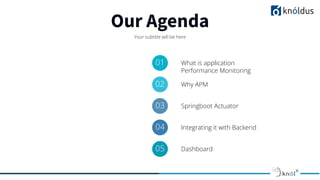
Our Agenda
Your subtitle will be here
01 What is application
Performance Monitoring
02 Why APM
03 Springboot Actuator
04 Integrating it with Backend
05 Dashboard
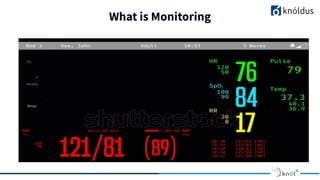
What is Monitoring
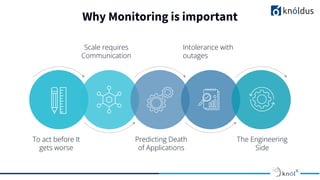
Why Monitoring is important
To act before It
gets worse
Predicting Death
of Applications
The Engineering
Side
Intolerance with
outages
Scale requires
Communication
Springboot Actuator
● The library which brings metrics to live
● We can gather metrics, health, and other operational information which are
ready for production
● Actuator is mainly used to expose operational information about the running
application — health, metrics, info, dump, env, etc.
● It uses HTTP endpoints or JMX beans to enable us to interact with it.
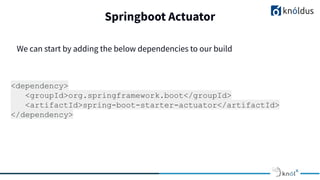
Springboot Actuator
<dependency>
<groupId>org.springframework.boot</groupId>
<artifactId>spring-boot-starter-actuator</artifactId>
</dependency>
We can start by adding the below dependencies to our build
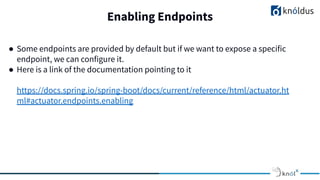
Enabling Endpoints
● Some endpoints are provided by default but if we want to expose a specific
endpoint, we can configure it.
● Here is a link of the documentation pointing to it
https://docs.spring.io/spring-boot/docs/current/reference/html/actuator.ht
ml#actuator.endpoints.enabling
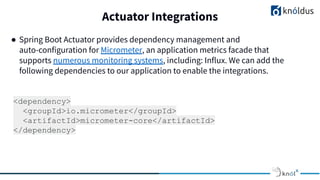
Actuator Integrations
● Spring Boot Actuator provides dependency management and
auto-configuration for Micrometer, an application metrics facade that
supports numerous monitoring systems, including: Influx. We can add the
following dependencies to our application to enable the integrations.
<dependency>
<groupId>io.micrometer</groupId>
<artifactId>micrometer-core</artifactId>
</dependency>
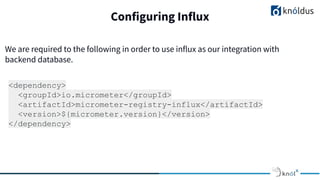
Configuring Influx
<dependency>
<groupId>io.micrometer</groupId>
<artifactId>micrometer-registry-influx</artifactId>
<version>${micrometer.version}</version>
</dependency>
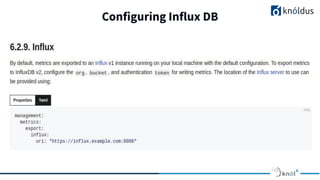
We are required to the following in order to use influx as our integration with
backend database.
Configuring Influx DB
Creating a Metric: A Small Demo
● Defining the business need
● Adding meter to Code
● Adding query to create a dashboard in chronograf
Chronograf: The Dashboard
We can install and configure the influx source and create a dashboard using the
link below:
https://github.com/knoldus/springboot-actuator-influxdb-chronograf
References
1. docs.spring.io
2. Shutterstock (Image credit)
3. https://www.baeldung.com/spring-boot-actuators
4. https://micrometer.io/docs/
Thank You

Monitoring Springboot Application