MEHN STACK
By Narendranath Reddy
Day 1
Theory…
Name: Narendranath Reddy Thota
 d3 Whitepaper Core Team
 Trainer from Gama
 Blockchain Full Stack Developer
 Technology Analyst
 Software Developer
 Technology Speaker
MAERSK
Email: narendranath.thota@ust-global.com
P: +917288838869
AGENDA
Day 1: Full theory(MEHN) and mongodb practical
Day 2: Full practical developing code from scratch MEHN
Day3:
Brief explanation on How complex code is, if we doesn't use
handlebars JS in our app
some theory on popular java scripts and demo on vanilla
script.
NOSQL
• Key-value
• Graph database
• Document-oriented
• Column family
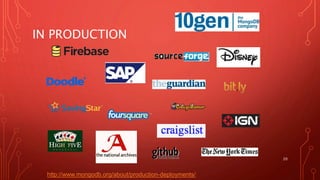
IN PRODUCTION
20
http://www.mongodb.org/about/production-deployments/
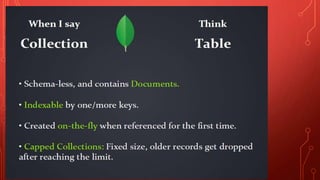
RDBMS MongoDB
Database Database
Table,
View
Collection
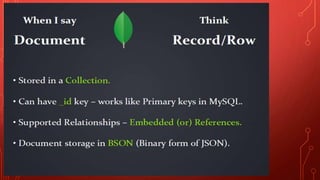
Row Document (JSON,
BSON)
Column Field
Index Index
Join Embedded
Document
Foreign
Key
Reference
Partition Shard
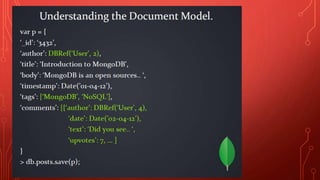
> db.user.findOne({age:39})
{
"_id" :
ObjectId("5114e0bd42…"),
"first" : "John",
"last" : "Doe",
"age" : 39,
"interests" : [
"Reading",
"Mountain Biking ]
"favorites": {
"color": "Blue",
"sport": "Soccer"}
}
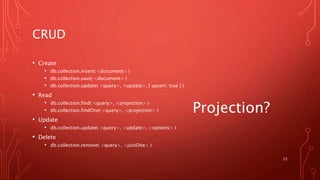
CRUD
• Create
• db.collection.insert( <document> )
• db.collection.save( <document> )
• db.collection.update( <query>, <update>, { upsert: true } )
• Read
• db.collection.find( <query>, <projection> )
• db.collection.findOne( <query>, <projection> )
• Update
• db.collection.update( <query>, <update>, <options> )
• Delete
• db.collection.remove( <query>, <justOne> )
22
Projection?
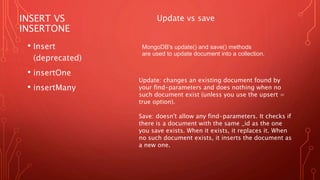
INSERT VS
INSERTONE
• Insert
(deprecated)
• insertOne
• insertMany
MongoDB's update() and save() methods
are used to update document into a collection.
Update vs save
Update: changes an existing document found by
your find-parameters and does nothing when no
such document exist (unless you use the upsert =
true option).
Save: doesn't allow any find-parameters. It checks if
there is a document with the same _id as the one
you save exists. When it exists, it replaces it. When
no such document exists, it inserts the document as
a new one.
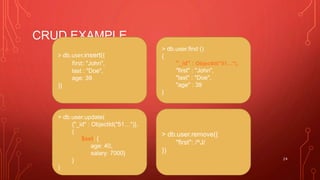
CRUD EXAMPLE
24
> db.user.insert({
first: "John",
last : "Doe",
age: 39
})
> db.user.find ()
{
"_id" : ObjectId("51…"),
"first" : "John",
"last" : "Doe",
"age" : 39
}
> db.user.update(
{"_id" : ObjectId("51…")},
{
$set: {
age: 40,
salary: 7000}
}
)
> db.user.remove({
"first": /^J/
})
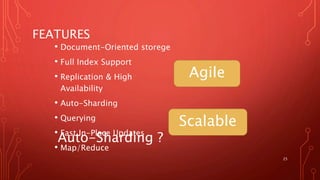
FEATURES
• Document-Oriented storege
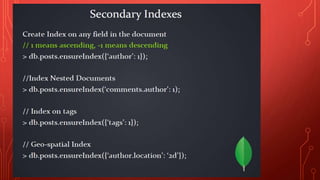
• Full Index Support
• Replication & High
Availability
• Auto-Sharding
• Querying
• Fast In-Place Updates
• Map/Reduce
25
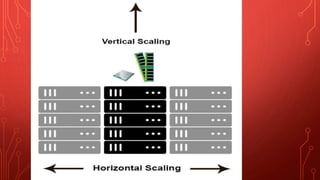
Agile
Scalable
Auto-Sharding ?
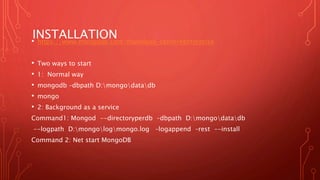
INSTALLATION• https://www.mongodb.com/download-center#enterprise
• Two ways to start
• 1: Normal way
• mongodb –dbpath D:mongodatadb
• mongo
• 2: Background as a service
Command1: Mongod --directoryperdb –dbpath D:mongodatadb
--logpath D:mongologmongo.log –logappend –rest --install
Command 2: Net start MongoDB
LIVE DEMO IN MONGO CLIENT
•Mongodb major developer Operations
Better will do this in practical session slot
CONNECT MONGODB TO OUR APPvar url = "mongodb://localhost:27017/database-name";
var MongoClient =require('mongodb').MongoClient;
List All:
MongoClient.connect(url, function(err, db) {
var result = [];
if (err) throw err;
var cursor =db.collection('mehn').find({});
cursor.forEach(function(doc, err) {
result.push(doc);
}, function() {
db.close();
});
});
OTHER WAYS…
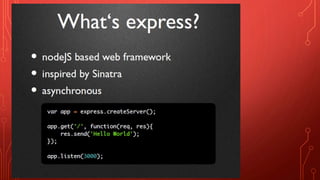
var express = require('express');
var app = express();
var server = app.listen(8085, function () {
var host = server.address().address
var port = server.address().port
console.log("Example app listening at http://%s:%s", host, port)
})
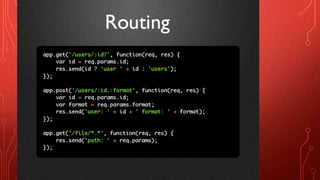
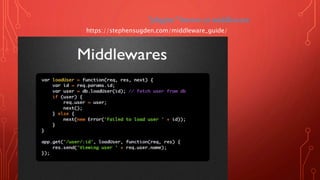
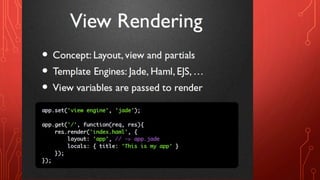
"plugins" known as middleware.
https://stephensugden.com/middleware_guide/
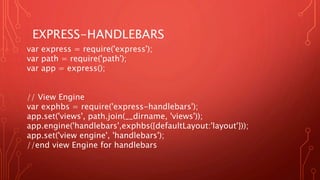
EXPRESS-HANDLEBARS
var express = require('express');
var path = require('path');
var app = express();
// View Engine
var exphbs = require('express-handlebars');
app.set('views', path.join(__dirname, 'views'));
app.engine('handlebars',exphbs({defaultLayout:'layout'}));
app.set('view engine', 'handlebars');
//end view Engine for handlebars
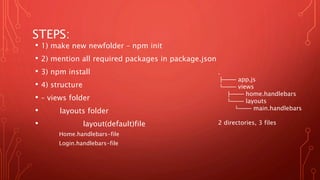
STEPS:
• 1) make new newfolder – npm init
• 2) mention all required packages in package.json
• 3) npm install
• 4) structure
• – views folder
• layouts folder
• layout(default)file
Home.handlebars-file
Login.handlebars-file
.
├── app.js
└── views
├── home.handlebars
└── layouts
└── main.handlebars
2 directories, 3 files
PACKAGE NAMES:
• "dependencies": {
• "body-parser": "*",
• "express": "*",
• "express-handlebars": "*",
• "file-system": "^2.2.2",
• "express-validator": "^4.2.1",
• "mongodb": "*",
• "node-dev": "^3.1.3" // Auto restart - server
• }
JAVASCRIPT
FRAMEWORKS
THANK YOU.
Day2 Practical Demo
From the scratch in front of you
CRUD Operation
Pre – requisites:
Nodejs v8
Mongo dB
Frameworks:
Express
HandlebarsJS

Mongodb ExpressJS HandlebarsJS NodeJS FullStack

  • 1.
    MEHN STACK By NarendranathReddy Day 1 Theory…
  • 2.
    Name: Narendranath ReddyThota  d3 Whitepaper Core Team  Trainer from Gama  Blockchain Full Stack Developer  Technology Analyst  Software Developer  Technology Speaker MAERSK Email: narendranath.thota@ust-global.com P: +917288838869
  • 3.
    AGENDA Day 1: Fulltheory(MEHN) and mongodb practical Day 2: Full practical developing code from scratch MEHN Day3: Brief explanation on How complex code is, if we doesn't use handlebars JS in our app some theory on popular java scripts and demo on vanilla script.
  • 5.
    NOSQL • Key-value • Graphdatabase • Document-oriented • Column family
  • 20.
  • 21.
    RDBMS MongoDB Database Database Table, View Collection RowDocument (JSON, BSON) Column Field Index Index Join Embedded Document Foreign Key Reference Partition Shard > db.user.findOne({age:39}) { "_id" : ObjectId("5114e0bd42…"), "first" : "John", "last" : "Doe", "age" : 39, "interests" : [ "Reading", "Mountain Biking ] "favorites": { "color": "Blue", "sport": "Soccer"} }
  • 22.
    CRUD • Create • db.collection.insert(<document> ) • db.collection.save( <document> ) • db.collection.update( <query>, <update>, { upsert: true } ) • Read • db.collection.find( <query>, <projection> ) • db.collection.findOne( <query>, <projection> ) • Update • db.collection.update( <query>, <update>, <options> ) • Delete • db.collection.remove( <query>, <justOne> ) 22 Projection?
  • 23.
    INSERT VS INSERTONE • Insert (deprecated) •insertOne • insertMany MongoDB's update() and save() methods are used to update document into a collection. Update vs save Update: changes an existing document found by your find-parameters and does nothing when no such document exist (unless you use the upsert = true option). Save: doesn't allow any find-parameters. It checks if there is a document with the same _id as the one you save exists. When it exists, it replaces it. When no such document exists, it inserts the document as a new one.
  • 24.
    CRUD EXAMPLE 24 > db.user.insert({ first:"John", last : "Doe", age: 39 }) > db.user.find () { "_id" : ObjectId("51…"), "first" : "John", "last" : "Doe", "age" : 39 } > db.user.update( {"_id" : ObjectId("51…")}, { $set: { age: 40, salary: 7000} } ) > db.user.remove({ "first": /^J/ })
  • 25.
    FEATURES • Document-Oriented storege •Full Index Support • Replication & High Availability • Auto-Sharding • Querying • Fast In-Place Updates • Map/Reduce 25 Agile Scalable Auto-Sharding ?
  • 26.
    INSTALLATION• https://www.mongodb.com/download-center#enterprise • Twoways to start • 1: Normal way • mongodb –dbpath D:mongodatadb • mongo • 2: Background as a service Command1: Mongod --directoryperdb –dbpath D:mongodatadb --logpath D:mongologmongo.log –logappend –rest --install Command 2: Net start MongoDB
  • 27.
    LIVE DEMO INMONGO CLIENT •Mongodb major developer Operations Better will do this in practical session slot
  • 28.
    CONNECT MONGODB TOOUR APPvar url = "mongodb://localhost:27017/database-name"; var MongoClient =require('mongodb').MongoClient; List All: MongoClient.connect(url, function(err, db) { var result = []; if (err) throw err; var cursor =db.collection('mehn').find({}); cursor.forEach(function(doc, err) { result.push(doc); }, function() { db.close(); }); });
  • 44.
    OTHER WAYS… var express= require('express'); var app = express(); var server = app.listen(8085, function () { var host = server.address().address var port = server.address().port console.log("Example app listening at http://%s:%s", host, port) })
  • 49.
    "plugins" known asmiddleware. https://stephensugden.com/middleware_guide/
  • 61.
    EXPRESS-HANDLEBARS var express =require('express'); var path = require('path'); var app = express(); // View Engine var exphbs = require('express-handlebars'); app.set('views', path.join(__dirname, 'views')); app.engine('handlebars',exphbs({defaultLayout:'layout'})); app.set('view engine', 'handlebars'); //end view Engine for handlebars
  • 62.
    STEPS: • 1) makenew newfolder – npm init • 2) mention all required packages in package.json • 3) npm install • 4) structure • – views folder • layouts folder • layout(default)file Home.handlebars-file Login.handlebars-file . ├── app.js └── views ├── home.handlebars └── layouts └── main.handlebars 2 directories, 3 files
  • 63.
    PACKAGE NAMES: • "dependencies":{ • "body-parser": "*", • "express": "*", • "express-handlebars": "*", • "file-system": "^2.2.2", • "express-validator": "^4.2.1", • "mongodb": "*", • "node-dev": "^3.1.3" // Auto restart - server • }
  • 64.
  • 65.
    THANK YOU. Day2 PracticalDemo From the scratch in front of you CRUD Operation Pre – requisites: Nodejs v8 Mongo dB Frameworks: Express HandlebarsJS

Editor's Notes

  • #6 Huge quantity of data => Distributed systems => expensive joins => New fields, new demands (graphs) => Different data strucutres: Simplier or more specific
  • #21 2009: Initial release At now: version 2.2.3
  • #23 Create The field name _id is reserved for use as a primary key; its value must be unique in the collection, is immutable, and may be of any type other than an array. The field names cannot start with the $ character. The field names cannot contain the . character. Create with save If the <document> argument does not contain the _id field or contains an _id field with a value not in the collection, the save() method performs an insert of the document. Otherwise, the save() method performs an update. sds