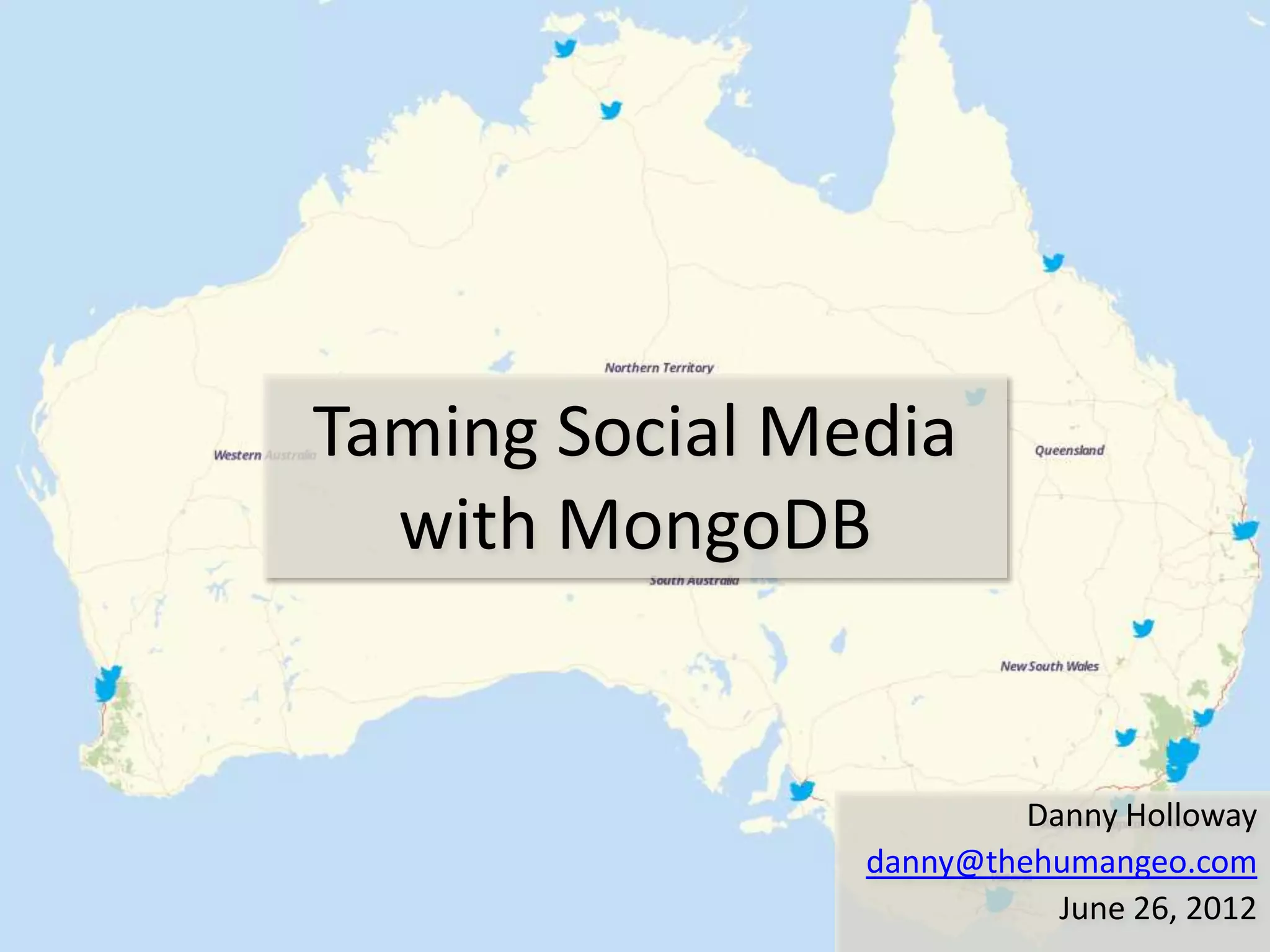
Taming Social Media
  with MongoDB


                         Danny Holloway
                danny@thehumangeo.com
                           June 26, 2012
Overview
•   Introduction
•   Social Media Challenges
•   MongoDB Setup
•   Collecting Tweets
•   Querying Tweets
•   Accessing the Data
•   Finding Most Active Tweeter
•   Lessons Learned
•   Building an Interface
•   Demo

                                  2
Introduction
• Built a tool to collect tweets over Australia and
  interact with them on a map
• Working at HumanGeo
  – Building tools and services for geospatial analysis
    of Big Data
  – Using MongoDB for horizontally scalable storage
    and geospatial analysis


                                                          3
Social Media Challenges
• No control over data
  – “Consumers of Tweets should tolerate the addition
    of new fields and variance in ordering of fields
    with ease.” - Twitter
• High Volume
  – ~17k tweets in a day or 6.2M per year with exact
    coordinates in Australia
  – Record high of >25k tweets per second or >788B
    per year around the world - Twitter

                                                       4
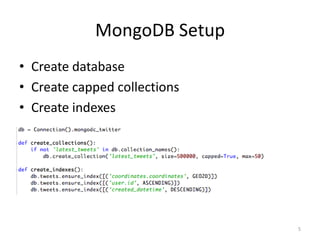
MongoDB Setup
• Create database
• Create capped collections
• Create indexes


                              5
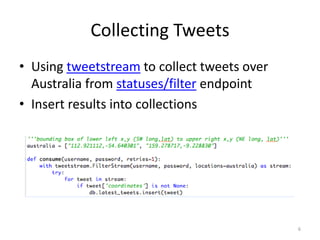
Collecting Tweets
• Using tweetstream to collect tweets over
  Australia from statuses/filter endpoint
• Insert results into collections


                                             6
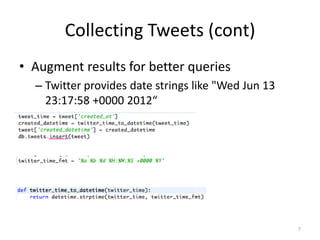
Collecting Tweets (cont)
• Augment results for better queries
  – Twitter provides date strings like "Wed Jun 13
    23:17:58 +0000 2012“


                                                     7
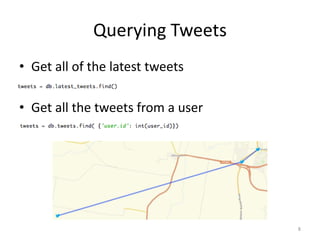
Querying Tweets
• Get all of the latest tweets

• Get all the tweets from a user


                                   8
Querying Tweets (cont)
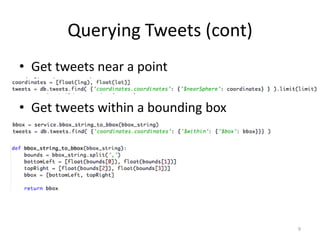
• Get tweets near a point

• Get tweets within a bounding box


                                     9
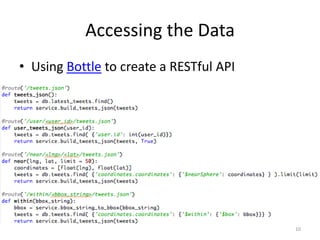
Accessing the Data
• Using Bottle to create a RESTful API


                                         10
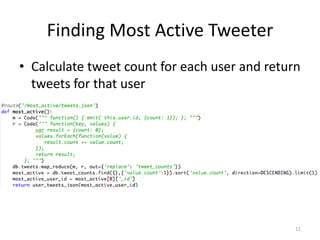
Finding Most Active Tweeter
• Calculate tweet count for each user and return
  tweets for that user


                                               11
Lessons Learned
• Use Longitude, Latitude ordering for
  coordinates
• Default index value range is exclusive of upper
  bound
• Twitter has bugs too
• Making your own maps isn’t hard (it can take
  some time)


                                                12
Building an Interface
•   Dust javascript templating library
•   Leaflet javascript interactive map library
•   jQuery javascript library
•   TileStream map tile server


                                                 13

MongoDC 2012: Taming Social Media with MongoDB

  • 1.
    Taming Social Media with MongoDB Danny Holloway danny@thehumangeo.com June 26, 2012
  • 2.
    Overview • Introduction • Social Media Challenges • MongoDB Setup • Collecting Tweets • Querying Tweets • Accessing the Data • Finding Most Active Tweeter • Lessons Learned • Building an Interface • Demo 2
  • 3.
    Introduction • Built atool to collect tweets over Australia and interact with them on a map • Working at HumanGeo – Building tools and services for geospatial analysis of Big Data – Using MongoDB for horizontally scalable storage and geospatial analysis 3
  • 4.
    Social Media Challenges •No control over data – “Consumers of Tweets should tolerate the addition of new fields and variance in ordering of fields with ease.” - Twitter • High Volume – ~17k tweets in a day or 6.2M per year with exact coordinates in Australia – Record high of >25k tweets per second or >788B per year around the world - Twitter 4
  • 5.
    MongoDB Setup • Createdatabase • Create capped collections • Create indexes 5
  • 6.
    Collecting Tweets • Usingtweetstream to collect tweets over Australia from statuses/filter endpoint • Insert results into collections 6
  • 7.
    Collecting Tweets (cont) •Augment results for better queries – Twitter provides date strings like "Wed Jun 13 23:17:58 +0000 2012“ 7
  • 8.
    Querying Tweets • Getall of the latest tweets • Get all the tweets from a user 8
  • 9.
    Querying Tweets (cont) •Get tweets near a point • Get tweets within a bounding box 9
  • 10.
    Accessing the Data •Using Bottle to create a RESTful API 10
  • 11.
    Finding Most ActiveTweeter • Calculate tweet count for each user and return tweets for that user 11
  • 12.
    Lessons Learned • UseLongitude, Latitude ordering for coordinates • Default index value range is exclusive of upper bound • Twitter has bugs too • Making your own maps isn’t hard (it can take some time) 12
  • 13.
    Building an Interface • Dust javascript templating library • Leaflet javascript interactive map library • jQuery javascript library • TileStream map tile server 13