Modules 101
How to avoid spaghetti, big balls of mud and houses of straw!
Graeme Cross
Planet Innovation
2
Agenda
● Principles of well structured code
● Benefits of using modules and packages
● Working with modules
● Working with packages
● Some advanced topics we won't cover today
● Where to find more information
3
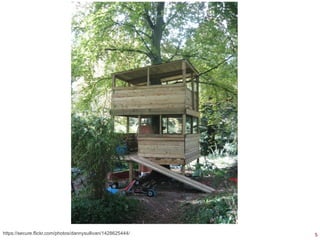
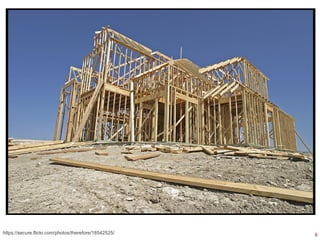
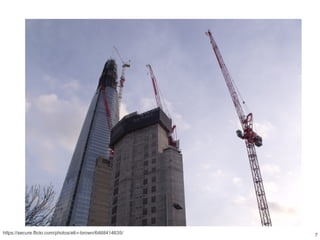
“Building” software
● A flawed but useful metaphor
– We have software architects
– We build software
– With build tools
– With frameworks, structures, foundations
● Different buildings require different skills and
levels of planning & design
– Software is the same
4https://secure.flickr.com/photos/slimjim/3518930987/
5https://secure.flickr.com/photos/dannysullivan/1428625444/
6https://secure.flickr.com/photos/therefore/18542525/
7https://secure.flickr.com/photos/ell-r-brown/6468414635/
8
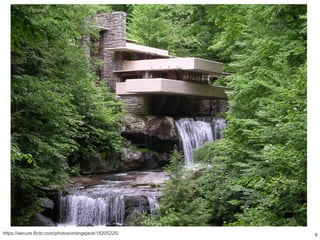
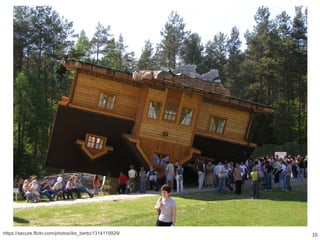
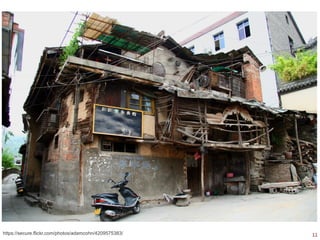
Getting design right is critical
● Easy to fix bugs?
● Easy to add new features?
● Easy to understand?
– Today?
– In two years?
– By someone else?
● Easy to test?
● Easy to optimise?
9https://secure.flickr.com/photos/orangejack/18205225/
10https://secure.flickr.com/photos/iks_berto/1314119929/
11https://secure.flickr.com/photos/adamcohn/4209575383/
12
Some basic design principles
● Separation of concerns
● Abstraction
– DRY: Don't Repeat Yourself
● Composition & the Law of Demeter
– Loose coupling between components
● Functional programming
– Idempotent functions
– Minimise/eliminate state
13
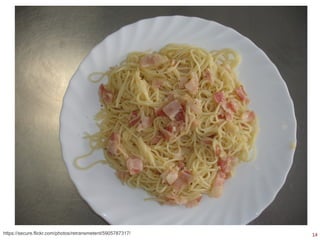
What we want to avoid
● The Big Ball of Mud:
– “Haphazardly structured, sprawling, sloppy,
DuctTape and bailing wire, SpaghettiCode jungle”
– “A casually, even haphazardly, structured system.
Its organization, if one can call it that, is dictated
more by expediency than design.”
● http://www.laputan.org/mud/mud.html
14https://secure.flickr.com/photos/retransmetent/5905787317/
15
Why use modules and packages?
● Python heavily utilises modules & packages
● Smaller pieces, logical groups, less complexity
– Designed for reuse
– Can control the interfaces
– Easier to understand
– Easier to refactor and debug
● Easier to document and test
– Modules can contain their own tests
– Modules can contain their own documentation
16
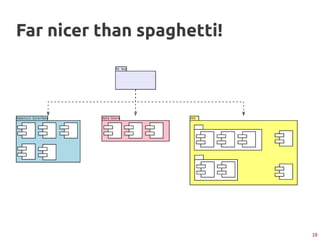
Far nicer than spaghetti!
17
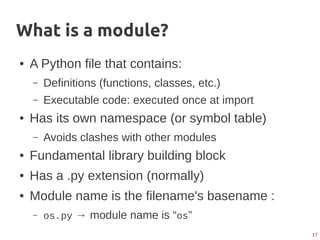
What is a module?
● A Python file that contains:
– Definitions (functions, classes, etc.)
– Executable code: executed once at import
● Has its own namespace (or symbol table)
– Avoids clashes with other modules
● Fundamental library building block
● Has a .py extension (normally)
● Module name is the filename's basename :
– os.py → module name is “os”
18
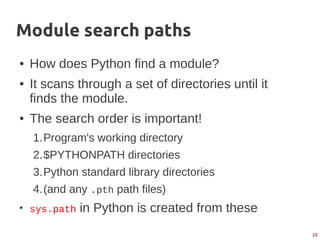
Module search paths
● How does Python find a module?
● It scans through a set of directories until it
finds the module.
● The search order is important!
1.Program's working directory
2.$PYTHONPATH directories
3.Python standard library directories
4.(and any .pth path files)
●
sys.path in Python is created from these
19
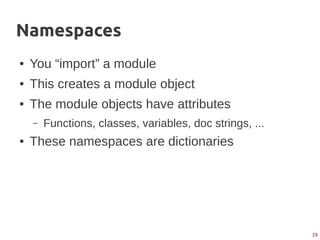
Namespaces
● You “import” a module
● This creates a module object
● The module objects have attributes
– Functions, classes, variables, doc strings, ...
● These namespaces are dictionaries
20
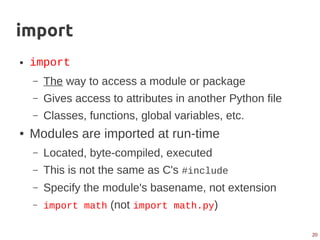
import
● import
– The way to access a module or package
– Gives access to attributes in another Python file
– Classes, functions, global variables, etc.
● Modules are imported at run-time
– Located, byte-compiled, executed
– This is not the same as C's #include
– Specify the module's basename, not extension
– import math (not import math.py)
21
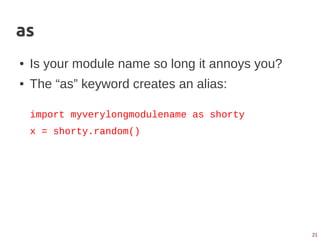
as
● Is your module name so long it annoys you?
● The “as” keyword creates an alias:
import myverylongmodulename as shorty
x = shorty.random()
22
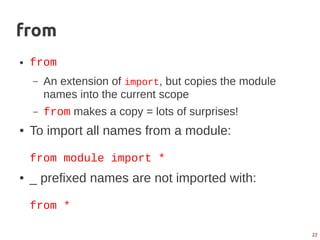
from
● from
– An extension of import, but copies the module
names into the current scope
– from makes a copy = lots of surprises!
● To import all names from a module:
from module import *
● _ prefixed names are not imported with:
from *
23
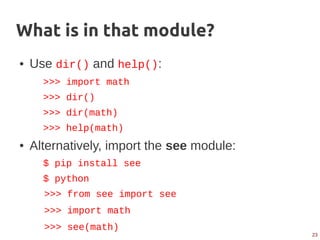
What is in that module?
● Use dir() and help():
>>> import math
>>> dir()
>>> dir(math)
>>> help(math)
● Alternatively, import the see module:
$ pip install see
$ python
>>> from see import see
>>> import math
>>> see(math)
24
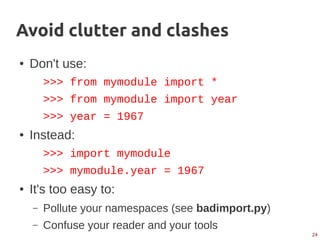
Avoid clutter and clashes
● Don't use:
>>> from mymodule import *
>>> from mymodule import year
>>> year = 1967
● Instead:
>>> import mymodule
>>> mymodule.year = 1967
● It's too easy to:
– Pollute your namespaces (see badimport.py)
– Confuse your reader and your tools
25
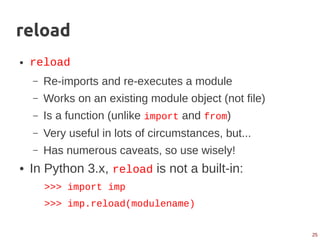
reload
● reload
– Re-imports and re-executes a module
– Works on an existing module object (not file)
– Is a function (unlike import and from)
– Very useful in lots of circumstances, but...
– Has numerous caveats, so use wisely!
● In Python 3.x, reload is not a built-in:
>>> import imp
>>> imp.reload(modulename)
26
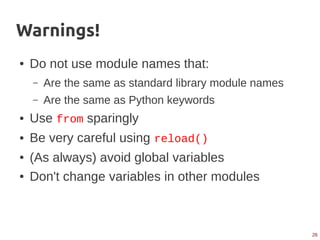
Warnings!
● Do not use module names that:
– Are the same as standard library module names
– Are the same as Python keywords
● Use from sparingly
● Be very careful using reload()
● (As always) avoid global variables
● Don't change variables in other modules
27
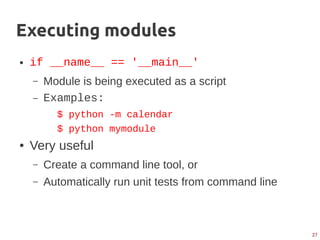
Executing modules
● if __name__ == '__main__'
– Module is being executed as a script
– Examples:
$ python -m calendar
$ python mymodule
● Very useful
– Create a command line tool, or
– Automatically run unit tests from command line
28
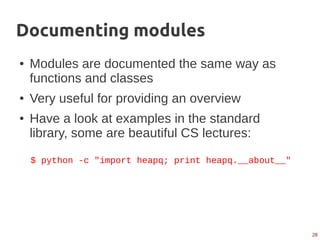
Documenting modules
● Modules are documented the same way as
functions and classes
● Very useful for providing an overview
● Have a look at examples in the standard
library, some are beautiful CS lectures:
$ python -c "import heapq; print heapq.__about__"
29
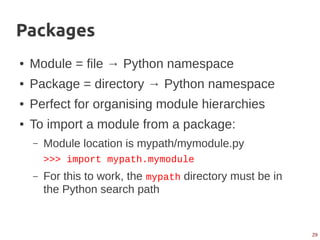
Packages
● Module = file → Python namespace
● Package = directory → Python namespace
● Perfect for organising module hierarchies
● To import a module from a package:
– Module location is mypath/mymodule.py
>>> import mypath.mymodule
– For this to work, the mypath directory must be in
the Python search path
30
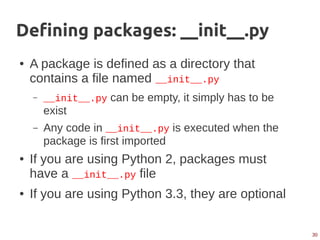
Defining packages: __init__.py
● A package is defined as a directory that
contains a file named __init__.py
– __init__.py can be empty, it simply has to be
exist
– Any code in __init__.py is executed when the
package is first imported
● If you are using Python 2, packages must
have a __init__.py file
● If you are using Python 3.3, they are optional
31
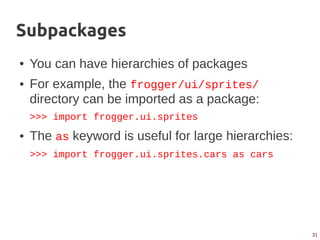
Subpackages
● You can have hierarchies of packages
● For example, the frogger/ui/sprites/
directory can be imported as a package:
>>> import frogger.ui.sprites
● The as keyword is useful for large hierarchies:
>>> import frogger.ui.sprites.cars as cars
32
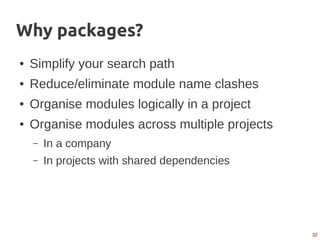
Why packages?
● Simplify your search path
● Reduce/eliminate module name clashes
● Organise modules logically in a project
● Organise modules across multiple projects
– In a company
– In projects with shared dependencies
33
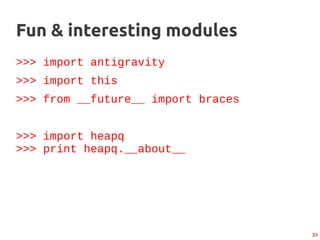
Fun & interesting modules
>>> import antigravity
>>> import this
>>> from __future__ import braces
>>> import heapq
>>> print heapq.__about__
34
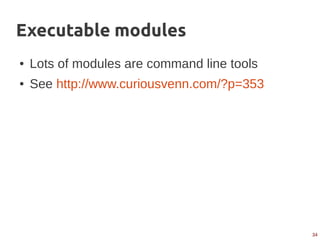
Executable modules
● Lots of modules are command line tools
● See http://www.curiousvenn.com/?p=353
35
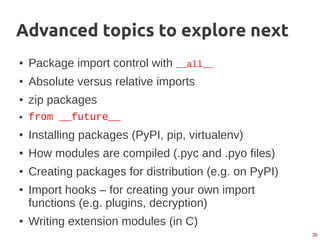
Advanced topics to explore next
● Package import control with __all__
● Absolute versus relative imports
● zip packages
● from __future__
● Installing packages (PyPI, pip, virtualenv)
● How modules are compiled (.pyc and .pyo files)
● Creating packages for distribution (e.g. on PyPI)
● Import hooks – for creating your own import
functions (e.g. plugins, decryption)
● Writing extension modules (in C)
36
For more information
Online documentation:
● The standard Python documentation
● The Hitchhiker's Guide to Python
● Learn Python the hard way
Books:
● “Learning Python”, Mark Lutz (O'Reilly)
● “Hello Python!”, Anthony Briggs (Manning)
● “Beautiful Code”, Andy Oram & Greg Wilson (O'Reilly)
37
These notes
These notes will be available:
● On Slideshare: http://www.slideshare.net/
● On my blog: http://curiousvenn.com/

Modules 101

  • 1.
    Modules 101 How toavoid spaghetti, big balls of mud and houses of straw! Graeme Cross Planet Innovation
  • 2.
    2 Agenda ● Principles ofwell structured code ● Benefits of using modules and packages ● Working with modules ● Working with packages ● Some advanced topics we won't cover today ● Where to find more information
  • 3.
    3 “Building” software ● Aflawed but useful metaphor – We have software architects – We build software – With build tools – With frameworks, structures, foundations ● Different buildings require different skills and levels of planning & design – Software is the same
  • 4.
  • 5.
  • 6.
  • 7.
  • 8.
    8 Getting design rightis critical ● Easy to fix bugs? ● Easy to add new features? ● Easy to understand? – Today? – In two years? – By someone else? ● Easy to test? ● Easy to optimise?
  • 9.
  • 10.
  • 11.
  • 12.
    12 Some basic designprinciples ● Separation of concerns ● Abstraction – DRY: Don't Repeat Yourself ● Composition & the Law of Demeter – Loose coupling between components ● Functional programming – Idempotent functions – Minimise/eliminate state
  • 13.
    13 What we wantto avoid ● The Big Ball of Mud: – “Haphazardly structured, sprawling, sloppy, DuctTape and bailing wire, SpaghettiCode jungle” – “A casually, even haphazardly, structured system. Its organization, if one can call it that, is dictated more by expediency than design.” ● http://www.laputan.org/mud/mud.html
  • 14.
  • 15.
    15 Why use modulesand packages? ● Python heavily utilises modules & packages ● Smaller pieces, logical groups, less complexity – Designed for reuse – Can control the interfaces – Easier to understand – Easier to refactor and debug ● Easier to document and test – Modules can contain their own tests – Modules can contain their own documentation
  • 16.
  • 17.
    17 What is amodule? ● A Python file that contains: – Definitions (functions, classes, etc.) – Executable code: executed once at import ● Has its own namespace (or symbol table) – Avoids clashes with other modules ● Fundamental library building block ● Has a .py extension (normally) ● Module name is the filename's basename : – os.py → module name is “os”
  • 18.
    18 Module search paths ●How does Python find a module? ● It scans through a set of directories until it finds the module. ● The search order is important! 1.Program's working directory 2.$PYTHONPATH directories 3.Python standard library directories 4.(and any .pth path files) ● sys.path in Python is created from these
  • 19.
    19 Namespaces ● You “import”a module ● This creates a module object ● The module objects have attributes – Functions, classes, variables, doc strings, ... ● These namespaces are dictionaries
  • 20.
    20 import ● import – Theway to access a module or package – Gives access to attributes in another Python file – Classes, functions, global variables, etc. ● Modules are imported at run-time – Located, byte-compiled, executed – This is not the same as C's #include – Specify the module's basename, not extension – import math (not import math.py)
  • 21.
    21 as ● Is yourmodule name so long it annoys you? ● The “as” keyword creates an alias: import myverylongmodulename as shorty x = shorty.random()
  • 22.
    22 from ● from – Anextension of import, but copies the module names into the current scope – from makes a copy = lots of surprises! ● To import all names from a module: from module import * ● _ prefixed names are not imported with: from *
  • 23.
    23 What is inthat module? ● Use dir() and help(): >>> import math >>> dir() >>> dir(math) >>> help(math) ● Alternatively, import the see module: $ pip install see $ python >>> from see import see >>> import math >>> see(math)
  • 24.
    24 Avoid clutter andclashes ● Don't use: >>> from mymodule import * >>> from mymodule import year >>> year = 1967 ● Instead: >>> import mymodule >>> mymodule.year = 1967 ● It's too easy to: – Pollute your namespaces (see badimport.py) – Confuse your reader and your tools
  • 25.
    25 reload ● reload – Re-importsand re-executes a module – Works on an existing module object (not file) – Is a function (unlike import and from) – Very useful in lots of circumstances, but... – Has numerous caveats, so use wisely! ● In Python 3.x, reload is not a built-in: >>> import imp >>> imp.reload(modulename)
  • 26.
    26 Warnings! ● Do notuse module names that: – Are the same as standard library module names – Are the same as Python keywords ● Use from sparingly ● Be very careful using reload() ● (As always) avoid global variables ● Don't change variables in other modules
  • 27.
    27 Executing modules ● if__name__ == '__main__' – Module is being executed as a script – Examples: $ python -m calendar $ python mymodule ● Very useful – Create a command line tool, or – Automatically run unit tests from command line
  • 28.
    28 Documenting modules ● Modulesare documented the same way as functions and classes ● Very useful for providing an overview ● Have a look at examples in the standard library, some are beautiful CS lectures: $ python -c "import heapq; print heapq.__about__"
  • 29.
    29 Packages ● Module =file → Python namespace ● Package = directory → Python namespace ● Perfect for organising module hierarchies ● To import a module from a package: – Module location is mypath/mymodule.py >>> import mypath.mymodule – For this to work, the mypath directory must be in the Python search path
  • 30.
    30 Defining packages: __init__.py ●A package is defined as a directory that contains a file named __init__.py – __init__.py can be empty, it simply has to be exist – Any code in __init__.py is executed when the package is first imported ● If you are using Python 2, packages must have a __init__.py file ● If you are using Python 3.3, they are optional
  • 31.
    31 Subpackages ● You canhave hierarchies of packages ● For example, the frogger/ui/sprites/ directory can be imported as a package: >>> import frogger.ui.sprites ● The as keyword is useful for large hierarchies: >>> import frogger.ui.sprites.cars as cars
  • 32.
    32 Why packages? ● Simplifyyour search path ● Reduce/eliminate module name clashes ● Organise modules logically in a project ● Organise modules across multiple projects – In a company – In projects with shared dependencies
  • 33.
    33 Fun & interestingmodules >>> import antigravity >>> import this >>> from __future__ import braces >>> import heapq >>> print heapq.__about__
  • 34.
    34 Executable modules ● Lotsof modules are command line tools ● See http://www.curiousvenn.com/?p=353
  • 35.
    35 Advanced topics toexplore next ● Package import control with __all__ ● Absolute versus relative imports ● zip packages ● from __future__ ● Installing packages (PyPI, pip, virtualenv) ● How modules are compiled (.pyc and .pyo files) ● Creating packages for distribution (e.g. on PyPI) ● Import hooks – for creating your own import functions (e.g. plugins, decryption) ● Writing extension modules (in C)
  • 36.
    36 For more information Onlinedocumentation: ● The standard Python documentation ● The Hitchhiker's Guide to Python ● Learn Python the hard way Books: ● “Learning Python”, Mark Lutz (O'Reilly) ● “Hello Python!”, Anthony Briggs (Manning) ● “Beautiful Code”, Andy Oram & Greg Wilson (O'Reilly)
  • 37.
    37 These notes These noteswill be available: ● On Slideshare: http://www.slideshare.net/ ● On my blog: http://curiousvenn.com/