What is Programming?
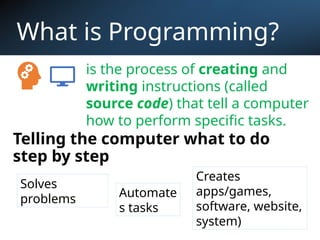
Tellingthe computer what to do
step by step
Solves
problems Automate
s tasks
Creates
apps/games,
software, website,
system)
is the process of creating and
writing instructions (called
source code) that tell a computer
how to perform specific tasks.
3.
What is anAlgorithm?
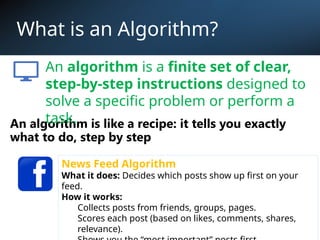
An algorithm is like a recipe: it tells you exactly
what to do, step by step
News Feed Algorithm
What it does: Decides which posts show up first on your
feed.
How it works:
Collects posts from friends, groups, pages.
Scores each post (based on likes, comments, shares,
relevance).
An algorithm is a finite set of clear,
step-by-step instructions designed to
solve a specific problem or perform a
task.
4.
Algorithm Examples?
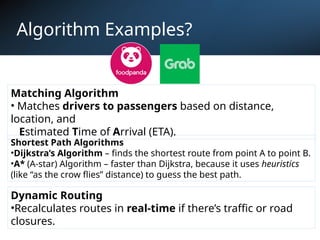
Matching Algorithm
•Matches drivers to passengers based on distance,
location, and
Estimated Time of Arrival (ETA).
Shortest Path Algorithms
•Dijkstra’s Algorithm – finds the shortest route from point A to point B.
•A* (A-star) Algorithm – faster than Dijkstra, because it uses heuristics
(like “as the crow flies” distance) to guess the best path.
Dynamic Routing
•Recalculates routes in real-time if there’s traffic or road
closures.
Algorithm Examples?
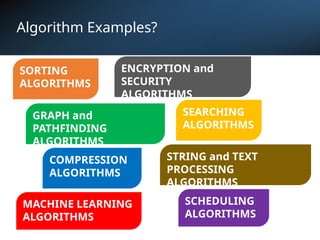
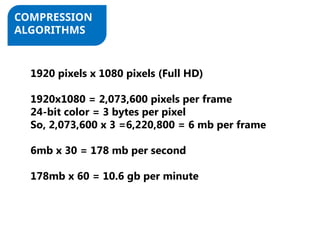
COMPRESSION
ALGORITHMS
1920 pixelsx 1080 pixels (Full HD)
1920x1080 = 2,073,600 pixels per frame
24-bit color = 3 bytes per pixel
So, 2,073,600 x 3 =6,220,800 = 6 mb per frame
6mb x 30 = 178 mb per second
178mb x 60 = 10.6 gb per minute
7.
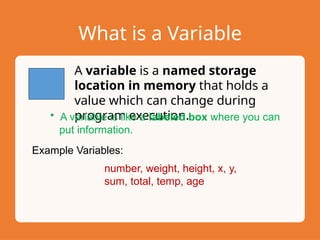
What is aVariable
A variable is a named storage
location in memory that holds a
value which can change during
program execution.
• A variable is like a labeled box where you can
put information.
Example Variables:
number, weight, height, x, y,
sum, total, temp, age
8.
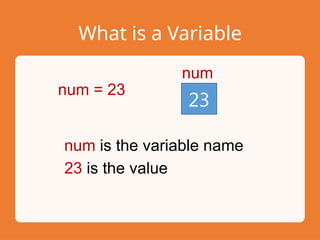
What is aVariable
23
num
num = 23
num is the variable name
23 is the value
9.
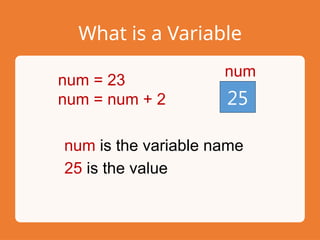
What is aVariable
25
num
num = 23
num = num + 2
num is the variable name
25 is the value
10.
What is Pseudocode?
Pseudocodeis a simple, plain-English way of
writing instructions that describe how a
program should work, without worrying about
the exact syntax of a programming language.
Characteristics of Pseudocode
1. Easy to read – uses everyday words.
2. Structured – follows programming logic (sequence, decision,
repetition).
3. Language-independent – works for any programming
language.
11.
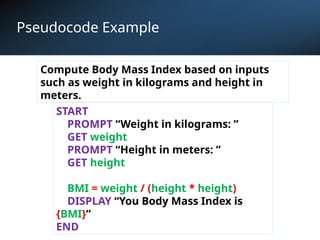
Pseudocode Example
START
PROMPT “Weightin kilograms: ”
GET weight
PROMPT “Height in meters: ”
GET height
BMI = weight / (height * height)
DISPLAY “You Body Mass Index is
{BMI}”
END
Compute Body Mass Index based on inputs
such as weight in kilograms and height in
meters.
12.
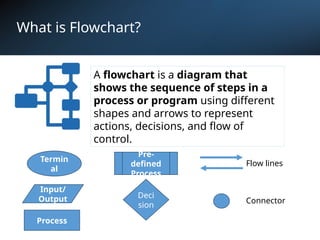
What is Flowchart?
Aflowchart is a diagram that
shows the sequence of steps in a
process or program using different
shapes and arrows to represent
actions, decisions, and flow of
control.
Termin
al
Process
Input/
Output Deci
sion
Pre-
defined
Process
Flow lines
Connector
13.
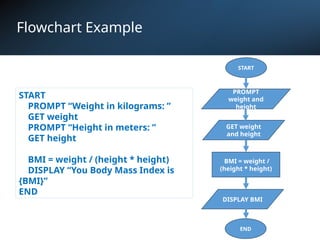
Flowchart Example
START
BMI =weight /
(height * height)
PROMPT
weight and
height
START
PROMPT “Weight in kilograms: ”
GET weight
PROMPT “Height in meters: ”
GET height
BMI = weight / (height * height)
DISPLAY “You Body Mass Index is
{BMI}”
END
GET weight
and height
DISPLAY BMI
END
14.
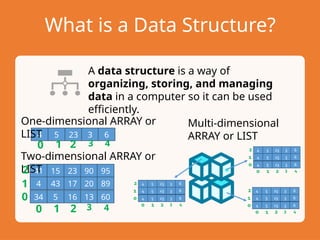
What is aData Structure?
A data structure is a way of
organizing, storing, and managing
data in a computer so it can be used
efficiently.
4 5 23 3 6
One-dimensional ARRAY or
LIST
41 15 23 90 95
4 43 17 20 89
34 5 16 13 60
Two-dimensional ARRAY or
LIST
0 1 2 3 4
0
1
2
0 1 2 3 4
Multi-dimensional
ARRAY or LIST
15.
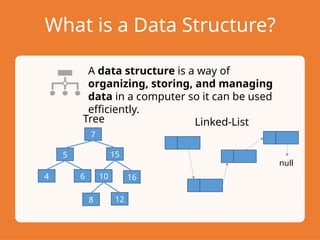
What is aData Structure?
A data structure is a way of
organizing, storing, and managing
data in a computer so it can be used
efficiently.
10
15
12
7
16
Tree Linked-List
5
4 6
8
null
16.
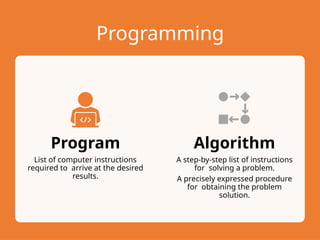
Programming
Program
List of computerinstructions
required to arrive at the desired
results.
Algorithm
A step-by-step list of instructions
for solving a problem.
A precisely expressed procedure
for obtaining the problem
solution.
17.
Pseudolanguage Instructions
OPEN
Allows theprogram that contains
the statement to have access to
the records of the designated file.
READ
Used to copy the contents of a
record from an external magnetic
medium into an input memory
area.
18.
Pseudolanguage Instructions
WRITE
Used tocopy the contents of an
output memory area to a file
stored on an external magnetic
medium or a file produced on a
printer.
CLOSE
Terminates a program’s access to
the records of a file previously
opened.
19.
Pseudolanguage Instructions
IF
Used tocompare the contents of a
memory area with those of
another memory area or a
constant in order to determine
whether the condition is true or
false.
PERFORM
Instructs the computer to perform
a specified procedure.
20.
Pseudolanguage Instructions
MOVE
Used totell the computer that the
data contained in one area in
memory is to be copied to another
area in memory.
COMPUTE
Used to indicate that a
mathematical computation is to
take place.
21.
Pseudolanguage Instructions
DISPLAY/PRINT
Used todisplay a literal or the
contents of an identifier on the
screen.
ACCEPT/GET
Allows data entered through the
keyboard (or any input device) to
be stored in a memory area.
22.
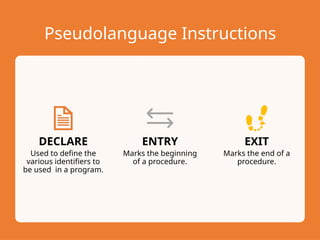
Pseudolanguage Instructions
DECLARE
Used todefine the
various identifiers to
be used in a program.
ENTRY
Marks the beginning
of a procedure.
EXIT
Marks the end of a
procedure.
![[PROGRAM DESIGN]
Christian Lester D. Gimeno](https://image.slidesharecdn.com/module2-programdesign-250922071919-95f15f46/85/Module2-Program-Data-Logic-Formulation-1-320.jpg)