© 2017 MOBDESIGN
Don’t lose your users because of
Endless Quality Issues
Olivier Destrebecq
@otusweb

olivier@mobdesignapps.fr

http://www.mobdesignapps.fr
@otusweb
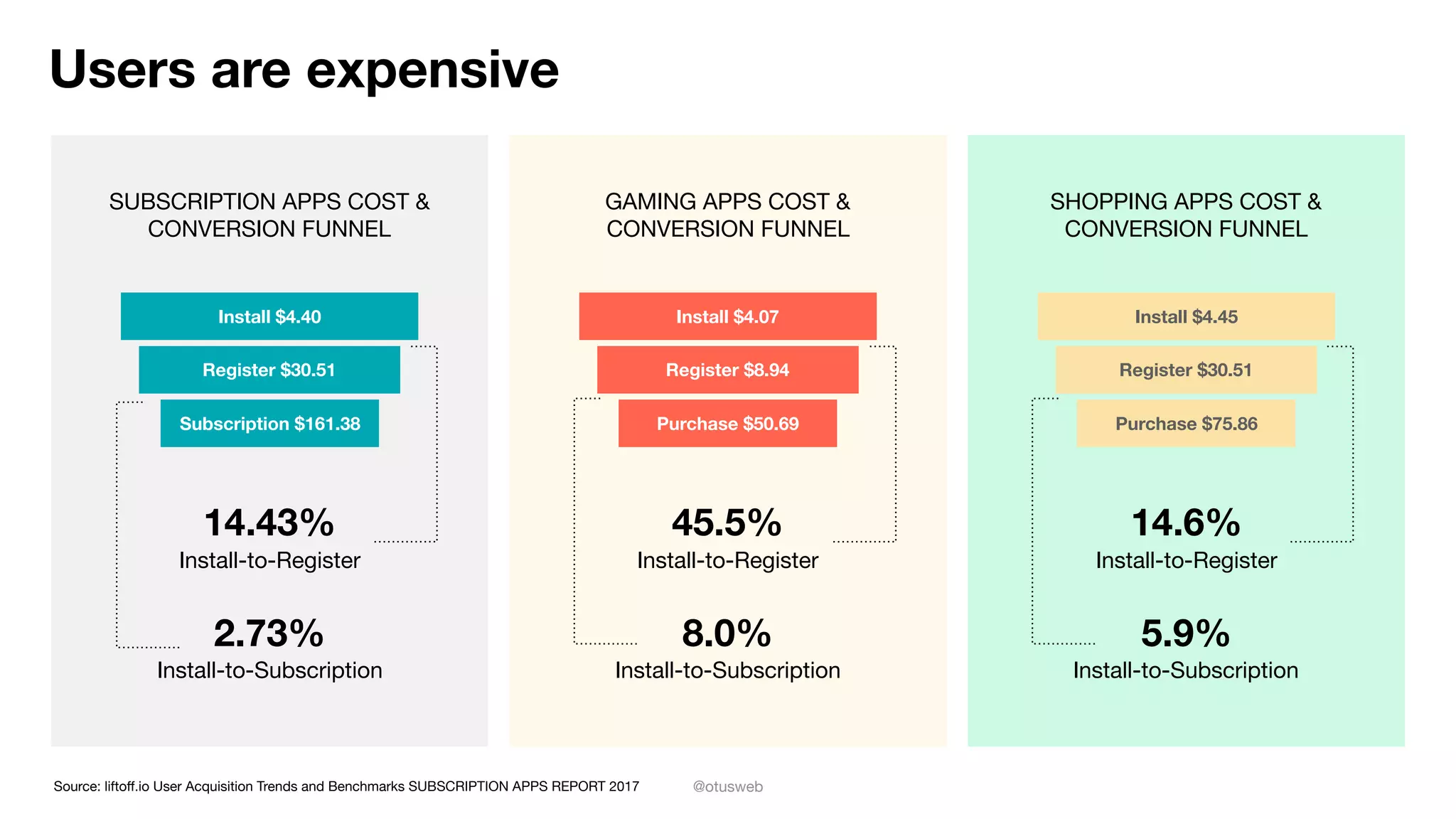
Users are expensive
SUBSCRIPTION APPS COST &
CONVERSION FUNNEL
GAMING APPS COST &
CONVERSION FUNNEL
SHOPPING APPS COST &
CONVERSION FUNNEL
Source: liftoff.io User Acquisition Trends and Benchmarks SUBSCRIPTION APPS REPORT 2017
Install $4.40
Register $30.51
Subscription $161.38
Install $4.07
Register $8.94
Purchase $50.69
Install $4.45
Register $30.51
Purchase $75.86
14.43%
Install-to-Register
2.73%
Install-to-Subscription
45.5%
Install-to-Register
8.0%
Install-to-Subscription
14.6%
Install-to-Register
5.9%
Install-to-Subscription
@otusweb
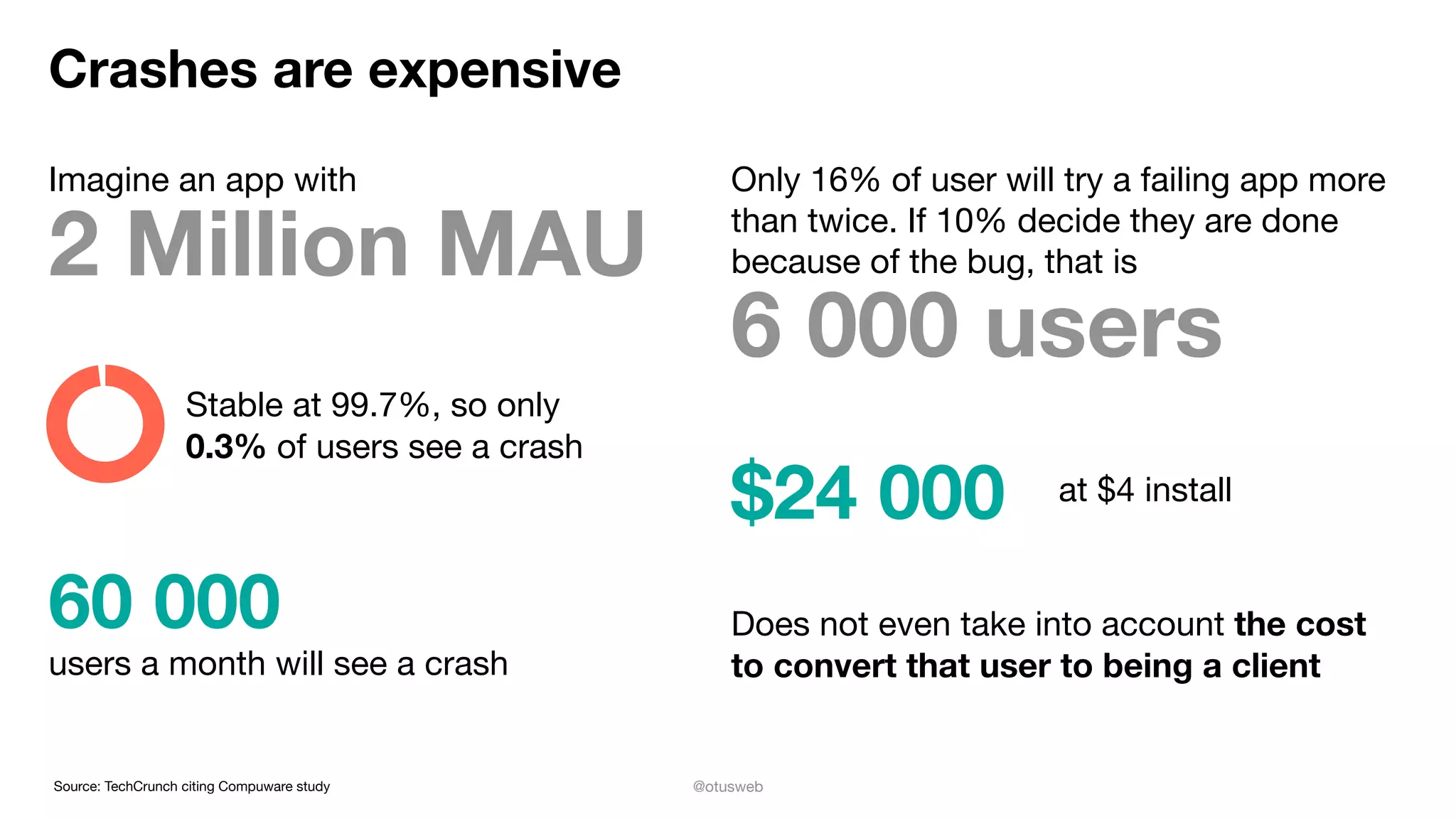
Crashes are expensive
Imagine an app with
2 Million MAU
Stable at 99.7%, so only

0.3% of users see a crash
60 000
users a month will see a crash
Only 16% of user will try a failing app more
than twice. If 10% decide they are done
because of the bug, that is
6 000 users
$24 000 at $4 install
Does not even take into account the cost
to convert that user to being a client
Source: TechCrunch citing Compuware study
@otusweb
So how do you avoid this?
All slides available on Twitter (with extra links)

@otusweb #mobilization2017
@otusweb
Get started right
Know which scenarios you want to enable AND STICK TO THOSE!

Take the time to iterate on design: Issues in design are easy and cheap to fix

Set up your team correctly, know where the buck stops

Work with people you enjoy working with

As a team pick your approach to keep quality up
@otusweb
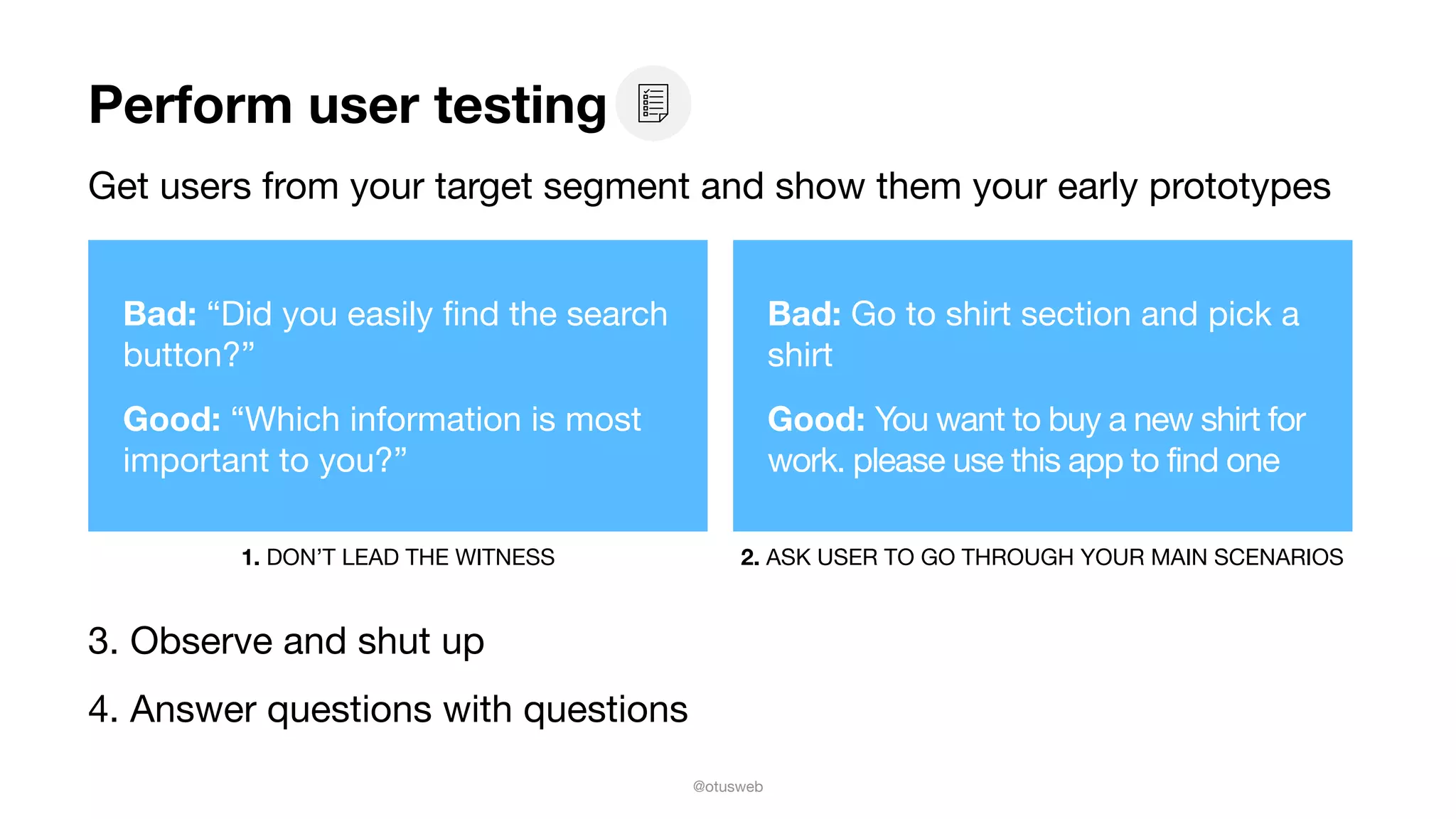
Perform user testing
Get users from your target segment and show them your early prototypes
3. Observe and shut up

4. Answer questions with questions
Bad: “Did you easily find the search
button?”

Good: “Which information is most
important to you?”
1. DON’T LEAD THE WITNESS 2. ASK USER TO GO THROUGH YOUR MAIN SCENARIOS
Bad: Go to shirt section and pick a
shirt

Good: You want to buy a new shirt for
work. please use this app to find one
@otusweb
Security: a fine line, walk it regularly
Don’t be an Equifax, Target or Yahoo

Use the OWASP Mobile App Security checklist

Prioritise and mitigate

Review it regularly
@otusweb
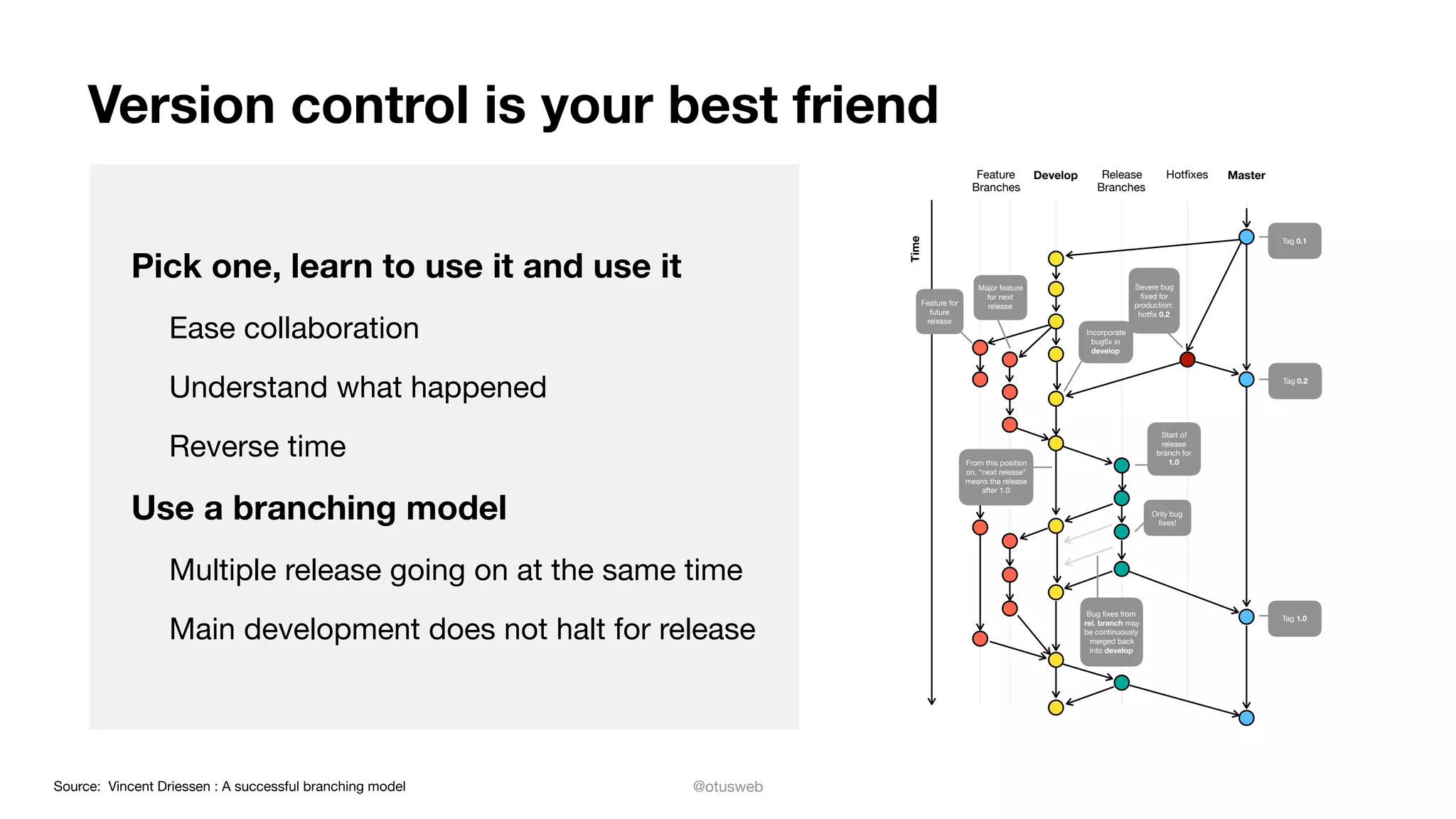
Version control is your best friend
Pick one, learn to use it and use it
Ease collaboration

Understand what happened

Reverse time

Use a branching model
Multiple release going on at the same time

Main development does not halt for release
Feature
Branches
Develop Release
Branches
Hotfixes Master
Time
Tag 0.2
Feature for
future
release
From this position
on, “next release”
means the release
after 1.0
Major feature
for next
release
Incorporate
bugfix in
develop
Severe bug
fixed for
production:
hotfix 0.2
Tag 0.1
Tag 1.0
Bug fixes from
rel. branch may
be continuously
merged back
into develop
Only bug
fixes!
Start of
release
branch for
1.0
Source: Vincent Driessen : A successful branching model
@otusweb
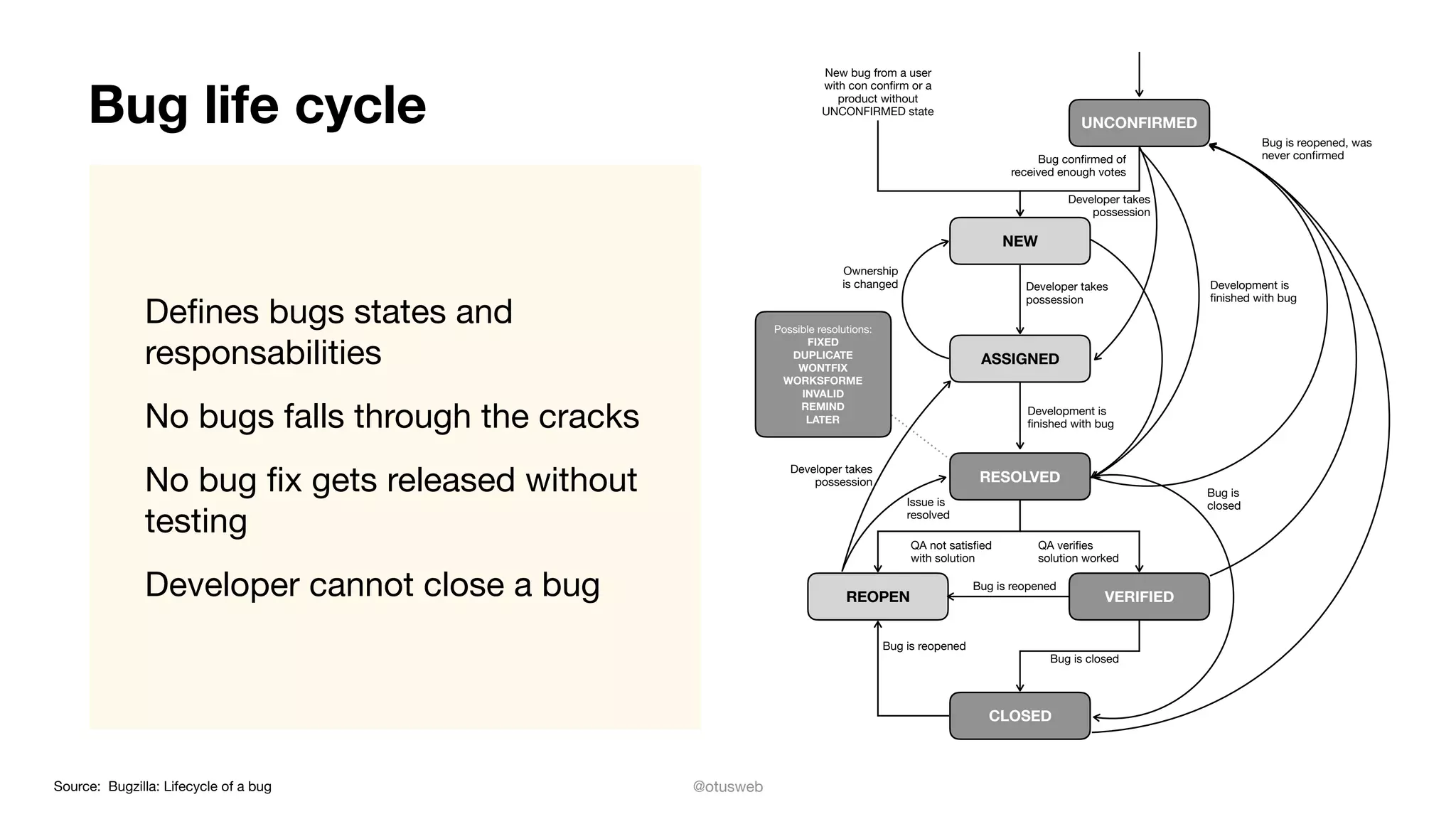
Bug life cycle
Defines bugs states and
responsabilities

No bugs falls through the cracks

No bug fix gets released without
testing

Developer cannot close a bug
New bug from a user
with con confirm or a
product without
UNCONFIRMED state
Bug is reopened, was
never confirmedBug confirmed of
received enough votes
Developer takes
possession
Development is
finished with bug
Developer takes
possession
Ownership
is changed
Development is
finished with bug
Developer takes
possession
Issue is
resolved
Bug is
closed
QA not satisfied
with solution
QA verifies
solution worked
Bug is reopened
Bug is reopened
Bug is closed
UNCONFIRMED
NEW
REOPEN
CLOSED
RESOLVED
Possible resolutions:

FIXED
DUPLICATE
WONTFIX
WORKSFORME
INVALID
REMIND

LATER
ASSIGNED
VERIFIED
Source: Bugzilla: Lifecycle of a bug
@otusweb
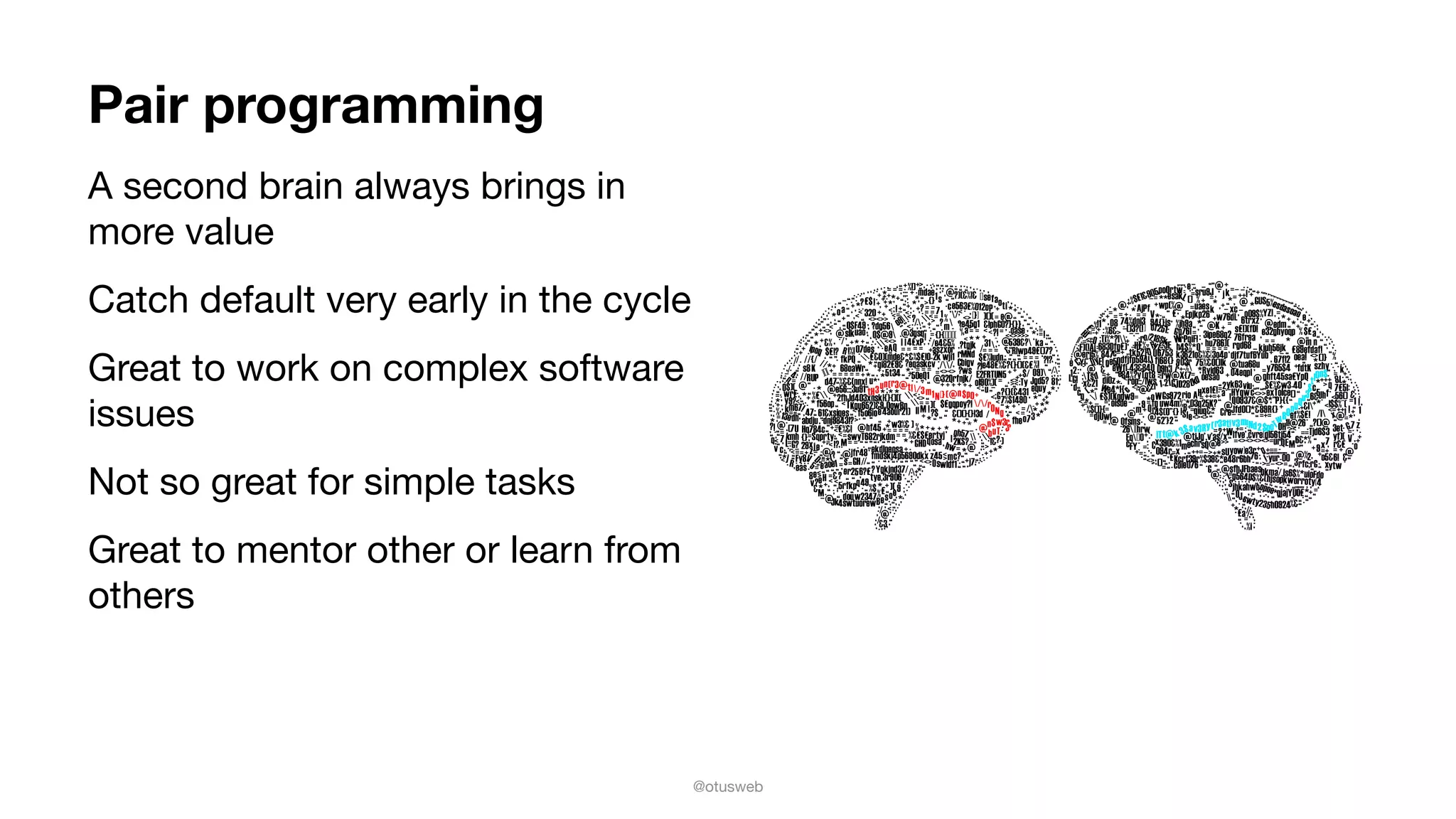
Pair programming
A second brain always brings in
more value

Catch default very early in the cycle

Great to work on complex software
issues

Not so great for simple tasks

Great to mentor other or learn from
others
@otusweb
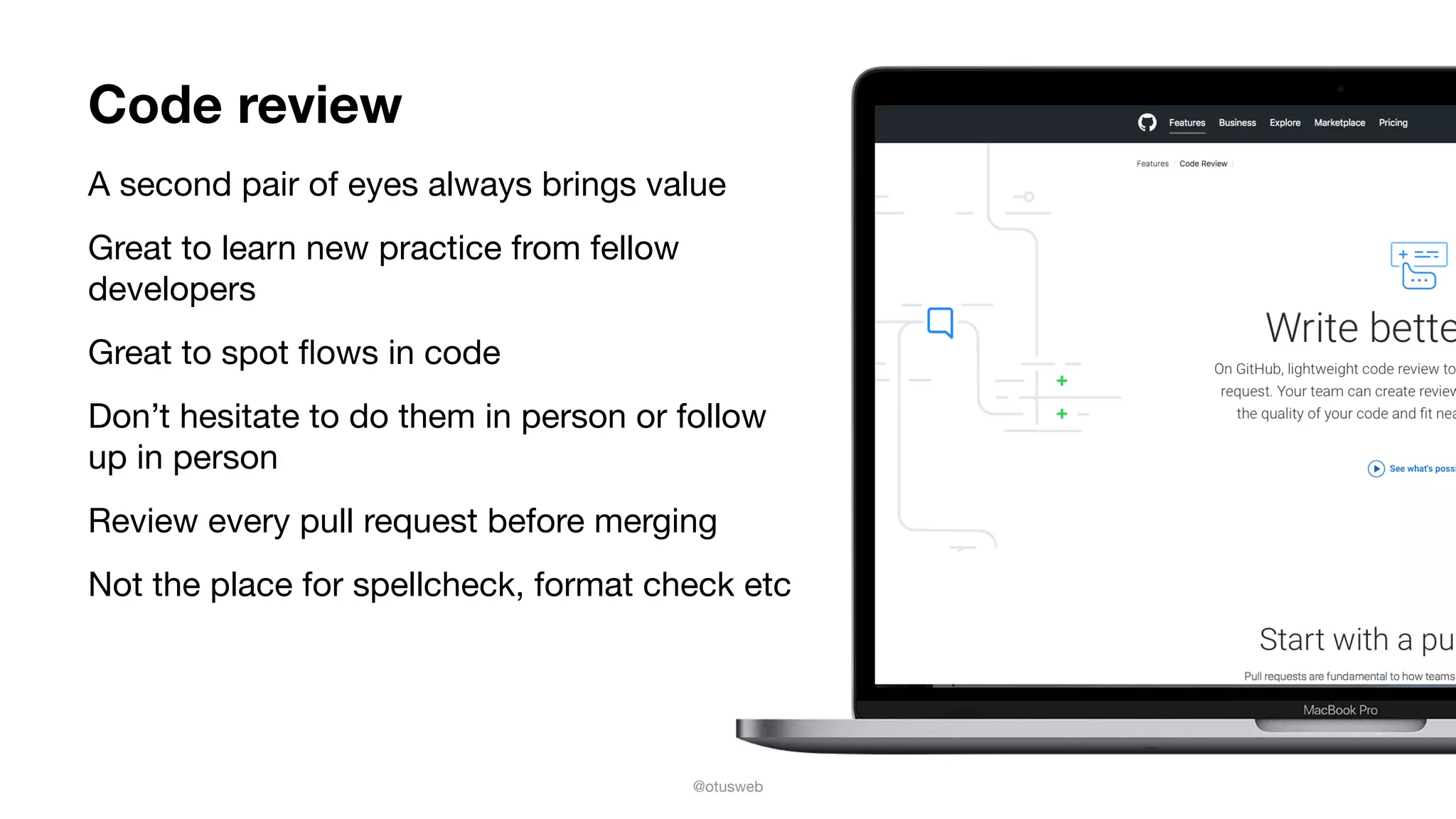
Code review
A second pair of eyes always brings value

Great to learn new practice from fellow
developers

Great to spot flows in code

Don’t hesitate to do them in person or follow
up in person

Review every pull request before merging 

Not the place for spellcheck, format check etc
@otusweb
Automate
your testing
Manual testing is great, slow and painful
to repeat 

Use Unit, integration and UI test

UI test: a pain to maintain, automate
only the most important flow

Unit test are easy to maintain, cover as
much as you can

Lots of tools: XCTest, Cucumber,
Appium, EarlGrey
@otusweb
Continuous integration
Goal is to release often, if releasing is
hard, then release cycle lengthen

Continuous integration (continuous build
+ automated testing + delivery
automation)

Jenkins, BuddyBuild, bitrise.io, fastlane
and others
@otusweb
Static code analysis
Finds issues with your code flow

Reports on code complexity

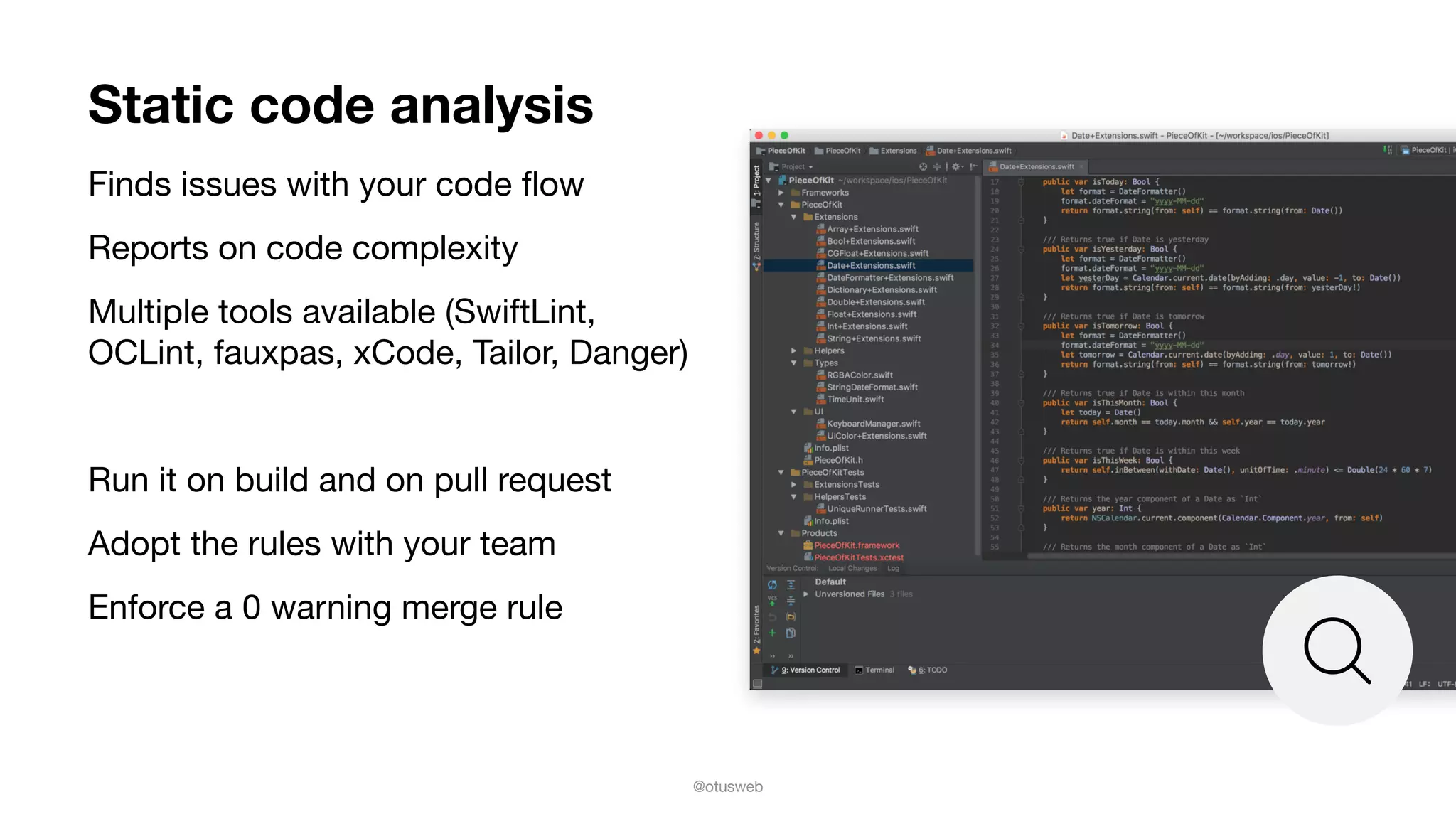
Multiple tools available (SwiftLint,
OCLint, fauxpas, xCode, Tailor, Danger)

Run it on build and on pull request

Adopt the rules with your team

Enforce a 0 warning merge rule
@otusweb
Use crash AND error reporting
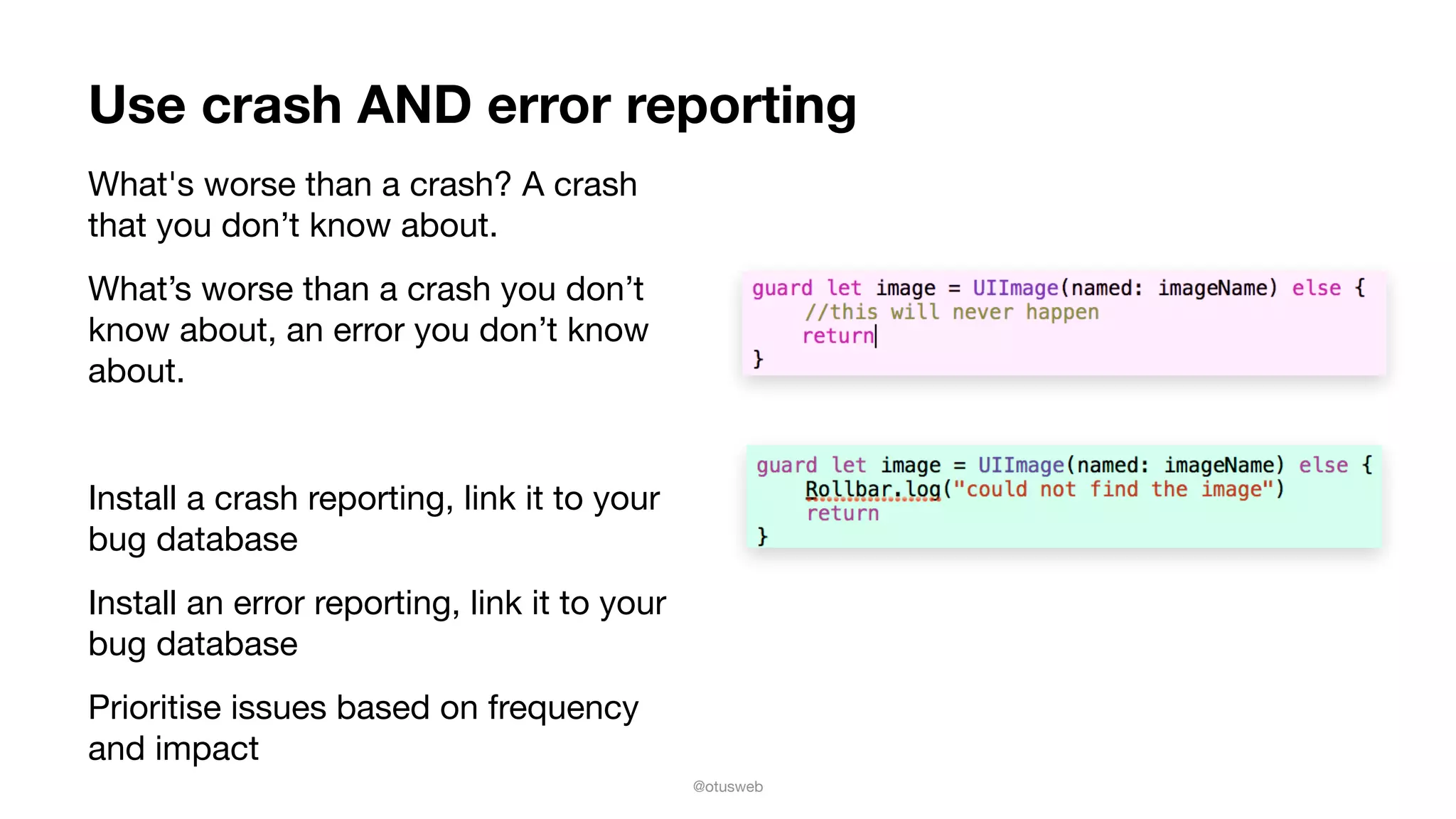
What's worse than a crash? A crash
that you don’t know about. 

What’s worse than a crash you don’t
know about, an error you don’t know
about.

Install a crash reporting, link it to your
bug database

Install an error reporting, link it to your
bug database

Prioritise issues based on frequency
and impact
@otusweb
Test on real devices in context
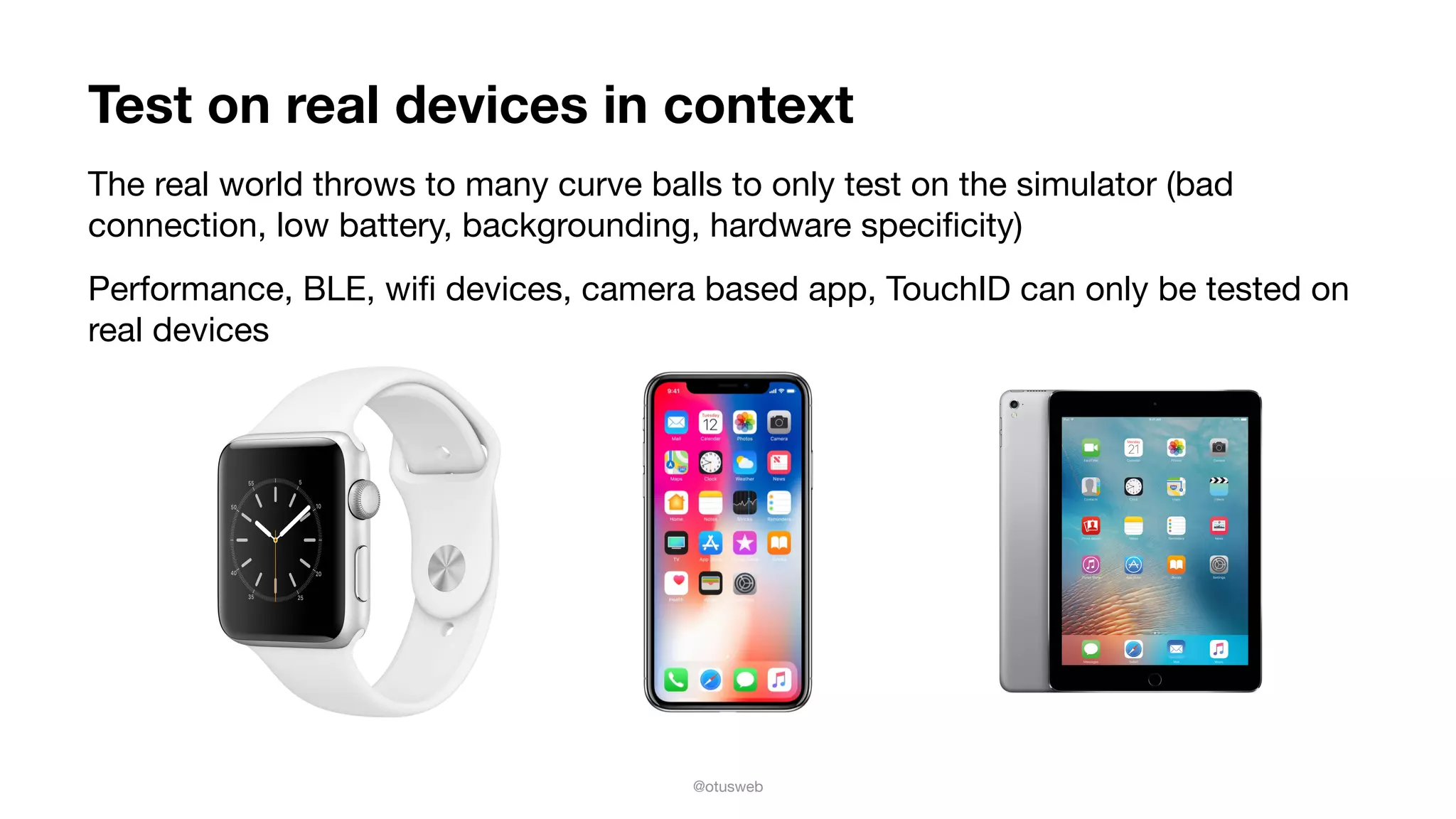
The real world throws to many curve balls to only test on the simulator (bad
connection, low battery, backgrounding, hardware specificity)

Performance, BLE, wifi devices, camera based app, TouchID can only be tested on
real devices
@otusweb
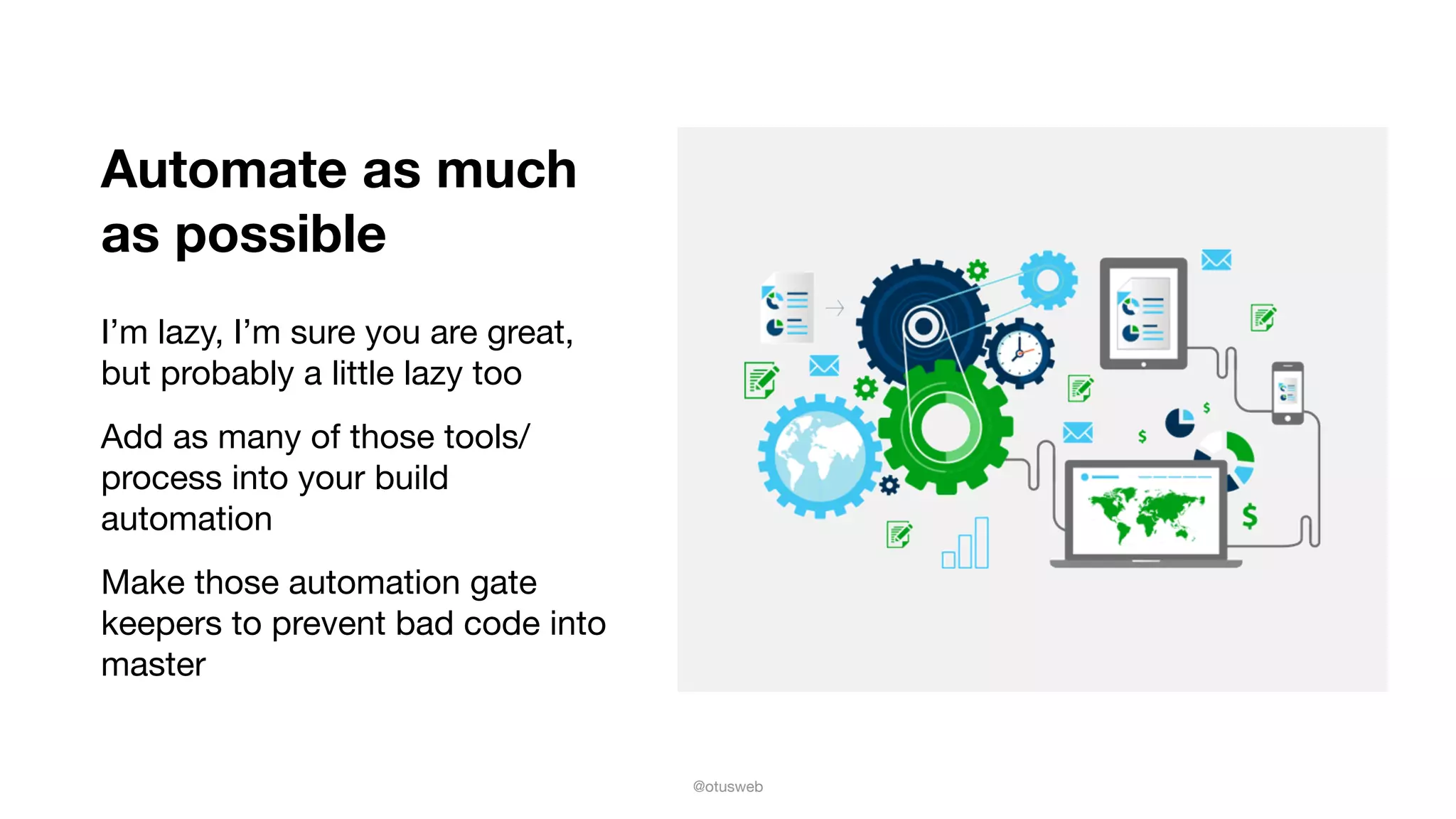
Automate as much
as possible
I’m lazy, I’m sure you are great,
but probably a little lazy too

Add as many of those tools/
process into your build
automation

Make those automation gate
keepers to prevent bad code into
master
@otusweb
Questions?
Olivier Destrebecq
@otusweb

olivier@mobdesignapps.fr

http://www.mobdesignapps.fr

Mobilization 2017: Don't lose your users because of endless quality issues

  • 1.
    © 2017 MOBDESIGN Don’tlose your users because of Endless Quality Issues Olivier Destrebecq @otusweb olivier@mobdesignapps.fr http://www.mobdesignapps.fr
  • 2.
    @otusweb Users are expensive SUBSCRIPTIONAPPS COST & CONVERSION FUNNEL GAMING APPS COST & CONVERSION FUNNEL SHOPPING APPS COST & CONVERSION FUNNEL Source: liftoff.io User Acquisition Trends and Benchmarks SUBSCRIPTION APPS REPORT 2017 Install $4.40 Register $30.51 Subscription $161.38 Install $4.07 Register $8.94 Purchase $50.69 Install $4.45 Register $30.51 Purchase $75.86 14.43% Install-to-Register 2.73% Install-to-Subscription 45.5% Install-to-Register 8.0% Install-to-Subscription 14.6% Install-to-Register 5.9% Install-to-Subscription
  • 3.
    @otusweb Crashes are expensive Imaginean app with 2 Million MAU Stable at 99.7%, so only 0.3% of users see a crash 60 000 users a month will see a crash Only 16% of user will try a failing app more than twice. If 10% decide they are done because of the bug, that is 6 000 users $24 000 at $4 install Does not even take into account the cost to convert that user to being a client Source: TechCrunch citing Compuware study
  • 4.
    @otusweb So how doyou avoid this? All slides available on Twitter (with extra links) @otusweb #mobilization2017
  • 5.
    @otusweb Get started right Knowwhich scenarios you want to enable AND STICK TO THOSE! Take the time to iterate on design: Issues in design are easy and cheap to fix Set up your team correctly, know where the buck stops Work with people you enjoy working with As a team pick your approach to keep quality up
  • 6.
    @otusweb Perform user testing Getusers from your target segment and show them your early prototypes 3. Observe and shut up 4. Answer questions with questions Bad: “Did you easily find the search button?” Good: “Which information is most important to you?” 1. DON’T LEAD THE WITNESS 2. ASK USER TO GO THROUGH YOUR MAIN SCENARIOS Bad: Go to shirt section and pick a shirt Good: You want to buy a new shirt for work. please use this app to find one
  • 7.
    @otusweb Security: a fineline, walk it regularly Don’t be an Equifax, Target or Yahoo Use the OWASP Mobile App Security checklist Prioritise and mitigate Review it regularly
  • 8.
    @otusweb Version control isyour best friend Pick one, learn to use it and use it Ease collaboration Understand what happened Reverse time Use a branching model Multiple release going on at the same time Main development does not halt for release Feature Branches Develop Release Branches Hotfixes Master Time Tag 0.2 Feature for future release From this position on, “next release” means the release after 1.0 Major feature for next release Incorporate bugfix in develop Severe bug fixed for production: hotfix 0.2 Tag 0.1 Tag 1.0 Bug fixes from rel. branch may be continuously merged back into develop Only bug fixes! Start of release branch for 1.0 Source: Vincent Driessen : A successful branching model
  • 9.
    @otusweb Bug life cycle Definesbugs states and responsabilities No bugs falls through the cracks No bug fix gets released without testing Developer cannot close a bug New bug from a user with con confirm or a product without UNCONFIRMED state Bug is reopened, was never confirmedBug confirmed of received enough votes Developer takes possession Development is finished with bug Developer takes possession Ownership is changed Development is finished with bug Developer takes possession Issue is resolved Bug is closed QA not satisfied with solution QA verifies solution worked Bug is reopened Bug is reopened Bug is closed UNCONFIRMED NEW REOPEN CLOSED RESOLVED Possible resolutions: FIXED DUPLICATE WONTFIX WORKSFORME INVALID REMIND
 LATER ASSIGNED VERIFIED Source: Bugzilla: Lifecycle of a bug
  • 10.
    @otusweb Pair programming A secondbrain always brings in more value Catch default very early in the cycle Great to work on complex software issues Not so great for simple tasks Great to mentor other or learn from others
  • 11.
    @otusweb Code review A secondpair of eyes always brings value Great to learn new practice from fellow developers Great to spot flows in code Don’t hesitate to do them in person or follow up in person Review every pull request before merging Not the place for spellcheck, format check etc
  • 12.
    @otusweb Automate your testing Manual testingis great, slow and painful to repeat Use Unit, integration and UI test UI test: a pain to maintain, automate only the most important flow Unit test are easy to maintain, cover as much as you can Lots of tools: XCTest, Cucumber, Appium, EarlGrey
  • 13.
    @otusweb Continuous integration Goal isto release often, if releasing is hard, then release cycle lengthen Continuous integration (continuous build + automated testing + delivery automation) Jenkins, BuddyBuild, bitrise.io, fastlane and others
  • 14.
    @otusweb Static code analysis Findsissues with your code flow Reports on code complexity Multiple tools available (SwiftLint, OCLint, fauxpas, xCode, Tailor, Danger) Run it on build and on pull request Adopt the rules with your team Enforce a 0 warning merge rule
  • 15.
    @otusweb Use crash ANDerror reporting What's worse than a crash? A crash that you don’t know about. What’s worse than a crash you don’t know about, an error you don’t know about. Install a crash reporting, link it to your bug database Install an error reporting, link it to your bug database Prioritise issues based on frequency and impact
  • 16.
    @otusweb Test on realdevices in context The real world throws to many curve balls to only test on the simulator (bad connection, low battery, backgrounding, hardware specificity) Performance, BLE, wifi devices, camera based app, TouchID can only be tested on real devices
  • 17.
    @otusweb Automate as much aspossible I’m lazy, I’m sure you are great, but probably a little lazy too Add as many of those tools/ process into your build automation Make those automation gate keepers to prevent bad code into master
  • 18.