Copyright © 2015 Oracle and/or its affiliates. All rights reserved. | 2
Migrating Oracle Forms
Using Oracle Application Express
David Peake
Senior Principal Product Manager
Server Technologies | Database Tools | Oracle Application Express
Copyright © 2015 Oracle and/or its affiliates. All rights reserved. | 3
David Peake
Senior Principal Product Manger, Application Express
• With Oracle since 1993
• Started in Oracle Consulting in
Australia, New Zealand and USA.
• Responsible for APEX Product
Management since 2006
• Based in Denver, Colorado
• @orcl_dpeake
Copyright © 2015 Oracle and/or its affiliates. All rights reserved. | 4
Safe Harbor Statement
The following is intended to outline our general product direction. It is intended for
information purposes only, and may not be incorporated into any contract. It is not a
commitment to deliver any material, code, or functionality, and should not be relied upon
in making purchasing decisions. The development, release, and timing of any features or
functionality described for Oracle’s products remains at the sole discretion of Oracle.
Copyright © 2014 Oracle and/or its affiliates. All rights reserved. | 5
Review
Oracle Forms
Skip
Copyright © 2015 Oracle and/or its affiliates. All rights reserved. | 6
Oracle Forms
Strengths
• Very stable product (Been around since 80s)
• Based on SQL & PL/SQL
• Still being developed (Oracle Forms 12c)
• Continues to be supported (Currently Premier Support Oct 2020)
• Best suited for heavy-duty, back-off applications
• Integration with desktop tools
• Very performant way to maintain Oracle data
• Highly productive for “power users”
Copyright © 2015 Oracle and/or its affiliates. All rights reserved. | 7
Oracle Forms
Weaknesses
• Issues with browser support (can utilize Java Web Start)
• Not available on mobile devices
• Business logic often “hidden” inside trigger logic
• Difficult to find skilled Oracle Forms developers
• New developers not interested in learning Oracle Forms
• For older Forms applications
• Often built non-intuitive runtime user experience
(Query page / results page / edit page)
• Takes significant time for end users to become highly productive
Copyright © 2015 Oracle and/or its affiliates. All rights reserved. | 8
Oracle Forms
Prognosis
Are you on a
supported
version?
Is Forms
meeting all
requirements
?
Stay on Oracle Forms
Yes
Yes
No
No
Can you easily
upgrade?
Yes
Are they net
new
requirements
?
Keep Oracle Forms +
Build new apps in ???
Yes
Redevelop Forms
with new apps in ???
No
No
Copyright © 2015 Oracle and/or its affiliates. All rights reserved. | 9
Oracle Forms
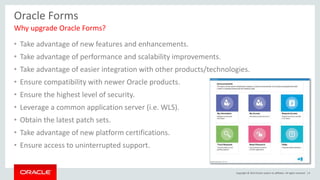
Why upgrade Oracle Forms?
• Take advantage of new features and enhancements.
• Take advantage of performance and scalability improvements.
• Take advantage of easier integration with other products/technologies.
• Ensure compatibility with newer Oracle products.
• Ensure the highest level of security.
• Leverage a common application server (i.e. WLS).
• Obtain the latest patch sets.
• Take advantage of new platform certifications.
• Ensure access to uninterrupted support.
Copyright © 2015 Oracle and/or its affiliates. All rights reserved. | 10
Oracle Forms
Why move off Oracle Forms?
• Look and feel
• User Experience
• Non-intuitive
• Accessibility
• Responsiveness
• Back-office > Company-wide
• External requirements
(Partners / Customers)
• Mobile
• Net new business
Based on older
Forms apps
which have not
been updated
Copyright © 2014 Oracle and/or its affiliates. All rights reserved. | 11
Migration
Oracle Forms
Skip
Copyright © 2015 Oracle and/or its affiliates. All rights reserved. | 12
Oracle Forms Migration
Challenges
• Availability of Oracle Forms developers
• Availability of System Matter Experts (SMEs)
• Non-trivial = Significant effort and resources
• Ensuring new application implements all business rules
• Agreeing on new application look and feel
• Implementing new process flows
• Managing scope creep
• Getting buy-in from existing “power-users”
• Training end users (new and old)
Copyright © 2015 Oracle and/or its affiliates. All rights reserved. | 13
Oracle Forms Migration
Strategy
• Push as much business logic into the Database as possible
• Identify a suitable functional section for the Proof-of-Concept
• Secure SMEs for functional input and direction
• Train developers in the new technology
• DO NOT try and replicate Oracle Forms UI or UX
• Generally, bend the requirements, not the tool
• Ensure the new apps are modern Web apps – simple, intuitive, easy to use
• Ensure the apps work on any device – Desktop, tablet, smartphone
Copyright © 2015 Oracle and/or its affiliates. All rights reserved. | 14
Oracle Forms Migration
Advantages of Migrating to Application Express
• Build applications using SQL & PL/SQL
• Can utilize all existing Database objects
• Easy to train existing Oracle Forms developers
• Can readily co-exist with Oracle Forms applications
• Incorporates modern Web 2.0 capabilities
• Easy to customize theme / templates to meet required look and feel
• Responsive, including “mobile-first” if required
• Accessibility
• Can readily define client-side user interactivity
• Flexibility in platform for development / deployment
Copyright © 2015 Oracle and/or its affiliates. All rights reserved. | 15
Oracle Forms Migration
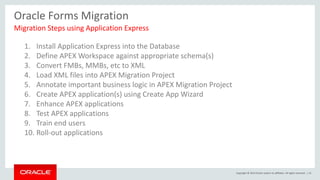
Migration Steps using Application Express
1. Install Application Express into the Database
2. Define APEX Workspace against appropriate schema(s)
3. Convert FMBs, MMBs, etc to XML
4. Load XML files into APEX Migration Project
5. Annotate important business logic in APEX Migration Project
6. Create APEX application(s) using Create App Wizard
7. Enhance APEX applications
8. Test APEX applications
9. Train end users
10. Roll-out applications
Copyright © 2015 Oracle and/or its affiliates. All rights reserved. | 16
Oracle Forms Migration
Converting Oracle Forms source to XML
• Run Forms2XML Utility
• Create APEX Project
• Upload Source Files
• Forms2XML Utility
• Available with Forms 9i and above
• May covert Forms 4.x & 6i
• If conversion fails may need to
upgrade Forms first.
Copyright © 2015 Oracle and/or its affiliates. All rights reserved. | 17
Oracle APEX Migration Project
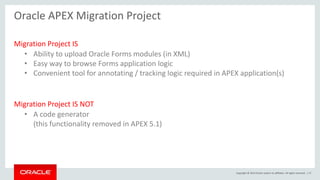
Migration Project IS
• Ability to upload Oracle Forms modules (in XML)
• Easy way to browse Forms application logic
• Convenient tool for annotating / tracking logic required in APEX application(s)
Migration Project IS NOT
• A code generator
(this functionality removed in APEX 5.1)
Copyright © 2015 Oracle and/or its affiliates. All rights reserved. | 18
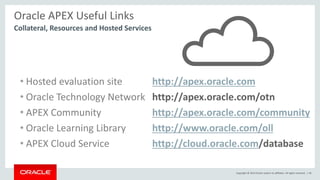
Oracle APEX Useful Links
• Hosted evaluation site http://apex.oracle.com
• Oracle Technology Network http://apex.oracle.com/otn
• APEX Community http://apex.oracle.com/community
• Oracle Learning Library http://www.oracle.com/oll
• APEX Cloud Service http://cloud.oracle.com/database
Collateral, Resources and Hosted Services
Copyright © 2015 Oracle and/or its affiliates. All rights reserved. | 19
Copyright © 2015 Oracle and/or its affiliates. All rights reserved. | 20
Migrating Oracle Forms Using Oracle Application Express

Migrating Oracle Forms Using Oracle Application Express

  • 2.
    Copyright © 2015Oracle and/or its affiliates. All rights reserved. | 2 Migrating Oracle Forms Using Oracle Application Express David Peake Senior Principal Product Manager Server Technologies | Database Tools | Oracle Application Express
  • 3.
    Copyright © 2015Oracle and/or its affiliates. All rights reserved. | 3 David Peake Senior Principal Product Manger, Application Express • With Oracle since 1993 • Started in Oracle Consulting in Australia, New Zealand and USA. • Responsible for APEX Product Management since 2006 • Based in Denver, Colorado • @orcl_dpeake
  • 4.
    Copyright © 2015Oracle and/or its affiliates. All rights reserved. | 4 Safe Harbor Statement The following is intended to outline our general product direction. It is intended for information purposes only, and may not be incorporated into any contract. It is not a commitment to deliver any material, code, or functionality, and should not be relied upon in making purchasing decisions. The development, release, and timing of any features or functionality described for Oracle’s products remains at the sole discretion of Oracle.
  • 5.
    Copyright © 2014Oracle and/or its affiliates. All rights reserved. | 5 Review Oracle Forms Skip
  • 6.
    Copyright © 2015Oracle and/or its affiliates. All rights reserved. | 6 Oracle Forms Strengths • Very stable product (Been around since 80s) • Based on SQL & PL/SQL • Still being developed (Oracle Forms 12c) • Continues to be supported (Currently Premier Support Oct 2020) • Best suited for heavy-duty, back-off applications • Integration with desktop tools • Very performant way to maintain Oracle data • Highly productive for “power users”
  • 7.
    Copyright © 2015Oracle and/or its affiliates. All rights reserved. | 7 Oracle Forms Weaknesses • Issues with browser support (can utilize Java Web Start) • Not available on mobile devices • Business logic often “hidden” inside trigger logic • Difficult to find skilled Oracle Forms developers • New developers not interested in learning Oracle Forms • For older Forms applications • Often built non-intuitive runtime user experience (Query page / results page / edit page) • Takes significant time for end users to become highly productive
  • 8.
    Copyright © 2015Oracle and/or its affiliates. All rights reserved. | 8 Oracle Forms Prognosis Are you on a supported version? Is Forms meeting all requirements ? Stay on Oracle Forms Yes Yes No No Can you easily upgrade? Yes Are they net new requirements ? Keep Oracle Forms + Build new apps in ??? Yes Redevelop Forms with new apps in ??? No No
  • 9.
    Copyright © 2015Oracle and/or its affiliates. All rights reserved. | 9 Oracle Forms Why upgrade Oracle Forms? • Take advantage of new features and enhancements. • Take advantage of performance and scalability improvements. • Take advantage of easier integration with other products/technologies. • Ensure compatibility with newer Oracle products. • Ensure the highest level of security. • Leverage a common application server (i.e. WLS). • Obtain the latest patch sets. • Take advantage of new platform certifications. • Ensure access to uninterrupted support.
  • 10.
    Copyright © 2015Oracle and/or its affiliates. All rights reserved. | 10 Oracle Forms Why move off Oracle Forms? • Look and feel • User Experience • Non-intuitive • Accessibility • Responsiveness • Back-office > Company-wide • External requirements (Partners / Customers) • Mobile • Net new business Based on older Forms apps which have not been updated
  • 11.
    Copyright © 2014Oracle and/or its affiliates. All rights reserved. | 11 Migration Oracle Forms Skip
  • 12.
    Copyright © 2015Oracle and/or its affiliates. All rights reserved. | 12 Oracle Forms Migration Challenges • Availability of Oracle Forms developers • Availability of System Matter Experts (SMEs) • Non-trivial = Significant effort and resources • Ensuring new application implements all business rules • Agreeing on new application look and feel • Implementing new process flows • Managing scope creep • Getting buy-in from existing “power-users” • Training end users (new and old)
  • 13.
    Copyright © 2015Oracle and/or its affiliates. All rights reserved. | 13 Oracle Forms Migration Strategy • Push as much business logic into the Database as possible • Identify a suitable functional section for the Proof-of-Concept • Secure SMEs for functional input and direction • Train developers in the new technology • DO NOT try and replicate Oracle Forms UI or UX • Generally, bend the requirements, not the tool • Ensure the new apps are modern Web apps – simple, intuitive, easy to use • Ensure the apps work on any device – Desktop, tablet, smartphone
  • 14.
    Copyright © 2015Oracle and/or its affiliates. All rights reserved. | 14 Oracle Forms Migration Advantages of Migrating to Application Express • Build applications using SQL & PL/SQL • Can utilize all existing Database objects • Easy to train existing Oracle Forms developers • Can readily co-exist with Oracle Forms applications • Incorporates modern Web 2.0 capabilities • Easy to customize theme / templates to meet required look and feel • Responsive, including “mobile-first” if required • Accessibility • Can readily define client-side user interactivity • Flexibility in platform for development / deployment
  • 15.
    Copyright © 2015Oracle and/or its affiliates. All rights reserved. | 15 Oracle Forms Migration Migration Steps using Application Express 1. Install Application Express into the Database 2. Define APEX Workspace against appropriate schema(s) 3. Convert FMBs, MMBs, etc to XML 4. Load XML files into APEX Migration Project 5. Annotate important business logic in APEX Migration Project 6. Create APEX application(s) using Create App Wizard 7. Enhance APEX applications 8. Test APEX applications 9. Train end users 10. Roll-out applications
  • 16.
    Copyright © 2015Oracle and/or its affiliates. All rights reserved. | 16 Oracle Forms Migration Converting Oracle Forms source to XML • Run Forms2XML Utility • Create APEX Project • Upload Source Files • Forms2XML Utility • Available with Forms 9i and above • May covert Forms 4.x & 6i • If conversion fails may need to upgrade Forms first.
  • 17.
    Copyright © 2015Oracle and/or its affiliates. All rights reserved. | 17 Oracle APEX Migration Project Migration Project IS • Ability to upload Oracle Forms modules (in XML) • Easy way to browse Forms application logic • Convenient tool for annotating / tracking logic required in APEX application(s) Migration Project IS NOT • A code generator (this functionality removed in APEX 5.1)
  • 18.
    Copyright © 2015Oracle and/or its affiliates. All rights reserved. | 18 Oracle APEX Useful Links • Hosted evaluation site http://apex.oracle.com • Oracle Technology Network http://apex.oracle.com/otn • APEX Community http://apex.oracle.com/community • Oracle Learning Library http://www.oracle.com/oll • APEX Cloud Service http://cloud.oracle.com/database Collateral, Resources and Hosted Services
  • 19.
    Copyright © 2015Oracle and/or its affiliates. All rights reserved. | 19
  • 20.
    Copyright © 2015Oracle and/or its affiliates. All rights reserved. | 20