MMIIDDTTEERRMM CCOOVVEERRAAGGEE 
READING KEYBOARD 
OUTPUT
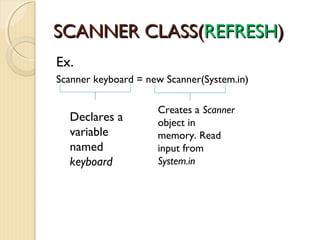
SSCCAANNNNEERR CCLLAASSSS((RREEFFRREESSHH)) 
Ex. 
Scanner keyboard = new Scanner(System.in) 
Declares a 
variable 
named 
keyboard 
Creates a Scanner 
object in 
memory. Read 
input from 
System.in
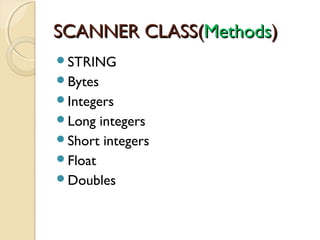
SSCCAANNNNEERR CCLLAASSSS((MMeetthhooddss)) 
STRING 
Bytes 
Integers 
Long integers 
Short integers 
Float 
Doubles
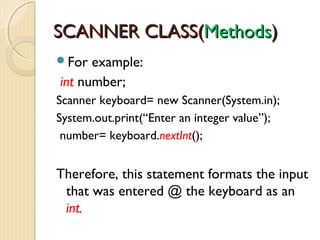
SSCCAANNNNEERR CCLLAASSSS((MMeetthhooddss)) 
For example: 
int number; 
Scanner keyboard= new Scanner(System.in); 
System.out.print(“Enter an integer value”); 
number= keyboard.nextInt(); 
Therefore, this statement formats the input 
that was entered @ the keyboard as an 
int.
SSCCAANNNNEERR CCLLAASSSS((MMeetthhooddss)) 
 nextByte – returns input as Byte 
 nextDouble – returns input as Double. 
 nextFloat – returns input as Float 
 nextInt – returns input as an Int 
 nextLine – return input as String. 
 nextLong – return input as a long 
 next Short – return input as a short.
SSCCAANNNNEERR CCLLAASSSS((MMeetthhooddss)) 
EXAMPLE IMPLEMENTATION 
Payroll.java
DDIIAALLOOGG BBOOXXEESS 
CONCEPT: 
JOptionPane class allows a user to display 
a Dialog Box. 
Dialog Box – is a small graphical window 
that displays a message to the user or 
request input. We can quickly display 
dialog boxes w/ JOptionPane class.
DDIIAALLOOGG BBOOXXEESS 
Types of DIALOG BOXES 
Message Dialog – a dialog box that 
displays a message; an OK button is also 
displayed. 
Input Dialog – dialog box tat prompts the 
user for input & provides text field where 
input is typed; an OK button and a 
CANCEL button are also displayed.
DDIIAALLOOGG BBOOXXEESS 
Beginning Statement in your code when 
using JoptionPane: 
import javax. swing.JOptionPane; 
Purpose: this statement tells the compiler 
where to find the JOptionPane class, and 
make it available to your program.
MMeessssaaggee DDiiaallooggss 
 showMessageDialog method- is used to display a 
message dialog box. 
Statement to call the method: 
JOptionPane.showMessageDialog (null, “HELLO WORLD”); 
ARGUMENT PURPOSE: 
null – causes the dialog box to be displayed in the center of the 
screen. 
HELLO WORLD – the message we want to display in the dialog 
box.
IINNPPUUTT DDIIAALLOOGGSS 
 showInputDialog method – to display an input 
dialog in JOptionPane class. 
Statement to call the method: 
String name; 
name = JOptionPane.showInputDialog(“Enter your name.”);
SSaammppllee CCooddee 
import javax.swing.JOptionPane; 
public class Names { 
public static void main (String [ ] args) 
{ 
firstName= JOptionPane.showInputDialog(“What’s your firstname”); 
middleName=JOptionPane.showInputDialog(“What’s your middle name”); 
lastName=JOptionPane.showInputDialog(“What’s your Last Name”); 
JOptionPane.showMessageDialog(null, “HELLO” +firstName + “ “ + 
middleName + “ “ + lastName); 
System.exit (0); This statement causes the program to end, & is 
required if we use the JOptionPane class to display dialog 
box. 
} }
DDiissaaddvvaannttaaggee ooff JJOOppttiioonnPPaannee 
JOptionPane class does not have different 
methods for reading values of different data 
types as input. 
 showInputDialog method always returns the 
user’s input as a String. 
Problem when use in Math operation. 
Because we cannot perform math on strings. 
In such case, you must convert the input to a numeric 
value.
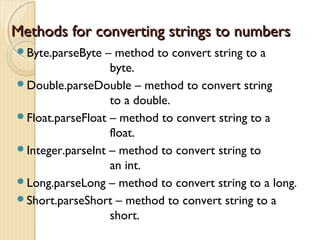
Methods ffoorr ccoonnvveerrttiinngg ssttrriinnggss ttoo nnuummbbeerrss 
Byte.parseByte – method to convert string to a 
byte. 
Double.parseDouble – method to convert string 
to a double. 
Float.parseFloat – method to convert string to a 
float. 
Integer.parseInt – method to convert string to 
an int. 
Long.parseLong – method to convert string to a long. 
Short.parseShort – method to convert string to a 
short.
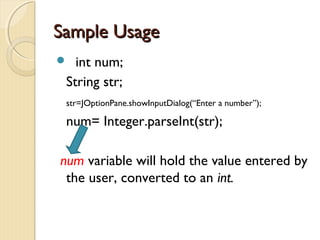
SSaammppllee UUssaaggee 
 int num; 
String str; 
str=JOptionPane.showInputDialog(“Enter a number”); 
num= Integer.parseInt(str); 
num variable will hold the value entered by 
the user, converted to an int.
DDEECCIISSIIOONN // CCOONNTTRROOLL 
FFLLOOWW SSTTRRUUCCTTUURREESS
IIFF SSTTAATTEEMMEENNTT 
CONCEPT: 
> is used to create decision structures, 
which allow the program to have more 
than one path of execution 
> causes one or more statements to 
execute only when boolean expression 
is true. 
NOTE: RELATIONAL OPERATIONS ARE USED
IIFF SSTTAATTEEMMEENNTT SSYYNNTTAAXX 
If (BooleanExpression) 
statement; 
BooleanExpression- appears inside the 
parentheses must be a boolean 
expression. 
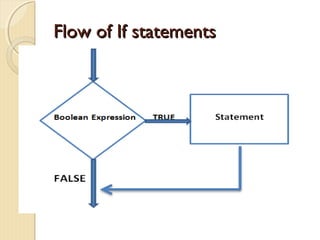
If the boolean expression is true, the next 
statement is executed.
FFllooww ooff IIff ssttaatteemmeennttss
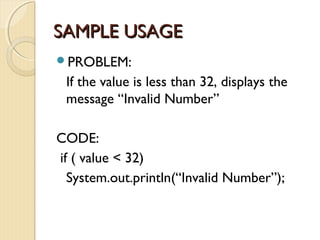
SSAAMMPPLLEE UUSSAAGGEE 
PROBLEM: 
If the value is less than 32, displays the 
message “Invalid Number” 
CODE: 
if ( value < 32) 
System.out.println(“Invalid Number”);
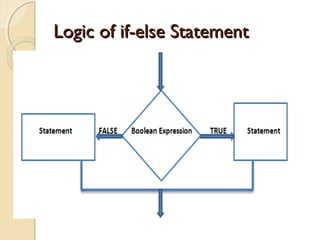
IIff--eellssee SSttaatteemmeenntt 
Concept: 
> will execute one group of statements if 
its BOOLEAN EXPRESSION is True, or 
another group if its BOOLEAN 
EXPRESSION is False. 
> expansion of the if statement.
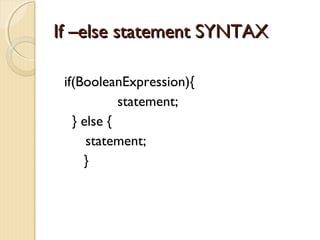
IIff ––eellssee ssttaatteemmeenntt SSYYNNTTAAXX 
if(BooleanExpression){ 
statement; 
} else { 
statement; 
}
LLooggiicc ooff iiff--eellssee SSttaatteemmeenntt
NNEESSTTEEDD IIFF SSTTAATTEEMMEENNTT 
CONCEPT: 
> To test more than one 
condition, an if statement can 
be nested inside another if 
statement.
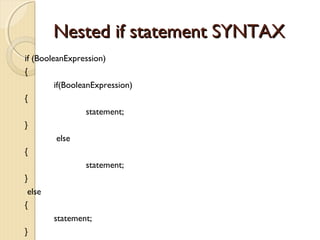
NNeesstteedd iiff ssttaatteemmeenntt SSYYNNTTAAXX 
if (BooleanExpression) 
{ 
if(BooleanExpression) 
{ 
statement; 
} 
else 
{ 
statement; 
} 
else 
{ 
statement; 
}
TTHHEE iiff--eellssee--iiff SSttaatteemmeenntt 
CONCEPT: 
 if-else-if statement test a 
series of conditions than with 
a set of nested if-else 
statement. 
 else-if statement is in between 
the if & else statement.
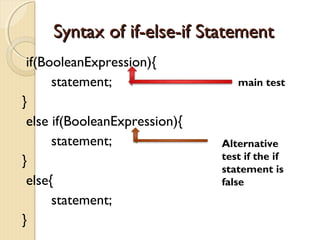
SSyynnttaaxx ooff iiff--eellssee--iiff SSttaatteemmeenntt 
if(BooleanExpression){ 
statement; 
} 
else if(BooleanExpression){ 
statement; 
} 
else{ 
statement; 
} 
main test 
Alternative 
test if the if 
statement is 
false
LLOOGGIICCAALL OOPPEERRAATTOORRSS 
Java provides two binary operators, 
&& and ||, which are used to 
combine two boolean expressions 
into a single expression. 
Java also provides the unary ! 
operator, which reverses the truth 
of a boolean expression.
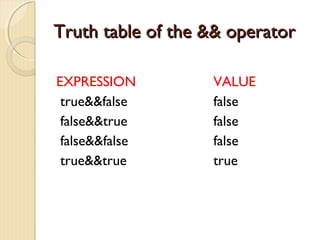
TTrruutthh ttaabbllee ooff tthhee &&&& ooppeerraattoorr 
EXPRESSION VALUE 
true&&false false 
false&&true false 
false&&false false 
true&&true true
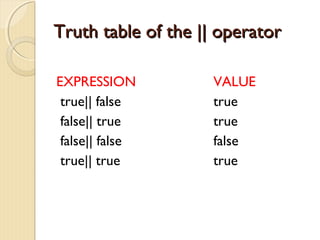
TTrruutthh ttaabbllee ooff tthhee |||| ooppeerraattoorr 
EXPRESSION VALUE 
true|| false true 
false|| true true 
false|| false false 
true|| true true
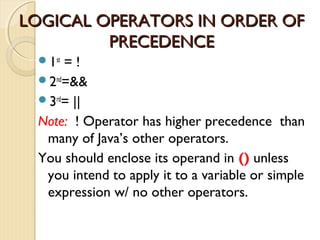
LLOOGGIICCAALL OOPPEERRAATTOORRSS IINN OORRDDEERR OOFF 
PPRREECCEEDDEENNCCEE 
1st = ! 
2nd=&& 
3rd= || 
Note: ! Operator has higher precedence than 
many of Java’s other operators. 
You should enclose its operand in () unless 
you intend to apply it to a variable or simple 
expression w/ no other operators.
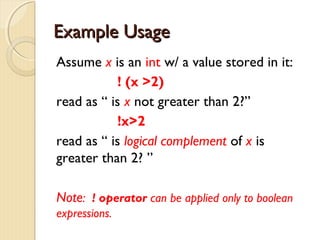
EExxaammppllee UUssaaggee 
Assume x is an int w/ a value stored in it: 
! (x >2) 
read as “ is x not greater than 2?” 
!x>2 
read as “ is logical complement of x is 
greater than 2? ” 
Note: ! operator can be applied only to boolean 
expressions.
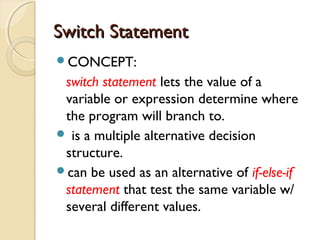
SSwwiittcchh SSttaatteemmeenntt 
CONCEPT: 
switch statement lets the value of a 
variable or expression determine where 
the program will branch to. 
 is a multiple alternative decision 
structure. 
can be used as an alternative of if-else-if 
statement that test the same variable w/ 
several different values.
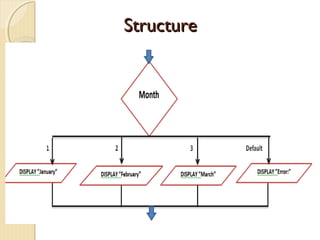
SSttrruuccttuurree
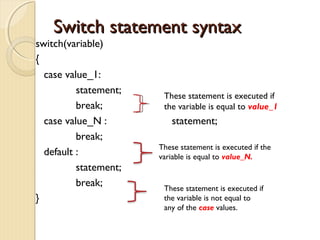
SSwwiittcchh ssttaatteemmeenntt ssyynnttaaxx 
switch(variable) 
{ 
case value_1: 
statement; 
break; 
case value_N : statement; 
break; 
default : 
statement; 
break; 
} 
These statement is executed if 
the variable is equal to value_1 
These statement is executed if the 
variable is equal to value_N. 
These statement is executed if 
the variable is not equal to 
any of the case values.
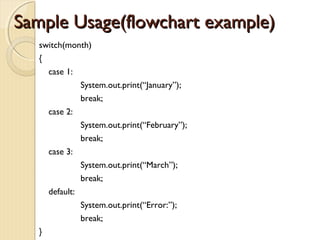
SSaammppllee UUssaaggee((fflloowwcchhaarrtt eexxaammppllee)) 
switch(month) 
{ 
case 1: 
System.out.print(“January”); 
break; 
case 2: 
System.out.print(“February”); 
break; 
case 3: 
System.out.print(“March”); 
break; 
default: 
System.out.print(“Error:”); 
break; 
}

Reading Keyboard Output

  • 1.
  • 2.
    SSCCAANNNNEERR CCLLAASSSS((RREEFFRREESSHH)) Ex. Scanner keyboard = new Scanner(System.in) Declares a variable named keyboard Creates a Scanner object in memory. Read input from System.in
  • 3.
    SSCCAANNNNEERR CCLLAASSSS((MMeetthhooddss)) STRING Bytes Integers Long integers Short integers Float Doubles
  • 4.
    SSCCAANNNNEERR CCLLAASSSS((MMeetthhooddss)) Forexample: int number; Scanner keyboard= new Scanner(System.in); System.out.print(“Enter an integer value”); number= keyboard.nextInt(); Therefore, this statement formats the input that was entered @ the keyboard as an int.
  • 5.
    SSCCAANNNNEERR CCLLAASSSS((MMeetthhooddss)) nextByte – returns input as Byte  nextDouble – returns input as Double.  nextFloat – returns input as Float  nextInt – returns input as an Int  nextLine – return input as String.  nextLong – return input as a long  next Short – return input as a short.
  • 6.
  • 7.
    DDIIAALLOOGG BBOOXXEESS CONCEPT: JOptionPane class allows a user to display a Dialog Box. Dialog Box – is a small graphical window that displays a message to the user or request input. We can quickly display dialog boxes w/ JOptionPane class.
  • 8.
    DDIIAALLOOGG BBOOXXEESS Typesof DIALOG BOXES Message Dialog – a dialog box that displays a message; an OK button is also displayed. Input Dialog – dialog box tat prompts the user for input & provides text field where input is typed; an OK button and a CANCEL button are also displayed.
  • 9.
    DDIIAALLOOGG BBOOXXEESS BeginningStatement in your code when using JoptionPane: import javax. swing.JOptionPane; Purpose: this statement tells the compiler where to find the JOptionPane class, and make it available to your program.
  • 10.
    MMeessssaaggee DDiiaallooggss showMessageDialog method- is used to display a message dialog box. Statement to call the method: JOptionPane.showMessageDialog (null, “HELLO WORLD”); ARGUMENT PURPOSE: null – causes the dialog box to be displayed in the center of the screen. HELLO WORLD – the message we want to display in the dialog box.
  • 11.
    IINNPPUUTT DDIIAALLOOGGSS showInputDialog method – to display an input dialog in JOptionPane class. Statement to call the method: String name; name = JOptionPane.showInputDialog(“Enter your name.”);
  • 12.
    SSaammppllee CCooddee importjavax.swing.JOptionPane; public class Names { public static void main (String [ ] args) { firstName= JOptionPane.showInputDialog(“What’s your firstname”); middleName=JOptionPane.showInputDialog(“What’s your middle name”); lastName=JOptionPane.showInputDialog(“What’s your Last Name”); JOptionPane.showMessageDialog(null, “HELLO” +firstName + “ “ + middleName + “ “ + lastName); System.exit (0); This statement causes the program to end, & is required if we use the JOptionPane class to display dialog box. } }
  • 13.
    DDiissaaddvvaannttaaggee ooff JJOOppttiioonnPPaannee JOptionPane class does not have different methods for reading values of different data types as input.  showInputDialog method always returns the user’s input as a String. Problem when use in Math operation. Because we cannot perform math on strings. In such case, you must convert the input to a numeric value.
  • 14.
    Methods ffoorr ccoonnvveerrttiinnggssttrriinnggss ttoo nnuummbbeerrss Byte.parseByte – method to convert string to a byte. Double.parseDouble – method to convert string to a double. Float.parseFloat – method to convert string to a float. Integer.parseInt – method to convert string to an int. Long.parseLong – method to convert string to a long. Short.parseShort – method to convert string to a short.
  • 15.
    SSaammppllee UUssaaggee int num; String str; str=JOptionPane.showInputDialog(“Enter a number”); num= Integer.parseInt(str); num variable will hold the value entered by the user, converted to an int.
  • 16.
    DDEECCIISSIIOONN // CCOONNTTRROOLL FFLLOOWW SSTTRRUUCCTTUURREESS
  • 17.
    IIFF SSTTAATTEEMMEENNTT CONCEPT: > is used to create decision structures, which allow the program to have more than one path of execution > causes one or more statements to execute only when boolean expression is true. NOTE: RELATIONAL OPERATIONS ARE USED
  • 18.
    IIFF SSTTAATTEEMMEENNTT SSYYNNTTAAXX If (BooleanExpression) statement; BooleanExpression- appears inside the parentheses must be a boolean expression. If the boolean expression is true, the next statement is executed.
  • 19.
    FFllooww ooff IIffssttaatteemmeennttss
  • 20.
    SSAAMMPPLLEE UUSSAAGGEE PROBLEM: If the value is less than 32, displays the message “Invalid Number” CODE: if ( value < 32) System.out.println(“Invalid Number”);
  • 21.
    IIff--eellssee SSttaatteemmeenntt Concept: > will execute one group of statements if its BOOLEAN EXPRESSION is True, or another group if its BOOLEAN EXPRESSION is False. > expansion of the if statement.
  • 22.
    IIff ––eellssee ssttaatteemmeennttSSYYNNTTAAXX if(BooleanExpression){ statement; } else { statement; }
  • 23.
  • 24.
    NNEESSTTEEDD IIFF SSTTAATTEEMMEENNTT CONCEPT: > To test more than one condition, an if statement can be nested inside another if statement.
  • 25.
    NNeesstteedd iiff ssttaatteemmeennttSSYYNNTTAAXX if (BooleanExpression) { if(BooleanExpression) { statement; } else { statement; } else { statement; }
  • 26.
    TTHHEE iiff--eellssee--iiff SSttaatteemmeenntt CONCEPT:  if-else-if statement test a series of conditions than with a set of nested if-else statement.  else-if statement is in between the if & else statement.
  • 27.
    SSyynnttaaxx ooff iiff--eellssee--iiffSSttaatteemmeenntt if(BooleanExpression){ statement; } else if(BooleanExpression){ statement; } else{ statement; } main test Alternative test if the if statement is false
  • 28.
    LLOOGGIICCAALL OOPPEERRAATTOORRSS Javaprovides two binary operators, && and ||, which are used to combine two boolean expressions into a single expression. Java also provides the unary ! operator, which reverses the truth of a boolean expression.
  • 29.
    TTrruutthh ttaabbllee oofftthhee &&&& ooppeerraattoorr EXPRESSION VALUE true&&false false false&&true false false&&false false true&&true true
  • 30.
    TTrruutthh ttaabbllee oofftthhee |||| ooppeerraattoorr EXPRESSION VALUE true|| false true false|| true true false|| false false true|| true true
  • 31.
    LLOOGGIICCAALL OOPPEERRAATTOORRSS IINNOORRDDEERR OOFF PPRREECCEEDDEENNCCEE 1st = ! 2nd=&& 3rd= || Note: ! Operator has higher precedence than many of Java’s other operators. You should enclose its operand in () unless you intend to apply it to a variable or simple expression w/ no other operators.
  • 32.
    EExxaammppllee UUssaaggee Assumex is an int w/ a value stored in it: ! (x >2) read as “ is x not greater than 2?” !x>2 read as “ is logical complement of x is greater than 2? ” Note: ! operator can be applied only to boolean expressions.
  • 33.
    SSwwiittcchh SSttaatteemmeenntt CONCEPT: switch statement lets the value of a variable or expression determine where the program will branch to.  is a multiple alternative decision structure. can be used as an alternative of if-else-if statement that test the same variable w/ several different values.
  • 34.
  • 35.
    SSwwiittcchh ssttaatteemmeenntt ssyynnttaaxx switch(variable) { case value_1: statement; break; case value_N : statement; break; default : statement; break; } These statement is executed if the variable is equal to value_1 These statement is executed if the variable is equal to value_N. These statement is executed if the variable is not equal to any of the case values.
  • 36.
    SSaammppllee UUssaaggee((fflloowwcchhaarrtt eexxaammppllee)) switch(month) { case 1: System.out.print(“January”); break; case 2: System.out.print(“February”); break; case 3: System.out.print(“March”); break; default: System.out.print(“Error:”); break; }