Citizen Service Platform
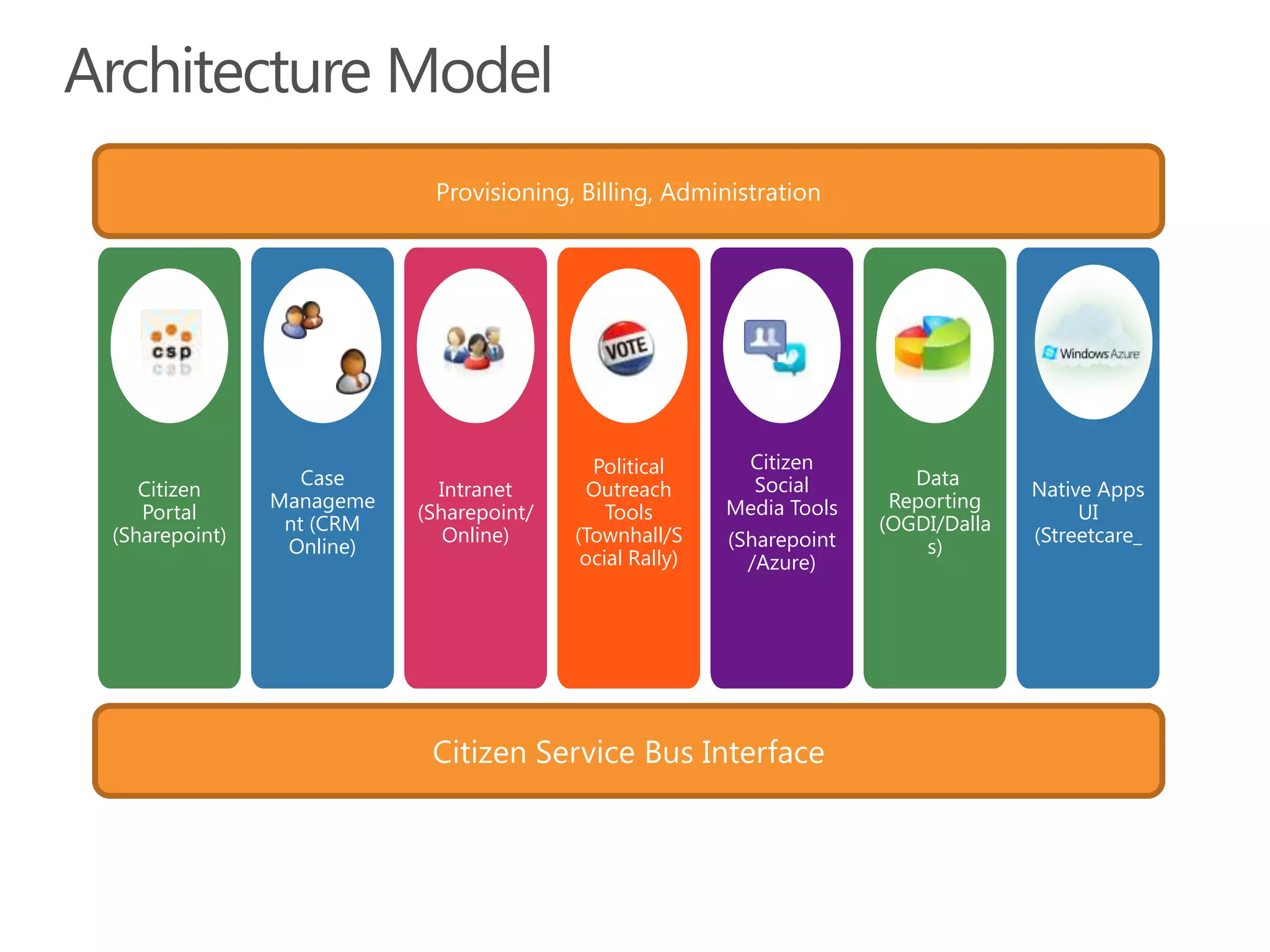
ArchitectureModelProvisioning, Billing, AdministrationIntranet (Sharepoint/ Online)Political Outreach Tools (Townhall/Social Rally)Citizen Social Media Tools(Sharepoint /Azure) Data Reporting (OGDI/Dallas) Citizen Portal (Sharepoint)Native Apps UI (Streetcare_Case Management (CRM Online)Citizen Service Bus Interface
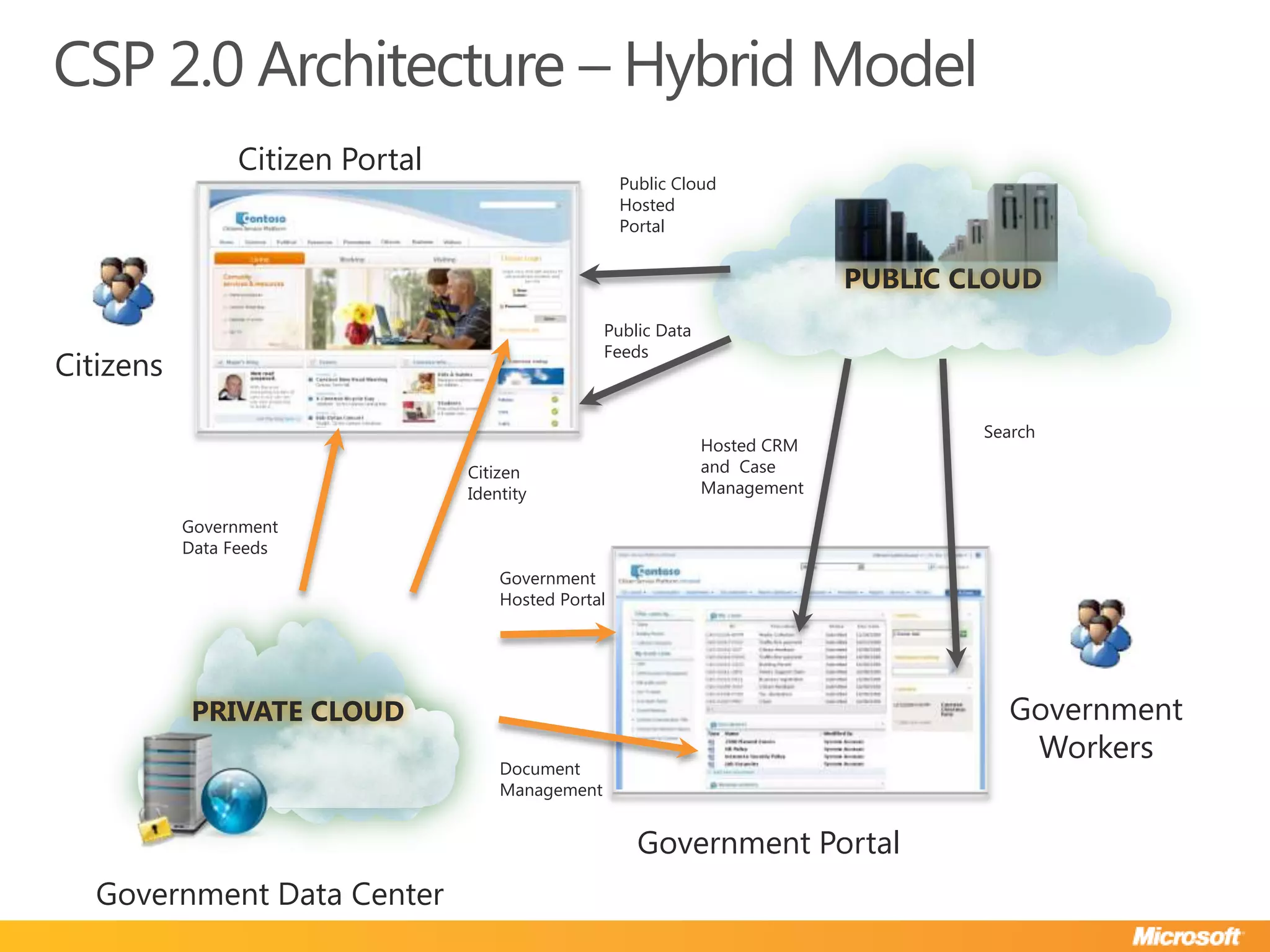
CSP 2.0 Architecture – Hybrid ModelCitizen PortalPUBLIC CLOUDPublic Cloud Hosted PortalPublic Data FeedsCitizensSearchHosted CRM and  Case ManagementCitizen IdentityGovernment Data FeedsGovernment Hosted PortalPRIVATE CLOUDGovernment WorkersDocument ManagementGovernment PortalGovernment Data Center
Citizen Portal
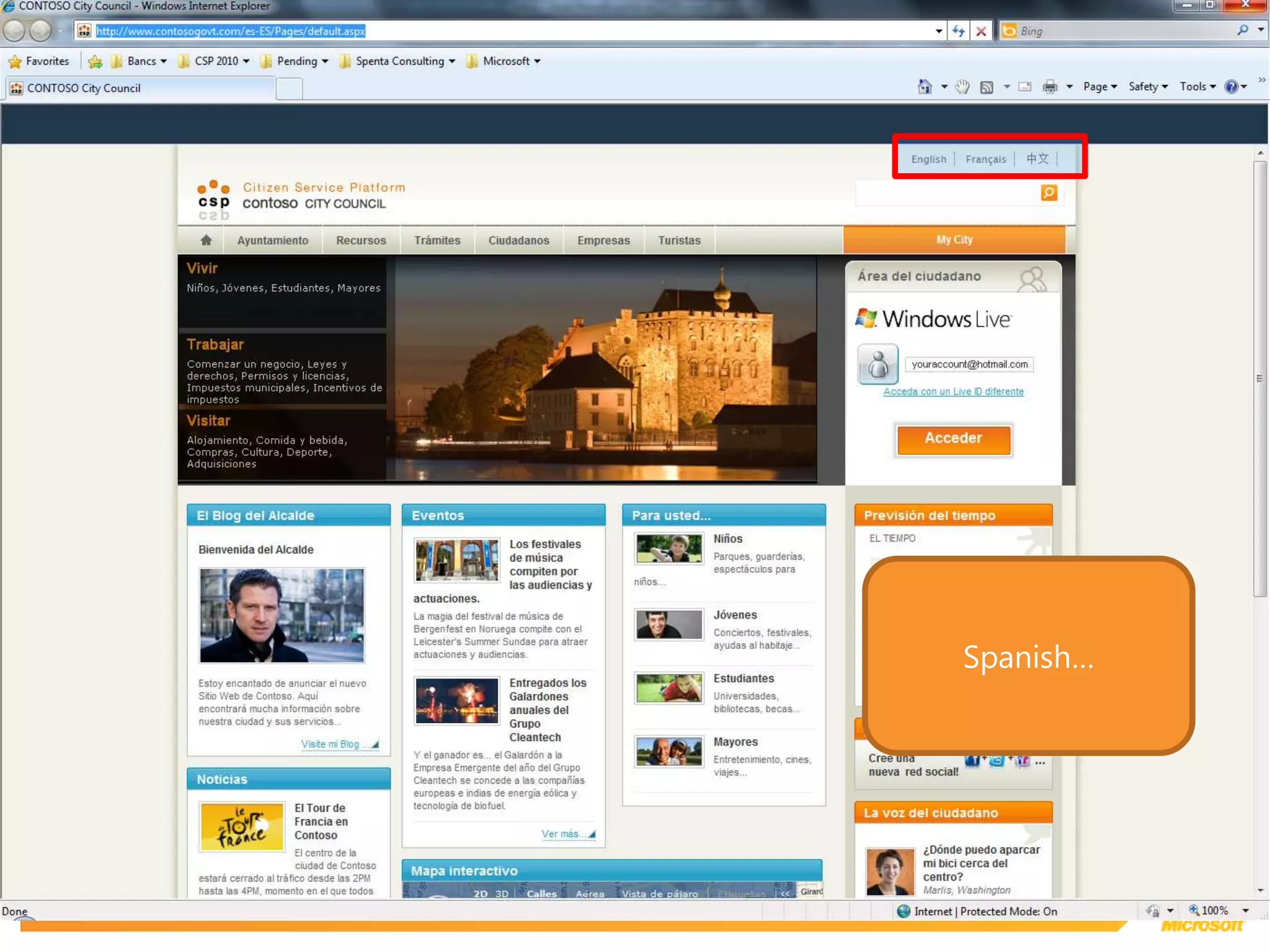
Spanish…
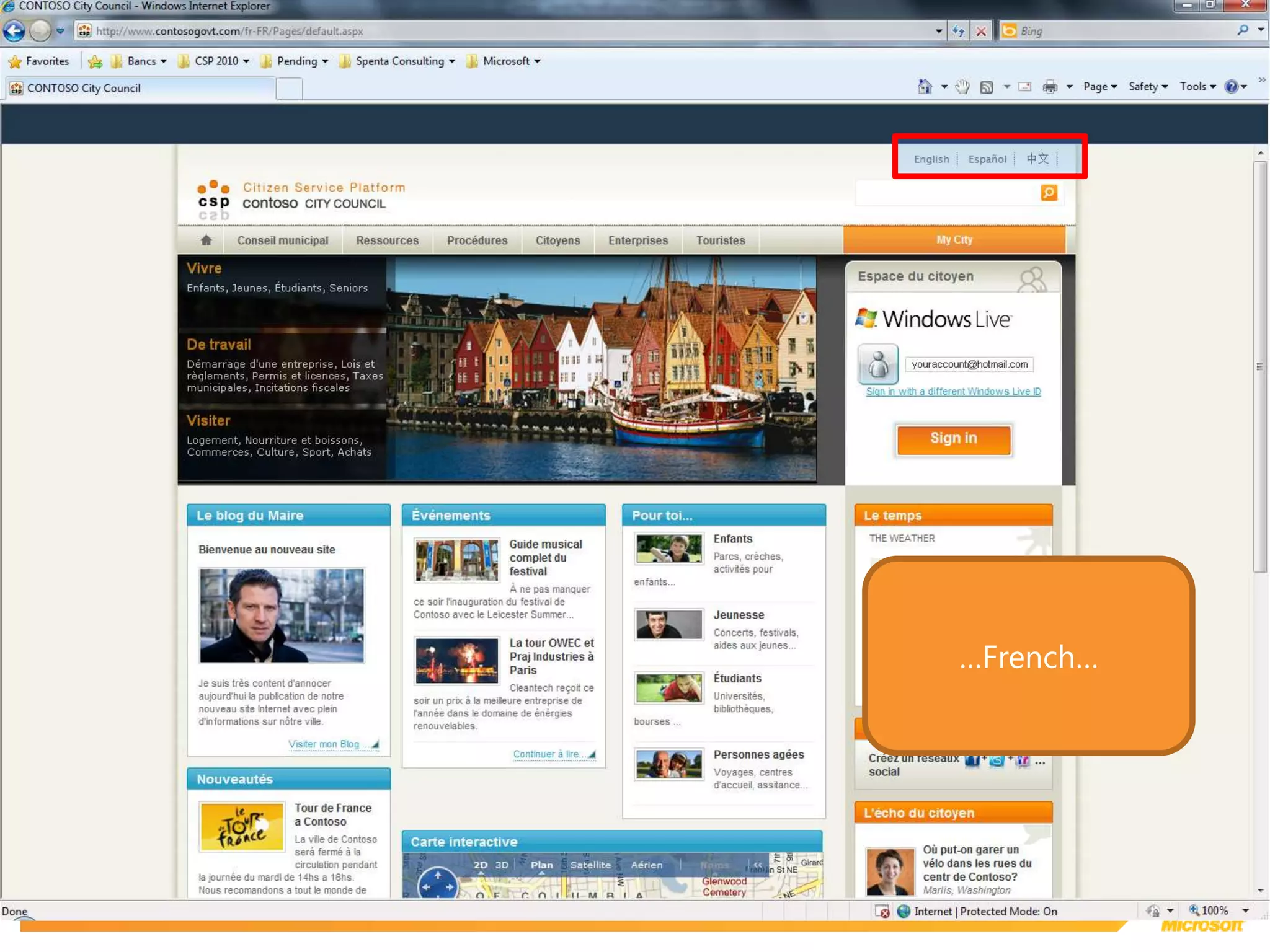
…French…
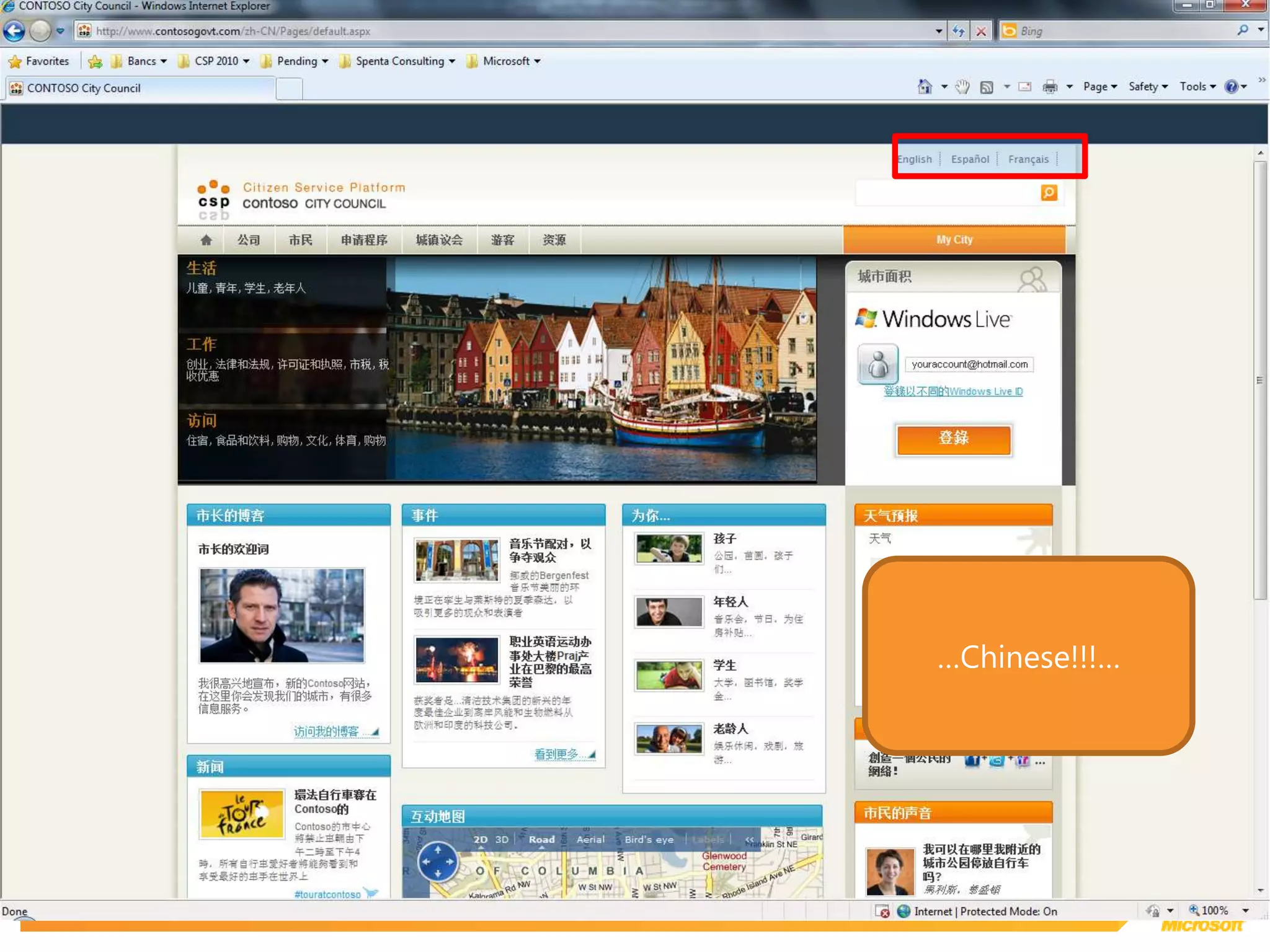
…Chinese!!!…
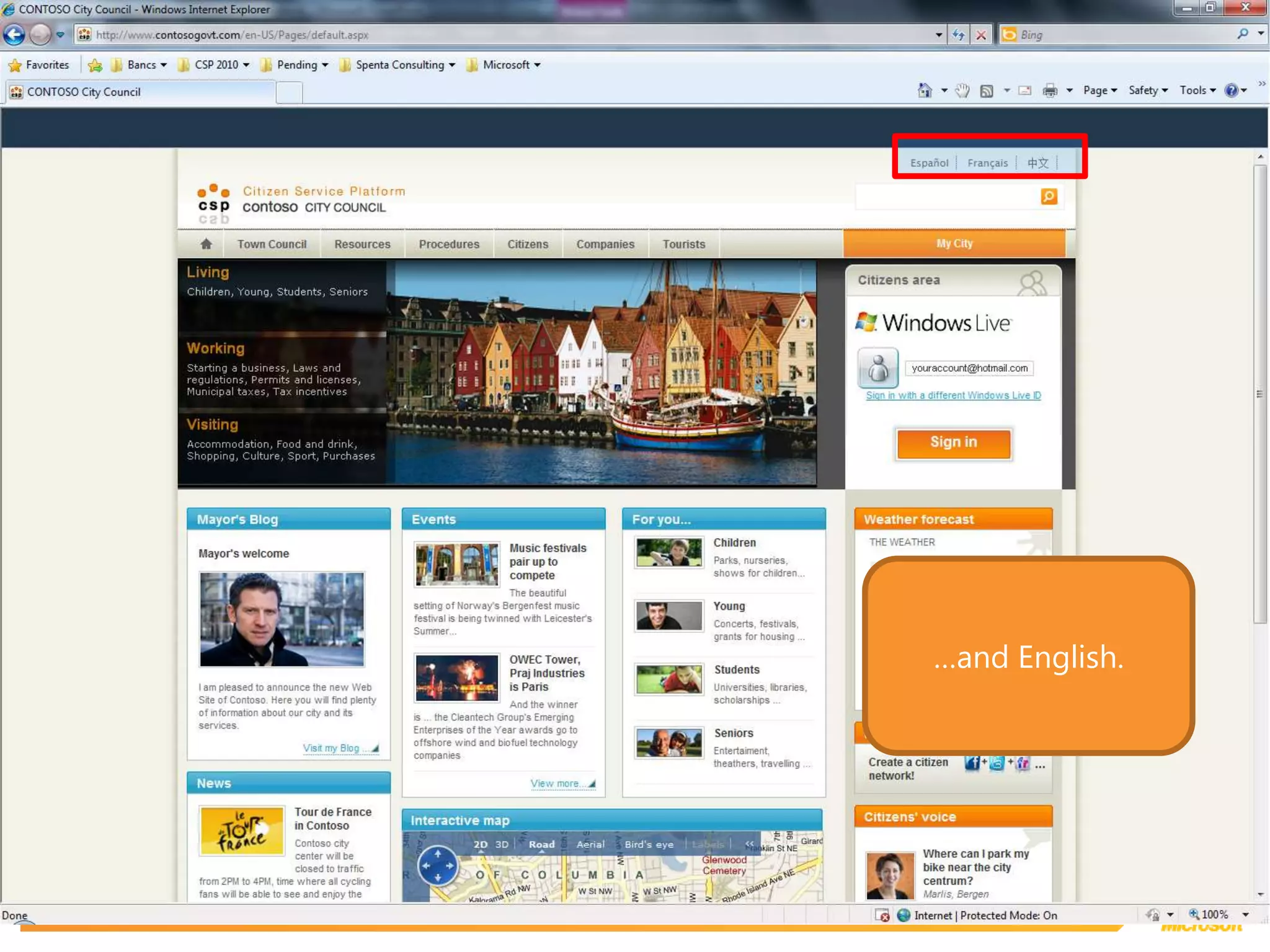
…and English.
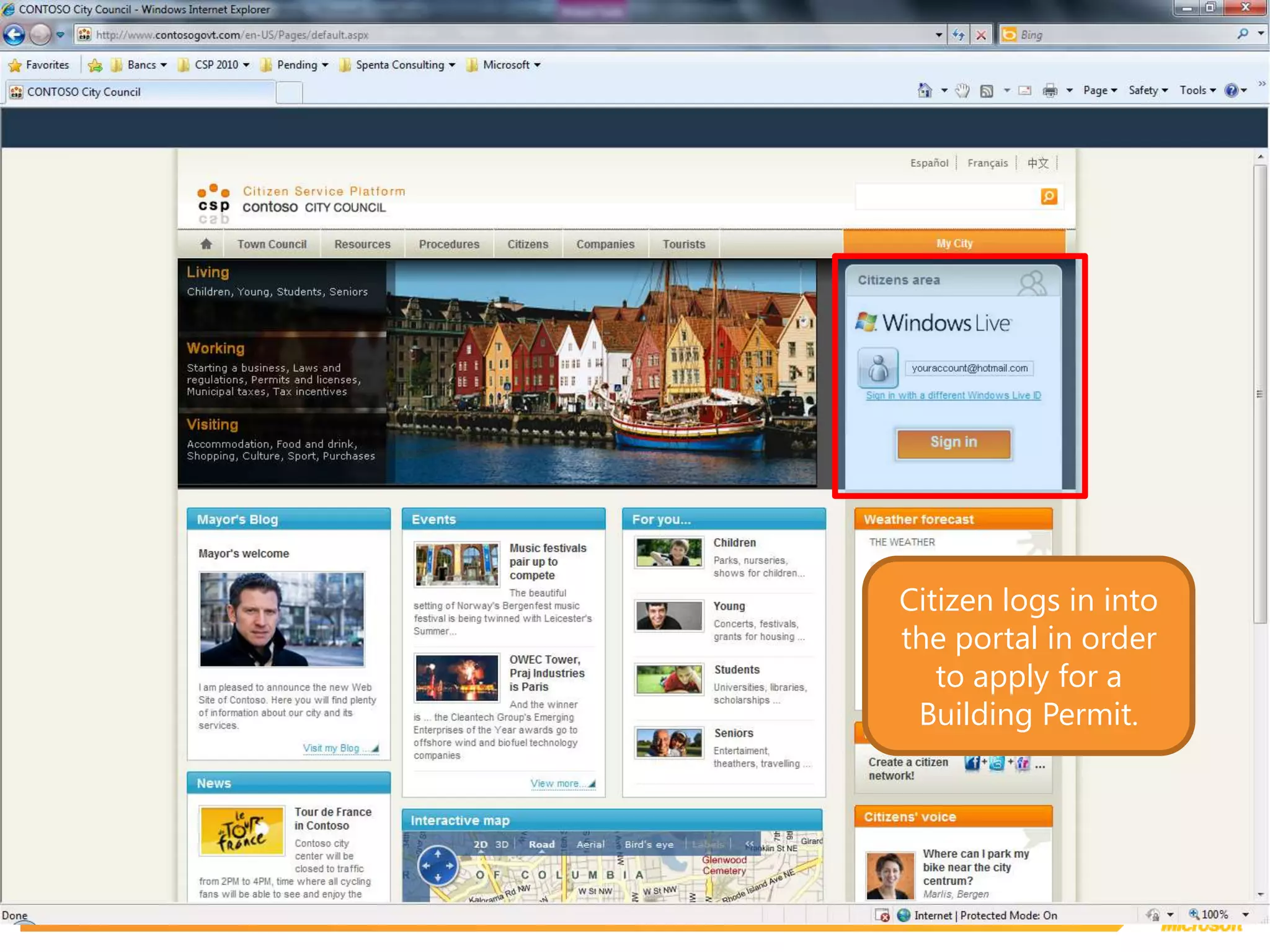
Citizen logs in into the portal in order to apply for a Building Permit.
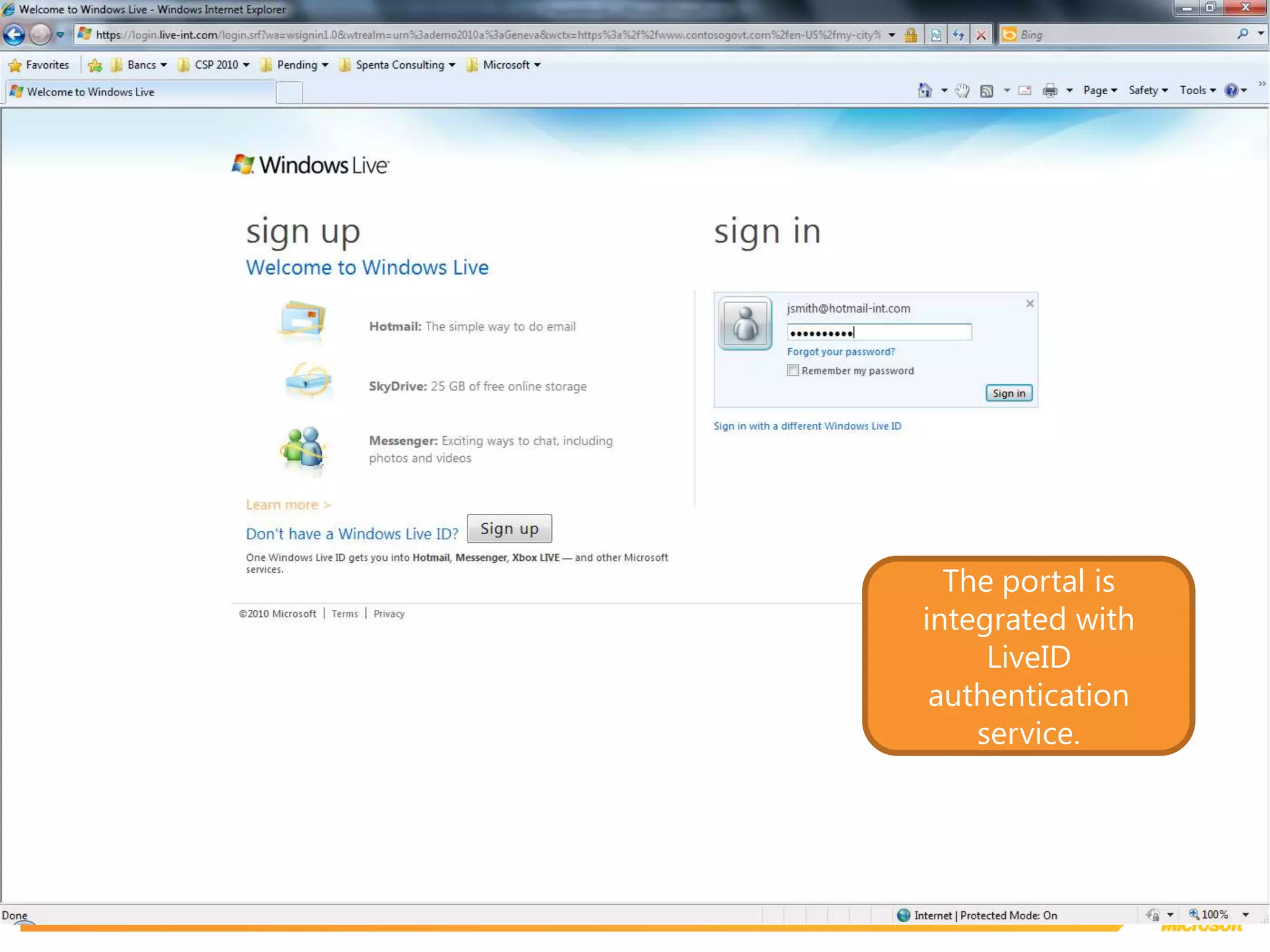
The portal is integrated with LiveID authentication service.
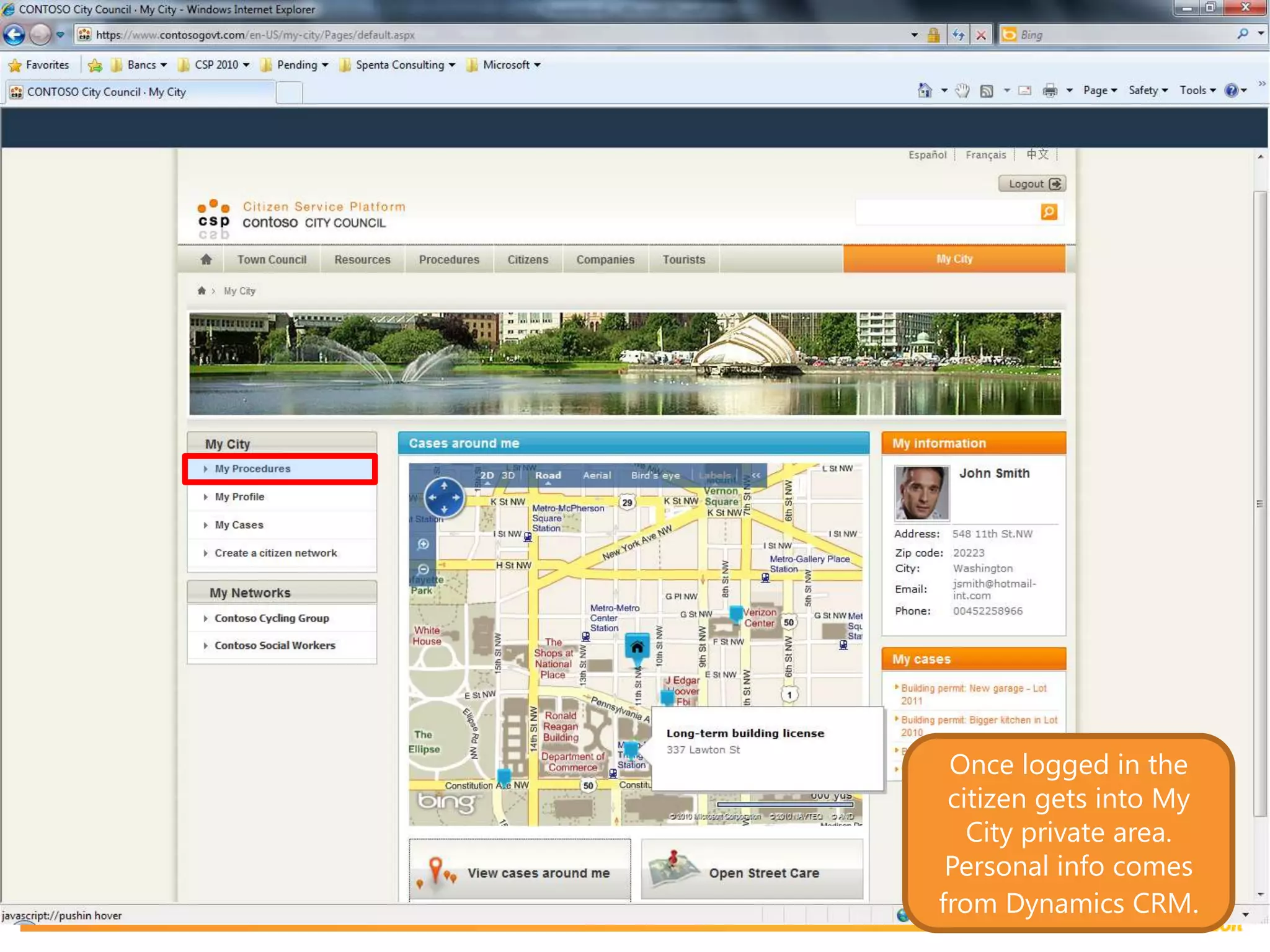
Once logged in the citizen gets into My City private area. Personal info comes from Dynamics CRM.
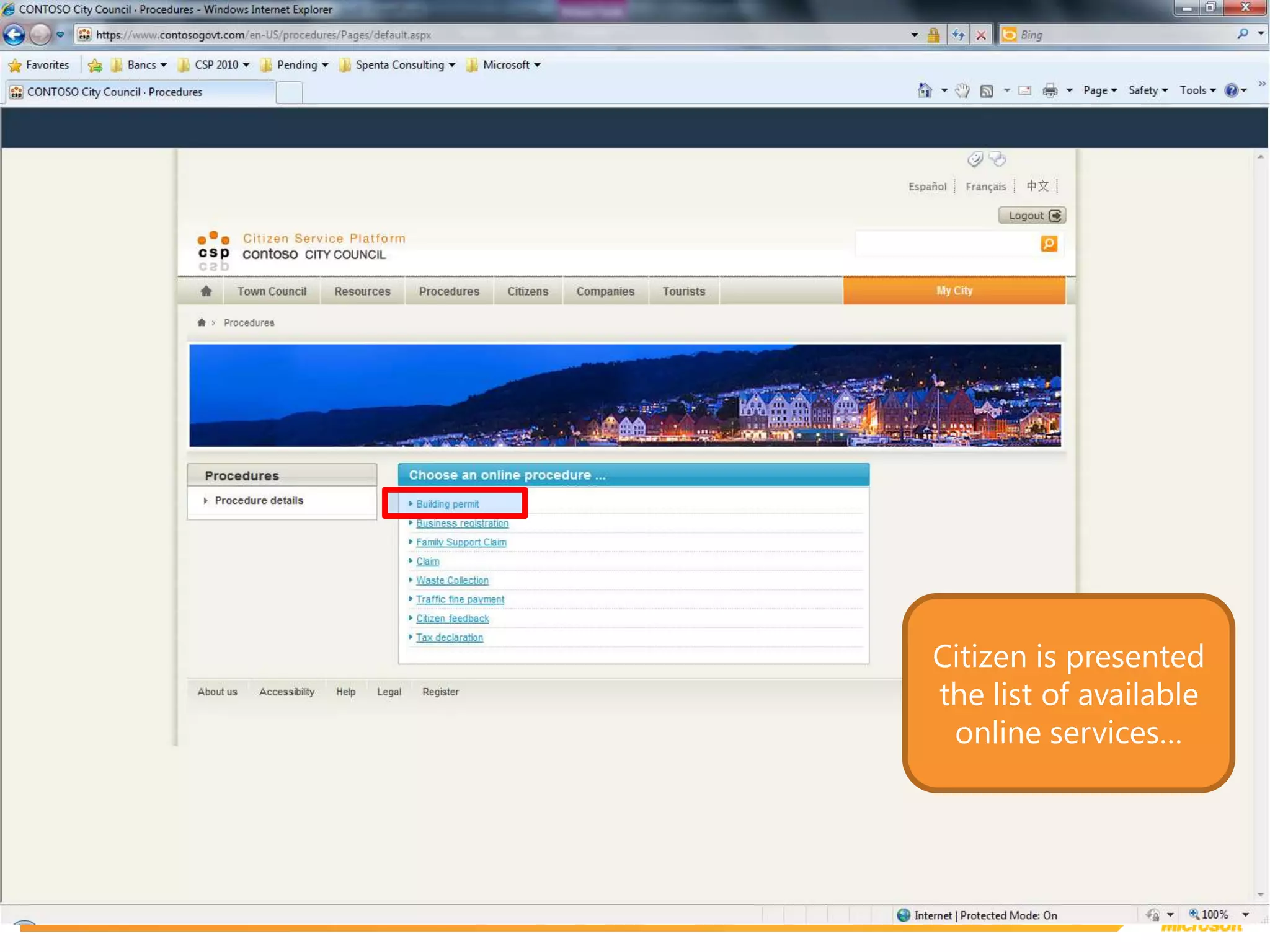
Citizen is presented the list of available online services…
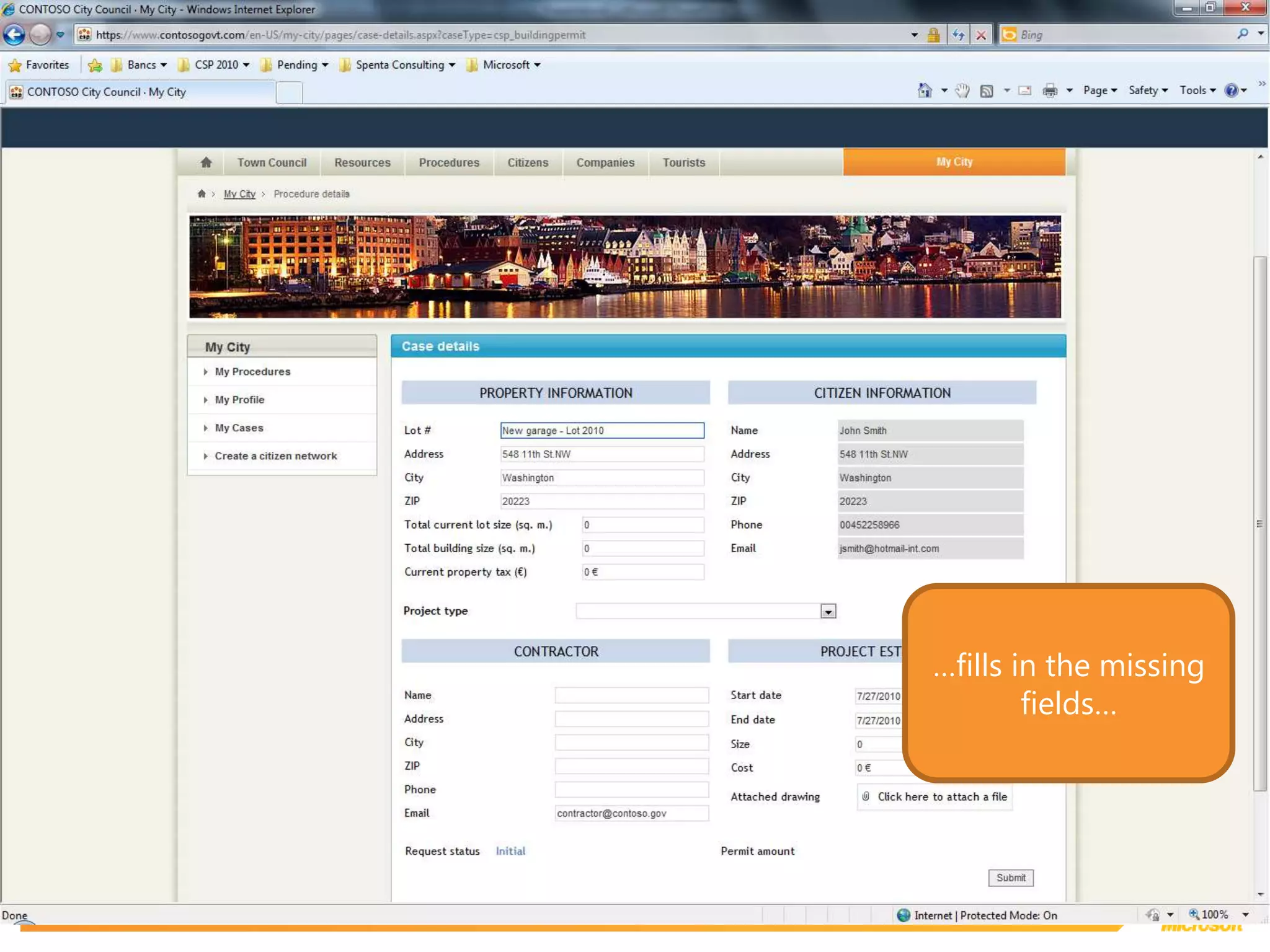
…fills in the missing fields…
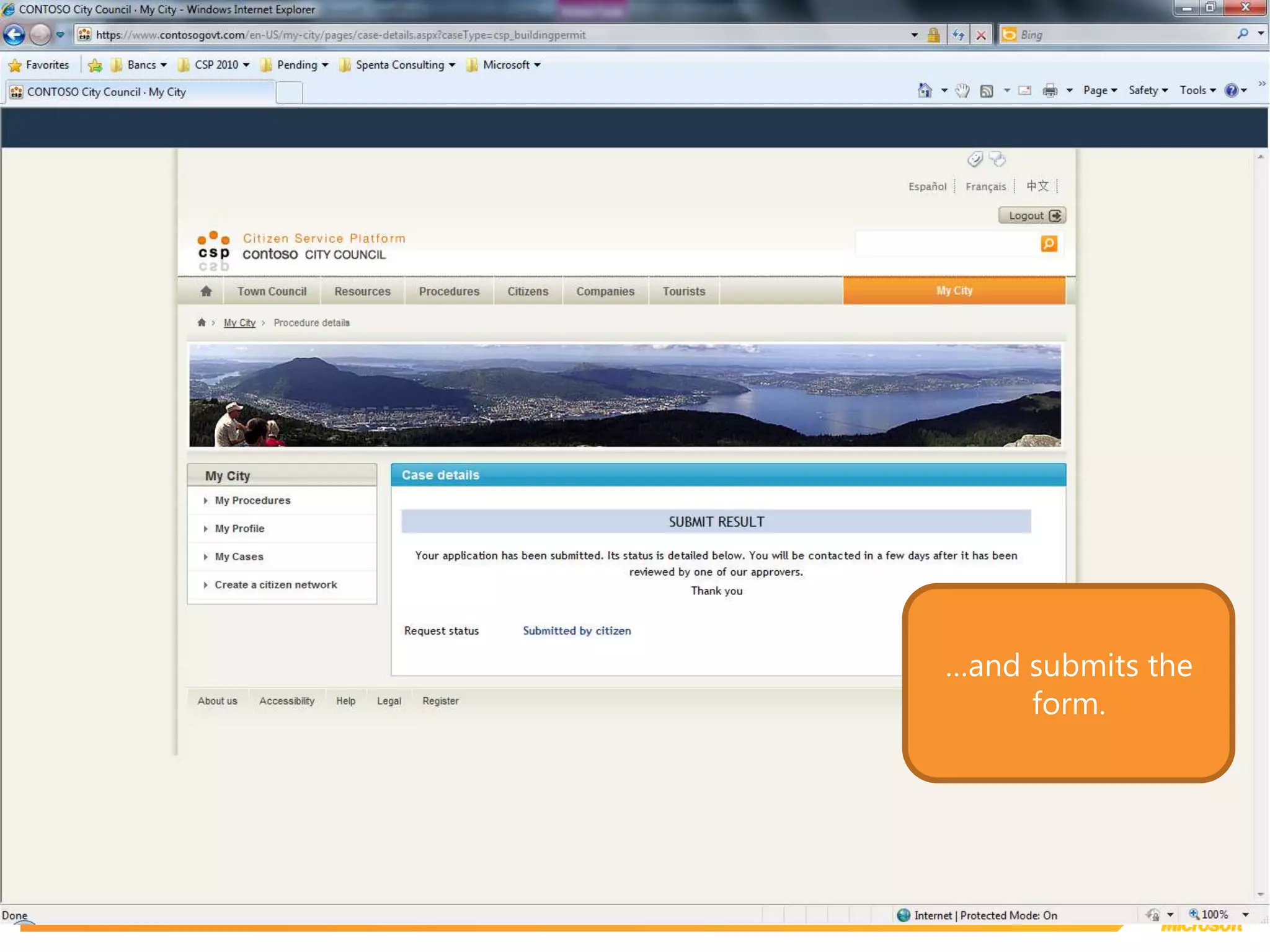
…and submits the form.
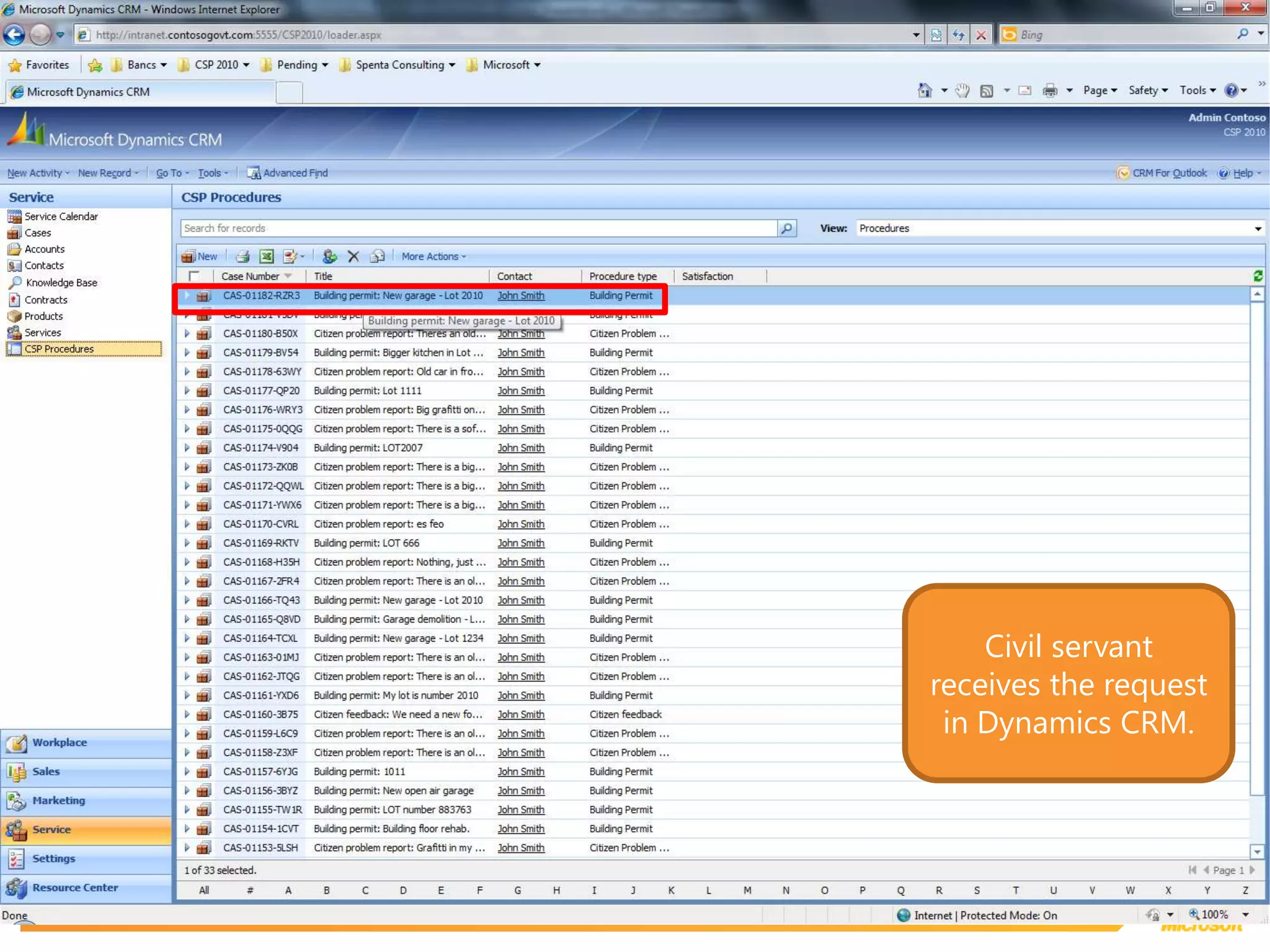
Civil servant receives the request in Dynamics CRM.
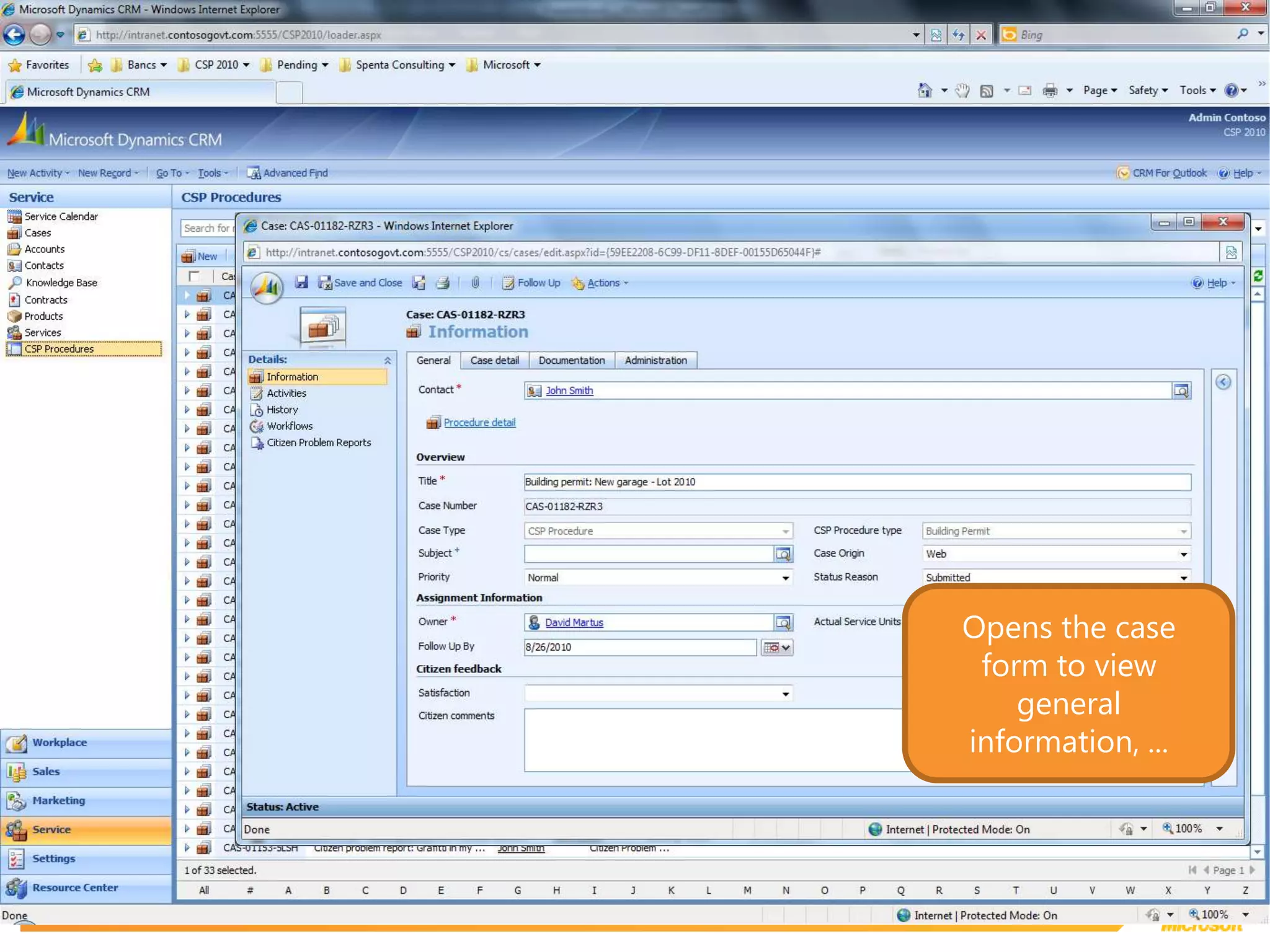
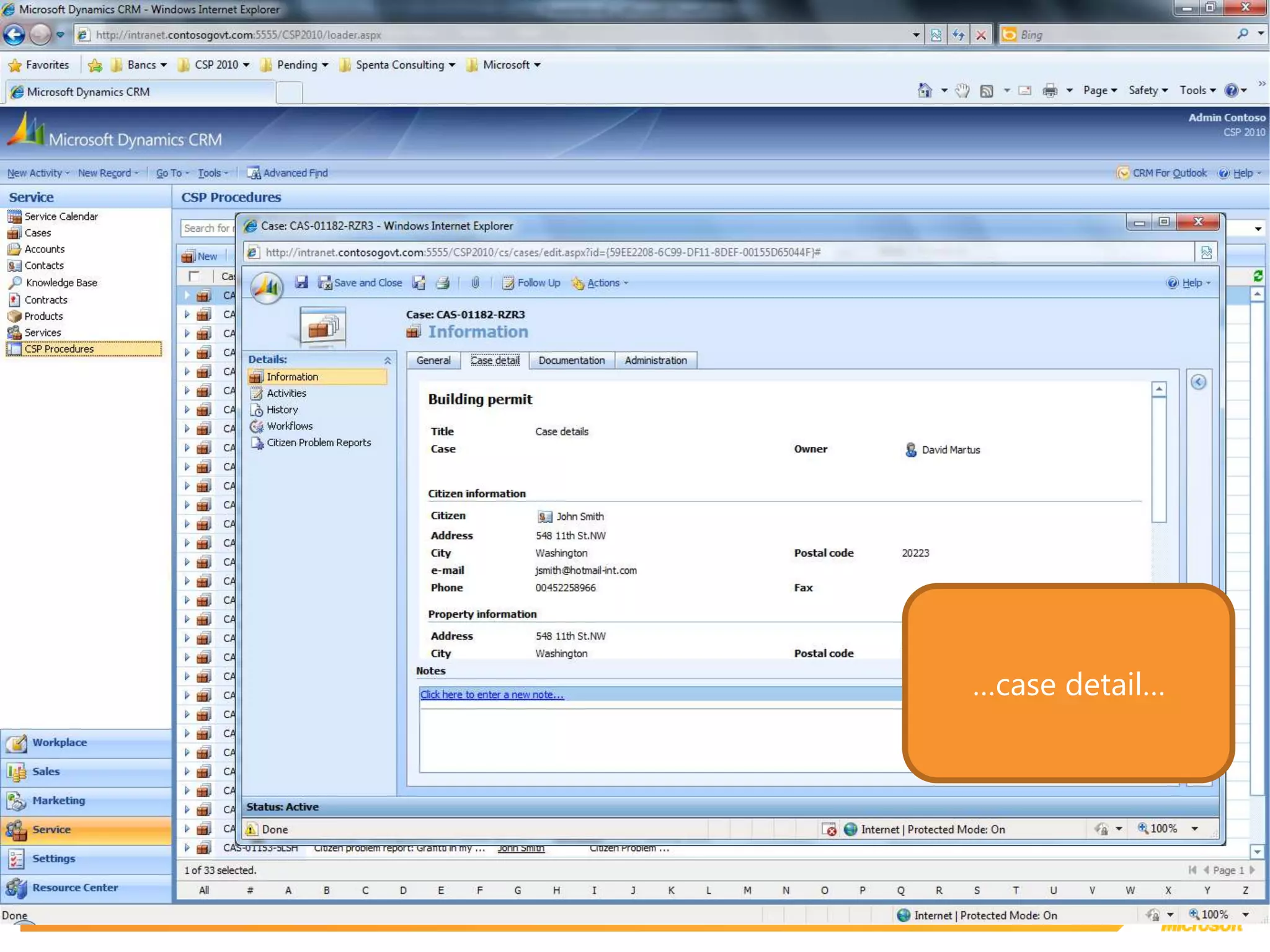
Opens the case form to view general information, ...
…case detail…
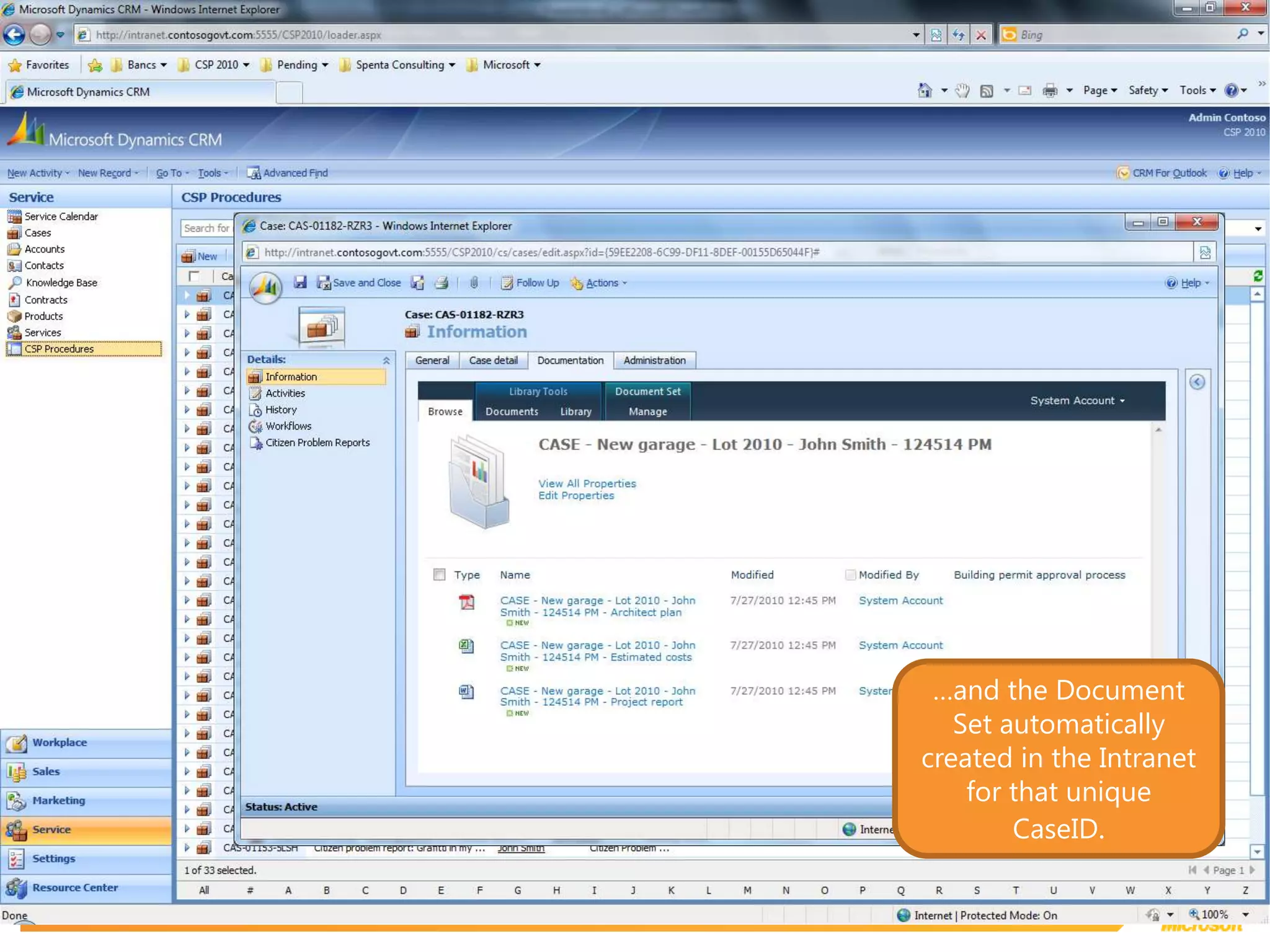
…and the Document Set automatically created in the Intranet for that unique CaseID.
Intranet
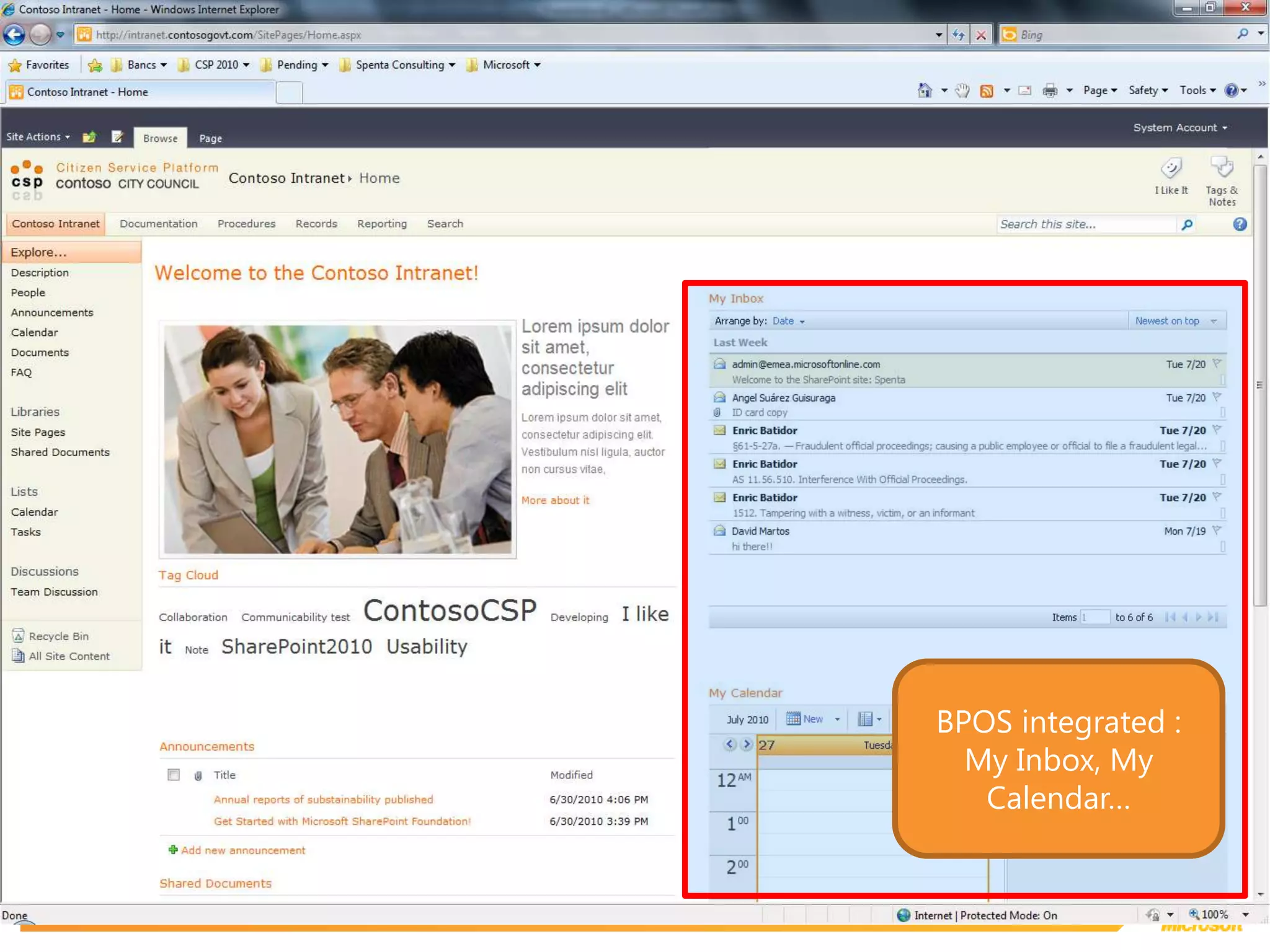
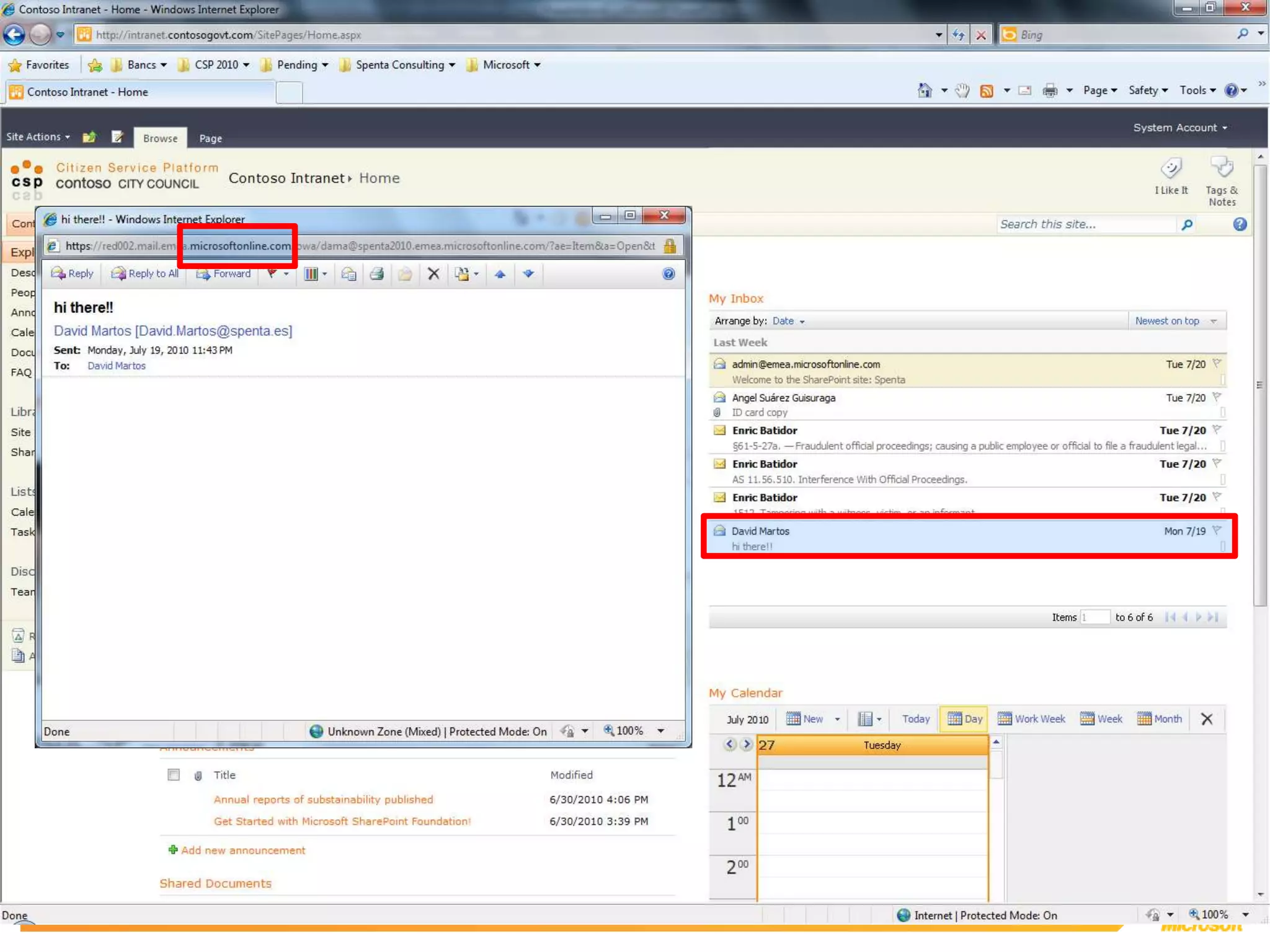
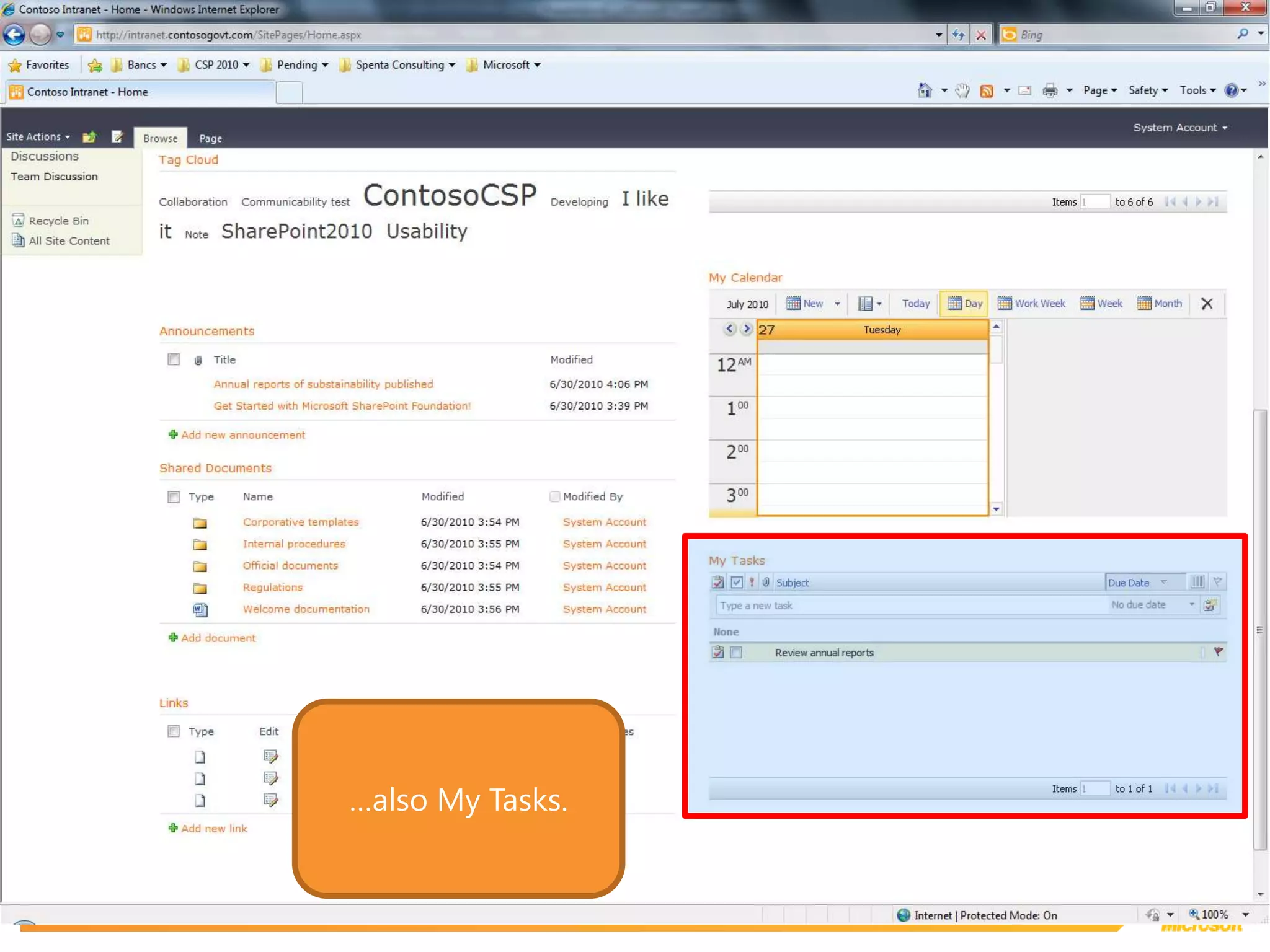
BPOS integrated :My Inbox, My Calendar…
…also My Tasks.
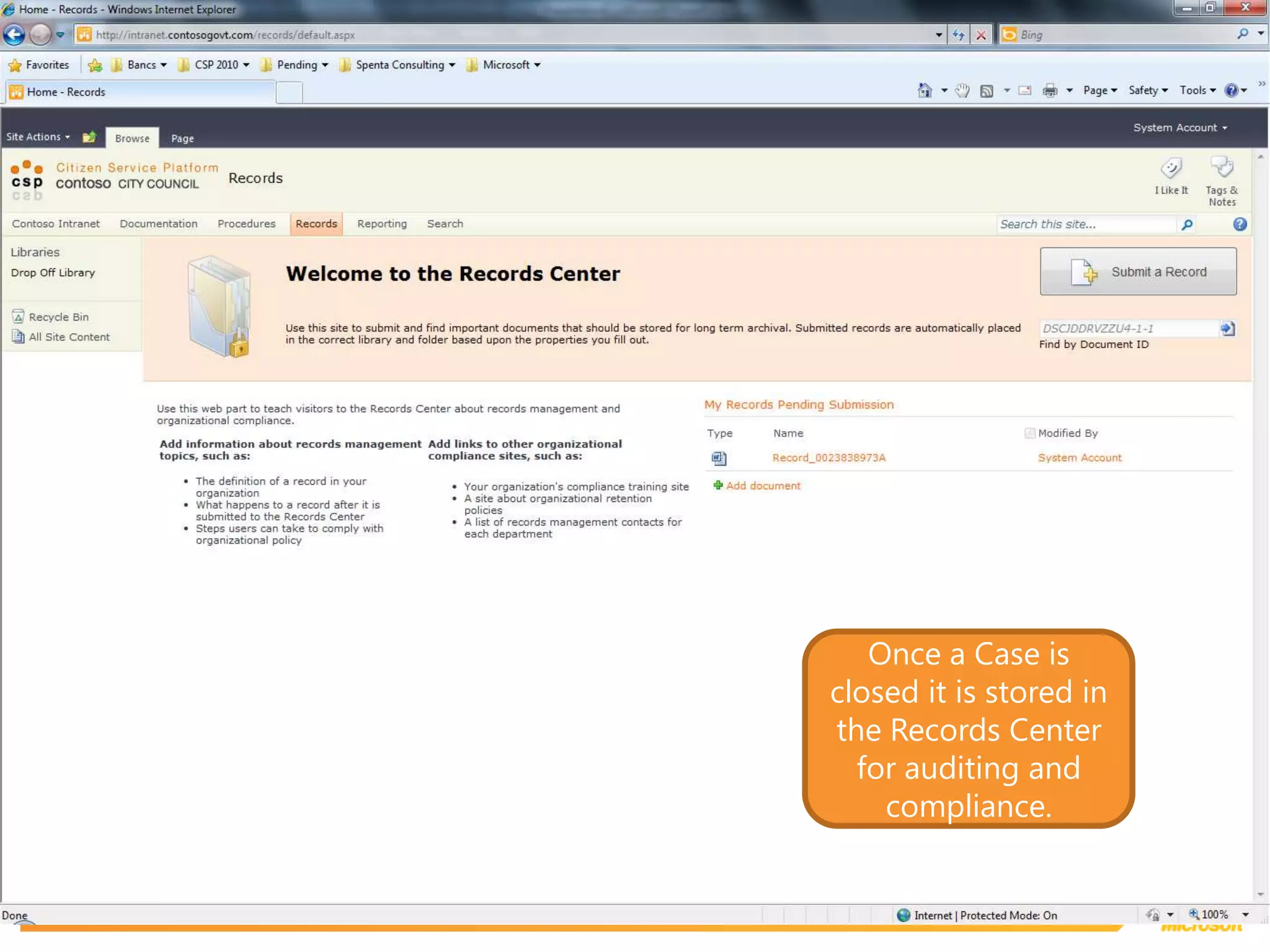
Once a Case is closed it is stored in the Records Center for auditing and compliance.
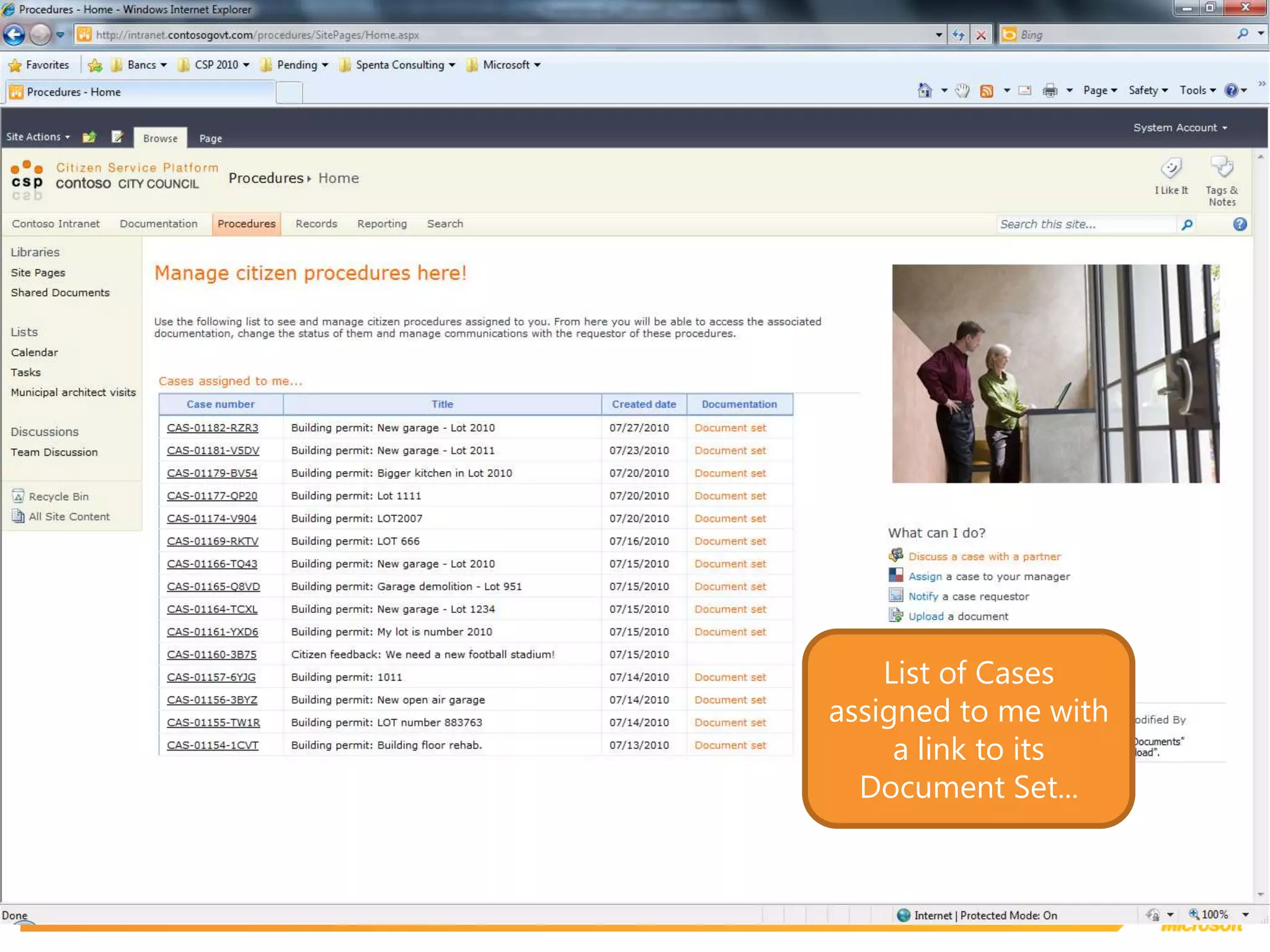
List of Cases assigned to me with a link to its Document Set...
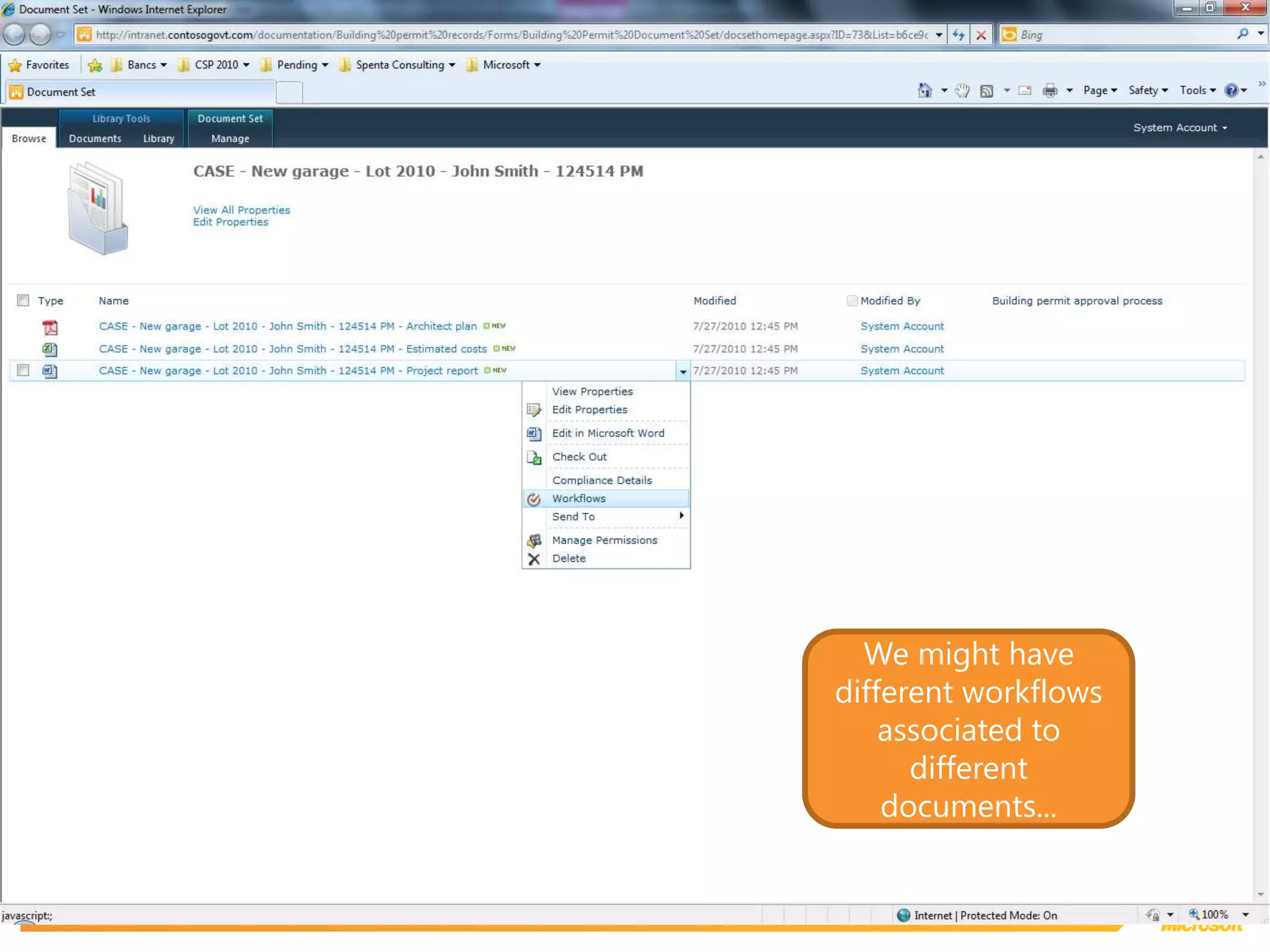
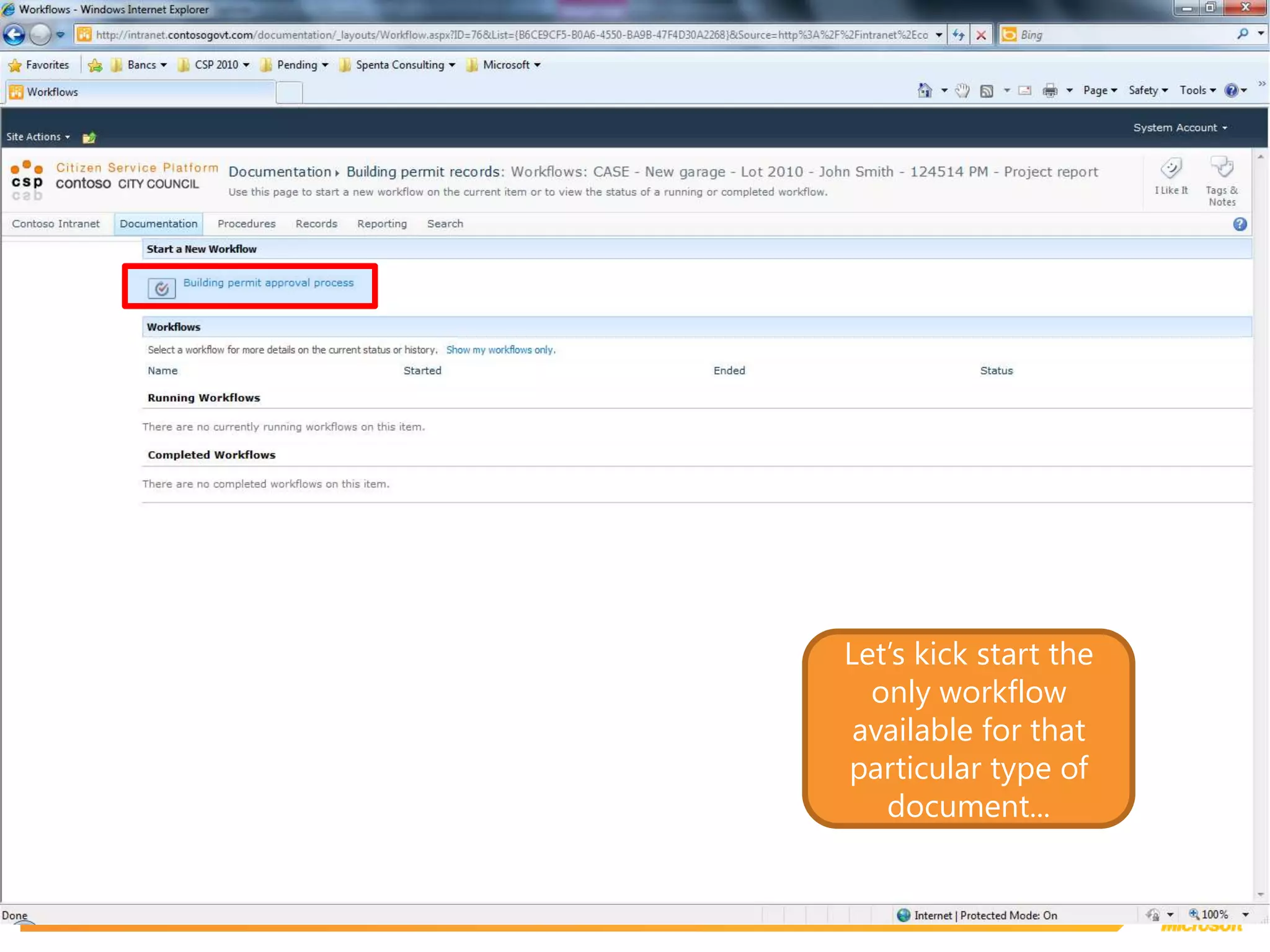
We might have different workflows associated to different documents...
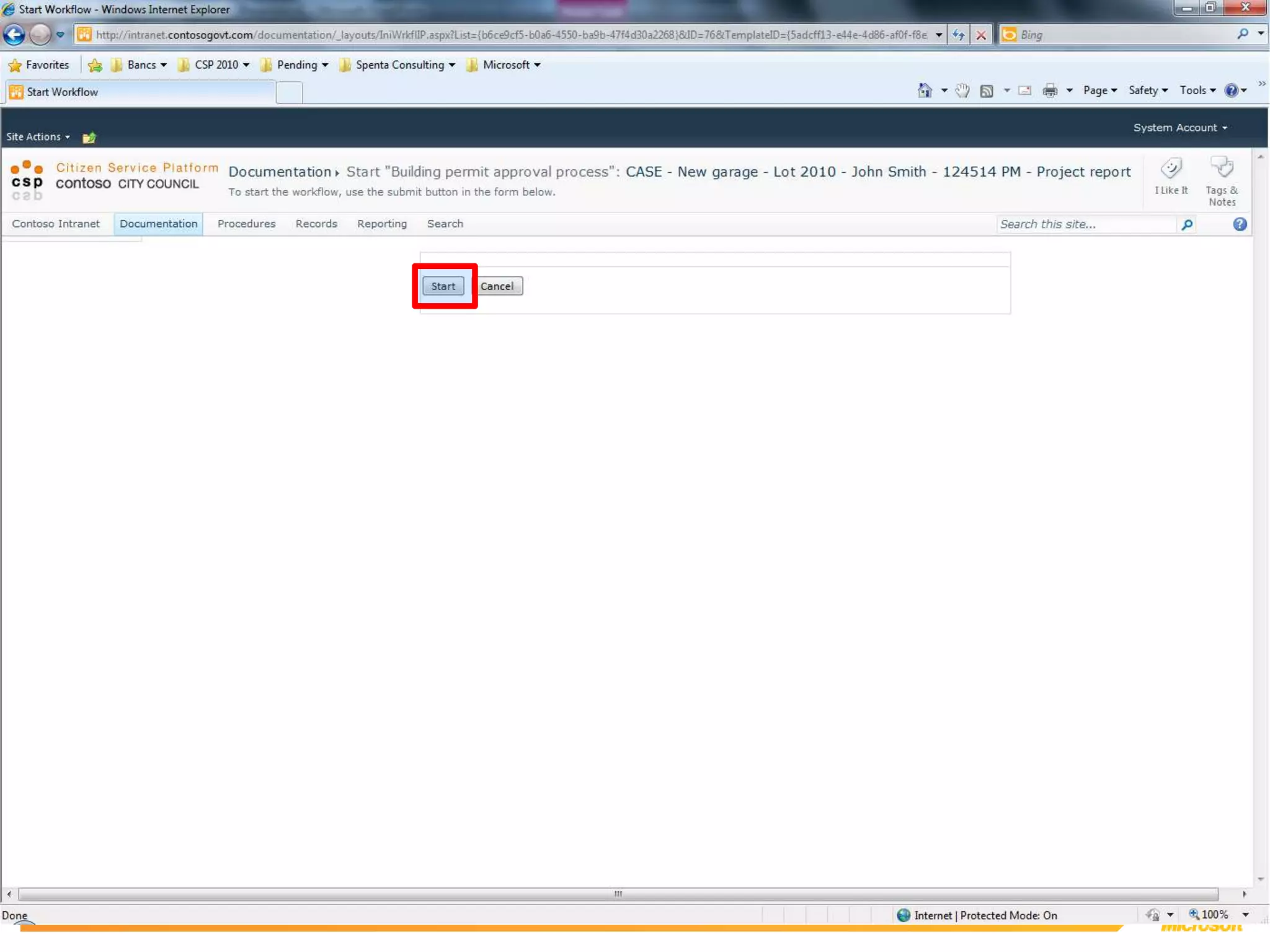
Let’s kick start the only workflow available for that particular type of document...
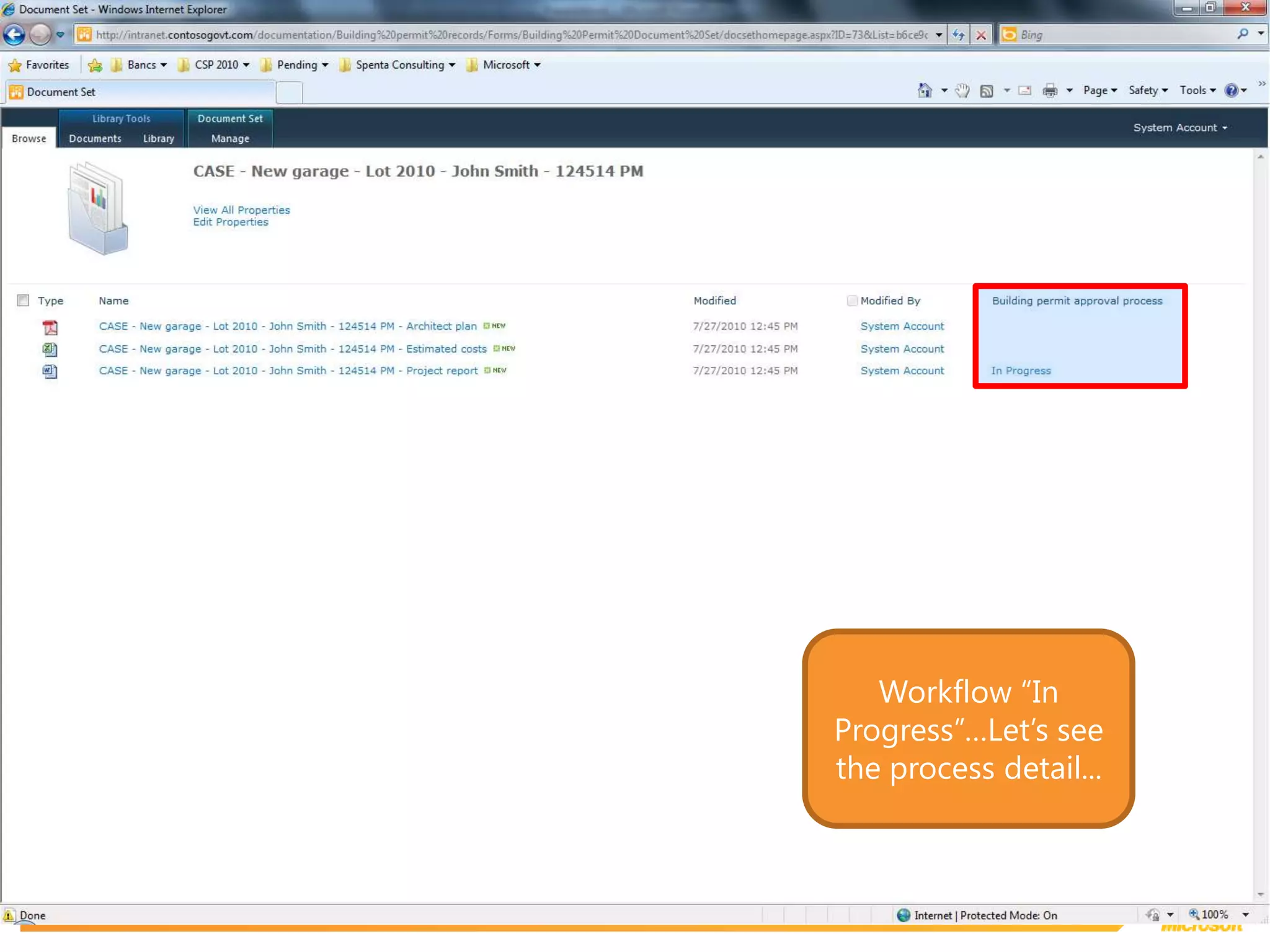
Workflow “In Progress”…Let’s see the process detail...
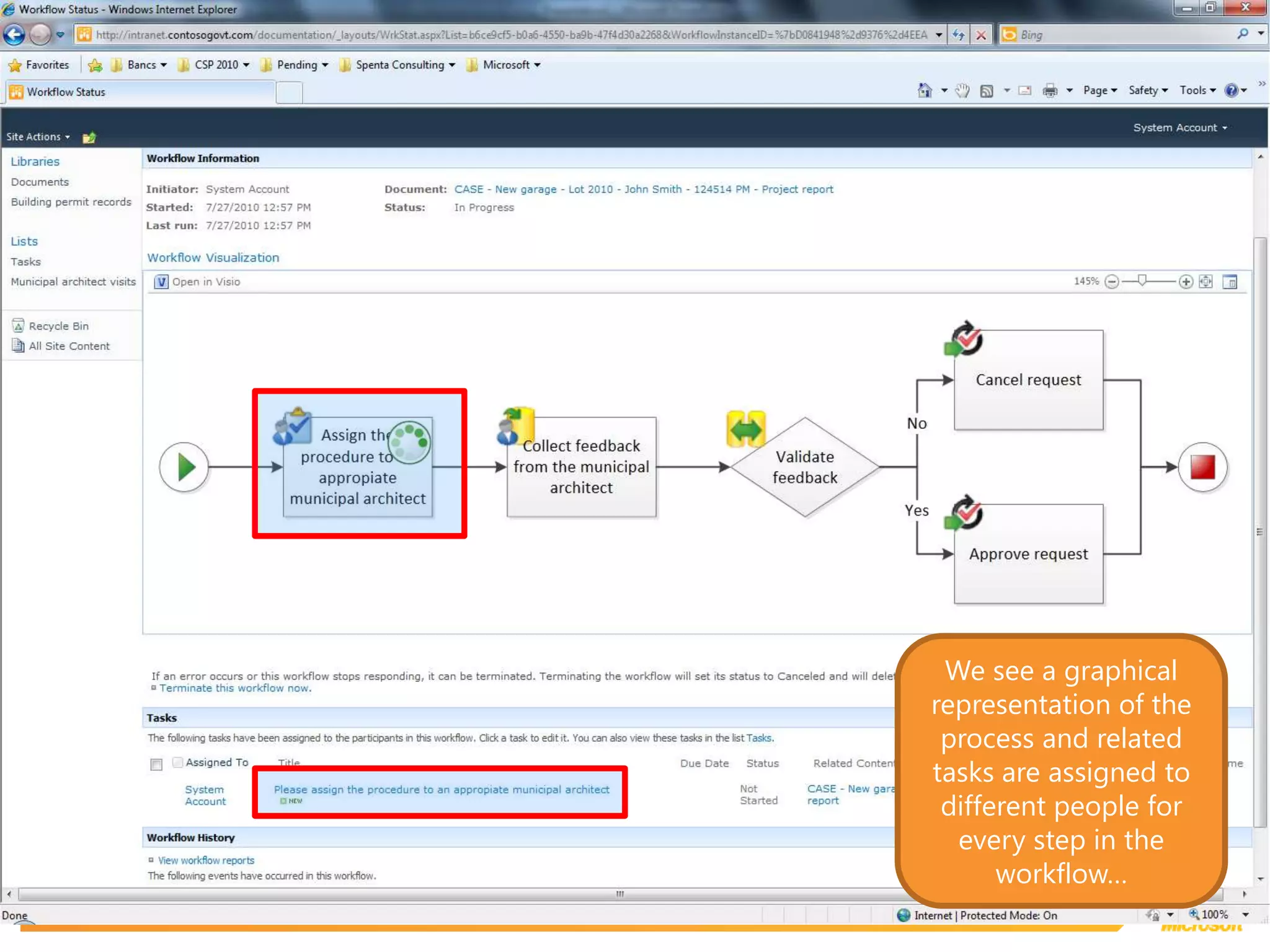
We see a graphical representation of the process and related tasks are assigned to different people for every step in the workflow…
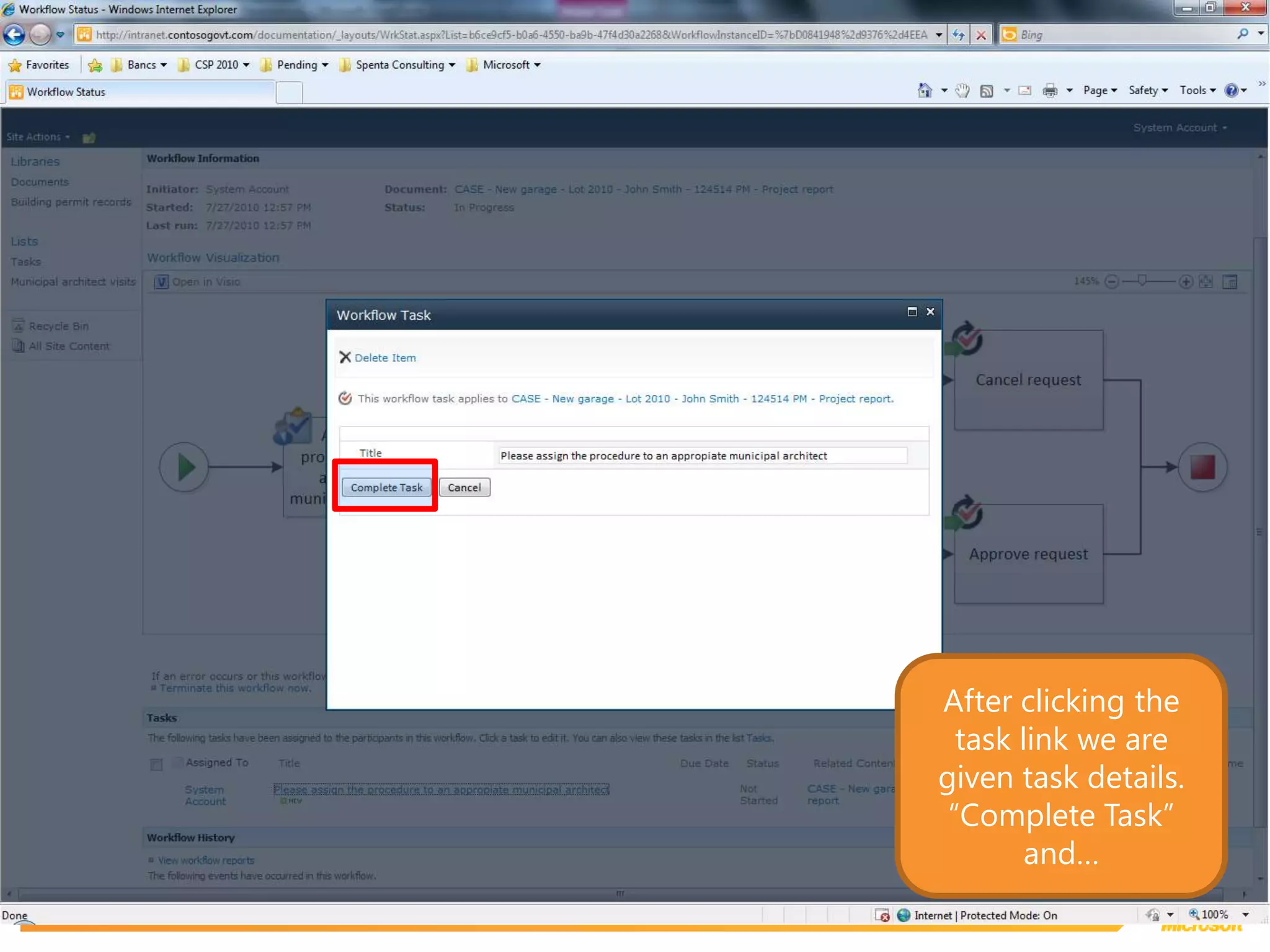
After clicking the task link we are given task details. “Complete Task” and…
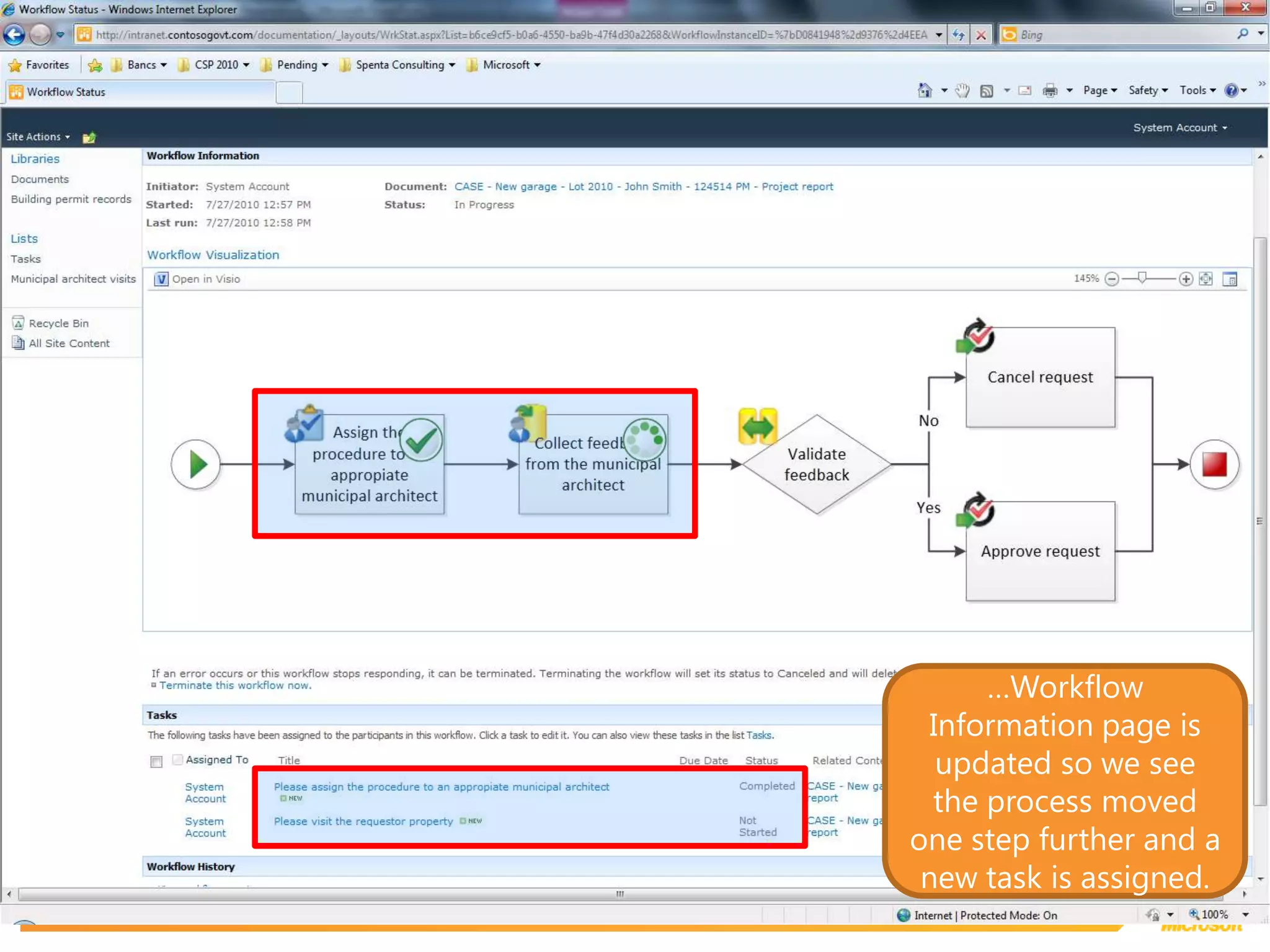
…Workflow Information page is updated so we see the process moved one step further and a new task is assigned.
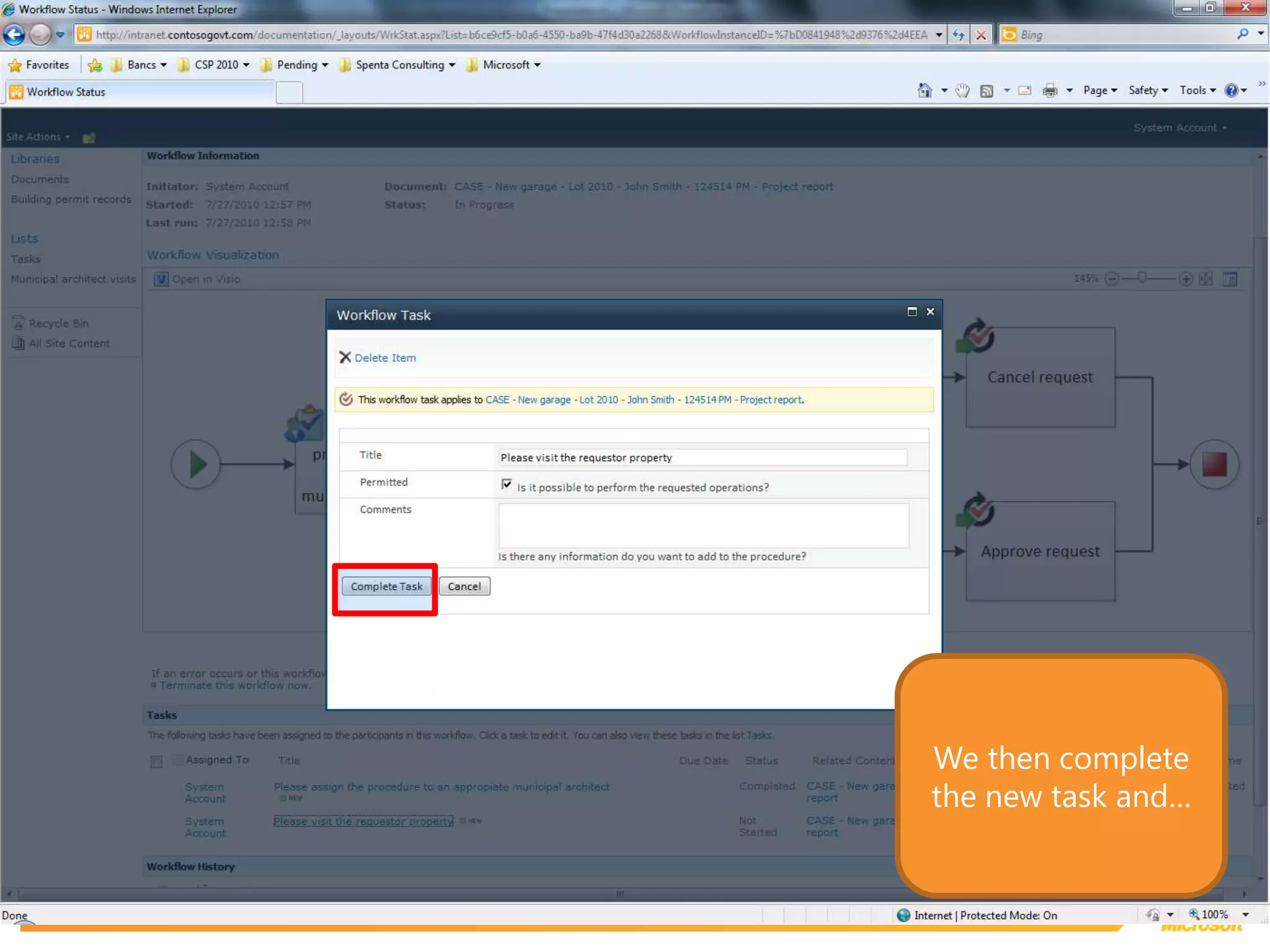
We then complete the new task and…
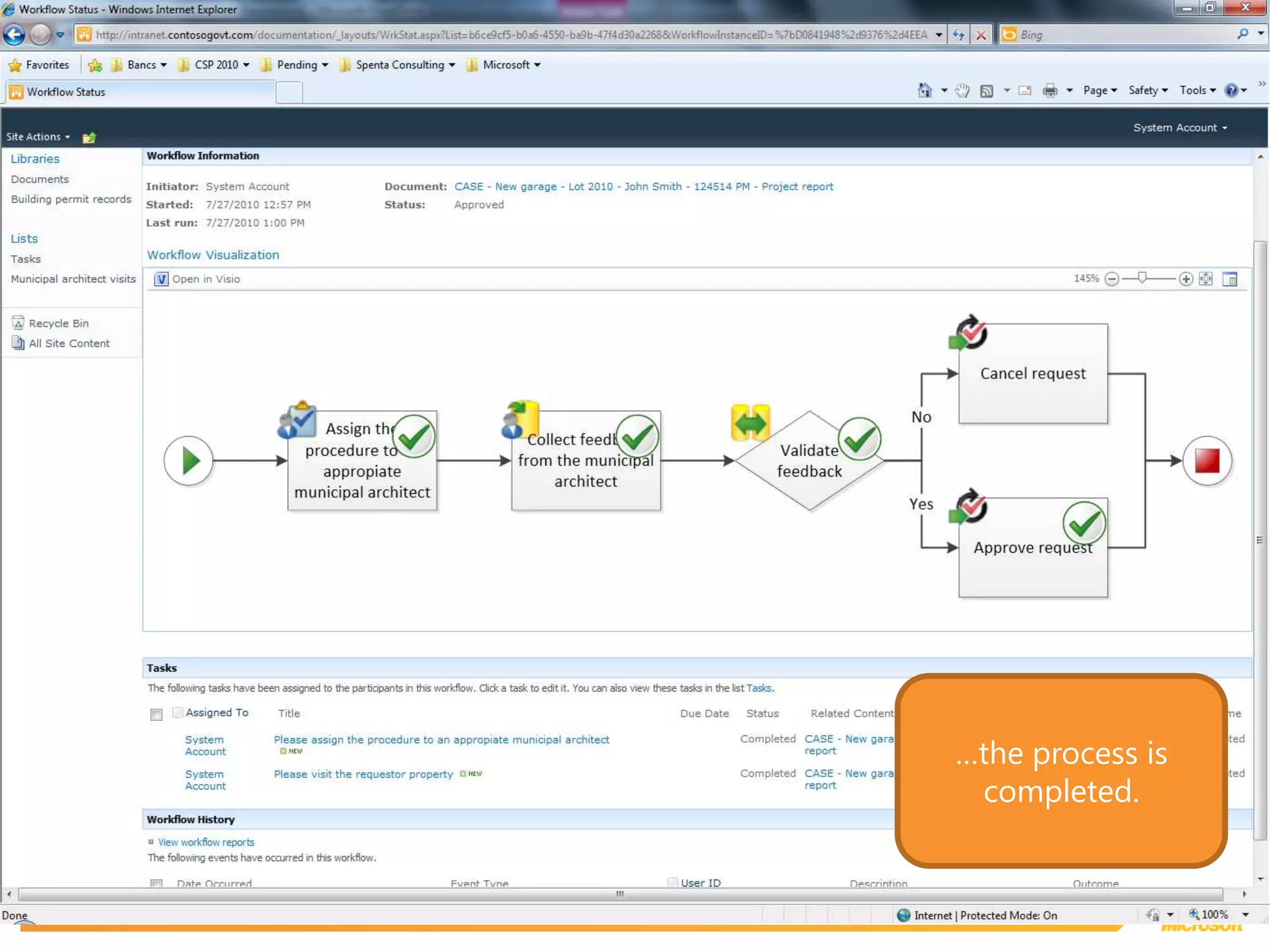
…the process is completed.
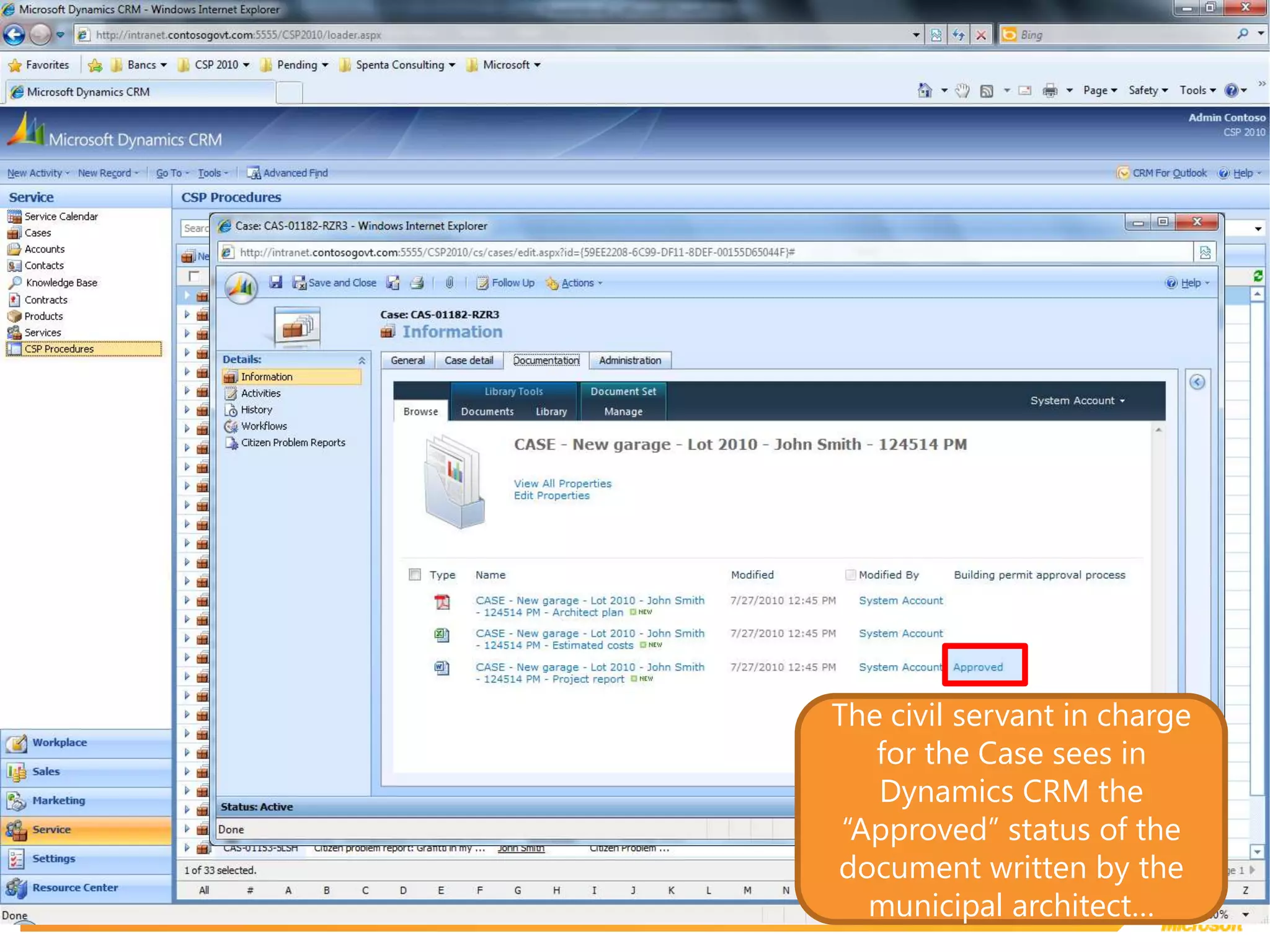
The civil servant in charge for the Case sees in Dynamics CRM the “Approved” status of the document written by the municipal architect…
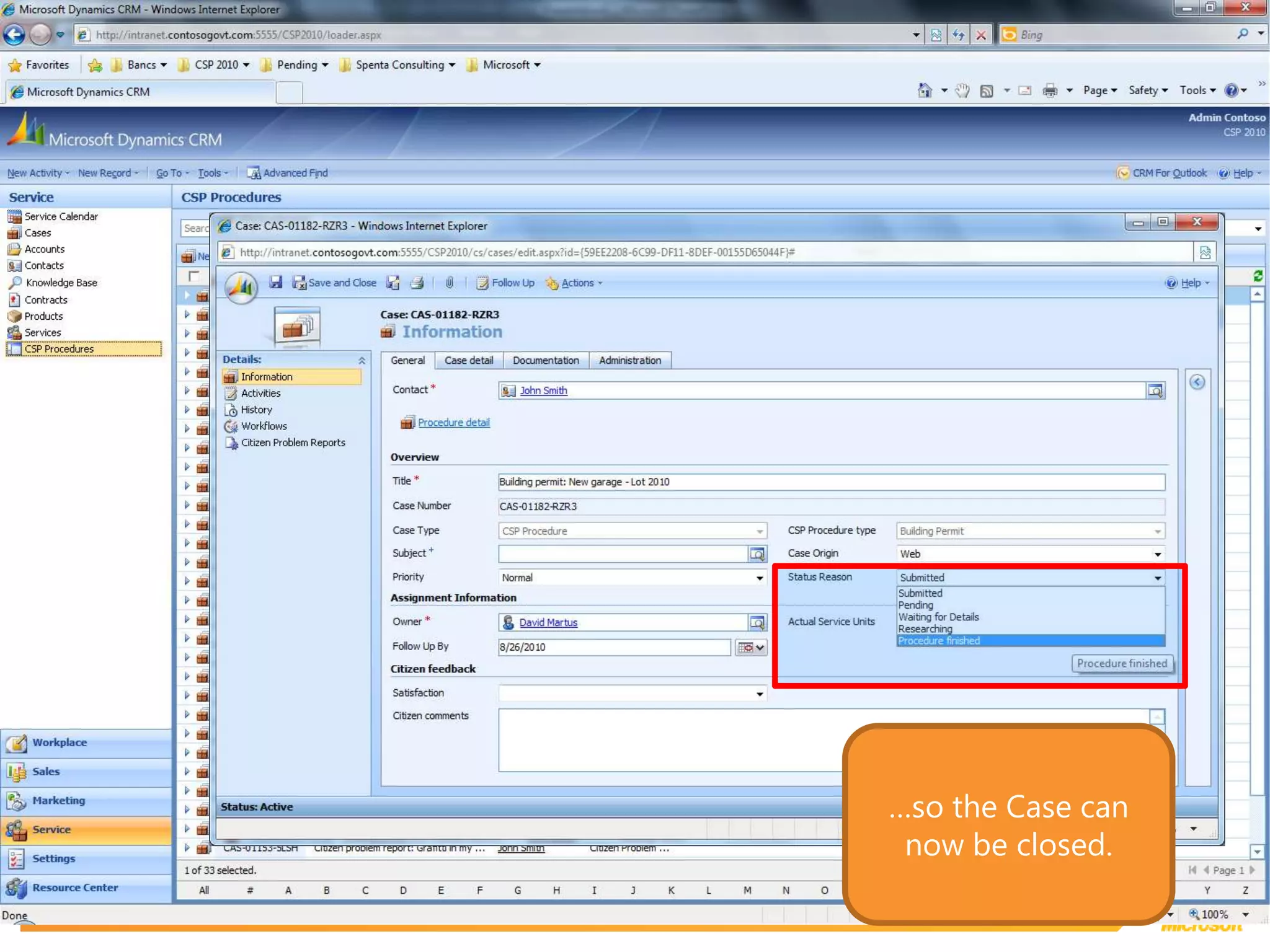
…so the Case can now be closed.
Social Modules
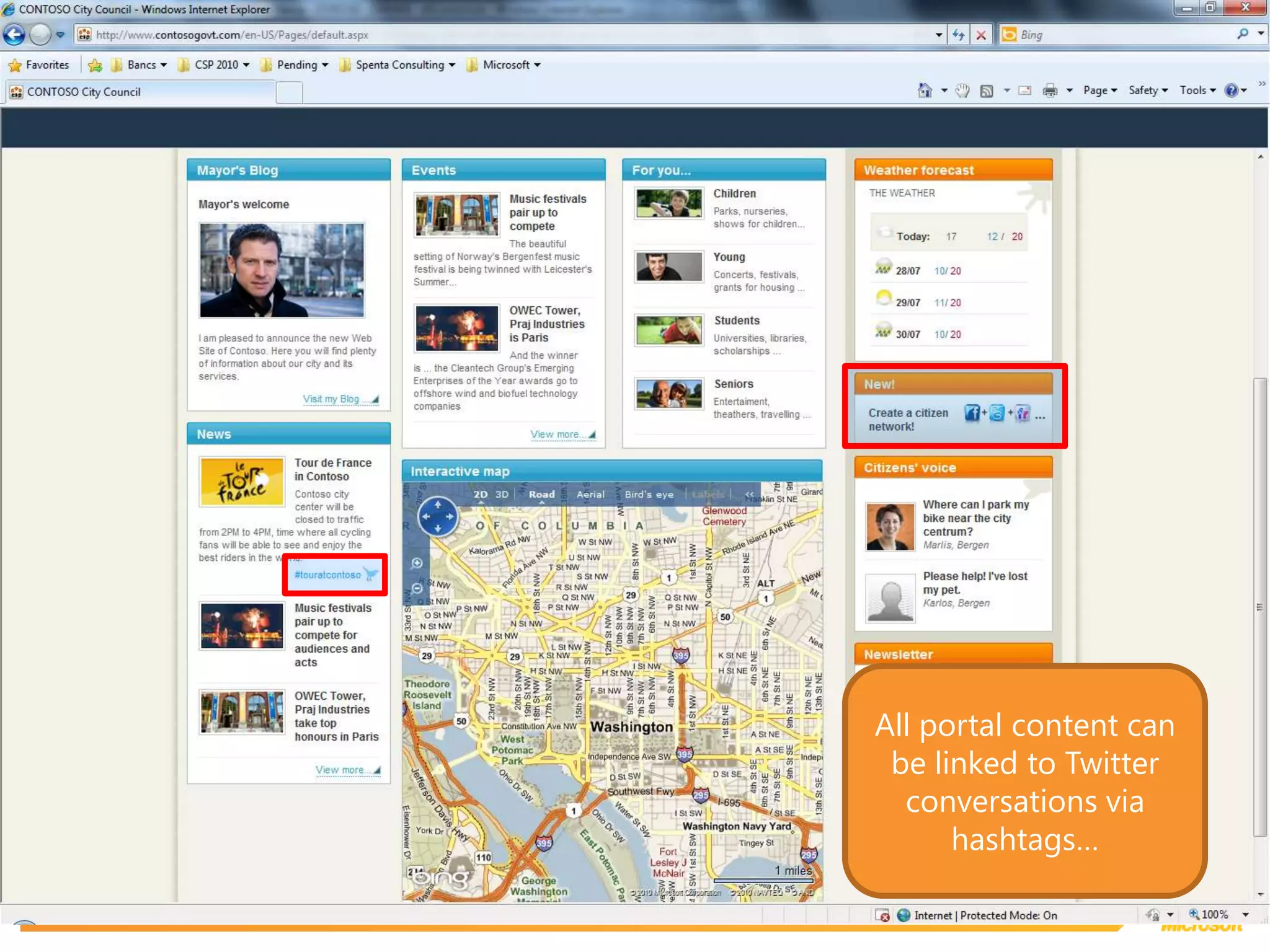
All portal content can be linked to Twitter conversations via hashtags…
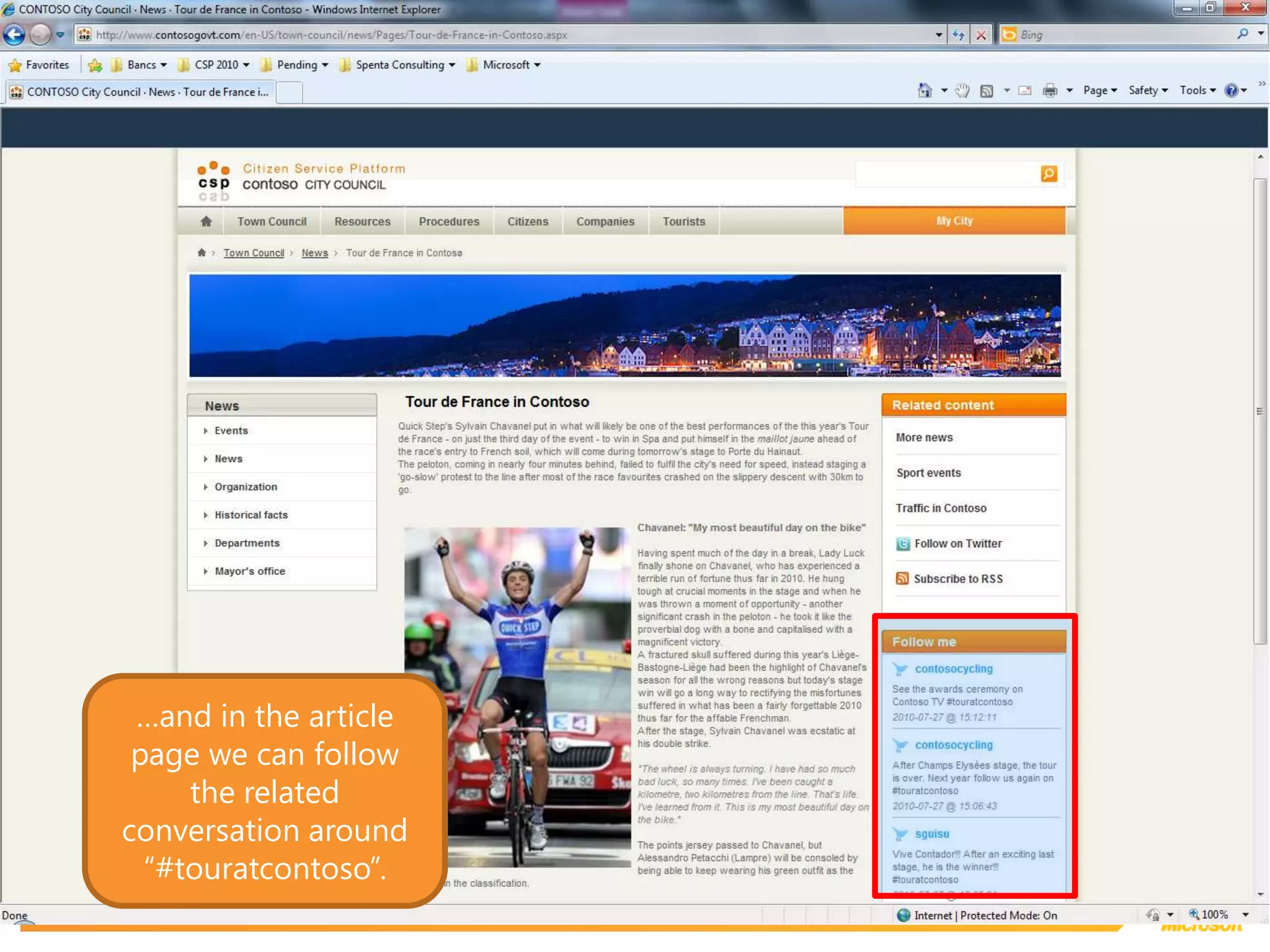
…and in the article page we can follow the related conversation around “#touratcontoso”.
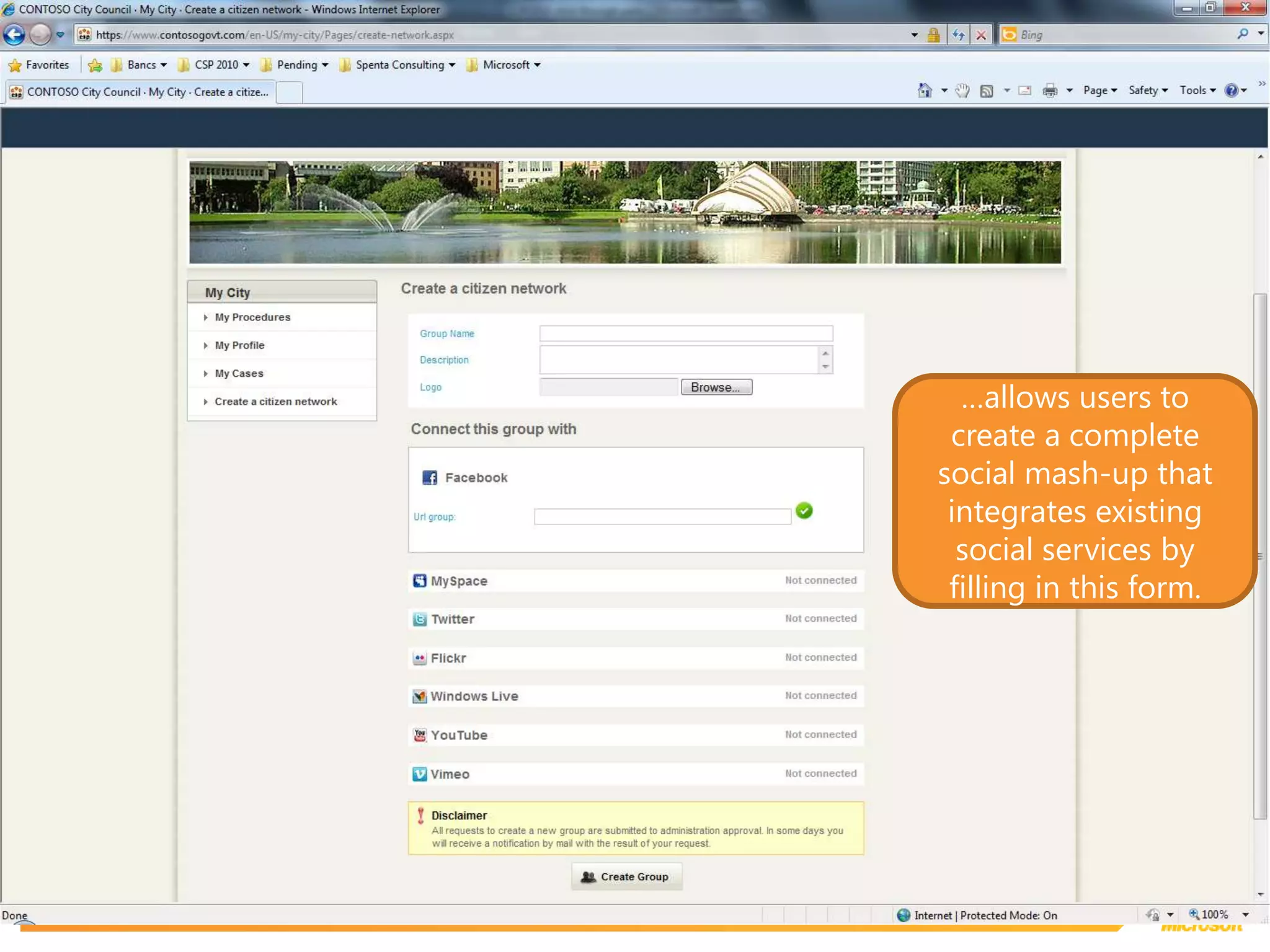
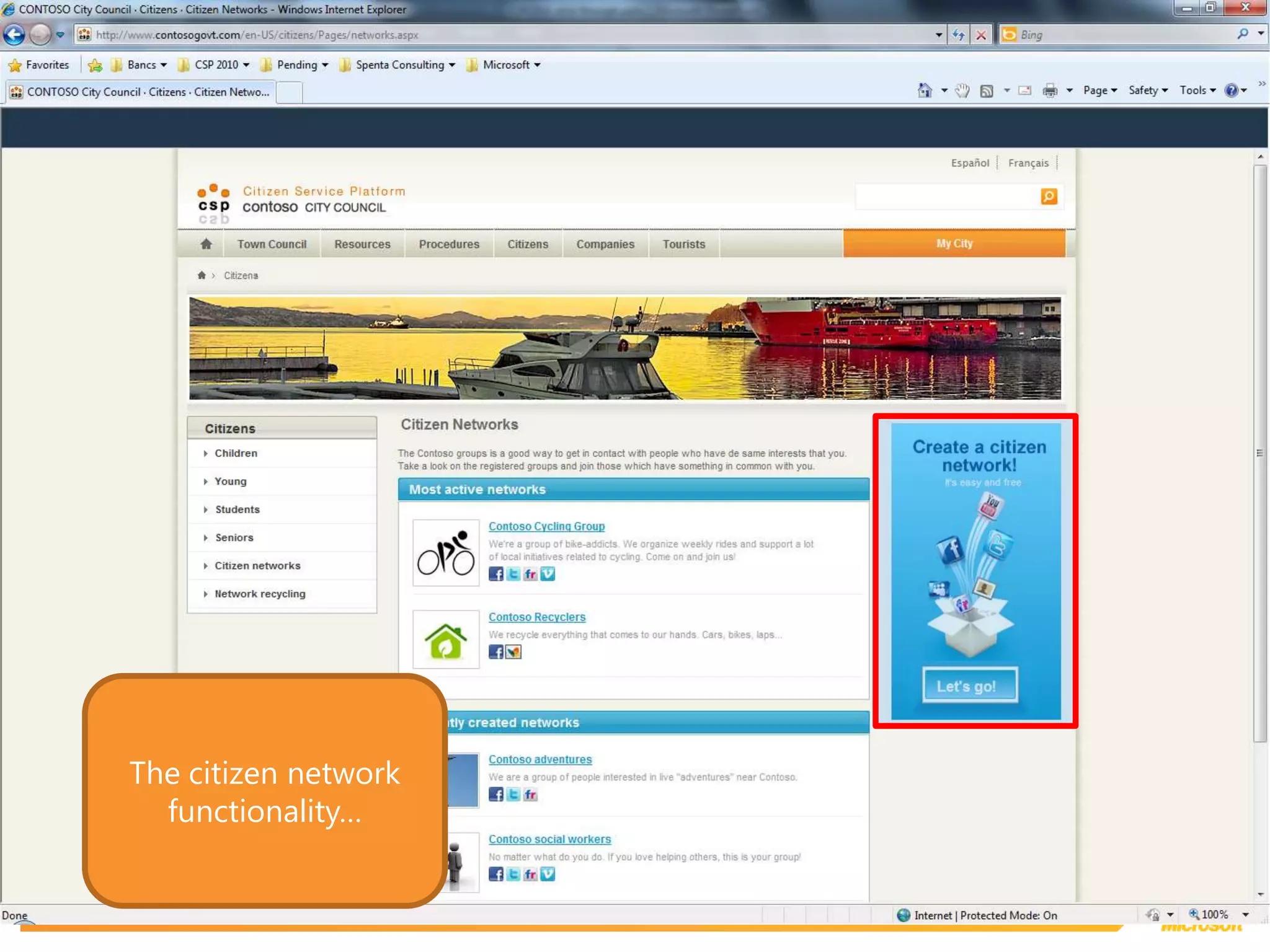
The citizen network functionality…
…allows users to create a complete social mash-up that integrates existing social services by filling in this form.
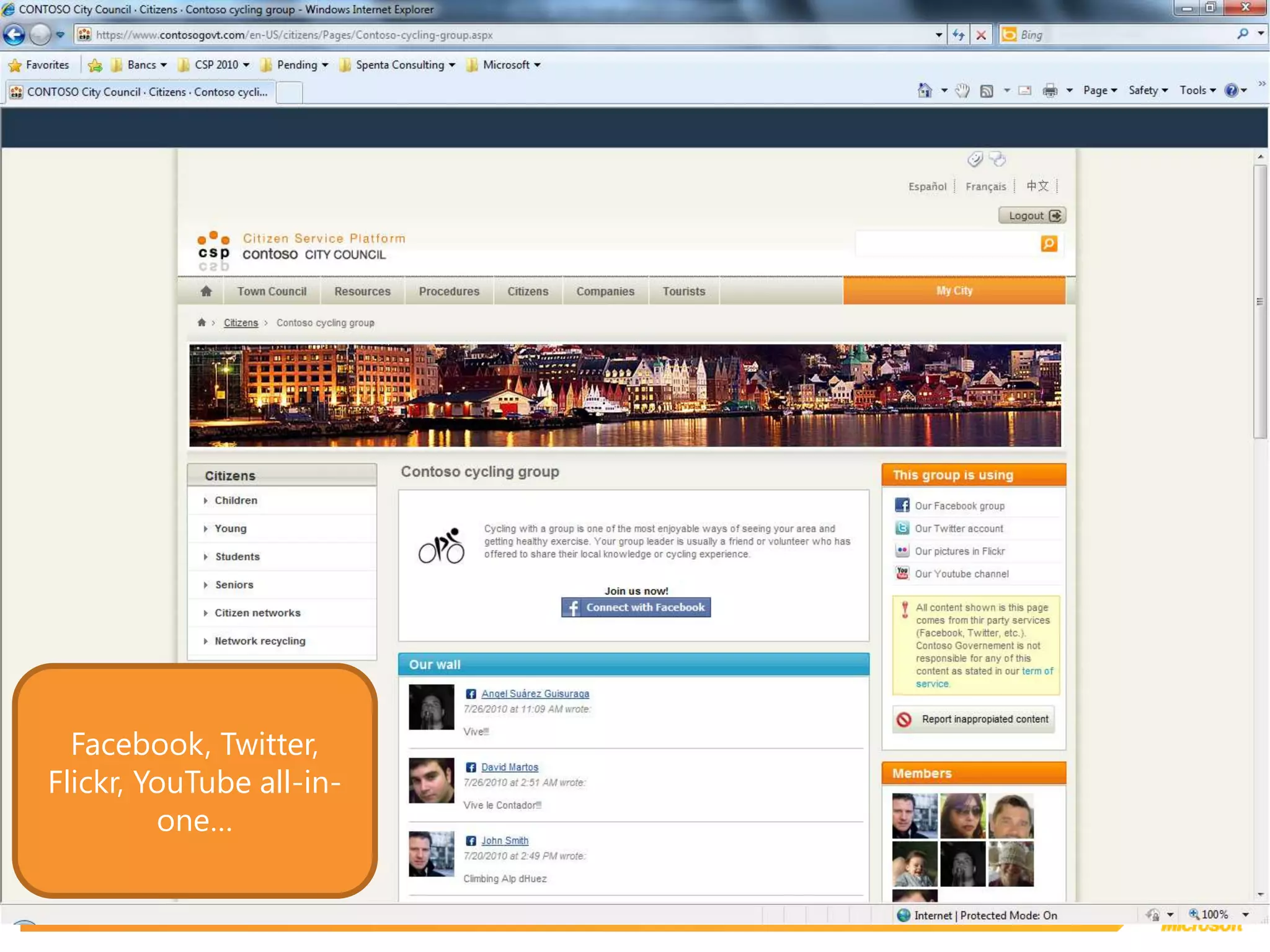
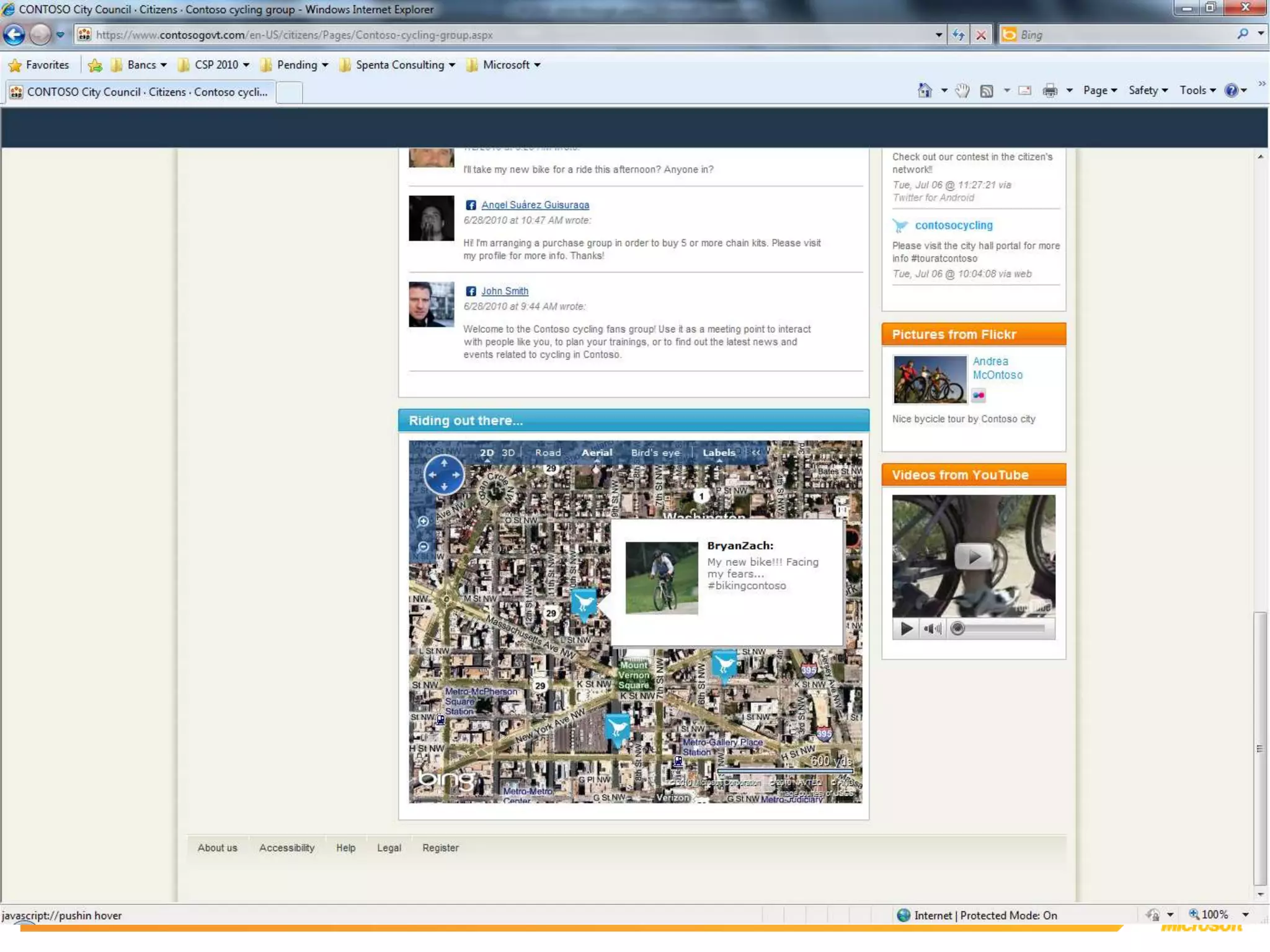
Facebook, Twitter, Flickr, YouTube all-in-one…
StreetCareCloudApplication
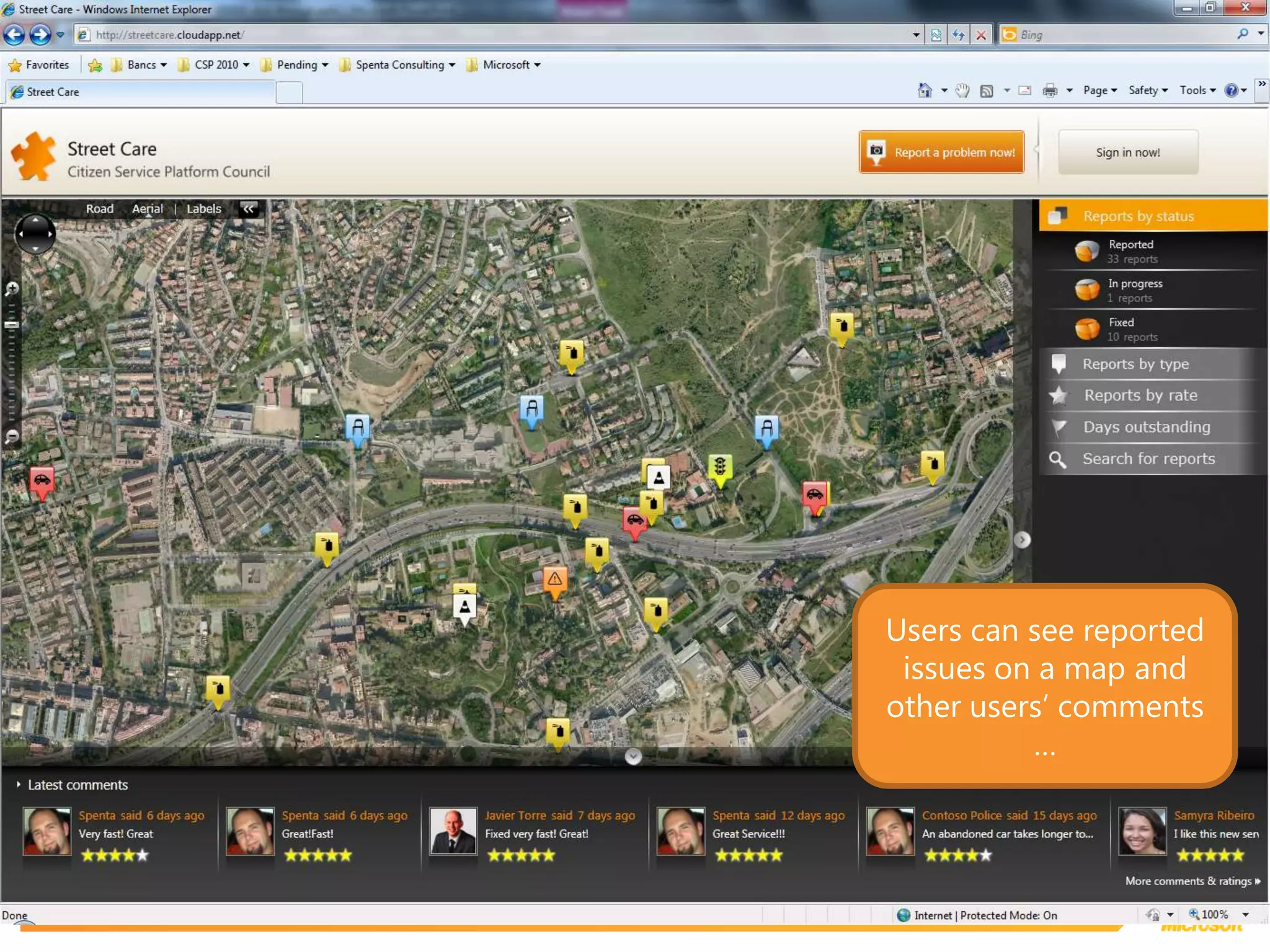
Users can see reported issues on a map and other users’ comments …
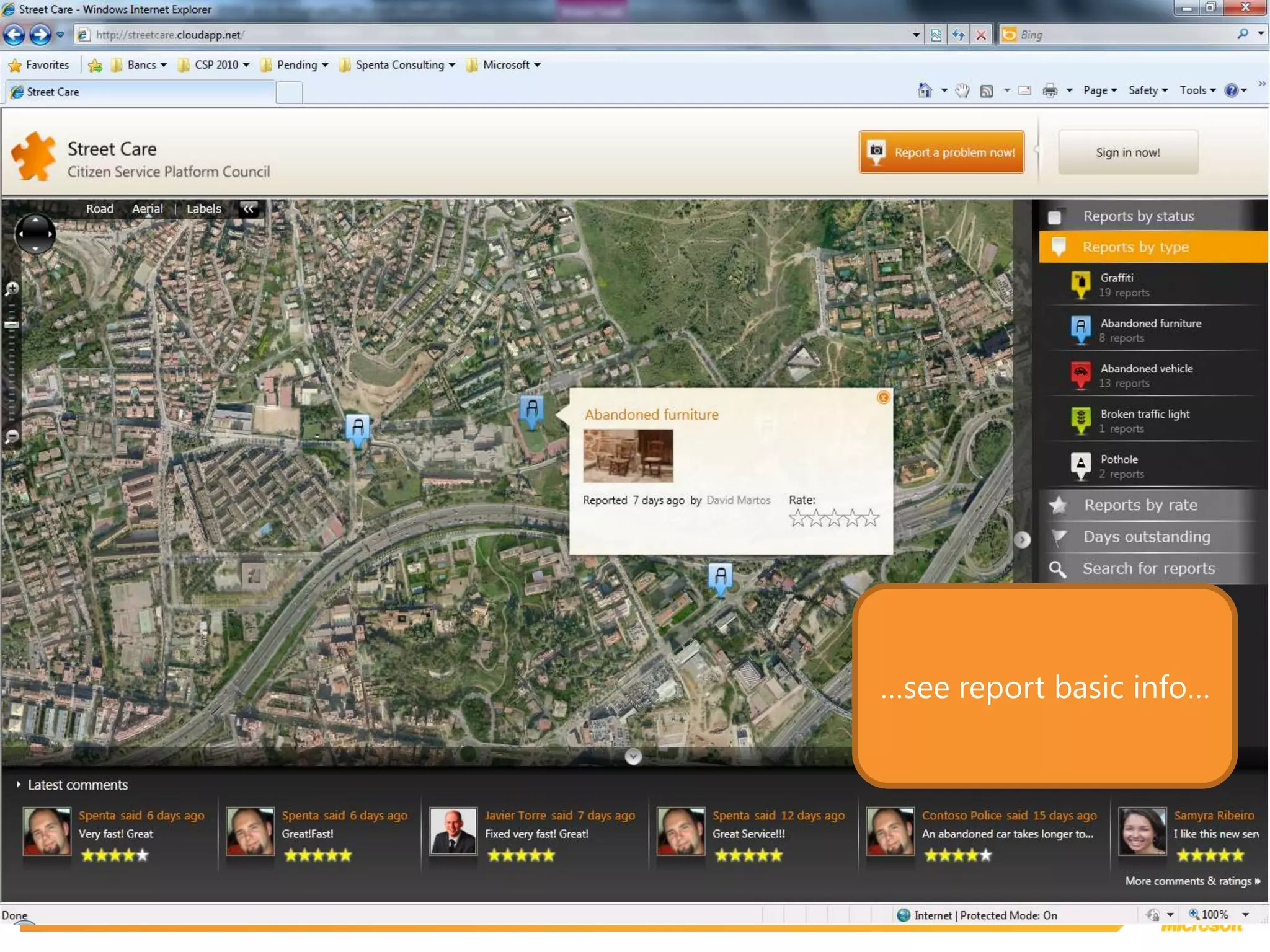
…see report basic info…
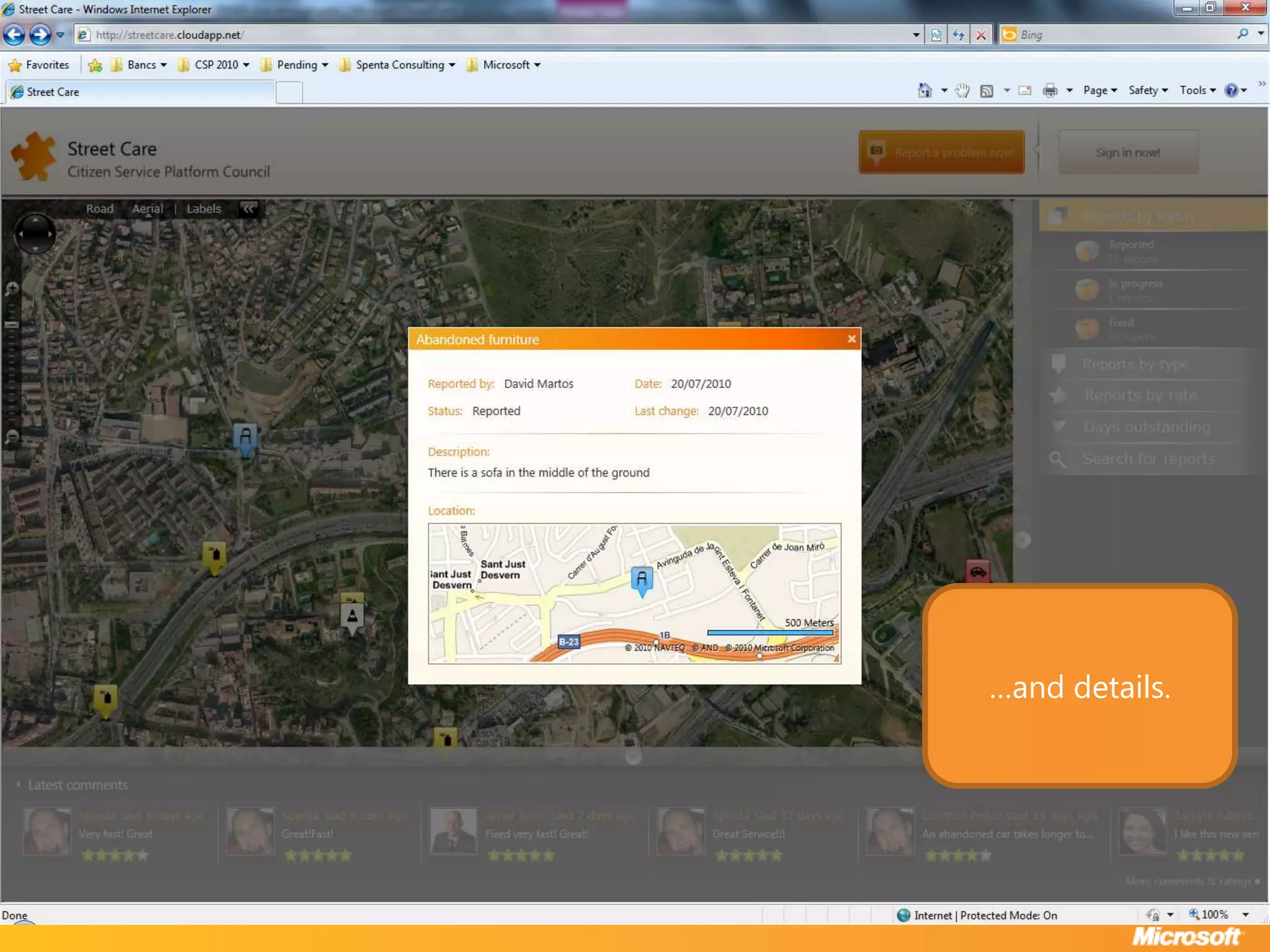
…and details.
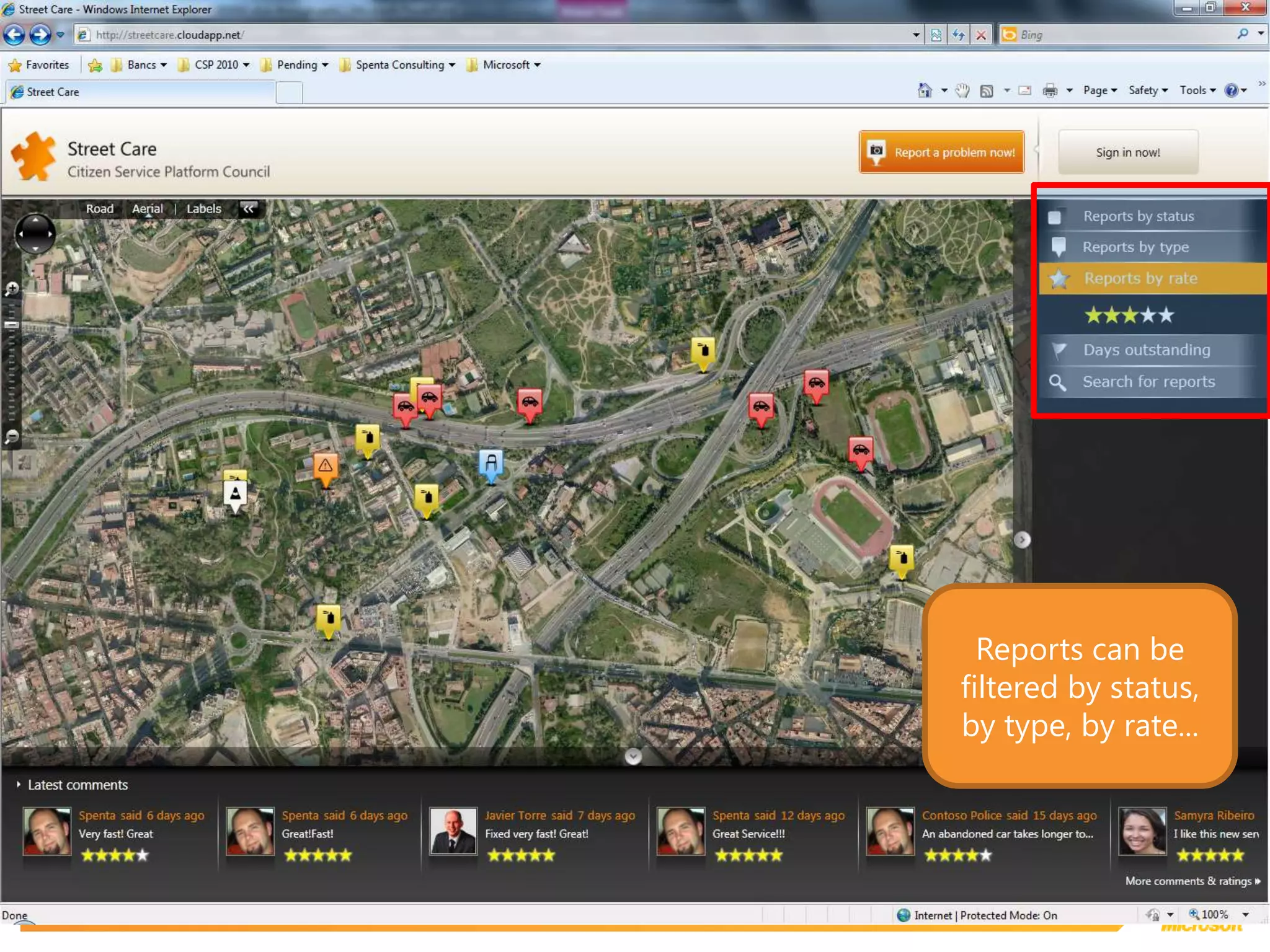
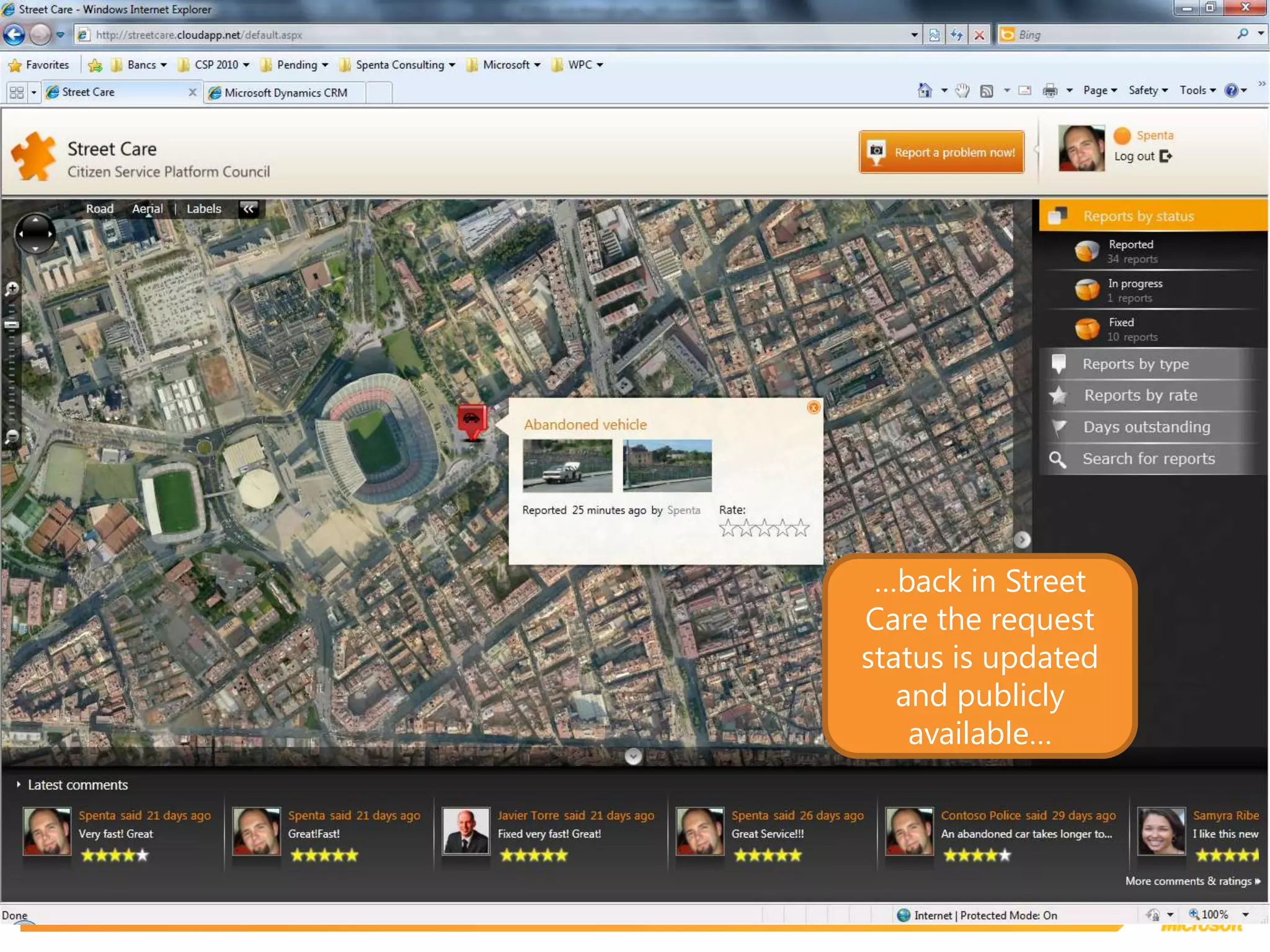
Reports can be filtered by status, by type, by rate...
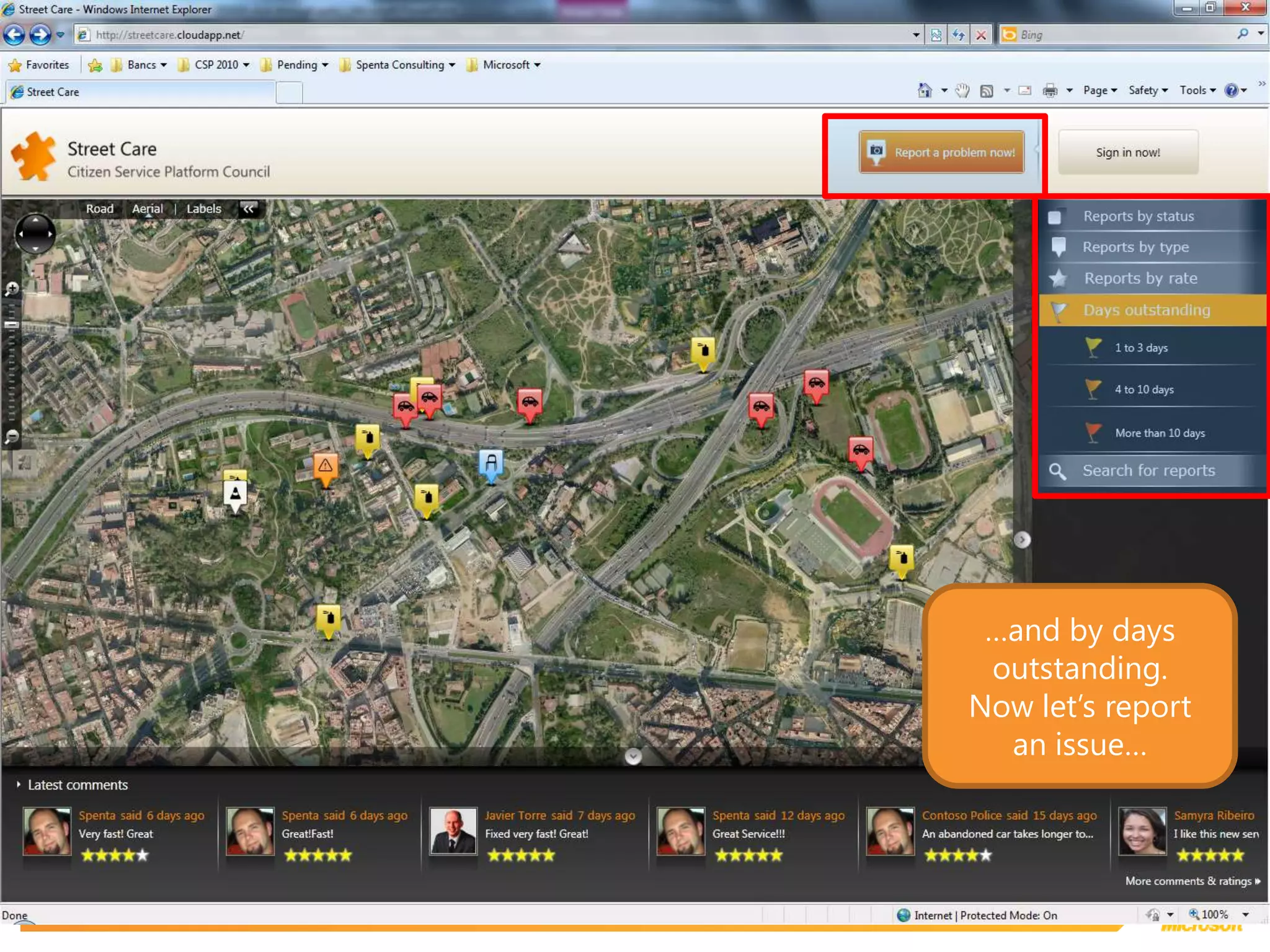
…and by days outstanding.Now let’s report an issue…
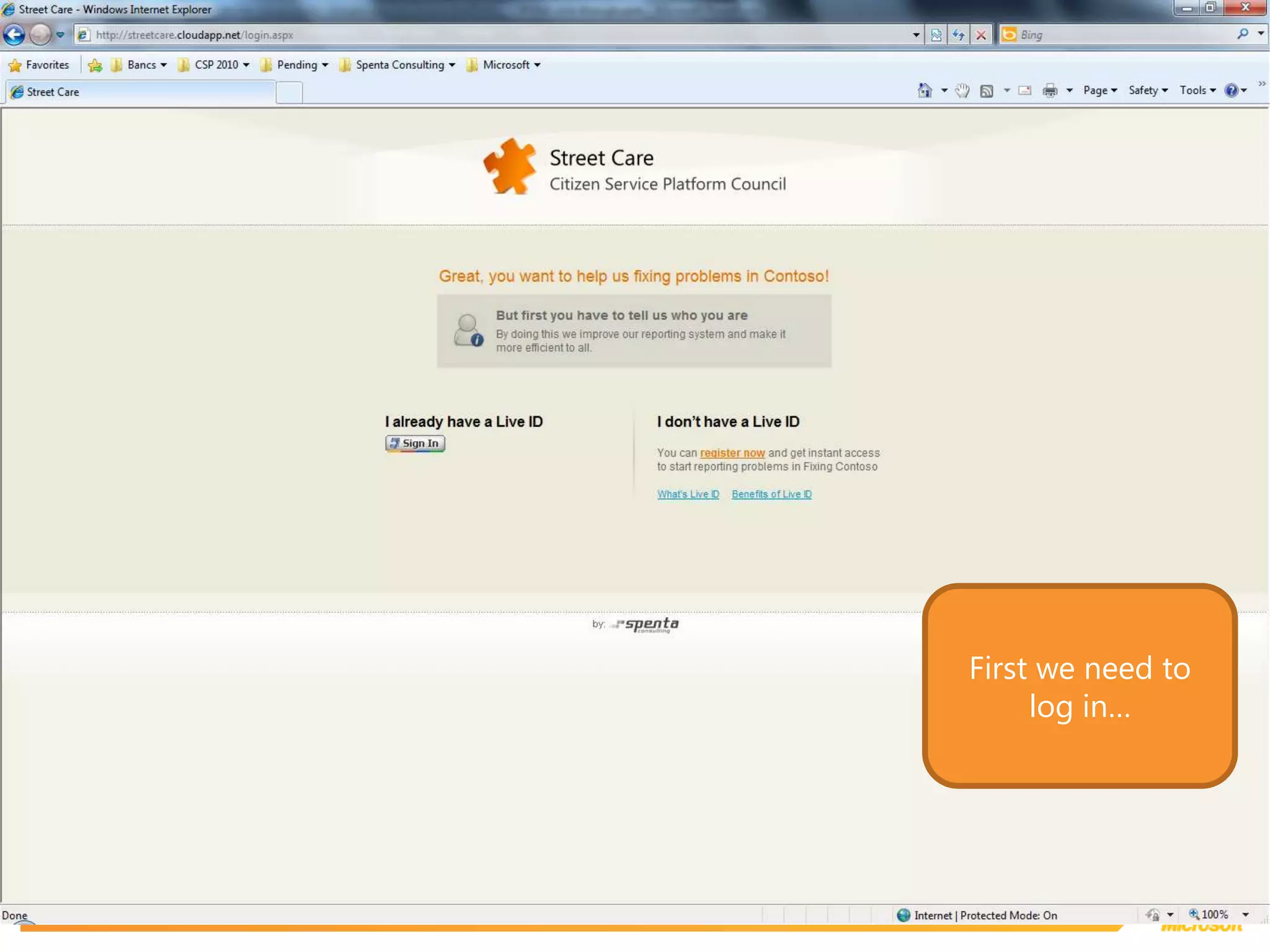
First we need to log in…
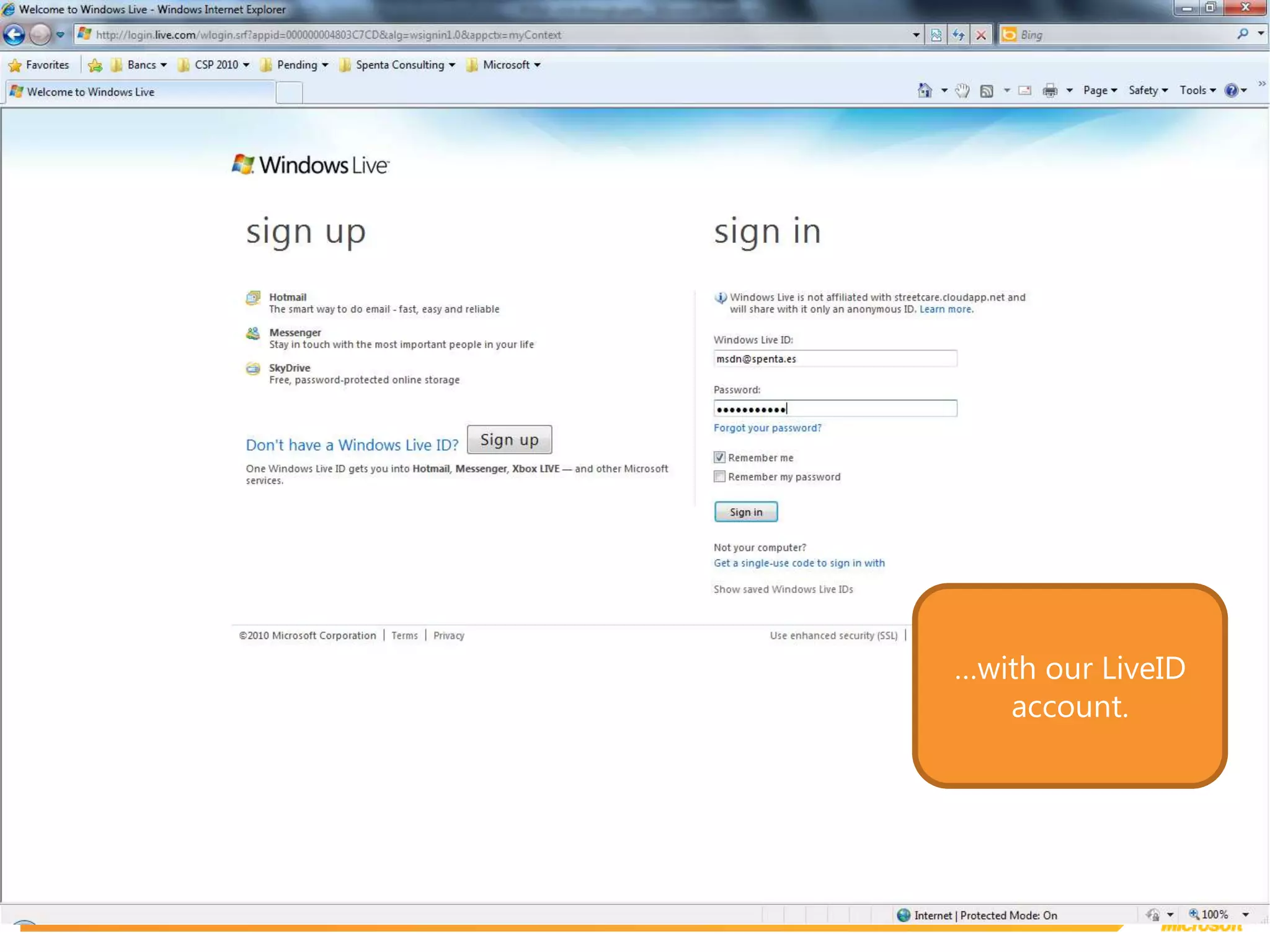
…with our LiveID account.
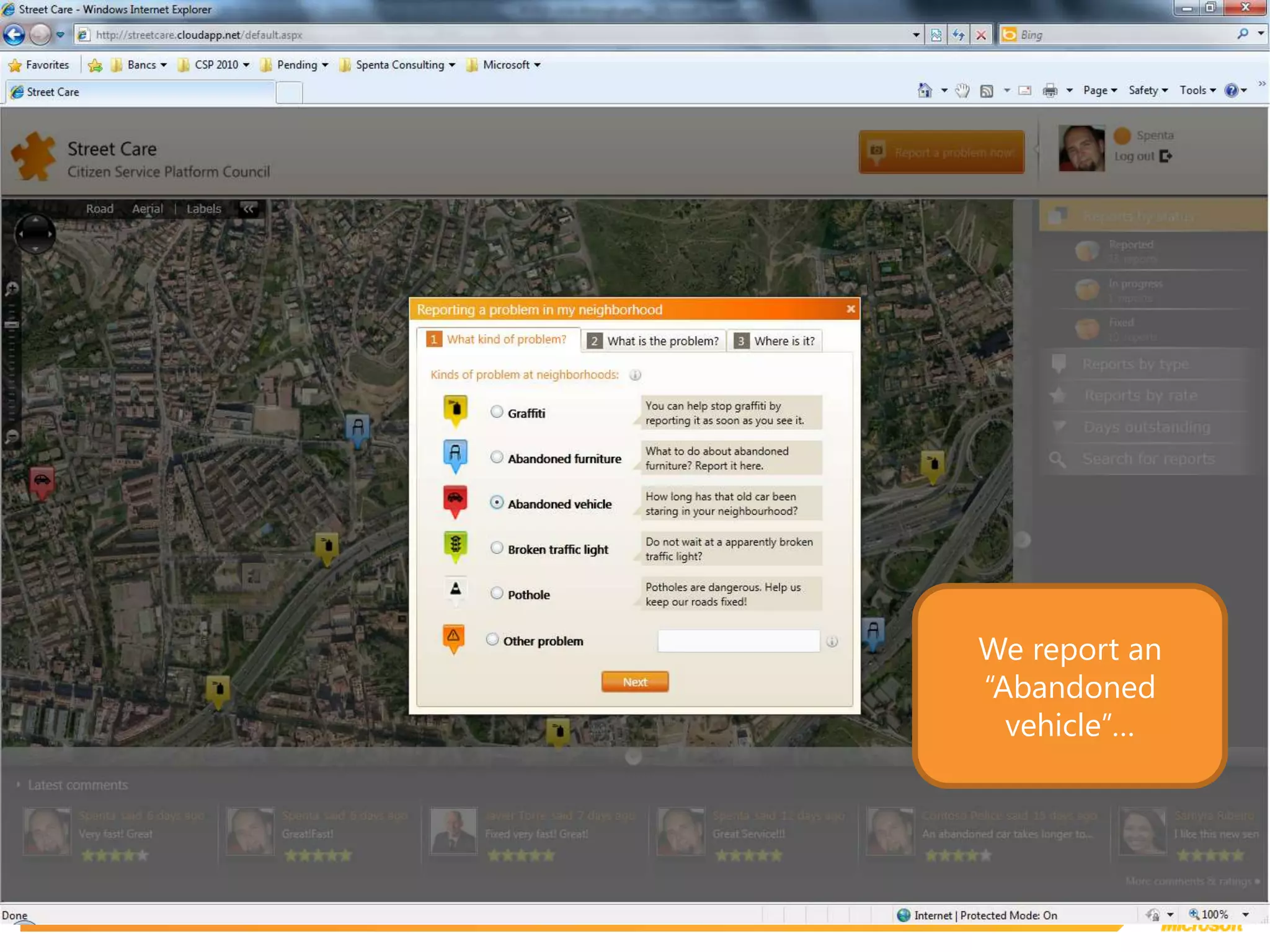
We report an “Abandoned vehicle”…
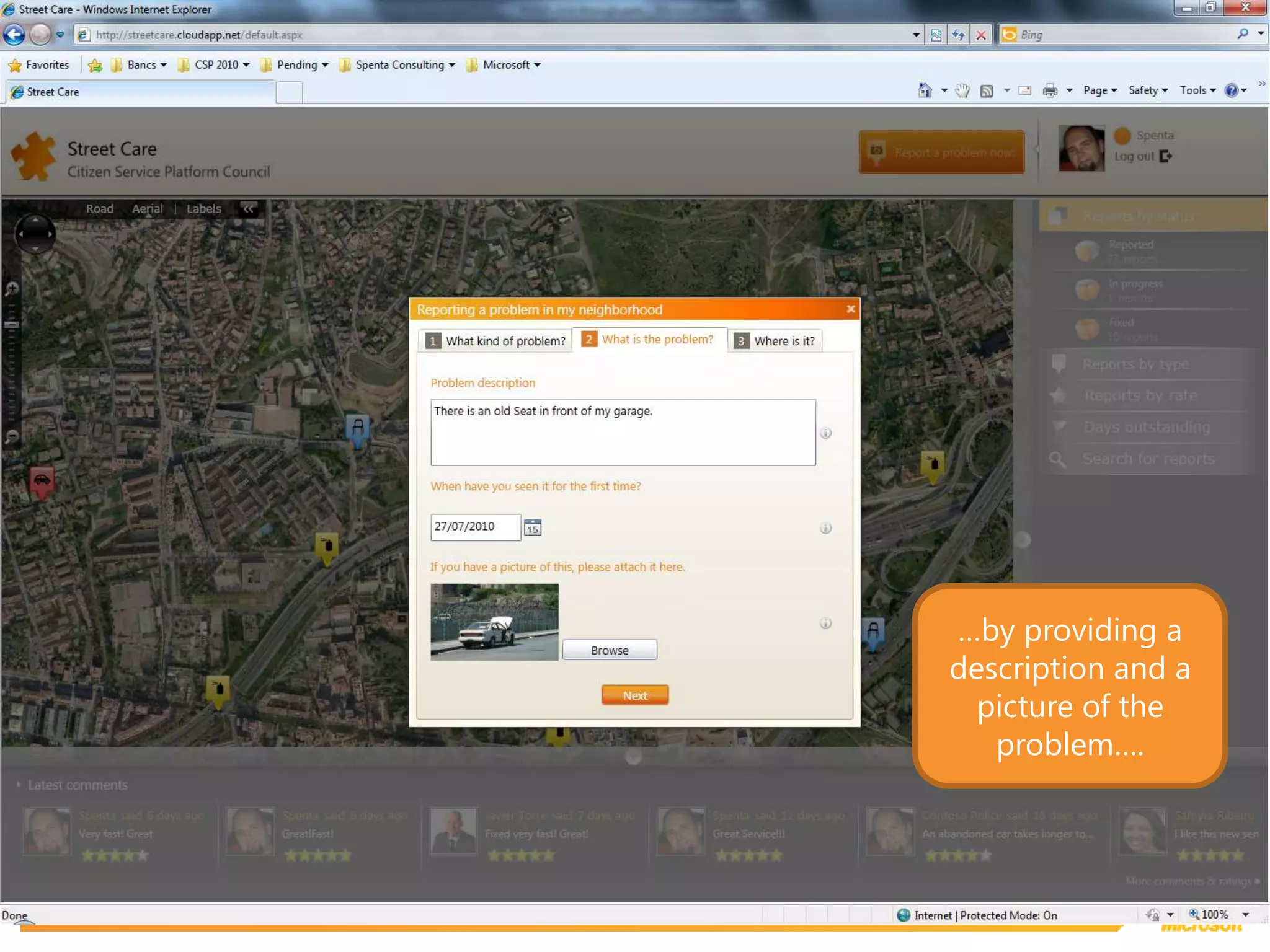
…by providing a description and a picture of the problem….
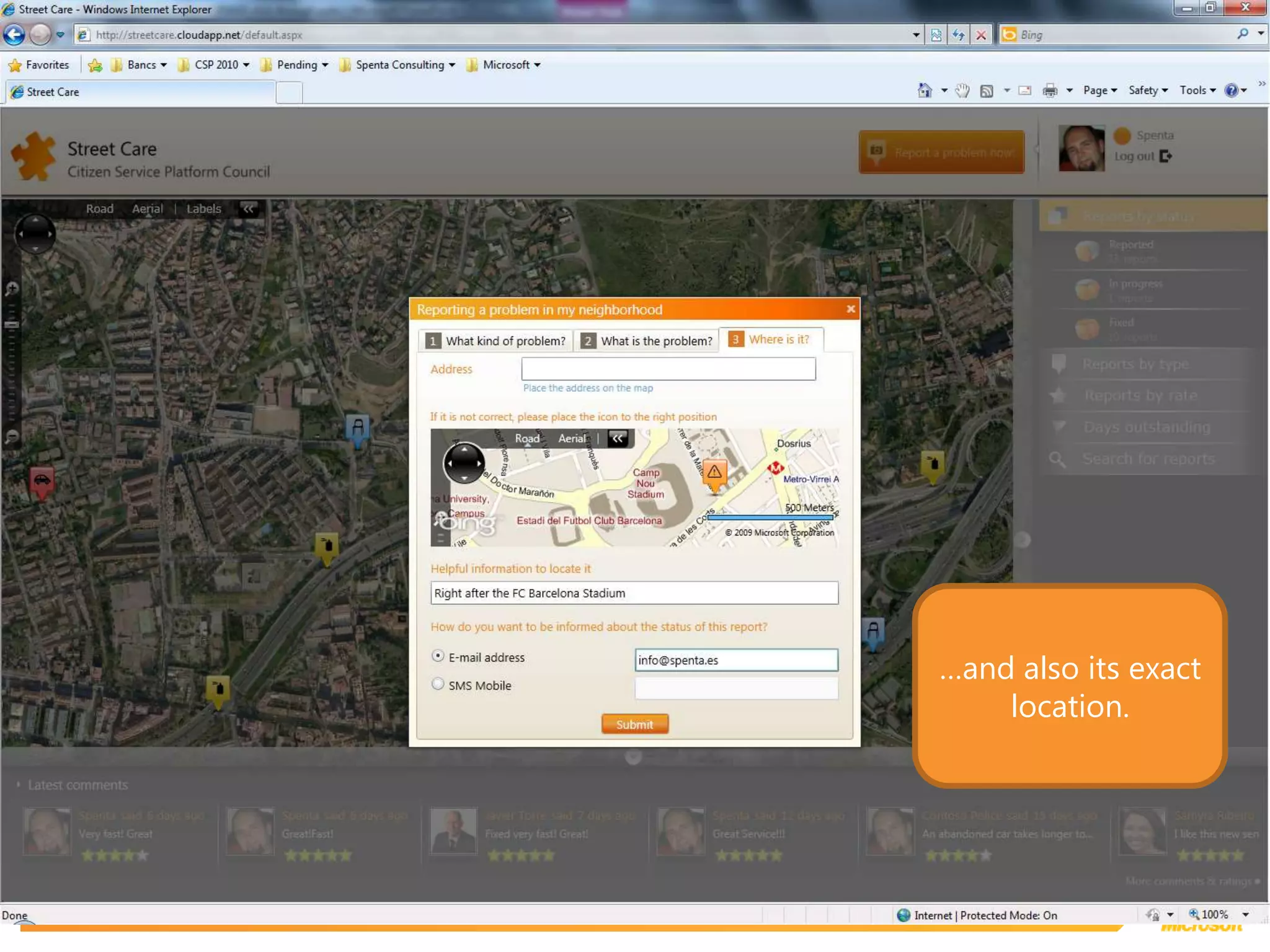
…and also its exact location.
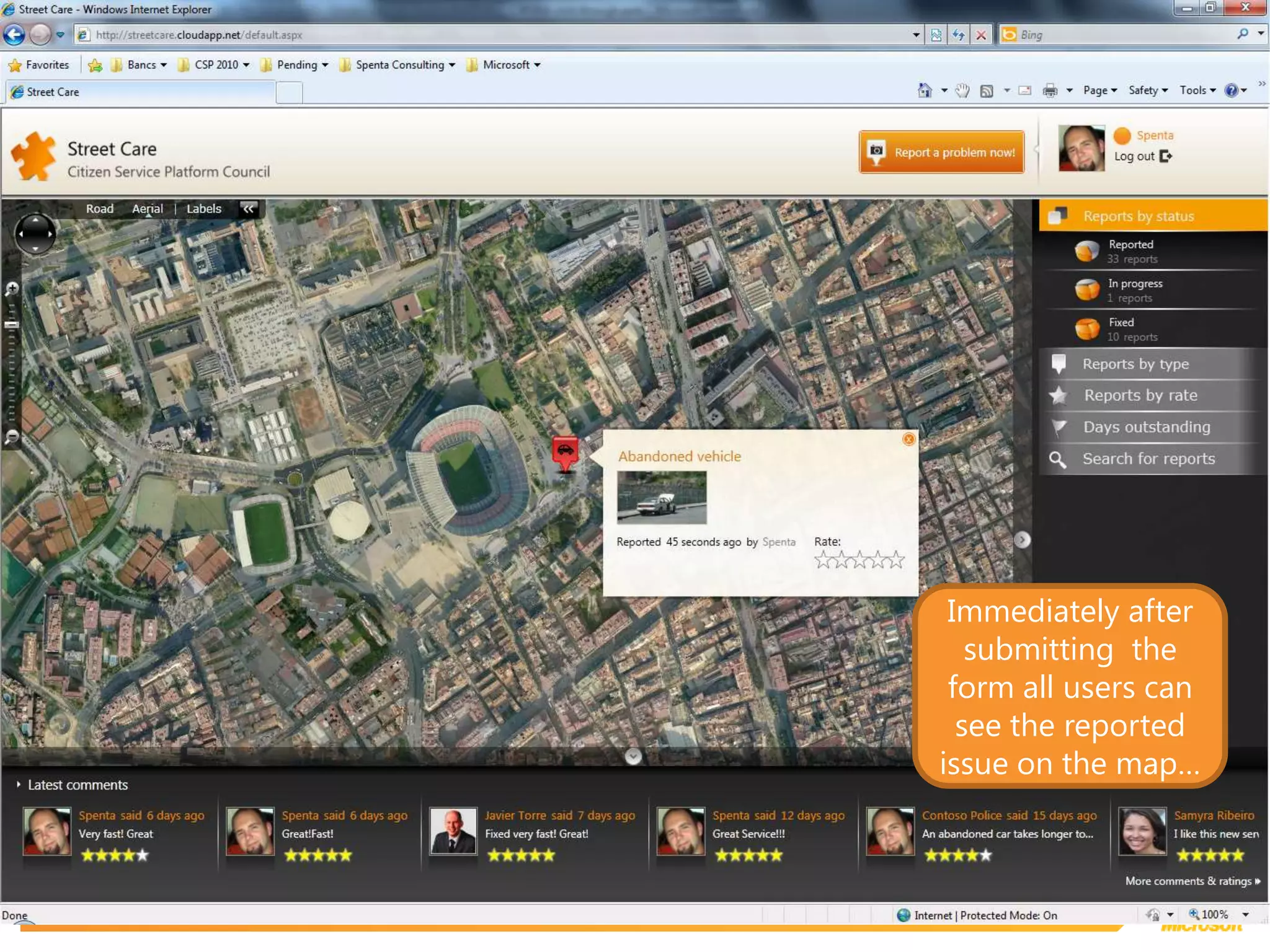
Immediately after submitting  the form all users can see the reported issue on the map…
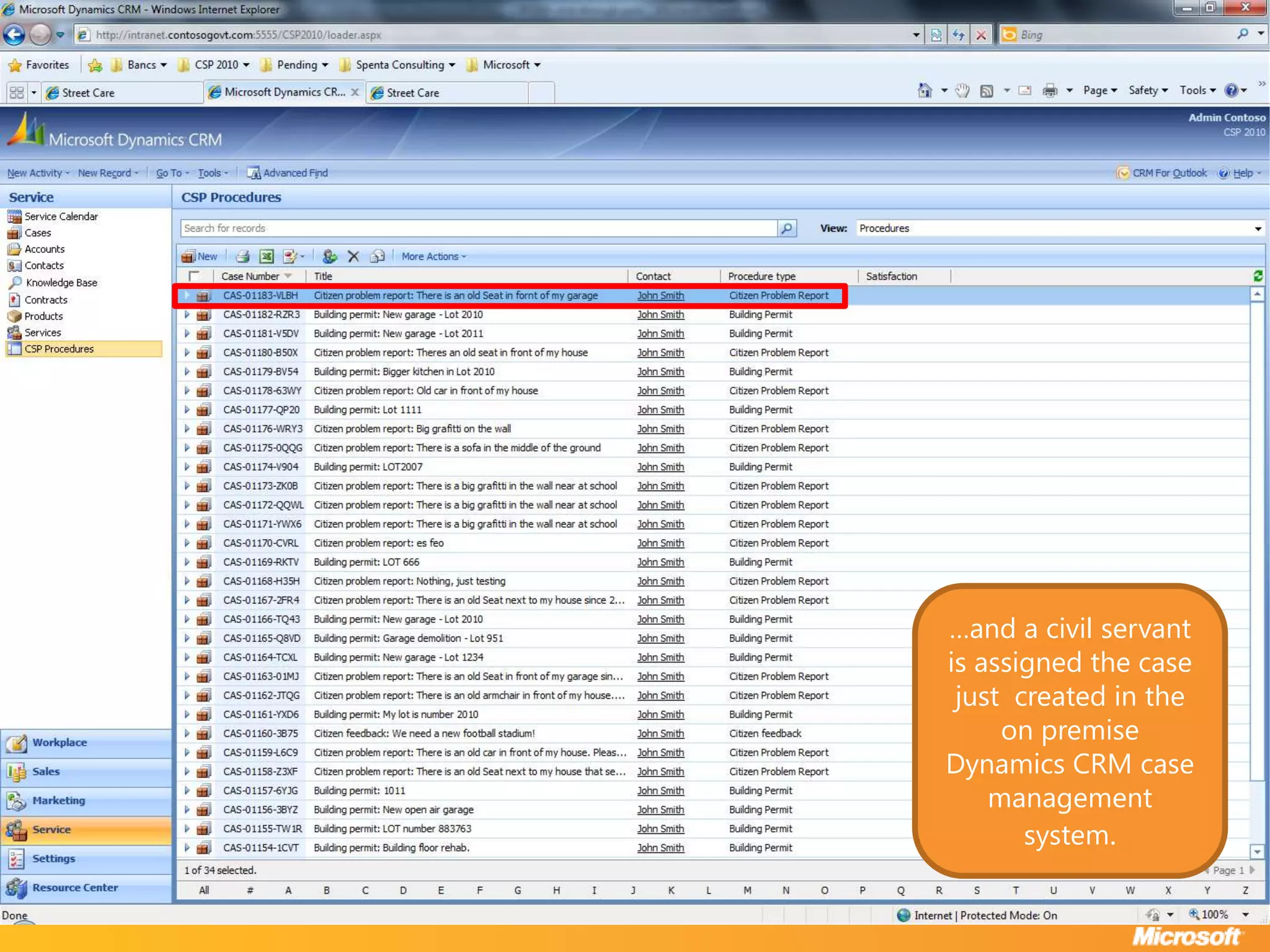
…and a civil servant is assigned the case just  created in the on premise Dynamics CRM case management system.
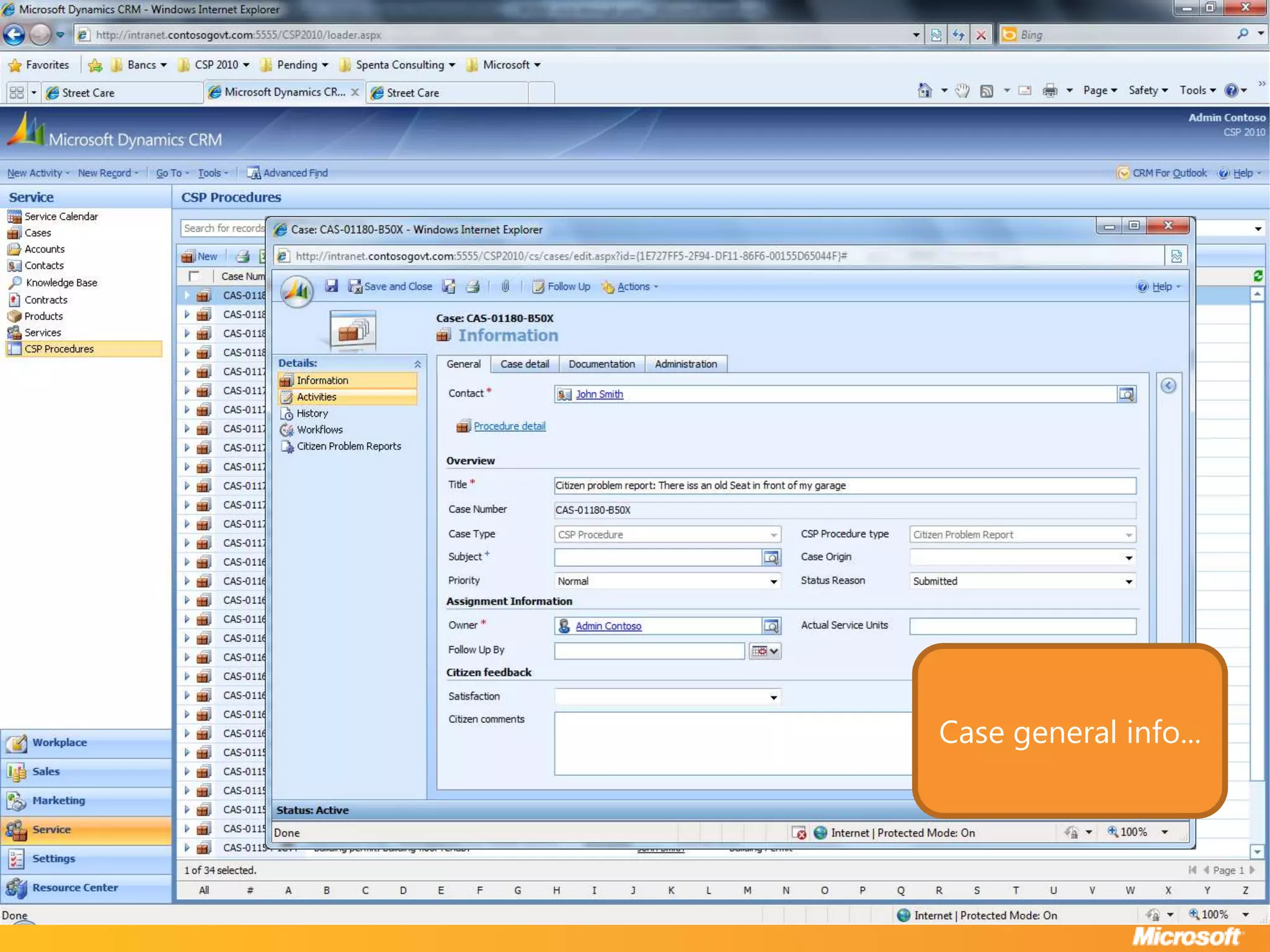
Case general info...
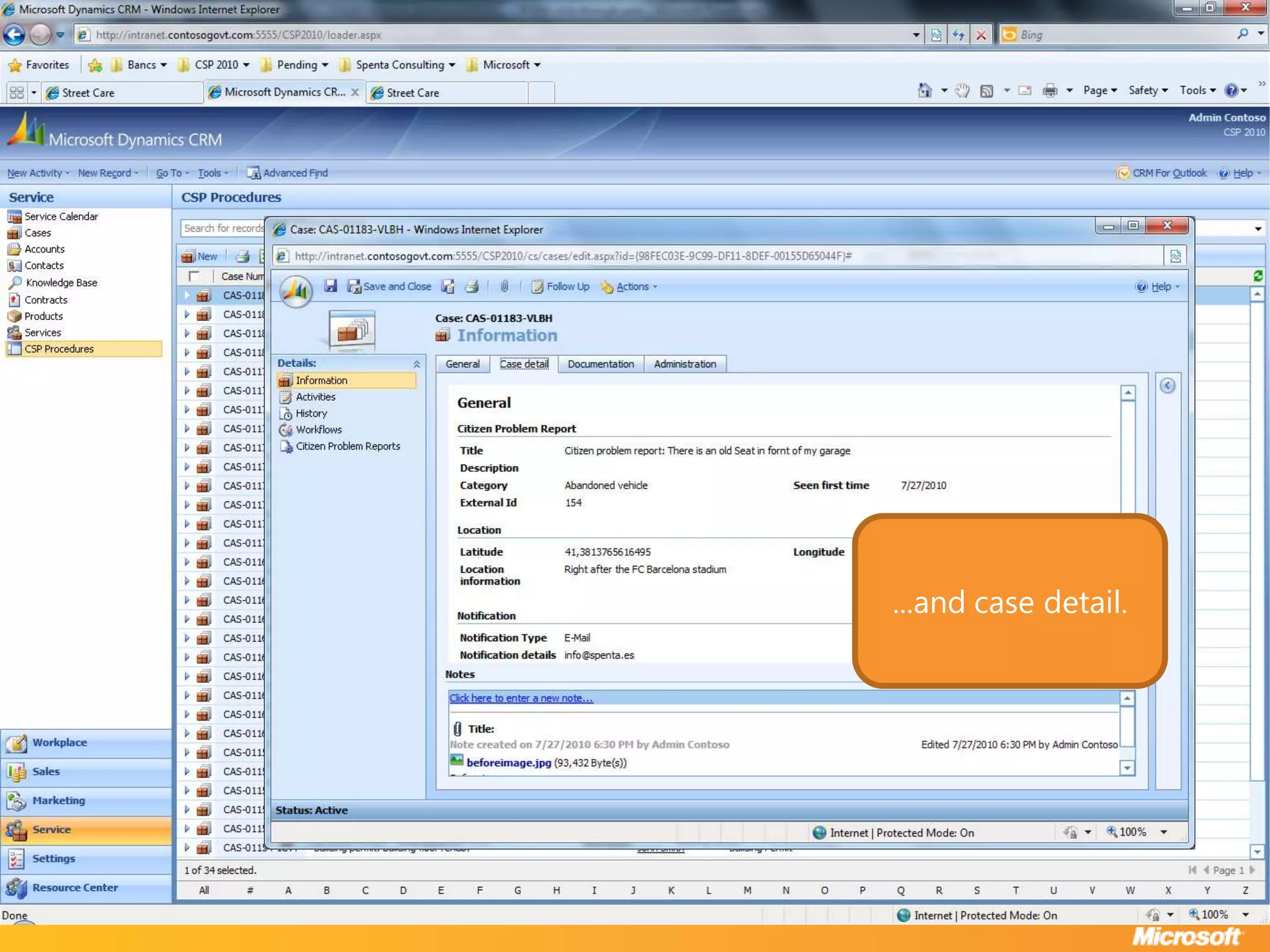
...and case detail.
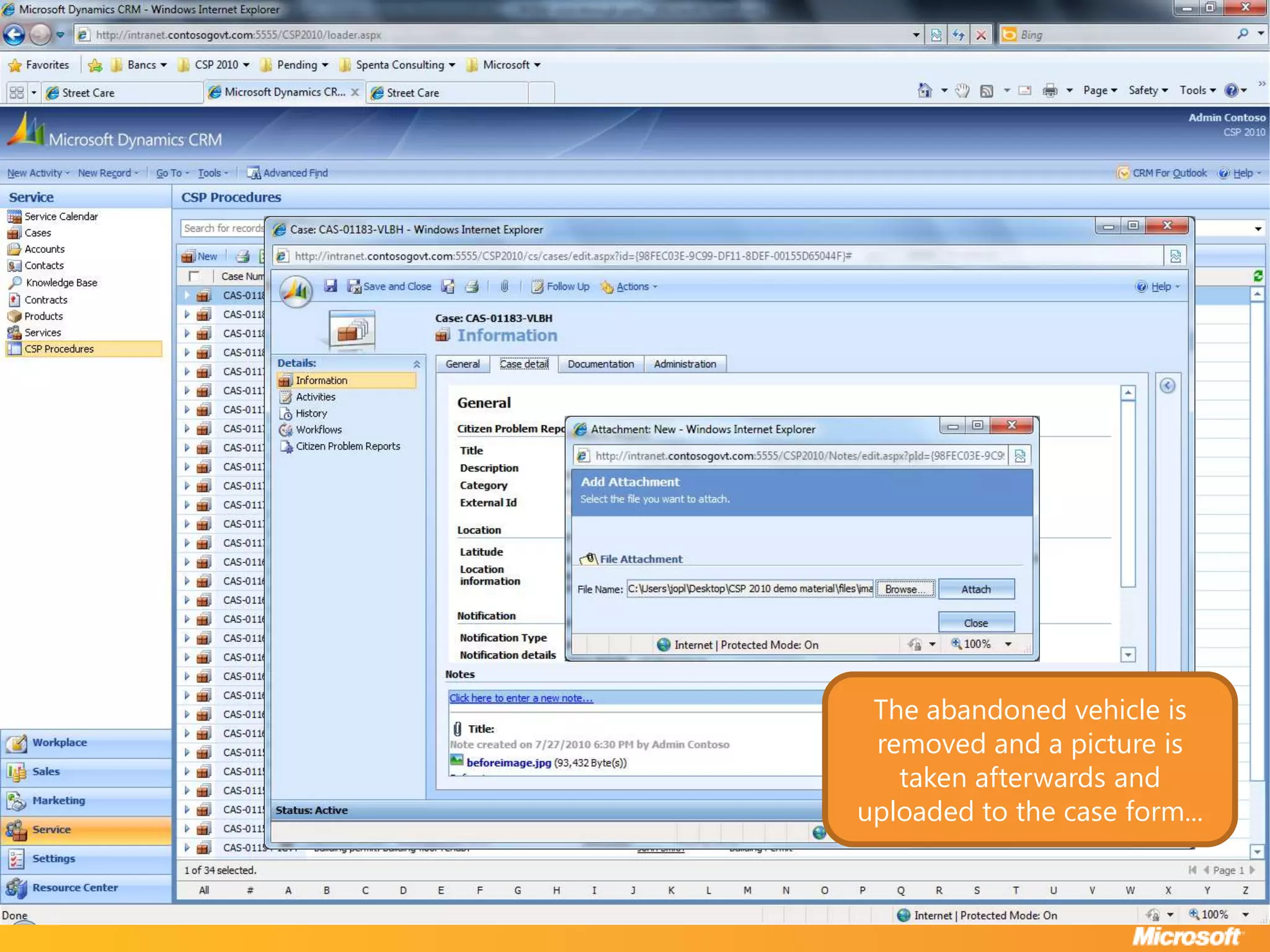
The abandoned vehicle is removed and a picture is taken afterwards and uploaded to the case form...
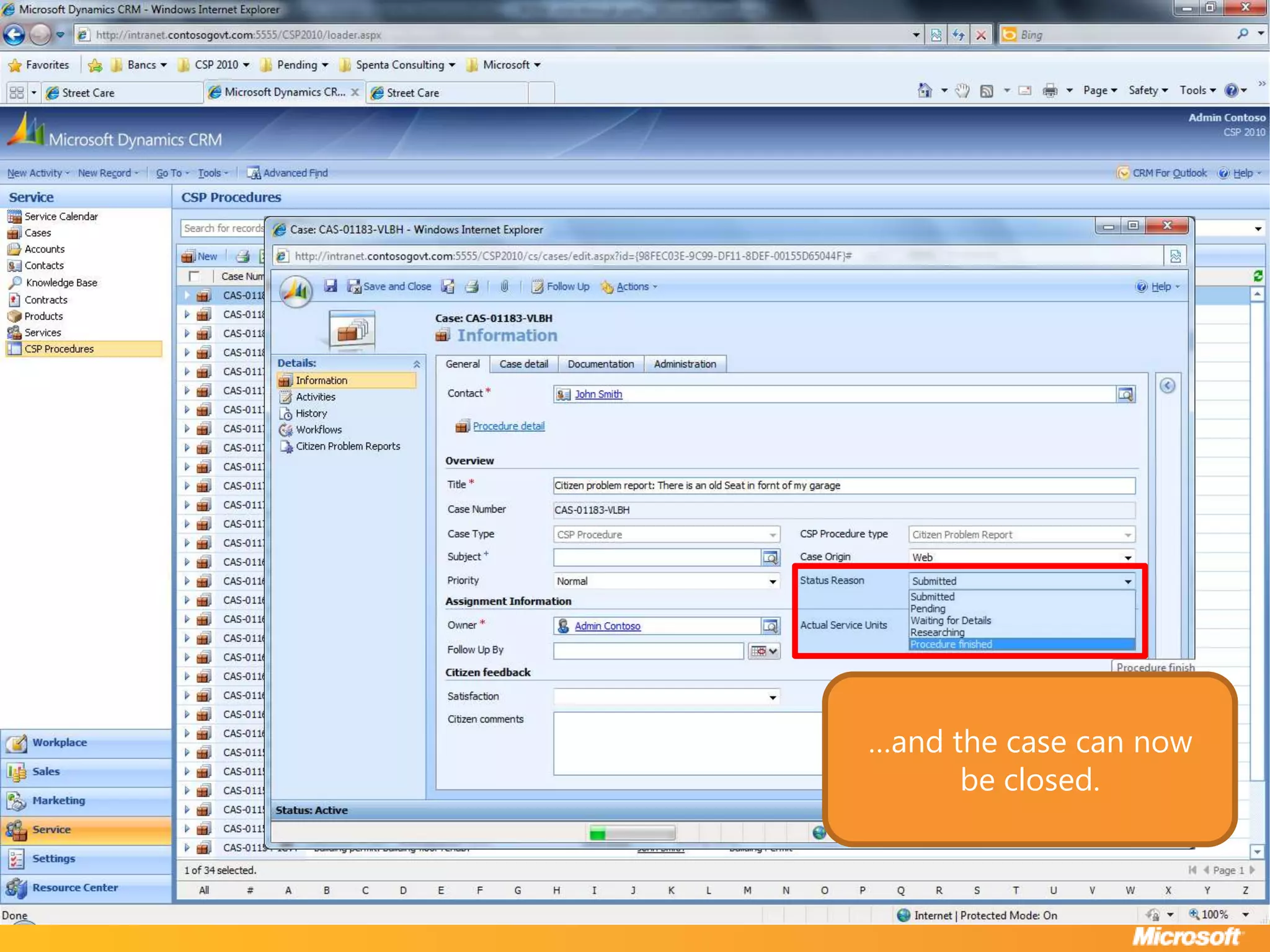
…and the case can now be closed.
…back in Street Care the request status is updated and publicly available…
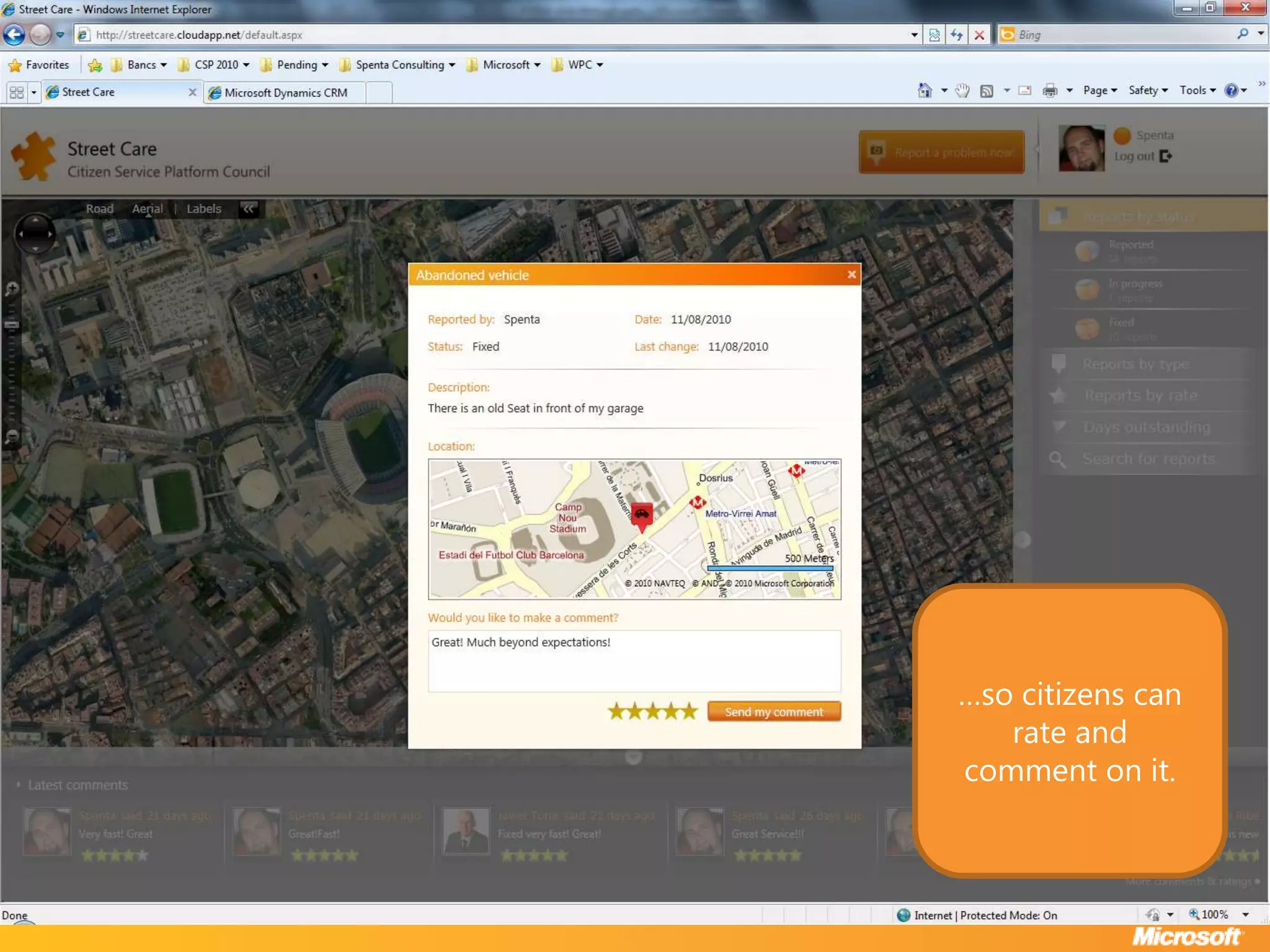
…so citizens can rate and comment on it.
Data Reporting
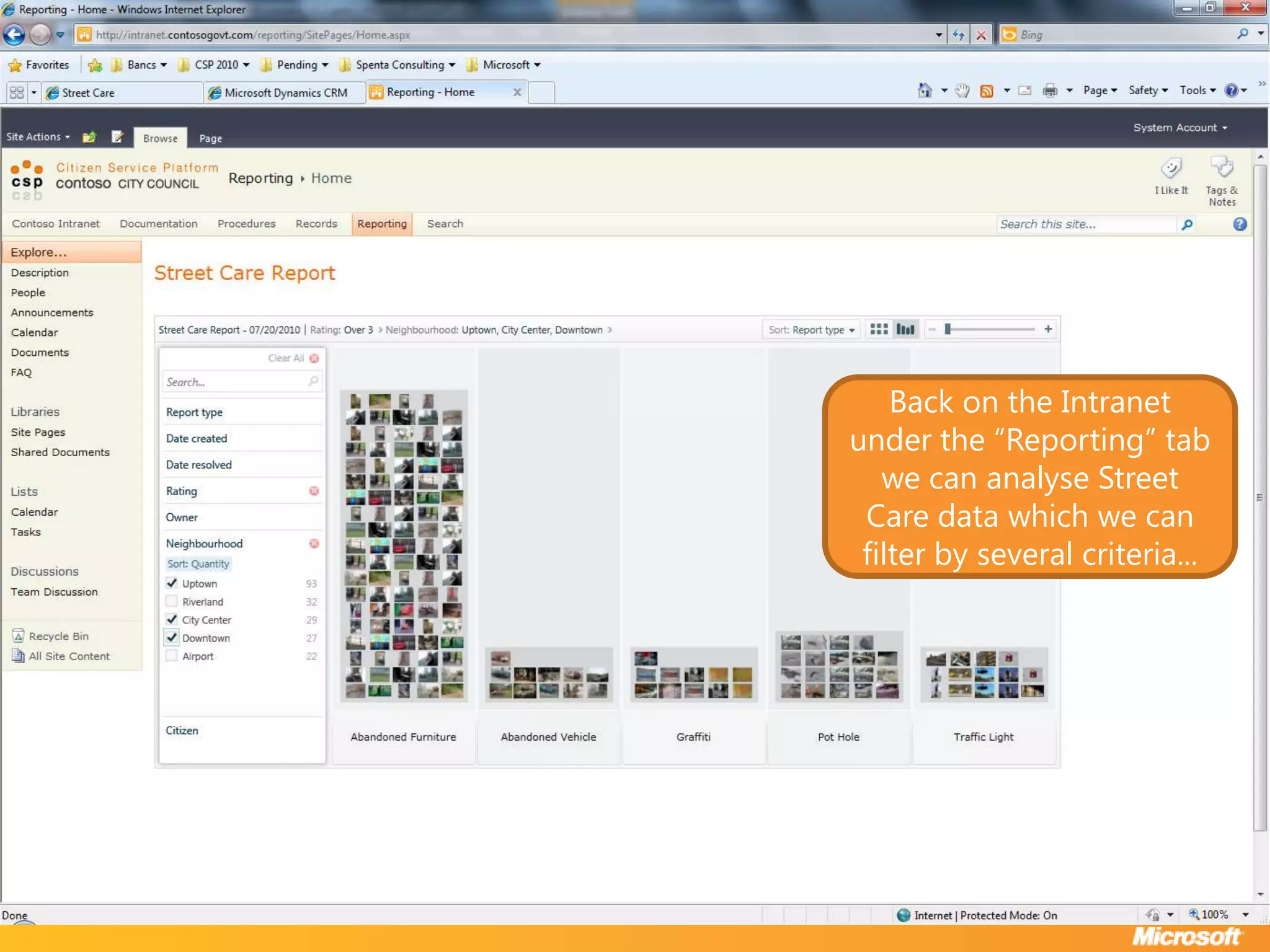
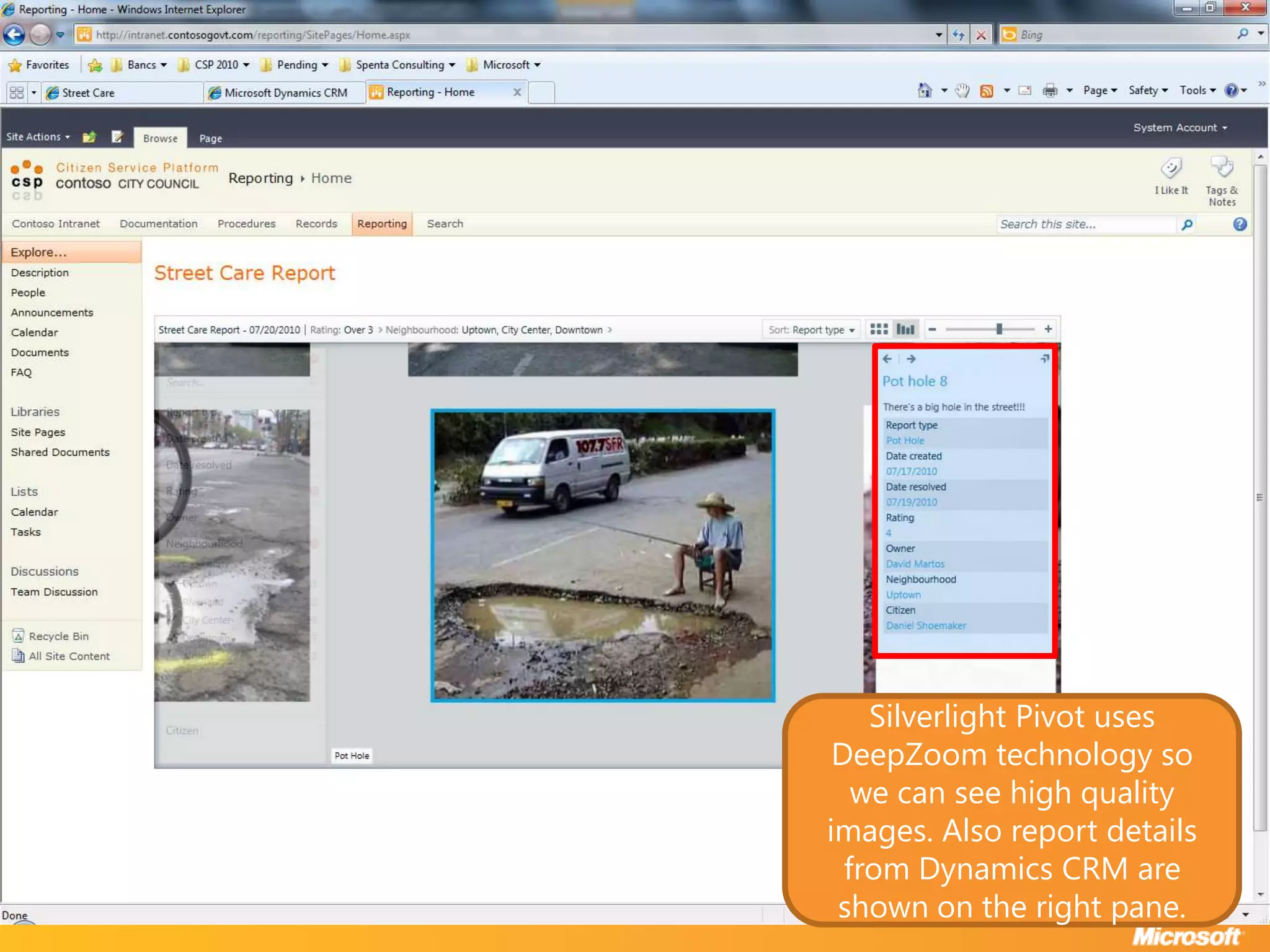
Back on the Intranet under the “Reporting” tab we can analyse Street Care data which we can filter by several criteria...
Silverlight Pivot uses DeepZoom technology so we can see high quality images. Also report details from Dynamics CRM are shown on the right pane.
AppStore
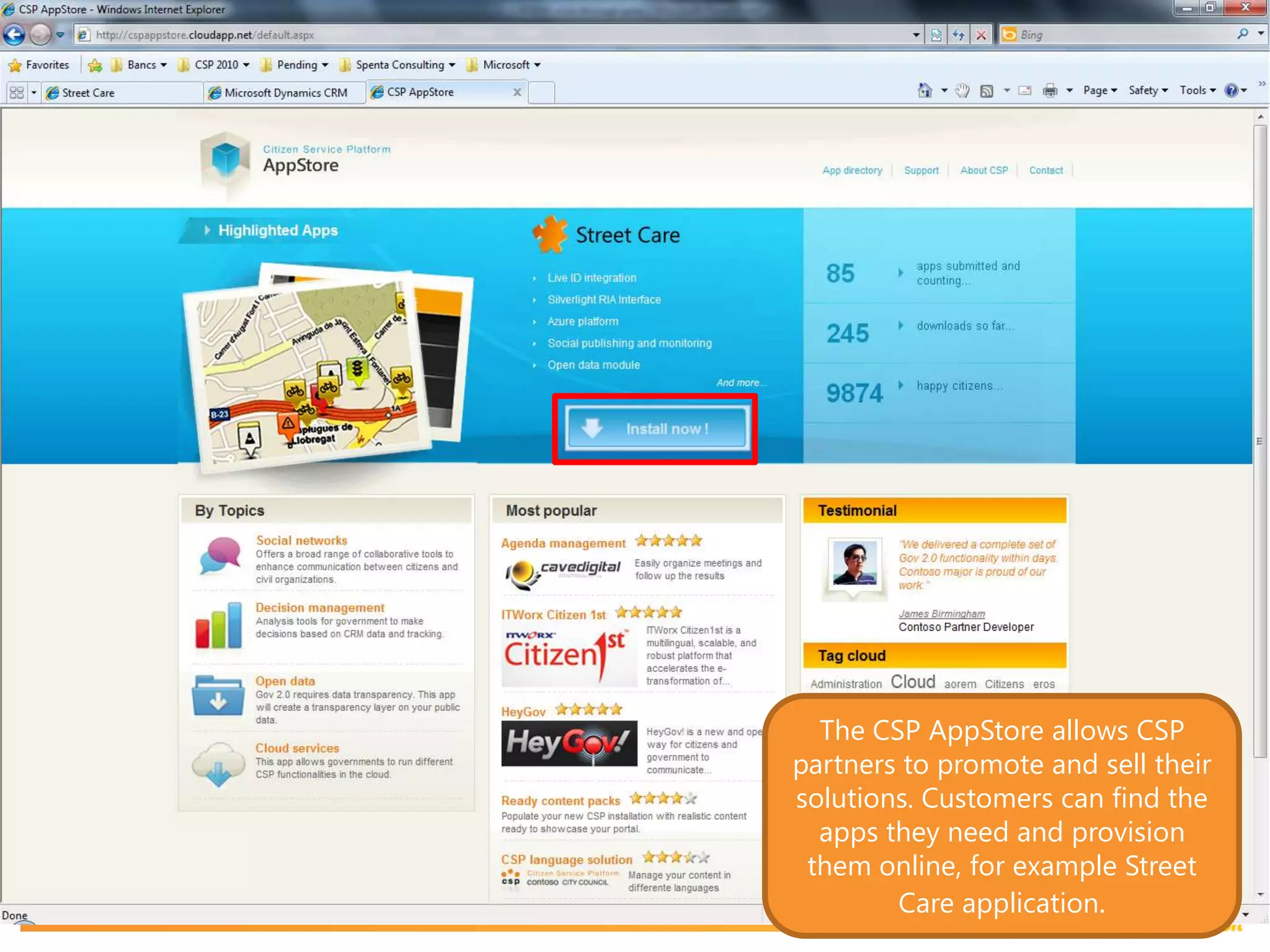
The CSP AppStore allows CSP partners to promote and sell their solutions. Customers can find the apps they need and provision them online, for example Street Care application.
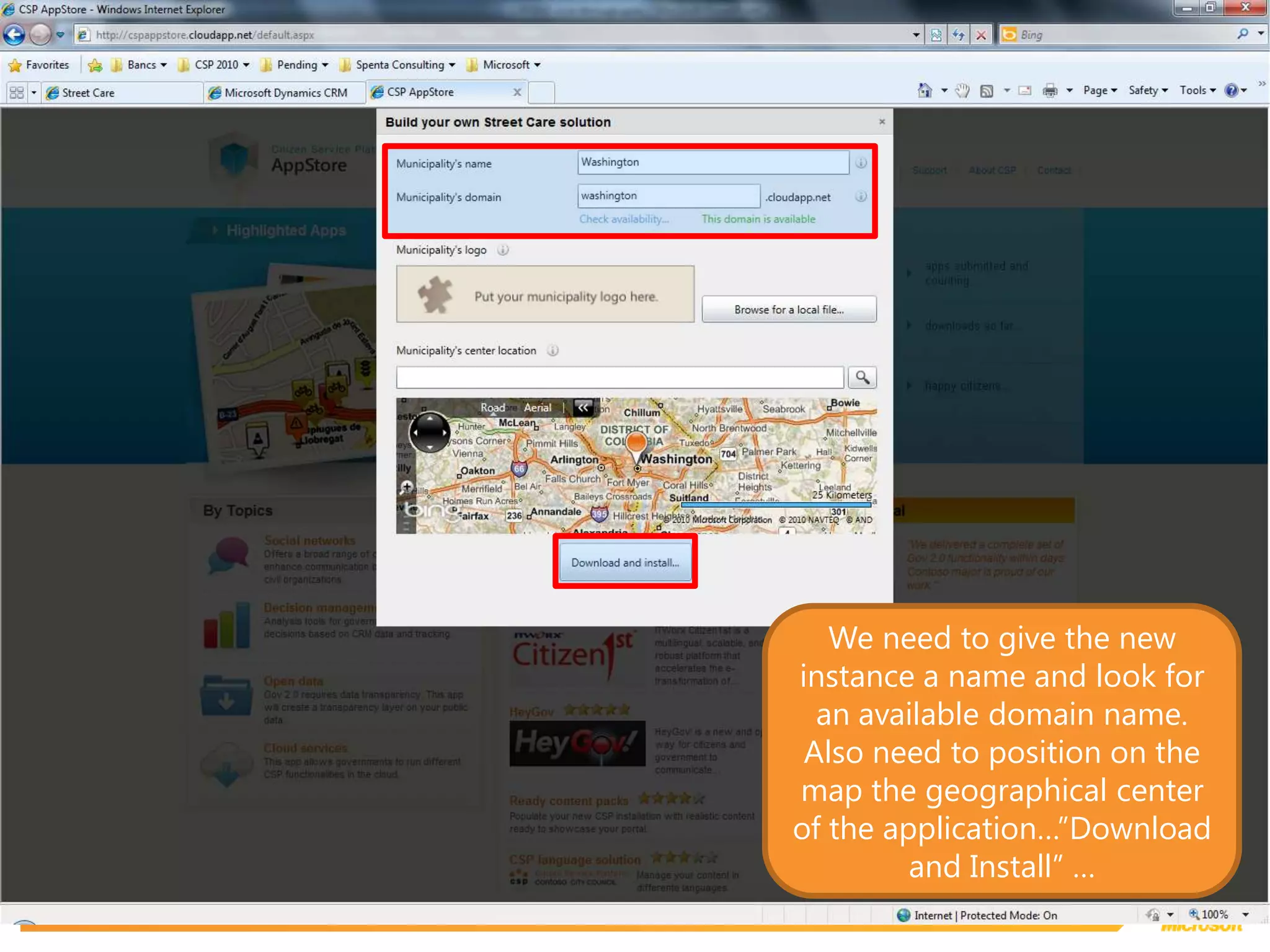
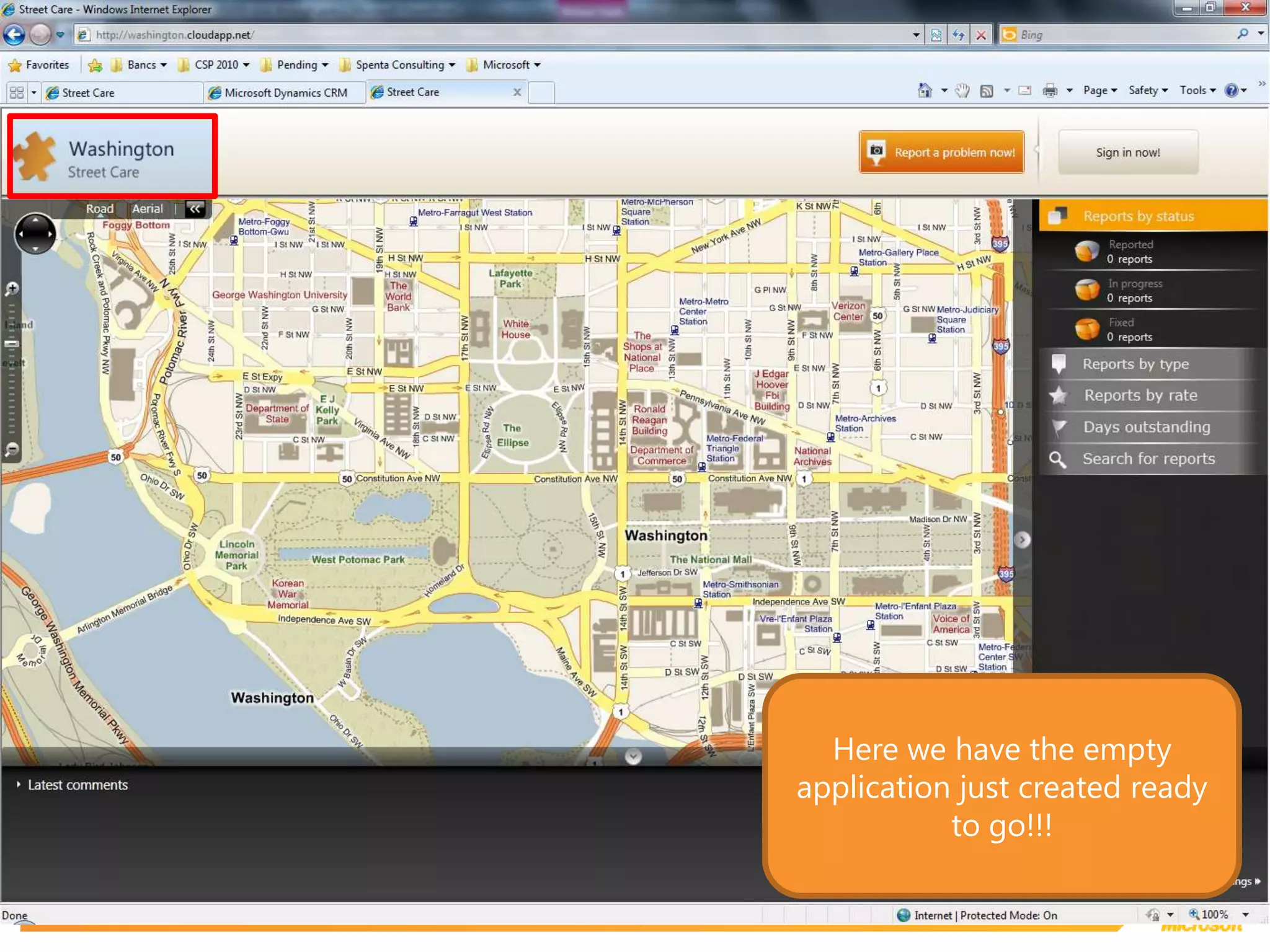
We need to give the new instance a name and look for an available domain name. Also need to position on the map the geographical center of the application…”Download and Install” …
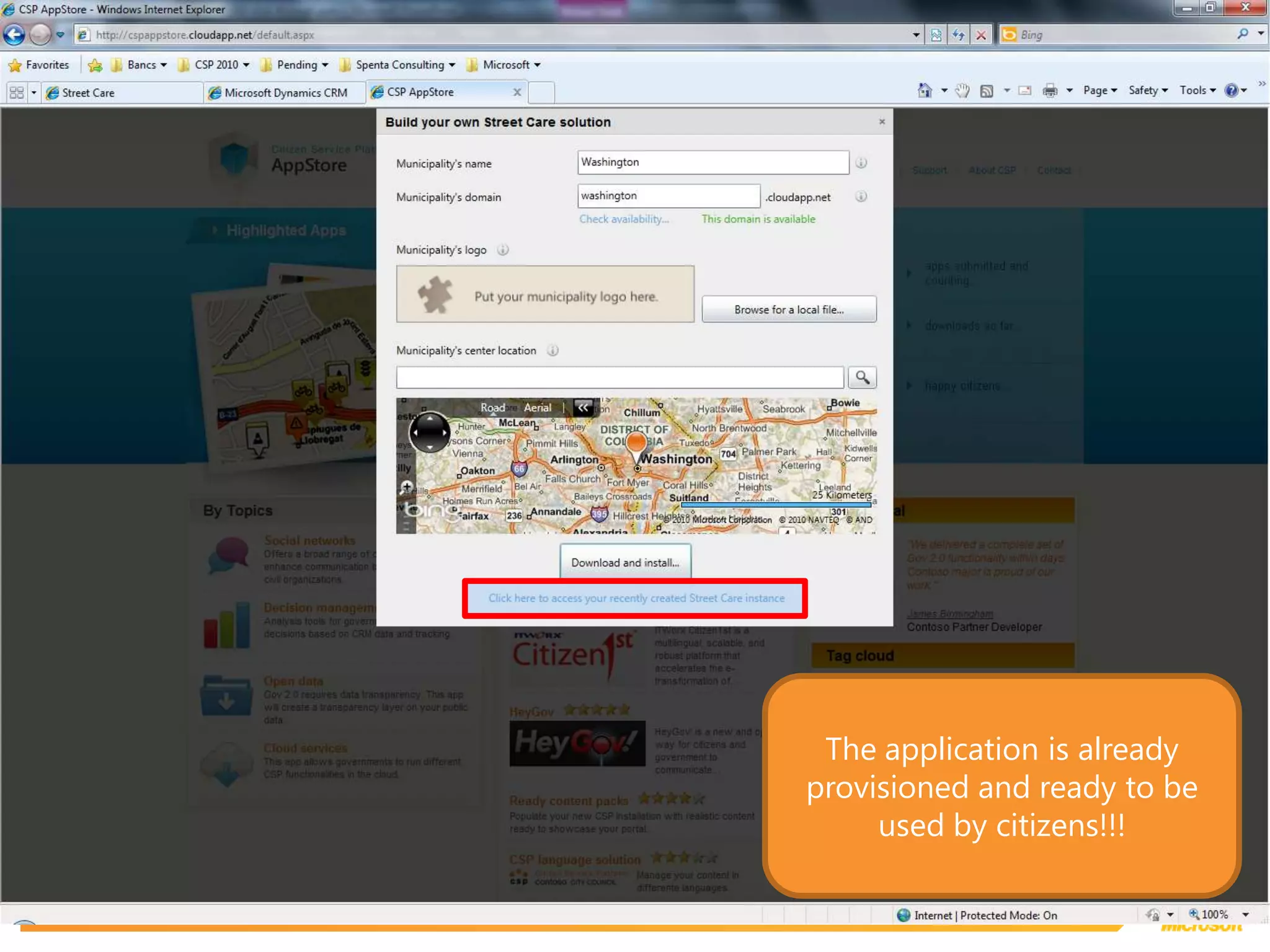
The application is already provisioned and ready to be used by citizens!!!
Here we have the empty application just created ready to go!!!
© 2010 Microsoft Corporation. All rights reserved. Microsoft, Windows, Windows Vista and other product names are or may be registered trademarks and/or trademarks in the U.S. and/or other countries.The information herein is for informational purposes only and represents the current view of Microsoft Corporation as of the date of this presentation.  Because Microsoft must respond to changing market conditions, it should not be interpreted to be a commitment on the part of Microsoft, and Microsoft cannot guarantee the accuracy of any information provided after the date of this presentation.  MICROSOFT MAKES NO WARRANTIES, EXPRESS, IMPLIED OR STATUTORY, AS TO THE INFORMATION IN THIS PRESENTATION.

Microsoft Citizen Services Platform 2 0 Demo

Editor's Notes

  • #11 LiveIDauthenticationservice in thecloudCitizen data onpremise
  • #12 Noticethe «View casesaround me»
  • #14 Most fieldsalreadyprepopulatedwith data from Dynamics CRM
  • #19 The Document Set is automaticallycreated in Sharepoint andbinded to a uniqueCaseID. A Document Set is a group of documents withsomecommonpropertiesandmetadata. Depending on thecasetype, every document set has a differentnumber of documents, each of thembased on a different document templateandwith a differentworkflowassociated to it (if any).
  • #26 Noticethedifferent document formats...alsopdf, etc...
  • #33 Pleasenotethatthistaskform is differentthanthenthepreviousone.
  • #38 With the social modules CSP provides, all portal content is integrated with mainstream social networks (i.e. Twitter, Facebook, etc) through a wide variety of functionalities.For example news can now be linked to Twitter conversations.
  • #40 Citizen Network’s functionality allows groups of citizens to create a complete social mash-up that seamlessly integrates existing mainstream services. Citizen Network is a Facebook, Twitter, My space, Live, Flickr, You Tube all-in-one for citizens associations and initiatives to promote and share their social activities in real time.
  • #41 Creating a new network is easy and straight forward. Any authenticated user can make a new network by filling an online form where he can describe the group and activate its related services. A workflow approval is then launched and a civil servant will have to review the request and approve it. This step is important to validate that third party content (i.e. Facebook group or Twitter account) is in line with the publishing policies and to avoid spammers or illicit content.