Professional Readiness forInnovation, Employability & Entrepreneurship
Naan Mudhalvan - Project Based Experiential Learning
IBM | career.education@ibm.com
Technical Training Session - Internet of Things
Powered by
2.
Program Understanding
Program aimsto develop employability, innovation and entrepreneurship skills in the students through
project-based experiential learning in collaborative learning environments under the guidance of industry
mentoring. Program assists students in developing technical and professional competencies as they create
innovative solutions to problem statements. Students are taught to think technically and with an open mind.
Normally, companies provide such training after recruiting students, but under this project, skills are
provided in colleges.
Objectives:
❑ To empower the students with technical skills to require solving a real-world challenge
❑ To train the students on the approach to building solutions by applying critical thinking and
problem-solving capabilities in a collaborative environment.
❑ To mentor the students to build innovative solutions by applying design thinking concepts.
❑ To introduce the standard project development methodologies followed in the industry to the students
❑ To develop the professional skills like teamwork, leadership qualities, communication in the students
❑ To enhance the employability of students in order to get them internships and job opportunities
3.
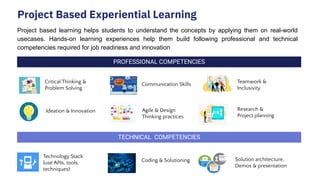
Project Based ExperientialLearning
Project based learning helps students to understand the concepts by applying them on real-world
usecases. Hands-on learning experiences help them build following professional and technical
competencies required for job readiness and innovation
PROFESSIONAL COMPETENCIES
TECHNICAL COMPETENCIES
Ideation & Innovation
Solution architecture,
Demos & presentation
Critical Thinking &
Problem Solving
Teamwork &
Inclusivity
Communication Skills
Research &
Project planning
Technology Stack
(use APIs, tools,
techniques)
Coding & Solutioning
Agile & Design
Thinking practices
IoT Course Objectives
Oncompletion of the 30 hours course the learner will be able to:
● Know the basis of Internet of Things
● Have knowledge of Building blocks of IoT
● Able to Design IoT Devices
● Able to communicate IoT Devices using various protocols
● Understand Cloud protocols
● Know about Computer Vision using Python
6.
IoT Prerequisites
Participants should
●Have a basic understanding of C programming and Python programming
● Have a computer with basic configuration and good internet connectivity
● Python 3.7 version should be installed (Python latest version is not recommended)
7.
Content
Introduction to Internetof Things (IoT)
● What is IoT & Industrial IoT
● Evolution of IoT
● Unblock Business Value with IoT
● Societal Impacts of IoT
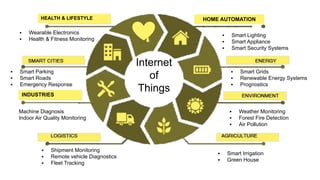
● IoT Applications
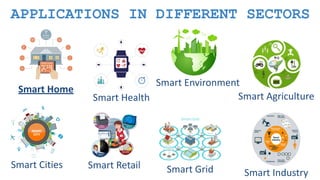
● IoT Applications in various Sectors
Content
Design an IoTDevice
● IoT Device Design Considerations
● Proof of Concept (PoC) Development
● Open IoT Hardware
● Sensors & Actuators
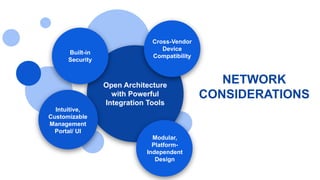
● Network Considerations
● Power Management
10.
Content
Getting Started withArduino UNO & Tinkercad Platform
● Introduction to Arduino UNO
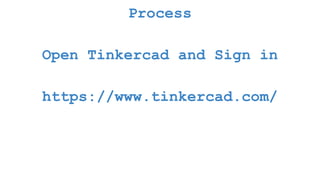
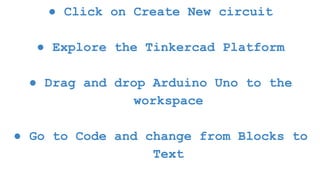
● Getting Started with TinkerCad Platform
● Blink an LED using Arduino UNO
● Integrating Push Button with Arduino UNO
● Integrating Analog Input with Arduino UNO
● Integrating Analog Output with Arduino UNO
11.
Content
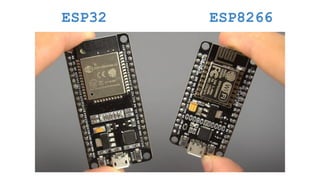
Getting started withESP32 and Wokwi platform
● Specifications of ESP32 Development Board
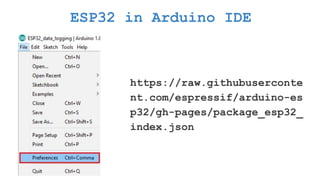
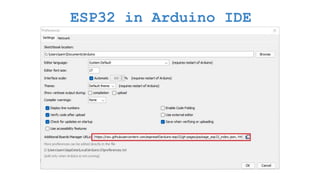
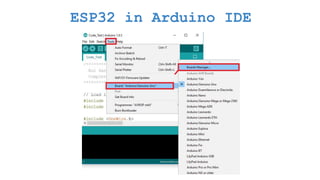
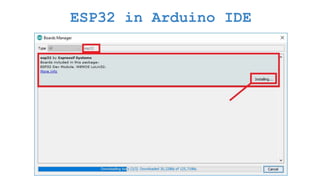
● Installation of Arduino IDE & ESP32 Packages
Integrate TMP36 Sensor with Arduino UNO
● What is a DHT11 & TMP36 Sensor & How it works
● Integrate TMP36 sensor with ESP32
12.
Content
Integrate Ultrasonic Sensorwith Arduino UNO
● What is an Ultrasonic Sensor & How it Works
● Integrate Ultrasonic sensor with Arduino UNO
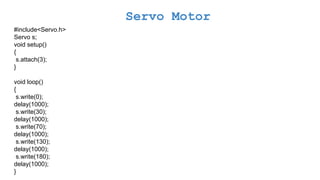
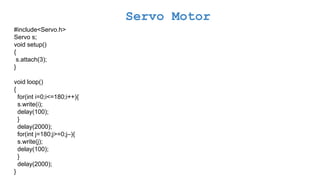
Integrate Servo Motor with Arduino UNO
● What is the Servo motor & How it works?
● Integrate Servo Motor with Arduino UNO
13.
Content
IoT Communication Technologies
●Wired vs. Wireless Technologies
● Short range vs. Long range communication
● Understand Bluetooth Low Energy (BLE)
● Understand Wi-Fi Communication
● Understand Zigbee Communication
14.
Content
Long Range WirelessCommunication Technologies
● LoRa & LoRaWAN for IoT Communication
● Narrow Band-Internet of Things (NB-IoT) Communication
● Compare LoRAWAN & NB IoT Communication
IoT protocols
● Understand HTTP Protocol
● Understand HTTPS Protocol
● Understand MQTT Protocol
● Understand CoAP Protocol
15.
Content
HTTP & MQTTPractical’s
● Get Weather Info from Open Weather API using HTTP
● Hands-on with MQTT - Hive MQ Publish Broker
Introduction to Python
● Python Environment setup
Python basics
● Python-Variable Types
● Python- Basic Operators
● Python- Strings
Content
Getting started withRaspberry PI
● Introduction to Raspberry PI
● Compare different models of Raspberry PI
● Explore Raspberry PI GPIO pins
● OS installation
Raspberry Pi as a Gateway
● Raspberry Pi as a gateway
● Configuring Raspberry Pi as a gateway
18.
Content
Introduction to Cloud
●What is Cloud Technology?
● Understand Different Service models (SaaS, PaaS, IaaS)
Firebase Cloud & IoT Platform Architecture
● Introduction to Firebase Cloud Platform & its services
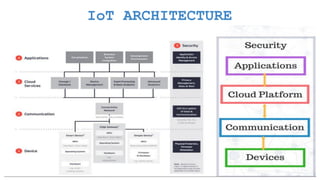
● Explore IoT Platform Architecture
19.
Content
Getting Started Node-REDService
● Introduction to Node-RED Service
● Installation of local Node-Red
● Getting Started with Node-RED
Web Application Development using Node-RED Service
● Develop a web UI to display the Sensor data
● Configure the buttons in UI to send the commands
● Publish and Subscribe data from Firebase IoT Platform using Python Code
20.
Content
Mobile Application Developmentusing MIT App Inventor
● Develop the User Interface to display the sensor data
● Configure the API's using Node-RED service to get the sensor data
● Display the Data in the UI and Install the Mobile App
● Configure the API's using Node-RED service to receive commands from Mobile App
● Configure the mobile App to send commands to Firebase Cloud
Case study 1
Case study 2
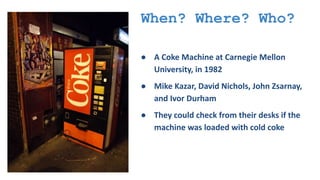
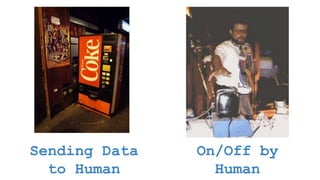
When? Where? Who?
●A Coke Machine at Carnegie Mellon
University, in 1982
● Mike Kazar, David Nichols, John Zsarnay,
and Ivor Durham
● They could check from their desks if the
machine was loaded with cold coke
24.
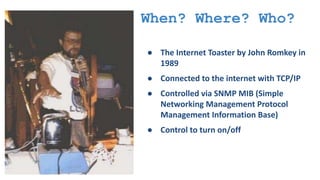
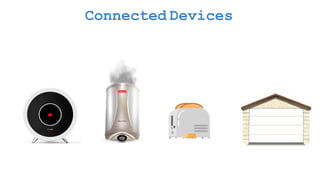
When? Where? Who?
●The Internet Toaster by John Romkey in
1989
● Connected to the internet with TCP/IP
● Controlled via SNMP MIB (Simple
Networking Management Protocol
Management Information Base)
● Control to turn on/off
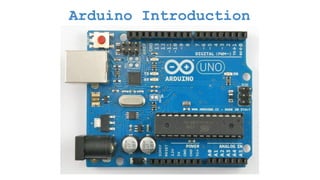
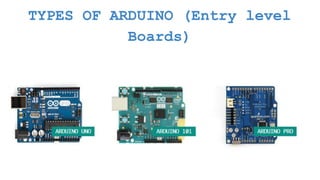
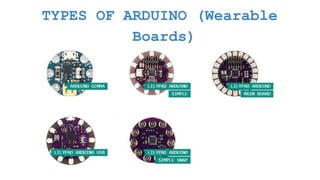
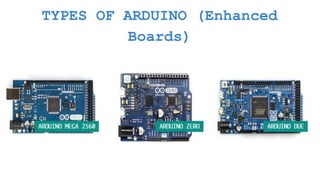
WHAT IS ARDUINO?
●Arduino is an open-source platform used for building electronics
projects .
● Easy tool for fast prototyping.
● consists of both a physical programmable circuit board and a piece
of software.
45.
WHY ARDUINO?
● Opensource Platform.
● Inexpensive
● Does not need a separate piece of hardware
● Arduino IDE uses a simplified version of C++
● Cross-platform
● Provides a standard form factor
46.
WHAT CAN ANARDUINO DO?
● Interacts with buttons, LEDs, motors, speakers, GPS units, cameras,
the internet, and even your smart-phone or your TV
● designed for artists, designers, hobbyists, hackers, newbie's, and
anyone interested in creating interactive objects or environments
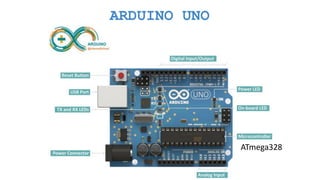
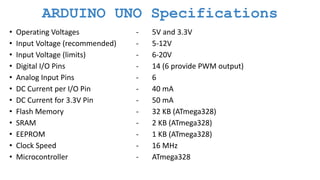
ARDUINO UNO Specifications
•Operating Voltages - 5V and 3.3V
• Input Voltage (recommended) - 5-12V
• Input Voltage (limits) - 6-20V
• Digital I/O Pins - 14 (6 provide PWM output)
• Analog Input Pins - 6
• DC Current per I/O Pin - 40 mA
• DC Current for 3.3V Pin - 50 mA
• Flash Memory - 32 KB (ATmega328)
• SRAM - 2 KB (ATmega328)
• EEPROM - 1 KB (ATmega328)
• Clock Speed - 16 MHz
• Microcontroller - ATmega328
53.
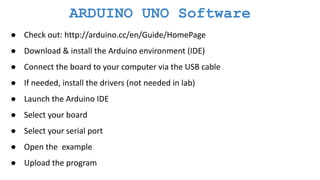
ARDUINO UNO Software
●Check out: http://arduino.cc/en/Guide/HomePage
● Download & install the Arduino environment (IDE)
● Connect the board to your computer via the USB cable
● If needed, install the drivers (not needed in lab)
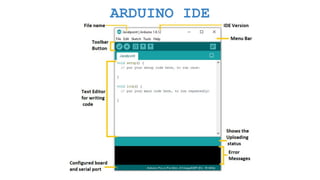
● Launch the Arduino IDE
● Select your board
● Select your serial port
● Open the example
● Upload the program
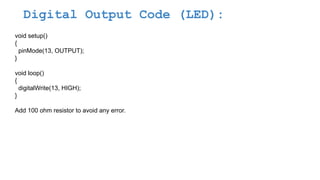
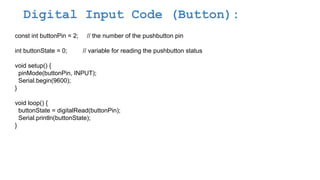
Digital Input Code(Button):
const int buttonPin = 2; // the number of the pushbutton pin
int buttonState = 0; // variable for reading the pushbutton status
void setup() {
pinMode(buttonPin, INPUT);
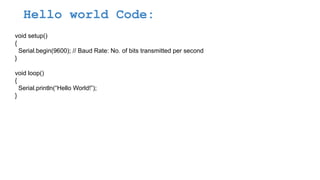
Serial.begin(9600);
}
void loop() {
buttonState = digitalRead(buttonPin);
Serial.println(buttonState);
}
67.
Try to GlowLED when the Button is
pressed and off LED when button is
released
68.
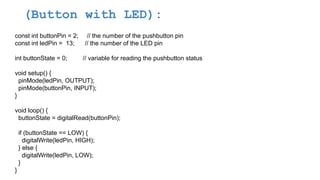
(Button with LED):
constint buttonPin = 2; // the number of the pushbutton pin
const int ledPin = 13; // the number of the LED pin
int buttonState = 0; // variable for reading the pushbutton status
void setup() {
pinMode(ledPin, OUTPUT);
pinMode(buttonPin, INPUT);
}
void loop() {
buttonState = digitalRead(buttonPin);
if (buttonState == LOW) {
digitalWrite(ledPin, HIGH);
} else {
digitalWrite(ledPin, LOW);
}
}
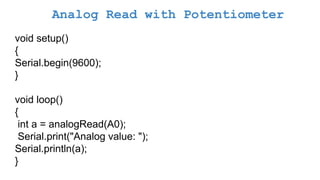
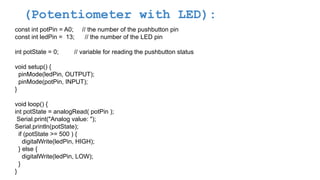
(Potentiometer with LED):
constint potPin = A0; // the number of the pushbutton pin
const int ledPin = 13; // the number of the LED pin
int potState = 0; // variable for reading the pushbutton status
void setup() {
pinMode(ledPin, OUTPUT);
pinMode(potPin, INPUT);
}
void loop() {
int potState = analogRead( potPin );
Serial.print("Analog value: ");
Serial.println(potState);
if (potState >= 500 ) {
digitalWrite(ledPin, HIGH);
} else {
digitalWrite(ledPin, LOW);
}
}
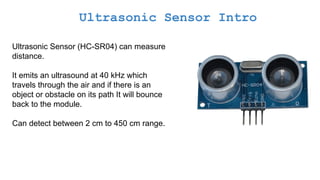
Ultrasonic Sensor Intro
UltrasonicSensor (HC-SR04) can measure
distance.
It emits an ultrasound at 40 kHz which
travels through the air and if there is an
object or obstacle on its path It will bounce
back to the module.
Can detect between 2 cm to 450 cm range.
79.
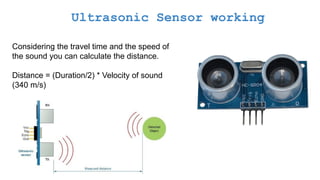
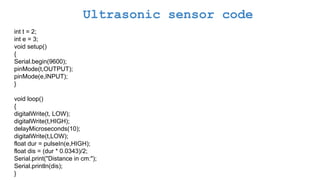
Ultrasonic Sensor working
Consideringthe travel time and the speed of
the sound you can calculate the distance.
Distance = (Duration/2) * Velocity of sound
(340 m/s)
80.
Ultrasonic Sensor Specifications
OperatingVoltage : DC 5V
Operating Current : 15mA
Operating Frequency : 40KHz
Max Range : 4m
Min Range : 2cm
Ranging Accuracy : 3mm
Measuring Angle : 15 degree
Trigger Input Signal : 10µS TTL pulse
Dimension : 45 x 20 x 15mm
try to writelogic for car reverse
functionality, led should glow with
max intensity if there is an object
near, and glow less when there is
object at some distance and should
not glow when it is far
83.
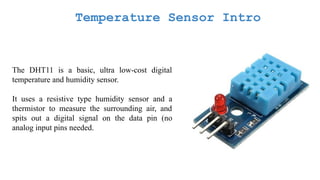
Temperature Sensor Intro
TheDHT11 is a basic, ultra low-cost digital
temperature and humidity sensor.
It uses a resistive type humidity sensor and a
thermistor to measure the surrounding air, and
spits out a digital signal on the data pin (no
analog input pins needed.
84.
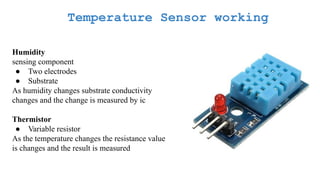
Temperature Sensor working
Humidity
sensingcomponent
● Two electrodes
● Substrate
As humidity changes substrate conductivity
changes and the change is measured by ic
Thermistor
● Variable resistor
As the temperature changes the resistance value
is changes and the result is measured
85.
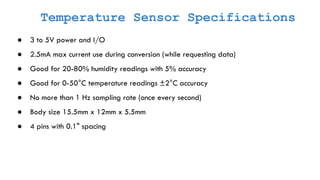
Temperature Sensor Specifications
●3 to 5V power and I/O
● 2.5mA max current use during conversion (while requesting data)
● Good for 20-80% humidity readings with 5% accuracy
● Good for 0-50°C temperature readings ±2°C accuracy
● No more than 1 Hz sampling rate (once every second)
● Body size 15.5mm x 12mm x 5.5mm
● 4 pins with 0.1" spacing
86.
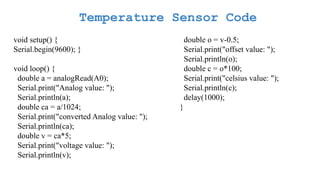
Temperature Sensor Code
voidsetup() {
Serial.begin(9600); }
void loop() {
double a = analogRead(A0);
Serial.print("Analog value: ");
Serial.println(a);
double ca = a/1024;
Serial.print("converted Analog value: ");
Serial.println(ca);
double v = ca*5;
Serial.print("voltage value: ");
Serial.println(v);
double o = v-0.5;
Serial.print("offset value: ");
Serial.println(o);
double c = o*100;
Serial.print("celsius value: ");
Serial.println(c);
delay(1000);
}
87.
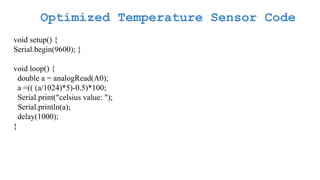
Optimized Temperature SensorCode
void setup() {
Serial.begin(9600); }
void loop() {
double a = analogRead(A0);
a =(( (a/1024)*5)-0.5)*100;
Serial.print("celsius value: ");
Serial.println(a);
delay(1000);
}
88.
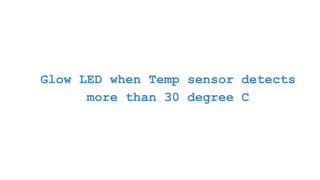
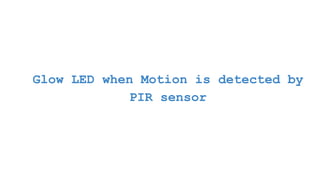
Glow LED whenTemp sensor detects
more than 30 degree C
89.
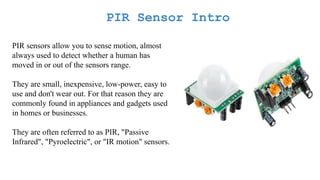
PIR Sensor Intro
PIRsensors allow you to sense motion, almost
always used to detect whether a human has
moved in or out of the sensors range.
They are small, inexpensive, low-power, easy to
use and don't wear out. For that reason they are
commonly found in appliances and gadgets used
in homes or businesses.
They are often referred to as PIR, "Passive
Infrared", "Pyroelectric", or "IR motion" sensors.
90.
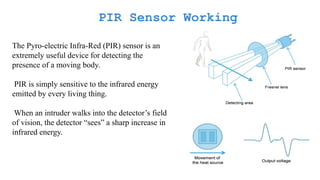
PIR Sensor Working
ThePyro-electric Infra-Red (PIR) sensor is an
extremely useful device for detecting the
presence of a moving body.
PIR is simply sensitive to the infrared energy
emitted by every living thing.
When an intruder walks into the detector’s field
of vision, the detector “sees” a sharp increase in
infrared energy.
91.
PIR Sensor Specifications
Size:Rectangular
Output: Digital pulse high (3V) when triggered (motion detected) digital low when idle (no
motion detected).
Sensitivity range: up to 20 feet (6 meters) 110° x 70° detection range
Power supply: 3V-9V input voltage, but 5V is ideal.
92.
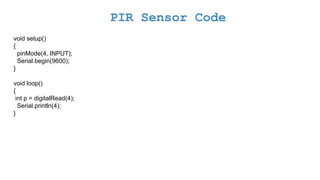
PIR Sensor Code
voidsetup()
{
pinMode(4, INPUT);
Serial.begin(9600);
}
void loop()
{
int p = digitalRead(4);
Serial.println(4);
}
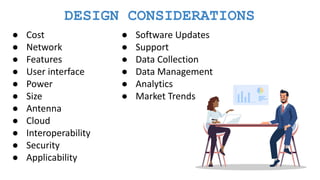
DESIGN CONSIDERATIONS
● Cost
●Network
● Features
● User interface
● Power
● Size
● Antenna
● Cloud
● Interoperability
● Security
● Applicability
● Software Updates
● Support
● Data Collection
● Data Management
● Analytics
● Market Trends
100.
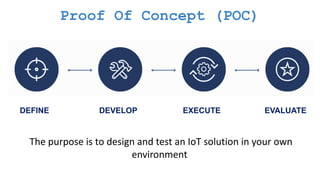
Proof Of Concept(POC)
DEFINE DEVELOP EXECUTE EVALUATE
The purpose is to design and test an IoT solution in your own
environment
101.
What is prototyping?
Prototypingis a limited representation of a design that
allows users to interact with it and explore more
possibilities.
It also allows stakeholders to interact with the envisioned
product and get some user experience.
102.
Goals of Prototyping
●Exploring requirements
● Choosing among alternatives
● Empirical usability testing
● Evolutionary development
Why should you go for a
prototype?
103.
● Evaluation andfeedback
● Team members can communicate effectively
● You can test your ideas
● It encourages reflection
Why should you go for a
prototype?
104.
● Mockup
● Storyboard
●Sketches
● Scenarios
● Screenshots
● Function interface
How to represent a prototype?
105.
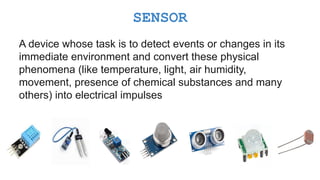
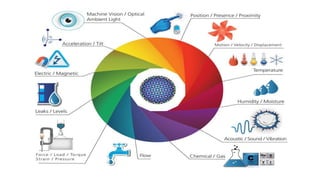
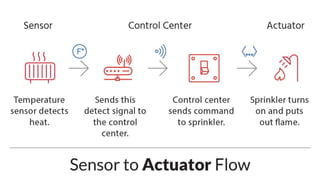
A device whosetask is to detect events or changes in its
immediate environment and convert these physical
phenomena (like temperature, light, air humidity,
movement, presence of chemical substances and many
others) into electrical impulses
SENSOR
107.
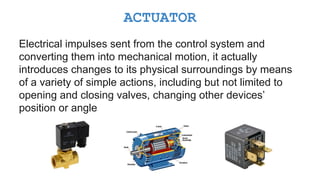
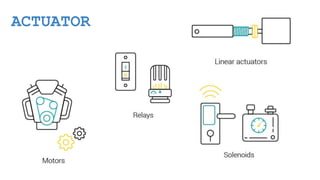
Electrical impulses sentfrom the control system and
converting them into mechanical motion, it actually
introduces changes to its physical surroundings by means
of a variety of simple actions, including but not limited to
opening and closing valves, changing other devices’
position or angle
ACTUATOR
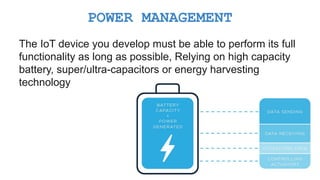
The IoT deviceyou develop must be able to perform its full
functionality as long as possible, Relying on high capacity
battery, super/ultra-capacitors or energy harvesting
technology
POWER MANAGEMENT
112.
● Energy consumption
●Battery capacity
● Power generation
Power Management Key Principles