© 2020 All Rights Reserved
1
Getting Started
with Yugabyte
Gwenn Etourneau
Principal, Solution Architect
© 2020 All Rights Reserved
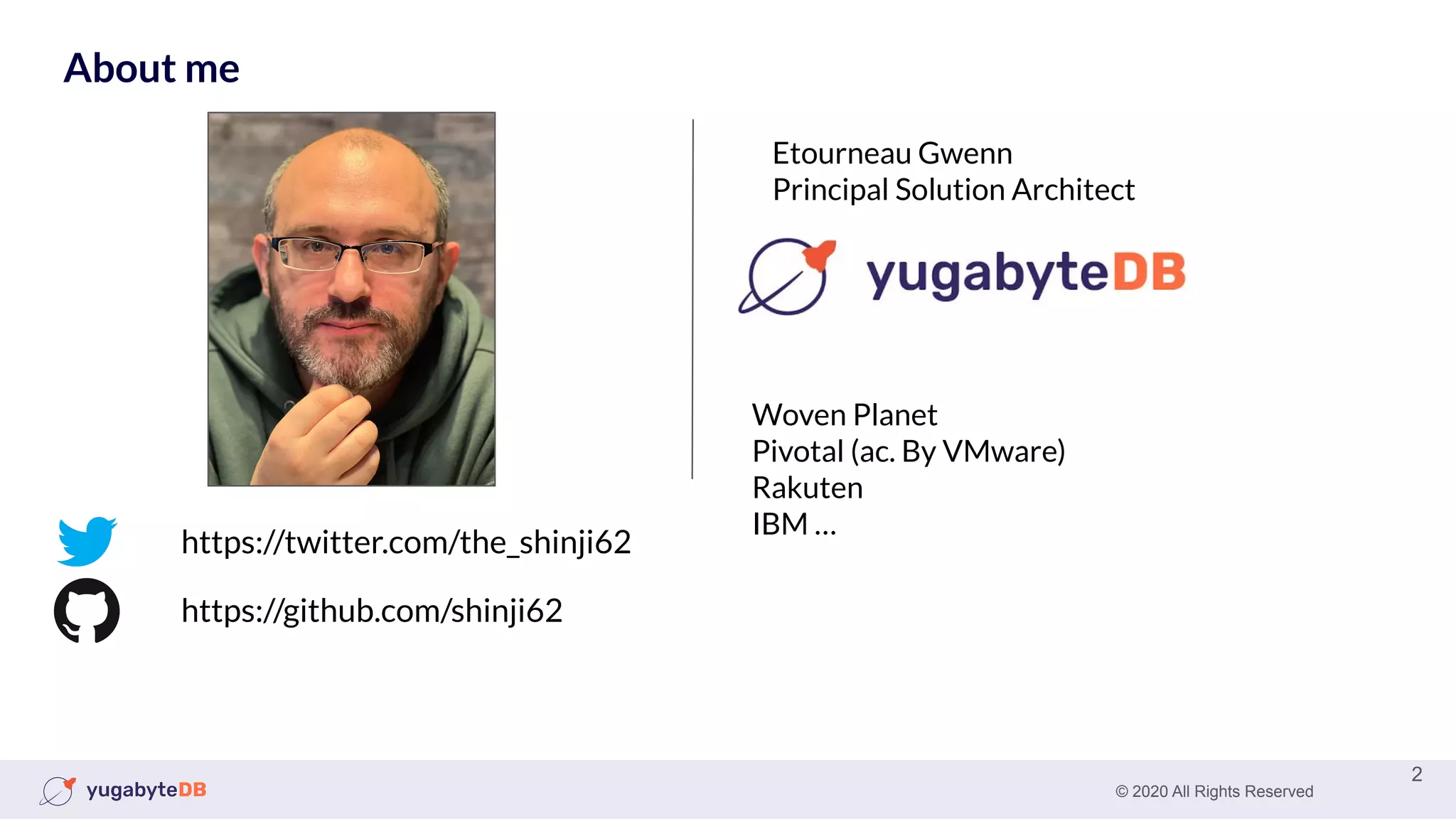
About me
2
https://github.com/shinji62
https://twitter.com/the_shinji62
Woven Planet
Pivotal (ac. By VMware)
Rakuten
IBM …
Etourneau Gwenn
Principal Solution Architect
© 2020 All Rights Reserved
About me (fun fact)
3
© 2020 All Rights Reserved 4
Agenda
● Install
○ Starting locally
● Yugabyte Managed
● Your first workload
○ Northwind
○ Benchmarking
● Next
○ Yugabyte University
© 2020 All Rights Reserved 5
Install YugabyteDB locally
You can install YugabyteDB locally in two way:
● Installing the binary
● Docker image: Docker or Kubernetes
© 2020 All Rights Reserved 6
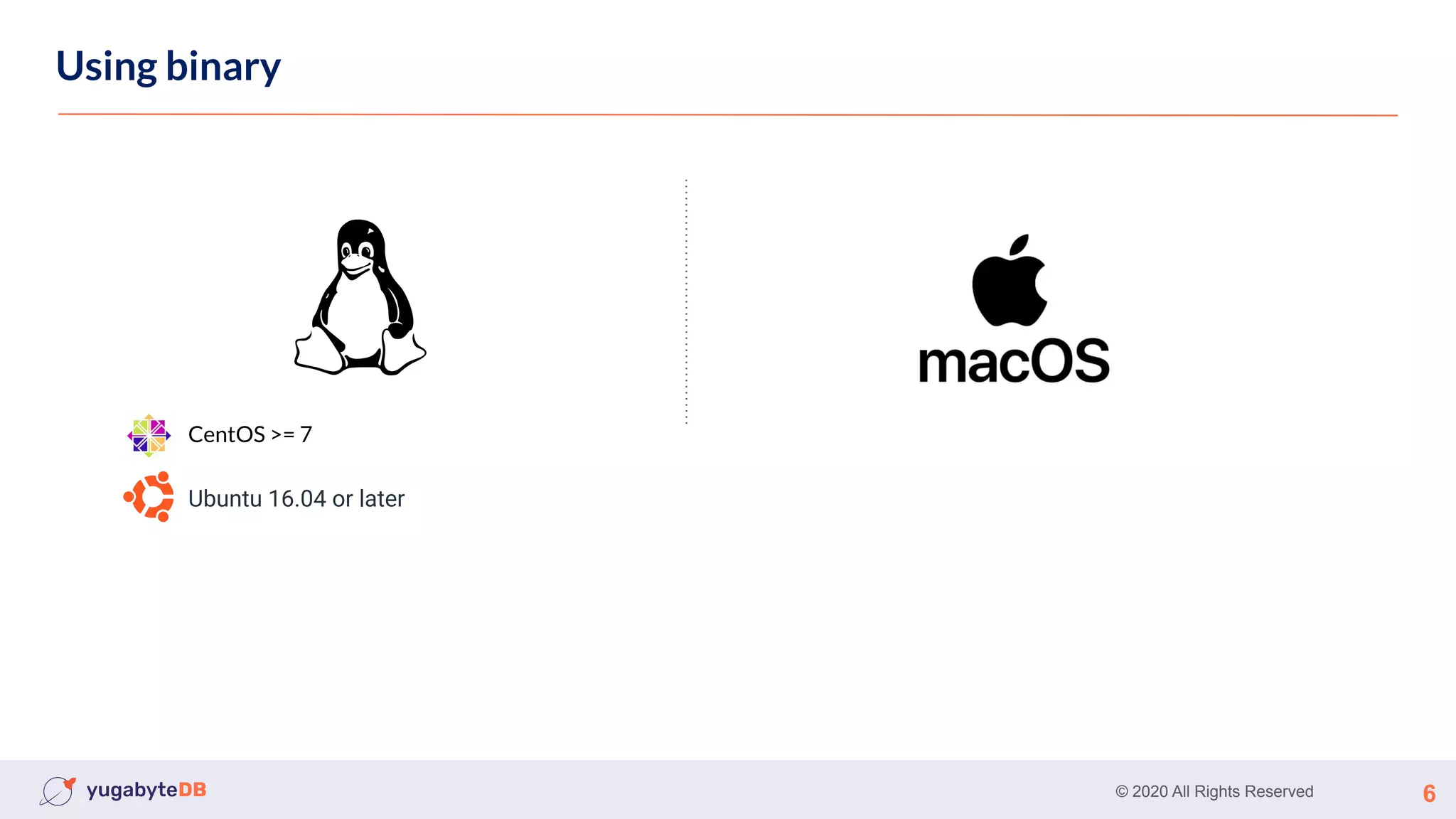
Using binary
CentOS >= 7
Ubuntu 16.04 or later
© 2020 All Rights Reserved 7
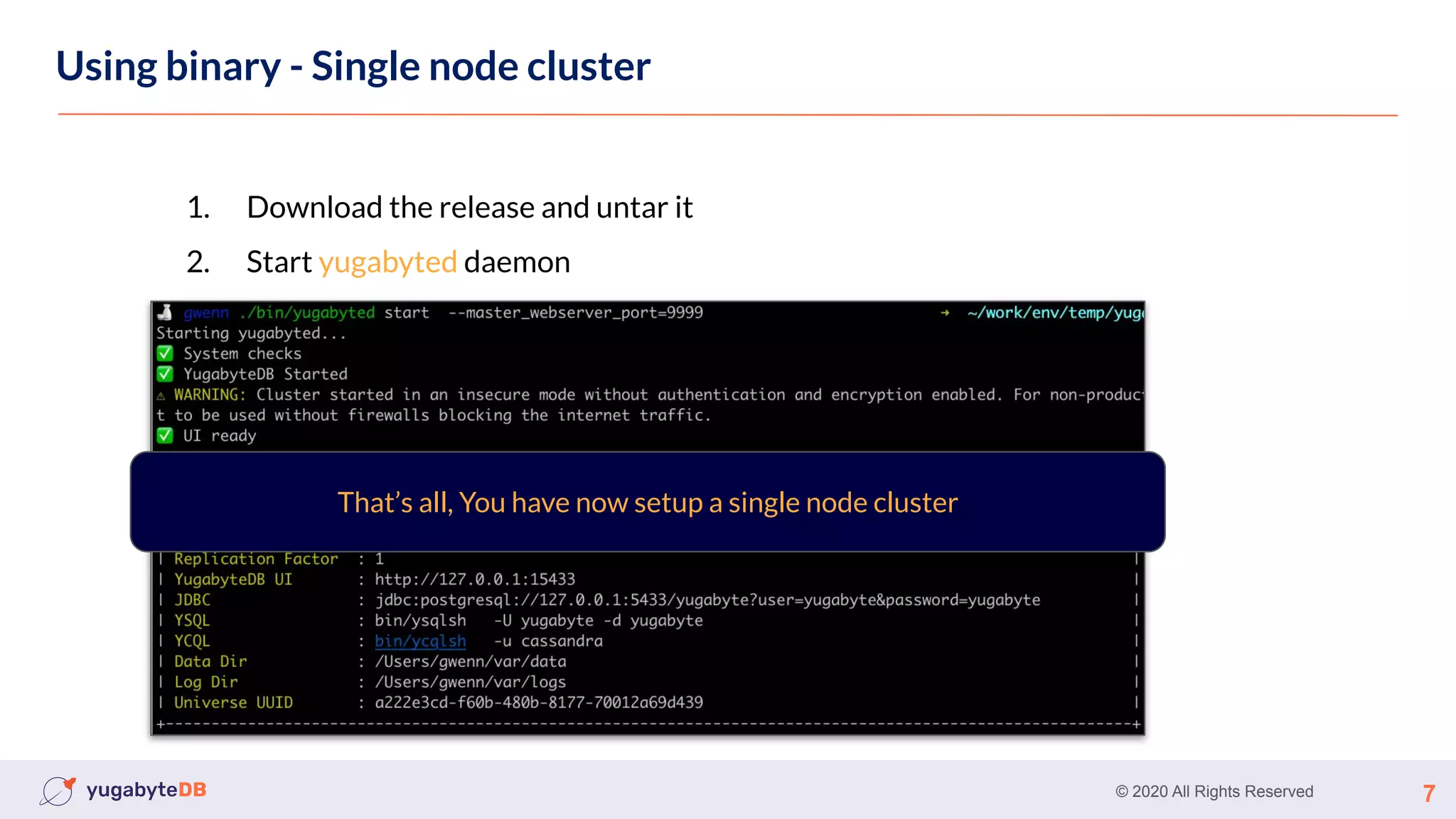
Using binary - Single node cluster
1. Download the release and untar it
2. Start yugabyted daemon
That’s all, You have now setup a single node cluster
© 2020 All Rights Reserved 8
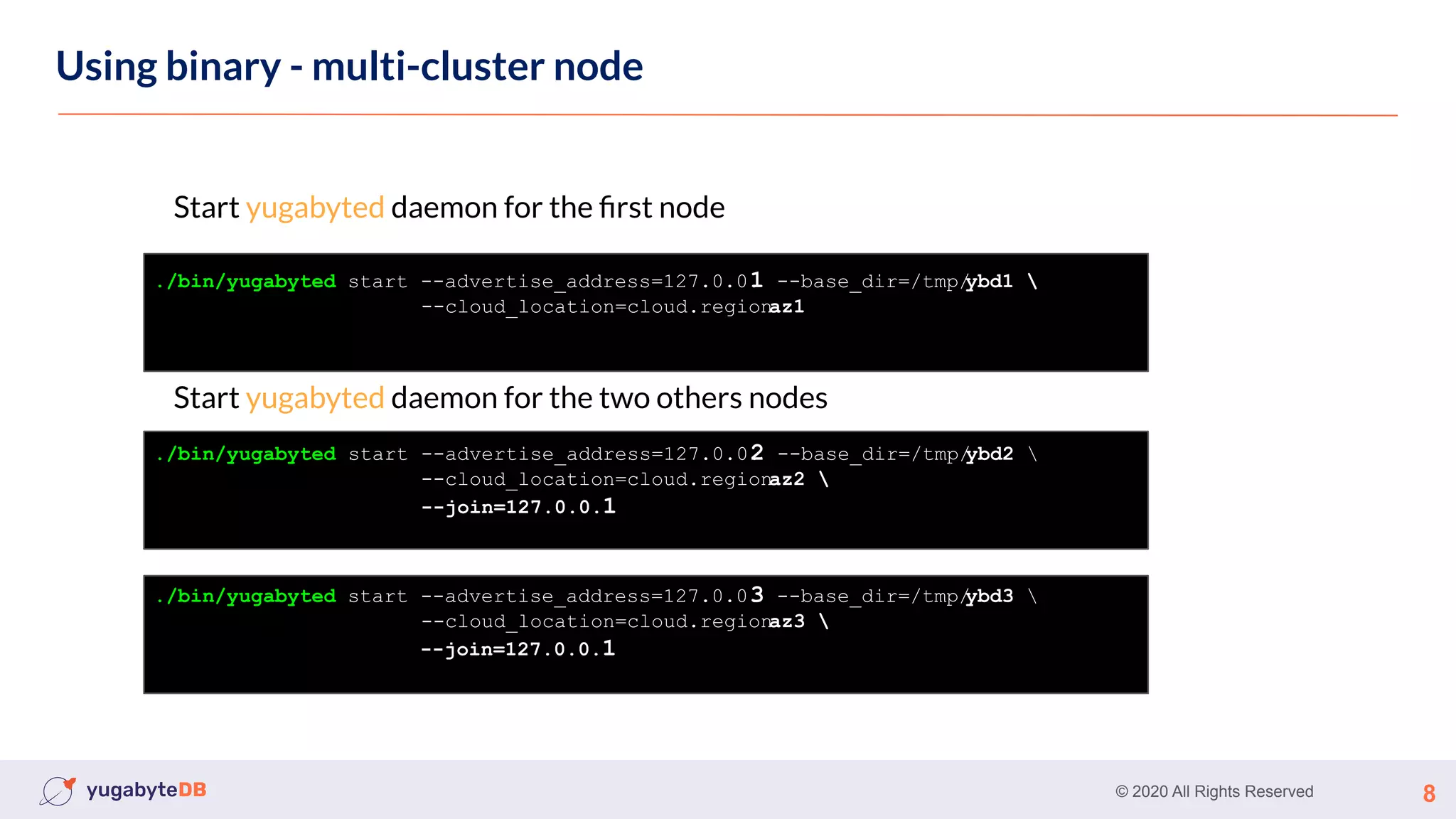
Using binary - multi-cluster node
Start yugabyted daemon for the first node
Start yugabyted daemon for the two others nodes
./bin/yugabyted start --advertise_address=127.0.0.
1 --base_dir=/tmp/
ybd1 
--cloud_location=cloud.region.
az1
./bin/yugabyted start --advertise_address=127.0.0.
2 --base_dir=/tmp/
ybd2 
--cloud_location=cloud.region.
az2 
--join=127.0.0.1
./bin/yugabyted start --advertise_address=127.0.0.
3 --base_dir=/tmp/
ybd3 
--cloud_location=cloud.region.
az3 
--join=127.0.0.1
© 2020 All Rights Reserved 9
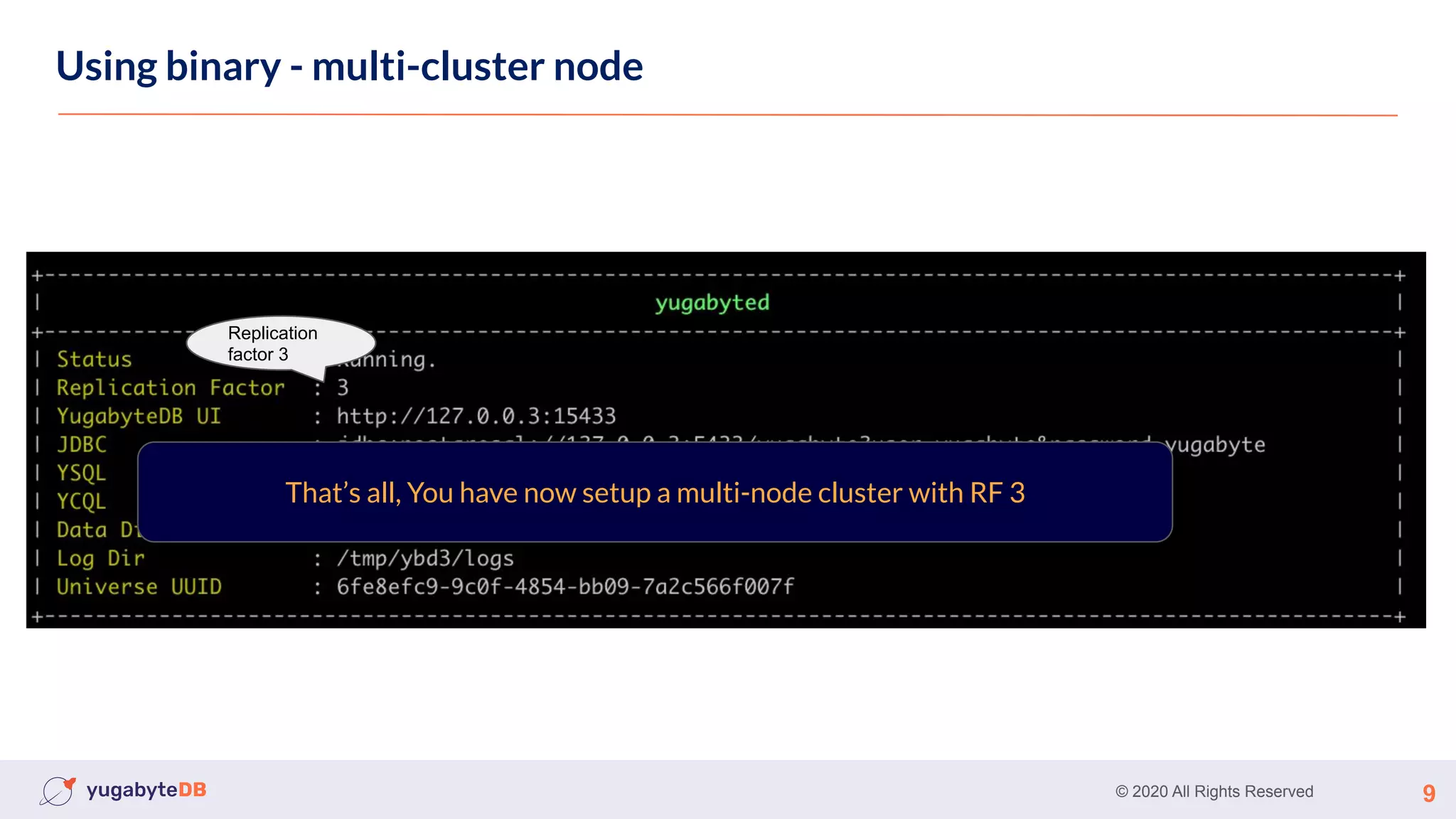
Using binary - multi-cluster node
Replication
factor 3
That’s all, You have now setup a multi-node cluster with RF 3
© 2020 All Rights Reserved 10
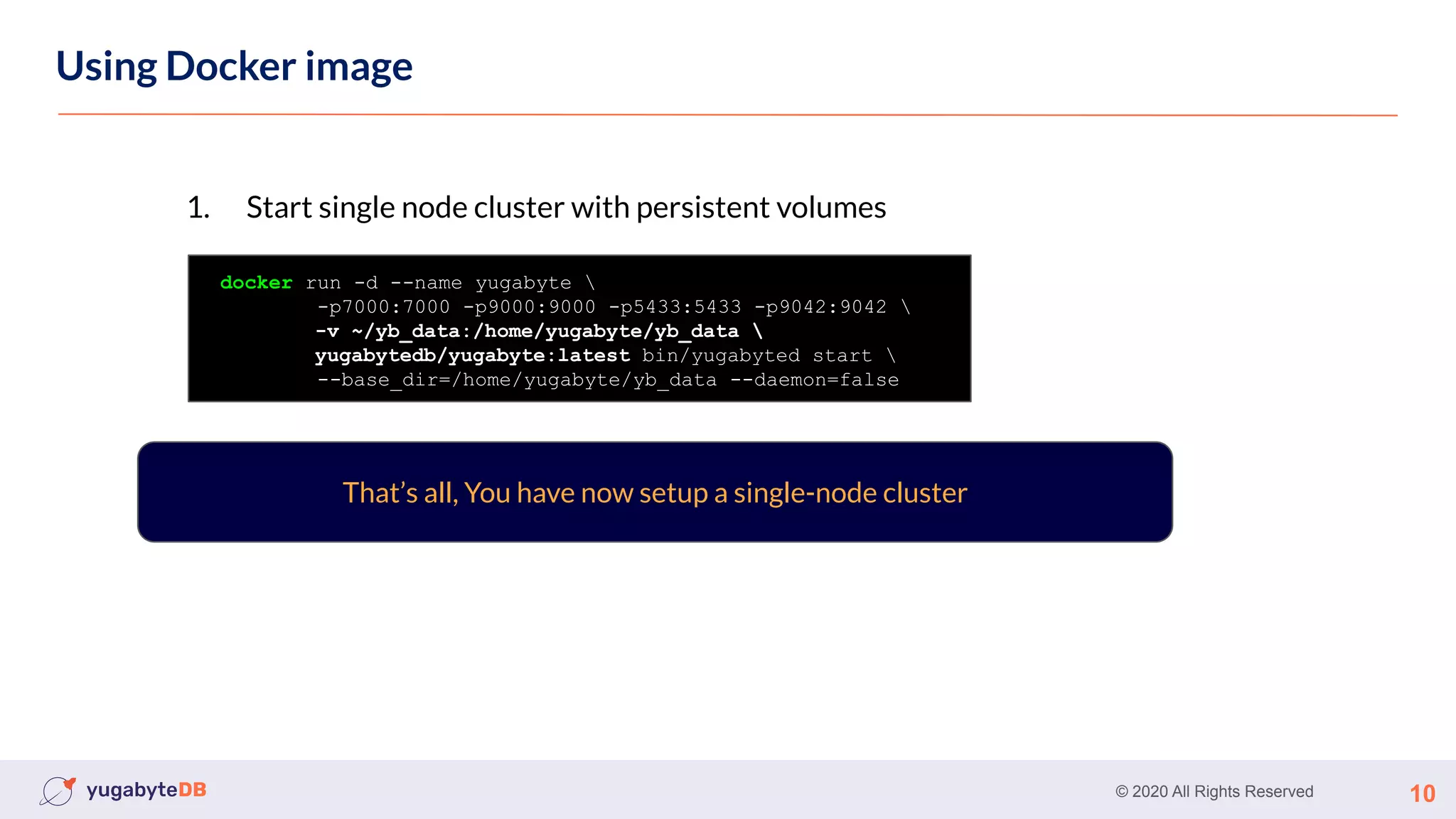
Using Docker image
docker run -d --name yugabyte 
-p7000:7000 -p9000:9000 -p5433:5433 -p9042:9042 
-v ~/yb_data:/home/yugabyte/yb_data 
yugabytedb/yugabyte:latest bin/yugabyted start 
--base_dir=/home/yugabyte/yb_data --daemon=false
1. Start single node cluster with persistent volumes
That’s all, You have now setup a single-node cluster
© 2020 All Rights Reserved 11
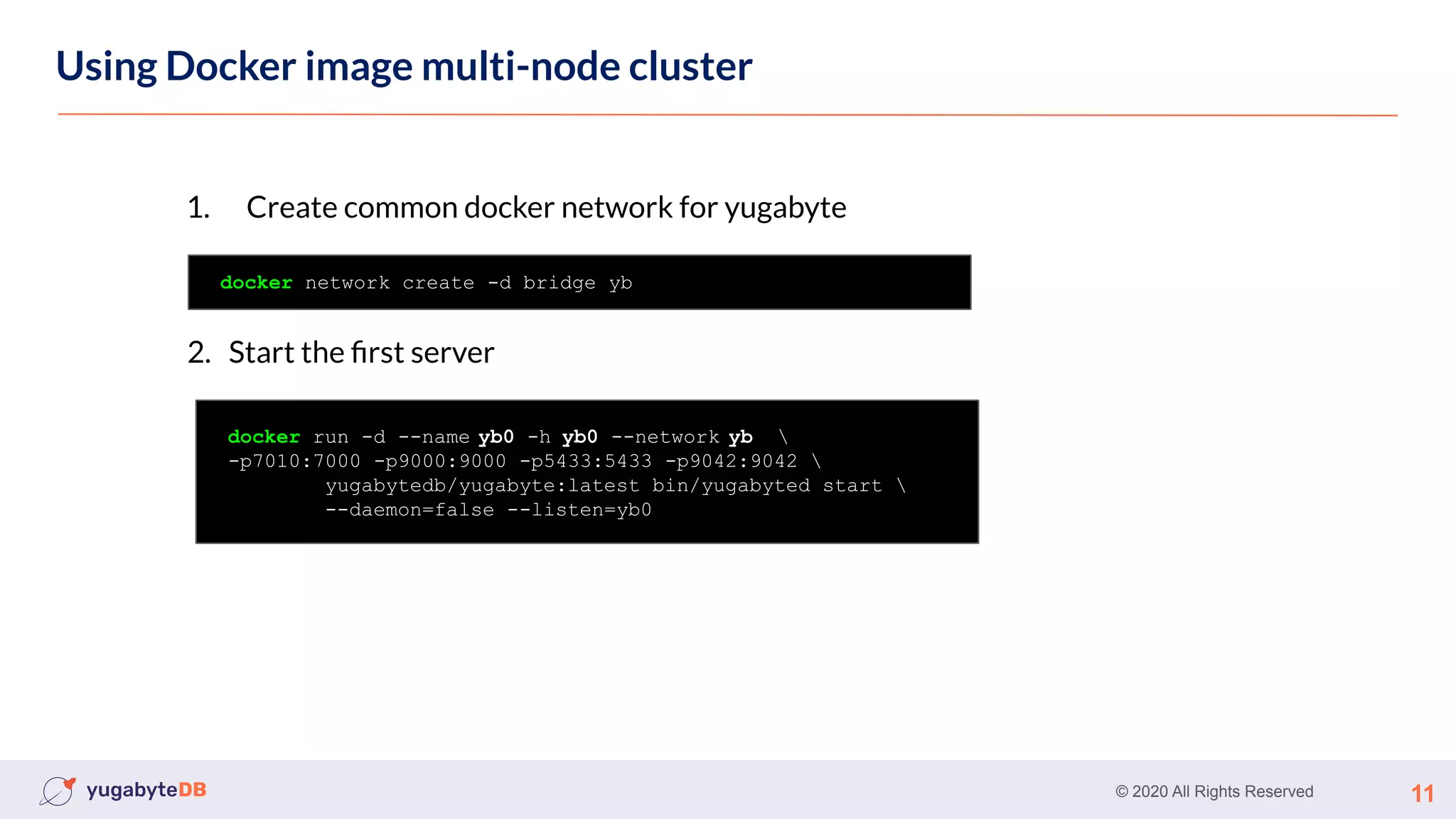
Using Docker image multi-node cluster
docker network create -d bridge yb
1. Create common docker network for yugabyte
docker run -d --name yb0 -h yb0 --network yb 
-p7010:7000 -p9000:9000 -p5433:5433 -p9042:9042 
yugabytedb/yugabyte:latest bin/yugabyted start 
--daemon=false --listen=yb0
2. Start the first server
© 2020 All Rights Reserved 12
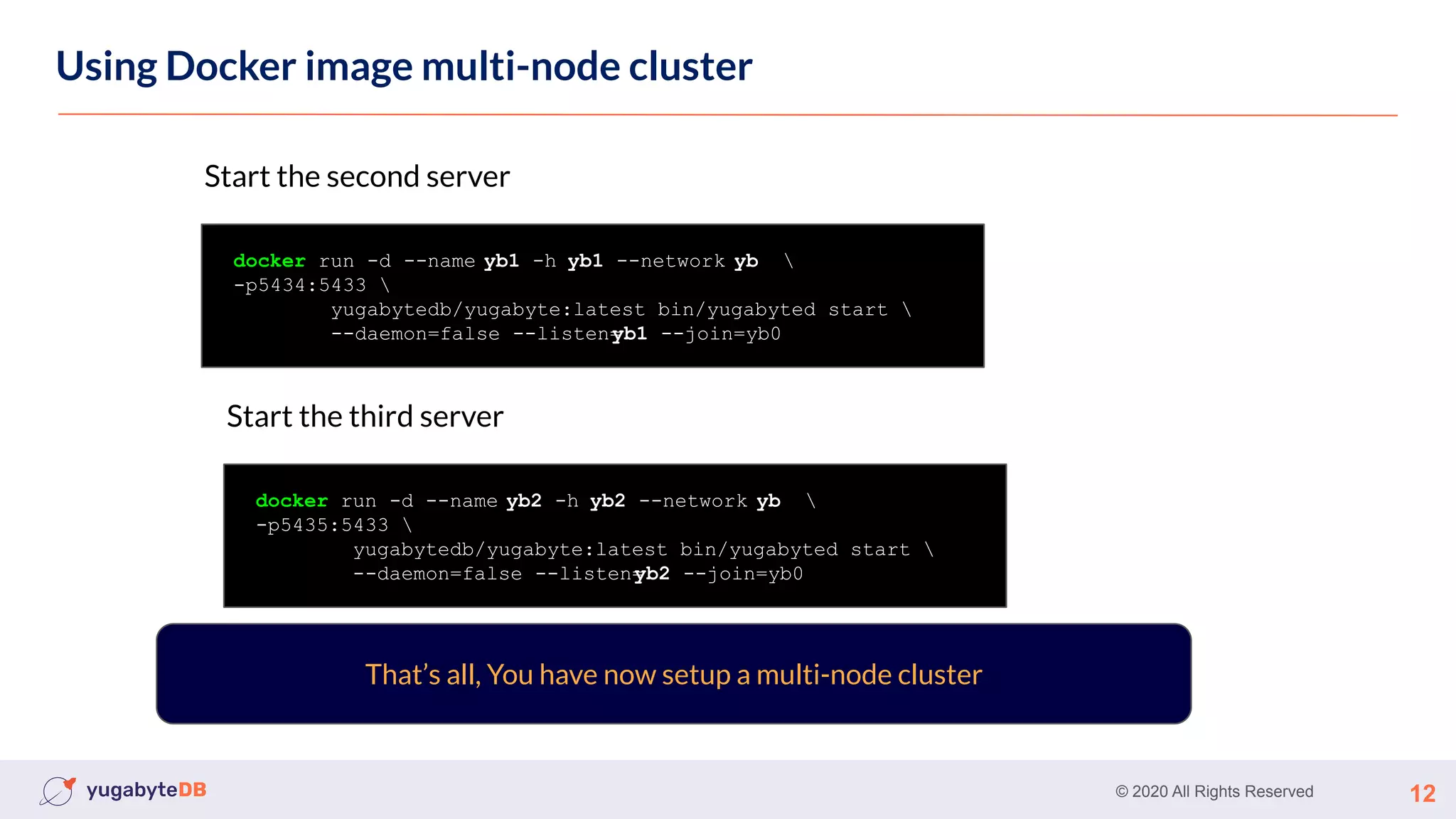
Using Docker image multi-node cluster
That’s all, You have now setup a multi-node cluster
docker run -d --name yb1 -h yb1 --network yb 
-p5434:5433 
yugabytedb/yugabyte:latest bin/yugabyted start 
--daemon=false --listen=
yb1 --join=yb0
Start the second server
docker run -d --name yb2 -h yb2 --network yb 
-p5435:5433 
yugabytedb/yugabyte:latest bin/yugabyted start 
--daemon=false --listen=
yb2 --join=yb0
Start the third server
© 2020 All Rights Reserved 13
Using Docker image
Demo
© 2020 All Rights Reserved 14
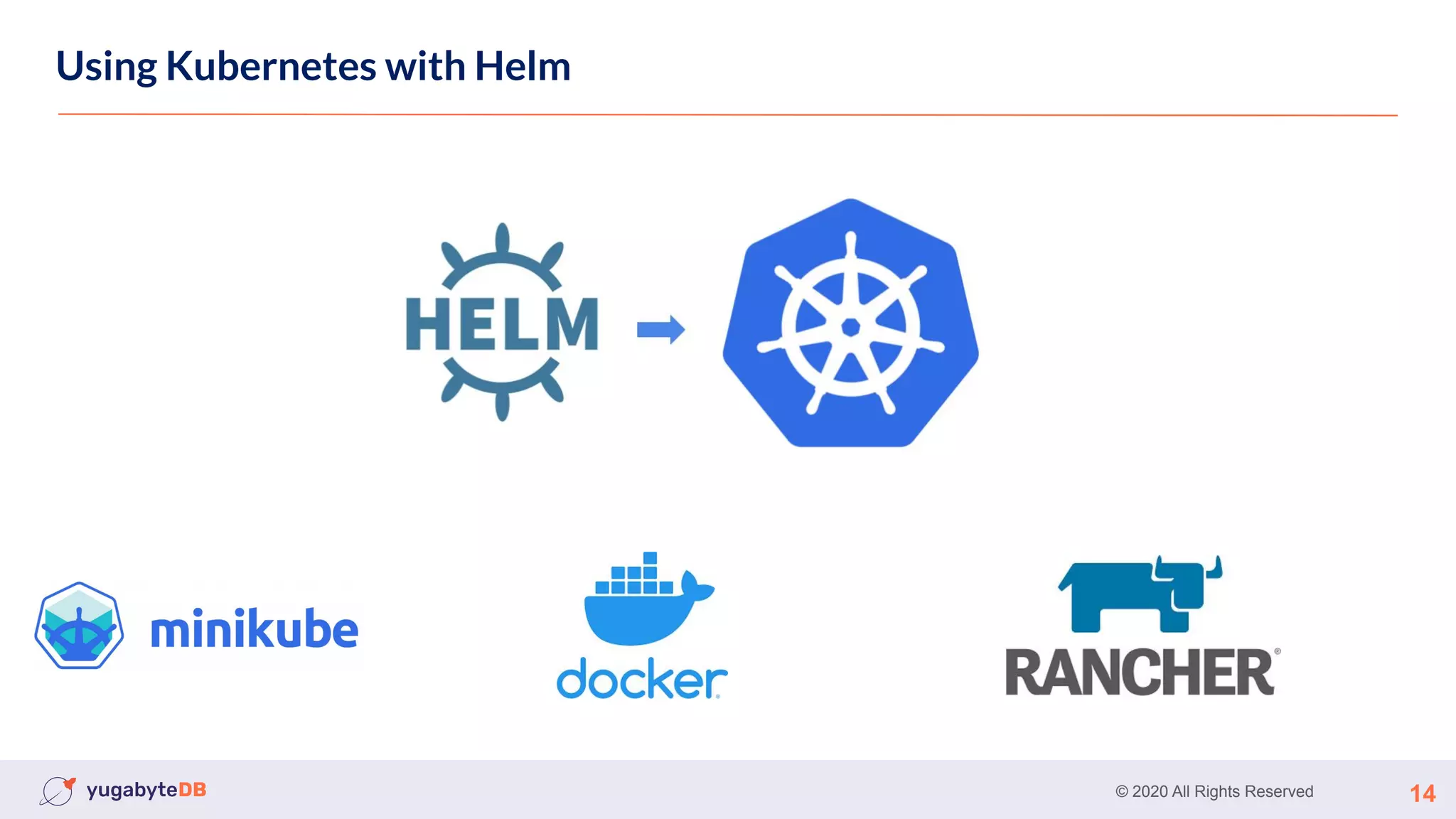
Using Kubernetes with Helm
© 2020 All Rights Reserved 15
Using Kubernetes
Using Kubernetes with Helm
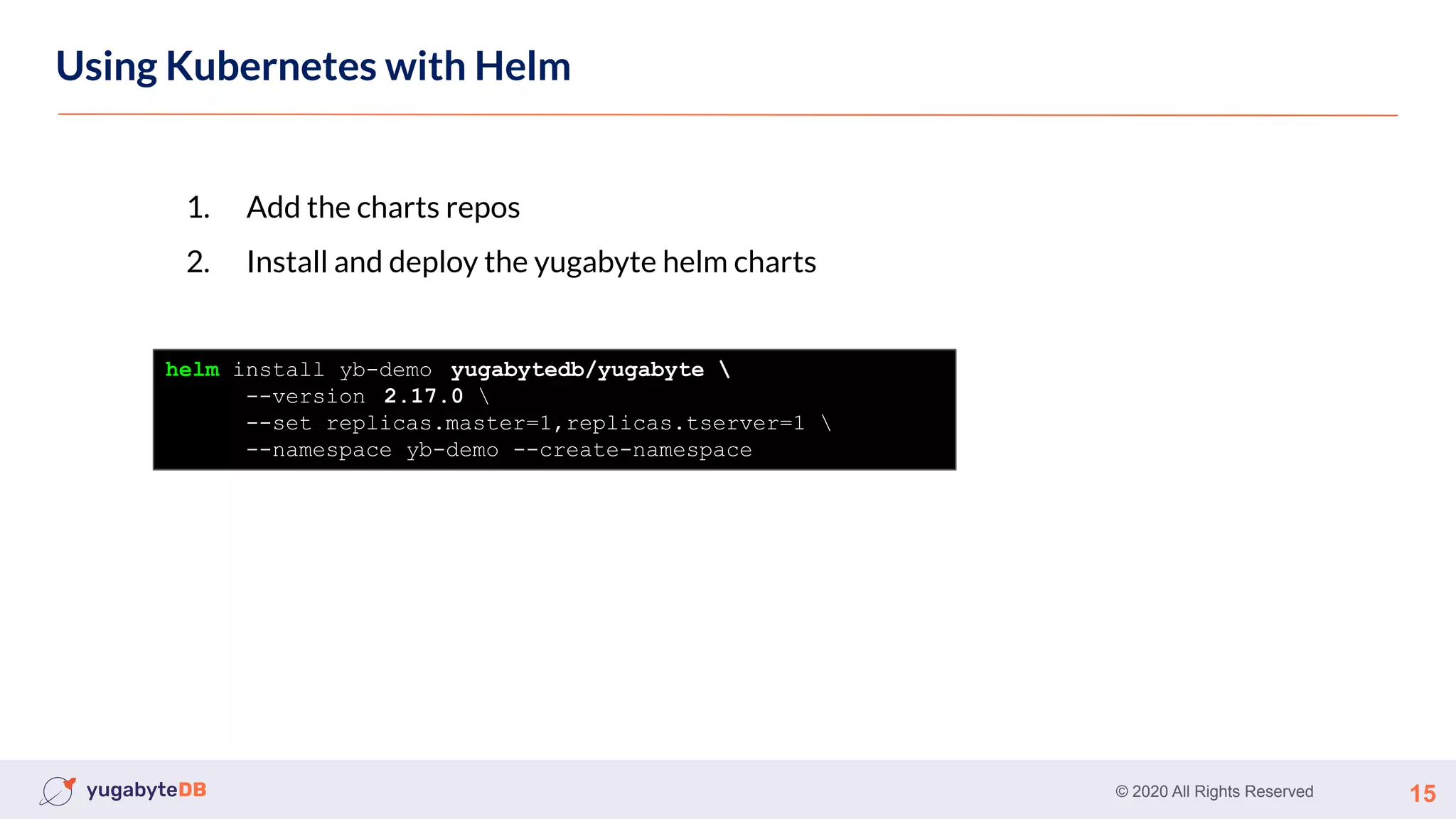
1. Add the charts repos
2. Install and deploy the yugabyte helm charts
helm install yb-demo yugabytedb/yugabyte 
--version 2.17.0 
--set replicas.master=1,replicas.tserver=1 
--namespace yb-demo --create-namespace
© 2020 All Rights Reserved 16
Using Kubernetes
Using Kubernetes with Helm
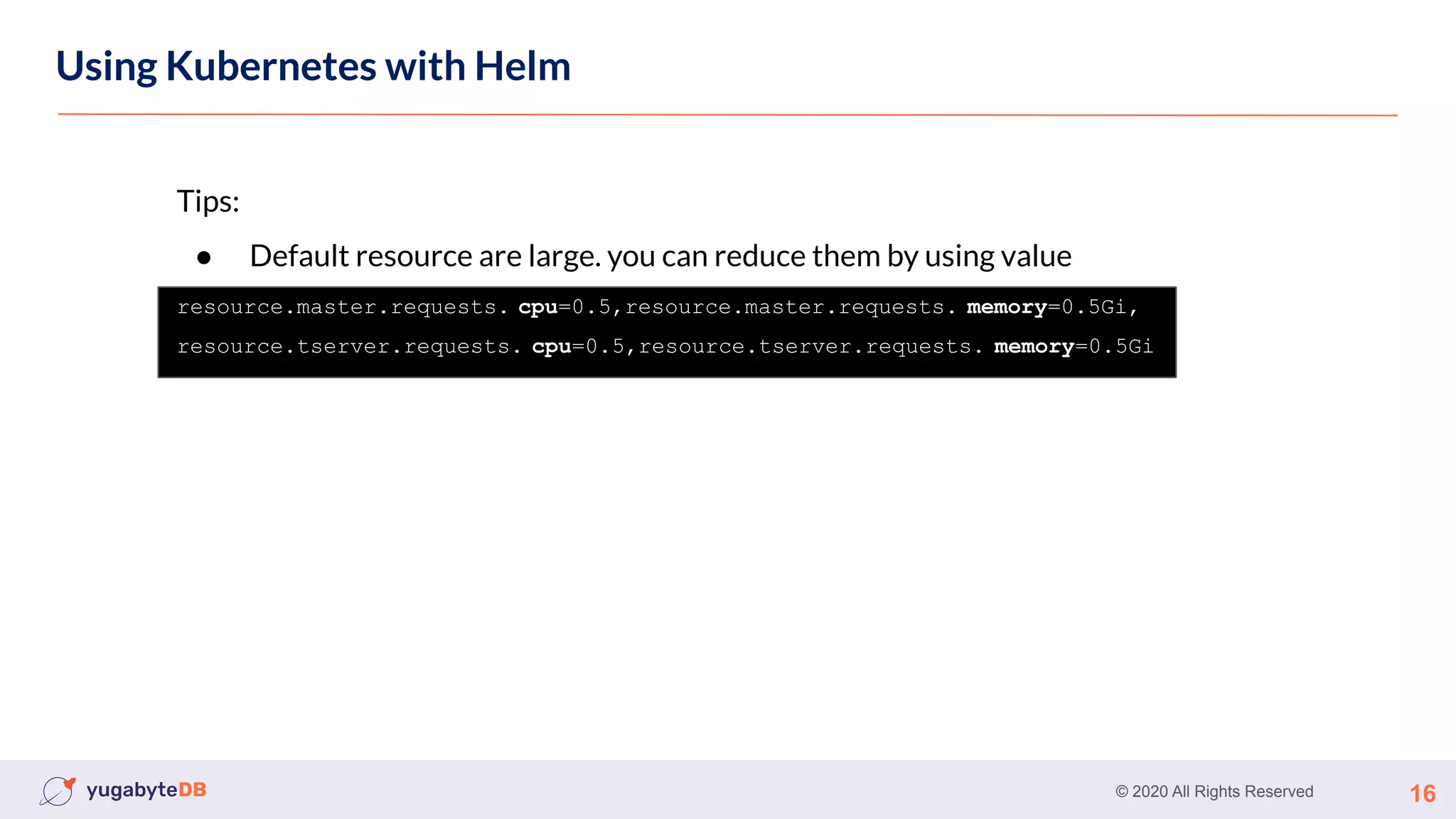
Tips:
● Default resource are large. you can reduce them by using value
resource.master.requests. cpu=0.5,resource.master.requests. memory=0.5Gi,
resource.tserver.requests. cpu=0.5,resource.tserver.requests. memory=0.5Gi
© 2020 All Rights Reserved 17
Using Kubernetes
Using Kubernetes with Helm
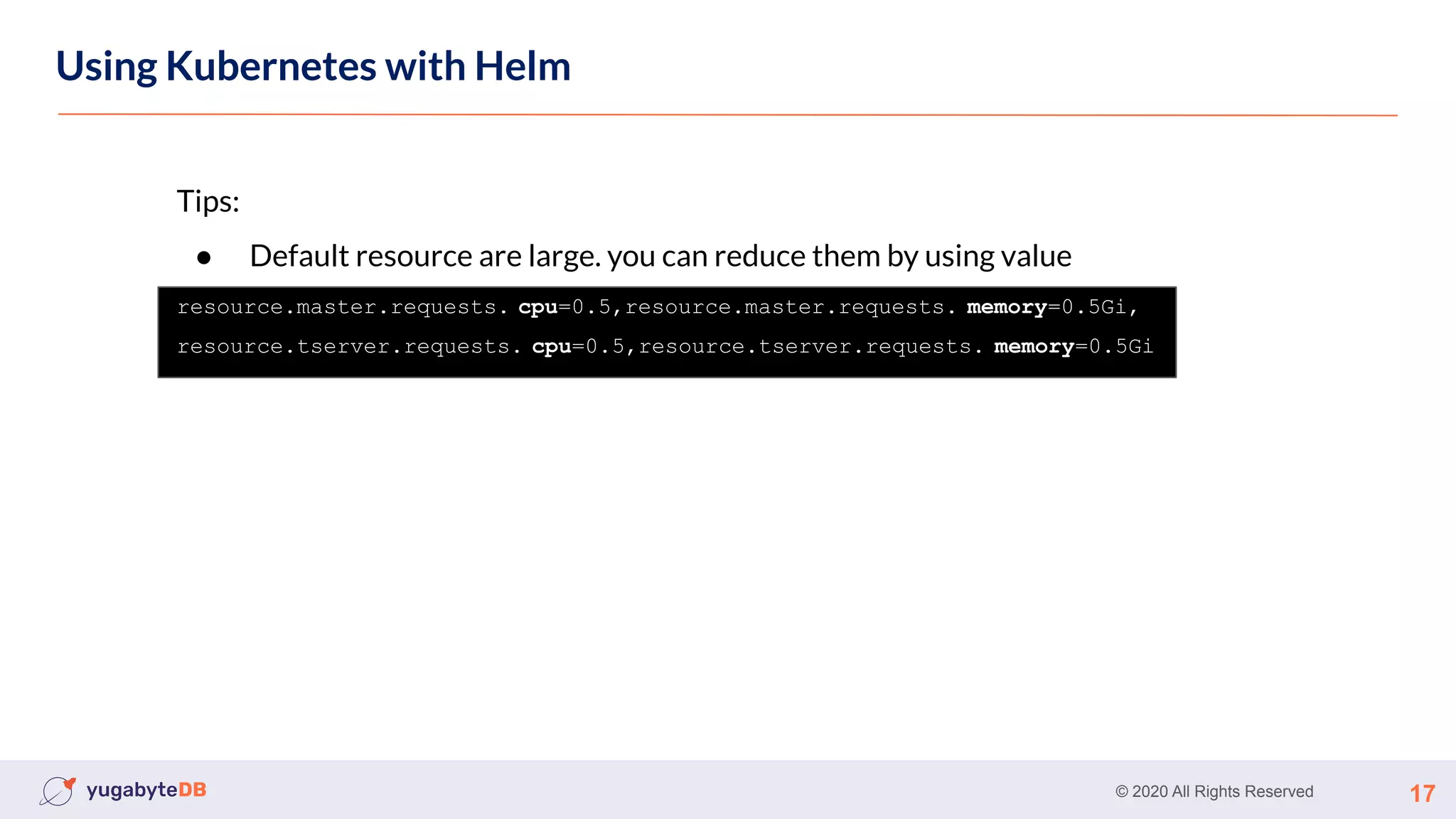
Tips:
● Default resource are large. you can reduce them by using value
resource.master.requests. cpu=0.5,resource.master.requests. memory=0.5Gi,
resource.tserver.requests. cpu=0.5,resource.tserver.requests. memory=0.5Gi
© 2020 All Rights Reserved 18
Using Kubernetes
Using Kubernetes with Helm
Demo
© 2020 All Rights Reserved 19
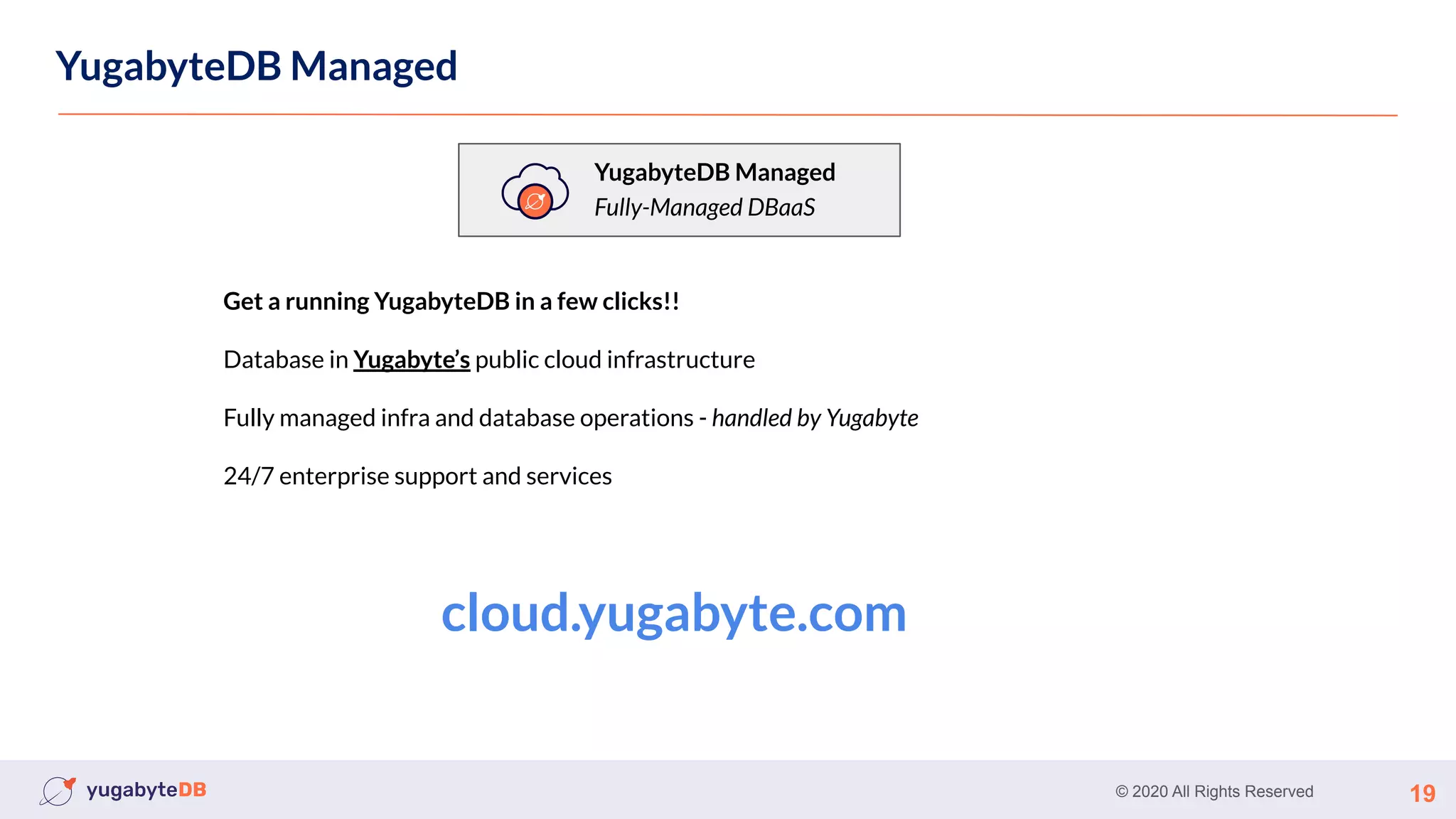
YugabyteDB Managed
YugabyteDB Managed
Fully-Managed DBaaS
Get a running YugabyteDB in a few clicks!!
Database in Yugabyte’s public cloud infrastructure
Fully managed infra and database operations - handled by Yugabyte
24/7 enterprise support and services
cloud.yugabyte.com
© 2020 All Rights Reserved 20
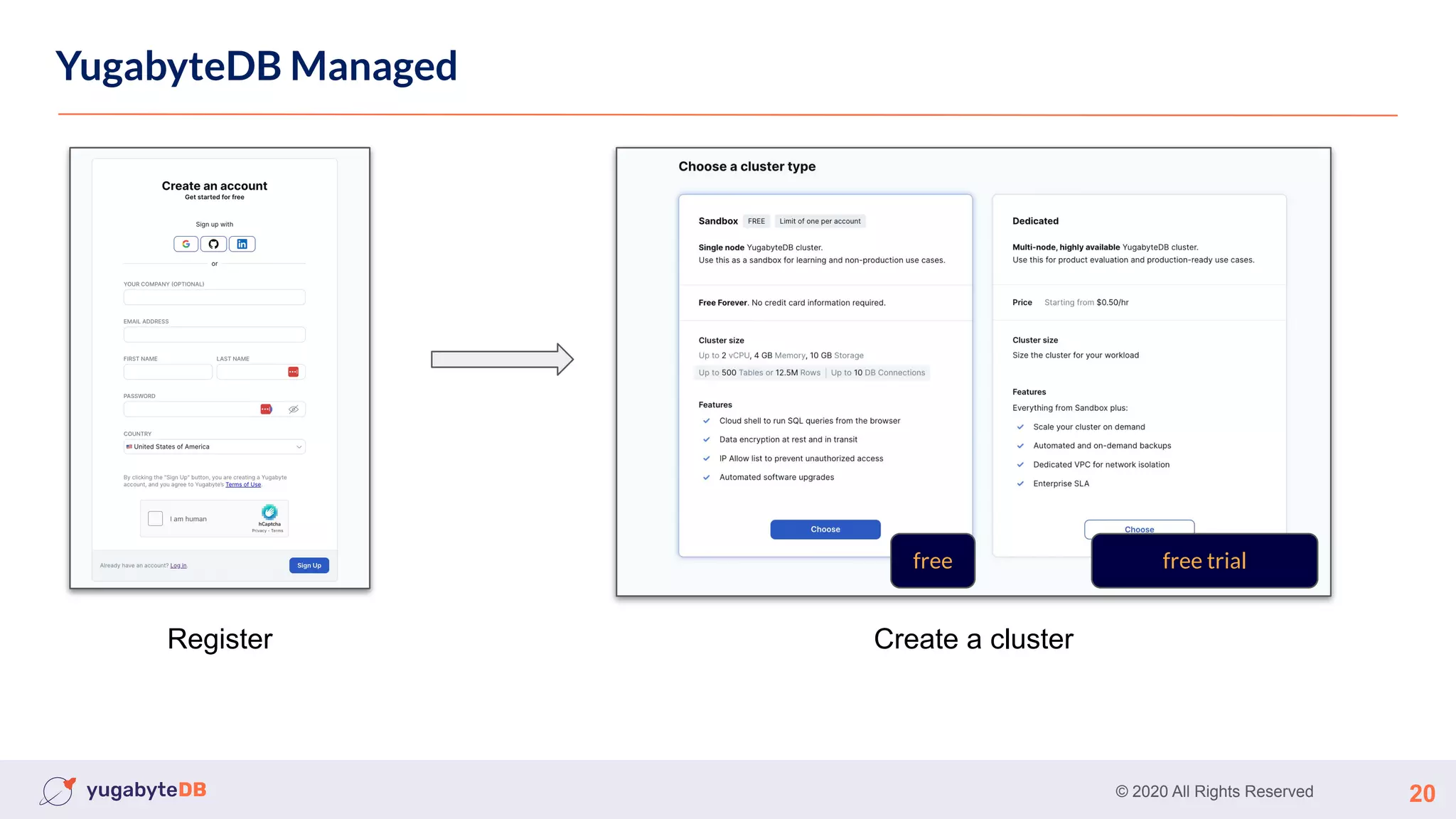
YugabyteDB Managed
Register Create a cluster
free trial
free
© 2020 All Rights Reserved 21
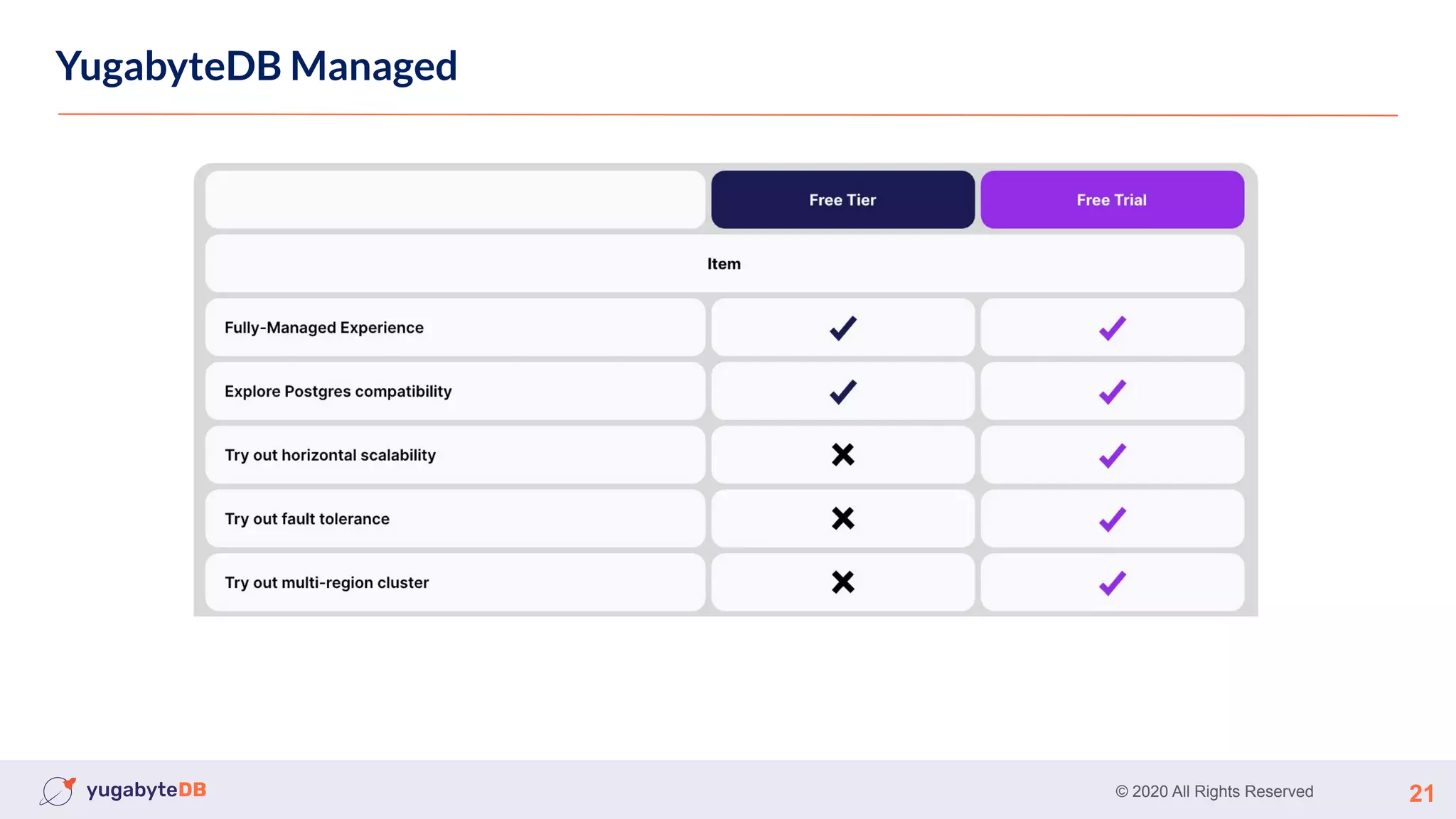
YugabyteDB Managed
© 2020 All Rights Reserved 22
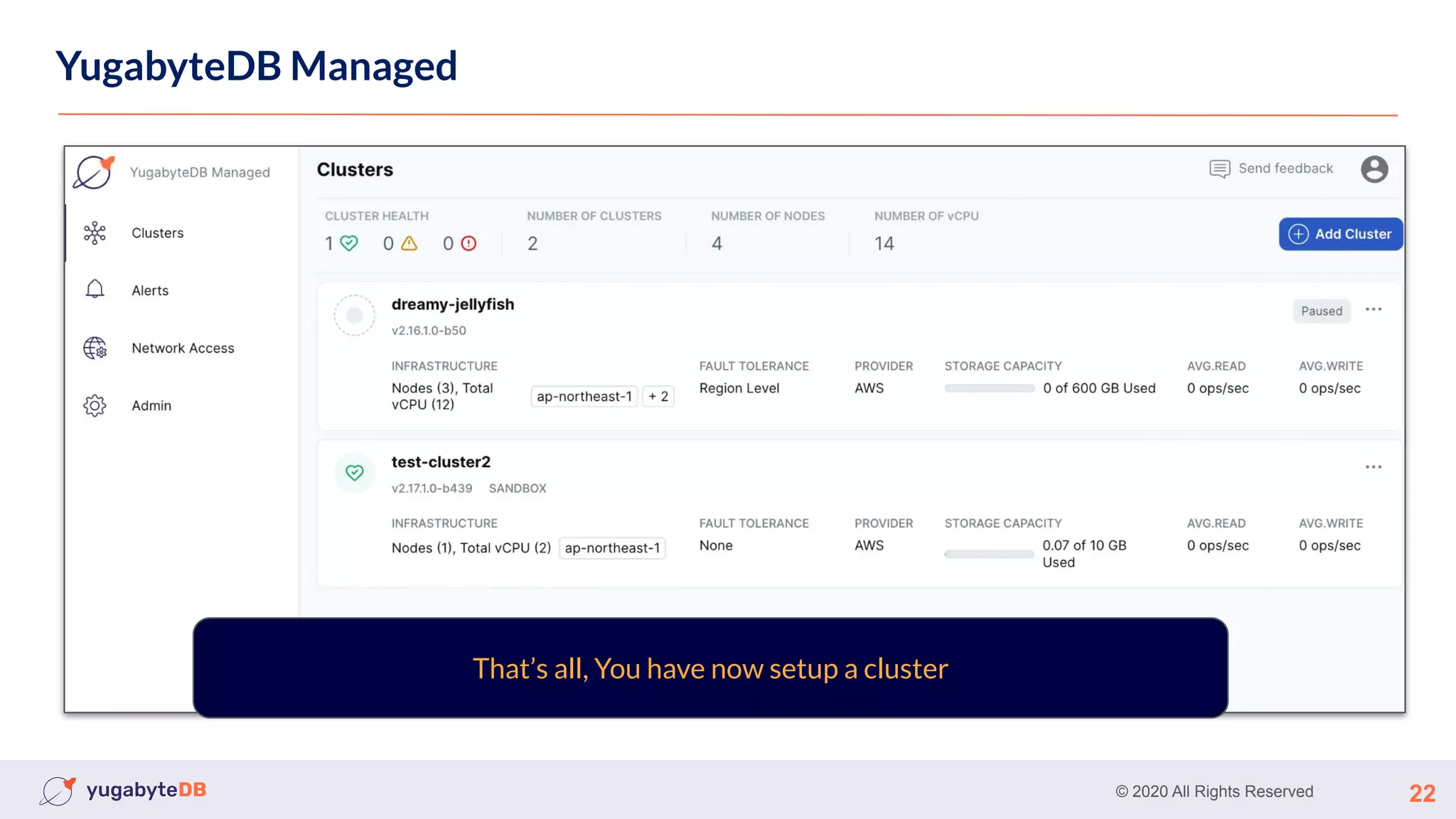
YugabyteDB Managed
That’s all, You have now setup a cluster
© 2020 All Rights Reserved 23
YugabyteDB Managed
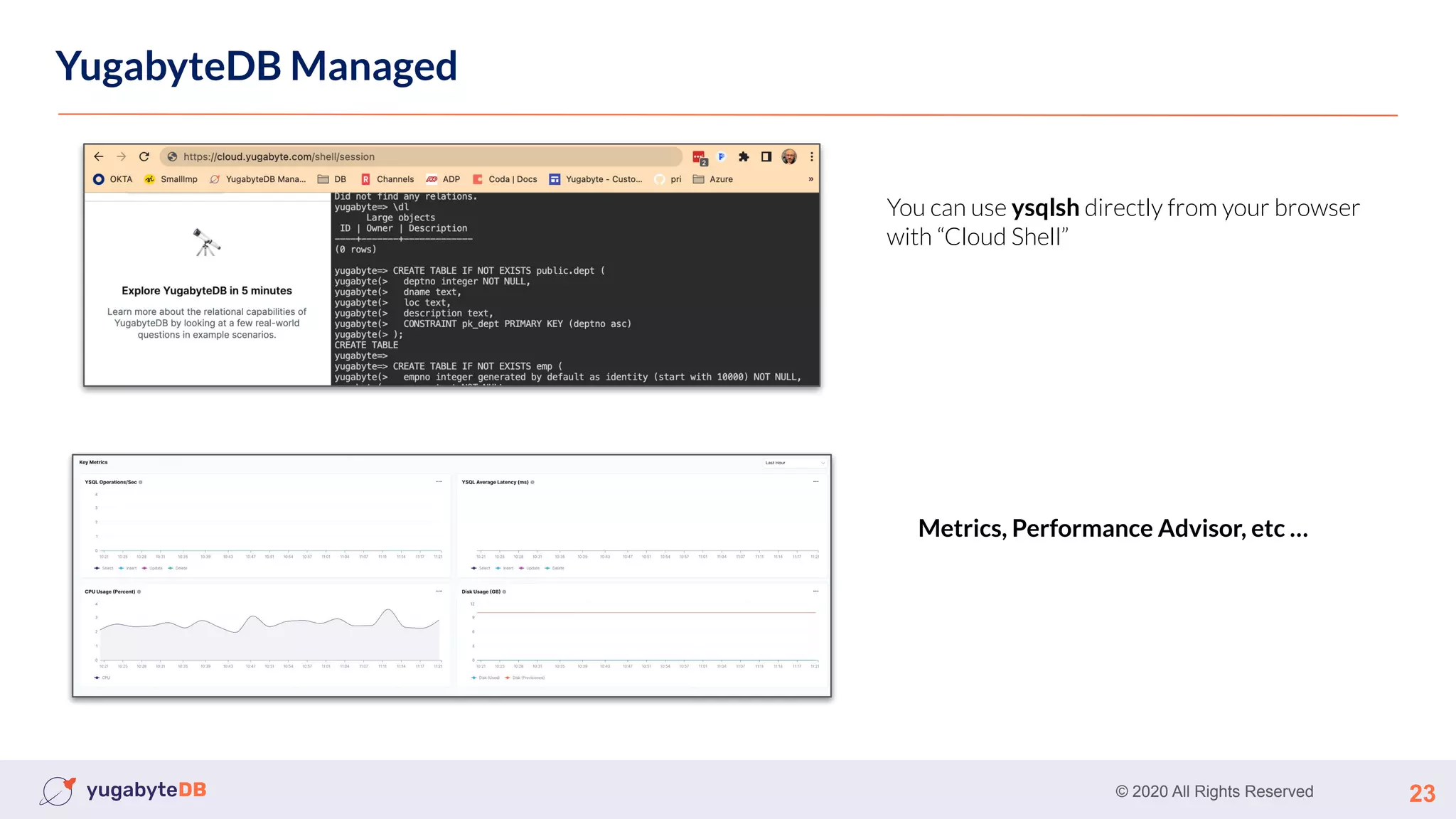
You can use ysqlsh directly from your browser
with “Cloud Shell”
Metrics, Performance Advisor, etc …
© 2020 All Rights Reserved 24
Using Kubernetes
Using Kubernetes with Helm
Demo
© 2020 All Rights Reserved 25
Your first Workload
© 2020 All Rights Reserved 26
How to connect ?
● Locally
○ The YugabyteDB SQL: Ysqlsh
○ The YugabyteDB CQL: Ycqlsh
○ Any postgreSQL / cassandra client
● Yugabyte Managed
○ Cloud Shell
○ The YugabyteDB SQL: Ysqlsh
○ The YugabyteDB CQL: Ycqlsh
○ Any postgreSQL / cassandra client
© 2020 All Rights Reserved 27
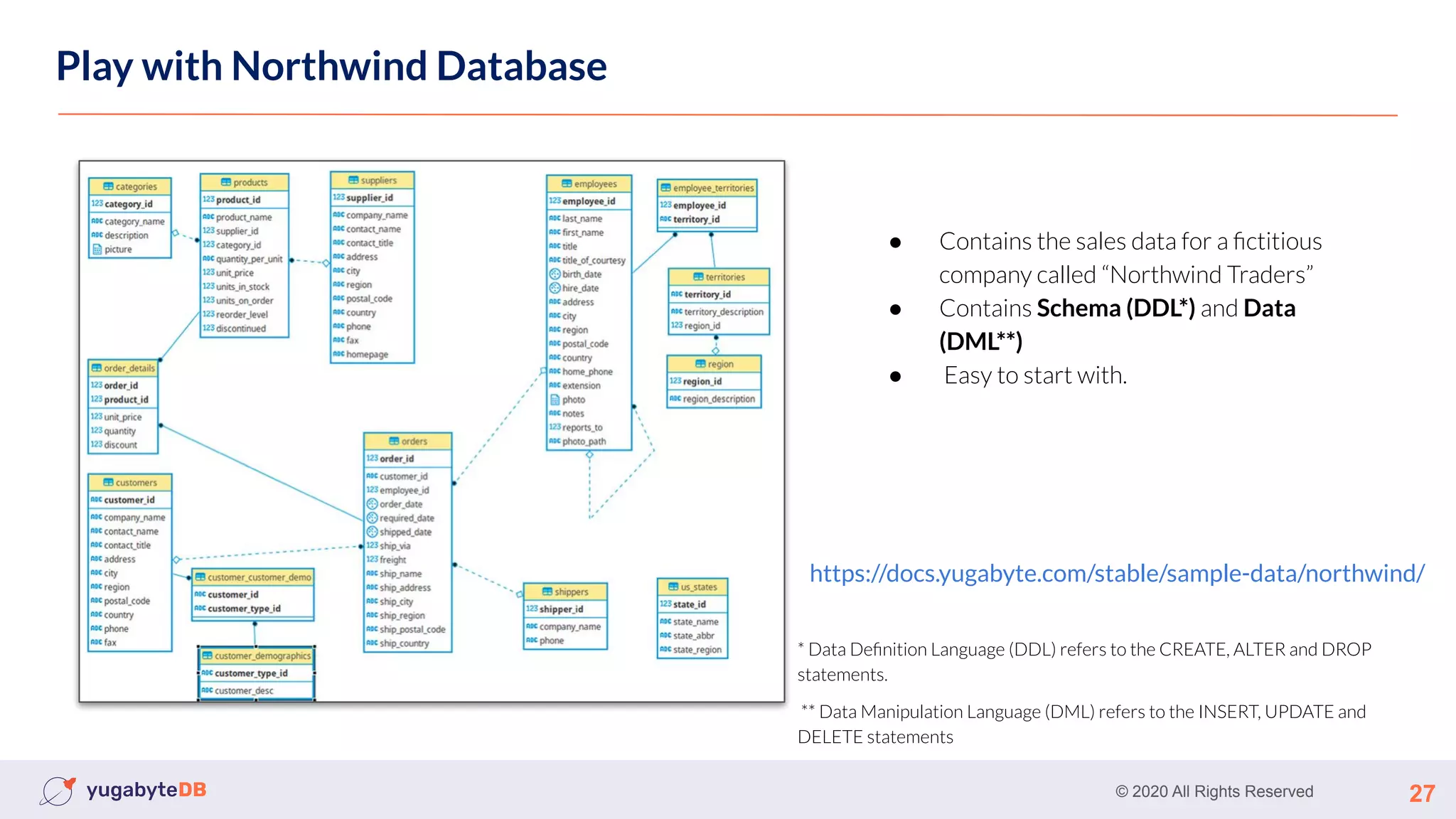
Play with Northwind Database
● Contains the sales data for a fictitious
company called “Northwind Traders”
● Contains Schema (DDL*) and Data
(DML**)
● Easy to start with.
https://docs.yugabyte.com/stable/sample-data/northwind/
* Data Definition Language (DDL) refers to the CREATE, ALTER and DROP
statements.
** Data Manipulation Language (DML) refers to the INSERT, UPDATE and
DELETE statements
© 2020 All Rights Reserved 28
Benchmarking
TPC-C
● On-line transaction processing (OLTP) benchmark
● Measure Yugabyte Performance for concurrent transactions
YCSB Yahoo Cloud Serving Benchmark
● One of the most well-known benchmark for SQL and Nosql
https://docs.yugabyte.com/stable/benchmark/ycsb-ysql/
https://docs.yugabyte.com/preview/benchmark/tpcc-ysql/
© 2020 All Rights Reserved 29
Next …
© 2020 All Rights Reserved 30
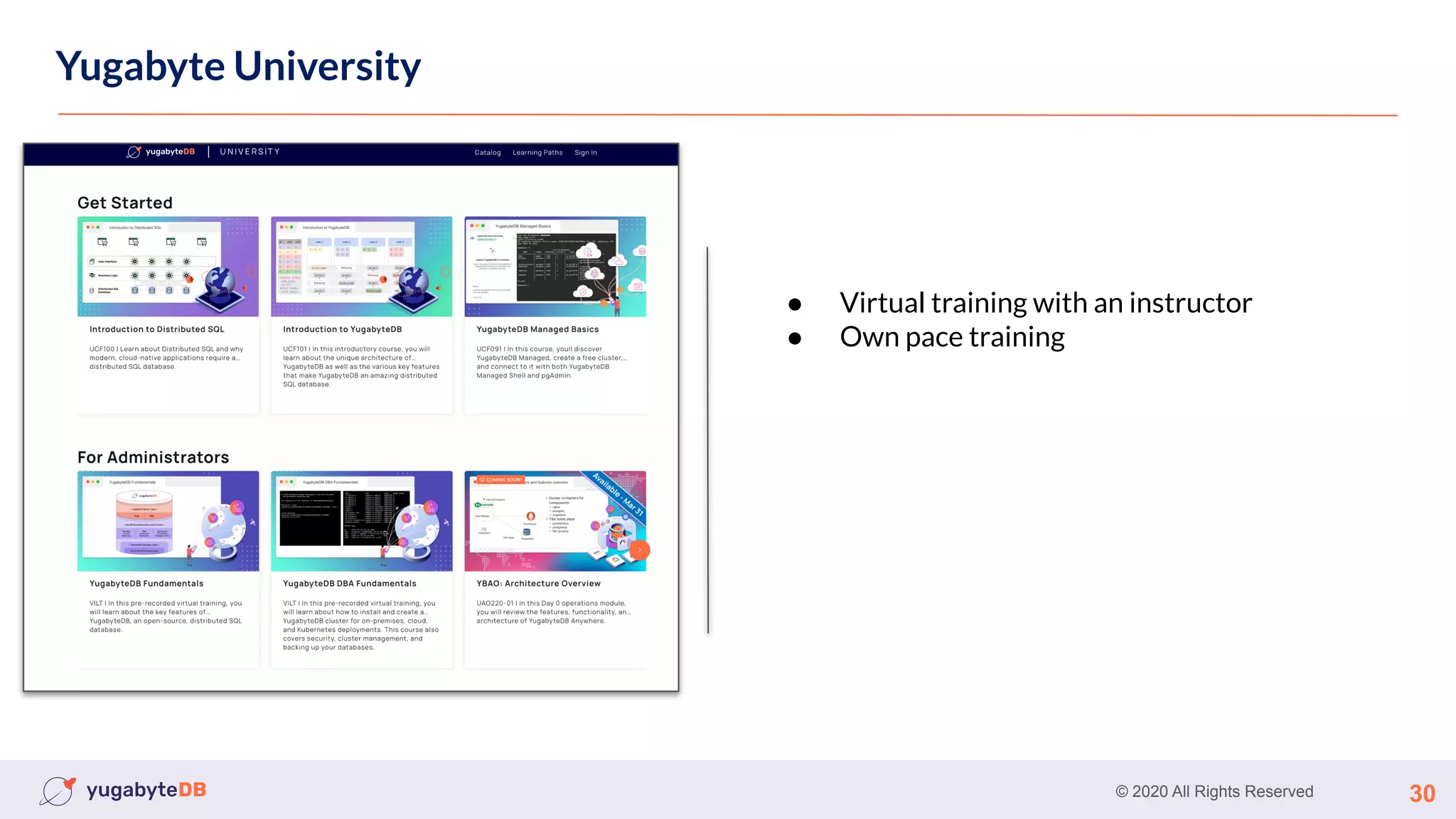
Yugabyte University
● Virtual training with an instructor
● Own pace training
© 2020 All Rights Reserved 31
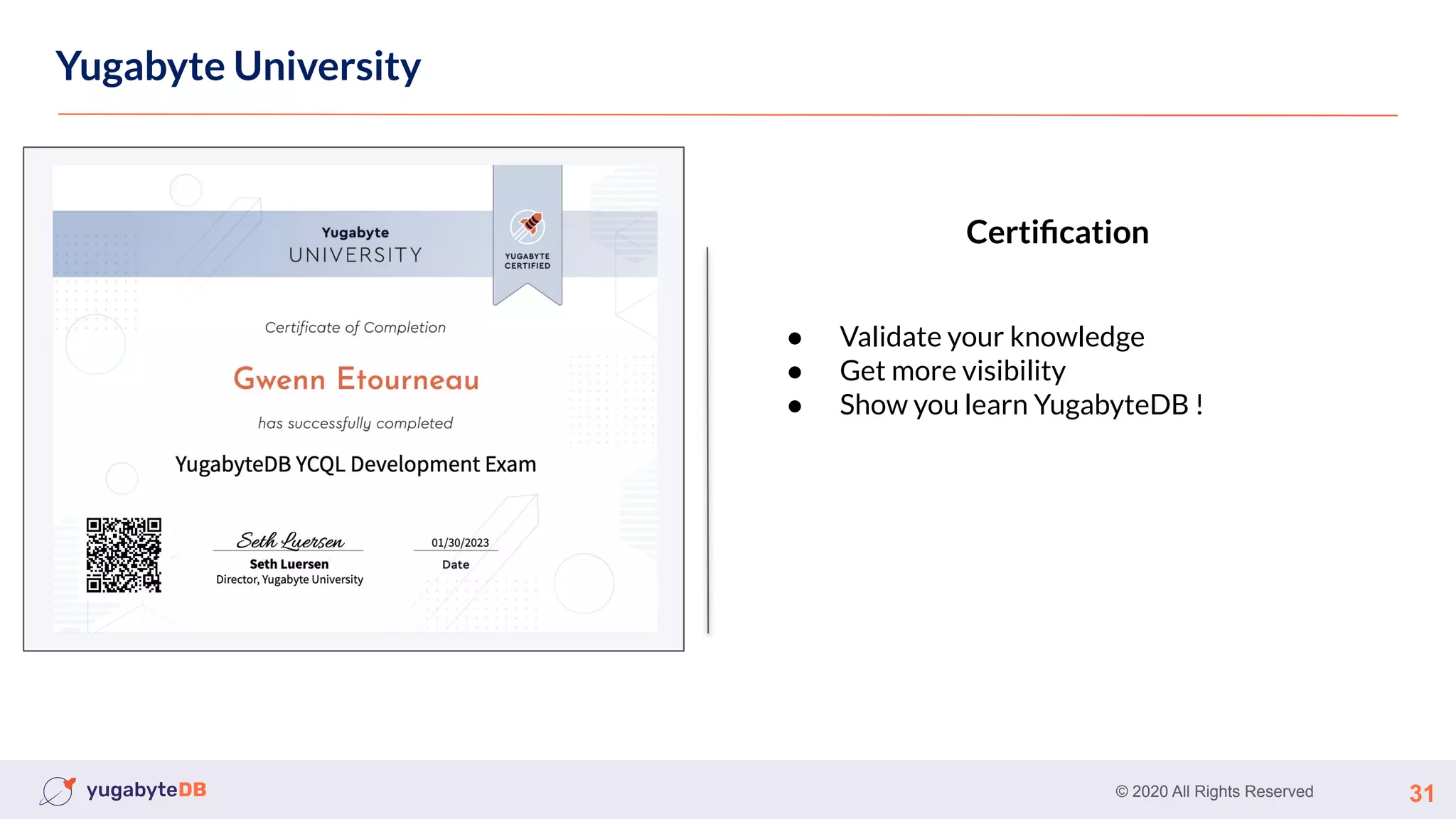
Yugabyte University
● Validate your knowledge
● Get more visibility
● Show you learn YugabyteDB !
Certification
© 2020 All Rights Reserved 32
Thank You
Join us on Slack:
www.yugabyte.com/slack
Star us on GitHub:
github.com/yugabyte/yugabyte-db

Meetup-#1-Getting-Started.pdf

  • 1.
    © 2020 AllRights Reserved 1 Getting Started with Yugabyte Gwenn Etourneau Principal, Solution Architect
  • 2.
    © 2020 AllRights Reserved About me 2 https://github.com/shinji62 https://twitter.com/the_shinji62 Woven Planet Pivotal (ac. By VMware) Rakuten IBM … Etourneau Gwenn Principal Solution Architect
  • 3.
    © 2020 AllRights Reserved About me (fun fact) 3
  • 4.
    © 2020 AllRights Reserved 4 Agenda ● Install ○ Starting locally ● Yugabyte Managed ● Your first workload ○ Northwind ○ Benchmarking ● Next ○ Yugabyte University
  • 5.
    © 2020 AllRights Reserved 5 Install YugabyteDB locally You can install YugabyteDB locally in two way: ● Installing the binary ● Docker image: Docker or Kubernetes
  • 6.
    © 2020 AllRights Reserved 6 Using binary CentOS >= 7 Ubuntu 16.04 or later
  • 7.
    © 2020 AllRights Reserved 7 Using binary - Single node cluster 1. Download the release and untar it 2. Start yugabyted daemon That’s all, You have now setup a single node cluster
  • 8.
    © 2020 AllRights Reserved 8 Using binary - multi-cluster node Start yugabyted daemon for the first node Start yugabyted daemon for the two others nodes ./bin/yugabyted start --advertise_address=127.0.0. 1 --base_dir=/tmp/ ybd1 --cloud_location=cloud.region. az1 ./bin/yugabyted start --advertise_address=127.0.0. 2 --base_dir=/tmp/ ybd2 --cloud_location=cloud.region. az2 --join=127.0.0.1 ./bin/yugabyted start --advertise_address=127.0.0. 3 --base_dir=/tmp/ ybd3 --cloud_location=cloud.region. az3 --join=127.0.0.1
  • 9.
    © 2020 AllRights Reserved 9 Using binary - multi-cluster node Replication factor 3 That’s all, You have now setup a multi-node cluster with RF 3
  • 10.
    © 2020 AllRights Reserved 10 Using Docker image docker run -d --name yugabyte -p7000:7000 -p9000:9000 -p5433:5433 -p9042:9042 -v ~/yb_data:/home/yugabyte/yb_data yugabytedb/yugabyte:latest bin/yugabyted start --base_dir=/home/yugabyte/yb_data --daemon=false 1. Start single node cluster with persistent volumes That’s all, You have now setup a single-node cluster
  • 11.
    © 2020 AllRights Reserved 11 Using Docker image multi-node cluster docker network create -d bridge yb 1. Create common docker network for yugabyte docker run -d --name yb0 -h yb0 --network yb -p7010:7000 -p9000:9000 -p5433:5433 -p9042:9042 yugabytedb/yugabyte:latest bin/yugabyted start --daemon=false --listen=yb0 2. Start the first server
  • 12.
    © 2020 AllRights Reserved 12 Using Docker image multi-node cluster That’s all, You have now setup a multi-node cluster docker run -d --name yb1 -h yb1 --network yb -p5434:5433 yugabytedb/yugabyte:latest bin/yugabyted start --daemon=false --listen= yb1 --join=yb0 Start the second server docker run -d --name yb2 -h yb2 --network yb -p5435:5433 yugabytedb/yugabyte:latest bin/yugabyted start --daemon=false --listen= yb2 --join=yb0 Start the third server
  • 13.
    © 2020 AllRights Reserved 13 Using Docker image Demo
  • 14.
    © 2020 AllRights Reserved 14 Using Kubernetes with Helm
  • 15.
    © 2020 AllRights Reserved 15 Using Kubernetes Using Kubernetes with Helm 1. Add the charts repos 2. Install and deploy the yugabyte helm charts helm install yb-demo yugabytedb/yugabyte --version 2.17.0 --set replicas.master=1,replicas.tserver=1 --namespace yb-demo --create-namespace
  • 16.
    © 2020 AllRights Reserved 16 Using Kubernetes Using Kubernetes with Helm Tips: ● Default resource are large. you can reduce them by using value resource.master.requests. cpu=0.5,resource.master.requests. memory=0.5Gi, resource.tserver.requests. cpu=0.5,resource.tserver.requests. memory=0.5Gi
  • 17.
    © 2020 AllRights Reserved 17 Using Kubernetes Using Kubernetes with Helm Tips: ● Default resource are large. you can reduce them by using value resource.master.requests. cpu=0.5,resource.master.requests. memory=0.5Gi, resource.tserver.requests. cpu=0.5,resource.tserver.requests. memory=0.5Gi
  • 18.
    © 2020 AllRights Reserved 18 Using Kubernetes Using Kubernetes with Helm Demo
  • 19.
    © 2020 AllRights Reserved 19 YugabyteDB Managed YugabyteDB Managed Fully-Managed DBaaS Get a running YugabyteDB in a few clicks!! Database in Yugabyte’s public cloud infrastructure Fully managed infra and database operations - handled by Yugabyte 24/7 enterprise support and services cloud.yugabyte.com
  • 20.
    © 2020 AllRights Reserved 20 YugabyteDB Managed Register Create a cluster free trial free
  • 21.
    © 2020 AllRights Reserved 21 YugabyteDB Managed
  • 22.
    © 2020 AllRights Reserved 22 YugabyteDB Managed That’s all, You have now setup a cluster
  • 23.
    © 2020 AllRights Reserved 23 YugabyteDB Managed You can use ysqlsh directly from your browser with “Cloud Shell” Metrics, Performance Advisor, etc …
  • 24.
    © 2020 AllRights Reserved 24 Using Kubernetes Using Kubernetes with Helm Demo
  • 25.
    © 2020 AllRights Reserved 25 Your first Workload
  • 26.
    © 2020 AllRights Reserved 26 How to connect ? ● Locally ○ The YugabyteDB SQL: Ysqlsh ○ The YugabyteDB CQL: Ycqlsh ○ Any postgreSQL / cassandra client ● Yugabyte Managed ○ Cloud Shell ○ The YugabyteDB SQL: Ysqlsh ○ The YugabyteDB CQL: Ycqlsh ○ Any postgreSQL / cassandra client
  • 27.
    © 2020 AllRights Reserved 27 Play with Northwind Database ● Contains the sales data for a fictitious company called “Northwind Traders” ● Contains Schema (DDL*) and Data (DML**) ● Easy to start with. https://docs.yugabyte.com/stable/sample-data/northwind/ * Data Definition Language (DDL) refers to the CREATE, ALTER and DROP statements. ** Data Manipulation Language (DML) refers to the INSERT, UPDATE and DELETE statements
  • 28.
    © 2020 AllRights Reserved 28 Benchmarking TPC-C ● On-line transaction processing (OLTP) benchmark ● Measure Yugabyte Performance for concurrent transactions YCSB Yahoo Cloud Serving Benchmark ● One of the most well-known benchmark for SQL and Nosql https://docs.yugabyte.com/stable/benchmark/ycsb-ysql/ https://docs.yugabyte.com/preview/benchmark/tpcc-ysql/
  • 29.
    © 2020 AllRights Reserved 29 Next …
  • 30.
    © 2020 AllRights Reserved 30 Yugabyte University ● Virtual training with an instructor ● Own pace training
  • 31.
    © 2020 AllRights Reserved 31 Yugabyte University ● Validate your knowledge ● Get more visibility ● Show you learn YugabyteDB ! Certification
  • 32.
    © 2020 AllRights Reserved 32 Thank You Join us on Slack: www.yugabyte.com/slack Star us on GitHub: github.com/yugabyte/yugabyte-db