www.advancedlogic.com
Updates of large catalogues
Easy Magento Products Updates & Data Imports
October 15, 2014
Who We Are
• Leading eCommerce industry provider of high-quality,
multi-channel ecommerce solutions and specialized
consultancy services with Magento CE and EE
• Magento Associate
• Magento Certified Developers
• 24 Partners worldwide
• Amasty Partner
How We Serve Merchants
• Full stack eCommerce provider
• Multi-channel, end-to-end eCommerce solutions
• Strategic and tactical digital marketing services
• Website development
• CMS solutions provider & implementation
consultants
• Our ultimate goal is to reduce friction involved
with ecommerce processes in order to unlock
merchants’ greatest sales potential
Advanced Logic
Top quality eCommerce service provider to help
merchants maximize conversions
Magento-Specific Services
• Analysis, consultancy & strategy services
• Creativity and graphic design layouts
• Module and plugin development and
customization
• Migration to Magento of sites developed with
other eCommerce platforms
• Inventory management software, ERP, and
internal accounting system integrations
• Mobile/responsive website optimization
And much more!
Our Customers: Bimbo e Natura
Multi-brand products for kids and baby kids
Our Customers: Fabbrica Benessere
Multi-brand health and wellness products
Our Customers: Emporio Cattani
Multi-brand men and women fashion and travel items
Our Customers: IndaBox
Module for IndaBox Italian network of collecting points
Suppliers Update
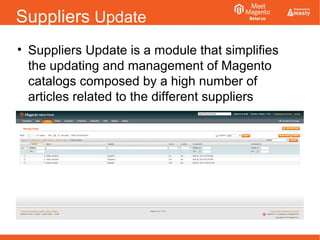
• Suppliers Update is a module that simplifies
the updating and management of Magento
catalogs composed by a high number of
articles related to the different suppliers
Current Merchant Challenges
• Many merchants utilize multiple drop shippers, manufacturers,
and suppliers to create large, varied product offerings and
catalogues
• Existing product details may require frequent updates, and new
product insertions may also be frequently needed
• Handling these operations manually is generally a long and
costly activity, and for this reason, they are very often managed
via CSV imports
• On the other hand, different data structures cost merchants
considerable amounts of time and money for their handling and
for data quality control
• Support for different CSV formats and field mapping between
Magento attributes and CVS files is thus a valuable benefit for
merchants and eCommerce managers
Suppliers Update: What It Is
• Magento extension designed to automate
process of:
• Add new products to merchants’ catalogues
• Update existing product information
• Log and keep track of uploads, data edits, and
other operational details
• Preview the modified or inserted articles
• Load product images via feed feature
Support for any type of CSV file
Who Should Use Suppliers Update?
• Merchants who:
• Work with multiple drop shippers, manufacturers or
suppliers
• Have medium to large product catalogues
• Update product offerings or product details
regularly
• Want to optimize the time of publication of new
articles or updates of existing articles
• Have limited time and/or resources to dedicate to
product offering management
Suppliers Update: Benefits & Features
• Allows merchants to easily and quickly create
new products and alter existing product details
via easy general settings adjustments and
simple CSV uploads
• Feed processors can be run immediately or on
regular intervals (as per set cron schedule)
Suppliers Update: Benefits & Features
• Can be used to both create new products as
well as alter existing products
• Allows field mapping between CSV files and
Magento fields for ease of uploads
Suppliers Update: Feed Manager
• Allows merchants to:
• Assign a feed to each drop shipper, manufacturer,
or supplier
• Assign feed URLs and CSV options for data
uploads
• Map CSV columns to Magento attributes /fields
• Schedule automated uploads of product data
• Activate and deactivate individual product feeds
Suppliers Update: Demo
• Grid View
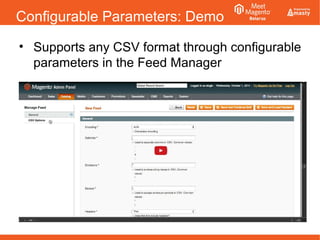
Configurable Parameters: Demo
• Supports any CSV format through configurable
parameters in the Feed Manager
Feed Manager: Grid View
• Lists all the the existing Feeds by:
• Feed ID
• Name ̶ the assigned feed name
• Supplier each feed can have associated a supplier name̶
• Active indicates if the feed is active or not̶
• Locked feeds are marked as̶ “locked” when they are being
processed by the module
• Executed At is the date and time of the last successful execution̶
of the CSV processor
• Scheduled At indicates the next, scheduled, execution of the̶
CSV processor
• Load Products ass action for immediately execution of one or̶
more feed at once
Feed Manager: General settings
• General settings for:
• Assign a feed name
• Assign the name of the supplier whose feed we will process
• Reference the URL of the feed to be downloaded and
processed. You can reference the feed address as HTTP URL,
FTP URL or relative URL
• Set when cron schedule for CSV download and processing
It uses standard cron notation
• Set the feed active or not, depending if you want the feed
processor to be immediately executed, or not.
Feed Manager: CSV Options
• CSV Options for having the feed processor
compliant with the characteristics and format of
the specific CSV:
• Encoding. This is the encoding of characters in CSV
• Delimiter, to set the appropriate CSV delimiter
• Enclosure, to set the character used to enclose string values in
CSV
• Escape, field is to set the escape character for enclosure symbols
in CSV
• Headers. If the CSV that we are handling includes headers, we set
this value to “Yes”, else, we will set it to “No”. 90% or more of
CSVs will have headers, so we will generally set this value to “Yes”
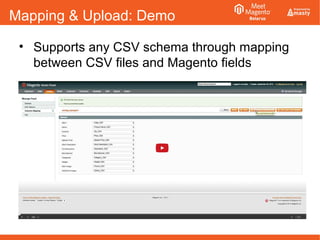
Mapping & Upload: Demo
• Supports any CSV schema through mapping
between CSV files and Magento fields
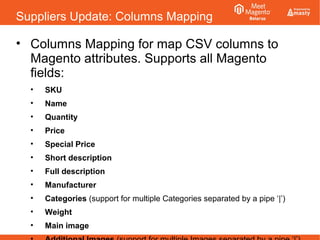
Suppliers Update: Columns Mapping
• Columns Mapping for map CSV columns to
Magento attributes. Supports all Magento
fields:
• SKU
• Name
• Quantity
• Price
• Special Price
• Short description
• Full description
• Manufacturer
• Categories (support for multiple Categories separated by a pipe ‘|’)
• Weight
• Main image
Suppliers Update: View Items
• View Items allows the site administrator to
have a preview of the processed items (new
created products or updated ones) related to
all the active Feed processors
• The results Grid allows to filter the handled items by feed
name and by the other Magento attributes mapped to
the CSV file
Suppliers Update: Logs
• 3 log types to maintain records & control
• Info log
• Logs informative messages about feed processing, as
times for data uploads, file parsing and CSV import
results
• Warning log
• Logs traces non fatal occurrences as duplicated rows of
data and other non-fatal errors
• Error log
• Logs fatal errors occurred in file processing
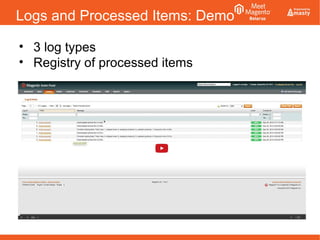
Logs and Processed Items: Demo
• 3 log types
• Registry of processed items
Suppliers Update: Info Log
• Info Log traces informative messages:
• Time needed to download the remote file
• Number of total lines in CSV
• Number of skipped product lines (if any)
Items could be skipped for different reasons – for example, if
SKU in file was empy
• Number of updated Magento products (if any)
• Number of new created Magento products (if any)
If we just update existing data (i.e. products already present in
Magento), this value will always be 0
Suppliers Update: Warning Log
• Info Log traces non fatal occurrences, as:
• Empty identifiers at given rows
i.e. when SKU identifier for CSV row was empty
• Empty quantities and prices at given rows
• Duplicated rows
This happens when the same SKU was already used in the
feed
Suppliers Update: Error Log
• Info Log traces fatal occurrences, as:
• Discrepancy between the configured separator and the
one used in the CSV
• Differences in the headers
This happens, for example, if the supplier changed the
schema of its feed and the file processor was not
re-configured
• Differences in the number of columns between CSV
headers and CSV rows
• The CSV feed no longer exists
This happens when, for some reason, the CSV file has been
removed
Key Takeaways
• With Suppliers Update merchants can
immediately reduce time and money spent for
creating and updating their Magento product
catalogues
• For more information:
info@advancedlogic.eu
or visit
www.advancedlogic.eu
Thank you!
Questions?

Updates of large catalogues . Easy Magento Products Updates & Data Imports

  • 1.
    www.advancedlogic.com Updates of largecatalogues Easy Magento Products Updates & Data Imports October 15, 2014
  • 2.
    Who We Are •Leading eCommerce industry provider of high-quality, multi-channel ecommerce solutions and specialized consultancy services with Magento CE and EE • Magento Associate • Magento Certified Developers • 24 Partners worldwide • Amasty Partner
  • 3.
    How We ServeMerchants • Full stack eCommerce provider • Multi-channel, end-to-end eCommerce solutions • Strategic and tactical digital marketing services • Website development • CMS solutions provider & implementation consultants • Our ultimate goal is to reduce friction involved with ecommerce processes in order to unlock merchants’ greatest sales potential
  • 4.
    Advanced Logic Top qualityeCommerce service provider to help merchants maximize conversions
  • 5.
    Magento-Specific Services • Analysis,consultancy & strategy services • Creativity and graphic design layouts • Module and plugin development and customization • Migration to Magento of sites developed with other eCommerce platforms • Inventory management software, ERP, and internal accounting system integrations • Mobile/responsive website optimization And much more!
  • 6.
    Our Customers: Bimboe Natura Multi-brand products for kids and baby kids
  • 7.
    Our Customers: FabbricaBenessere Multi-brand health and wellness products
  • 8.
    Our Customers: EmporioCattani Multi-brand men and women fashion and travel items
  • 9.
    Our Customers: IndaBox Modulefor IndaBox Italian network of collecting points
  • 10.
    Suppliers Update • SuppliersUpdate is a module that simplifies the updating and management of Magento catalogs composed by a high number of articles related to the different suppliers
  • 11.
    Current Merchant Challenges •Many merchants utilize multiple drop shippers, manufacturers, and suppliers to create large, varied product offerings and catalogues • Existing product details may require frequent updates, and new product insertions may also be frequently needed • Handling these operations manually is generally a long and costly activity, and for this reason, they are very often managed via CSV imports • On the other hand, different data structures cost merchants considerable amounts of time and money for their handling and for data quality control • Support for different CSV formats and field mapping between Magento attributes and CVS files is thus a valuable benefit for merchants and eCommerce managers
  • 12.
    Suppliers Update: WhatIt Is • Magento extension designed to automate process of: • Add new products to merchants’ catalogues • Update existing product information • Log and keep track of uploads, data edits, and other operational details • Preview the modified or inserted articles • Load product images via feed feature Support for any type of CSV file
  • 13.
    Who Should UseSuppliers Update? • Merchants who: • Work with multiple drop shippers, manufacturers or suppliers • Have medium to large product catalogues • Update product offerings or product details regularly • Want to optimize the time of publication of new articles or updates of existing articles • Have limited time and/or resources to dedicate to product offering management
  • 14.
    Suppliers Update: Benefits& Features • Allows merchants to easily and quickly create new products and alter existing product details via easy general settings adjustments and simple CSV uploads • Feed processors can be run immediately or on regular intervals (as per set cron schedule)
  • 15.
    Suppliers Update: Benefits& Features • Can be used to both create new products as well as alter existing products • Allows field mapping between CSV files and Magento fields for ease of uploads
  • 16.
    Suppliers Update: FeedManager • Allows merchants to: • Assign a feed to each drop shipper, manufacturer, or supplier • Assign feed URLs and CSV options for data uploads • Map CSV columns to Magento attributes /fields • Schedule automated uploads of product data • Activate and deactivate individual product feeds
  • 17.
  • 18.
    Configurable Parameters: Demo •Supports any CSV format through configurable parameters in the Feed Manager
  • 19.
    Feed Manager: GridView • Lists all the the existing Feeds by: • Feed ID • Name ̶ the assigned feed name • Supplier each feed can have associated a supplier name̶ • Active indicates if the feed is active or not̶ • Locked feeds are marked as̶ “locked” when they are being processed by the module • Executed At is the date and time of the last successful execution̶ of the CSV processor • Scheduled At indicates the next, scheduled, execution of the̶ CSV processor • Load Products ass action for immediately execution of one or̶ more feed at once
  • 20.
    Feed Manager: Generalsettings • General settings for: • Assign a feed name • Assign the name of the supplier whose feed we will process • Reference the URL of the feed to be downloaded and processed. You can reference the feed address as HTTP URL, FTP URL or relative URL • Set when cron schedule for CSV download and processing It uses standard cron notation • Set the feed active or not, depending if you want the feed processor to be immediately executed, or not.
  • 21.
    Feed Manager: CSVOptions • CSV Options for having the feed processor compliant with the characteristics and format of the specific CSV: • Encoding. This is the encoding of characters in CSV • Delimiter, to set the appropriate CSV delimiter • Enclosure, to set the character used to enclose string values in CSV • Escape, field is to set the escape character for enclosure symbols in CSV • Headers. If the CSV that we are handling includes headers, we set this value to “Yes”, else, we will set it to “No”. 90% or more of CSVs will have headers, so we will generally set this value to “Yes”
  • 22.
    Mapping & Upload:Demo • Supports any CSV schema through mapping between CSV files and Magento fields
  • 23.
    Suppliers Update: ColumnsMapping • Columns Mapping for map CSV columns to Magento attributes. Supports all Magento fields: • SKU • Name • Quantity • Price • Special Price • Short description • Full description • Manufacturer • Categories (support for multiple Categories separated by a pipe ‘|’) • Weight • Main image
  • 24.
    Suppliers Update: ViewItems • View Items allows the site administrator to have a preview of the processed items (new created products or updated ones) related to all the active Feed processors • The results Grid allows to filter the handled items by feed name and by the other Magento attributes mapped to the CSV file
  • 25.
    Suppliers Update: Logs •3 log types to maintain records & control • Info log • Logs informative messages about feed processing, as times for data uploads, file parsing and CSV import results • Warning log • Logs traces non fatal occurrences as duplicated rows of data and other non-fatal errors • Error log • Logs fatal errors occurred in file processing
  • 26.
    Logs and ProcessedItems: Demo • 3 log types • Registry of processed items
  • 27.
    Suppliers Update: InfoLog • Info Log traces informative messages: • Time needed to download the remote file • Number of total lines in CSV • Number of skipped product lines (if any) Items could be skipped for different reasons – for example, if SKU in file was empy • Number of updated Magento products (if any) • Number of new created Magento products (if any) If we just update existing data (i.e. products already present in Magento), this value will always be 0
  • 28.
    Suppliers Update: WarningLog • Info Log traces non fatal occurrences, as: • Empty identifiers at given rows i.e. when SKU identifier for CSV row was empty • Empty quantities and prices at given rows • Duplicated rows This happens when the same SKU was already used in the feed
  • 29.
    Suppliers Update: ErrorLog • Info Log traces fatal occurrences, as: • Discrepancy between the configured separator and the one used in the CSV • Differences in the headers This happens, for example, if the supplier changed the schema of its feed and the file processor was not re-configured • Differences in the number of columns between CSV headers and CSV rows • The CSV feed no longer exists This happens when, for some reason, the CSV file has been removed
  • 30.
    Key Takeaways • WithSuppliers Update merchants can immediately reduce time and money spent for creating and updating their Magento product catalogues • For more information: info@advancedlogic.eu or visit www.advancedlogic.eu Thank you!
  • 31.