eportfolios What are they?
An e-portfolio is: ‘ A personal digital collection of information that describes and illustrates a person’s learning, experience and achievements’
Types of e-portfolios Assessment portfolios Showcase portfolios Development portfolios Reflective portfolios
Target users Learners Institutional staff employers
Artefacts = digital content Word documents Pdf files Videos Walk throughs
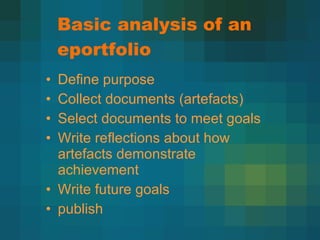
Basic analysis of an eportfolio Define purpose Collect documents (artefacts) Select documents to meet goals Write reflections about how artefacts demonstrate achievement Write future goals publish
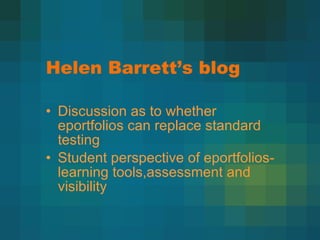
Helen Barrett’s blog Discussion as to whether eportfolios can replace standard testing Student perspective of eportfolios- learning tools,assessment and visibility
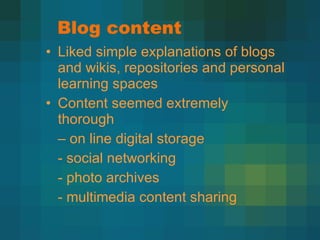
Blog content Liked simple explanations of blogs and wikis, repositories and personal learning spaces Content seemed extremely thorough  –  on line digital storage - social networking - photo archives - multimedia content sharing
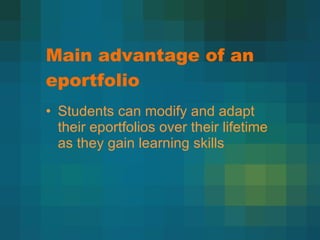
Main advantage of an eportfolio Students can modify and adapt their eportfolios over their lifetime as they gain learning skills
The MOSEP toolkit More satisfaction with my e portfolio A resource for teachers to gain skills in delivering eportfolio to students In the USA eportfolios are even being used in secondary shcoool levels
MOSEP toolkit Main emphasis was on reflection & developing a deeper understanding of learning
Eportfolilo content for building design students Create first page  –  table of contents Your profile (cv & achievements) Your portfolio (body of work) Your interests (outside work) Your contact details
Eportfolilo content for building design students 2. Set up a structure around the goals The goal is to find employment as a building desinger
2 your profile Tertiary study history Employment history Work experience Results from your building design course Other courses of study undertaken Other life experience (travel) references
3. the portfolio (your work) Include the following: digital renders of your projects 3d revit walk throughs Egs of working drawing projects Egs of design projects Presentation drawings – hand sketches
3 the portfolio (your work) Manual drafting Autocad drawing files – plans, elevations, sections Detailing
4 your interests Things that interest you eg design, films, food, beach, sport etc Leisure activities Your friends and family
5. Contact details Name, phone number, address, email contact and may be web address
6 Exit - Thankyou slide All slides need to be interactive & Easy to negotiate from one area to another
Up load and hyperlink Select the best egs of your work that show a comprehensive example of your work and social skills
reflection Write a reflection about how successful this eportfolio is in demonstrating your achievements

Marie Eportfolios

  • 1.
  • 2.
    An e-portfolio is:‘ A personal digital collection of information that describes and illustrates a person’s learning, experience and achievements’
  • 3.
    Types of e-portfoliosAssessment portfolios Showcase portfolios Development portfolios Reflective portfolios
  • 4.
    Target users LearnersInstitutional staff employers
  • 5.
    Artefacts = digitalcontent Word documents Pdf files Videos Walk throughs
  • 6.
    Basic analysis ofan eportfolio Define purpose Collect documents (artefacts) Select documents to meet goals Write reflections about how artefacts demonstrate achievement Write future goals publish
  • 7.
    Helen Barrett’s blogDiscussion as to whether eportfolios can replace standard testing Student perspective of eportfolios- learning tools,assessment and visibility
  • 8.
    Blog content Likedsimple explanations of blogs and wikis, repositories and personal learning spaces Content seemed extremely thorough – on line digital storage - social networking - photo archives - multimedia content sharing
  • 9.
    Main advantage ofan eportfolio Students can modify and adapt their eportfolios over their lifetime as they gain learning skills
  • 10.
    The MOSEP toolkitMore satisfaction with my e portfolio A resource for teachers to gain skills in delivering eportfolio to students In the USA eportfolios are even being used in secondary shcoool levels
  • 11.
    MOSEP toolkit Mainemphasis was on reflection & developing a deeper understanding of learning
  • 12.
    Eportfolilo content forbuilding design students Create first page – table of contents Your profile (cv & achievements) Your portfolio (body of work) Your interests (outside work) Your contact details
  • 13.
    Eportfolilo content forbuilding design students 2. Set up a structure around the goals The goal is to find employment as a building desinger
  • 14.
    2 your profileTertiary study history Employment history Work experience Results from your building design course Other courses of study undertaken Other life experience (travel) references
  • 15.
    3. the portfolio(your work) Include the following: digital renders of your projects 3d revit walk throughs Egs of working drawing projects Egs of design projects Presentation drawings – hand sketches
  • 16.
    3 the portfolio(your work) Manual drafting Autocad drawing files – plans, elevations, sections Detailing
  • 17.
    4 your interestsThings that interest you eg design, films, food, beach, sport etc Leisure activities Your friends and family
  • 18.
    5. Contact detailsName, phone number, address, email contact and may be web address
  • 19.
    6 Exit -Thankyou slide All slides need to be interactive & Easy to negotiate from one area to another
  • 20.
    Up load andhyperlink Select the best egs of your work that show a comprehensive example of your work and social skills
  • 21.
    reflection Write areflection about how successful this eportfolio is in demonstrating your achievements