What is LVM?
●LVM stands for Logical Volume Manager
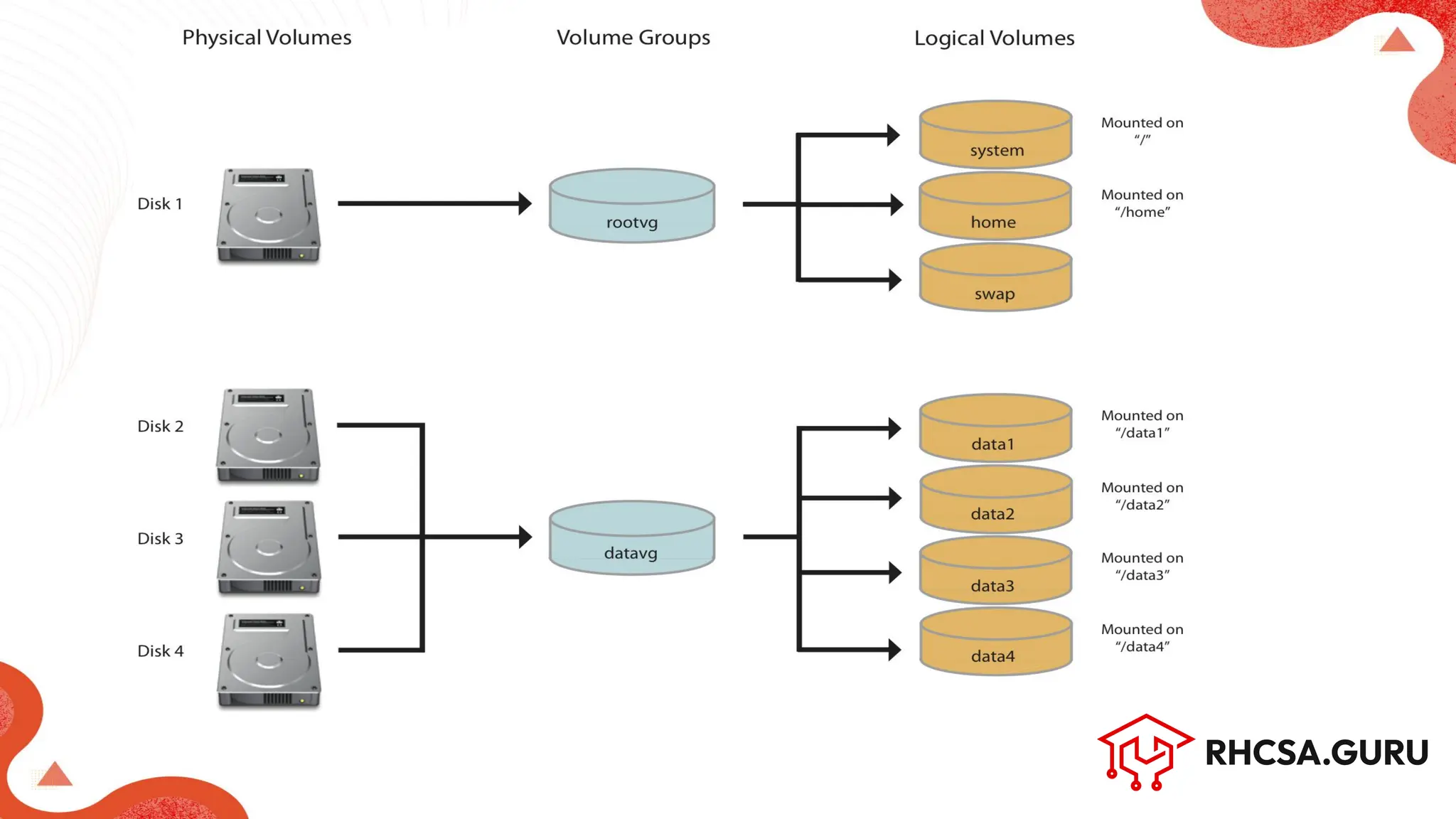
● It allows flexible disk management by abstracting physical storage
● Key benefits:
○ Resize volumes on the fly
○ Snapshots
○ Combine disks
4.
Multiple Logical Volumes
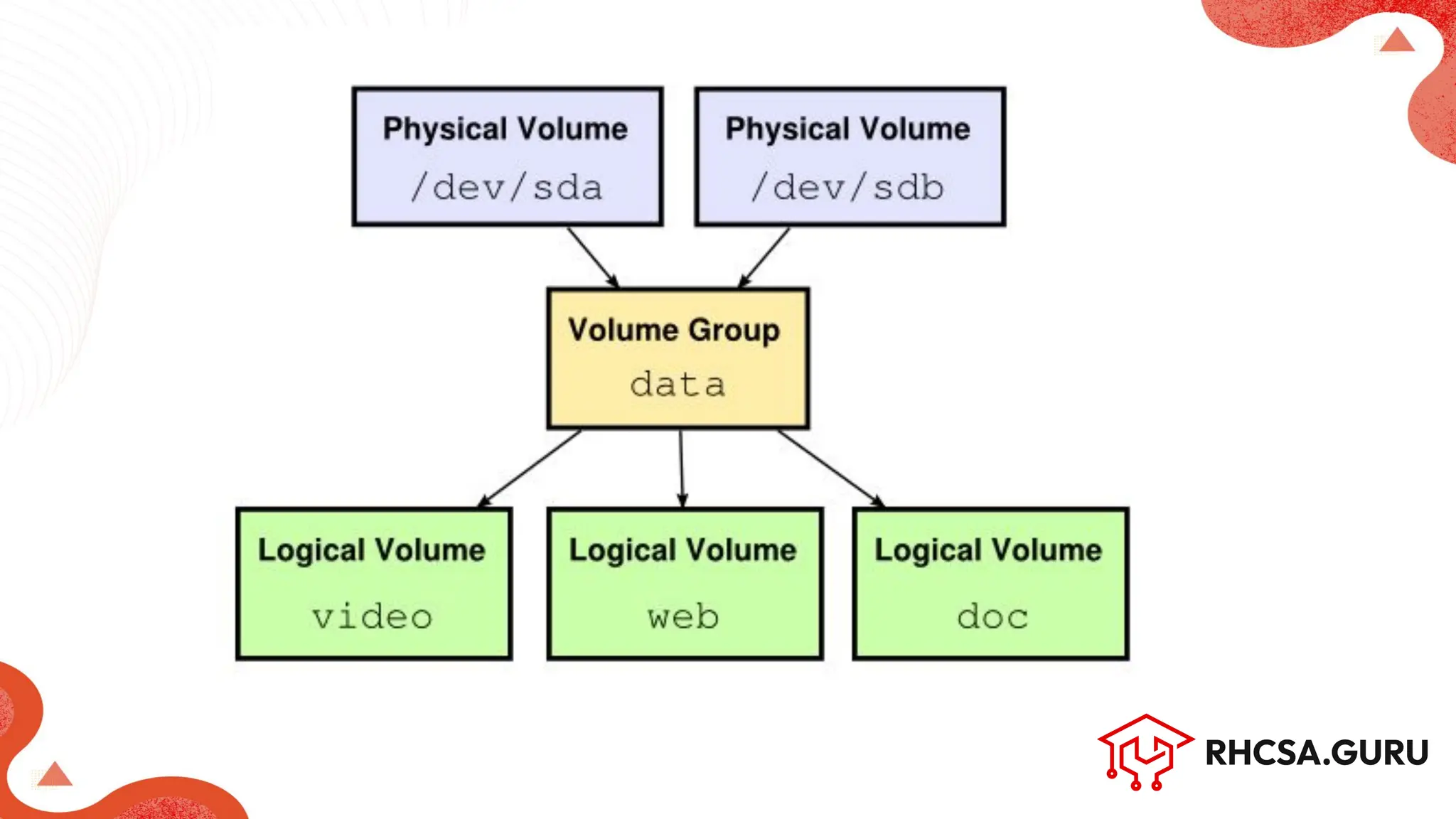
●You can create many LVs from a single Volume Group (VG).
● Each LV acts as a separate virtual partition.
● Useful for organizing data (e.g., /video, /web, /doc).
● LVs can be independently resized or removed.
● Improves flexibility and management of storage.
6.
Creating Multiple LVs
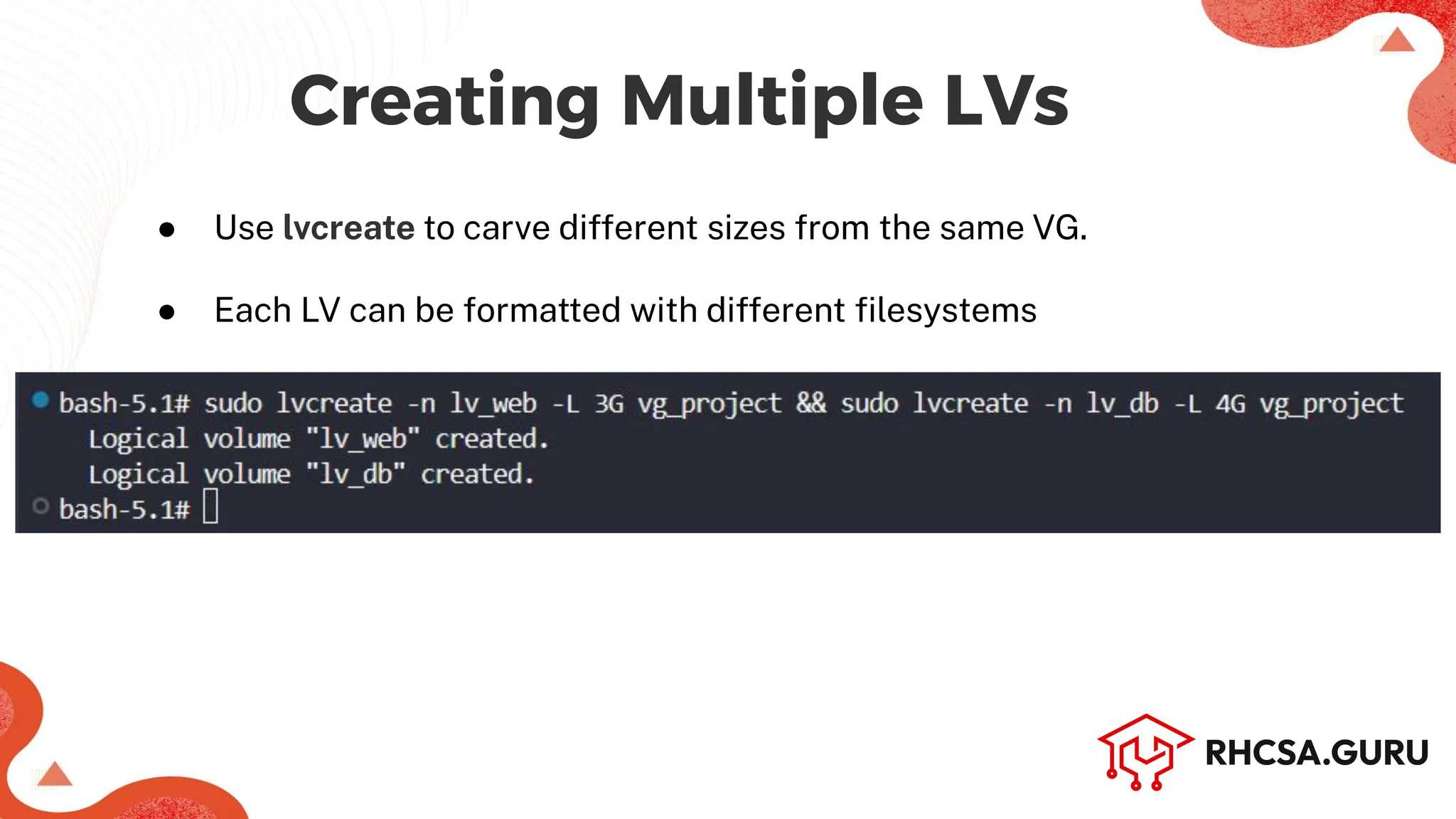
●Use lvcreate to carve different sizes from the same VG.
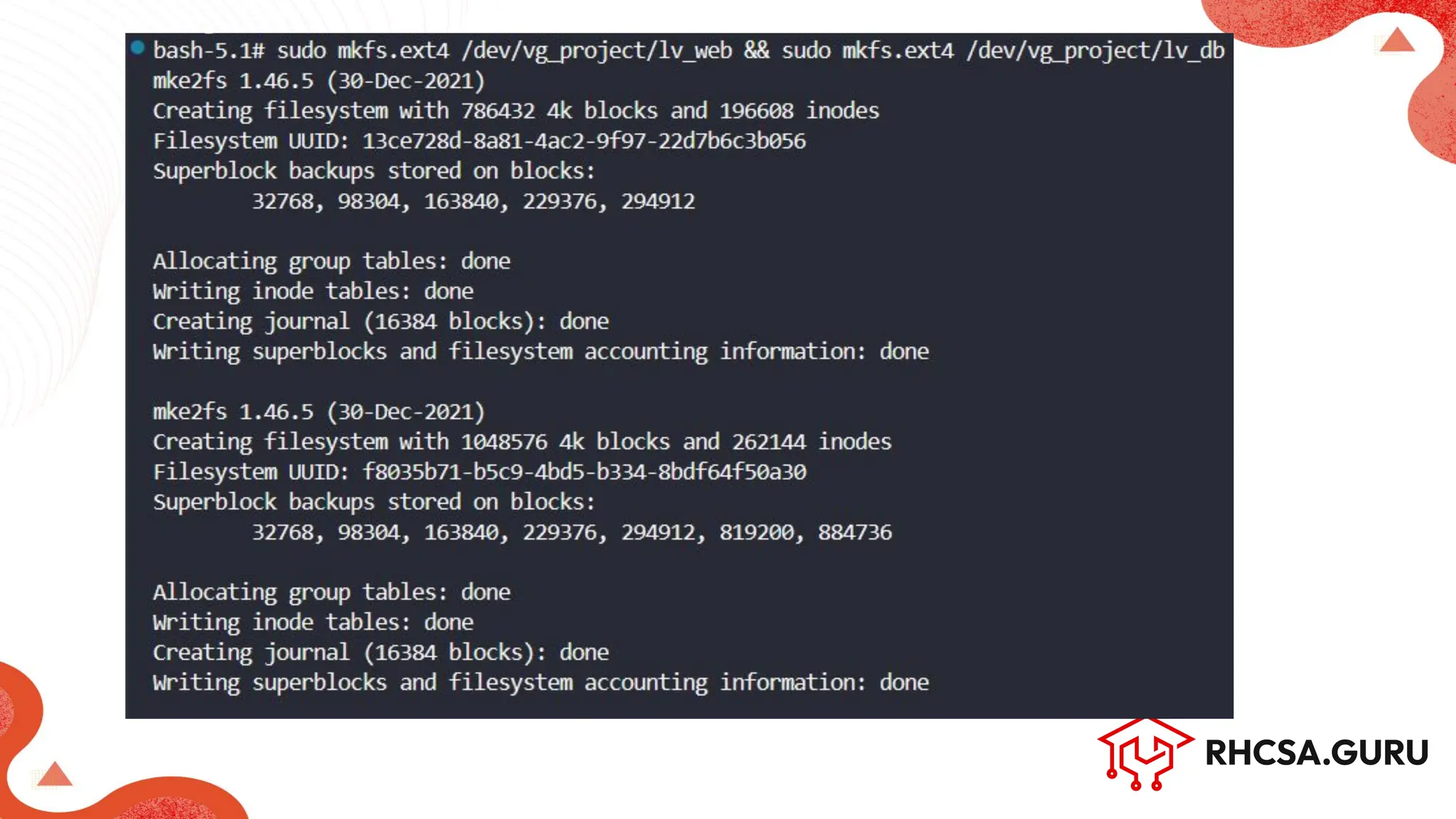
● Each LV can be formatted with different filesystems
8.
Resizing Logical Volumes
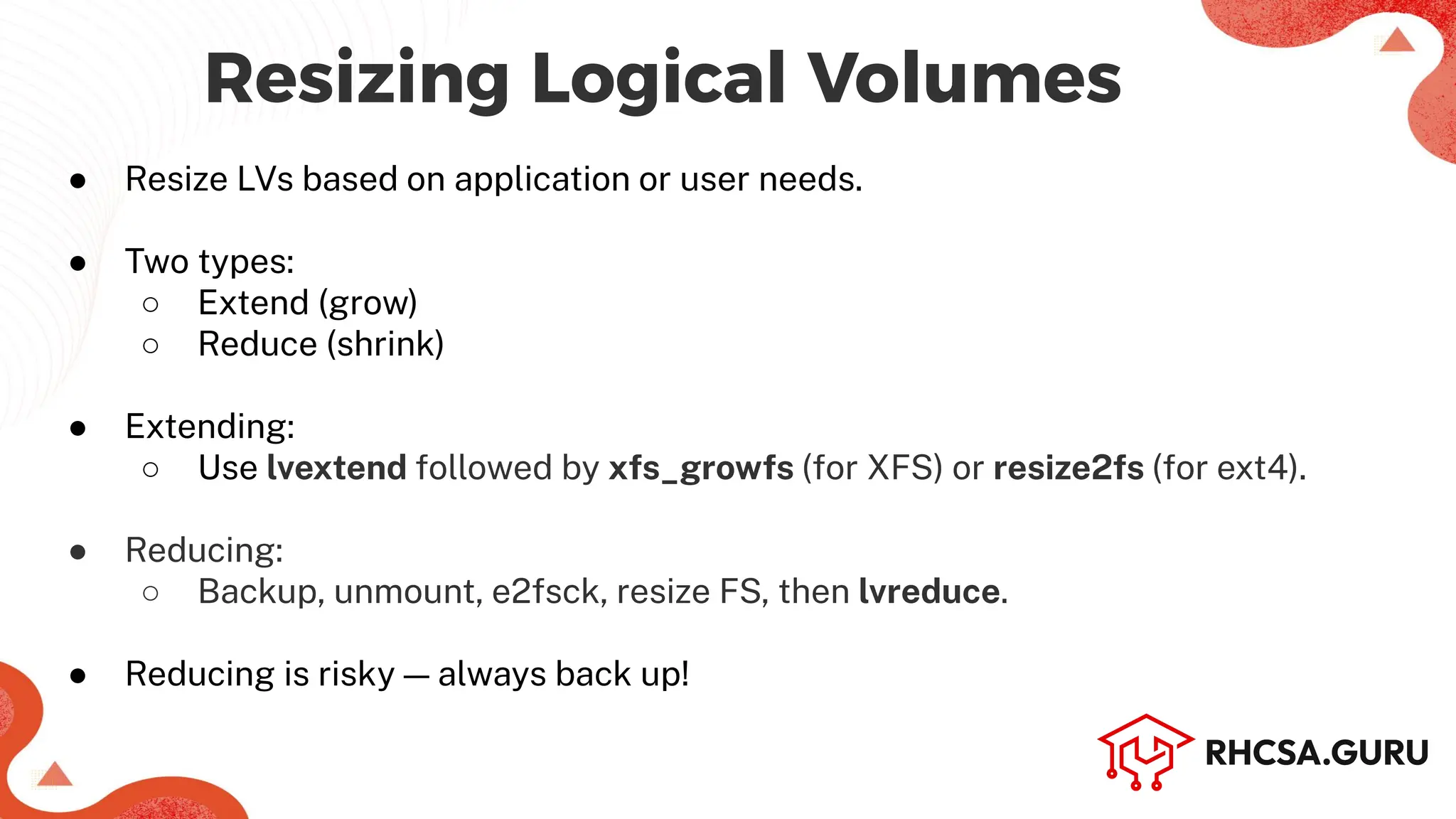
●Resize LVs based on application or user needs.
● Two types:
○ Extend (grow)
○ Reduce (shrink)
● Extending:
○ Use lvextend followed by xfs_growfs (for XFS) or resize2fs (for ext4).
● Reducing:
○ Backup, unmount, e2fsck, resize FS, then lvreduce.
● Reducing is risky — always back up!
9.
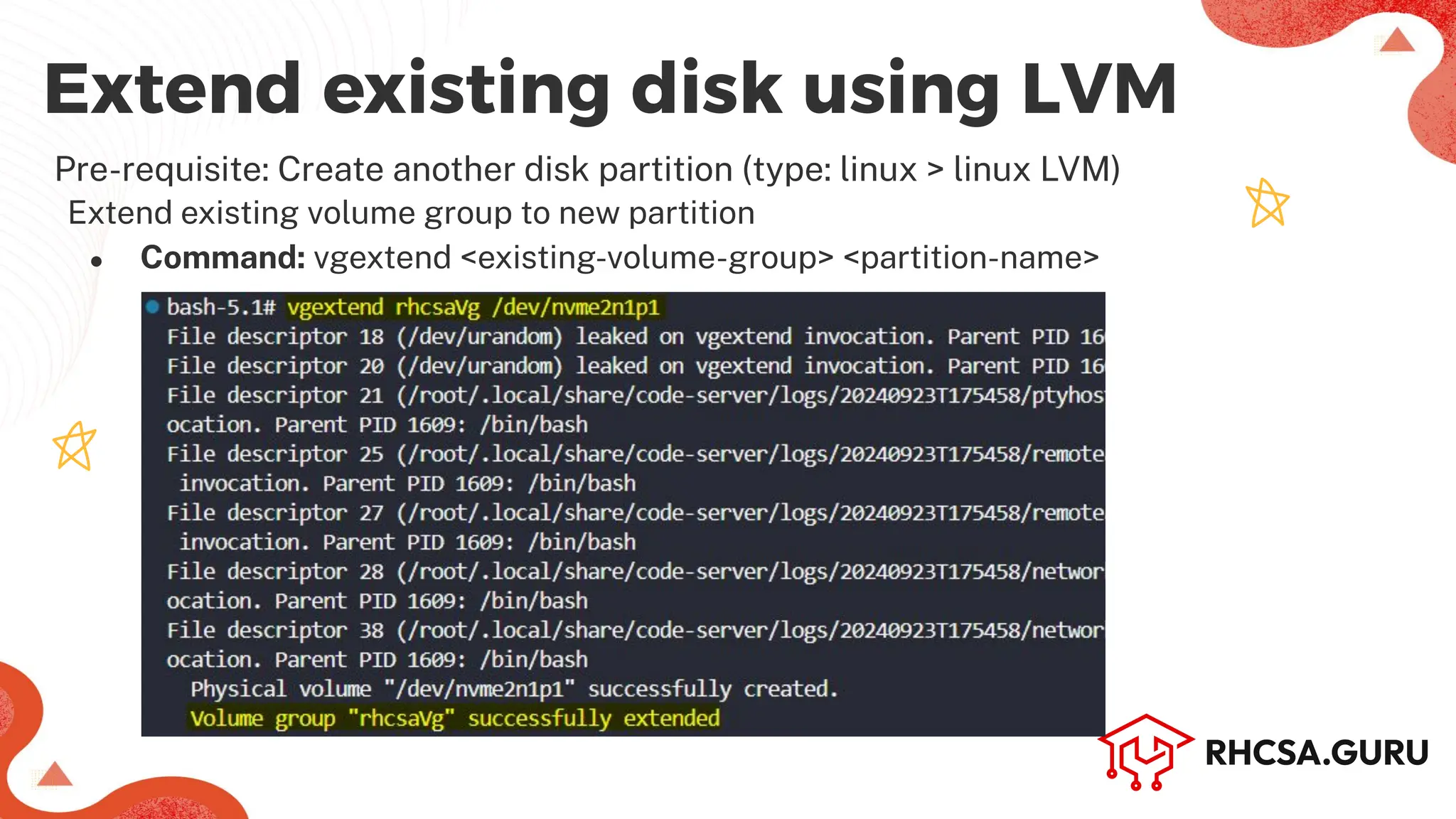
Extend existing diskusing LVM
Pre-requisite: Create another disk partition (type: linux > linux LVM)
Extend existing volume group to new partition
● Command: vgextend <existing-volume-group> <partition-name>
10.
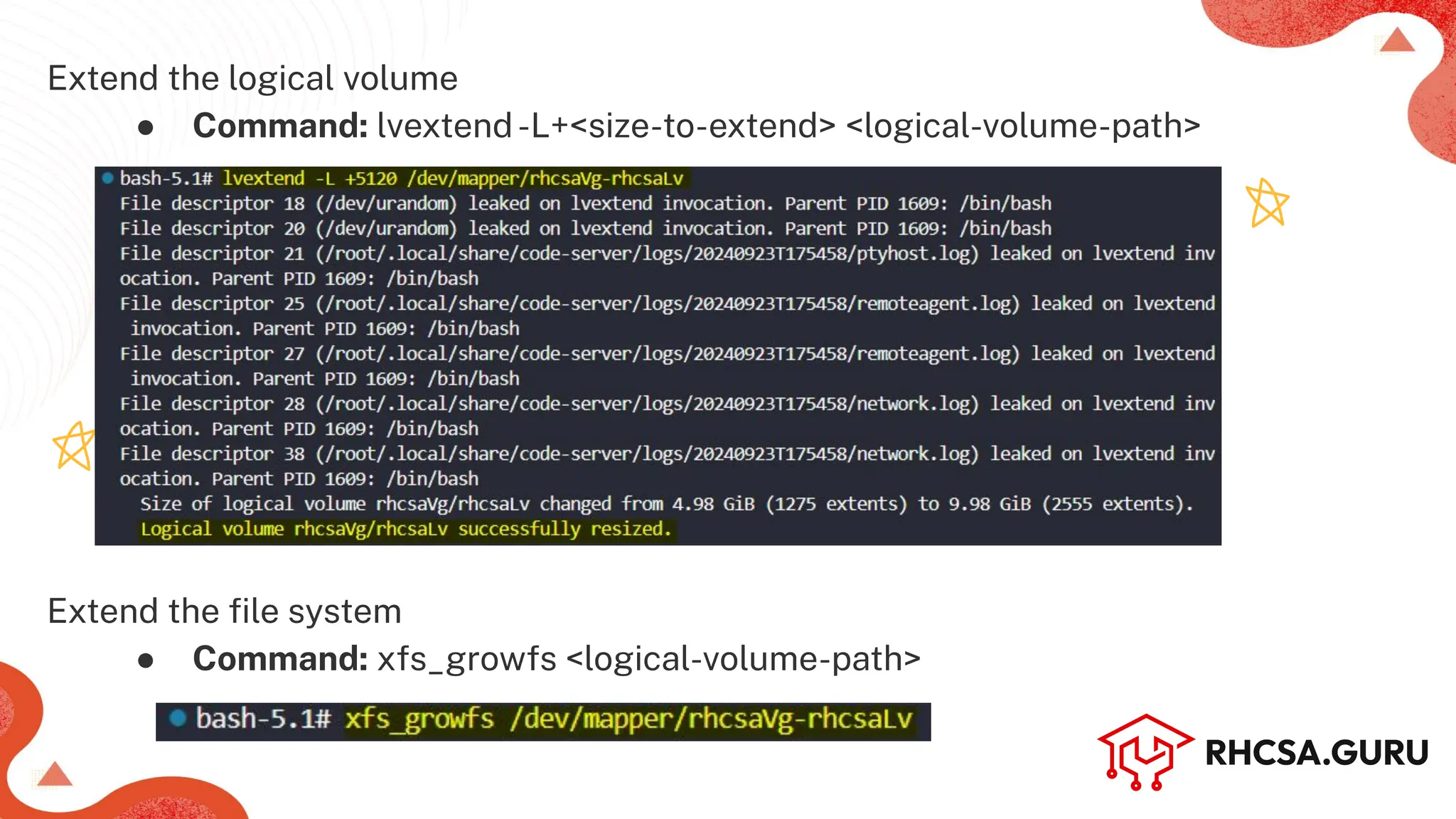
Extend the logicalvolume
● Command: lvextend-L+<size-to-extend> <logical-volume-path>
Extend the file system
● Command: xfs_growfs <logical-volume-path>
11.
Why Resize LVs?
●To increase space when a partition is full.
● To reclaim unused space from large volumes.
● For better space management across LVs.
● To adapt to changing storage needs.
● Done without rebooting or data loss (in most cases).
12.
Importance of MakingMount
Persistent with /etc/fstab
● Ensures automatic mounting at boot
● Guarantees consistent device mounting
● Simplifies system administration
● Prevents manual errors in mounting
● Essential for system stability and critical mounts
13.
Importance of UnmountingGroups
and Disks When Not in Use
● Prevents Data Corruption: Ensures data is properly written and prevents corruption.
● Saves Resources: Frees up system resources when the disk is not needed.
● Improves Security: Reduces the risk of unauthorized access or tampering.
● Avoids Errors: Prevents accidental modification or deletion of files.
● Safeguards Disk Health: Reduces wear and tear on disks by not keeping them
active unnecessarily