Malware detection and prevention
In today's interconnected digital landscape, cybersecurity has become an essential concern
for individuals and organizations alike. One of the most prevalent and disruptive threats is
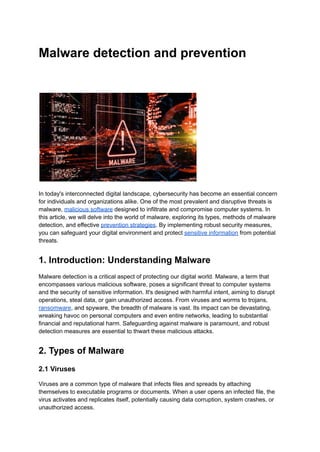
malware, malicious software designed to infiltrate and compromise computer systems. In
this article, we will delve into the world of malware, exploring its types, methods of malware
detection, and effective prevention strategies. By implementing robust security measures,
you can safeguard your digital environment and protect sensitive information from potential
threats.
1. Introduction: Understanding Malware
Malware detection is a critical aspect of protecting our digital world. Malware, a term that
encompasses various malicious software, poses a significant threat to computer systems
and the security of sensitive information. It's designed with harmful intent, aiming to disrupt
operations, steal data, or gain unauthorized access. From viruses and worms to trojans,
ransomware, and spyware, the breadth of malware is vast. Its impact can be devastating,
wreaking havoc on personal computers and even entire networks, leading to substantial
financial and reputational harm. Safeguarding against malware is paramount, and robust
detection measures are essential to thwart these malicious attacks.
2. Types of Malware
2.1 Viruses
Viruses are a common type of malware that infects files and spreads by attaching
themselves to executable programs or documents. When a user opens an infected file, the
virus activates and replicates itself, potentially causing data corruption, system crashes, or
unauthorized access.
2.2 Worms
Worms are self-replicating malware that spread through network connections, exploiting
security vulnerabilities. Unlike viruses, worms do not require user interaction to propagate,
making them highly dangerous and capable of causing widespread damage.
2.3 Trojans
Trojans appear to be legitimate software, but they actually contain malicious code. Once
installed, they grant unauthorized access to attackers, who can steal sensitive information,
install additional malware, or control the infected system remotely.
2.4 Ransomware
Ransomware encrypts files on the victim's system and demands a ransom payment in
exchange for the decryption key. This type of malware has caused significant disruptions in
recent years, targeting individuals, businesses, and even critical infrastructure.
2.5 Spyware
Spyware monitors a user's activities without their knowledge or consent. It gathers sensitive
information such as passwords, browsing habits, and personal data, which can be exploited
for malicious purposes like identity theft or financial fraud.
3. How Malware Enters Systems
Malware can enter computer systems through various means, exploiting vulnerabilities in
software or taking advantage of user behavior.
3.1 Phishing Attacks
Phishing attacks involve tricking users into revealing sensitive information by posing as
legitimate entities. Malicious links or email attachments are often used to distribute malware
and gain unauthorized access to systems.
3.2 Drive-by Downloads
Drive-by downloads occur when malware is automatically downloaded onto a user's
computer while browsing a compromised website. Exploiting vulnerabilities in web browsers
or plugins, attackers can inject malicious code without the user's knowledge.
3.3 Email Attachments
Malware can be distributed through email attachments, often disguised as harmless files or
documents. When opened, these attachments execute the malicious code, compromising
the user's system.
3.4 Infected External Devices
External devices such as USB drives or portable hard drives can carry malware. When
connected to a computer, the malware may transfer to the system, potentially infecting files
and spreading to other devices on the network.
4. Detecting Malware
Detecting malware is crucial for prompt action and mitigation. Various methods and
technologies can assist in identifying potential infections.
4.1 Antivirus Software
Antivirus software scans files, programs, and system memory for known malware signatures.
By comparing data against an extensive database of known threats, antivirus software can
detect and remove malware, protecting the system from further harm.
4.2 Intrusion Detection Systems (IDS)
Intrusion Detection Systems monitor network traffic and identify suspicious activities or
behavior patterns that may indicate a malware infection. By analyzing network packets and
system logs, IDS can help detect and prevent malware attacks in real-time.
4.3 Behavior Monitoring
Behavior monitoring tools analyze the behavior of running processes and applications,
looking for abnormal activities that may indicate malware presence. By identifying unusual
system behavior, these tools can trigger alerts and enable timely response measures.
5. Preventing Malware Infections
While detecting malware is essential, prevention plays a critical role in maintaining a secure
digital environment. Here are some effective preventive measures:
5.1 Regular Software Updates
Keeping all software up to date, including operating systems, applications, and plugins, is
crucial. Security patches that address known flaws are frequently included in software
updates, making it harder for malware to take advantage of them.
5.2 Strong Passwords
Using strong, unique passwords for all accounts adds an extra layer of protection.
Passwords should be a combination of letters, numbers, and special characters and should
not be easily guessable.
5.3 User Education and Awareness
Educating users about potential threats and best practices is vital in preventing malware
infections. Regular training sessions on topics like phishing awareness, safe browsing
habits, and email security can empower users to identify and avoid potential risks.
5.4 Secure Web Browsing Practices
Practicing safe web browsing involves being cautious while visiting unfamiliar websites,
avoiding suspicious links, and refraining from downloading files from untrusted sources.
Additionally, using browser extensions that block malicious content can provide an extra
layer of protection.
5.5 Network Segmentation
Segmenting networks into distinct zones with varying levels of access helps contain malware
infections. By limiting the spread of malware, network segmentation minimizes the potential
damage and provides additional time for detection and remediation.
5.6 Application Whitelisting
Implementing application whitelisting allows only approved software to run on systems,
preventing the execution of unauthorized programs or malware. By maintaining a list of
trusted applications, organizations can reduce the risk of malware infections.
6. The Role of Firewalls in Malware Defense
Firewalls go about as an obstruction between an association's inside organization and
outside organizations, checking and controlling approaching and active organization traffic.
By enforcing predefined security policies, firewalls play a crucial role in preventing malware
infections by blocking unauthorized access attempts and suspicious network activities.
7. Conclusion
Malware poses a significant threat to the security and integrity of computer systems and
sensitive data. Understanding the different types of malware, how they enter systems, and
employing effective detection and prevention measures is vital to safeguarding your digital
environment. By staying vigilant, keeping software up to date, and educating users, you can
mitigate the risks and minimize the impact of malware attacks.

Malware Detection and Prevention

  • 1.
    Malware detection andprevention In today's interconnected digital landscape, cybersecurity has become an essential concern for individuals and organizations alike. One of the most prevalent and disruptive threats is malware, malicious software designed to infiltrate and compromise computer systems. In this article, we will delve into the world of malware, exploring its types, methods of malware detection, and effective prevention strategies. By implementing robust security measures, you can safeguard your digital environment and protect sensitive information from potential threats. 1. Introduction: Understanding Malware Malware detection is a critical aspect of protecting our digital world. Malware, a term that encompasses various malicious software, poses a significant threat to computer systems and the security of sensitive information. It's designed with harmful intent, aiming to disrupt operations, steal data, or gain unauthorized access. From viruses and worms to trojans, ransomware, and spyware, the breadth of malware is vast. Its impact can be devastating, wreaking havoc on personal computers and even entire networks, leading to substantial financial and reputational harm. Safeguarding against malware is paramount, and robust detection measures are essential to thwart these malicious attacks. 2. Types of Malware 2.1 Viruses Viruses are a common type of malware that infects files and spreads by attaching themselves to executable programs or documents. When a user opens an infected file, the virus activates and replicates itself, potentially causing data corruption, system crashes, or unauthorized access.
  • 2.
    2.2 Worms Worms areself-replicating malware that spread through network connections, exploiting security vulnerabilities. Unlike viruses, worms do not require user interaction to propagate, making them highly dangerous and capable of causing widespread damage. 2.3 Trojans Trojans appear to be legitimate software, but they actually contain malicious code. Once installed, they grant unauthorized access to attackers, who can steal sensitive information, install additional malware, or control the infected system remotely. 2.4 Ransomware Ransomware encrypts files on the victim's system and demands a ransom payment in exchange for the decryption key. This type of malware has caused significant disruptions in recent years, targeting individuals, businesses, and even critical infrastructure. 2.5 Spyware Spyware monitors a user's activities without their knowledge or consent. It gathers sensitive information such as passwords, browsing habits, and personal data, which can be exploited for malicious purposes like identity theft or financial fraud. 3. How Malware Enters Systems Malware can enter computer systems through various means, exploiting vulnerabilities in software or taking advantage of user behavior. 3.1 Phishing Attacks Phishing attacks involve tricking users into revealing sensitive information by posing as legitimate entities. Malicious links or email attachments are often used to distribute malware and gain unauthorized access to systems. 3.2 Drive-by Downloads Drive-by downloads occur when malware is automatically downloaded onto a user's computer while browsing a compromised website. Exploiting vulnerabilities in web browsers or plugins, attackers can inject malicious code without the user's knowledge. 3.3 Email Attachments Malware can be distributed through email attachments, often disguised as harmless files or documents. When opened, these attachments execute the malicious code, compromising the user's system.
  • 3.
    3.4 Infected ExternalDevices External devices such as USB drives or portable hard drives can carry malware. When connected to a computer, the malware may transfer to the system, potentially infecting files and spreading to other devices on the network. 4. Detecting Malware Detecting malware is crucial for prompt action and mitigation. Various methods and technologies can assist in identifying potential infections. 4.1 Antivirus Software Antivirus software scans files, programs, and system memory for known malware signatures. By comparing data against an extensive database of known threats, antivirus software can detect and remove malware, protecting the system from further harm. 4.2 Intrusion Detection Systems (IDS) Intrusion Detection Systems monitor network traffic and identify suspicious activities or behavior patterns that may indicate a malware infection. By analyzing network packets and system logs, IDS can help detect and prevent malware attacks in real-time. 4.3 Behavior Monitoring Behavior monitoring tools analyze the behavior of running processes and applications, looking for abnormal activities that may indicate malware presence. By identifying unusual system behavior, these tools can trigger alerts and enable timely response measures. 5. Preventing Malware Infections While detecting malware is essential, prevention plays a critical role in maintaining a secure digital environment. Here are some effective preventive measures: 5.1 Regular Software Updates Keeping all software up to date, including operating systems, applications, and plugins, is crucial. Security patches that address known flaws are frequently included in software updates, making it harder for malware to take advantage of them. 5.2 Strong Passwords Using strong, unique passwords for all accounts adds an extra layer of protection. Passwords should be a combination of letters, numbers, and special characters and should not be easily guessable.
  • 4.
    5.3 User Educationand Awareness Educating users about potential threats and best practices is vital in preventing malware infections. Regular training sessions on topics like phishing awareness, safe browsing habits, and email security can empower users to identify and avoid potential risks. 5.4 Secure Web Browsing Practices Practicing safe web browsing involves being cautious while visiting unfamiliar websites, avoiding suspicious links, and refraining from downloading files from untrusted sources. Additionally, using browser extensions that block malicious content can provide an extra layer of protection. 5.5 Network Segmentation Segmenting networks into distinct zones with varying levels of access helps contain malware infections. By limiting the spread of malware, network segmentation minimizes the potential damage and provides additional time for detection and remediation. 5.6 Application Whitelisting Implementing application whitelisting allows only approved software to run on systems, preventing the execution of unauthorized programs or malware. By maintaining a list of trusted applications, organizations can reduce the risk of malware infections. 6. The Role of Firewalls in Malware Defense Firewalls go about as an obstruction between an association's inside organization and outside organizations, checking and controlling approaching and active organization traffic. By enforcing predefined security policies, firewalls play a crucial role in preventing malware infections by blocking unauthorized access attempts and suspicious network activities. 7. Conclusion Malware poses a significant threat to the security and integrity of computer systems and sensitive data. Understanding the different types of malware, how they enter systems, and employing effective detection and prevention measures is vital to safeguarding your digital environment. By staying vigilant, keeping software up to date, and educating users, you can mitigate the risks and minimize the impact of malware attacks.