Signing Up for Remind
Remind is a private mobile messaging platform that aims to help
teachers, parents, students, and administrators to communicate.
Instructors can communicate with students using Remind via
Blackboard, web browser, or the Remind smartphone app. One of
the many benefits of using Remind is that faculty and students
individual cell phone numbers are kept private.
Here is a quick guide to help you get set up.
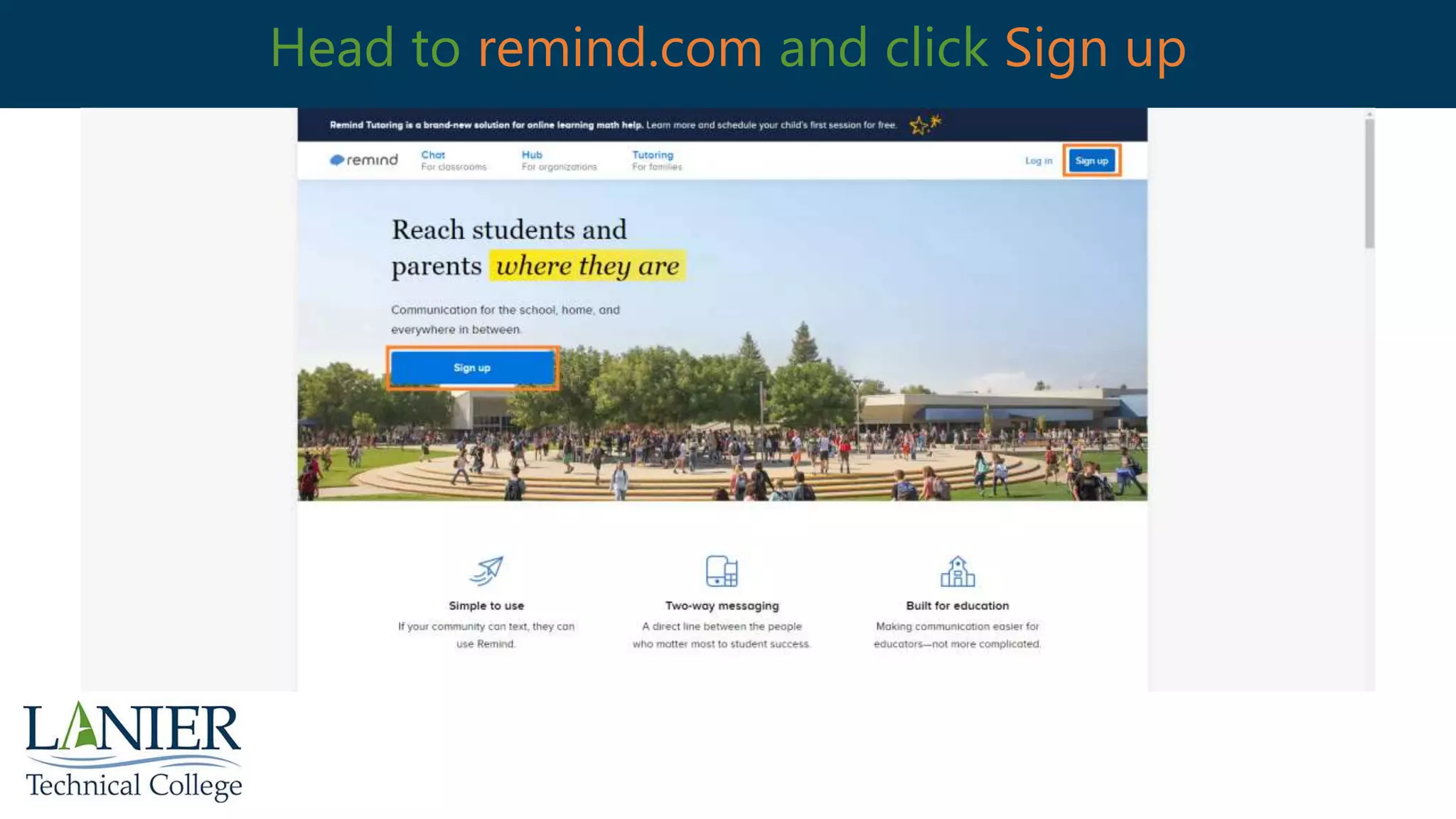
Head to remind.com and click Sign up
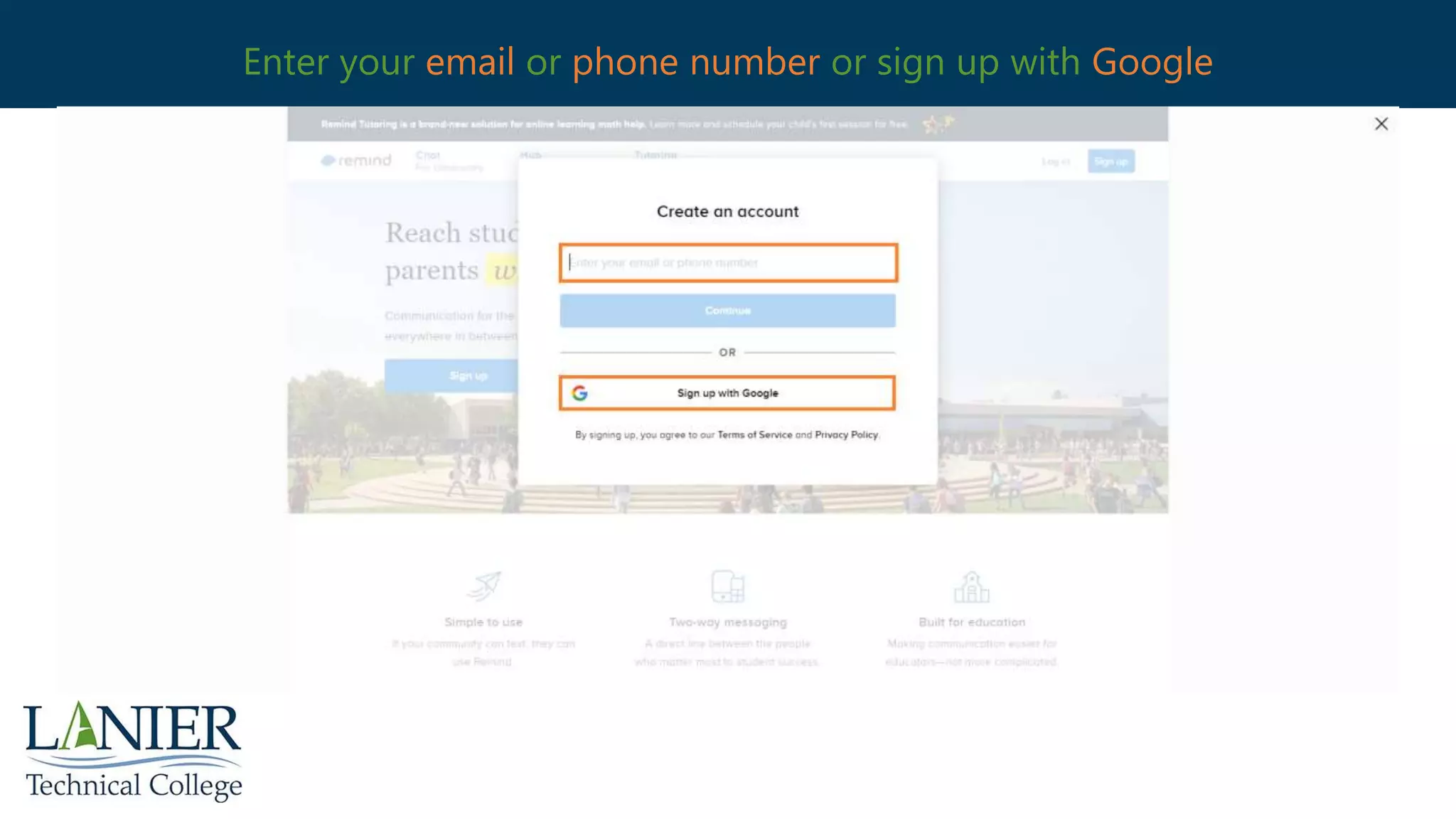
Enter your email or phone number or sign up with Google
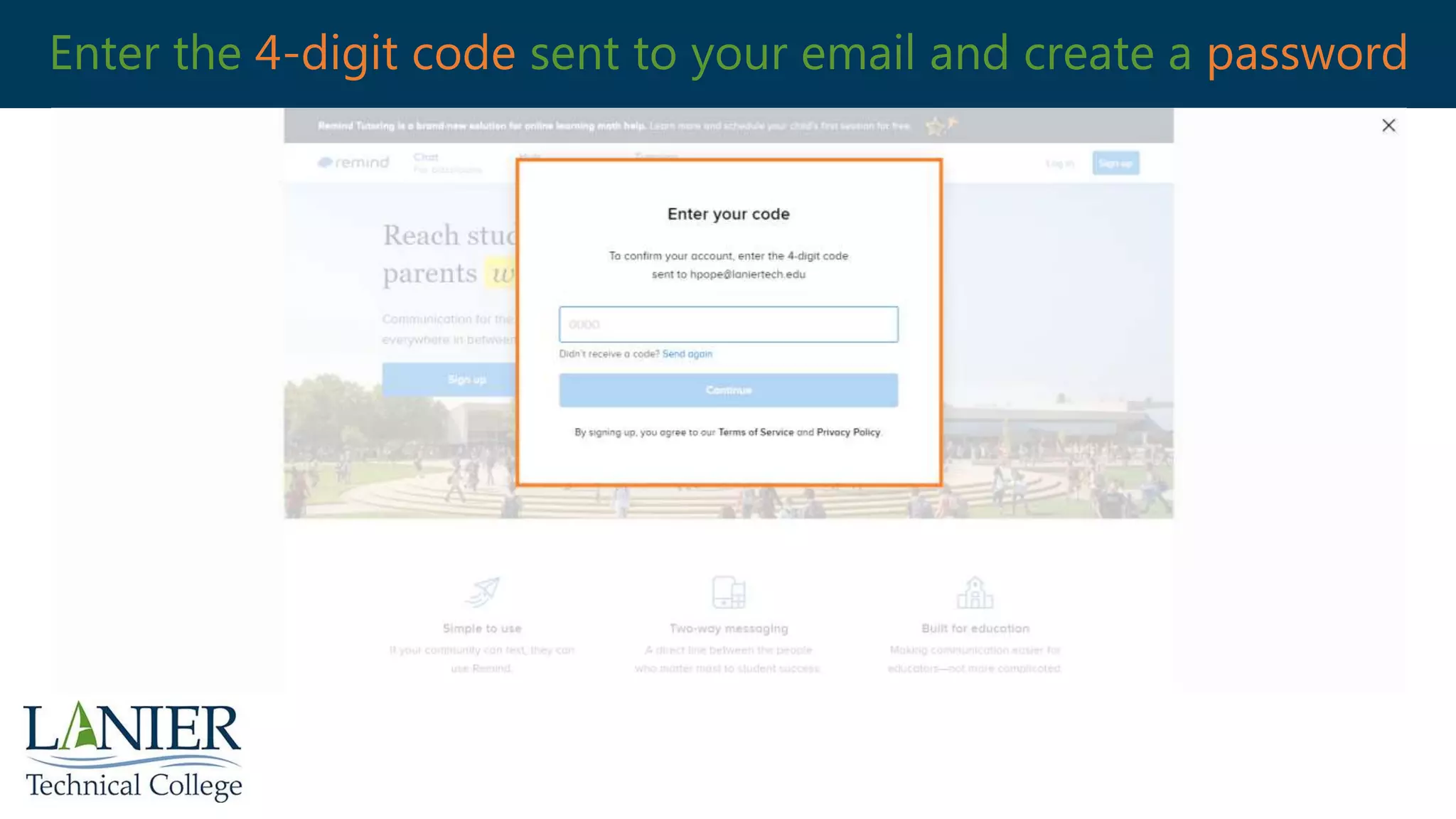
Enter the 4-digit code sent to your email and create a password
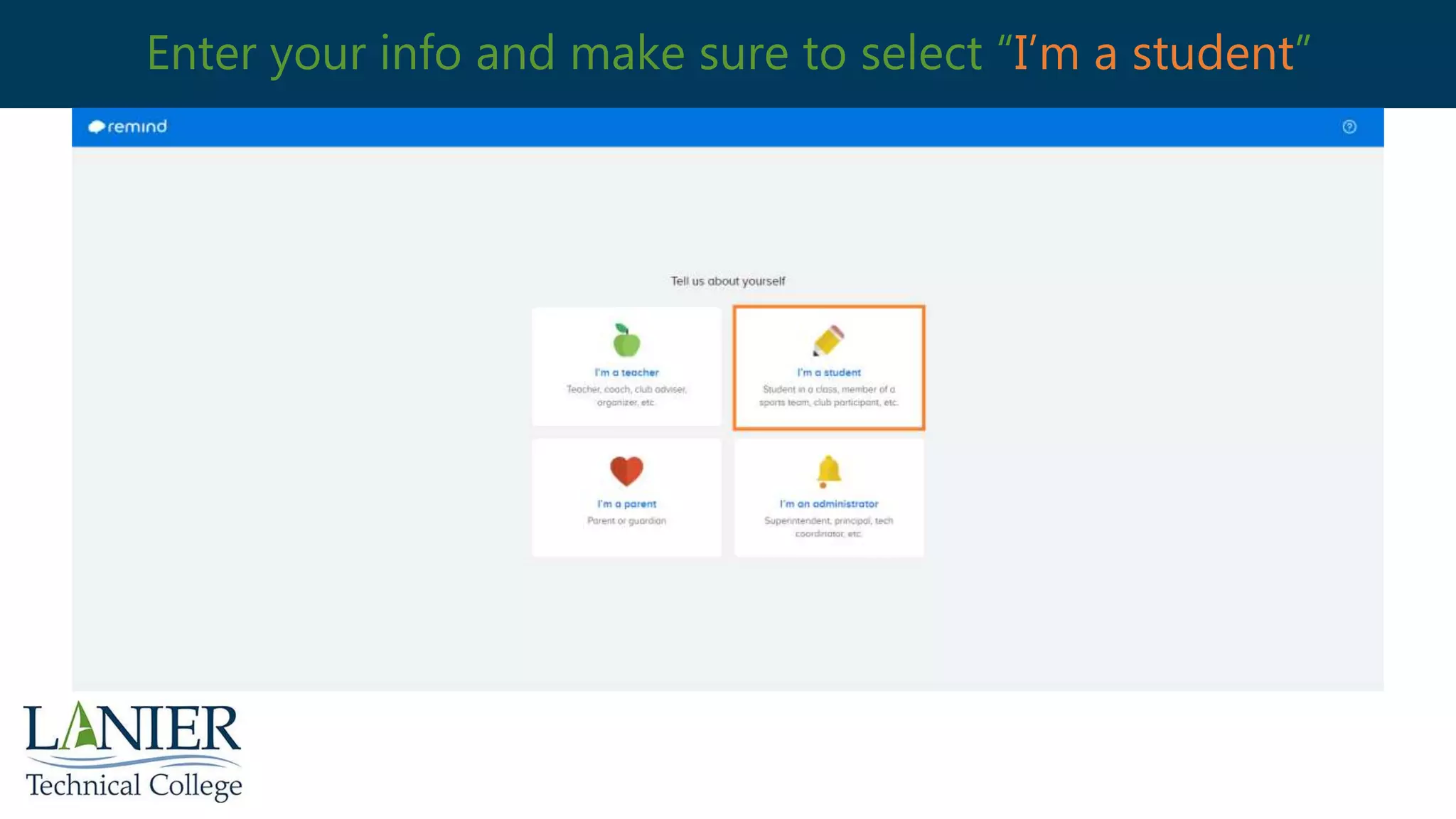
Enter your info and make sure to select “I’m a student”
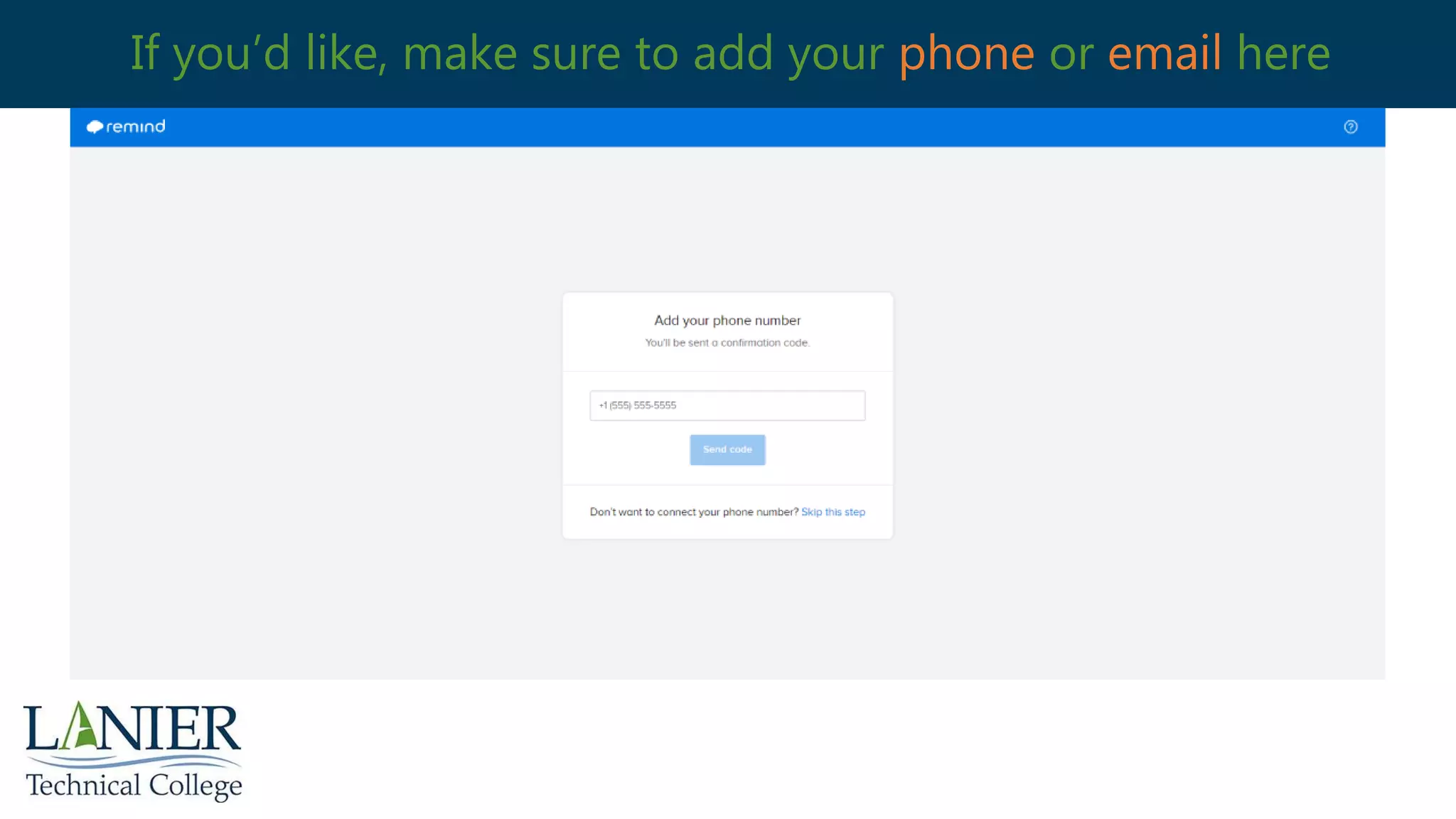
If you’d like, make sure to add your phone or email here
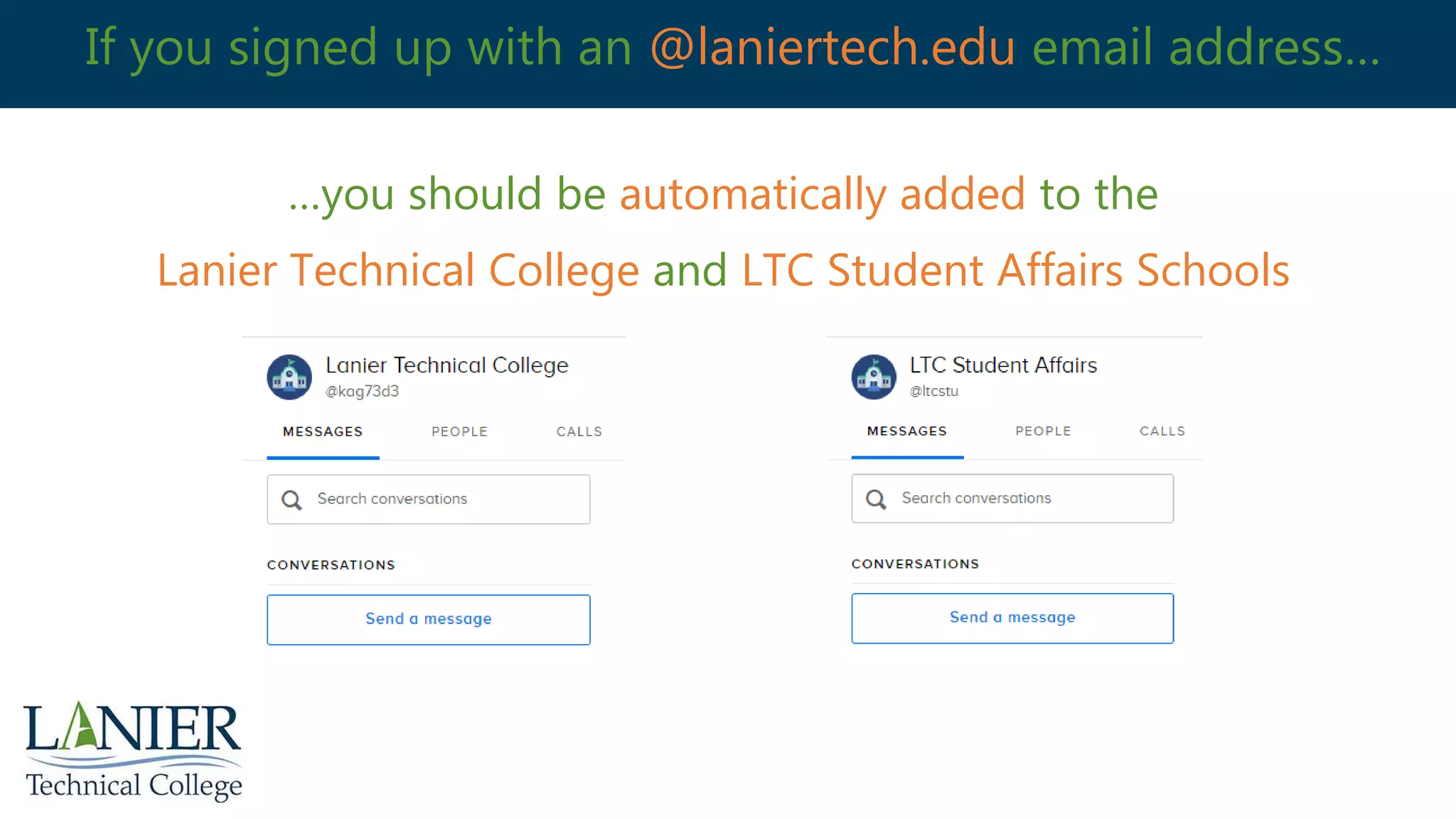
If you signed up with an @laniertech.edu email address…
…you should be automatically added to the
Lanier Technical College and LTC Student Affairs Schools
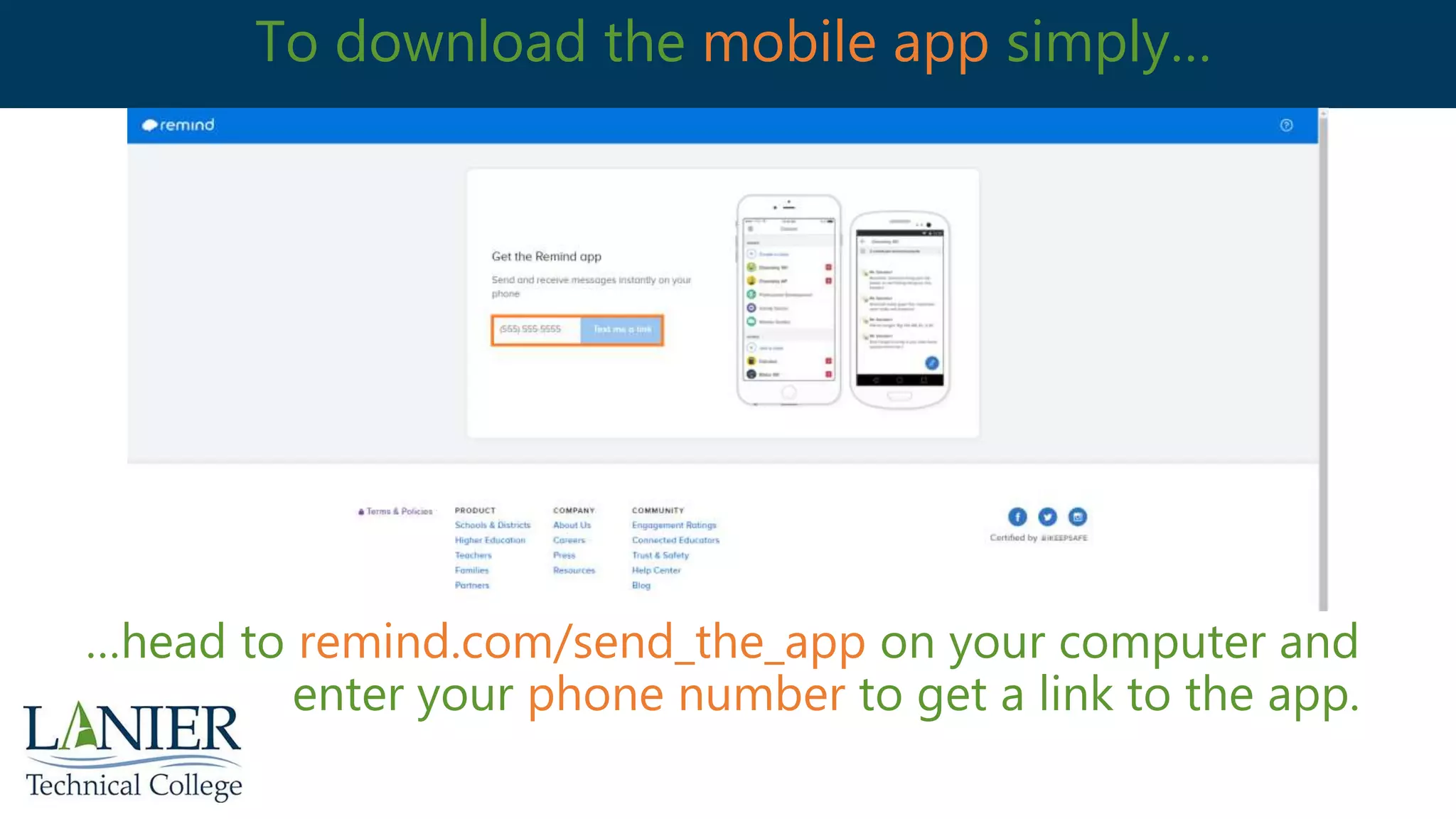
To download the mobile app simply…
…head to remind.com/send_the_app on your computer and
enter your phone number to get a link to the app.
That’s it, you’re all signed up!
You will now be signed up for Remind on for web and on the app.
For additional information on Remind, please visit the LTC Remind
101 for Students article.
laniertech.freshdesk.com/support/solutions/folders/44001221171

LTC - Signing up for Remind

  • 1.
    Signing Up forRemind Remind is a private mobile messaging platform that aims to help teachers, parents, students, and administrators to communicate. Instructors can communicate with students using Remind via Blackboard, web browser, or the Remind smartphone app. One of the many benefits of using Remind is that faculty and students individual cell phone numbers are kept private. Here is a quick guide to help you get set up.
  • 2.
    Head to remind.comand click Sign up
  • 3.
    Enter your emailor phone number or sign up with Google
  • 4.
    Enter the 4-digitcode sent to your email and create a password
  • 5.
    Enter your infoand make sure to select “I’m a student”
  • 6.
    If you’d like,make sure to add your phone or email here
  • 7.
    If you signedup with an @laniertech.edu email address… …you should be automatically added to the Lanier Technical College and LTC Student Affairs Schools
  • 8.
    To download themobile app simply… …head to remind.com/send_the_app on your computer and enter your phone number to get a link to the app.
  • 9.
    That’s it, you’reall signed up! You will now be signed up for Remind on for web and on the app. For additional information on Remind, please visit the LTC Remind 101 for Students article. laniertech.freshdesk.com/support/solutions/folders/44001221171