Loops in Python
Understanding Repetition Structures
and Their Types
Agenda
• 1. What are Loops?
• 2. Why are Loops Important?
• 3. Types of Loops in Python
• 4. Syntax and Examples of For Loop
• 5. Syntax and Examples of While Loop
• 6. Nested Loops
• 7. Use Cases of Loops
• 8. Best Practices
• 9. Common Mistakes
What are Loops?
• • Loops are control flow statements that
repeat a block of code.
• • They continue until a specified condition is
met or a sequence is exhausted.
• • Essential for automating repetitive tasks.
Why are Loops Important?
• • Eliminate code redundancy by automating
repetition.
• • Increase efficiency and readability of
programs.
• • Useful in handling large datasets, performing
calculations, and more.
Types of Loops in Python
• 1. For Loop
• - Iterates over items of a sequence (list,
tuple, etc.).
• 2. While Loop
• - Repeats as long as a condition evaluates to
True.
• 3. Nested Loops
• - Loops inside another loop.
For Loop Syntax and Example
• Syntax:
• for item in sequence:
• # code block
• Example:
• fruits = ['apple', 'banana', 'cherry']
• for fruit in fruits:
• print(fruit)
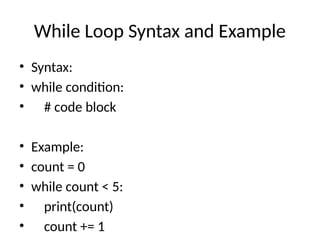
While Loop Syntax and Example
• Syntax:
• while condition:
• # code block
• Example:
• count = 0
• while count < 5:
• print(count)
• count += 1
Nested Loops
• • A loop inside another loop.
• • Useful for iterating over multi-dimensional
data.
• Example:
• matrix = [[1, 2], [3, 4]]
• for row in matrix:
• for element in row:
• print(element)
Best Practices and Common
Mistakes
• Best Practices:
• • Use descriptive variable names.
• • Avoid infinite loops by ensuring conditions
change.
• • Minimize nesting to improve readability.
• Common Mistakes:
• • Forgetting to update variables in while loops.
• • Misusing break/continue statements.
Summary
• • Loops are essential for efficient
programming.
• • Python provides For, While, and Nested
loops.
• • Follow best practices to write clean and bug-
free code.

Loops_in_Python.pptx05g830mp6m@freeml.net

  • 1.
    Loops in Python UnderstandingRepetition Structures and Their Types
  • 2.
    Agenda • 1. Whatare Loops? • 2. Why are Loops Important? • 3. Types of Loops in Python • 4. Syntax and Examples of For Loop • 5. Syntax and Examples of While Loop • 6. Nested Loops • 7. Use Cases of Loops • 8. Best Practices • 9. Common Mistakes
  • 3.
    What are Loops? •• Loops are control flow statements that repeat a block of code. • • They continue until a specified condition is met or a sequence is exhausted. • • Essential for automating repetitive tasks.
  • 4.
    Why are LoopsImportant? • • Eliminate code redundancy by automating repetition. • • Increase efficiency and readability of programs. • • Useful in handling large datasets, performing calculations, and more.
  • 5.
    Types of Loopsin Python • 1. For Loop • - Iterates over items of a sequence (list, tuple, etc.). • 2. While Loop • - Repeats as long as a condition evaluates to True. • 3. Nested Loops • - Loops inside another loop.
  • 6.
    For Loop Syntaxand Example • Syntax: • for item in sequence: • # code block • Example: • fruits = ['apple', 'banana', 'cherry'] • for fruit in fruits: • print(fruit)
  • 7.
    While Loop Syntaxand Example • Syntax: • while condition: • # code block • Example: • count = 0 • while count < 5: • print(count) • count += 1
  • 8.
    Nested Loops • •A loop inside another loop. • • Useful for iterating over multi-dimensional data. • Example: • matrix = [[1, 2], [3, 4]] • for row in matrix: • for element in row: • print(element)
  • 9.
    Best Practices andCommon Mistakes • Best Practices: • • Use descriptive variable names. • • Avoid infinite loops by ensuring conditions change. • • Minimize nesting to improve readability. • Common Mistakes: • • Forgetting to update variables in while loops. • • Misusing break/continue statements.
  • 10.
    Summary • • Loopsare essential for efficient programming. • • Python provides For, While, and Nested loops. • • Follow best practices to write clean and bug- free code.