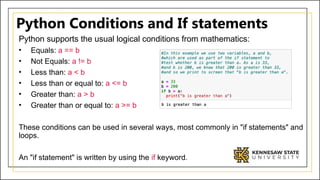
Python Conditions andIf statements
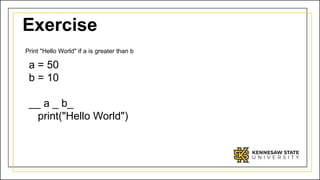
Python supports the usual logical conditions from mathematics:
• Equals: a == b
• Not Equals: a != b
• Less than: a < b
• Less than or equal to: a <= b
• Greater than: a > b
• Greater than or equal to: a >= b
These conditions can be used in several ways, most commonly in "if statements" and
loops.
An "if statement" is written by using the if keyword.
3.
Indentation
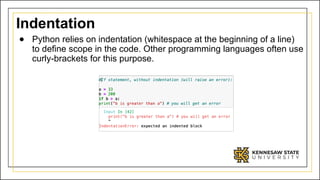
● Python relieson indentation (whitespace at the beginning of a line)
to define scope in the code. Other programming languages often use
curly-brackets for this purpose.
4.
Elif
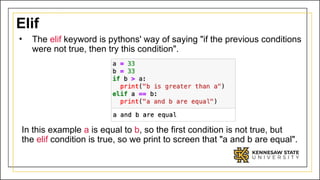
• The elifkeyword is pythons' way of saying "if the previous conditions
were not true, then try this condition".
In this example a is equal to b, so the first condition is not true, but
the elif condition is true, so we print to screen that "a and b are equal".
5.
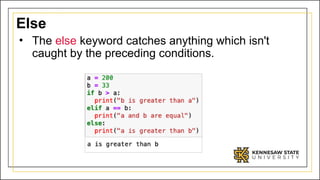
Else
• The elsekeyword catches anything which isn't
caught by the preceding conditions.
6.
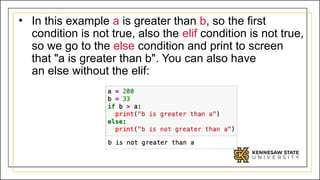
• In thisexample a is greater than b, so the first
condition is not true, also the elif condition is not true,
so we go to the else condition and print to screen
that "a is greater than b". You can also have
an else without the elif:
7.
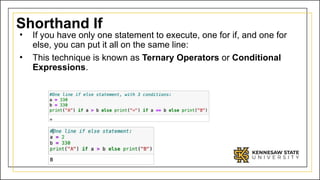
Shorthand If
• Ifyou have only one statement to execute, one for if, and one for
else, you can put it all on the same line:
• This technique is known as Ternary Operators or Conditional
Expressions.
8.
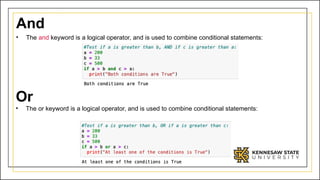
And
• The andkeyword is a logical operator, and is used to combine conditional statements:
Or
• The or keyword is a logical operator, and is used to combine conditional statements:
9.
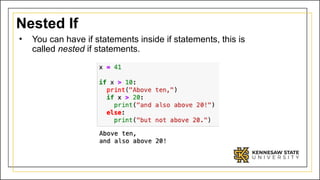
Nested If
• Youcan have if statements inside if statements, this is
called nested if statements.
10.
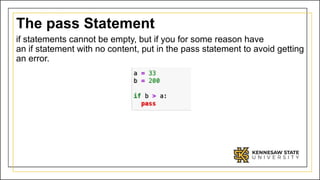
The pass Statement
ifstatements cannot be empty, but if you for some reason have
an if statement with no content, put in the pass statement to avoid getting
an error.
Loops
● In iterationcontrol structures, a statement or block is
executed until the program reaches a certain state,
or operations have been applied to every element of
a collection. This is usually expressed with keywords
such as while, repeat, for, or do..until
15.
Computer algorithms needto be precise
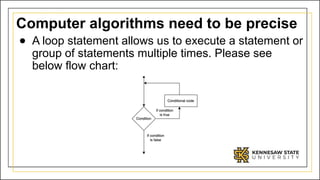
● A loop statement allows us to execute a statement or
group of statements multiple times. Please see
below flow chart:
16.
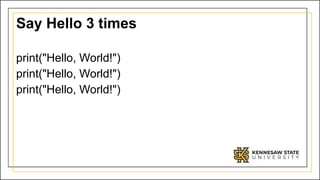
Say Hello 3times
print("Hello, World!")
print("Hello, World!")
print("Hello, World!")
17.
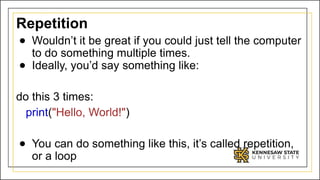
Repetition
● Wouldn’t itbe great if you could just tell the computer
to do something multiple times.
● Ideally, you’d say something like:
do this 3 times:
print("Hello, World!")
● You can do something like this, it’s called repetition,
or a loop
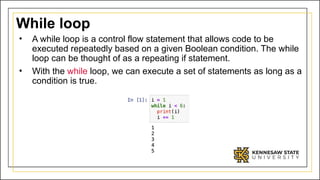
While loop
• Awhile loop is a control flow statement that allows code to be
executed repeatedly based on a given Boolean condition. The while
loop can be thought of as a repeating if statement.
• With the while loop, we can execute a set of statements as long as a
condition is true.
20.
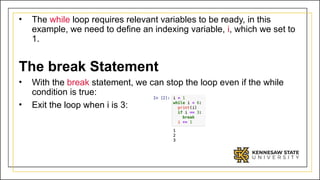
• The whileloop requires relevant variables to be ready, in this
example, we need to define an indexing variable, i, which we set to
1.
The break Statement
• With the break statement, we can stop the loop even if the while
condition is true:
• Exit the loop when i is 3:
21.
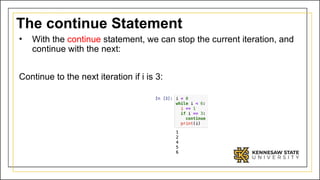
The continue Statement
•With the continue statement, we can stop the current iteration, and
continue with the next:
Continue to the next iteration if i is 3:
22.
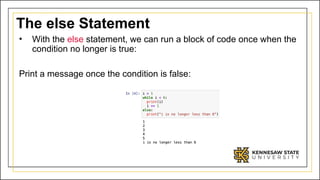
The else Statement
•With the else statement, we can run a block of code once when the
condition no longer is true:
Print a message once the condition is false:
23.
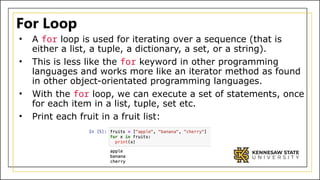
For Loop
• Afor loop is used for iterating over a sequence (that is
either a list, a tuple, a dictionary, a set, or a string).
• This is less like the for keyword in other programming
languages and works more like an iterator method as found
in other object-orientated programming languages.
• With the for loop, we can execute a set of statements, once
for each item in a list, tuple, set etc.
• Print each fruit in a fruit list:
24.
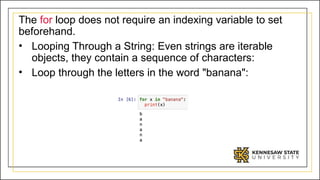
The for loopdoes not require an indexing variable to set
beforehand.
• Looping Through a String: Even strings are iterable
objects, they contain a sequence of characters:
• Loop through the letters in the word "banana":
25.
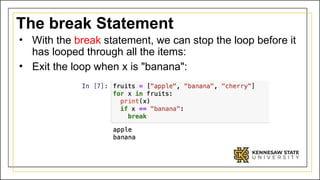
The break Statement
•With the break statement, we can stop the loop before it
has looped through all the items:
• Exit the loop when x is "banana":
26.
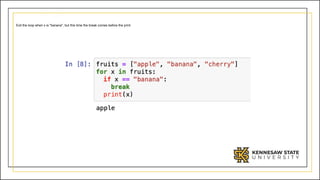
Exit the loopwhen x is "banana", but this time the break comes before the print:
27.
The continue Statement
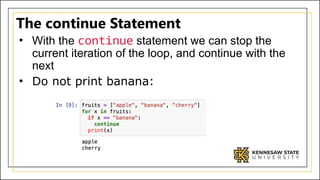
•With the continue statement we can stop the
current iteration of the loop, and continue with the
next
• Do not print banana:
28.
The range() Function
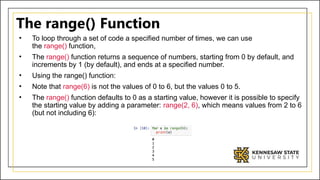
•To loop through a set of code a specified number of times, we can use
the range() function,
• The range() function returns a sequence of numbers, starting from 0 by default, and
increments by 1 (by default), and ends at a specified number.
• Using the range() function:
• Note that range(6) is not the values of 0 to 6, but the values 0 to 5.
• The range() function defaults to 0 as a starting value, however it is possible to specify
the starting value by adding a parameter: range(2, 6), which means values from 2 to 6
(but not including 6):
29.
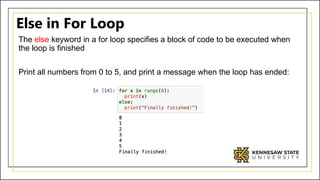
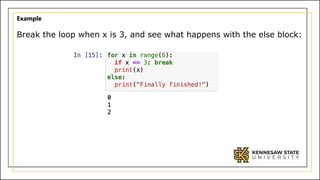
Else in ForLoop
The else keyword in a for loop specifies a block of code to be executed when
the loop is finished
Print all numbers from 0 to 5, and print a message when the loop has ended:
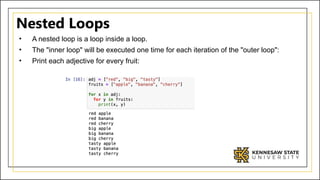
Nested Loops
• Anested loop is a loop inside a loop.
• The "inner loop" will be executed one time for each iteration of the "outer loop":
• Print each adjective for every fruit:
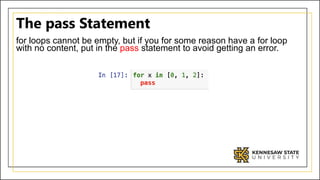
32.
The pass Statement
forloops cannot be empty, but if you for some reason have a for loop
with no content, put in the pass statement to avoid getting an error.
33.
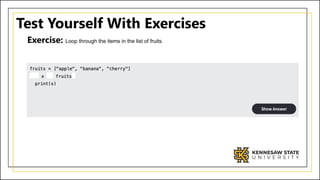
Test Yourself WithExercises
Exercise: Loop through the items in the list of fruits.


![[DSC Europe 25] Paula Garcia Esteban -Building the Future: The Role of Data S...](https://cdn.slidesharecdn.com/ss_thumbnails/9ld1r1bsqpwve8qfvphy-paula-garcia-esteban-building-the-future-260122103838-4171f5cb-thumbnail.jpg?width=640&height=640&fit=bounds)


![[DSC Europe 25] Milovan Jovicic - Beyond AI's Reach: The Enduring Value of Ev...](https://cdn.slidesharecdn.com/ss_thumbnails/pyeij0hurgwq5jugmtnv-2-milovan-jovicic-beyond-ais-reach-the-enduring-value-of-evergreen-design-v2-260120105856-d6ee57e5-thumbnail.jpg?width=640&height=640&fit=bounds)
![[DSC Europe 25] Mikhail Rozhkov - AI Product Canvas: From Business Goals to T...](https://cdn.slidesharecdn.com/ss_thumbnails/d53doddtpgfqivmzqel6-mikhail-rozhkov-ai-product-canvas-v1-260121115910-9dd517a7-thumbnail.jpg?width=640&height=640&fit=bounds)


![[DSC Europe 25] Marcos Heidemann - Beyond the Hype: Making AI Coding Assistan...](https://cdn.slidesharecdn.com/ss_thumbnails/eexkhvldrjsopspdjbur-marcos-heidemann-beyond-the-hype-getting-real-value-out-of-ai-assisted-coding-260121115910-7e9d41ec-thumbnail.jpg?width=640&height=640&fit=bounds)

![[DSC Europe 25] Bojan Djuricic - Predictive Design Process.pdf](https://cdn.slidesharecdn.com/ss_thumbnails/5awdrbedqdek3gqu2ezy-4-the-predictive-design-bojan-djuricic-260120105856-6c399e9b-thumbnail.jpg?width=640&height=640&fit=bounds)

![[DSC Europe 25] Tali Fulman - Guild Meetings, Then What? Building Data Commun...](https://cdn.slidesharecdn.com/ss_thumbnails/fgohhi33rwmhqdowdj5k-tali-fulman-guild-meetings-then-what-building-data-communities-that-actually-ch-260120105855-528492c3-thumbnail.jpg?width=640&height=640&fit=bounds)

